

Generative assistants like Microsoft Copilot have become indispensable productivity tools — and that very usefulness is what makes them one of the most consequential insider‑risk vectors modern organizations must face.
Copilot and similar GenAI assistants are designed to fetch, synthesize, and present enterprise information from across Microsoft 365 (mail, SharePoint, OneDrive, Teams, calendars and more) so users can get faster answers, drafts, and summaries. That capability translates into enormous productivity wins — but it also creates a new, AI‑amplified insider‑risk profile: the assistant will access and repackage everything the calling user is allowed to see, and in many enterprises the set of things users are permitted to see is far larger and messier than IT teams realize.
This feature examines the risk model, the core failure modes, concrete incidents and proof‑of‑concepts that have already emerged, and how modern data security governance — combining Microsoft Purview controls and context‑aware DSPM tooling — can reduce the probability and impact of Copilot‑mediated exposures. Where appropriate, claims and technical specifics are verified or cross‑checked against public vendor documentation and independent security research.
These instances underscore a core theme: many practical attacks exploit the intersection of user trust+convincing UI+legitimate hosting rather than low‑level software bugs alone. In such cases, normal DLP and perimeter controls are insufficient without AI‑aware governance and provenance controls.
A responsible program treats Copilot as a first‑class element of the enterprise attack surface: it gets lifecycle governance, logging parity, and scheduled adversarial testing just like any other platform that can act on or change corporate data.
The challenge is operational, not binary: stop trying to choose between innovation and security, and instead build the governance that enables both.
Source: TechNadu Why Microsoft Copilot May Be Your Most Risky Insider Threat
 Overview
Copilot and similar GenAI assistants are designed to fetch, synthesize, and present enterprise information from across Microsoft 365 (mail, SharePoint, OneDrive, Teams, calendars and more) so users can get faster answers, drafts, and summaries. That capability translates into enormous productivity wins — but it also creates a new, AI‑amplified insider‑risk profile: the assistant will access and repackage everything the calling user is allowed to see, and in many enterprises the set of things users are permitted to see is far larger and messier than IT teams realize.This feature examines the risk model, the core failure modes, concrete incidents and proof‑of‑concepts that have already emerged, and how modern data security governance — combining Microsoft Purview controls and context‑aware DSPM tooling — can reduce the probability and impact of Copilot‑mediated exposures. Where appropriate, claims and technical specifics are verified or cross‑checked against public vendor documentation and independent security research.
Background: why Copilot is different from previous insider‑risk vectors
Traditional insider threats fall into a few broad categories: malicious insiders, careless users, and compromised credentials. Copilot isn’t a user; it’s a highly capable assistant that acts like a user and aggregates context across systems. The two properties that change the calculus are:- Scale of surface area — Copilot can reference files and messages across an entire tenant, not just the single app an employee happened to open. Large tenants hold tens of millions of items; even small misconfigurations multiply potential exposure points.
- Actionability of outputs — Copilot produces digestible summaries and synthesized content that can be saved, forwarded, or pasted into external channels. A single prompt can turn scattered sensitive facts into a compact, shareable payload.
What the data says right now
A recent industry data‑risk analysis — compiled from DSPM (data security posture management) telemetry across customer environments — found that Copilot workflows were interacting with very large volumes of sensitive content in H1 2025. The headline metric widely reported: nearly three million sensitive records accessed per organization (on average) in the reporting window, with thousands of Copilot interactions per tenant and a high proportion of externally shared files containing confidential material. Treat this number as a directional alarm rather than a universal constant: the dataset is vendor‑sourced and biased toward tenants where DSPM tooling was already deployed. Key patterns the report and independent coverage highlight:- Extensive data sprawl (millions of duplicates, stale content, orphaned files).
- Substantial volumes of files shared externally or to personal accounts — many of which were privileged or regulated content.
- Thousands of routine Copilot interactions per tenant, increasing exposure chances when governance is weak.
How Copilot enforces (and inherits) permissions — Microsoft’s architecture and controls
Microsoft’s design principle for Microsoft 365 Copilot is that Copilot “runs as the user” and respects tenant access controls; it uses Microsoft Graph as the grounding layer for tenant content. Administrators have a set of governance surfaces — the Copilot Control System, Microsoft Purview sensitivity labels, and DLP — to manage what Copilot may process and how outputs are handled. These administrative primitives are real and continue to expand. Important details verified from Microsoft documentation:- Copilot Control System: a governance framework that groups security, management controls, and measurement/reporting for Copilot and agents. It ties into Purview, SharePoint Advanced Management and other Microsoft tooling.
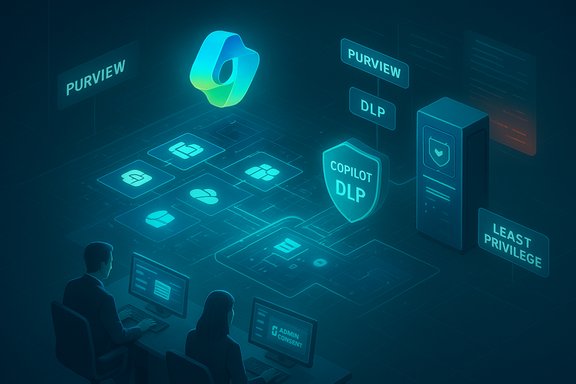
- Sensitivity labels & DLP: Purview sensitivity labels can be applied to files and containers (sites/Teams) and can block Copilot processing for labeled content when policies are configured, preventing Copilot from summarizing or using those files in responses. More advanced DSPM and Purview DLP for Copilot are available at higher licensing tiers.
- Agent lifecycle & connector controls: Copilot Studio agents and connectors can be restricted via admin controls; admins can control who can create agents and which connectors are allowed.
Concrete threat examples and research findings
The theoretical risk is now a practical one — researchers and vendors have demonstrated realistic abuse cases that exploit Copilot and adjacent surfaces.1) Token‑stealing OAuth phishing via Copilot Studio agents — “CoPhish”
Datadog Security Labs publicly documented a technique (nicknamed CoPhish) where attackers create or repurpose Copilot Studio agents hosted on Microsoft domains (copilotstudio.microsoft.com) to present convincing login consent flows. Because demo pages and agent canvases can run on Microsoft domains and include a “Login” experience, attackers can deliver OAuth phishing that results in stolen access tokens. Datadog’s write‑up shows how an attacker can automate exfiltration from the agent itself, and how tokens can be used to call Graph APIs with the victim’s privileges. Organizations can substantially reduce this risk by tightening application consent policies and monitoring agent lifecycle events.2) Indirect prompt injection and data exfiltration via rendered artifacts (Mermaid diagrams)
Independent researchers documented a chain that abused Copilot’s Mermaid diagram rendering to embed clickable artifacts that looked like legitimate UI (a “login” button) but contained hex‑encoded payloads that, when clicked, transmitted tenant data to attacker infrastructure. Microsoft validated the chain and mitigated the specific vector by disabling interactive outbound links in Mermaid diagrams rendered by Copilot; the underlying issue involved how rendered HTML and external resources can be abused when assistants synthesize rich content. This pattern is an example of indirect prompt injection combined with UI spoofing. The Mermaid renderer itself had CVEs tied to unsanitized inputs; the combined effect created a practical exfil channel until patched.3) “Zombie” or cached public data resurfacing through AI
Researchers have shown that content briefly made public (for example, a GitHub repo) can be indexed and later remain reachable via AI assistants even after the resource becomes private, creating long‑tail exposure risks. Because Copilot may draw on cached content or web indexes for grounding in some flows, transient public exposure can leave persistent retrieval windows unless caches and indexes are purged or blocked properly.These instances underscore a core theme: many practical attacks exploit the intersection of user trust+convincing UI+legitimate hosting rather than low‑level software bugs alone. In such cases, normal DLP and perimeter controls are insufficient without AI‑aware governance and provenance controls.
Why traditional policies (ban or “only approved apps”) fail
Two common security reflexes are: (a) ban GenAI or (b) restrict usage to a short approved list and forbid any sensitive data. Both approaches have major flaws:- Blocking GenAI is a losing battle. Business units that see value will quickly adopt unsanctioned solutions if official options are blocked, creating shadow AI and more risk.
- Blanket policies that forbid any sensitive data with GenAI are unenforceable if you lack visibility into where sensitive data lives and how it’s labeled. Enforcement without automation fails at scale.
Practical defensive playbook: how to materially reduce Copilot‑mediated risk
Security teams should adopt a layered, measurable program combining Microsoft native controls with modern data‑security governance tools. The steps below are prioritized and pragmatic.1. Inventory and classify (automated, continuous)
- Use DSPM or context‑aware discovery tools to scan structured and unstructured data across SharePoint, OneDrive, file shares and cloud stores. These tools should categorize and subcategorize records (PII, IP, contracts, regulated PHI/PCI), not only flag keywords. Context‑aware AI classifiers outperform brittle regex rules for scale.
- Treat classification as continuous. Integrate automated labeling into ingestion pipelines so new files inherit appropriate protections. Microsoft Purview supports auto‑labeling at higher tiers, but many organizations need third‑party DSPM to find legacy, orphaned, or duplicate content.
2. Enforce least privilege and clean up permissive sharing
- Remove “Everyone” and broadly permissive links by default. Convert widely shared containers to limited access and require explicit approval for external sharing.
- Run site access reviews, reclaim orphaned content, and reduce membership in large nested groups. These operational cleanups materially shrink Copilot’s effective reach.
3. Apply Copilot‑aware DLP and sensitivity policies
- Configure Purview DLP to block Copilot processing of files with high‑sensitivity labels, or at minimum require human review before content is used to generate outputs. Test the flows where Copilot reads “referenced” files versus the currently open document and ensure policies work in both cases.
4. Harden identity, consent and connector governance
- Disable broad user application consent; require admin consent for apps that request high‑risk Graph scopes. Monitor consent events and service principal creation. Datadog’s CoPhish research and guidance show how important tight consent policies are to prevent token theft.
- Limit who can create Copilot Studio agents and demo pages; build an approval workflow and inventory agents in a central catalog. Log and alert on agent creation, channel publishing, or sign‑in topic modifications.
5. Improve detection, logging and IR playbooks
- Validate that Copilot interactions generate auditable events in Purview, Defender logs, and your SIEM. Test edge cases (summaries, agent calls, rendered artifacts) to ensure forensic fidelity. If audit fidelity is insufficient, seek compensating controls.
- Create AI‑specific IR runbooks: how to identify a Copilot‑exposed document, revoke connectors, reclassify content, and notify stakeholders and regulators if required.
6. User training and prompt hygiene
- Teach users prompt hygiene: don’t paste full SSNs, credentials, or entire contracts into chat prompts; prefer references to labeled documents and always verify before sharing outputs externally. Make examples relevant to the business to increase adherence.
7. Pilot and stage rollouts
- Start with a small pilot tied to measurable outcomes. Evaluate the number of human verification edits required for Copilot outputs in regulated workflows. Use staged rollouts and only expand once monitoring, labeling and IR processes are validated.
Strengths and limits of available mitigations
- Strengths: Microsoft’s Copilot Control System, Purview sensitivity labels, and DLP provide a robust set of primitives that — when configured and tested — can substantially limit Copilot’s ability to process protected content. Microsoft’s recent product work demonstrates vendor commitment to these controls.
- Limits: The controls depend on accurate classification and tenant hygiene. Vendor DSPM results show organizations often have millions of duplicates and orphaned files; automated labeling is imperfect and needs remediation capabilities to fix exposures at scale. Moreover, agent‑based phishing and UI spoofing attacks exploit human trust and hosting legitimacy — problems imperfectly solved by technical controls alone.
Red‑flag checklist for executives and CISOs
- Has the organization run a full, automated discovery of Microsoft Graph content and classified it by sensitivity?
- Are Purview sensitivity labels and DLP configured to block Copilot processing of regulated content?
- Who can create Copilot Studio agents in your tenant — and are demo pages/public hosting gated?
- Are consent defaults locked down (disable user app consent) and are consent events monitored?
- Can you audit and report exactly what content Copilot referenced and which users received Copilot outputs (activity explorer / DSPM logs)?
What security teams should stop doing
- Relying on spot audits or manual classification as a one‑time project — classification must be continuous.
- Assuming “Copilot respects access controls” is a substitute for good data hygiene; the assistant will respect permissions, but if permissions are too broad, respect is not protection.
- Treating DLP rules as a silver bullet — DLP needs to be Copilot‑aware and integrated with labeling and remediation flows.
The strategic balance: enablement, not elimination
Generative assistants are here to stay. The right posture is an explicit, measurable program that balances enablement (productivity gains, reduced toil, faster decisions) with operationalized governance (continuous DSPM, sensitivity labeling, consent hardening, monitoring and IR readiness). The end goal is not perfect elimination of risk — that’s unrealistic — but the reduction of probability and impact to a level the business accepts.A responsible program treats Copilot as a first‑class element of the enterprise attack surface: it gets lifecycle governance, logging parity, and scheduled adversarial testing just like any other platform that can act on or change corporate data.
Final assessment and recommendations (summary)
- Microsoft Copilot significantly increases the reachability of sensitive enterprise content. The Concentric‑sourced metrics and subsequent reporting make this operational scale clear: Copilot interactions are touching large volumes of sensitive records in production tenants, amplifying the need for governance. Treat vendor‑reported numbers as strong directional signals, not absolute breach tallies.
- Microsoft’s built‑in governance (Copilot Control System, Purview labels and DLP) provides the mechanisms to mitigate these risks, but they must be configured, tested and paired with continuous discovery and remediation.
- Real‑world research (Mermaid prompt‑injection chains and Datadog’s CoPhish) shows attackers can weaponize agent canvases, benign hosting and OAuth flows to harvest credentials, tokens or data. Operational defenses must include consent hardening, agent‑creation restrictions and agent lifecycle monitoring.
- Run a full tenant DSPM scan and classify all data sources.
- Harden Entra consent and disable user app consent by default.
- Configure Purview DLP to block Copilot from processing high‑risk labels.
- Restrict Copilot Studio agent creation and audit agent publishing/demo pages.
- Test IR playbooks for AI‑specific incidents and validate audit/fidelity of Copilot logs.
The challenge is operational, not binary: stop trying to choose between innovation and security, and instead build the governance that enables both.
Source: TechNadu Why Microsoft Copilot May Be Your Most Risky Insider Threat
