

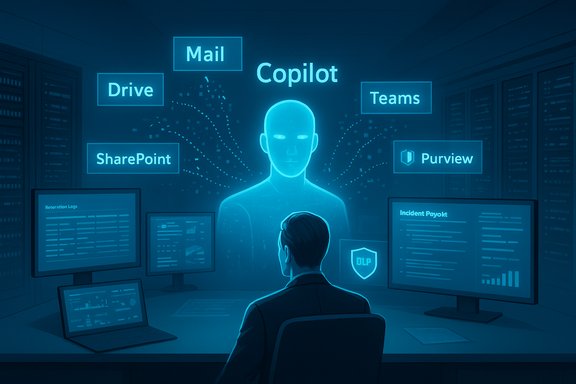
Microsoft 365 Copilot promises a productivity leap, but it also forces IT teams to reconcile powerful generative AI with real-world compliance, privacy and security obligations before the first pilot expands beyond a handful of trusted users. The architecture that makes Copilot useful—tenant-grounded access to mail, files, chats and Teams content via Microsoft Graph—also means a single misconfigured permission or an unlabelled archive can multiply into a compliance incident if Copilot is allowed to read and act on that content. This guide translates the technical and governance requirements into an actionable compliance playbook for Windows-centric enterprises and legal teams preparing to deploy Microsoft 365 Copilot at scale.
Microsoft 365 Copilot is an AI assistant that integrates with Word, Excel, PowerPoint, Outlook, Teams and other Microsoft 365 apps to generate text, summarise content, and perform multi-step actions based on the organization’s data. Because Copilot “grounds” responses on content available in the tenant, it operates within the same permission and access model as the user invoking it. That capability delivers very practical value—contextual summaries, automated briefings and drafting help—but it also creates a new attack surface and compliance vector that must be governed deliberately. The core compliance issues are: who/what Copilot can see, what Copilot may persist or export, whether prompts or outputs are retained and under what conditions, and how auditors can reconstruct provenance for AI-generated content. Many of these properties are controlled by tenant configuration, not by default settings. The material summarized here consolidates practical guidance for pilots, hardening steps for production, and the governance controls that must be in place before broad enablement.
This approach converts Copilot from an uncontrolled risk multiplier into a governed productivity platform: short pilots, staged rollouts, layered controls and continuous verification will let organizations capture productivity gains without surrendering compliance or control.
Source: Petri IT Knowledgebase A Guide to Microsoft 365 Copilot Compliance
 Overview
Microsoft 365 Copilot is an AI assistant that integrates with Word, Excel, PowerPoint, Outlook, Teams and other Microsoft 365 apps to generate text, summarise content, and perform multi-step actions based on the organization’s data. Because Copilot “grounds” responses on content available in the tenant, it operates within the same permission and access model as the user invoking it. That capability delivers very practical value—contextual summaries, automated briefings and drafting help—but it also creates a new attack surface and compliance vector that must be governed deliberately. The core compliance issues are: who/what Copilot can see, what Copilot may persist or export, whether prompts or outputs are retained and under what conditions, and how auditors can reconstruct provenance for AI-generated content. Many of these properties are controlled by tenant configuration, not by default settings. The material summarized here consolidates practical guidance for pilots, hardening steps for production, and the governance controls that must be in place before broad enablement.Background: why Copilot changes the compliance equation
What Copilot does — not just another feature
Copilot synthesizes information across many repositories: mailboxes, SharePoint, OneDrive, Teams chats and meeting artifacts. That synthesis both enables working faster and complicates how organisations maintain confidentiality, eDiscovery provenance and regulatory defensibility. Traditional apps are primarily storage and transport layers; generative AI actively processes and recombines content to create new outputs. That shift amplifies two problems:- Data leakage by design: If a user has access to a document that contains sensitive data, Copilot may surface or incorporate that content into outputs—even if the original document was intended to be rarely shared.
- Auditing and provenance gaps: AI outputs can be persuasive but are not self-evidently traceable; compliance requires linking any assertion in an AI-generated document back to specific source items and user intent. Without thorough logging and exportable machine-readable traces, auditability suffers.
What Microsoft says about data use and training
Microsoft’s enterprise documentation and Q&A make explicit commitments that matter to compliance: for Microsoft 365 Copilot, prompts, responses and the Customer Data accessed via Microsoft Graph are not used to train Microsoft’s foundational LLMs by default. Those protections are part of product design and contractual terms, but they are only one piece of the compliance puzzle. Verify the version and contractual addenda for your tenant: product promises must be matched to contractual language in the Data Processing Addendum (DPA) for legally enforceable guarantees.Pricing and procurement realities
Copilot for Microsoft 365 is a paid add-on; Microsoft’s published price for the Microsoft 365 Copilot seat is $30.00 per user per month (annual commitment pricing) for the enterprise offering. Budgeting should include licensing, metered agent execution costs, SIEM ingestion and operational overhead for audits, token rotations and admin resources. Plan pilots with consumption caps to avoid billing surprises.Key pillars of Copilot security and compliance
To secure Copilot, harden these interdependent pillars. Each pillar maps to controls you must validate in your tenant.Data governance and lifecycle management
- Inventory and classification: Run automated discovery across SharePoint, OneDrive and Exchange; find legacy content and unlabelled archives. Use Purview and third-party DSPM tools to surface high-risk data. Continuous classification will be necessary—static, one-time scans will fail as content changes.
- Retention and deletion: Implement retention rules and deletion automation for stale sensitive content; reducing data surface area decreases Copilot’s opportunity to surface problematic material.
Identity and access management (IAM)
- Least privilege: Copilot performs actions under the invoking user’s identity. Review and tighten group memberships, remove broad “Everyone” or anonymous links and enforce two-person ownership on Teams and SharePoint sites.
- Strong authentication and conditional access: Enforce MFA for all privileged roles and apply conditional-access policies (device compliance, location and risk-based session gates) to reduce the chance of account compromise being leveraged to extract data with Copilot.
Information protection and data encryption
- Sensitivity labels and encryption: Apply Microsoft Purview Information Protection labels to protect high-sensitivity content. Labels should block or require explicit human review before content is used by AI processes.
- DLP policies for prompts/outputs: Extend DLP to cover both Copilot prompts and generated outputs so fragments of regulated data (PHI, PCI, SSNs) are blocked from being composed into emails or external exports.
Threat protection and incident response
- Defender + SIEM integration: Stream Copilot-related telemetry into Microsoft Defender/XDR and your SIEM to detect anomalous prompt patterns, large-scale indexing activity, or unusual connector usage. Validate that audit events include user ID, timestamp, model/version, prompt and response identifiers where permitted.
- AI-specific IR playbooks: Add runbooks for agent misuse, prompt-injection incidents, connector token compromise and required revocation/rotation steps.
Regulatory compliance and auditing
- Exportable, machine-readable logs: Contractually insist on logs that expose prompts, responses, caller identity and retention windows. Legal teams must be able to demonstrate provenance for decisions that relied on AI outputs. Treat published vendor statements as informative but verify in your tenant.
Preparing your environment: a staged, defensible deployment flow
The safe way to roll out Copilot is iterative: prepare, pilot, validate and scale.Step 1 — Assess your current data landscape
- Run a tenant-wide inventory: map sensitive content locations, legacy archives and who owns each dataset. Automated DSPM or Purview discovery is essential; manual checks miss edge cases.
- Identify risky clusters: legal, HR, executive communications, IP repositories and finance spreadsheets containing PII/PCI are high-priority for remediation.
Step 2 — Refine your data-governance strategy
- Auto-label where possible: implement automated sensitivity labels at ingestion to reduce manual errors. Define retention and archival lifecycles to remove dormant sensitive content.
- Define ownership: every high-risk dataset should have a named custodian responsible for access reviews and label assignments.
Step 3 — Strengthen identity and access controls
- Enforce tenant-wide MFA.
- Implement conditional access policies for Copilot and related services.
- Restrict connector consent: deny self-service app consent for risky or broad Graph scopes; require admin approval for connectors that read mailboxes or broad folder trees.
Step 4 — Implement robust information-protection policies
- Purview + DLP tuning: configure Purview to block Copilot processing of documents tagged above an agreed sensitivity threshold or to require manual approval prior to generation. Test DLP rules against both reference/document ingestion flows and open-document scenarios to cover both index and active-context use cases.
Step 5 — Establish detection and response
- Validate audit logging: ensure logs include granular Copilot events and that those logs are exportable to your SIEM with appropriate retention for eDiscovery. Run test scenarios: generate a Copilot output that references a sensitive source, then verify you can trace the output back to the source item in logs.
- Update IR playbooks with AI-specific containment, revocation and notification steps.
Best practices for pilots and production rollouts
Pilot design (30–60 days)
- Scope: pick 2–3 low-risk business units (IT docs, marketing drafts) and an isolated test tenant if possible. Use synthetic data if legal/regulatory risk is high.
- Controls: enable Copilot in “suggestion-only” or read-only modes where available. Enable commercial data protection features and enforce DLP on prompt inputs.
- Measurement: track human edit rate (how often users change Copilot output), false positives/negatives for DLP, number of admin consent requests for connectors, and SIEM alerts triggered by Copilot usage.
Staged enablement checklist
- Phase 1 (Quick wins): tenant MFA, remove broad sharing links, restrict guest access, implement baseline DLP and audit streaming.
- Phase 2 (Consolidation): apply automated labels, enforce provisioning blueprints for Teams and SharePoint with default sensitivity labels, integrate Copilot logs into SIEM.
- Phase 3 (Maturity): consider Customer Key or bring-your-own-key where required by regulation, require human-in-the-loop for external communications, and adopt runtime guardrails for agentic features.
Practical, ready-to-deploy controls: a compressed checklist
- Inventory and classify: automated DSPM + Purview scanning.
- Remove overly permissive ACLs and anonymous links.
- Enforce MFA and least privilege; require conditional access for risky contexts.
- Extend Purview sensitivity labels to block Copilot ingestion above your chosen sensitivity threshold.
- Configure DLP policies for prompts and outputs; test blocking and exception workflows.
- Route Copilot telemetry to SIEM; test traceability for one generated artifact back to the exact source.
- Update contracts and DPAs to insist on exportable logs, deletion guarantees, and explicit “no training” clauses for matter data if required.
Procurement and legal considerations
- Machine-readable logs: require exports that include user ID, model/version, timestamps, prompts and response identifiers.
- No‑training clauses: insist on contractual language preventing vendor use of your data for model training unless explicitly agreed.
- Data residency & retention: clarify where data is processed and how long telemetry, prompts and outputs are retained.
- SLAs for incident response: include measurable breach notification timelines and remediation obligations.
- Rights to audit: secure contractual rights for tenant audits and for third-party validation of vendor claims. These items are non-negotiable for regulated sectors.
Technical nuance: connectors, agentic flows and runtime guardrails
Copilot Studio and agentic features introduce additional complexity: agents can call tools, use connectors and perform multi-step automations. Those runtime actions may invoke third-party services, create new artifacts or call into external systems. Key technical controls:- Restrict connectors: prefer least-privilege scopes (read-only, folder-limited) and require admin consent for any connector that can export data.
- Runtime monitoring: use an external runtime guardrail integration (supported by Copilot Studio) to evaluate agent plans before execution; these external monitors must respond within the platform’s execution window to avoid latency problems. Third-party security vendors now integrate with Copilot Studio to provide inline DLP and prompt-injection protection. Test those integrations in your environment for latency and audit fidelity.
- Token lifecycle management: document revocation, rotation and short lifetimes for service principals used by connectors and agents.
Human factors: training, change management and governance culture
- User training: teach prompt hygiene—never paste credentials, SSNs or whole contracts into prompts. Train users to verify outputs and to treat Copilot as an assistant, not an oracle.
- Admin training: site owners and business unit admins must understand sensitivity labels, guest access lifecycles and provisioning blueprints.
- Champions network: create a small group of certified power users who can act as first responders and model good practices.
- Policy communication: publish clear, role-specific acceptable-use rules and make them discoverable when users open Copilot-enabled functionality.
Verification and validation: what to test before you expand
- Logging fidelity: create test cases that make Copilot reference sensitive content and confirm that logs capture a traceable chain from source to output.
- DLP efficacy: test blocking and exception handling for sample PHI and PCI content.
- Connector scoping: validate that folder-scoped connectors only return the intended material and that revoking a connector prevents further access immediately.
- Retention proofs: request tenant-level demonstrations or documentation showing how prompts and responses are retained or purged—don’t accept ambiguous vendor statements. Some publicly reported retention claims are vendor-reported and may vary by tenant, licensing and region—treat them as conditional until validated in your tenant.
Watchouts and unverifiable claims — what to treat with caution
- Vendor telemetry and adoption numbers: industry press and vendor blog posts often quote large adoption or prevention efficacy numbers. Those figures are useful for context but are not substitutes for tenant-level validation or independent audits. Treat vendor-reported telemetry as indicative, not definitive.
- Retention, export and training claims: Microsoft’s published stance is that Copilot prompts and responses are not used to train foundation LLMs by default, and commercial data protection settings exist; however, exact retention windows for telemetry and administrative logs may vary by feature, region and Enterprise Agreement. Require tenant-level confirmation and contractual language to lock down obligations.
- New features and availability: Copilot Studio, agentic capabilities, runtime guardrails and UI behavior evolve quickly. Roadmap items and “preview” features may not have consistent global behavior; always test in a pilot tenant and confirm behavior before changing production policies.
Incident playbook: rapid containment checklist
- Revoke compromised account session tokens and rotate service principal credentials.
- Revoke connector consent and quarantine the affected agent or Copilot configuration.
- Export and secure audit logs for the affected timeframe (preserve chain-of-custody).
- Reclassify exposed artifacts, apply protective labels and use Purview to force retention/human-review gates.
- Notify legal/compliance, prepare regulatory notifications as required and follow contractual incident escalation steps.
Conclusion
Microsoft 365 Copilot is transformative—but enterprise adoption must be treated as a governance project first and a productivity project second. The technical controls exist—sensitivity labels, DLP, conditional access, Defender and runtime guardrails—but they only protect you if applied, tested and combined with change management and clear contractual protections. Run conservative, measurable pilots; insist on exportable logs and contractual “no training” guarantees where your risk model requires them; and integrate Copilot telemetry into your existing SIEM and IR workflows so AI-driven activity is auditable and defensible.This approach converts Copilot from an uncontrolled risk multiplier into a governed productivity platform: short pilots, staged rollouts, layered controls and continuous verification will let organizations capture productivity gains without surrendering compliance or control.
Source: Petri IT Knowledgebase A Guide to Microsoft 365 Copilot Compliance
