

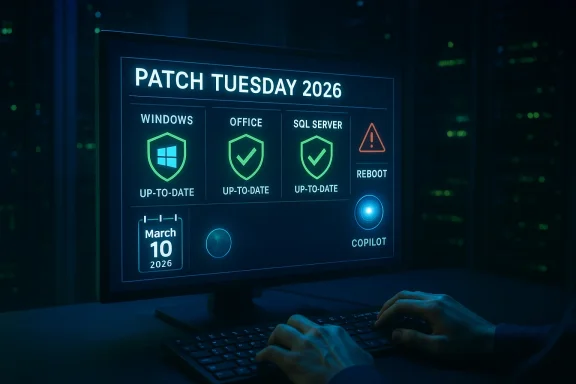
Microsoft pushed a heavy Patch Tuesday to Windows and Office environments on March 10, 2026 — and if you haven’t checked your PCs and servers yet, now is the time to do it. The March 10, 2026 security rollup addresses a large cluster of vulnerabilities across Windows, Office, .NET and SQL Server, including multiple high-severity issues and two publicly disclosed zero‑day flaws. Whether you run a single laptop at home or a hundred production database servers, this release contains fixes you should install as soon as you’ve validated them for your environment — and you should plan a system restart to complete the updates.
Microsoft issues cumulative security updates on the second Tuesday of every month (Patch Tuesday). The March 2026 release — published on March 10, 2026 — is notable for a blend of classic high‑impact issues and a new breed of vulnerabilities that exploit modern features such as integrated AI assistants inside Office apps.
Security vendors and analysts reported the total number of patched vulnerabilities in slightly different ways (industry trackers put the count in the high 70s to low‑to‑mid‑80s depending on how secondary items are classified), but the operational takeaways are unambiguous: several critical or high‑impact bugs were fixed, and two vulnerabilities were publicly disclosed prior to the patch drop (commonly called “publicly disclosed zero‑days”), making rapid patching a priority.
This article summarises what was fixed, explains the practical risk to home and enterprise users, walks through immediate mitigations and deployment priorities, and analyses the broader implications — including why integrated AI features have changed how we reason about application attack surfaces.
For home users and small businesses
Public disclosure is a race: defenders who patch quickly and apply sensible mitigations win time; those who delay raise the risk that opportunistic or targeted attackers will succeed. Take a few minutes now to check your update status and schedule the necessary restarts — it’s the single most effective action you can take to close the window of exposure created by this month’s release.
Source: Daily Express Everyone using Windows urged to check their PCs and restart them now
 Background / Overview
Microsoft issues cumulative security updates on the second Tuesday of every month (Patch Tuesday). The March 2026 release — published on March 10, 2026 — is notable for a blend of classic high‑impact issues and a new breed of vulnerabilities that exploit modern features such as integrated AI assistants inside Office apps.Security vendors and analysts reported the total number of patched vulnerabilities in slightly different ways (industry trackers put the count in the high 70s to low‑to‑mid‑80s depending on how secondary items are classified), but the operational takeaways are unambiguous: several critical or high‑impact bugs were fixed, and two vulnerabilities were publicly disclosed prior to the patch drop (commonly called “publicly disclosed zero‑days”), making rapid patching a priority.
This article summarises what was fixed, explains the practical risk to home and enterprise users, walks through immediate mitigations and deployment priorities, and analyses the broader implications — including why integrated AI features have changed how we reason about application attack surfaces.
What’s in the March 10, 2026 update — the headline items
Microsoft’s March 10, 2026 security release includes a number of urgent fixes. Below are the most operationally important items you must know right now.- SQL Server elevation‑of‑privilege (CVE‑2026‑21262). An authenticated but non‑privileged SQL Server user could potentially escalate to a sysadmin role. This is high‑impact for database owners because a successful privilege escalation on a SQL instance can lead to database compromise, data theft, or lateral movement into other systems.
- .NET Denial‑of‑Service (CVE‑2026‑26127) and related .NET/.NET Core fixes. Several patches in the .NET and ASP.NET stacks address remote DoS and elevation issues that affect cloud and server scenarios where .NET apps accept remote input.
- Microsoft Excel information‑disclosure / “zero‑click” risk (CVE‑2026‑26144). This vulnerability can be weaponized to exfiltrate data silently when Excel’s Copilot Agent mode is present — meaning an attacker may obtain data without the user opening a file or taking any overt action. That “zero‑click” property makes it especially concerning.
- Office Remote Code Execution via preview/preview pane (CVE‑2026‑26110, CVE‑2026‑26113 and others). Multiple Office vulnerabilities can be triggered through preview mechanisms (for example, Outlook or File Explorer preview panes). In practical terms, simply selecting an email or highlighting a folder with a malicious file may be enough for an exploit to run.
- SharePoint and Windows component RCE/EoP issues. The rollup fixes several SharePoint remote code execution flaws and Windows kernel/SMB/elevation‑of‑privilege bugs that deserve elevated priority for exposed servers.
- Other platform and product patches. The update also contains fixes for Azure agents, Windows Server builds, Microsoft 365 Apps for enterprise, and a range of ancillary components used by businesses.
Why this batch matters — threat and attack‑surface analysis
There are three reasons this Patch Tuesday should get immediate attention:- Public disclosure increases exploit risk. Two vulnerabilities were publicly disclosed before the patches were available. Public disclosure gives researchers — and adversaries — material to accelerate exploit development. Historically, once a flaw is publicly discussed and the patch is published, there’s a measurable rise in scanning and opportunistic attacks against unpatched systems.
- Preview‑pane and “zero‑click” vectors reduce user dependency. Preview pane RCEs and the Excel Copilot issue blunt many traditional security controls. User training (don’t open suspicious attachments) becomes less effective when simply viewing a message list or a file preview can trigger dangerous behavior. That means standard endpoint protections may need to be paired with configuration mitigations (for example, disabling preview parsing) until updates are applied.
- Database escalation is a high‑value attack path. SQL Server privilege escalation to sysadmin is especially dangerous in enterprise settings: databases are a direct path to sensitive data, service accounts, and infrastructure credentials. An exploited SQL EoP on an internet‑facing or partner‑connected system can have outsized impact, especially where backups, replication, or linked servers create chains of trust.
Immediate, practical actions — what to do right now
If you manage even one machine, follow these steps immediately. The steps are ordered so individuals and small teams can take fast, effective action while larger organizations prepare staged rollouts.For home users and small businesses
- Open Windows Update on every Windows PC: Check for updates and install all security updates from the March 10, 2026 rollup.
- Update Office / Microsoft 365 apps: Run Microsoft 365/Office updates and ensure your Office build includes the March fixes.
- Restart systems: A completed installation typically requires a restart — reboot now to ensure patches are active.
- Restart again after verifying: If any app warns of background installs after the first reboot, perform a second check and reboot if necessary.
- Disable the preview pane in Outlook and File Explorer temporarily if you cannot patch immediately: This reduces the risk from preview‑pane RCE vectors.
- If you use Copilot Agent features in Excel, consider disabling or restricting outbound network access for Office apps until the update is installed.
- Use automatic updates: If feasible, enable automatic Windows and Office updates so future critical fixes arrive without delay.
- Inventory and prioritize: Identify internet‑facing and business‑critical SQL Server instances, on‑premises SharePoint servers, and user populations that rely heavily on Office/Copilot features. Prioritize SQL Server EoP and Office preview‑pane RCEs.
- Patch in priority order:
- SQL Server builds for CVE‑2026‑21262 (apply the KBs Microsoft released for each supported SQL Server SKU and build).
- Office patches addressing preview‑pane and Excel Copilot vulnerabilities.
- Windows kernel/SMB and .NET runtime patches.
- Use your patch management pipeline (WSUS, SCCM/ConfigMgr, Intune, or equivalent) with a staged rollout. Start with a pilot group, verify application compatibility, then expand.
- Apply temporary mitigations where timely patching is not possible:
- Disable Outlook/File Explorer preview panes via Group Policy or user configuration.
- Block or restrict inbound exposure to SQL Server from untrusted networks (use firewalls and NSGs).
- Prevent Office apps from making unauthorised outbound connections using egress filtering and host‑based firewall rules.
- Use application control and ASM/ASR rules to limit Office child process behavior.
- Monitor detection and response: Tune EDR/IDS/IPS for abnormal SQL privilege escalation attempts, Office child process spawning, and unusual outbound connections from Excel/Word processes.
- Test backups and rollback: As with any change to infrastructure, have validated backups and a rollback plan in case an update causes a functional regression.
- Track CISA KEV and MSRC advisories: As of the March 10 release, these Microsoft CVEs were not yet added to the U.S. CISA Known Exploited Vulnerabilities (KEV) catalog; that can change quickly. Continue monitoring KEV for additions.
How to mitigate if you can’t patch immediately
Some systems can’t be patched instantly (legacy apps, heavily regulated environments). Where you cannot apply the update immediately, apply these layered mitigations:- Disable preview parsing and preview panes. This is the fastest practical way to blunt several Office/Outlook/File Explorer attack chains. For enterprise users, roll this out via Group Policy.
- Restrict Office file handling from untrusted sources. Use mail and file sandboxing, block macros, and set Outlook/Exchange rules to quarantine attachments from unknown senders.
- Network egress controls for Office. Prevent Office processes from making unsolicited outbound connections; this reduces the exfiltration risk tied to Copilot Agent misbehaviour.
- Isolate and firewall SQL instances. Block external access to SQL Server management ports and enforce IP allowlists where possible.
- Hardening and Least Privilege. Ensure service accounts and app pools run with the least privileges necessary; reduce local admin count.
- Monitor audit logs. Watch for unusual logins, privilege changes on SQL accounts, and unexpected system privilege escalations.
- Elevated monitoring for web and mail gateways. Use file inspection and detonation chambers to detect malicious files before they reach endpoints.
Deployment and testing guidance for IT teams
Patch deployment is always a balance between speed and safety. Follow this pragmatic approach:- Inventory: Use deployment tools to produce an accurate list of Windows and Office builds, SQL Server versions, and .NET runtime instances.
- Pilot group: Apply patches to a controlled pilot (representative user devices and servers). Validate business apps and services for compatibility issues.
- Staggered rollout: Deploy to critical servers first (after verification), then to user‑facing endpoints in phased waves.
- Hotpatch where available: For some Windows Server SKUs and cloud‑managed endpoints, Microsoft’s Hotpatch technology can apply updates without a full reboot. Where supported, this reduces downtime and accelerates coverage — but confirm that your particular server SKU and patch type are eligible.
- Operational checks: After patching, confirm the following:
- SQL Server services start normally and databases mount correctly.
- Office apps open and are responsive; automation scripts function.
- No unusual reboots or update loops; if Office repeatedly re‑downloads the same content, consult vendor KBs for known issues before mass deployment.
- Rehearse rollback: Have tested rollback procedures and backups. Do not depend on a single “uninstall update” path — practice recovery drills and ensure you can return to service quickly if an update triggers incompatibilities.
Technical context and deeper analysis
- Zero‑day vs. publicly disclosed: The industry uses “zero‑day” to mean a vulnerability that has been disclosed and exploited before a patch is available. Microsoft’s March release included at least two vulnerabilities that were publicly disclosed before the update went out. That public disclosure is the real accelerant for attackers; defenders must act quickly.
- Preview pane exploits: local execution with remote delivery semantics. Many of the Office preview‑pane RCEs are AV:L in CVSS parlance (attack vector: local), but operationally they behave like remote delivery issues. An attacker can deliver a malicious file via email or file share, and the mere act of previewing (which many users and mail servers do) triggers the flaw. That hybrid delivery/execution pattern complicates risk triage: you must treat preview pane flaws as RCEs even if the CVSS vector implies local execution.
- Copilot/AI features broaden the attack surface. The Excel Copilot issue underscores a new reality: productivity‑integrated AI can perform actions (network calls, data aggregation) on behalf of the user. When AI agents process untrusted or malicious content, they can become conduits for data leakage or expand attack outcomes beyond what legacy sanitizers anticipated. This means security teams must treat AI features as privileged agents and apply the same controls we use for service accounts — network whitelisting, granular permissioning, and robust logging.
- SQL Server EoP — a critical operational risk. Privilege escalation to sysadmin allows attackers to execute arbitrary SQL, export data, alter roles, create persistent agents, or move laterally through linked server relationships. Many organisations expose SQL engines indirectly (via partner clouds, backups, replication), so focus on hardening, minimal network exposure, and fast patching.
Potential complications and risks to watch for
Patching at scale is rarely friction‑free. Here are common issues observed with high‑volume Patch Tuesday cycles and what to do about them:- Update orchestration problems. Some environments see repeated Office re‑apply behavior or failed integrity checks after a patch. If you encounter such issues, consult vendor KBs and avoid forcing mass uninstall/reinstall without support guidance.
- Application incompatibility. Line‑of‑business apps that hook into .NET, SQL Server, or Office APIs may break after runtime or service pack updates. Test carefully in pilot groups, and coordinate with application owners.
- Restart scheduling and user disruption. Rapid reboots cause productivity loss. Use maintenance windows and communicate clearly to users. When possible, adopt hotpatch or other non‑rebooting mechanisms for eligible platforms.
- Delayed patching increases exploitation risk. Every day an environment remains unpatched increases the likelihood of compromise, especially when a CVE is publicly disclosed. Balance testing with the need for speed; staged emergency deployment is often justified for EoP and RCE fixes.
- Compensating control fatigue. Administrators can become overwhelmed by mitigation checklists (disable preview pane, filter egress, firewall rules). Prioritise actions that reduce attack surface most efficiently while preserving essential services.
Checklist: a practical, short action plan
- For every Windows and Office endpoint:
- Check for and apply March 10, 2026 Microsoft security updates now.
- Restart to complete patch installation.
- Disable preview pane if you cannot patch immediately.
- If you use Excel Copilot features, restrict outbound connections for Office apps and consider disabling Copilot Agent until patched.
- For SQL Server and database owners:
- Identify all SQL Server instances and their build numbers.
- Apply the March 10, 2026 KB packages mapped to your SKU/build.
- Restrict network exposure to SQL management ports.
- Monitor for unexpected privilege changes or new sysadmin entries.
- For IT operations:
- Pilot patches in a representative group.
- Roll out in staged waves, starting with high‑risk assets.
- Validate backups, and have rollback procedures ready.
- Keep a communications plan for users regarding restarts and potential impact.
Broader lessons and long‑term considerations
- AI features must be designed with attacker models in mind. Copilot-style agents act autonomously and can create new data flows. Vendors and enterprises must treat these agents as high‑privilege services and apply sandboxing, egress control, and rigorous input sanitisation.
- Preview functionality needs reevaluation. Features that execute or render content automatically (preview panes) shorten attack chains and are increasingly abused. Rethink default behaviors: render previews in hardened sandboxes, strip active content, or disable by default in security‑sensitive deployments.
- Faster, safer patch delivery is still a priority. Hotpatch technology and streamlined update channels reduce disruption, but testing and validation remain essential. Automation and safe rollback paths help accelerate enterprise patching without catastrophic service outages.
- Defence in depth remains critical. Patching alone is not a silver bullet. Combine patch management with network segmentation, application allowlisting, EDR telemetry, and strict privilege management to minimise blast radius when vulnerabilities are disclosed.
Final word — act now, but test smart
The March 10, 2026 Patch Tuesday rollup fixes several serious vulnerabilities that matter to both home users and enterprises. The safest course is simple and immediate: install the updates, restart the machines, and confirm the patches applied. For organizations, prioritise SQL Server and Office patches, use staged rollouts, apply short‑term mitigations (disable preview panes, restrict Office outbound network access) where needed, and keep detection and response tuned to the new threat vectors.Public disclosure is a race: defenders who patch quickly and apply sensible mitigations win time; those who delay raise the risk that opportunistic or targeted attackers will succeed. Take a few minutes now to check your update status and schedule the necessary restarts — it’s the single most effective action you can take to close the window of exposure created by this month’s release.
Source: Daily Express Everyone using Windows urged to check their PCs and restart them now