

Konami’s long‑awaited PC arrival for Metal Gear Solid 4 has finally come into focus — and the system requirements published on Steam make it clear this is not a lightweight retro re‑release. The Metal Gear Solid: Master Collection Vol. 2 Steam page lists Windows 11 (64‑bit required), 16 GB of system RAM, DirectX 12, an SSD recommendation and GPUs ranging from an NVIDIA GeForce GTX 1650 at minimum to a GTX 970 as the recommended target, with install size listed at 34 GB. These specifics come straight from Konami’s storefront listing and the publisher’s official announcement for the Master Collection Vol. 2.
This feature unpacks those requirements, explains why a PlayStation 3 era title now asks for modern‑class hardware, flags inconsistent early reports, and gives step‑by‑step, practical advice for players who want to be ready on day one.
Metal Gear Solid 4: Guns of the Patriots first released on PlayStation 3 in 2008 and quickly became notable for its cinematic presentation and technical ambition on Sony’s then‑latest console. For years the title remained locked to the PS3 architecture — difficult to emulate and even harder to port cleanly. Konami’s new Master Collection Vol. 2 packages MGS4 alongside Peace Walker (HD) and bonus material and will finally bring MGS4 to modern platforms on August 27, 2026. That date and the collection contents were confirmed in Konami’s announcement.
News outlets running early coverage flagged the Steam system requirements as surprising for a “retro” collection, and community reactions have ranged from excitement to confusion — especially around the minimum hardware bar and the exclusive Windows 11 requirement.
Minimum (Steam):
There are several plausible, non‑mutually exclusive reasons:
Gaming press summaries have also swapped the GPU roles between minimum and recommended builds in different summaries. The accurate mapping from Steam is GTX 1650 (min) and GTX 970 (recommended). If you see different mappings elsewhere, check the Steam page or Konami’s press release to confirm.
Practical takeaways:
If you’re upgrading your machine to play MGS4 on PC, prioritize RAM and fast storage first, then GPU and CPU upgrades based on your target resolution. And because Konami’s Steam listing is the de facto specification, use it as your checklist heading into August 27, 2026. For folks who prefer peace of mind, waiting for launch‑day benchmarks from trusted tech outlets will give a clearer picture of the real performance trade‑offs — but if your rig matches Konami’s recommended spec, you should be in a good position to experience one of the most celebrated entries in the Metal Gear saga on PC.
Source: OC3D Is your PC ready for Metal Gear Solid 4? - OC3D
This feature unpacks those requirements, explains why a PlayStation 3 era title now asks for modern‑class hardware, flags inconsistent early reports, and gives step‑by‑step, practical advice for players who want to be ready on day one.
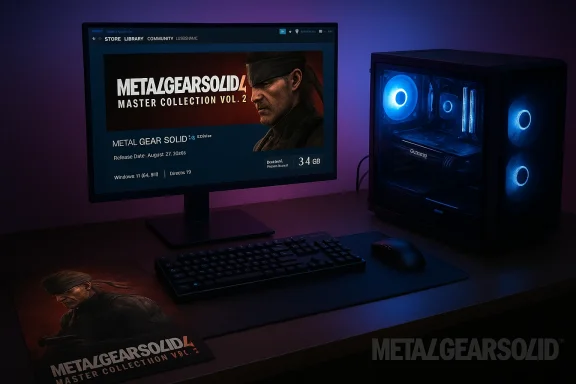 Background / Overview
Metal Gear Solid 4: Guns of the Patriots first released on PlayStation 3 in 2008 and quickly became notable for its cinematic presentation and technical ambition on Sony’s then‑latest console. For years the title remained locked to the PS3 architecture — difficult to emulate and even harder to port cleanly. Konami’s new Master Collection Vol. 2 packages MGS4 alongside Peace Walker (HD) and bonus material and will finally bring MGS4 to modern platforms on August 27, 2026. That date and the collection contents were confirmed in Konami’s announcement.News outlets running early coverage flagged the Steam system requirements as surprising for a “retro” collection, and community reactions have ranged from excitement to confusion — especially around the minimum hardware bar and the exclusive Windows 11 requirement.
The official PC system requirements — what Konami lists
Below is a consolidated rundown of the headline minimum and recommended requirements as they appear on the Steam product listing for METAL GEAR SOLID: MASTER COLLECTION Vol. 2. These are the values you should treat as the source of truth for launch day.Minimum (Steam):
- OS: Windows 11 (64‑bit required)
- Processor: Intel Core i5‑9600K
- Memory: 16 GB RAM
- Graphics: NVIDIA GeForce GTX 1650
- DirectX: Version 12
- Storage: 34 GB available space
- Notes: SSD recommended
- Network: Broadband connection
- OS: Windows 11 (64‑bit required)
- Processor: Intel Core i5‑10500
- Memory: 16 GB RAM
- Graphics: NVIDIA GeForce GTX 970
- DirectX: Version 12
- Storage: 34 GB available space
- Notes: SSD rarifications from those specs:
- Konami explicitly requires Windows 11; Steam’s listing does not include Windows 10 compatibility.
- Konami lists DirectX 12 and an SSD as part of the storage guidance; the publisher calls for SSD use to improve loading and experience.
Why are the requirements so high for a PS3 game?
At first glance the numbers are jarring. The PS3 shipped with only 256 MB of main RAM and 256 MB of GPU RAM, and MGS4 ran on that constrained platform. Why, then, would its PC incarnation ask for 16 GB of RAM, an SSD, and Windows 11?There are several plausible, non‑mutually exclusive reasons:
- Rebuild, remaster or compatibility layer overhead. Porting a PS3‑only title can go two ways: strict emulation or native port/remaster. Emulation layers and compatibility wrappers (or custom engines used to bring console binaries to modern APIs) can increase memory and CPU overhead. If Konami uses a translation/compatibility layer or has rebuilt elements of the rendering pipeline for DirectX 12, the extra RAM and CPU headroom make sense. Multiple outlets have noted we don’t yet know whether this is a direct emulation or a reworked port, and that uncertainty helps explain the conservative‑sounding system bar.
- Higher resolution textures and global assets. A modern release almost always ships with larger textures, higher‑resolution UI assets and updated shaders. Those assets eat into RAM and VRAM. The explicit SSD recommendation suggests Konami expects fast streaming of assets during gameplay, which typically accompanies larger texture sets or streaming systems that expect NVMe/SSD bandwidth.
- DirectX 12 and modern driver models. Targeting DirectX 12 gives developers low‑level control and performance on modern GPUs, but it also makes the codebase less tolerant of older OS and driver configurations. That explains both the DX12 entry and the Windows 11 requirement, which reduces variability in driver stacks and OS behaviors for the developers to support. The Steam listing lists DirectX 12 and Windows 11 as requirements, indicating Konami tuned for modern APIs.
- Quality of life improvements and added features. Ported collections often incorporate extras: cut scenes in higher fidelity, debugging overlays, configurability for widescreen, shader replacements, or UI reworks. Each feature multiplies memory and CPU needs.
Where reporting has diverged — what to believe
Early coverage differed on a few details. A number of outlets and roundups repeated Steam’s headline figures, but some third‑party reports misquoted the install size or shuffled min/recommended GPU lines. For example, an early write‑up claimed a 25 GB install size; the Steam store shows 34 GB. Because the Steam product page is Konami’s official storefront for PC customers, treat Steam’s figures as authoritative at launch — any contrary figure should be considered unverified unless Konami confirms it.Gaming press summaries have also swapped the GPU roles between minimum and recommended builds in different summaries. The accurate mapping from Steam is GTX 1650 (min) and GTX 970 (recommended). If you see different mappings elsewhere, check the Steam page or Konami’s press release to confirm.
What those specs mean for real‑world performance
Konami’s listing stops short of committing to explicit resolution or framerate targets. There’s no official 1080p/60 or 4K/30 claim on the Steam requirements page, which means performance expectations are left to inference and testing after launch.Practical takeaways:
- 1080p/60 FPS: A GPU around the capacity of a GTX 970 is likely to aim for 1080p at smooth frame rates, depending on how much the port upscales assets and what post‑processing is enabled. Historically, a GTX 970 can deliver 1080p/60 in many console‑era ports with optimizations, but with modern graphical reworkings or uncapped post‑processing the GPU load can spike. Expect the GTX 970 to be the reasonable sweet spot for 1080p/60 in most scenarios, but not guaranteed until official performance targets or benchmarks appear. (No official framerate targets have been published by Konami at the time of writing.)
- GTX 1650 (minimum): This card is an entry‑level, modern budget GPU. If Konami lists it as the minimum, they likely expect playable experience on low/medium settings at 1080p — again, launch testing will prove the real outcome.
- 16 GB RAM: That’s an unusually high floor for a reissued console title, but plausible given modern Windows headroom, background services, and the port’s potential memory footprints. If you have 8 GB today, you should plan on upgrading to 16 GB for a reliable experience.
- CPU: The minimum Intel Core i5‑9600K is a 6‑core, 6‑thread processor; the recommended i5‑10500 is a 6‑core, 12‑thread chip. Konami’s guidance shows the team expects a modern six‑core CPU or better for CPU‑bound tasks. Official Intel spec pages confirm the 9600K is a 6‑core/6‑thread part and the i5‑10500 is a 6‑core/12‑thread part; that difference matters for background threading and CPU scheduling on Windows.
Risks and things to watch at launch
- Windows 11 exclusivity: Requiring Windows 11 excludes a portion of PC players on Windows 10. That’s a hard boundary: unless Konami patches in Windows 10 support, players who want to stay on Windows 10 will be unable to run the PC release. Verify your system’s Windows 11 readiness (TPM/Secure Boot) before purchase.
- Possible performance variability: Without official 1080p/60 or quality targets, real‑world frame rates could vary widely between GPUs and driver versions. Expect post‑launch driver and game patches to refine performance.
- Installer size confusion and storage planning: Reported install sizes vary across early reports; Steam lists 34 GB, so provision at least that much free SSD space (plus room for Windows pagefile and updates). If you see smaller numbers cited elsewhere, treat them with caution.
- Online and multiplayer caveats: Konami and press coverage indicate certain legacy online features (like Metal Gear Online) will not be included; Peace Walker’s co‑op features are being supported in the collection but may differ from the original online implementations. If full multiplayer fidelity matters, check Konami’s official notes.
How to check your PC — a short readiness checklist
If you want to verify whether your machine will run Metal Gear Solid 4 at launch, follow these steps.- Confirm your OS
- Open Settings → System → About and confirm you are running Windows 11 (64‑bit). Steam and Konami list Windows 11 as required. If you are on Windows 10, plan an upgrade path.
- Check RAM
- In Task Manager → Performance → Memory, confirm you have 16 GB of installed RAM. If you have 8 GB or less, budget for a 16 GB kit (dual‑channel recommended).
- Verify storage
- Make sure an NVMe/SATA SSD has at least 34 GB free (and more to be safe), since Konami recommends or requires an SSD for the recommended configuration.
- Confirm GPU model
- In Device Manager or via GPU‑Z, confirm whether your GPU is at or above GTX 1650 (minimum) or GTX 970 (recommended). If you have an AMD GPU, compare relative performance to NVIDIA equivalents using benchmark summaries — AMD cards with similar or greater performance than those NVIDIA models should be viable.
- Confirm CPU
- In System → About or CPU‑Z, check your processor. If it’s near the i5‑9600K or better, you are in the minimum ballpark; if your CPU is older, expect potential bottlenecks. Intel specs show the i5‑9600K is a 6‑core/6‑thread chip and the i5‑10500 is 6‑core/12‑thread.
- Update drivers and Windows
- Install the latest GPU drivers and Windows updates before launch. Target the most recent stable GPU driver builds on the day Konami publishes recommended drivers (drivers can materially affect DX12 performance).
- Reserve headroom
- Close background apps (browsers, editors) while gaming, particularly on systems with minimal RAM. For the recommended experience, keep free memory headroom and avoid heavy overlays that consume CPU or GPU cycles.
Upgrade advice (if you’re short)
If your system falls short of Konami’s minimums, here are prioritized upgrade suggestions:- RAM to 16 GB — This is the single most likely blocker. In today’s market, a matched dual‑channel 16 GB kit (2×8 GB DDR4 or DDR5 depending on platform) offers the best value uplift for gaming and multitasking.
- SSD (if still on HDD) — Moving the game to an SSD will cut load times and reduce stuttering from asset streaming. Konami recommends an SSD and marks it required for recommended specs.
- GPU upgrade path — If you have a GPU below GTX 1650, consider an upgrade to an entry to mid‑range modern card. If you already have a GTX 970, you’re at Konami’s recommended level; a modern equivalent (e.g., current generation cards with similar or better performance) will help for higher resolutions.
- CPU — If your CPU is older than the i5‑9600K class, consider modern mid‑range CPUs with 6+ cores. The jump from a 4‑core to a 6‑core part can meaningfully help CPU bound scenes in modern ports.
What we still don’t know — and what to watch for
- Official resolution/framerate targets. Konami and the Steam listing do not publish a target for 1080p/60 or 4K/30. Look for publisher benchmarks or performance patches near launch.
- How the port was achieved (emulation vs. rewrite). Konami hasn’t detailed whether MGS4 is running on an in‑house emulator/compatibility layer, or whether assets were rebuilt for DirectX 12. This detail would explain the relatively high memory and OS requirements. Until Konami clarifies, treat port mechanics as unknown and watch technical postmortems from the press after release.
- Multiplayer features and legacy content. The original Metal Gear Online is not expected to return; Peace Walker’s co‑op features are preserved in the collection, but networked behavior and match‑making details will require hands‑on testing. Konami’s announcement and press coverage note the changes to online components.
- Patch cadence. Post‑launch driver and game patches often change system requirements in practice. Be prepared for rapid updates in the first weeks.
Final verdict — is your PC “ready”?
- If you already run Windows 11, have 16 GB RAM, an SSD, and a GPU at or above GTX 970, you are likely within the recommended bracket and should expect a good experience after day‑one patches and drivers.
- If you meet the minimum of Windows 11 + 16 GB + GTX 1650 + i5‑9600K, you’ll probably run the game at playable settings; however, don’t expect maximum fidelity without sacrificing settings or resolution.
- If you’re still on Windows 10, have 8 GB of RAM, or are on an HDD, plan upgrades if you want the “Konami‑recommended” experience on PC. If upgrades aren’t an option, the game will be playable via consoles when it launches on August 27, 2026.
Closing thoughts
Metal Gear Solid 4’s PC debut is a major moment for the series and for preservation — finally opening a previously locked classic to a much wider audience. But this release also highlights a broader truth about modern ports: bringing console exclusives to the PC often requires rebuilding, compatibility work, and a commitment to modern APIs that carry higher baseline demands.If you’re upgrading your machine to play MGS4 on PC, prioritize RAM and fast storage first, then GPU and CPU upgrades based on your target resolution. And because Konami’s Steam listing is the de facto specification, use it as your checklist heading into August 27, 2026. For folks who prefer peace of mind, waiting for launch‑day benchmarks from trusted tech outlets will give a clearer picture of the real performance trade‑offs — but if your rig matches Konami’s recommended spec, you should be in a good position to experience one of the most celebrated entries in the Metal Gear saga on PC.
Source: OC3D Is your PC ready for Metal Gear Solid 4? - OC3D
