

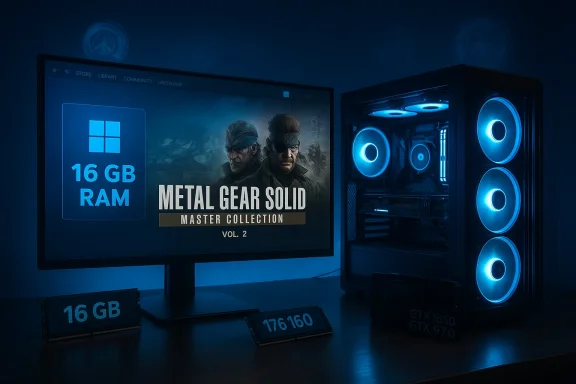
Konami’s Steam product page for Metal Gear Solid: Master Collection Vol. 2 lists Windows 11 (64‑bit) and 16 GB of system RAM as the minimum requirement for the PC version — a notable lift from the expectations many fans had for a retro collection, and a clear signal that this release is not just a straight repackage of PS3-era binaries. The collection brings Metal Gear Solid 4: Guns of the Patriots, Metal Gear Solid: Peace Walker (HD), and the surprising inclusion of Metal Gear: Ghost Babel to modern platforms on August 27, 2026, but PC players who assumed these legacy titles would be easy on older rigs should read the system requirements carefully before pre-ordering or planning upgrades.
Konami’s official announcement confirmed the collection’s contents and release window, and the Steam storefront for Master Collection Vol. 2 now publishes a full PC requirements block. The headline technical data on Steam shows:
What PC buyers should do now:
For developers and preservationists, the case underscores the complexity of bringing historically platform‑tied titles to universal hardware: faithful reproduction often requires substantial reengineering, and that reengineering interacts with a shifting landscape of APIs and OS features that publishers are increasingly unwilling to support on older platforms.
For players: verify the Steam product page before purchase, plan for an SSD install and at least 16 GB of RAM, and prepare for the possibility of early metadata corrections or day‑one patches. For the broader community, the release highlights the real engineering weight of porting console‑exclusive classics — preserving them is possible, but it increasingly depends on modern platform frameworks and the tradeoffs they bring.
Konami’s remaster opens the door for many players to experience MGS4 outside of a PS3, but it also asks PC owners to meet a modern baseline. If you want the definitive Metal Gear Solid 4 experience on PC, make sure your system is ready — and keep an eye on the store page for any clarifying updates as launch approaches.
Source: GamingBolt Metal Gear Solid: Master Collection Vol. 2 Requires Windows 11 and 16 GB RAM Minimum on PC
 Background / Overview
Konami’s official announcement confirmed the collection’s contents and release window, and the Steam storefront for Master Collection Vol. 2 now publishes a full PC requirements block. The headline technical data on Steam shows:- OS: Windows 11 (64‑bit required)
- Memory: 16 GB RAM (minimum and recommended entries both list 16 GB)
- Processor (minimum): Intel Core i5‑9600K; (recommended): Intel Core i5‑10500
- Storage: 34 GB available (SSD recommended/required notes present)
- Graphics: Steam’s current metadata lists a GTX 1650 on the minimum line and a GTX 970 on the recommended line — an odd ordering that multiple outlets have pointed out as inconsistent and likely a store-page metadata quirk.
Why the requirements matter: what changed since Volume 1
For many players the surprise isn’t simply “16 GB is a lot”; it’s that a classic designed for much older consoles and handhelds is now being presented with modern midrange PC barometers attached to it. The contrast with Vol. 1 of the Master Collection — which targeted older Windows versions and lower minimums for some of the titles included — highlights two industry realities:- Modern remasters and ports often ship with additional layers (new menus, higher internal resolutions, reworked shaders, input remapping, or new post‑processing) that increase working memory and VRAM pressure compared with original assets.
- Developers increasingly assume background usage (overlays, streaming apps, browser tabs) and test against modern operating environments, which raises the baseline they publish to avoid under‑promising poor experiences.
What the Steam requirements actually say (and the odd GPU ordering)
Steam’s system requirements table is the primary canonical reference for PC buyers. As of the storefront snapshot used in reporting, Steam lists a consistent system memory headline — 16 GB — for both the Minimum and Recommended rows, along with DirectX 12 and a 34 GB install footprint. Two other fields stand out:- CPU: Minimum i5‑9600K; Recommended i5‑10500. These are both mainstream desktop CPUs that map to current midrange performance expectations and imply Konami is targeting 1080p play with modest headroom rather than a 4K or ultra‑high‑FPS baseline.
- GPU: The Steam page shows a GeForce GTX 1650 on the Minimum line and a GeForce GTX 970 on the Recommended line. This appears inverted when compared with conventional lists (where a GTX 970 is usually considered stronger than a GTX 1650 in most workloads). Several outlets reproduced the Steam fields and reported inverted pairings, while others reproduced the fields with the GPUs swapped — showing how quickly metadata inconsistencies can propagate. This is likely a store‑page mixup rather than a meaningful technical claim that a GTX 970 is somehow less capable than a 1650 for this title.
Technical analysis: why would a retro collection require Windows 11 and 16 GB RAM?
There are several plausible technical and practical reasons Konami’s PC listing demands modern OS and a 16 GB baseline. They are not mutually exclusive and may combine to produce the final published requirement.1. Emulation and middleware demands
Metal Gear Solid 4 famously ran on the PS3’s Cell architecture — a platform notorious for being difficult to emulate or port. If Konami used an internal compatibility layer or an emulator to reproduce PS3 behavior faithfully, that layer could depend on modern driver stacks, advanced CPU features, or libraries that are only available or fully supported on Windows 11. Emulation tends to be CPU‑ and memory‑heavy: the host system must replicate multiple hardware behaviors in software and cache translated code, which increases working memory demands.2. Rework + higher internal resolutions
Even when developers don’t fully recompile a game, remastering workflows commonly increase internal render resolutions, use higher‑resolution textures, or add modern post‑processing effects. Those changes increase both VRAM and system RAM usage because:- Higher resolution textures and larger streaming pools require more asset memory overhead.
- Modern engines stream assets into system RAM as well as VRAM. If the remaster uses more aggressive streaming budgets, system RAM must be sufficient to buffer and decompress assets.
3. Use of modern APIs (DirectX 12, DirectStorage)
The Steam table lists DirectX 12; DirectStorage and similar I/O APIs are designed for faster streaming from NVMe SSDs and are better supported on Windows 11 alongside optimized driver stacks. If the PC build leverages DirectStorage or an analogous pipeline, Konami may require Windows 11 to ensure consistent performance and to minimize platform‑specific bugs.4. QA and platform stability
From a product‑management perspective, requiring Windows 11 reduces the permutations of OS/driver combinations Konami must test. Legacy Windows 10 behaviors, varied driver versions, and older security features can complicate launch stability. A conservative OS requirement helps keep QA surface smaller and reduces support load, even if the game might technically run on Windows 10 in some cases.5. Headroom for modern desktop multitasking
Publishers increasingly set recommended memory high so players who stream, run capture software, or use overlays can maintain stable performance. By listing 16 GB as a minimum, Konami implicitly conservatively assumes some background load — even if native game memory needs are lower.Practical implications for players: who needs to upgrade now?
Here’s how to translate these requirements into practical action depending on your current setup.- If you run Windows 10 on older hardware: You will need to upgrade your OS to Windows 11 to meet the stated requirement. Before upgrading, ensure your motherboard and CPU meet Windows 11 compatibility rules (TPM 2.0, Secure Boot, supported CPU generations) and that your GPU has current drivers for Windows 11.
- If you have 8 GB RAM: That will likely fall short. Upgrade to at least 16 GB for a stable experience consistent with the Steam headline. Dual‑channel kits are preferable to single‑stick configurations for bandwidth and responsiveness.
- If you have 16 GB but use many background apps: You may still be fine for single‑player play, but if you stream, capture, or keep multiple heavy apps open, consider 32 GB to avoid hitching and unexpected memory pressure.
- If your GPU is older than GTX 900/GTX 1600 class: Expect to run on lower presets or consider a GPU upgrade. Because the published GPU pairings are inconsistent across reports, match your VRAM capacity (6–8 GB) to the recommended texture settings rather than relying solely on SKU names.
- If you run on a mechanical drive: The Steam page recommends or requires an SSD. Install on an NVMe or at least SATA SSD to avoid texture streaming hitching and long load times.
The metadata confusion: GPU pairings and why you should verify the store page
Multiple outlets reproduced the Steam system fields and, in doing so, replicated a confusing GPU ordering: some reports show GTX 970 as minimum and GTX 1650 recommended; others show the reverse. This inconsistency most likely stems from a simple metadata swap on the storefront (a common human/data entry error), not from a technical claim that one GPU is categorically better than the other for this release.What PC buyers should do now:
- Treat Steam’s page as the authoritative, changeable reference — check the store listing directly before buying.
- If a GPU pairing looks inverted (older GPU listed as recommended while a newer GPU appears on the minimum line), assume it’s an error until the publisher confirms.
- Focus on concrete metrics that matter: VRAM capacity, DirectX version, CPU generation, and storage type rather than SKU names alone.
Preservation vs. modern convenience: the tradeoffs Konami faces
From a preservation standpoint, getting MGS4 off the PS3 and onto modern platforms is a huge win. PS3 exclusive status has locked that experience away from many players and preservationists. However, preservation also has to reconcile with modernized deliverables:- Porting/emulation fidelity demands can make a faithful re-release resource‑intensive. Emulators frequently need host resources to mirror complex console hardware behavior.
- Reworking assets and offering modern quality-of-life features (upscaled visuals, remapped controls, modern save systems) necessarily tilts the engineering effort toward modern stacks and APIs — hence the Windows 11 and SSD guidance.
- The result is beneficial to players who have current hardware, but it creates friction for legacy owners and preservationists who would prefer a more inclusive baseline.
Risks and potential pitfalls to watch at launch
- Metadata errors and store‑page typos: As we’ve seen, the GPU fields are inconsistent across reports. Expect further small changes to the store data, and verify specs pre‑purchase.
- Day‑one patches that change install size or recommend additional drivers: The listed 34 GB may grow once unpacked assets and updates are applied. Leave extra free space beyond the headline figure.
- Driver maturity for new features: If Konami leverages new DirectX 12 features or vendor upscalers, early driver interactions may produce instabilities that are resolved with driver updates. Allow time for vendor driver releases if you plan to play on launch day.
- Emulation artifacts or performance disparities: If ongoing work uses middleware or emulation compatibility layers, some systems may exhibit frame‑pacing issues or visual anomalies until optimizations land in patches.
- Platform exclusives and cloud fallbacks: Players who cannot meet hardware requirements might consider cloud streaming solutions as a temporary workaround — but expect variable latency and image quality tradeoffs.
Recommendations: How to prepare your PC for Master Collection Vol. 2
Follow these practical steps to maximize the likelihood of a smooth experience on release day.- Confirm OS compatibility.
- Check whether your system supports Windows 11 (TPM 2.0, Secure Boot, CPU support). If not, plan ahead for a potential firmware or hardware upgrade.
- Upgrade or confirm memory.
- Move to 16 GB RAM as a practical baseline. Prefer a matched dual‑channel kit (2x8 GB) for optimal bandwidth. If you stream or do heavy background tasks, go to 32 GB.
- Use an SSD.
- Install the game on an SSD — NVMe preferred. The Steam page specifically recommends an SSD to avoid streaming and load‑time issues.
- Update drivers and DirectX.
- Install the latest GPU drivers before launch day and ensure DirectX 12 support is up to date through Windows Update and the GPU vendor’s control panel.
- Leave extra disk headroom.
- Don’t fill your drive to the listed 34 GB minimum — allocate another 10–20 GB for patches and temporary unpacking buffers.
- Prepare to test settings.
- On first run, monitor Memory and GPU usage (Task Manager or an overlay like MSI Afterburner) to see whether system RAM or VRAM is the bottleneck and adjust texture and postprocess settings accordingly.
- Watch for publisher updates.
- Check Konami’s official channels and the Steam product page for corrections or clarifications to the system requirements.
What this means for the broader PC gaming ecosystem
Konami’s published baseline for Master Collection Vol. 2 joins a growing trend where remasters, even of older games, reflect modern platform assumptions: DirectX 12, SSD storage, and double‑digit system RAM as a de‑facto baseline. For consumers, this raises expectations (and upgrade cycles) but can also mean higher fidelity, reduced hitching, and improved compatibility with modern features like adaptive sync, variable refresh, and vendor upscalers.For developers and preservationists, the case underscores the complexity of bringing historically platform‑tied titles to universal hardware: faithful reproduction often requires substantial reengineering, and that reengineering interacts with a shifting landscape of APIs and OS features that publishers are increasingly unwilling to support on older platforms.
Conclusion
Metal Gear Solid: Master Collection Vol. 2 is a landmark release for franchise preservation — finally bringing MGS4 and Peace Walker to modern platforms — but Konami’s Steam listing makes clear this is not a simple backward‑compatibility exercise. The collection’s Windows 11 requirement, 16 GB RAM baseline, SSD guidance, and the strange, likely temporary GPU metadata mismatch are all important signals: Konami is shipping a modernized, tested PC build that expects a modern OS and midrange contemporary hardware.For players: verify the Steam product page before purchase, plan for an SSD install and at least 16 GB of RAM, and prepare for the possibility of early metadata corrections or day‑one patches. For the broader community, the release highlights the real engineering weight of porting console‑exclusive classics — preserving them is possible, but it increasingly depends on modern platform frameworks and the tradeoffs they bring.
Konami’s remaster opens the door for many players to experience MGS4 outside of a PS3, but it also asks PC owners to meet a modern baseline. If you want the definitive Metal Gear Solid 4 experience on PC, make sure your system is ready — and keep an eye on the store page for any clarifying updates as launch approaches.
Source: GamingBolt Metal Gear Solid: Master Collection Vol. 2 Requires Windows 11 and 16 GB RAM Minimum on PC
