

A new wave of user pushback has crystallized around Microsoft’s AI-first push — a viral nickname, a cheeky browser extension that renames “Microsoft” to “Microslop” on pages you visit, emergency patches for broken OneDrive sync, and an ongoing debate about whether Windows’ AI pivot is convenience or coercion. The week’s briefings — from curated app roundups to data on Windows’ slow migration curve and a decade-old virtualization milestone resurfacing in coverage — form a single, useful snapshot: Microsoft is executing a bold pivot toward agentic computing, and that boldness is generating both tangible feature wins and reputational friction.
The Microslop moment is a branding and trust stress test. The cure is not fewer features but better execution: transparency, rigorous rollout discipline, auditable governance, and durable, discoverable user controls. If Microsoft delivers those operational guardrails, Copilot can evolve into a useful, quiet assistant. If it doesn’t, the meme economy and operational headaches will harden into procurement and regulatory resistance — and innovation that lacks consent will find itself stalled not by technology limits, but by the erosion of user trust.
Source: Windows Central https://www.windowscentral.com/micr...e/windows-10-a-closer-look-at-usage-numbers/]
 Background
Where we are: Copilot, Copilot, Copilot
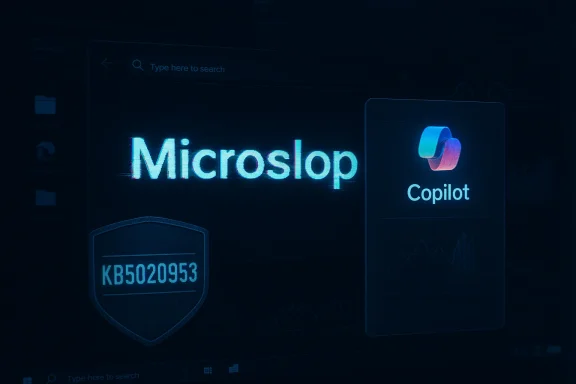
Microsoft’s strategy over the last few years has been unmistakable: fold generative AI and assistant features under the Copilot brand across Windows, Edge, Office, and device marketing. That plan is strategic — unify discovery, reuse design language, and create more stickiness for ecosystem services — but it also raises three recurring concerns among users and admins: reliability, privacy/telemetry, and defaults that feel hard to opt out of. The grassroots reaction coalesced into a meme — “Microslop” — which captures those concerns in shorthand and now persists across social platforms and community tooling.The week in brief (quick bullets)
- A browser extension that replaces “Microsoft” with “Microslop” has circulated as a form of public mockery and protest, illustrating how deeply the backlash has penetrated enthusiast communities.
- Microsoft issued an out‑of‑band patch (KB5020953) to fix a OneDrive crash introduced by a prior update (KB5018410), illustrating the real-world cost of rapid servicing.
- Usage and adoption signals show Windows 10’s growth slowing and Windows 11 adoption lagging in several markets, complicating Microsoft’s upgrade narrative.
- Archive coverage resurfaced about nested virtualization being added to Windows 10 Insider Preview Build 10565 (a useful technical milestone for lab/testers), a reminder that not all Windows news is new — some is foundational.
- BetaNews and other outlets continue publishing their weekly curated lists of standout Windows apps, which remain practical, low‑risk ways for users to find value on Windows 10/11.
Microslop: meme, extension, and what it signals
How a nickname became a tool
The “Microslop” label began as a social-media meme aimed at mocking perceived sloppy AI outputs or poorly integrated assistant features. The meme’s escalation — into a browser extension that visually substitutes “Microsoft” with “Microslop” on pages you visit — is notable because it’s not just ridicule: it’s a portable, repeatable protest. Turning a consensus complaint into a technical artifact (an extension) amplifies visibility and makes the sentiment persistent across browsing sessions. This development was observed and documented across enthusiast forums and preview-channel reporting.Why the backlash hardened
Three concrete product patterns fed the backlash:- Reliability gaps. Reproducible clips and tests showed Copilot suggestions failing to return useful results or offering worse workflows than preexisting behavior, fueling the perception of “spectacle over substance.”
- Intrusive defaults and distribution. AI UI elements placed prominently — on the taskbar, in context menus, or on New Tab Pages — give the impression of nudges rather than optional add‑ons, particularly when admins report UI elements reappearing or re-enabling through servicing.
- Tone and optics. Executive messaging that downplayed concerns or framed early failures as expected teething problems widened the empathy gap between engineers/execs and everyday users.
Practical impacts
- For end users: annoyance, confusion, or a sense that they are being forced into features they don’t trust.
- For enterprises: additional work to test and lock down policies, update device images, and document exceptions.
- For Microsoft: reputational risk that can influence procurement decisions, enterprise pilots, and regulatory scrutiny if perceptions ossify.
What the Microslop moment does well
- It compresses a large set of grievances into a meme that’s easy to signal-share, making otherwise diffuse complaints visible and actionable.
- It forces public conversation around default designs, telemetry, and the pace of AI rollouts — conversations that Microsoft and other vendors should welcome if they want to restore confidence.
OneDrive emergency patch: a cautionary case study
What happened
A Windows cumulative update (KB5018410, October 2022) introduced a regression that caused the OneDrive sync client to unexpectedly close and prevented sign‑out, unlinking, or uninstallation in some scenarios. Microsoft released an out‑of‑band update, KB5020953, to resolve the issue; that update was available via the Microsoft Update Catalog rather than automatic Windows Update. BetaNews cataloged the incident when it broke, and Microsoft’s support pages documented both the problem and the fix.Why this matters
- Operational risk: A patch that interferes with a syncing service can disrupt business workflows (file availability, collaboration between Teams/SharePoint and OneDrive), and may require manual intervention from admins.
- Distribution model fragility: Because the out‑of‑band fix was catalog-only, some organizations had to manually import it into WSUS/Configuration Manager or otherwise orchestrate deployment. That introduces management overhead.
- Perception cost: Repeated update regressions erode confidence in servicing channels and create a chorus that modernization equals instability.
Lessons for IT teams
- Keep a test ring for cumulative updates and avoid immediate broad deployment of Patch Tuesday updates in high‑risk environments.
- Subscribe to Microsoft’s Release Health and update-status pages; out‑of‑band fixes often require manual import.
- Maintain a documented rollback and recovery playbook for critical services like OneDrive sync.
Windows 10 growth: slowed momentum and what it means
The data snapshot
Multiple industry trackers and coverage show that Windows 10’s share growth decelerated during the initial Windows 10 era and, later, that Windows 11 adoption has been slower than Microsoft hoped in many markets. In older snapshots, NetMarketShare and contemporaneous reporting documented months where Windows 10’s share grew more slowly, and more recent data show Windows 10 still holding meaningful desktop share even after Windows 11’s rollout. The trend is a reminder that OS migration cycles are long and that enterprises don’t upgrade on marketing alone.Why migration is slow
- Cost and compatibility. Hardware refresh cycles, app compatibility, and validation effort make enterprises cautious.
- Value calculus. Windows 11’s incremental feature set — even with AI additions — must clear a higher bar for risk‑averse IT departments.
- Extended servicing options. Microsoft’s extended and staggered support paths allow organizations to delay costly upgrades.
Implications for Microsoft’s Copilot push
If Windows 11 adoption lags, Microsoft’s ability to rely on Windows 11 as a primary vector for Copilot features is weakened. That increases the product and marketing pressure to make Copilot available across Windows 10 and major client apps (Edge, Office) — which in turn increases the surface area for missteps and user pushback. This dynamic helps explain why Microsoft pursues in‑browser and cross‑platform extensions for Copilot functionality.Nested virtualization and the long tail of Windows news
The technical note
Support for nested virtualization in the Windows 10 Insider Preview Build 10565 was an important milestone for test and lab scenarios: it allowed Hyper‑V hosts to expose virtualization extensions to guests so that VMs could themselves host VMs. While this was primarily an Insider/engineering feature (and Intel‑only at first), it mattered for developers, cloud/edge testing, and container/hypervisor scenarios. BetaNews covered the introduction when it first appeared, and community threads documented the caveats (dynamic memory, VBS incompatibilities, and performance constraints).Why this surfaced in the current roundup
Two reasons: first, archived milestones are useful context when readers are juggling current AI/agentic headlines; second, some features — though old — retain practical value for labs, nested container testing, or historical comparison when vendors claim “new” functionality that is conceptually similar. Treat archive coverage as context, not breaking news.The continuing role of curated app roundups
Why app lists matter
Weekly curated lists (like BetaNews’ “Best Windows apps this week”) are valuable because they distill signal from the noise in the Microsoft Store and broader Windows ecosystem. These roundups highlight:- Useful productivity and diagnostic tools.
- Notable UWP/UWP‑converted apps and quality ports.
- Firmware or SDK updates that may be relevant to devs and admins.
Practical takeaways for users
- Use curated lists as discovery feeds, not uncritical endorsements. Check permissions, store reviews, and publisher credibility before installing.
- Prefer apps with transparent update policies and good publisher reputations for work machines.
- For IT: maintain a whitelisted set of apps and test them in standard images before mass deployment.
Critical analysis: strengths, risks, and recommended guardrails
Notable strengths
- Technical ambition. Microsoft has structural advantages: Azure model hosting, deep platform distribution, and OEM partnerships. When executed cleanly, agentic agents combined with on‑device acceleration can deliver meaningful productivity wins.
- Enterprise tooling potential. Copilot Studio, Agent Builder and tenant-aware Copilot features offer potential for governed, auditable automation workflows that can save time on repetitive tasks.
Key risks
- Trust erosion through poor defaults. Repeatedly surfacing AI features with insufficient opt‑outs or with fragile removal workflows corrodes long‑term trust. The Microslop meme is a symptom, not the cause, of this friction.
- Operational fragility. Update regressions (OneDrive) and manual out‑of‑band fixes underscore the operational cost of fast servicing.
- Regulatory and procurement impact. Perceived coercive bundling could attract regulatory scrutiny and influence purchasing committees that value choice and auditability.
Recommendations for Microsoft (practical, prioritized)
- Publish clear, machine‑readable telemetry and retention documentation for Copilot Mode and related features. Transparency reduces fear.
- Ship immediately visible, durable toggles to disable Copilot visuals and agentic actions; move these controls into a single, discoverable “AI controls” hub. Users should not have to chase flags.
- Commit to independent benchmarking of Copilot+ hardware claims (NPU TOPS, battery/thermal impacts) and publish results. Claims without independent verification increase skepticism.
- Slow demo cadence: fewer, higher‑quality previews with defined success criteria and rollbacks. Quality over spectacle.
Practical guidance for readers and IT leaders
For home and power users
- If a built‑in AI surface bothers you, check New Tab Page and Copilot toggles in Edge and Windows settings, and uninstall or disable optional Copilot-related apps where possible. For browser-level nuisances, use trusted extension managers and avoid sketchy add-ons.
For IT administrators
- Maintain a test ring for updates. Don’t push Patch Tuesday updates to production without validation.
- Whitelist extensions and enforce enterprise browser policies to prevent unwanted installs. If Copilot extensions arrive in your fleet, pilot them in constrained profiles first.
- Review Copilot/agent telemetry, DLP implications, and governance for any automated Actions you pilot. Insist on audit logs and human‑in‑the‑loop controls where compliance matters.
What to watch next (six‑ to twelve‑month horizon)
- Whether Microsoft responds to the Microslop moment with durable, visible controls and improved reliability metrics, or whether the company doubles down on a faster demo/rollout cadence. The former reduces reputational risk; the latter increases it.
- Rollout behavior for Copilot features in Chrome (extension or omnibox integration) and how Microsoft handles extension permissions and enterprise controls for non‑Edge environments.
- The balance between hardware-driven Copilot+ claims and real-world cost: will NPUs and performance requirements drive an upgrade cycle, and how will Microsoft address users on older hardware?
Conclusion
This week’s signals — from viral mockery made persistent by a browser extension to an emergency OneDrive patch and continuing slow Windows migration trends — are two sides of the same larger story. Microsoft is moving aggressively to make AI a platform primitive across Windows and its apps. That ambition brings real promise: better discovery, cross‑app automation, and new productivity patterns. It also brings predictable, operationally costly friction when visibility outruns reliability and when defaults appear to nudge rather than invite.The Microslop moment is a branding and trust stress test. The cure is not fewer features but better execution: transparency, rigorous rollout discipline, auditable governance, and durable, discoverable user controls. If Microsoft delivers those operational guardrails, Copilot can evolve into a useful, quiet assistant. If it doesn’t, the meme economy and operational headaches will harden into procurement and regulatory resistance — and innovation that lacks consent will find itself stalled not by technology limits, but by the erosion of user trust.
Source: Windows Central https://www.windowscentral.com/micr...e/windows-10-a-closer-look-at-usage-numbers/]
