

Microsoft has turned Copilot from a helpful assistant into a builder: starting this week the Microsoft 365 Copilot pane can now generate working, shareable apps, build multi‑step automations, and scaffold lightweight AI agents from ordinary natural‑language prompts — all inside your tenant and without writing a line of code.
Microsoft’s push to make generative AI a first‑class tool for everyday knowledge work has been steady: Copilot began as an assistant that summarized documents and drafted emails, but its roadmap always included a move toward agentic capabilities that can act on behalf of users. The latest additions — App Builder, Workflows, and a lightweight in‑pane Copilot Studio experience — formalize that evolution by giving users a conversational, no‑code path from idea to a working tool that reads and writes tenant data. These features are being introduced inside the Microsoft 365 Copilot Agent Store and are initially available to customers in Microsoft’s Frontier preview program. Microsoft’s product teams position the functionality as an iterative, in‑context authoring loop: describe a need, let Copilot draft a UI and data schema, refine in follow‑up prompts, preview, and publish. That promise is straightforward — but it immediately raises practical questions about governance, lifecycle management, and the reliability of generative scaffolding for production use.
That shift requires new disciplines — clear ownership transfer, lightweight reviews, approval thresholds, and a commitment to reclaim and harden tools that scale beyond their original intent. The goal is not to stop citizen development but to make it sustainable.
Critics have already raised concerns about aggressive product pushes and default installs of Copilot across client devices; organizations should plan for user sentiment and administrative opt‑out options as these features propagate across desktops and mobile apps.
Source: VentureBeat https://venturebeat.com/ai/microsofts-copilot-can-now-build-apps-and-automate-your-job-heres-how-it/
 Background / Overview
Microsoft’s push to make generative AI a first‑class tool for everyday knowledge work has been steady: Copilot began as an assistant that summarized documents and drafted emails, but its roadmap always included a move toward agentic capabilities that can act on behalf of users. The latest additions — App Builder, Workflows, and a lightweight in‑pane Copilot Studio experience — formalize that evolution by giving users a conversational, no‑code path from idea to a working tool that reads and writes tenant data. These features are being introduced inside the Microsoft 365 Copilot Agent Store and are initially available to customers in Microsoft’s Frontier preview program. Microsoft’s product teams position the functionality as an iterative, in‑context authoring loop: describe a need, let Copilot draft a UI and data schema, refine in follow‑up prompts, preview, and publish. That promise is straightforward — but it immediately raises practical questions about governance, lifecycle management, and the reliability of generative scaffolding for production use. What Microsoft announced and why it matters
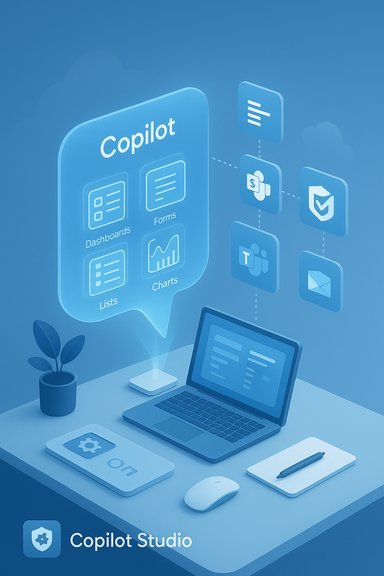
- App Builder: a conversational agent that scaffolds interactive apps (dashboards, lists, calculators, forms) from multi‑turn prompts and can persist new data using Microsoft Lists when no existing backend exists. The output is previewable, editable in conversation, and publishable inside the tenant with a shareable link.
- Workflows: a natural‑language automation authoring agent that converts plain‑English process descriptions into multi‑step flows across Outlook, Teams, SharePoint, Planner, and Approvals, showing each step as it’s built so users can edit triggers, conditions, and actions inline.
- Copilot Studio (lite): an embedded, in‑pane authoring surface for quick agent and app creation; the full Copilot Studio web portal remains the recommended path for enterprise‑grade development, connectors, and lifecycle controls.
Inside App Builder: how apps are generated and stored
What App Builder actually creates
App Builder produces a scaffolded UI with screens, lists, filters, charts, and input controls based on conversational instructions. Typical outputs are:- Project or product trackers with milestone fields and owner lookups.
- Dashboards that visualize progress or budget calculations.
- Simple calculators and scorecards for finance or operations.
- Q&A style agents bound to a team’s SharePoint knowledge base.
Data backends and bindings
To lower friction, App Builder defaults to Microsoft Lists as a backend for newly created app data, but it can also bind to existing Excel tables, SharePoint lists, or Dataverse where configured. This is a pragmatic tradeoff: Lists provide a low‑administration, tenant‑native storage option that keeps generated data inside the Microsoft 365 security boundary and inherits Microsoft 365 role‑based access controls. That default removes the need for users to provision databases, design schemas manually, or manage connection strings for many lightweight, team‑level scenarios — but it also limits the architecture of apps created in this way. Apps intended for scale, high performance, complex relationships, or external integrations will still be more appropriate for the full Power Platform toolchain or the full Copilot Studio web experience.UX and sharing model
Published apps are shared with a link and inherit Microsoft 365 sharing and permission semantics. Admins can view the organizational inventory of created apps and reassign ownership or surface widely‑used apps as IT‑governed resources via the Microsoft 365 admin center. That centralized inventory is Microsoft’s primary control point for visibility.Inside Workflows: automations by conversation
What Workflows builds
Workflows converts a natural‑language description like “Post a weekly Teams summary of upcoming Planner tasks” into a visual flow that shows triggers, conditions, and actions in real time. The agent covers core Microsoft 365 services such as Outlook, Teams, SharePoint, Planner, and Approvals and leverages the enterprise automation infrastructure underpinning Power Platform. Users can adjust steps inline as the flow is assembled.Relationship to Power Automate
Under the hood, Workflows is effectively a conversational authoring layer on top of Microsoft’s existing automation stack (Power Automate / Agent Flows). For simple, end‑user automations this removes the need to learn Power Automate’s designer UI; for complex or mission‑critical automations, IT should re‑anchor or escalate flow development into Power Platform where testing, versioning, and custom connectors are available.Copilot Studio: lite vs full
- Copilot Studio (lite): embedded inside Copilot for fast prototypes and productivity‑focused agents. Good for single‑team utilities and small automations.
- Copilot Studio (full): separate web portal for enterprise lifecycle management, model selection, multi‑agent orchestration, external hosting, and advanced connectors.
Availability, licensing, and pricing
App Builder and Workflows are being rolled out initially through Microsoft’s Frontier preview program; the feature surfaced in the Agent Store on October 28 and will be staged to qualifying customers before general availability. Microsoft 365 Copilot itself has previously been priced at $30 per user per month (enterprise offering), a pricing point Microsoft announced at launch and reiterated in follow‑on communications. Individual Copilot Pro and other Copilot SKUs exist too, and bundling strategies continue to change. Pricing should be confirmed against your tenant’s licensing agreement before rollout planning.Benefits — what organizations can gain
- Speed: turn ideas into functional prototypes in minutes rather than days or weeks.
- Accessibility: lowers the bar for citizen developers who need practical, team‑level apps and automations.
- Contextual grounding: generated apps and flows can pull from a user’s Microsoft 365 content (documents, spreadsheets, chats) so outputs are work‑grounded from the start.
- Governance surface: created assets live inside Microsoft 365, inheriting tenant controls and an admin inventory for discovery and remediation.
Risks and practical caveats IT teams must weigh
While the promise is compelling, there are specific operational and security risks that can’t be ignored.1. Shadow IT and sprawl
The same frictionless creation that enables productivity also makes it easy for dozens or hundreds of teams to create lightweight apps and automations that proliferate quickly. Without a governance plan, this can produce brittle automations, duplicated tooling, and a maintenance nightmare — the very definition of shadow IT.2. Data leakage and access control pitfalls
Generated apps may bind to tenant data; misconfigured sharing or improper use of connectors can expose sensitive content. Even when assets inherit Microsoft 365 permissions, design mistakes (e.g., storing sensitive columns in a broadly shared list) create new leakage pathways. Admin controls exist, but they are not a guarantee against human error.3. Reliability and brittle automations
Automations that depend on UI‑scraping or the new “computer use” style interactions (where agents act on web pages or desktop apps without formal APIs) can be fragile when page layouts change. That technique is powerful for bridging systems that lack APIs, but it increases brittleness and maintenance overhead. Enterprises should avoid using such approaches for mission‑critical flows unless proper testing and monitoring are in place.4. Compliance and auditability
Audit trails and retention policies are essential. Microsoft exposes agent inventory and admin controls, but organizations must confirm how logs, telemetry, and audit data are captured and retained for compliance frameworks relevant to their industry. Treat the “inventory” as a start — it’s not a substitute for formal lifecycle and compliance workflows.5. Overtrust in generative outputs
Generative UIs and schemas can look correct even when they’re logically incomplete or subtly wrong. Human review and acceptance tests remain necessary; Copilot can accelerate scaffolding but not replace application design judgments. Any app or automation touching financial records, HR decisions, or regulated data should follow standard SDLC and signoff practices.Practical rollout checklist for IT and security teams
- Inventory and pilot
- Enable the Agent Store and App Builder in a small pilot tenant or with a contained business unit. Collect usage metrics and examples.
- Define conservative defaults
- Limit who can publish tenant‑wide apps; require owner claims and manager approval for shared apps. Use group‑level restrictions to reduce blast radius.
- DLP and connector controls
- Ensure Data Loss Prevention (DLP) policies are configured to block or monitor flows that touch regulated data. Validate which connectors are permitted.
- Establish lifecycle and handoff processes
- Create a simple playbook: when usage exceeds a threshold (e.g., number of users, data volume, or business impact), re‑anchor the app in Power Platform with formal ALM and testing.
- Monitoring and alerting
- Capture execution telemetry, errors, and change logs. Set alerts for failed automations that impact business SLAs.
- Education for builders
- Teach citizen developers secure design patterns: minimal data exposure, sensible retention, explicit ownership, and when to involve IT.
Realistic use cases and where to avoid Copilot‑generated apps
Good fits
- Team trackers and lightweight project dashboards that replace ad‑hoc spreadsheets.
- Reminder systems and cadence messages driven by Planner and Outlook.
- Q&A agents for internal knowledge bases (SharePoint/Teams) that reduce repetitive queries.
- Approval short‑circuiters for routine requests that don’t touch regulated data.
Poor fits (avoid without strong controls)
- Systems that manage personally identifiable information (PII), financial ledgers, or regulated records.
- Integrations that require high throughput, transactional guarantees, or complex schema migrations.
- External customer‑facing applications that must meet SLA/uptime requirements.
How this changes IT’s role — and what it doesn’t
The arrival of conversational app and automation builders changes IT’s relationship with business teams. Instead of being the exclusive gatekeeper for every small tool request, IT becomes a broker: enabling safe self‑service, setting guardrails, and owning escalation paths for apps that outgrow their tidy, team‑level roots.That shift requires new disciplines — clear ownership transfer, lightweight reviews, approval thresholds, and a commitment to reclaim and harden tools that scale beyond their original intent. The goal is not to stop citizen development but to make it sustainable.
Competitive context and industry implications
Microsoft’s move follows a broader industry trend — sometimes called vibe coding or prompt‑first app generation — where major platforms let users describe software in plain language and iterate on generated prototypes. Competitors are pursuing similar patterns, and the differentiation for Microsoft is deep integration with Microsoft 365, tenant‑level governance, and a path to scale via Power Platform and Copilot Studio.Critics have already raised concerns about aggressive product pushes and default installs of Copilot across client devices; organizations should plan for user sentiment and administrative opt‑out options as these features propagate across desktops and mobile apps.
Final assessment: powerful but not yet a silver bullet
The new App Builder and Workflows agents are a meaningful step toward democratizing software and automation inside Microsoft 365. For organizations that carefully pilot, govern, and educate, the features can shave hours from repetitive work, accelerate team productivity, and surface useful innovations from frontline employees. However, the same properties that make App Builder useful — speed, conversational refinement, and tenant grounding — also create risk vectors that need explicit, operational controls. Untested automations, improperly shared data backends, brittle UI‑based actions, and proliferating app sprawl can produce more work for IT than these tools save if governance is an afterthought. Microsoft provides the primitives — a tenant inventory, admin controls, and an escalation path into full Copilot Studio and Power Platform — but success depends on disciplined rollout, clear ownership rules, and a culture that treats citizen‑created apps as first‑class assets with a lifecycle. For many organizations, the right posture is cautious enablement: pilot in low‑risk areas, harden patterns, measure value, and only promote apps to production after proper QA and governance.Appendix: Quick start checklist (executive summary)
- Enable Agent Store access for a small pilot group.
- Configure DLP and connector allowlists before broad rollout.
- Create an agent/app inventory and monitoring dashboard; set escalation thresholds.
- Train citizen developers on secure data patterns and handoff triggers.
- Define an ALM pathway: when an asset exceeds scope, re‑anchor it into Power Platform/Copilot Studio (full).
Source: VentureBeat https://venturebeat.com/ai/microsofts-copilot-can-now-build-apps-and-automate-your-job-heres-how-it/
