

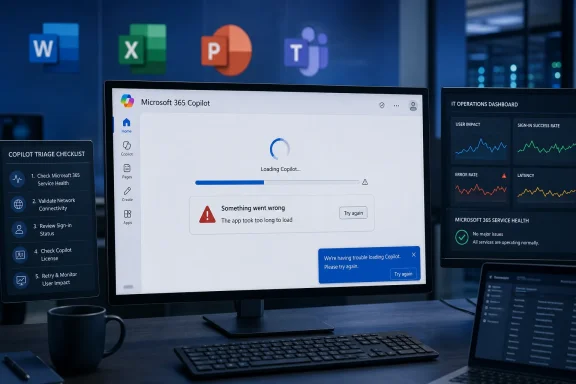
Microsoft said on June 1, 2026, that it was investigating an issue causing some users to see Microsoft 365 Copilot app load failures and timeout errors, after user reports began rising around 9 a.m. ET and peaked near midday. The outage was not just another “AI chatbot is flaky” moment. It was a reminder that Microsoft has spent the past two years moving Copilot from optional sidecar to workplace dependency, and dependencies change the meaning of downtime.
The immediate numbers were modest by the standards of a global cloud incident: Downdetector showed hundreds of reports, not tens of thousands. But the signal mattered because the reported failure mode hit the part of Copilot Microsoft most wants customers to trust: the app layer that turns AI from a novelty into a daily operating surface for Word, Excel, PowerPoint, Teams, Outlook, and the broader Microsoft 365 estate.
The June 1 reports followed a familiar pattern. Users said Copilot would not load, timed out, spun indefinitely, or failed to retrieve prior context. Downdetector’s breakdown showed the app accounting for the bulk of complaints, with the website a distant second and login issues representing only a small share.
That distribution is important. A login outage is annoying but legible: identity failed, authentication broke, try again later. An app-load and timeout problem is murkier because it sits between client, web service, model routing, tenant policy, data grounding, and whatever orchestration layer Microsoft uses to stitch them together.
Microsoft’s public wording was similarly narrow. The company said some users “may be experiencing app load and timeout errors when accessing Microsoft 365 Copilot.” That is the sort of sentence administrators have learned to parse carefully. It confirms impact, avoids assigning cause, and leaves open whether the problem was in Copilot itself, a dependency, a regional backend, or the connective tissue between Microsoft 365 services.
For consumers, the distinction may not matter. For IT departments, it matters a great deal. A Copilot outage is no longer simply a broken chat window; it can become a visible interruption in email drafting, meeting summarization, document analysis, and internal search workflows.
That ambition changes user expectations. If Copilot is pitched as an assistant that understands your work context, summarizes your meetings, drafts your documents, and reasons over your enterprise data, it must behave less like a web chatbot and more like core infrastructure. The closer Microsoft moves Copilot to the center of work, the less tolerance users have for vague spinners and generic “something went wrong” failures.
This is especially true because Copilot is not a single product in the way Word or Excel is a single product. It is a brand draped over a mesh of services: large language models, Microsoft Graph grounding, app integrations, search, compliance controls, identity, licensing, and tenant-level policy. The user sees one icon. The administrator sees a stack.
That stack is powerful when it works. It is also difficult to troubleshoot when it does not. If Outlook opens but Copilot cannot summarize a thread, is the problem Outlook, Exchange, Graph, Copilot orchestration, licensing, a service incident, conditional access, or a model endpoint? The answer may be clear inside Microsoft’s telemetry, but it is rarely obvious at the desk where the work stopped.
That distinction should matter to anyone reading today’s Copilot reports. The user comments were consistent with app load and timeout trouble, and Microsoft’s own statement aligned with that general category. But neither the public complaints nor the short Microsoft status post fully establish the root cause.
Still, smoke alarms matter. In modern SaaS, users often experience a service incident before an administrator sees a clean red indicator in a tenant dashboard. Public complaint spikes, Reddit threads, social posts, and third-party outage trackers have become an unofficial early-warning layer for cloud software.
Microsoft would prefer customers to use official service health channels, and for enterprise tenants that is still the right place to confirm whether an incident is acknowledged for an organization. But the lived reality of cloud administration is messier. When executives start asking why Copilot is hanging in Teams or refusing to load in the browser, admins search everywhere at once.
The Microsoft 365 Copilot app is supposed to be a hub: a place where users can ask questions, pull work context, move across documents, and reach AI-powered workflows without thinking too much about which Office app owns the task. That hub becomes more important as Microsoft changes where Copilot features are exposed and how they are licensed.
When an app hub fails, it creates a different kind of frustration than a single feature failure. Users do not merely lose a button inside Word. They lose the front door to the AI experience Microsoft has been teaching them to use.
That front-door problem also complicates adoption. Many organizations are still in the persuasion phase with Copilot. Champions are trying to convince skeptical employees that AI assistance is not just another corporate mandate. An outage at the app layer gives skeptics an easy story: the tool is not dependable enough to build habits around.
The concern with Copilot is that graceful degradation remains underdeveloped for AI-driven workflows. If a user cannot access a meeting recap, the meeting still happened. If Copilot cannot summarize a document library, the files still exist. If a prompt times out while drafting a sensitive message, the user needs to know whether anything was saved, cached, logged, or retried.
Traditional productivity software has decades of user-interface conventions for failure. Documents autosave. Email drafts sit in a folder. Sync icons show status. Offline modes are imperfect but familiar. AI assistants, by contrast, often fail as a blank panel, a spinner, or an apologetic error message that explains little.
That is tolerable for casual use. It is not tolerable when AI becomes a layer over business process. Enterprises need failure modes they can explain to users and audit afterward.
A useful enterprise incident notice does more than say “some users may be affected.” It tells administrators which entry points are impacted, whether existing chats are safe, whether Office app integrations are affected, whether Graph-grounded responses are failing, and whether retries increase load or are harmless. It also clarifies whether the issue affects consumer Copilot, Microsoft 365 Copilot, Copilot Chat, or only specific commercial experiences.
That taxonomy matters because Microsoft has overloaded the Copilot name. There is Copilot in Windows, Copilot on the web, Microsoft 365 Copilot, Copilot Chat, Copilot in Edge, GitHub Copilot, Security Copilot, Copilot Studio, and a growing zoo of role-specific or embedded assistants. A user says “Copilot is down.” An admin must ask, “Which one?”
Brand unification helps Microsoft’s marketing. It can hurt operational clarity. When every AI feature is called Copilot, every Copilot hiccup risks looking bigger, broader, or more confusing than it is.
That context flows through Microsoft Graph and related Microsoft 365 services. If the Copilot interface loads but grounding fails, users may get weak answers. If grounding works but the app layer times out, users get nothing. If identity or permissions are inconsistent, the assistant may refuse to answer or omit material that users expect it to see.
This is why Copilot reliability should be judged differently from ordinary chatbot uptime. A simple AI service can be up if the model responds. Microsoft 365 Copilot is only truly useful when the model, the orchestration layer, the data connectors, the tenant controls, and the front-end experience all line up.
That makes observability harder. It also makes the user’s mental model more fragile. People do not want to think about whether their assistant is failing because of model capacity, SharePoint latency, an expired token, or a policy check. They want the answer they were promised.
That is why even a relatively small incident attracts attention. It lands in a market where customers are already asking whether generative AI tools justify their cost, whether employees actually use them, and whether the productivity gains survive contact with real workflows. Reliability is part of that return-on-investment calculation.
The June 1 reports also come after months of shifting Copilot packaging and placement. Microsoft has been refining how Copilot appears in Office apps, how Copilot Chat differs from paid Microsoft 365 Copilot, and how the standalone app fits into Windows and Microsoft 365 deployments. Each change may make sense on its own, but together they create a moving target for administrators.
In that environment, outages have an outsized reputational effect. They do not just interrupt service. They reinforce the feeling that Copilot is still settling into its own architecture and business model.
The practical challenge is that Copilot failures often appear inconsistently. One user may fail in the desktop app but succeed in a browser. Another may load Copilot but lose chat history. A third may use Word integration while the standalone app hangs. That patchiness can make help desks look indecisive even when they are accurately describing a partial service degradation.
Organizations that have rolled out Copilot widely should build specific incident language for it. Users should know whether to fall back to standard Office workflows, whether to avoid resubmitting long prompts, and where to report failures. Help desks should have scripts that distinguish Copilot web, Microsoft 365 app, Teams integration, and Office app experiences.
This is not glamorous work, but it is what turns a hyped AI deployment into a manageable enterprise service. If Copilot is important enough to license broadly, it is important enough to support like any other production dependency.
Timeouts are especially corrosive because they consume attention. A user waiting 30 seconds for an AI assistant may not know whether to wait longer, refresh, retry, switch apps, or abandon the task. Multiply that by a department, and a small outage becomes a productivity tax.
Microsoft should improve client-side transparency. If Copilot is experiencing a known incident, the app should say so plainly. If chat history is temporarily unavailable, the interface should distinguish that from a total service failure. If a prompt cannot be processed, the user should know whether retrying is likely to help.
The company has done this kind of work elsewhere. Windows Update, OneDrive sync, and Microsoft 365 apps all have imperfect but recognizable status patterns. Copilot needs the same maturity. A spinner is not an enterprise incident strategy.
There are lighter forms of resilience Microsoft could pursue. The app could preserve prompt drafts before submission. It could display recent successful chats from local cache with clear labeling. It could offer non-AI fallbacks to the relevant document, meeting, or email thread. It could distinguish between model unavailability and data-retrieval unavailability.
These are not trivial engineering problems, particularly in enterprise environments with strict compliance and data-handling requirements. Cached AI interactions raise security, privacy, retention, and eDiscovery questions. But those questions are exactly why Microsoft must solve them deliberately rather than leaving users staring at blank panels.
The future of workplace AI will not be judged only by answer quality. It will be judged by reliability, recoverability, and predictability. The boring properties of software become more important as the software becomes more central.
But Microsoft 365 Copilot is not priced or positioned like a toy. It is sold into businesses as a productivity platform layered across mission-critical applications. That positioning demands a different standard from the one applied to a free chatbot experiment.
There is a subtle danger for Microsoft in allowing Copilot to feel both mandatory and unfinished. If an organization sees Copilot as optional, failures are irritating but containable. If Microsoft pushes Copilot into the center of the interface while the reliability story still feels immature, failures become evidence for internal critics who would rather delay adoption.
That does not mean Copilot is doomed, overhyped, or uniquely unreliable. It means Microsoft’s own ambition has raised the bar. The company wants Copilot to be treated as the new way to work. Customers will increasingly judge it like work infrastructure.
The more Copilot is embedded, the more failure analysis must become specific. “AI is down” is not an acceptable operational category. Administrators need to know whether the failure touches chat, grounding, app launch, authentication, licensing, message history, file access, or a specific integration.
Microsoft also needs to decide how transparent it wants to be about Copilot’s moving parts. The company does not have to expose every internal dependency, but it does need service-health messaging that maps to what users actually see. “Some users may be affected” is a start, not a mature incident narrative.
The broader lesson is not that companies should avoid AI assistants. It is that AI assistants are becoming another tier of enterprise software, and tiers need runbooks. They need service-level expectations, user education, fallback workflows, and post-incident clarity.
The immediate numbers were modest by the standards of a global cloud incident: Downdetector showed hundreds of reports, not tens of thousands. But the signal mattered because the reported failure mode hit the part of Copilot Microsoft most wants customers to trust: the app layer that turns AI from a novelty into a daily operating surface for Word, Excel, PowerPoint, Teams, Outlook, and the broader Microsoft 365 estate.
 Copilot’s Outage Was Small Enough to Ignore and Strategic Enough Not To
The June 1 reports followed a familiar pattern. Users said Copilot would not load, timed out, spun indefinitely, or failed to retrieve prior context. Downdetector’s breakdown showed the app accounting for the bulk of complaints, with the website a distant second and login issues representing only a small share.That distribution is important. A login outage is annoying but legible: identity failed, authentication broke, try again later. An app-load and timeout problem is murkier because it sits between client, web service, model routing, tenant policy, data grounding, and whatever orchestration layer Microsoft uses to stitch them together.
Microsoft’s public wording was similarly narrow. The company said some users “may be experiencing app load and timeout errors when accessing Microsoft 365 Copilot.” That is the sort of sentence administrators have learned to parse carefully. It confirms impact, avoids assigning cause, and leaves open whether the problem was in Copilot itself, a dependency, a regional backend, or the connective tissue between Microsoft 365 services.
For consumers, the distinction may not matter. For IT departments, it matters a great deal. A Copilot outage is no longer simply a broken chat window; it can become a visible interruption in email drafting, meeting summarization, document analysis, and internal search workflows.
Microsoft Has Made Copilot Too Central to Treat as Experimental
The strategic tension here is obvious. Microsoft has marketed Copilot as a productivity layer across its most important software franchise, not as a lab demo tucked away behind a beta toggle. It appears in Windows, Edge, Teams, Office apps, the Microsoft 365 app, and increasingly in administrative and developer surfaces.That ambition changes user expectations. If Copilot is pitched as an assistant that understands your work context, summarizes your meetings, drafts your documents, and reasons over your enterprise data, it must behave less like a web chatbot and more like core infrastructure. The closer Microsoft moves Copilot to the center of work, the less tolerance users have for vague spinners and generic “something went wrong” failures.
This is especially true because Copilot is not a single product in the way Word or Excel is a single product. It is a brand draped over a mesh of services: large language models, Microsoft Graph grounding, app integrations, search, compliance controls, identity, licensing, and tenant-level policy. The user sees one icon. The administrator sees a stack.
That stack is powerful when it works. It is also difficult to troubleshoot when it does not. If Outlook opens but Copilot cannot summarize a thread, is the problem Outlook, Exchange, Graph, Copilot orchestration, licensing, a service incident, conditional access, or a model endpoint? The answer may be clear inside Microsoft’s telemetry, but it is rarely obvious at the desk where the work stopped.
Downdetector Is a Smoke Alarm, Not a Root-Cause Report
Downdetector reports are useful because they capture real user pain faster than official dashboards sometimes do. They are also noisy, unverified, and shaped by public awareness. A spike in complaints tells us something is happening; it does not tell us exactly where the fire started.That distinction should matter to anyone reading today’s Copilot reports. The user comments were consistent with app load and timeout trouble, and Microsoft’s own statement aligned with that general category. But neither the public complaints nor the short Microsoft status post fully establish the root cause.
Still, smoke alarms matter. In modern SaaS, users often experience a service incident before an administrator sees a clean red indicator in a tenant dashboard. Public complaint spikes, Reddit threads, social posts, and third-party outage trackers have become an unofficial early-warning layer for cloud software.
Microsoft would prefer customers to use official service health channels, and for enterprise tenants that is still the right place to confirm whether an incident is acknowledged for an organization. But the lived reality of cloud administration is messier. When executives start asking why Copilot is hanging in Teams or refusing to load in the browser, admins search everywhere at once.
The App Is Where Microsoft’s Copilot Strategy Becomes Fragile
The most revealing number in the user reports was not the total count. It was the percentage tied to the app. If most affected users are complaining about the Copilot app rather than login, Microsoft is facing the fragility of the very interface it has tried to elevate.The Microsoft 365 Copilot app is supposed to be a hub: a place where users can ask questions, pull work context, move across documents, and reach AI-powered workflows without thinking too much about which Office app owns the task. That hub becomes more important as Microsoft changes where Copilot features are exposed and how they are licensed.
When an app hub fails, it creates a different kind of frustration than a single feature failure. Users do not merely lose a button inside Word. They lose the front door to the AI experience Microsoft has been teaching them to use.
That front-door problem also complicates adoption. Many organizations are still in the persuasion phase with Copilot. Champions are trying to convince skeptical employees that AI assistance is not just another corporate mandate. An outage at the app layer gives skeptics an easy story: the tool is not dependable enough to build habits around.
The Enterprise Problem Is Not That Copilot Failed Once
No serious administrator expects cloud services to be perfect. Microsoft 365, Google Workspace, Salesforce, Slack, Zoom, ServiceNow, and every other major SaaS platform have outages. The realistic standard is not “never fail”; it is “fail transparently, recover quickly, and degrade gracefully.”The concern with Copilot is that graceful degradation remains underdeveloped for AI-driven workflows. If a user cannot access a meeting recap, the meeting still happened. If Copilot cannot summarize a document library, the files still exist. If a prompt times out while drafting a sensitive message, the user needs to know whether anything was saved, cached, logged, or retried.
Traditional productivity software has decades of user-interface conventions for failure. Documents autosave. Email drafts sit in a folder. Sync icons show status. Offline modes are imperfect but familiar. AI assistants, by contrast, often fail as a blank panel, a spinner, or an apologetic error message that explains little.
That is tolerable for casual use. It is not tolerable when AI becomes a layer over business process. Enterprises need failure modes they can explain to users and audit afterward.
Microsoft’s Messaging Still Lags Copilot’s Importance
Microsoft has become very good at selling the vision of Copilot. It is less consistently good at explaining Copilot’s operational boundaries in plain language. Today’s brief status update was enough to acknowledge the problem, but not enough to help affected organizations decide what to do next.A useful enterprise incident notice does more than say “some users may be affected.” It tells administrators which entry points are impacted, whether existing chats are safe, whether Office app integrations are affected, whether Graph-grounded responses are failing, and whether retries increase load or are harmless. It also clarifies whether the issue affects consumer Copilot, Microsoft 365 Copilot, Copilot Chat, or only specific commercial experiences.
That taxonomy matters because Microsoft has overloaded the Copilot name. There is Copilot in Windows, Copilot on the web, Microsoft 365 Copilot, Copilot Chat, Copilot in Edge, GitHub Copilot, Security Copilot, Copilot Studio, and a growing zoo of role-specific or embedded assistants. A user says “Copilot is down.” An admin must ask, “Which one?”
Brand unification helps Microsoft’s marketing. It can hurt operational clarity. When every AI feature is called Copilot, every Copilot hiccup risks looking bigger, broader, or more confusing than it is.
The Hidden Dependency Is Microsoft Graph
The reason Microsoft 365 Copilot is more valuable than a generic chatbot is also the reason it is harder to operate. It is not merely answering questions from the open web or a standalone model. Its enterprise promise depends on context from email, files, meetings, chats, calendars, permissions, and organizational data.That context flows through Microsoft Graph and related Microsoft 365 services. If the Copilot interface loads but grounding fails, users may get weak answers. If grounding works but the app layer times out, users get nothing. If identity or permissions are inconsistent, the assistant may refuse to answer or omit material that users expect it to see.
This is why Copilot reliability should be judged differently from ordinary chatbot uptime. A simple AI service can be up if the model responds. Microsoft 365 Copilot is only truly useful when the model, the orchestration layer, the data connectors, the tenant controls, and the front-end experience all line up.
That makes observability harder. It also makes the user’s mental model more fragile. People do not want to think about whether their assistant is failing because of model capacity, SharePoint latency, an expired token, or a policy check. They want the answer they were promised.
The Timing Is Awkward for Microsoft’s AI Push
Microsoft’s AI strategy is not slowing down. Copilot is woven into the company’s investor story, product roadmap, partner ecosystem, and Windows narrative. The company wants Copilot to be the interface through which users increasingly interact with Microsoft 365.That is why even a relatively small incident attracts attention. It lands in a market where customers are already asking whether generative AI tools justify their cost, whether employees actually use them, and whether the productivity gains survive contact with real workflows. Reliability is part of that return-on-investment calculation.
The June 1 reports also come after months of shifting Copilot packaging and placement. Microsoft has been refining how Copilot appears in Office apps, how Copilot Chat differs from paid Microsoft 365 Copilot, and how the standalone app fits into Windows and Microsoft 365 deployments. Each change may make sense on its own, but together they create a moving target for administrators.
In that environment, outages have an outsized reputational effect. They do not just interrupt service. They reinforce the feeling that Copilot is still settling into its own architecture and business model.
For IT Pros, the First Response Is Triage, Not Philosophy
When Copilot fails, administrators should resist the temptation to treat it as either a minor annoyance or a total platform collapse. The right response is boring, methodical triage. Confirm scope, isolate entry points, check official service health, compare user reports across browsers and clients, and determine whether the problem is tenant-specific or broader.The practical challenge is that Copilot failures often appear inconsistently. One user may fail in the desktop app but succeed in a browser. Another may load Copilot but lose chat history. A third may use Word integration while the standalone app hangs. That patchiness can make help desks look indecisive even when they are accurately describing a partial service degradation.
Organizations that have rolled out Copilot widely should build specific incident language for it. Users should know whether to fall back to standard Office workflows, whether to avoid resubmitting long prompts, and where to report failures. Help desks should have scripts that distinguish Copilot web, Microsoft 365 app, Teams integration, and Office app experiences.
This is not glamorous work, but it is what turns a hyped AI deployment into a manageable enterprise service. If Copilot is important enough to license broadly, it is important enough to support like any other production dependency.
The User Experience Still Has Too Many Dead Ends
The most damaging Copilot failure is not an error message. It is uncertainty. Users become most frustrated when they cannot tell whether Copilot is loading slowly, temporarily unavailable, misconfigured, or permanently broken.Timeouts are especially corrosive because they consume attention. A user waiting 30 seconds for an AI assistant may not know whether to wait longer, refresh, retry, switch apps, or abandon the task. Multiply that by a department, and a small outage becomes a productivity tax.
Microsoft should improve client-side transparency. If Copilot is experiencing a known incident, the app should say so plainly. If chat history is temporarily unavailable, the interface should distinguish that from a total service failure. If a prompt cannot be processed, the user should know whether retrying is likely to help.
The company has done this kind of work elsewhere. Windows Update, OneDrive sync, and Microsoft 365 apps all have imperfect but recognizable status patterns. Copilot needs the same maturity. A spinner is not an enterprise incident strategy.
The AI Layer Needs an Offline Story, Even If It Cannot Be Offline
Nobody should expect Microsoft 365 Copilot to work fully offline. Its value depends on cloud models and cloud data. But “cloud-dependent” should not mean “all or nothing.”There are lighter forms of resilience Microsoft could pursue. The app could preserve prompt drafts before submission. It could display recent successful chats from local cache with clear labeling. It could offer non-AI fallbacks to the relevant document, meeting, or email thread. It could distinguish between model unavailability and data-retrieval unavailability.
These are not trivial engineering problems, particularly in enterprise environments with strict compliance and data-handling requirements. Cached AI interactions raise security, privacy, retention, and eDiscovery questions. But those questions are exactly why Microsoft must solve them deliberately rather than leaving users staring at blank panels.
The future of workplace AI will not be judged only by answer quality. It will be judged by reliability, recoverability, and predictability. The boring properties of software become more important as the software becomes more central.
Microsoft Cannot Hide Behind the Beta Aura Forever
Generative AI still carries a cultural beta label. Users expect hallucinations, awkward phrasing, and occasional weirdness. Vendors benefit from that softness because it gives them room to improve products in public.But Microsoft 365 Copilot is not priced or positioned like a toy. It is sold into businesses as a productivity platform layered across mission-critical applications. That positioning demands a different standard from the one applied to a free chatbot experiment.
There is a subtle danger for Microsoft in allowing Copilot to feel both mandatory and unfinished. If an organization sees Copilot as optional, failures are irritating but containable. If Microsoft pushes Copilot into the center of the interface while the reliability story still feels immature, failures become evidence for internal critics who would rather delay adoption.
That does not mean Copilot is doomed, overhyped, or uniquely unreliable. It means Microsoft’s own ambition has raised the bar. The company wants Copilot to be treated as the new way to work. Customers will increasingly judge it like work infrastructure.
The Calendar Says Incident; the Strategy Says Stress Test
The June 1 incident should be remembered less as a dramatic outage and more as a stress test of Microsoft’s AI operating model. The reported peak of roughly 500 Downdetector complaints is not, by itself, a catastrophic number. But public outage counts are only a partial proxy for enterprise disruption, and Copilot’s footprint is expanding faster than many organizations’ support practices.The more Copilot is embedded, the more failure analysis must become specific. “AI is down” is not an acceptable operational category. Administrators need to know whether the failure touches chat, grounding, app launch, authentication, licensing, message history, file access, or a specific integration.
Microsoft also needs to decide how transparent it wants to be about Copilot’s moving parts. The company does not have to expose every internal dependency, but it does need service-health messaging that maps to what users actually see. “Some users may be affected” is a start, not a mature incident narrative.
The broader lesson is not that companies should avoid AI assistants. It is that AI assistants are becoming another tier of enterprise software, and tiers need runbooks. They need service-level expectations, user education, fallback workflows, and post-incident clarity.
The Copilot Promise Now Comes With an Operations Bill
For WindowsForum readers, the actionable point is not to panic over one Monday outage. It is to treat Copilot like the production dependency Microsoft is trying to make it. That means planning around its failure modes before the next status post appears.- Organizations using Microsoft 365 Copilot should document which Copilot entry points matter most to their users, including the standalone app, web experience, Teams, Outlook, Word, Excel, and PowerPoint.
- Help desks should separate Copilot app-load failures from authentication problems, Office integration failures, chat-history issues, and Microsoft Graph grounding problems.
- Administrators should check official Microsoft 365 service health first, but they should also treat user-report spikes as useful early-warning signals when official dashboards lag user experience.
- Teams that rely on Copilot for meetings, documents, or email should define fallback workflows so employees are not blocked by a spinning AI pane.
- Microsoft should make Copilot incident messaging more specific, because the brand now covers too many products for generic outage language to be operationally useful.
- Users should avoid building workflows where Copilot is the only path to critical information, especially while the service’s reliability and failure transparency continue to mature.
References
- Primary source: Treasure Coast News
Published: 2026-06-01T16:42:06.298768
Loading…
www.tcpalm.com - Related coverage: support.nhs.net
Loading…
support.nhs.net - Related coverage: windowscentral.com

Microsoft is moving the best Copilot features in Office behind a paywall
The "free" access to Copilot inside Word and Excel is ending as Microsoft splits the assistant into "Basic" and "Premium" tiers. www.windowscentral.com
- Related coverage: bleepingcomputer.com

Microsoft fixes outage affecting MFA setup, MySignIn service
Microsoft is working to address an ongoing incident preventing customers from setting up multi-factor authentication (MFA) or accessing the My Sign-Ins platform.www.bleepingcomputer.com - Related coverage: statusgator.com
Microsoft 365 suite Outage History | StatusGator
Complete history of Microsoft 365 suite outages, incidents, and downtime. View past Microsoft 365 suite outages with detailed summaries and timeline information. statusgator.com
- Related coverage: sqmagazine.co.uk
Loading…
sqmagazine.co.uk
- Related coverage: bluemonitor.org
Is Microsoft Copilot Down? — BlueMonitor
Check if Microsoft Copilot is down right now. Real-time status monitoring for Microsoft Copilot. www.bluemonitor.org
- Official source: learn.microsoft.com
Loading…
learn.microsoft.com - Related coverage: flextrivia.com
Loading…
flextrivia.com - Related coverage: pingoru.io
Microsoft Copilot Outage History — 2026 · Pingoru
Microsoft Copilot outage history: 6 incidents totaling 112h 4m of downtime since April 28, 2026. Full incident details, duration, and resolution timestamps. Real-time alerts available. pingoru.io
- Related coverage: spscc.edu
Loading…
spscc.edu - Official source: techcommunity.microsoft.com
Loading…
techcommunity.microsoft.com - Related coverage: feministfutures.socialsciences.ucsb.edu
Loading…
feministfutures.socialsciences.ucsb.edu - Official source: download.microsoft.com
Loading…
download.microsoft.com - Related coverage: oregon.gov
Loading…
www.oregon.gov