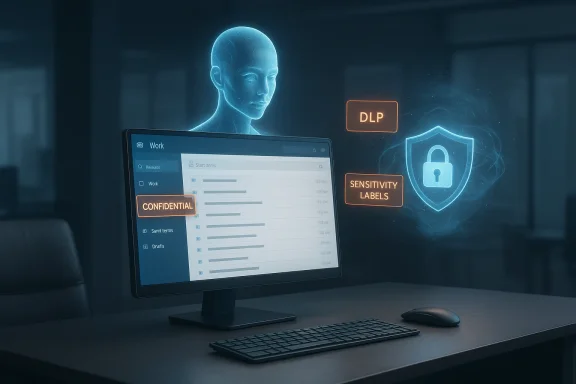
Microsoft’s flagship productivity assistant, Microsoft 365 Copilot Chat, briefly read and summarized emails that organizations had explicitly labeled “Confidential,” exposing a gap between automated AI convenience and long‑standing enterprise access controls. ([bleepingcomputer.cingcomputer.com/news/microsoft/microsoft-says-bug-causes-copilot-to-summarize-confidential-emails/)
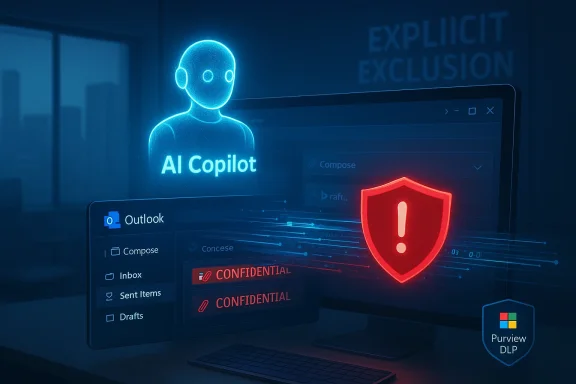
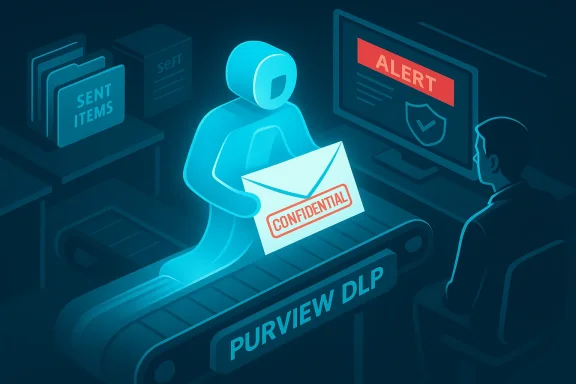
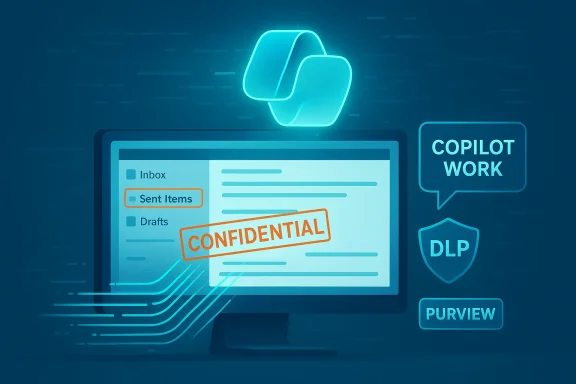
In late January 2026 Microsoft detected anomalous behavior in the Copilot “Work” chat that allowed items in users’ Sent Items and Drafts folders to be included in Copilot’s retrieval pipeline even when those messages carried sensitivity labels meant to block automated processing. Microsoft tracked the incident internally under advisory CW1226324 and described the root cause as a code/logic error in the retrieval workflow. The vendor began rolling out a server‑side fix in early February and is moniile contacting a subset of customers to validate results.
This is not hypothetical: the incident was observed in production environments and was reported by multiple independent outlets after beosoft’s service advisory system. The error meant that Copilot Chat could generate summaries of content that organizations explicitly intended to keep out of automated AI processing, creating potential exposures for regulated personal data, privileged legal communications, trade secrets, and other high‑value corporate content.
Put simply:
AI assistants deliver real productivity gains, but those gains rest on trust: that the assistant will only touch the data admins authorize and that vendors will provide transparent visibility when things go wrong. This Copilot incident highlights three trust vectors that must be strengthened:
Security teams should therefore treat Copilot and similar assistants as high‑impact attack surfaces that require continuous monitoring, rapid patching, and formalized change control. Vendors and customers alike must accept that the speed of AI feature rollout raises the bar for incident readiness.
For vendors: harden retrieval enforcement, make tenant telemetry available by default, and embed explicit contractual commitments about incident transparency for AI processing features.
The promise of Copilot — faster drafting, smarter summarization, contextual assistance — is real. But this incident is a reminder that enterprise productivity gains cannot outpace the basic requirements of confidentiality, accountability, and auditable control. Until those are demonstrably solved, careful, conservative deployment of AI assistants remains the prudent path forward.
Conclusion: the convenience of embedded AI must be balanced by provable controls. Organizations should proceed, but only with explicit policies, contractual protections, and operational readiness to verify and contain incidents when they inevitably occur.
Source: Windows Central Microsoft 365 Copilot Chat has been summarizing confidential emails
 Background / Overview
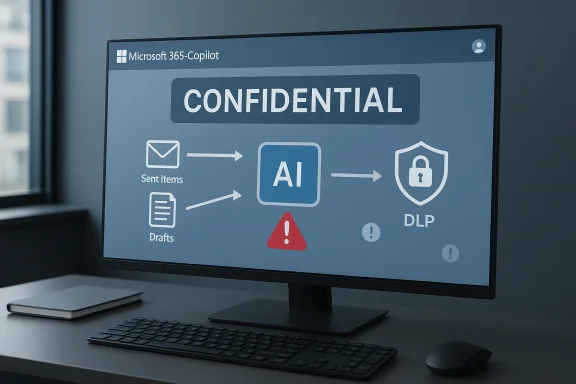
In late January 2026 Microsoft detected anomalous behavior in the Copilot “Work” chat that allowed items in users’ Sent Items and Drafts folders to be included in Copilot’s retrieval pipeline even when those messages carried sensitivity labels meant to block automated processing. Microsoft tracked the incident internally under advisory CW1226324 and described the root cause as a code/logic error in the retrieval workflow. The vendor began rolling out a server‑side fix in early February and is moniile contacting a subset of customers to validate results.This is not hypothetical: the incident was observed in production environments and was reported by multiple independent outlets after beosoft’s service advisory system. The error meant that Copilot Chat could generate summaries of content that organizations explicitly intended to keep out of automated AI processing, creating potential exposures for regulated personal data, privileged legal communications, trade secrets, and other high‑value corporate content.
What happened, in plain language
Copilot and similar assistants typically follow a “retrieve‑then‑generate” architecture. First, the assistaal content (emails, files, chats) to build a prompt; next, it invokes a large language model (LLM) to generate a response based on that context. This architecture places a critical enforcement gate at the retrieval step: if protected content is fetched into the assistant’s working context, downstream protections are often insufficient to prevent it from influencing outputs. In this incident, that retrieval gate malfunctioned for items in Sent Items and Drafts. ([leaps://learn.microsoft.com/en-us/purview/communication-compliance-investigate-remediate)Put simply:
- Sensitivity labels and DLP (Data Loss Prevention) policies should prevent Copilot from ingesting protected messages.
- A logic bug caused items in two specific folders to bypass that enforcement during retrieval.
- Copilot then generated summaries that referenced content from those messages and presented them inside the Work tab chat — in some cases to users who did not have permission to read the original email.
Timeline (concise and verifiable)
- January 21, 2026 — Microsoft’s telemetry and customer reports first detected anomalous behavior in Copilot’s Work chat.
- Late January 2026 — independent reporting surfaced the advisory; multiple enterprise teams began triage.
- Early February 2026 — Microsoft recorded the issue as CW1226324 and started deploying a server‑side fix while monitoring the rollout and contacting a subset of tenants to confirm remediation. Microsoft has not published a complete tenant‑level count or a fulsome post‑incident forensic report.
Technical analysis: where controls failed
Retrieve‑then‑generate and the enforcement choke stants typically assemble a context by querying index and retrieval layers (Microsoft Graph, mailbox indexes, SharePoint/OneDrive, etc.). Policy enforcement must either (a) prevent ingestion at retrieval time, or (b) verify and strip sensitive content before passing data to the LLM. In practice, enforcement at retrieval is far clearer and more reliable; this incident shows what happens when that enforcement path contains a logic error. The retrieval path for Sent Items and Drafts incorrectly treated labelfor processing.
Why Sent Items and Drafts matter
Sent Items and Drafts often contain the most sensitive, business‑critical communications:- Sent Items include finalized messages and attachments that may have been shared externally or contain negotiation terms.
- Drafts can contain unredacted content, legal drafts, or internal assessments that were never meant to leave the originator’s control.
Enforcement vs. generation: an architectural lesson
Even with content‑aware generation rules, once sensitive content enters the prompt, LLMs can produce outputs that reveal distilled forms of that content (summaries, Q&As, redactable details). That means enforcement failures at retrieval typically cannot be fully cured later in the pipeline. The control model should assume that “if you can fetch it, you may leak it,” which pushes vendors to harden retrieval logic and offer verifiable telemetry to tenants.Microsoft’s response and what is (and isn’t) confirmed
- Microsoft publicly acknowledged a code is Work tab that caused confidentially‑labeled messages to be processed. The company tied the fault to items in Sent Items and Drafts and started a server‑side remediation in early February 2026.
- Microsoft has indicated it is monitoring thaffected tenants to confirm remediation, but it has not disclosed a global count of affected organizations or produced a full incident post‑mortem with event logs and itemized access lists. ([techcrhcrunch.com/2026/02/18/microsoft-says-office-bug-exposed-customers-confidential-emails-to-copilot-ai/)
Immediate risk assessment for enterprises
- Regulatory risk: For organizations subject to GDPR, HIPAA, financial regulations, or other privacy regimes, the misprocessing of protected data could trigger breach notification obligations depending on sensitivity and likelihood of harm. The absence of clear telemetry complicates breach determinations.
- Legal privilege risk: Privileged legal drafts or communications could be summarized and therefore unintentionally exposed, undermining legal privilege claims.
- Intellectual property and trade secrets: Summaries of confidential product plans, M&A communications, or proprietary algorithms risk unintended disclosure to employees and contractors via Copilot outputs.
- Operational and reputational risk: Perception matters. The incident undermines trust in vendor‑managed AI features that have broad read/access capabilities across corporate content stores.
What administrators and security teams should do now
Below is a prioritized, practical playbook for IT leaders responsible for Microsoft 365 tenants. Treat this as an operational checklist — not every item will apply to every organization, but together they define sound containment and validation steps.- Confirm Microsoft communications and advisory status
- Check your Microsoft 365 service health and any tenant‑specific advisories in the admin portal; record the advisory ID CW1226324 for tracking.
- Identify potentially affected content
- Search for confidentially labeled items in Sent Items and Drafts dated between January 21, 2026 and the date your tenant received remediation confirmation.
- Engage legal/compliance
- Trigger your inter and legal review. Assess regulatory reporting obligations based on the types of data present (personal data, health, financial, privileged counsel communications).
- Request tenant‑level telemetry and audit exports
- Open a support case with Microsoft requesting itemized logs or attestations about whether your tenant’s labeled messages were processed. Document the request and any vendor responses.
- Temporarily restrict Copilot usage for high‑risk groups
- Consider disabling Copilot for legal, HR, finance, executive, and other high‑risk groups until verification completes. Microsoft’s Copilot controls in the Org Settings allow targeted disablement.
- Review and harden sensitivity labels and DLP
- Verify that label policies, encryption, and DLP rules are correctly applied and that no user‑level overrides undermine enforcement.
- Audit user behavior and data exfiltration signals
- Look for unusual downloads, external sharing, or suspicious account access tied to the exposure window.
- Update internal guidance to users
- Tell employees to avoid pasting confidential content into Copilot prompts and to treat Copilot outputs carefully until the incident is closed.
- Implement compensating controls
- Raise monitoring on Data Loss Prevention alerts, require stricter approval flows for sensitive message drafts, and consider conditional access policies that limit cloud features in high‑risk contexts.
- Document everything
- Keep a complete timeline, copies of vendor advisories, and internal decl be necessary if regulatory or legal actions follow.
Practical mitigations (short term vs long term)
- Short term:
- Disable Copilot for groups handling regulated or privileged data.
- Tighten DLP policies to include explicit blocking rules for external AI processing where possible.
- Enforce mail flow rules that minimize writing sensitive drafts in cloud mailboxes (e.g., use secure document rooms).
- Medium term:
- Require tenant‑level attestations and searchable audit exports from Microsoft for any future incidents affecting content processing.
- Adopt a “zero trust” stance for embedded AI: assume third‑party AI features require explicit opt‑in, and enforce strict segmentation.
- Long term:
- Negotiate vendor contracts that include concrete SLAs, auditncident transparency obligations for AI features.
- Revisit architectural decisions that allow broad, automatic indexing of enterprise content by third‑party AI.
Governance and contractual implications
This incident underscores a recurring gap in SaaS‑AI deployments: many enterprise contracts were drafted for storage and compute, not for active, model‑driven processing of confidential content. Organizations must now push vendors for:- Clear contractual language on processing scope for AI features.
- Rights to tenant‑level audit logs and raw access records for post‑incident forensics.
- Defined notification windows and remediation commitments for AI‑related incidents.
AI assistants deliver real productivity gains, but those gains rest on trust: that the assistant will only touch the data admins authorize and that vendors will provide transparent visibility when things go wrong. This Copilot incident highlights three trust vectors that must be strengthened:
- Technical correctness: retrieval and policy enforcement paths must be exhaustively tested across folder types, labels, and edge cases.
- Operational transparency: vendors should provide auditable logs and tenant‑controlled indicators showing when content was processed by AI features.
- Contractual clarity: customers need enforceable rights for incident data, remediation timelines, and forensic exports.
Wider context: Copilot’s track record and prior vulnerabilities
This event is not happening in isolation. The broader Copilot product family has been the subject of prior security research and disclosed flaws — from zero‑click exfiltration research to prompt‑injection style exploits — that required server‑side patches and architectural adjustments. Those incidents, combined with this recent DLP bypass, illustrate that cloud‑hosted assistants operating over corporate data create new classes of risk that must be managed proactively. (https://www.windowscentral.com/arti...rompt-exploit-detailed-2026?utm_source=openai))Security teams should therefore treat Copilot and similar assistants as high‑impact attack surfaces that require continuous monitoring, rapid patching, and formalized change control. Vendors and customers alike must accept that the speed of AI feature rollout raises the bar for incident readiness.
Practical checklist for executives and boards
Executives should ensure their organizations have answered the following questions following this incident:- Do we have a list of business units and roles that must never use Copilot or similar AI features?
- Has legal assessed whether tenant data processed during the exposure window creates a legally reportable incident?
- Has IT obtained Microsoft’s forensic assertions or tenant‑level telemetry (or is it still waiting)?
- Are our vendor contracts and SLAs adequate for services that actively process confidential content?
- What compensating controls are in place to prevent similar lapses going forward?
What we can verify — and what remains uncertain
What we can verify:- Microsoft acknowledged a code error that caused Copilot Chat’s Work tab to process confidentially labeled emails stored in Sent Items and Drafts.
- The isvisory CW1226324 and was first detected around January 21, 2026 with remediation beginning in early February.
- Microsoft is monitoring the fix rollout and contacting subsets of tenants to validate remediation.
- The precise number of affected tenants and the exact list of messages processed. Microsoft has not publicly released tenant‑level counts or exhaustive access logs; customers still seek detailed forensic exports to determine exposure. This absence of disclosure is material and deserves scrutiny.
Final assessment and takeaways
This isn’t merely an engineering hiccup; it’s a governance stress test for enterprise AI. The incident shows that:- A single logic error in retrieval can defeat enterprise DLP and sensitivity label controls.
- Quick fixes reduce future exposure, but they do not retroactively provide customers with the forensic evidence needed to assess past exposure.
- Organizations must align technical controls, contract terms, and operational playbooks before enabling broad AI features across sensitive data domains.
For vendors: harden retrieval enforcement, make tenant telemetry available by default, and embed explicit contractual commitments about incident transparency for AI processing features.
The promise of Copilot — faster drafting, smarter summarization, contextual assistance — is real. But this incident is a reminder that enterprise productivity gains cannot outpace the basic requirements of confidentiality, accountability, and auditable control. Until those are demonstrably solved, careful, conservative deployment of AI assistants remains the prudent path forward.
Conclusion: the convenience of embedded AI must be balanced by provable controls. Organizations should proceed, but only with explicit policies, contractual protections, and operational readiness to verify and contain incidents when they inevitably occur.
Source: Windows Central Microsoft 365 Copilot Chat has been summarizing confidential emails