

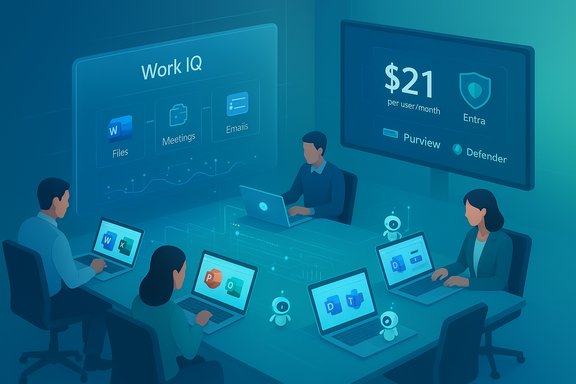
Microsoft’s new Microsoft 365 Copilot Business makes enterprise‑grade AI officially affordable for small teams, and the move reshapes the economics, governance and everyday workflows of thousands of small and midsize businesses by packaging Copilot, agents, and management tools into a focused SMB SKU at $21 per user per month with limited‑time promotional bundles through March 31, 2026.
Background / Overview
Microsoft has repositioned Copilot for smaller organizations with a dedicated Microsoft 365 Copilot Business SKU that becomes generally available on December 1, 2025. The package mirrors the core productivity and agent capabilities of the enterprise Copilot offering but caps eligibility at organizations with up to 300 users and sets a lower list price of USD 21 per user per month. Promotional pricing and bundled offers that combine Copilot Business with Microsoft 365 Business plans run from December 1, 2025 through March 31, 2026. These details are published in Microsoft partner materials and confirmed by independent reporting. This is not a superficial repositioning. Microsoft is simultaneously broadening the suite of in‑app Copilot experiences, deepening the intelligence layer it calls Work IQ, and pushing agents—multi‑step automated assistants—into regular business workflows. The vendor positions this as a turnkey way for smaller firms to get tenant‑aware, governed AI inside Word, Excel, PowerPoint, Outlook and Teams, while relying on Microsoft’s identity and data protection stack (Entra, Defender, Purview) for governance and compliance.What Microsoft 365 Copilot Business includes
Core functionality and user experience
Microsoft 365 Copilot Business offers the same in‑app Copilot experiences SMB users have been seeing in previews: contextual Copilot Chat in Office apps, document drafting and rewriting, spreadsheet analysis and Python insertion, automatic meeting summaries, and presentation generation from Copilot Pages. These capabilities are designed to work with the tenant’s Microsoft Graph context so Copilot reasons over company data, files and metadata—not just public web content. Key user features:- In‑app Copilot Chat for Word, Excel, PowerPoint, Outlook and Teams.
- Agent Mode to run multi‑step workflows (plan → create → validate) from within Office.
- Copilot Pages as an ideation canvas that converts research and drafts into documents or slides.
- Custom agents via Copilot Studio—low‑code/no‑code tools to create agents for onboarding, inventory, customer support or other workflows.
Work IQ and agent grounding
A central claim from Microsoft is that Work IQ acts as the “intelligence layer” that grounds Copilot and agents in business context: it aggregates signals about work (files, meetings, emails), remembers preferences (conversational memory) and improves relevance by reasoning over SharePoint metadata and Microsoft Graph information. Work IQ is explicitly engineered to reduce hallucination risk by providing structured, permission‑aware context for Copilot responses.Security, governance and compliance built in
Microsoft emphasizes the stack integration: Copilot Business works within existing tenant permissions and compliance boundaries enforced by Microsoft Purview for data governance and Microsoft Defender for threat protection. Administrator controls—Agent 365, Copilot Control System, Entra identity controls and sensitivity labels—are described as the guardrails that make agent automation safe for business processes. Microsoft’s partner and product documentation underline the bundled promotional offers for Purview with business SKUs during the launch window.Pricing, eligibility and promotion details (verified)
Microsoft’s official partner announcement lists the essential commercial terms:- Price: USD 21.00 per user per month for Microsoft 365 Copilot Business.
- Seat cap: Available for organizations with up to 300 users.
- Requires: One of the Microsoft 365 Business base licenses (Business Basic, Standard, or Premium).
- Launch and promotion window: General availability December 1, 2025; promotional pricing and bundle discounts run until March 31, 2026.
- Standalone Copilot Business: listed with an introductory discount (example: 15% off during the promo period).
- Bundles combining Microsoft 365 Business Standard or Premium with Copilot Business with deeper percentage discounts for 10–300 seat purchases.
- Purview add‑on discounts for Business Premium customers during the promotion.
Why this matters for small businesses: practical gains
Lower barrier to entry for tenant‑aware AI
The economic difference is simple: a $21 monthly copilot license targeted at SMBs is materially cheaper than previous enterprise list pricing for Copilot add‑ons. For small teams running Microsoft 365 Business plans, this reduces the per‑user bill and removes the seat‑minimum friction that often blocks pilot projects. That price signal is a deliberate nudge to accelerate adoption.Faster ROI on routine work
The productivity proposition centers on reclaiming time previously spent on repetitive tasks:- Drafting and editing in Word,
- Turning raw tables into pivot analyses or Python‑powered reports in Excel,
- Creating and updating branded slide decks in PowerPoint,
- Triage and follow‑ups in Outlook and Teams.
Agents: automation without full engineering projects
Copilot Studio and prebuilt agents mean small IT teams or business users can prototype agentic workflows (onboarding, triage, inventory checks) without long development cycles. The agent paradigm shifts the conversation from single‑task macros to workflow agents that can orchestrate multiple steps and connectors. For SMBs with limited developer resources, that is the primary operational value proposition.Governance and security — strong rhetoric, but real tradeoffs
What Microsoft is promising
Microsoft’s integrated approach is a genuine strength: identity, data classification, audit trails and agent lifecycle management are offered as a package. Administrator tools like Agent 365 and the Copilot Control System are intended to make it possible to grant, audit and revoke agent privileges; Entra provides identity lifecycle and conditional access controls; Purview enforces sensitivity labels and retention, while Defender monitors threat signals. Together these products aim to prevent data leakage and unauthorized access while running Copilot over tenant data.Where businesses must be careful
- Assumptions about “no data leaks”: While Copilot honors tenant permissions, the complexity of real estates—mixed on‑premises/cloud files, legacy apps, third‑party connectors—means governance gaps still occur in practice. Organizations must map data flows and test agent behavior in non‑production before widespread rollout. This is an operational necessity, not a theoretical warning.
- Configuration is the new risk surface: Entra policies, Purview labels, and agent scopes must be correctly configured. Misconfigured agents or overly broad service principals can unintentionally expose data or perform actions that violate privacy rules. This requires disciplined identity and data‑governance practices that many SMBs will need help to implement.
- Model choice and third‑party routing: Microsoft’s roadmap includes model routing choices (e.g., Anthropic, OpenAI models for certain tasks). These options bring capability but also add complexity for compliance teams that must track where data is processed. Businesses must document model routing decisions and review contractual protections when external models are used.
Deployment considerations and a practical rollout plan
1. Validate licensing and procurement
Confirm the tenant’s eligibility (≤ 300 seats) and the promotional terms that apply to your region or partner channel. Promotional prices, bundle requirements and minimum seat counts may vary by channel—ask your Microsoft partner or CSP rep for written quotes. Promotional windows run December 1, 2025 to March 31, 2026.2. Start with high‑value, low‑risk pilots
Good pilot candidates:- Shared staff functions (marketing content generation, HR onboarding checklists)
- Sales enablement (proposal drafts and slide decks)
- Finance assistants that summarize monthly reports (but not financial close automation until validated)
3. Harden identity and data controls before broad rollout
- Use Entra conditional access, service principal reviews, and access reviews for agent identities.
- Apply Purview labels and DLP policies to critical data stores.
- Ensure Defender’s endpoint and email protections are active and tuned.
These steps minimize the chance that an agent or Copilot prompt can access sensitive items inadvertently.
4. Train people and define processes
Tools change behavior. Establish prompt‑best practices, escalation workflows for agent‑generated actions, and a human‑in‑the‑loop review step for any decision that affects customers, finances or legal outcomes. Copilot outputs are powerful but not infallible; human validation remains essential.5. Track usage, cost and impact
Agents and Copilot interaction patterns will create new FinOps needs. Monitor agent consumption, monthly Copilot seats, and any pay‑as‑you‑go model components. Use Microsoft’s admin dashboards and third‑party monitoring to tie usage to business metrics (time saved, reduced ticket volume, faster proposal cycle).Strengths: where Microsoft’s bet pays off for SMBs
- Integrated stack reduces friction: Bundling Copilot, agents, management and security into a single ecosystem dramatically simplifies procurement and integration compared with stitching multiple point products. For small IT teams, that’s a major operational advantage.
- SMB pricing and promotional bundles accelerate adoption: The $21 price and partner promotions lower the cost of experimentation and make it realistic to roll Copilot out across whole teams rather than a handful of early adopters.
- Agent automation unlocks real process gains: When agents are properly grounded and governed, they can automate multi‑step tasks that previously required developer involvement—anything from first‑touch customer responses to generating recurring reports. That’s a practical win for productivity.
Risks and open questions
- Operational complexity for SMBs: Despite simplified licensing, configuring identity, governance and efficient agent behavior still requires expertise many small teams lack. This creates a market opening for partners and managed service providers—but also a risk of misconfiguration.
- Model routing and external processors: Where Microsoft allows third‑party reasoning models, organizations must be explicit about data residency, contractual protections and auditability. This is an area where legal and procurement teams must be involved.
- Expectations vs. reality on “full automation”: Agents can automate many repetitive tasks, but high‑value automation typically requires careful tuning, governance and monitoring. Overpromising on fully autonomous agents risks disappointment and compliance incidents.
- Unverifiable performance claims: Microsoft’s blog and promotional materials sometimes reference model names and internal benchmarks. When vendors publish comparative model performance or savings estimates, those numbers should be treated cautiously and validated in your environment—benchmarks rarely transfer unchanged to different data and workflows. Flag any vendor claims that lack public, reproducible validation.
How partners and MSPs fit into the picture
The product launch is intentionally channel‑led: Microsoft’s partner materials and CSP guidance show bundles and promotional discounts designed to route purchases through partners. For managed service providers, this creates a clear revenue and advisory opportunity: deploy pilots, configure Entra/Purview/Defender, build Copilot Studio agents, and provide ongoing governance and FinOps oversight. Partners who can combine security hardening with pragmatic agent design will be best placed to help SMB customers realize real value. WindowsForum community threads echo the same practical advice: partners will be crucial to accelerate adoption and bridge the skills gap for smaller teams. Community members flagged both the promise and the need for careful testing and governance in early rollouts.Final analysis and verdict
Microsoft 365 Copilot Business is an important commercial and product milestone: it removes a clear price and procurement blocker to deploying tenant‑aware Copilot in small and midsize firms, and it amplifies Microsoft’s strategic positioning of Copilot as a platform capability, not merely a premium add‑on. By packaging Copilot with agent tooling, Work IQ grounding and governance primitives, Microsoft gives SMBs an integrated path to automation and conversational assistance that previously required more complex licensing and higher budgets. That said, the most likely outcome over the next 12–18 months is not a flood of fully autonomous agents replacing staff, but a steady stream of targeted efficiency gains driven by pilot projects, partner engagements, and operational hardening. The real winners will be SMBs that pair Copilot Business with disciplined governance, partner‑led deployments, and clear measurement of impact. Conversely, organizations that treat Copilot as a toggle and ignore identity, labelling and process will face configuration, compliance and cost surprises.Quick reference: what to check before buying (one‑page checklist)
- Confirm tenant size (≤ 300 seats) and eligible Microsoft 365 Business base license.
- Request partner quotes that document promotional discounts (Dec 1, 2025 — Mar 31, 2026).
- Identify pilot workflows and categorize them by risk (low/medium/high).
- Apply Purview sensitivity labels to pilot data and enforce DLP policies.
- Create Entra service principal review process and conditional access for agents.
- Start with one or two Copilot Studio agents and monitor outputs before scaling.
- Set usage and FinOps alerts to avoid unexpected consumption costs.
- Plan a 30/60/90 day review to measure time saved and quality of outputs.
Microsoft’s message is clear: the era of tenant‑aware, governed AI for small businesses has moved from preview to mainstream purchase. The combination of lower price, bundled promotions and integrated governance reduces barriers—but does not remove the need for careful planning. For SMBs serious about productivity and secure automation, Copilot Business is both a practical tool and a strategic bet; executed well it will deliver measurable returns, executed poorly it will create new governance headaches. The sensible path is a measured rollout, partner collaboration, and continuous operational discipline to make sure Copilot’s promise becomes real.
Source: Microsoft Microsoft 365 Copilot Business: The future of work for small businesses | Microsoft 365 Blog
