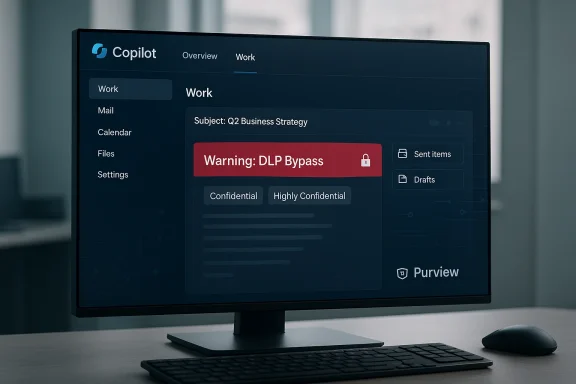
Microsoft has confirmed that a configuration error in Microsoft 365 Copilot Chat allowed the assistant to read and summarise emails stored in users’ Drafts and Sent Items — including messages labelled confidential — for several weeks, exposing a blind spot in enterprise controls and reigniting urgent questions about AI governance in the workplace.
Microsoft 365 Copilot Chat — the conversational, content-aware assistant embedded into Microsoft 365 apps — has been positioned as an enterprise-ready AI designed to help employees summarise messages, draft content, and surface context from an organisation’s data. Its protections rely on tenant-configured Microsoft Purview sensitivity labels and Data Loss Prevention (DLP) policies to keep protected content out of Copilot’s processing pipeline.
In late January 2026 administrators and security teams began reporting unexpected behaviour: Copilot Chat’s Work tab was returning summaries and content drawn from email items that organisations had explicitly labelled as confidential and protected with DLP rules. Microsoft tracked the issue internally as service advisory CW1226324, attributed the root cause to a code/configuration issue, and rolled out a configuration update and targeted fix that it said addressed the problem for most customers in early February.
The company has stated that the bug “did not provide anyone access to information they weren’t already authorised to see.” Nonetheless, the incident affected high-profile public-sector tenants and was visible on some internal support dashboards, raising real-world questions about exposure, forensic completeness and regulatory obligations.
Concretely, the bug manifested as:
But fixes do not erase the event’s implications. The real questions that remain — and those that organisations must now answer for themselves — are about scope, forensic completeness, retention of derived artefacts, and whether contractual assurances are sufficient. Transparency on those points has been limited in public disclosures.
For CIOs, CISOs and privacy officers, the practical takeaway is simple: treat AI features as systems that can and will make mistakes. Assume worst-case exposure until you can demonstrate otherwise. Harden policies, preserve logs, and demand vendor transparency. Only then can enterprises safely enjoy the productivity gains of generative AI without surrendering control over their most sensitive information.
Ultimately, this incident is not just about a single Copilot bug; it is an inflection point. Enterprises must move from hopeful adoption to disciplined governance — rigorous policy engineering, robust telemetry, and contractual clarity — if they want AI to remain an enabler rather than an unpredictable liability.
Source: Silicon UK Microsoft Copilot Bug Exposes Enterprise Emails | Silicon UK Tech
 Background
Microsoft 365 Copilot Chat — the conversational, content-aware assistant embedded into Microsoft 365 apps — has been positioned as an enterprise-ready AI designed to help employees summarise messages, draft content, and surface context from an organisation’s data. Its protections rely on tenant-configured Microsoft Purview sensitivity labels and Data Loss Prevention (DLP) policies to keep protected content out of Copilot’s processing pipeline.In late January 2026 administrators and security teams began reporting unexpected behaviour: Copilot Chat’s Work tab was returning summaries and content drawn from email items that organisations had explicitly labelled as confidential and protected with DLP rules. Microsoft tracked the issue internally as service advisory CW1226324, attributed the root cause to a code/configuration issue, and rolled out a configuration update and targeted fix that it said addressed the problem for most customers in early February.
The company has stated that the bug “did not provide anyone access to information they weren’t already authorised to see.” Nonetheless, the incident affected high-profile public-sector tenants and was visible on some internal support dashboards, raising real-world questions about exposure, forensic completeness and regulatory obligations.
What happened — a concise timeline
- January 21, 2026: Initial reports and customer tickets indicate Copilot Chat began incorrectly processing certain Outlook folders (notably Drafts and Sent Items) despite sensitivity labels and DLP rules being in place.
- Late January – early February 2026: Microsoft investigated and identified a code/configuration issue allowing items in the affected folders to be processed by Copilot.
- Early February 2026: Microsoft began deploying a configuration update and targeted code fix to affected tenants; the rollout continued over subsequent days for complex environments.
- Mid–late February 2026: Public reporting surfaced (via security and tech publications). Microsoft confirmed the advisory (CW1226324) and stated remediation was progressing while it continued to monitor and contact impacted customers.
Technical anatomy: how this bypass occurred
To understand why this bug mattered, you need to know how Copilot and enterprise controls are intended to interact.How Copilot Chat normally respects enterprise boundaries
- Microsoft Purview sensitivity labels mark content (files, emails) with classifications such as Confidential or Highly Confidential.
- DLP policies are configured by administrators to exclude protected content from automated processing or sharing — a “hands-off” rule for AI features.
- Copilot Chat is designed to consult these controls at ingestion and retrieval time: it should not include labelled items in its retrieval index or RAG (retrieval-augmented generation) steps, and it should refuse to summarise or paraphrase content flagged as protected.
Where the system failed
The incident was not a classic access-control breach in the sense of an unauthorised human being able to read locked mailboxes. Rather, it was a behavioural bypass where Copilot’s content selection logic — specifically for the Drafts and Sent Items Outlook folders and the Copilot “Work” tab — included labelled messages in its processing pipeline even though those messages carried labels and DLP protections.Concretely, the bug manifested as:
- Copilot being able to see and summarise email content from Draft and Sent folders even when sensitivity labels were present.
- The DLP exclusion rules that should have filtered those items out being ignored for the affected folders.
- The system returning summaries to users who already had mailbox-level read rights (which is why Microsoft asserts there was no exposure to unauthorised people).
Why this matters: legal, compliance and reputational risk
Organisations buy and configure sensitivity labels and DLP for a reason: to meet regulatory requirements, contractual obligations and internal policies. The Copilot incident touches multiple risk vectors.Regulatory and compliance exposure
- In regulated sectors (healthcare, finance, legal, government), labelled material is often protected to satisfy statutory duties — for example patient data under privacy laws or client‑confidential communications in legal practice.
- Even if an AI tool only summarises content for users who already have access, processing that material with an automated cloud service may trigger data‑processing rules, third‑party disclosure clauses or cross‑border transfer obligations.
- Organisations may face reporting obligations under data-protection regimes if automated systems processed protected categories of personal data without the expected contractual or technical safeguards.
Contractual and confidentiality risks
- Many contracts require that confidential material be handled only by specified personnel and systems. Summarisation by automation — even when visible only to authorised staff — may breach contractual terms that limit the use or processing of confidential information by third-party service providers.
Reputational and trust impact
- Incidents like this erode employee and customer trust in AI tools. The perception that an automated assistant “peeked” at protected drafts or sent messages is damaging, even if no external leak occurred.
- Public-sector examples in this incident (where internal support dashboards indicated NHS awareness) amplify visibility and scrutiny.
Audit and forensics complications
- Automated summarisation may create derivative artefacts (cached prompts, ephemeral logs, summaries) that are harder to track under standard audit practices.
- If organisations cannot show exactly what was processed, when, and whether summaries were retained or logged, they will struggle with incident response and regulatory inquiries.
Strengths and responsible aspects of Microsoft’s response
It would be unfair to ignore the aspects of the response that worked:- Microsoft acknowledged the problem publicly and tracked it with an internal advisory code, which provides a mechanism for tenants to correlate service incidents with internal telemetry.
- The vendor deployed a configuration update and targeted code fix and monitored the rollout, continuing to reach out to a subset of affected customers to confirm remediation.
- Microsoft emphasised that access controls at a human-permissions level remained intact — meaning the bug was not a straightforward privilege escalation that exposed mailboxes to unauthorised employees.
What we do and do not yet know (and what’s unverifiable)
- We know the bug was tracked internally as CW1226324 and that Microsoft rolled out a configuration update and a code fix starting in early February 2026.
- We know the issue affected items in the Drafts and Sent Items folders and that sensitivity labels and DLP policies behaved incorrectly in that context.
- Microsoft’s statement that “this did not provide anyone access to information they weren’t already authorised to see” is plausible because mailbox-level permissions remained enforced, but it does not fully answer all forensic questions (for example, whether Copilot logs or caching persisted summarised extracts outside standard audit trails).
- Microsoft has not published the total number of affected tenants, which organisations were contacted, or an exhaustive list of forensic artefacts created by the summarisation process. That level of detail remains unverifiable in public sources and will likely only surface through regulated incident reporting or private customer disclosures.
Practical guidance for IT and security teams — immediate playbook
If you run Microsoft 365 for your organisation, assume (for planning and compliance) that Copilot may have processed protected content in Drafts and Sent Items during the incident window. Take the following steps immediately:- Confirm your exposure
- Check Microsoft 365 service health and tenant advisory logs for CW1226324 and any Microsoft communications targeted to your tenant.
- Identify users who used Copilot Chat’s Work tab, and collect a list of accounts that interacted with Copilot during the relevant period (late January – early February 2026).
- Preserve evidence
- Collect audit logs, mailbox access logs, Copilot usage logs and any tenant-level telemetry for the suspect timeframe.
- If your tenant has advanced auditing (e.g., Unified Audit Log, Purview Audit), preserve those exports and set retention holds as needed.
- Search for processed artifacts
- Determine whether Copilot-generated summaries, cached prompts or derived results are stored in any tenant-controlled locations (e.g., user OneDrive, Team channels, third-party connectors).
- Query whether any external services or integrations received Copilot output automatically.
- Reassess labels and DLP configuration
- Validate that Purview sensitivity labels and DLP policies are configured for full coverage of the mail flow, including drafts and sent items.
- Test policy efficacy in a controlled environment to ensure the recent fix is effective for your tenant.
- Notify stakeholders and legal/compliance teams
- Inform legal, privacy and senior leadership of the incident, the scope of potential exposure and planned remediation steps.
- Prepare incident and breach notification assessments under applicable laws (e.g., privacy regulations, sectoral rules).
- Hardening: consider policy and access mitigations
- Temporarily disable Copilot Chat or the Work tab for high-risk user groups while you complete your review.
- Implement conditional access controls and additional MFA requirements for users who can trigger Copilot processing.
- Communication and training
- Brief your security operations centre (SOC) and service desk on expected user questions and the approved messaging.
- Remind users about best practices for drafting sensitive communications and when to avoid using AI-assisted summarisation.
Longer-term controls and vendor expectations
This incident underlines that enterprise AI must be governed beyond simple toggles. Organisations should demand:- Safer-by-default design: AI features should default to opt-in access for sensitive tenants and services. Default enablement for any generative capability that touches user data is a risk.
- Stronger audit trails: Vendors must provide explicit Copilot usage logs, including granular timestamps, input/output captures (subject to retention policy), and metadata to support incident response.
- Transparent retention policy: Customers need clear answers on whether AI-derived summaries are retained, where they are stored, and how long they persist.
- Tenant-level enforcement: Sensitivity labels and DLP policies must be enforced at the tenant edge, not merely at application layers that can be bypassed by code or configuration errors.
- Independent verification: Enterprise customers should be able to request or initiate independent security assessments or obtain enhanced telemetry under enterprise agreements.
Architectural lessons: why Drafts and Sent Items are special
Drafts and Sent Items are operationally distinct in email systems:- Drafts frequently contain in-progress thinking, attachments, or sensitive notes that are never meant to be final or shared.
- Sent Items contain the definitive outbound record, and threads often include inbound content from third parties.
- Many DLP and label rules are written with the inbox or shared locations in mind; this incident demonstrates that special-casing or folder-awareness is a brittle approach unless the enforcement plane is comprehensive.
What regulators and boards will ask next
Expect a new round of scrutiny from privacy regulators, internal audit committees and boards:- Was the breach timely detected, and was the vendor’s remediation adequate and timely?
- Did the organisation have adequate controls and monitoring to detect automated processing of protected content?
- Were contractual and regulatory obligations satisfied, particularly for sectors with strict data residency or confidentiality requirements?
- What steps are in place to prevent recurrence, and how will the organisation verify vendor claims operationally?
Broader implications for enterprise AI adoption
This incident is another reminder that AI adoption at scale brings not just productivity benefits, but systemic governance challenges:- Enterprises must treat AI as a platform with its own attack surface — where mistakes in code, configuration, or policy interactions can produce emergent failures distinct from traditional software bugs.
- Procurement teams need to include security and privacy experts early in contract negotiations for AI services; legal clauses around data processing, retention and auditability must be contractual, not aspirational.
- IT and security teams must run adversarial tests and policy stress tests for AI features, simulating how automated assistants interact with labels, DLP rules and edge-case folder structures.
Recommended checklist for board-level briefings
- Confirm whether any protected or regulated data may have been processed by Copilot during the incident window.
- Validate that Microsoft has provided tenant-specific remediation evidence or attestation.
- Approve budget for an independent audit of Copilot usage and controls if exposure could be material.
- Review and approve temporary restrictions on Copilot access for high-risk teams until independent validation is complete.
- Task legal and compliance with a draft notification plan if regulators or customers require disclosure.
Final assessment: a fix — but not a full exoneration
Microsoft’s acknowledgement and fix are necessary and appropriate first steps: the company identified a code/configuration problem, deployed a configuration update, and began contacting affected customers. That response reduced immediate operational risk.But fixes do not erase the event’s implications. The real questions that remain — and those that organisations must now answer for themselves — are about scope, forensic completeness, retention of derived artefacts, and whether contractual assurances are sufficient. Transparency on those points has been limited in public disclosures.
For CIOs, CISOs and privacy officers, the practical takeaway is simple: treat AI features as systems that can and will make mistakes. Assume worst-case exposure until you can demonstrate otherwise. Harden policies, preserve logs, and demand vendor transparency. Only then can enterprises safely enjoy the productivity gains of generative AI without surrendering control over their most sensitive information.
Ultimately, this incident is not just about a single Copilot bug; it is an inflection point. Enterprises must move from hopeful adoption to disciplined governance — rigorous policy engineering, robust telemetry, and contractual clarity — if they want AI to remain an enabler rather than an unpredictable liability.
Source: Silicon UK Microsoft Copilot Bug Exposes Enterprise Emails | Silicon UK Tech