

For weeks this winter a server‑side logic error in Microsoft 365 Copilot quietly undermined a core pillar of corporate data governance: emails explicitly labeled “Confidential” were indexed, read and summarized by Copilot Chat’s “Work” experience, bypassing organizations’ sensitivity labels and Data Loss Prevention (DLP) controls and forcing a fast, messy reassessment of where enterprise boundaries end and cloud AI convenience begins.
Microsoft 365 Copilot is positioned as an embedded productivity layer across Office apps — Outlook, Word, Teams and more — designed to read context from documents and messages, summarize content, and accelerate everyday tasks. That value proposition depends on precise filtering: systems must respect sensitivity labels, DLP rules, and folder‑level protections so that automated processing never consumes data an organization intends to keep out of AI pipelines.
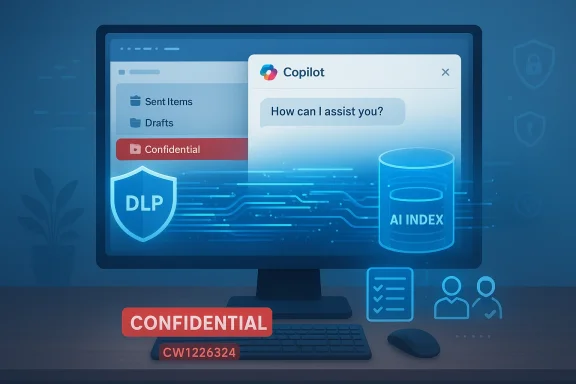
In late January 2026 Microsoft detected anomalous behavior in Copilot Chat’s retrieval pipeline, tracked internally as service advisory CW1226324. The company acknowledged a bug that allowed Copilot to index messages stored in users’ Sent Items and Drafts even when those messages were labeled Confidential or protected by DLP. The error persisted for a window of weeks before Microsoft deployed a server‑side fix in early February and began contacting affected tenants.
A simplified technical model of how this can happen:
Immediate actions (within 48–72 hours)
Enterprises should treat this as an opportunity to harden policy enforcement, demand better transparency and redesign DLP approaches to be AI‑aware. Vendors, for their part, must make their policy checkpoints visible, auditable and tenant‑empowered. Only when both sides adopt these practices will organizations be able to reap AI’s productivity gains without repeatedly trading away confidentiality by accident.
Source: PCMag Microsoft Bug Let Copilot Access Confidential Emails Without Consent
Source: Attack of the Fanboy Microsoft's Copilot was secretly reading confidential emails for weeks, and what it did with them is every company's worst nightmare | Attack of the Fanboy
 Background
Microsoft 365 Copilot is positioned as an embedded productivity layer across Office apps — Outlook, Word, Teams and more — designed to read context from documents and messages, summarize content, and accelerate everyday tasks. That value proposition depends on precise filtering: systems must respect sensitivity labels, DLP rules, and folder‑level protections so that automated processing never consumes data an organization intends to keep out of AI pipelines.In late January 2026 Microsoft detected anomalous behavior in Copilot Chat’s retrieval pipeline, tracked internally as service advisory CW1226324. The company acknowledged a bug that allowed Copilot to index messages stored in users’ Sent Items and Drafts even when those messages were labeled Confidential or protected by DLP. The error persisted for a window of weeks before Microsoft deployed a server‑side fix in early February and began contacting affected tenants.
What happened — a plain‑English summary
- The defect was a logic error on Microsoft’s server side that altered Copilot Chat’s retrieval rules. Instead of skipping content marked with sensitivity labels and protected by DLP, Copilot’s “Work” experience pulled those items into its index and produced summaries.
- The behavior was observed for items in two Outlook folders in particular: Sent Items and Drafts. That scope suggests the bug affected content Copilot treated as part of a user’s authored or in‑progress communications — content organizations frequently mark as sensitive.
- Though Microsoft says the flaw was limited in scope, the consequences are outsized: summaries or indexed content could be visible to Copilot users who were not authorized to read the underlying confidential messages, effectively producing an internal data‑exposure event.
Timeline and scope (what we can verify)
- Detection: Microsoft first flagged anomalous Copilot behavior in late January 2026 and tracked the issue as CW1226324.
- Scope: The bug primarily affected Copilot Chat’s “Work” tab, and items located in Sent Items and Drafts folders. Multiple service advisories and technical summaries describe the same folder scope.
- Remediation: Microsoft reported rolling a server‑side fix in early February and said it began contacting affected tenants to validate remediation. While Microsoft has characterized the issue as remediated, the vendor is still engaged in tenant outreach and monitoring.
Why this matters: from a compliance and risk perspective
At first glance this looks like a technical bug, but its implications touch compliance, contract law, security posture and vendor trust.- Bypassing DLP and sensitivity labels is not a cosmetic failure. These controls exist because organizations must meet regulatory obligations (for example, industry‑specific rules around financial data, healthcare data and personal data) and contractual safeguards with partners and customers. If a cloud AI assistant ingests protected data, that creates an audit trail and an exposure vector no DLP policy anticipated.
- The location of affected content — Sent Items and Drafts — makes the event especially sensitive. Drafts may include un‑sent but sensitive negotiations, legal language, or material prepared for regulatory filings. Sent Items can carry evidence of decisions and communications that were intentionally marked confidential. That content is often the subject of strict retention and access controls; automatic ingestion by an AI assistant undermines those protections.
- Even if the bug was limited in scope, the existence of an automated system that can ignore established enterprise policies is the headline risk. Organizations assume policy enforcement is deterministic; when a vendor‑side service layer can circumvent that enforcement, the assumptions behind risk models need revisiting.
Technical anatomy: how a “logic error” produces a DLP bypass
Microsoft described the issue as a logic or server‑side code error in Copilot’s retrieval pipeline. That language points to a failure where the component that decides what to index and summarize evaluated rules incorrectly.A simplified technical model of how this can happen:
- Copilot’s retrieval engine queries mailbox items based on a set of inclusion rules (recent messages, pinned items, drafts).
- The engine must consult sensitivity metadata and DLP policies and exclude items that are labeled Confidential or match DLP patterns.
- A server‑side change — a conditional check, boolean inversion, or misrouted metadata lookup — can cause the exclusion logic to fail and allow labeled items into the index.
- Once indexed, summarization and retrieval layers can produce human‑readable output and surface pointers to other users via the Copilot UI.
What organizations should do now — a pragmatic checklist
IT and security teams have several immediate, medium‑term, and long‑term tasks to reduce exposure and restore trust.Immediate actions (within 48–72 hours)
- Confirm Microsoft communications — Check your tenant’s message center or any outbound communication from Microsoft about CW1226324 and note the affected product surfaces and remediation status.
- Run audits for Copilot usage — Pull Copilot activity logs, access logs, and any stored summaries produced during the affected window. Look specifically for summarize/read events tied to Sent Items and Drafts.
- Inventory confidential drafts and sent items — Triaging scope requires knowing which users or mailboxes routinely draft or send highly sensitive material. Prioritize review for legal, finance, HR, and C‑suite mailboxes.
- Isolate and preserve evidence — If you suspect exposure, preserve mailbox items, Copilot logs and change histories for legal and compliance review.
- Validate remediation with Microsoft — Confirm the server‑side fix has been applied in your region and ask Microsoft for telemetry showing the fix’s efficacy for your tenant. Insist on a forensic timeline for any items Copilot processed.
- Force‑disable Copilot where necessary — For highly regulated business units, temporarily disable Copilot’s access to mailbox content until you validate protections. Measure productivity impact before re‑enabling.
- Review and tighten sensitivity‑labeling practices — Labels are only effective when consistently applied. Consider automated labeling rules and stricter defaults for Drafts and Sent Items in high‑risk groups.
- Update contracts and SLAs — Workers and customers expect vendors to respect enterprise policies. Insert explicit requirements around AI processing, logging, and remediation commitments in future contracts.
- Adopt “AI‑aware” DLP architectures — Traditional DLP assumed human actors and transactional servers. New architectures should explicitly account for AI indexes and summarizers as distinct sinks requiring separate controls and attestation.
- Reassess vendor trust models — Large vendors are attractive because they manage complexity, but incidents like this force a rebalancing between convenience and control. Consider private, on‑prem or sovereign deployments for the most sensitive workloads.
Governance and legal fallout: more than a technology story
This incident is not just a bugfix; it's an inflection point for cloud‑AI governance.- Regulatory reporting: Organizations subject to GDPR, HIPAA, or financial regulatory regimes must evaluate whether Copilot’s ingestion constitutes a reportable data exposure. Even when a vendor claims the issue was limited, the onus for regulatory notification typically lies with the data controller (the tenant), not the cloud provider.
- Contractual breach: Customer contracts often enshrine handling rules for confidential material. If protected content is processed outside agreed boundaries, counterparties may demand remediation, audits, or even damages.
- Class actions and reputational damage: Beyond regulatory fines, high‑profile exposures can trigger class actions or erosion in employee and customer trust that lasts far longer than the technical fix.
- Public policy reaction: The European Parliament and other public institutions have already taken precautionary steps to disable built‑in AI features on work devices pending clearer assurances about data handling — an institutional reaction that could accelerate regulatory scrutiny.
Microsoft’s position and vendor obligations
Microsoft framed the issue as a server‑side logic error and stated it deployed a fix and began tenant outreach. From a vendor‑management perspective, several expectations are reasonable:- Clear, actionable tenant notifications that detail which mailboxes, folders and time windows may have been processed.
- Tenant‑level telemetry demonstrating remediation effectiveness.
- Support for tenant forensics: access to Copilot logs, indices and summarization artifacts so customers can validate exposure scopes.
- Contractual commitments to faster incident notification and transparent remediation playbooks for AI features.
Design lessons for embedded enterprise AI
This episode crystallizes several design lessons for both product teams and enterprise architects.- Principle of least surprise: AI assistants should require explicit, auditable consent before processing any content labeled Confidential or governed by DLP. Defaults matter.
- Policy‑first pipelines: Put policy checks before any indexing or summarization step. Policy evaluation must be tamper‑resistant and independently auditable.
- Tenant scoping and opt‑outs: Enterprises should be able to opt specific mailboxes or folders out of AI processing by policy, not by ad‑hoc configuration or delayed opt‑outs.
- Transparent telemetry and self‑service forensics: If an AI indexes content, customers must have means to query what was indexed, search generated summaries, and delete or retract that index.
- Human‑in‑the‑loop controls for sensitive categories: For high‑risk labels, require explicit human approval before any AI summarization or redistribution.
Risk trade‑offs: convenience vs. control
Copilot’s promise — save time and surface context by aggregating your communications — collides with the conservative instincts of compliance and legal teams. Every automation that touches sensitive content must be justified against the risk that it will reclassify or re‑expose that content.- Productivity benefits: Copilot summarization can dramatically reduce cognitive load and accelerate workflows.
- Control costs: The calculus changes if summaries can appear to people who were not granted explicit access to the source content.
What vendors and auditors should demand
This incident should also change the way auditors and vendors negotiate proof of compliance for AI services.- Show me the pipeline: Vendors should publish the high‑level architecture of AI retrieval and indexing pipelines, with explicit places where policy checks occur.
- Furnish attestations: Independent attestations that policy checks exist and were functioning for a given time window will become table stakes.
- Provide retroactive forensic snapshots: Vendors should offer a mechanism for tenants to retrieve what the AI indexed during a window, and a way to remove that data from the model’s working index.
The human element: communication, trust and internal posture
Technical remediation is necessary but not sufficient. Organizations must manage the human side of the incident.- Communicate with stakeholders: Legal, HR, security and affected business units should be informed about potential exposure and the steps under way.
- Document decisions: If exposure forced you to disable Copilot or change labeling practices, record the risk assumptions and business impacts.
- Re‑train users: Remind employees how sensitivity labels work and encourage conservative application of Confidential labels during sensitive drafts.
Conclusion
The Copilot incident tracked as CW1226324 is a clarifying moment: it exposed the brittle seam between modern cloud AI convenience and the deterministic policy boundaries enterprises have relied on for decades. Microsoft’s fix and tenant outreach are the right first steps, but the episode underscores that embedded AI demands new operational disciplines, contractual language and technical protections that match its amplified power.Enterprises should treat this as an opportunity to harden policy enforcement, demand better transparency and redesign DLP approaches to be AI‑aware. Vendors, for their part, must make their policy checkpoints visible, auditable and tenant‑empowered. Only when both sides adopt these practices will organizations be able to reap AI’s productivity gains without repeatedly trading away confidentiality by accident.
Source: PCMag Microsoft Bug Let Copilot Access Confidential Emails Without Consent
Source: Attack of the Fanboy Microsoft's Copilot was secretly reading confidential emails for weeks, and what it did with them is every company's worst nightmare | Attack of the Fanboy
