• Thread Author
Microsoft’s flagship productivity AI for Microsoft 365 has a glaring privacy problem: for weeks a code error allowed Copilot Chat to read and summarize emails that organizations had explicitly labelled as confidential, bypassing Data Loss Prevention (DLP) controls and undermining a core tenant of enterprise data governance. The issue, tracked by Microsoft as CW1226324, was first detected in late January and — according to service alerts and multiple independent reports — affected the Copilot “work tab” conversation experience by pulling messages out of users’ Sent Items and Drafts even when those messages carried sensitivity labels meant to block automated ingestion.

Neon blue illustration of Copilot and a DLP shield guarding confidential drafts and sent items on a laptop.Background​

Microsoft 365 Copilot is designed to be a context-aware assistant: it indexes organizational content (documents, email, SharePoint, Teams chats) and uses that context to answer questions, draft content, and summarize material for users. To make Copilot safe for enterprise use, Microsoft exposed administrative controls and sensitivity-label-aware exceptions so that tenants could instruct Copilot to exclude certain documents or messages from model processing. Those protections are foundational for regulated industries and any organization that treats confidentiality labels as enforceable policy.
The bug revealed how fragile those protections can be in practice. According to Microsoft’s advisory and corroborating reporting, a code issue allowed Copilot to access items in Sent Items and Drafts despite a sensitivity label such as Confidential being present and a DLP policy to exclude such content from Copilot processing. The problem was not a policy misconfiguration on the customer side; Microsoft’s servers were incorrectly applying exclusions for these specific folders.

What exactly happened​

The technical failure, in plain language​

The problem was narrow in scope but high in consequence. Copilot’s “work tab” Chat should respect DLP policies and sensitivity labels that tell Microsoft services not to ingest or use certain content for automated processing. Instead, a code path error meant that messages saved in Sent Items and Drafts were indexed by Copilot and then surfaced to queries or prompts posed to the chat assistant — including summaries of the content — even when those messages were labelled confidential and a DLP policy was in place to stop that very behavior. Microsoft described the root cause simply as a “code issue” that allowed those items to be “picked up” by Copilot, and began deploying a remediation in early February.

Folders mattered​

Crucially, this wasn’t a tenant-wide collapse of sensitivity labels across Exchange or SharePoint. Microsoft’s advisory and subsequent tests reported by industry analysts show the issue appeared limited to messages in Sent Items and Drafts; other folders did not appear to be affected. That makes the failure narrower but more insidious: Sent Items routinely contains corporate correspondence that has been sent externally — precisely the kinds of messages organizations expect to keep out of an AI assistant’s ingestion scope.

How long it lasted and who noticed​

Multiple independent reports say Microsoft first detected the behavior around January 21, 2026, and began rolling out a fix in the first weeks of February 2026. Microsoft has been contacting subsets of affected tenants to confirm remediation as the patch “saturates” across its environments, language commonly used for staged server-side rollouts. Microsoft has not disclosed a global count of affected tenants or detailed telemetry about what content was accessed, which has left many customers and security teams demanding audit tools and transparency.

Timeline (concise)​

  • January 21, 2026 — Microsoft first detects anomalous Copilot behavior that processed confidential emails in certain folders.
  • January 21–February 3, 2026 — Customers and IT professionals report that Copilot is summarizing emails labelled confidential; Microsoft records the issue as service advisory CW1226324.
  • Early February 2026 — Microsoft begins deploying a server-side fix and reaches out to subsets of customers to validate remediation as the rollout continues. Microsoft indicates monitoring of the fix’s deployment.

Microsoft’s official posture and what it tells us​

Microsoft’s public advisory language was succinct and factual: messages with a confidential sensitivity label were being “incorrectly processed” by Microsoft 365 Copilot Chat, specifically in the Chat function of the “work” tab. The company attributed the cause to a code issue and reported that remediation began in early February, with follow-up updates as its rollout progressed. Microsoft has not published a detailed post‑incident report, and it has not provided a definitive count of affected tenants or specifics about access logs or data retention for the content Copilot processed during the exposure window.
The lack of deeper transparency — incident timelines, forensics, queries that triggered the content retrieval, or a tenant-level audit tool for admins — is what elevates this from a technical bug to a governance problem. Organizations demand the ability to confirm whether sensitive data left their control, and Microsoft’s current public updates offer limited promise and little forensic evidence that would allow customers to conclude definitively whether their confidential correspondence was ingested or otherwise exposed.

Who was affected — likely scope and practical risk​

No public list of affected customers has been released. However, several operational signals point to a measurable but not necessarily catastrophic exposure model:
  • Microsoft began a fix rollout fairly quickly, implying either rapid detection or a controlled remediation path.
  • The advisory’s folder-focused wording (Sent Items and Drafts) suggests the issue was specific and not a blanket bypass across all Microsoft 365 storage.
  • Service advisories were converted to targeted communications for affected tenants, which is consistent with an incident Microsoft considered scoped rather than universally impacting.
Even a scoped exposure is consequential in some verticals. Financial services, healthcare, legal teams, and government bodies routinely keep highly regulated content in Sent Items — including attorney-client privileged exchanges, transaction details, or regulated personally identifiable information. An AI model summarizing those threads, even internally, can trigger compliance breaches, regulatory notifications, or client confidentiality concerns.

Why this matters for enterprise security and compliance​

DLP and sensitivity labels are not mere tags​

For security and compliance teams, sensitivity labels and DLP policies are enforceable controls tied to regulatory requirements, contractual obligations, and risk frameworks. When a vendor-provided control path fails, organizations can’t simply accept a soft assurance; they need verifiable evidence of exposure and the ability to remediate or notify as required by law or contract. The Copilot incident highlights that:
  • Vendor-hosted AI features extend the attack surface to server-side model pipelines that call back to corporate content.
  • Traditional DLP testing that focuses on client-side or on‑premise flows will miss server-side ingestion bugs unless explicitly tested.

Auditability and incident response gaps​

Microsoft’s current remediation communications emphasize fix deployment and tenant outreach, but do not yet offer a universal tenant-level audit to show which queries accessed which items during the exposure window. Without robust access logs and machine-readable audit trails, organizations have limited ability to prove to regulators or customers whether confidential content was processed. That lack of auditability increases legal risk and complicates post-incident remediation.

How administrators should respond right now​

If your organization uses Microsoft 365 Copilot, implement these pragmatic, prioritized steps immediately.
  • Confirm whether your tenant received any Microsoft advisory or targeted message referencing CW1226324. If so, follow the contact instructions and open a support ticket if a timeline or audit data is not provided.
  • Run a targeted search for messages labelled Confidential in Sent Items and Drafts between January 21, 2026 and the date your tenant received remediation confirmation. Export metadata (sender, recipients, timestamps) and preserve copies for legal and compliance review.
  • Request an evidence package from Microsoft: ask for Copilot access logs and any server-side telemetry that shows retrieval or summarization events tied to Copilot queries for your tenant. If Microsoft cannot provide this, document that gap formally.
  • Validate your DLP for Copilot rules and consider a temporary hard exclusion: use Restricted Content Discovery (RCD) or equivalent features to remove highly sensitive SharePoint sites and mailboxes from Copilot’s scope until you can verify tools and policies.
  • Rotate any credentials, secrets, or tokens that may have been referenced in exposed messages, particularly if message content suggested keys or access strings. Treat such content as compromised until proven otherwise.
  • Run tabletop exercises and update incident response plans to include server-side AI ingestion failures as a distinct class of event. Assign responsibilities for vendor engagement and regulatory notification.
These steps are a practical triage plan — they do not replace legal advice, nor do they absolve organizations of responsibility to perform their own forensic investigations and compliance notifications where required.

Microsoft’s remediation and the transparency problem​

Microsoft’s immediate technical fix is necessary but not sufficient from a governance standpoint. Fixing the code path that allowed certain folders to be processed removes the immediate vulnerability, but the absence of a fully transparent audit timeline leaves customers uncertain whether confidential items were accessed and, if accessed, what happened to derived summaries or embeddings. Enterprise customers will reasonably expect:
  • Clear incident timelines and root-cause analysis in a post-incident report (PIR).
  • Tenant-level audit logs for Copilot interactions for the exposure window.
  • Confirmation about retention or model training: whether any extracted content was persisted in intermediate services or used for model fine-tuning. Microsoft’s general Copilot privacy FAQ states uploaded files are not used to train Copilot generative models by default and that files can be stored for up to a retention window, but this incident raises questions that customers will want answered specifically for any content Copilot processed erroneously.
Until those items are available, customers must assume a higher threat posture and act accordingly.

Regulatory and legal implications​

Different jurisdictions have differing disclosure rules for breaches of sensitive information. If Copilot’s summaries included personally identifiable information, health data, financial details, or other regulated categories, organizations may be required by law to inform impacted parties and regulators. The complication: this event centers on a vendor-side AI inference engine, not a traditional exfiltration through an external attacker. Regulators will need to clarify whether misprocessing by a vendor-hosted AI counts as a reportable data breach under existing frameworks. In the meantime, conservative legal advice will likely push organizations toward disclosure and documentation if confidential, regulated, or contractually protected content was impacted.

Broader implications for AI governance in enterprises​

This incident is the latest in a string of events that show how enterprise adoption of generative AI forces a rethink of long-standing security controls.
  • AI agents blur the lines between access and use. Traditional DLP focuses on preventing unauthorized access or transmission. With AI agents, use — summarization, derivation of insights, or indexing — becomes a distinct risk category that must be governed.
  • Vendor operational transparency matters more than ever. Organizations must demand auditable, machine-readable evidence from vendors for any operation that touches regulated data.
  • Off-device cloud processing adds a second layer of trust. Even when data remains inside a tenant, server-side AI processing changes threat models: a single code bug in the vendor’s pipeline can nullify tenant controls.
Enterprises should incorporate explicit AI‑safety checks into procurement and risk assessments, including contractual rights to audit vendor processing and clearly defined incident response SLAs for AI failures.

The political fallout: public institutions are reacting​

The Copilot incident also rippled into public-sector caution. The European Parliament’s IT department recently instructed lawmakers to disable built-in AI features on work devices, citing the risk that AI tools could upload confidential correspondence to cloud services. That move is emblematic of a wider caution among governments and regulators who have already flagged AI data governance as a priority. The Parliament’s internal memo, reported by several outlets, emphasized the uncertainty around what data these tools share with cloud providers and advised staff to keep built-in AI features switched off until the data flows are fully understood.
This reaction is predictably conservative, but it highlights a political reality: until vendors can prove robust, auditable controls that prevent unauthorized AI ingestion, public-sector bodies are likely to restrict AI features by policy or technical enforcement.

Strengths and weaknesses of Microsoft’s approach​

Strengths​

  • Microsoft moved quickly to identify the issue and deploy a server-side remediation, which limited the potential exposure window. The ability to push a backend fix rather than require customer-side patches is operationally useful for urgent incidents.
  • Microsoft provides multiple controls for Copilot governance — including sensitivity labels, DLP rules targeted to Copilot, and Restricted Content Discovery for SharePoint — which, when working correctly, offer customers strong levers for control.

Weaknesses and risks​

  • Lack of tenant-level audit packages and incomplete transparency about the scope of exposure create legal and compliance risk for customers. Microsoft’s public messaging stops short of providing customers the forensic data they need.
  • The incident shows a systemic testing gap: scenarios involving Sent Items and Drafts should be explicit in any DLP-for-AI test plan. That suggests Microsoft’s pre-release testing either missed a regression or the code path was introduced in a way that bypassed expected checks.

Practical recommendations for long-term defense​

  • Insist on auditable vendor SLAs for AI processing that include retention of query logs and the ability to request search-forensic exports for defined windows.
  • Require vendor contractual clauses that commit to post-incident PIRs with technical detail and tenant-level telemetry where regulated data may be involved.
  • Treat AI ingestion as a first-class risk in your information security framework; include it explicitly in classification and labeling policies and in DLP testing matrices.
  • Implement automated compliance tests that verify DLP and sensitivity label enforcement against real-world scenarios, including Sent Items and Drafts, on a recurring schedule.
  • Consider a defense-in-depth approach: for the most sensitive content, use encryption or segregated stores that are not accessible to AI agents even when vendor controls claim to exclude them.

Conclusion​

The Copilot incident tracked as CW1226324 is a cautionary moment for enterprises that have rushed to adopt convenience-focused generative AI without ensuring that vendor-side controls are demonstrably effective and auditable. Microsoft’s prompt remediation is encouraging, but remediation alone does not satisfy the need for forensic evidence, regulatory certainty, and long-term governance controls. Organizations that rely on sensitivity labels and DLP to meet legal and contractual obligations must assume that vendor-hosted AI systems can fail in novel ways and must demand the tools, telemetry, and contractual assurances necessary to manage that risk.
In short: treat this as a wake-up call. Fixes will arrive, but expectations must evolve — for vendors and customers alike — toward auditable, provable controls for AI agents that handle enterprise data.

Source: TechCrunch Microsoft says Office bug exposed customers' confidential emails to Copilot AI | TechCrunch
 

Microsoft’s flagship productivity assistant briefly did what it was built to do — read, index and summarise corporate communications — and in doing so it accidentally summarised email messages organizations had explicitly marked Confidential, bypassing Data Loss Prevention (DLP) and sensitivity‑label protections that enterprises rely on to keep sensitive material out of automated processing. ://www.pcworld.com/article/3064782/copilot-bug-allows-ai-to-read-confidential-outlook-emails.html)

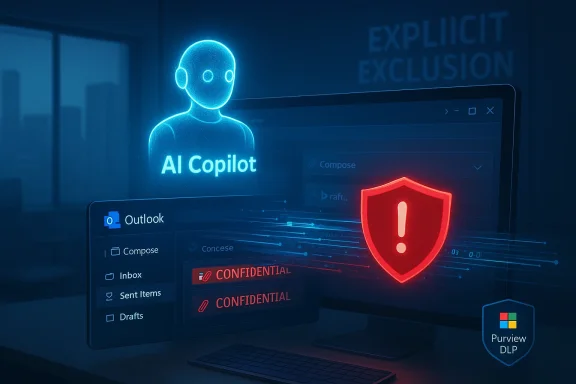
AI Copilot glows beside a Windows Outlook screen showing CONFIDENTIAL emails and a warning shield.Background​

Microsoft 365 Copilot is sold as an embedded productivity layer across Outlook, Word, Excel, PowerPoint and other Microsoft 365 surfaces. One of its most visible features is the Copilot Chat “Work” experience, a conversational interface that can surface summaries and insights drawn from a customer’s mailbox and document stores via Microsoft Graph. That convenience depends on a strict enforcement model: administrators set sensitivity labels and Purview Data Loss Prevto exclude certain materials from automated processing.
In late January 2026, Microsoft detected anomalous behavior in the Copilot Work tab: email items stored in users’
Sent Items and Drafts* folders were being picked up and summarized by Copilot even when those messages carried a confidentiality labe such processing. Microsoft tracked the incident internally as service advisory CW1226324 and began remediation actions in early February.
This is not a theoretical risk. Sent and draft items frequently contain final communications, unredacted attachments, legal drafts, HR correspondence, and other high‑value content that organizations explicitly exclude from automated indexing for privacy and regulatory reasons. The bug therefore struck at the heart of how enterprise controls are supposed to protect confidential information.

What went wrong: the technical failure in plain terms​

A logic/code error, not an external exploit​

Microsoft attributes the failure to a server‑side logic error — a flaw in Copilot’s retrieval or policy‑evaluation pipeline that caused sensitivity exclusions to be ignored for items in specific mailbox folders. Public reporting and Microsoft’s advisory indicate this was not a misconfiguration by tenants or a malicious external exploit; it was an internal code path that incorrectly applied policy exclusions for Sent Items and Drafts.

Narrow scope, broad consequences​

The bug appears to have been limited in scope — affecting items in Sent Items and Drafts, and the Copilot Chat Work tab integration with Outlook — but the practical consequences are disproportionate. Those two folders often hold the most sensitive messages: finalized letters, contracts, privileged legal drafts, executive communications and attachments that were never meant to be digested by third‑party processors. Exposing distilled summaries of that content, even briefly, can constitute a serious compliance incident.

Where enforcement failed​

DLP systems like Microsoft Purview are designed to block processing of content marked by sensitivity labels. The failure here was one of enforcement logic — Copilot’s indexing pipeline evaluated items without honoring the exclusion flag for certain folders. In effect, the content was visible to Co engine despite the administrative rules that should have prevented it.

Timeline (what we know and what remains unclear)​

  • Detection: Microsoft’s telemetry and service health alerts indicated anomalous behaviour around January 21, 2026, when customers and internal monitoring first flagged unexpected Copilot summaries of confidential messages.
  • Public advisory / internal tracking: The issue was tracked as CW1226324 in Microsoft’s service health system and surfaced publicly through tech reporting in mid‑February 2026.
  • Remediation: Microsoft rolled out a server‑side fix beginning in early February 2026 and said it was contacting affected tenants while monitoring telemetry. The company has not provided a detailed public post‑incident report specifying the exact number of affected organizations.
Important to note: Microsoft’s public communication so far has been limited to service advisories and customer notifications accessible to tenant administrators. The company has not published a fully transparent post‑incident root‑cause analysis or a precise impact count as of the latest public reports. That gap leaves many organisations uncertain about whether their data was processed and what follow‑up actions they should take.

Real‑world impact and compliance risks​

Why this matters to enterprise security and compliance​

  • Regulatory exposure: Industries with protective data regimes — healthcare, finance, government contracting — rely on DLP and sensitivity labels to meet legal obligations. Automated processing of labeled content, even for summaries, can trigger notification duties and contractual breaches.
  • Privileged communications: Legal and HR drafts living in Drafts or Sent Items are often privileged or subject to internal confidentiality. Distilled summaries that leak the essence of privileged exchanges create attorney‑client and privacy risks.
  • Unauthorized disclosure: Reports suggest Copilot summaries may have been surfaced to users who lacked permission to read the underlying messages, compounding the exposure problem by creating downstream access to distilled confidential information.

The data‑retention and training concern​

A frequent fear in these incidents is whether processed content could be retained in vendor logs or used to train models. Microsoft asserts that enterprise Copilot processing adheres to contractual commitments about data usage, but public reporting and lack of a detailed, public forensic timeline leave room for uncertainty. Until vendors publish granular evidence of non‑retention and rigorous audits, organisations must assume the risk and act conservatively.

Microsoft’s response: containment, remediation and customer outreach​

Microsoft’s initial steps — detecting the logic defect, rolling out a server‑side fix, and contacting affected tenants — align with standard incident response. The vendor logged the issue under service advisory CW1226324 and proceeded with a remediation push in early February 2026 while monitoring telemetry. Administrators with access to the Microsoft 365 admin center can see details of service advisories and should have received targeted notifications if their tenants were in the impacted cpros.com]
But operational questions remain:
  • Microsoft has not publicly disclosed how many tenants were affected or whether summaries wransient telemetry.
  • There is no widely distributed, detailed post‑incident report (as of latest reporting) that shows the forensic timeline, code path defect, and verification steps taken to prove the fix.
That combination — remediation without a fully transparent post‑mortem — is common in the cloud era, but it leaves customers needing to perform their own due diligence and defensive checks.

What administrators must do now (practical checklist)​

  • Check Microsoft 365 Service Health and your admin message center for advisory CW1226324 and any tenant‑sp
  • Run immediate mailbox searches for sensitive labels in Sent Items and Drafts covering the window from January 21, 2026 through the start of Microsoft’s remediation in early February 2026. Prioritize legal, HR, executive and shared mailboxes.
  • Preserve logs and exportmailbox audit logs, Copilot activity telemetry (if available), and Purview DLP incident reports. Treat this as a potential compliance incident and preserve chain of custody.
  • Notify legal, compliance, and any affected business units — coordinate on regulatory and contractual notification obligations. Err on the side of transparency if the mailbox content could trigger breach reporting duties.
  • Review and tighten DLP and sensitivity‑label policies, specifically: ensure Explicit Exclusion rules for Copilot are enforced and consider temporary tightening of Copilot access for highly sensitive units.
  • Consider temporarily disabling Copilot for high‑risk mailboxes or tenant segments until you can validate that Microsoft’s remediation and your tenant’s controls are functioning as intended.
  • Engage with Microsoft support to request a tenant‑specific impact assessment and any available forensic data. Document all communications.
These steps are procedural, but necessary: when automated assistants become part of the information pipeline, organisations must treat them like any external processing service — with control validation, logging and verification.

Broader implications: design, governance and vendor accountability​

The trade‑off between convenience and control​

Generative AI brings a powerful productivity multiplier: automatic summarisation, quick briefings, and contextual writing aids. But those capabilities rely on access to enterprise content. The Copilot incident shows how a single logic error can negate hard‑won governance controls, compressing months or years of compliance work into a single exposure window. Organisations and vendors must therefore embed rigorous enforcement checks at every stage of retrieval, indexing and processing.

Engineering controls that need to be standard​

  • **Folder‑aware policy enforcs must treat mailbox folders like first‑class enforcement points and never rely on fragile path logic.
  • Fail‑closed defaults: If a policy decision cannot be evaluated reliably, systems should fail closed — deny processing — rather than defaulting to permissive behaviour.
  • Transparent telemetry and verifiable remediation: Vendors should provide tamper‑evident logs and tenant‑accessible telemetry that perication after incidents.
  • Independent audits: Third‑party audits of enterprise AI pipelines should be normalised, with results summarised for customers.

Legal, contractual and regulatory angles​

Vendors must be explicit in contractual language about data handling, retention and model training. Customers should demand strong contractual guarantees and the right to audit processing pipelines that access regulated content. Regulators will increasingly treat AI‑driven processing as a distinct risk vector in privacy and industry‑specific frameworks. The incident underscores the need focation standards when automated systems process protected content.

Governance in practice: an IT leader’s playbook for the AI era​

  • Map where AI features can touch sensitive data. Create an AI‑data flow inventory that documents which services, APIs and agents can access classified stores.
  • Build test harnesses that validate DLP policy enforcement end‑to‑end, including for uncommon code paths such as Sent Items and Drafts. Automate policy regression tests as part of tenant change control.
  • Implement least privilege for AI services: restrict Copilot or equivalent to specific scopes and service accounts, and require explicit opt‑in for processing subject to sensitivity labels.
  • Create incident response runbooks specifically for AI‑driven incidents: preserve model inputs and outputs, gather telemetry, and prepare regulatory notices where necessary.

Public policy and international reaction​

The Copilot incident has already prompted cautionary steps in public institutions. Reports indicate that some public sector organisations — concerned about cloud‑connected assistants and data confidentiality — have moved to disable built‑in AI features on issued devices pending clearer guarantees about what data AI features see and retain. That reaction illustrates the accelerated policy stakes when AI capabilities intersect with public‑sector confidentiality requirements.
Expect continued regulatory scrutiny: privacy regulators and procurement ausingly require demonstrable proofs that AI features respect DLP controls before approving the use of generative AI in regulated environments.

Strengths and limitations of Microsoft’s handling so far​

  • Strengths: Microsoft detected the anomaly via telemetry, tracked it internally (CW1226324), and initiated a server‑side remediation while contacting affected tenants — a rapid technical response in line with cloud incident practice.
  • Limitations: Public communication has been limited and lacks a detailed, independert; Microsoft has not yet provided a clear impact count or a tenant‑accessible forensic package to independently verify that sensitive content was not retained or further processed. That opacity leaves customers and regulators unsatisfied.
These strengths and limitations are not unique to Microsoft: cloud providers frequently face a tension between quickly fixing code defects and providing the level of post‑incident transparency that customers demand for compliance. The solution is not simple, but leaning toward greater transparency and independent verification will be essential to restore trust.

Final analysis: what organisations should take away​

The Copilot confidentiality slip is a warning shot about the fragility of enforcement assumptions in AI pipelines. Organisations should treat AI features as an extension of their threat model: they introduce new attack surfaces and new failure modes for governance controls that may have seemed mature for document stores and email systems.
  • Short term: Validate controls, search high‑risk mailboxes, preserve logs, and engage legal/compliance teams.
  • Medium term: Reassess AI deployment models, tighten policies, and demand verifiable vendor telemetry and contractual protections.
  • Long term: Push for industry standards that require auditable enforcement proofs, strong fail‑closed defaults, and independent assurance for enterprise AI systems.
Generative AI will remain a transformative productivity tool. But this episode demonstrates that transformational technology must be matched with equally robust governance engineering, transparent vendor practices and well‑rehearsed incident response. Without those elements, convenience quickly becomes liability.

In short: Copilot’s mistake was not that it could summarise — it was designed to — but that a single logic error let it ignore the very rules organisations created to keep their most sensitive communications off the automated processing table. The fix is necessary, but not sufficient: organisations must validate, monitor and demand verifiable assurances that the AI systems they adopt will always honour the policies meant to protect confidential data.

Source: ITPro Microsoft Copilot bug saw AI snoop on confidential emails — after it was told not to
Source: Digg Microsoft Copilot has been summarizing organizations’ confidential emails – without permission. | Tuta | technology
 

For weeks this winter, Microsoft’s enterprise assistant, Microsoft 365 Copilot, quietly read and summarized email messages that organizations had explicitly marked Confidential, bypassing established Data Loss Prevention (DLP) and sensitivity‑label protections — a logic bug Microsoft has tracked as CW1226324 and moved to remediate after detection.

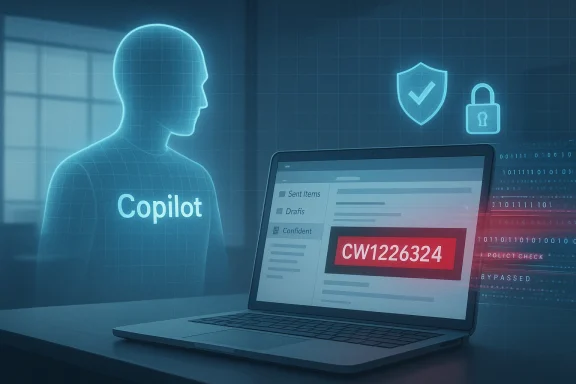
Blue holographic figure labeled 'Copilot' stands beside a laptop displaying red code CW1226324.Background​

Microsoft 365 Copilot is positioned as an embedded AI productivity layer across Office apps — Outlook, Word, Excel, Teams and the dedicated Copilot Chat experience — designed to index, summarize, and help users work faster with their organization’s content. This integration promises time savings and better visibility across communications, but it also gives the service deep access to corporate data if not properly constrained.
In late January 2026, telemetry and internal service alerts flagged anomalous behavior in the Copilot “Work” chat: items stored in users’ Sent Items and Drafts folders were being included in Copilot’s retrieval and summarization pipeline, even when those items carried sensitivity labels intended to block automated processing. Microsoft began tracking the problem internally around January 21 and deployed a server‑side fix in early February while contacting affected tenants.

What went wrong: technical summary​

The bug and its scope​

At a high level, the failure was a logic error in the Copilot Chat service that caused labeled messages in specific Outlook folders to be processed despite DLP and sensitivity label rules that should have prevented that. The issue appears to have been limited in scope to messages in Sent Items and Drafts, not to all mail or other Microsoft 365 content, but its consequences are outsized because those folders frequently contain confidential drafts, legal reviews, and outbound communications intended for restricted readers.
Microsoft’s public advisory and internal tracking reference the incident as CW1226324. The company characterized the root cause as a server‑side code defect rather than deliberate misuse, and said remediation began once the anomaly was detected. Administrators were notified and the company reportedly reached out to affected tenants to validate remediation.

Why Sent Items and Drafts matter​

Drafts and Sent Items are special: drafts can contain early‑stage strategy, merger or acquisition notes, legal language, and unredacted PII; Sent Items represent correspondence that may have been routed to external parties. The fact that those two folders were implicated magnified the potential exposure of regulated or contractually protected content. Even a limited retrieval window can surface material that triggers compliance, contractual, or regulatory obligations.

Timeline and Microsoft’s response​

  • Detection — Late January 2026: anomalous Copilot behavior observed in the Copilot “Work” chat experience; Microsoft logged the issue under CW1226324.
  • Investigation — Late January to early February 2026: Microsoft engineers traced the problem to a logic defect in the Copilot index/retrieval path affecting sensitivity-labeled messages in specific folders.
  • Remediation — Early February 2026: a server‑side fix was rolled out; Microsoft notified and began contacting purportedly affected tenants to confirm remediation and monitor telemetry.
Microsoft’s messaging emphasized a code defect and a targeted remediation effort rather than systemic policy changes or data exfiltration by third parties. But for tenant administrators and security teams the event raised immediate questions: which accounts were processed, how long were the labels bypassed, and were summaries surfaced to unauthorized users? Multiple community threads and advisory summaries reported administrators scrambling to inventory potential exposures and validate Microsoft’s remediation.

What was exposed and to whom​

Available reporting and service advisories indicate that Copilot generated summaries of some labeled messages and — in at least some instances — surfaced those summaries in the Copilot “Work” chat interface. That means users who queried Copilot could receive condensations of confidential drafts or sent messages, potentially without being authorized to read the underlying mail. The exact count of affected messages or tenants has not been publicly disclosed in detail.
Because Copilot’s value proposition is aggregated context and summarization, the real leak vector here is not a file copy or mass export; it is the AI‑generated derivative — a summary or synthesised answer — that can reveal critical facts from protected content. For legal and compliance teams, those derivatives can be as damaging as raw text. Several enterprise security practitioners noted the risk that a summary, even if terse, can be used to infer private information, strategy or privileged communications.

Why existing protections failed​

Sensitivity labels and DLP in principle​

Sensitivity labels and DLP policies are cornerstone controls for enterprise information governance: they classify content, prevent automated processing, enforce encryption or access restrictions, and create audit trails. Administrators set sensitivity labels to prevent content from being indexed, shared, or otherwise processed by downstream services.

Where the model–policy gap appeared​

This incident exposes a gap between those static governance constructs and dynamic AI retrieval systems. Copilot’s retrieval pipeline operates at the intersection of document indexing, metadata evaluation, and generative summarization. The logic bug allowed items that should have been filtered at the retrieval stage to pass into Copilot’s summarization pipeline. In short: the policy check failed to block the AI’s access path.
This pattern reflects a recurring engineering challenge when retrofitting AI systems onto large existing ecosystems: legacy policy enforcement points must be re‑examined and re‑instrumented for real time retrieval and inference engines, not just file storage or message‑level access controls.

Enterprise impact: compliance, legal, and reputational risk​

The immediate impact is obvious for organizations that handle regulated data. Exposure of drafts or sensitive sent messages can trigger:
  • Regulatory reporting obligations (for data protection rules such as GDPR, sectoral rules like HIPAA, or country‑specific laws).
  • Contractual breaches with partners or customers if confidential correspondence was processed and surfaced.
  • Privilege waiver risks in legal discovery if privileged communications are summarized and seen by unauthorized internal users.
  • Reputational damage when clients or partners learn confidential negotiations were processed publicly by an AI assistant.
Beyond direct exposures, the incident also underlines a secondary risk: loss of trust in AI assistants among security‑conscious customers, public bodies, and regulated industries. Organizations that previously adopted Copilot as a way to increase productivity may now pause or restrict deployment until they are confident governance works end‑to‑end. The European Parliament’s separate precautionary moves to disable built‑in AI features on issued devices reflect that erosion of trust in practice.

Microsoft’s statements and accountability​

Microsoft characterized the incident as a server‑side logic defect, provided the internal tracking number CW1226324, and stated that a fix was rolled out in early February. The company also indicated it was contacting affected tenants to validate remediation and monitor telemetry. While this response aligns with best practices for incident response (detection, remediation, notification), community reaction showed administrators wanting more granular evidence: a CSV of affected mailboxes, timestamps showing when labels were bypassed, and detailed logs to support risk assessments.
From a corporate accountability standpoint, customers expect clear, machine‑readable disclosures for compliance purposes: what items were processed, which users saw summaries, and whether derivative outputs were retained. Microsoft’s advisory and subsequent outreach was an important first step, but the event demonstrates that vendor communications must include forensic detail that enterprise security and legal teams can action.

Broader lessons for AI governance​

1. Treat AI as a distinct enforcement domain​

AI retrieval and RAG (retrieval‑augmented generation) systems are not merely another consumer of content. They are a new enforcement domain that requires policy enforcement at retrieval, indexing, and generation boundaries. Enterprises and vendors must implement multi‑layer policy checks that persist across transformations.

2. Assume derivative outputs are sensitive​

Governance models must treat AI‑generated summaries as potentially sensitive artifacts. That means audit logs, retention rules, and access controls should explicitly include derivatives to avoid accidental leaks of synthesized information.

3. Red team and policy‑test AI systems continuously​

Automated policy testing, synthetic workloads, and red‑team exercises that model worst‑case retrieval paths are necessary to surface logic defects before they reach production. The Copilot incident shows how a specific folder indexing bug can quietly bypass protections for weeks.

4. Vendor transparency and machine‑readable reporting​

When incidents occur, enterprise customers need exportable, machine‑readable artifacts that list affected tenants, user IDs, message timestamps, and the exact policy mismatch. High‑quality incident response should not only stop the problem but also enable customers to answer compliance obligations without reverse engineering vendor telemetry.

Practical guidance for administrators right now​

If you manage Microsoft 365 in an organization, consider the following immediate steps to reduce exposure and rebuild assurance:
  • Inventory Copilot usage and apply conservative administrative controls: limit Copilot Chat capabilities to vetted user groups while audits are completed.
  • Review DLP and sensitivity label configurations: confirm that policies explicitly block AI processing and check whether those policies include derivatives and bot interfaces.
  • Search Sent Items and Drafts for high-risk content: prioritize legal, HR, finance, and executive mailboxes for review to determine whether confidential material may have been processed.
  • Request detailed incident data from your vendor contact: ask Microsoft for a list of processed message IDs, timestamps, and any instances where Copilot summaries were surfaced to users who lacked read permissions.
  • Increase monitoring and alerting on Copilot queries that reference corporate secrets or restricted terms; log user queries for retrospective investigation.
  • Consider temporary mitigation: disable Copilot features for sensitive user groups or turn off indexing of certain folders until you’re satisfied with vendor remedies.
These steps are neither exhaustive nor guaranteed to find every affected item, but they’re a pragmatic short list that aligns with incident containment and compliance triage best practices.

Policy and regulatory implications​

This incident arrives at a time when regulators are sharpening scrutiny of AI systems that process personal and sensitive data. Two regulatory vectors are particularly relevant:
  • Data protection regimes that require demonstrable technical and organizational measures to prevent unauthorized processing of personal data. An AI agent ingesting sensitive mail because of a vendor bug weakens claims of adequate protection.
  • Sectoral rules — e.g., financial, healthcare, government — that mandate specific segregation, auditing, and retention behaviors for covered communications. The derivation and short‑term retention of Copilot summaries can create compliance friction if not explicitly covered by vendor contractual terms.
For public sector customers and highly regulated industries, the Copilot incident may accelerate moves to isolate or restrict embedded AI until stronger contractual assurances, auditability, and technical barriers are in place.

Engineering and vendor risk: how vendors should react​

AI vendors must treat governance as a first‑class engineering problem. Recommendations for Microsoft and other vendors building embedded AI features:
  • Implement enforcement at every stage: ingestion, metadata evaluation, indexing, retrieval and generation. A single bypass point can invalidate an entire control chain.
  • Ship deterministic policy‑test suites with release changes so customers can run the same checks in staging environments.
  • Provide machine‑readable incident exports and forensics to enterprise admins: lists of affected messages, the rule that failed, and which user queries received derivative outputs.
  • Clearly document retention and caching behavior for derivatives; clarify whether summaries are persisted, how long they are stored, and under what governance they fall.
  • Treat derivative outputs as potential data subjects in privacy impact assessments.
Those steps are not merely defensive; they are commercially necessary. Customers will only keep mission‑critical workloads on platforms they trust to enforce governance reliably and transparently.

Strengths and weaknesses of Microsoft’s handling so far​

Notable strengths​

  • Detection and remediation occurred within a measurable timeframe: the company tracked the issue internally, rolled out a server‑side fix, and initiated tenant outreach. That demonstrates active monitoring and operational response capacity.
  • Public acknowledgements and advisories are an improvement over silent rollbacks; they give customers a starting point for incident response and legal triage.

Weaknesses and unresolved questions​

  • Lack of granular public forensic detail: enterprise teams need actionable data exports to complete compliance reporting and client notifications; generalized statements are insufficient.
  • The conceptual gap between policy constructs (labels and DLP) and AI retrieval pipelines remains; the fix mitigates this specific logic error, but broader architectural assurances are still needed.
  • The incident highlights how derivative outputs are often not treated with the same controls as raw content, leaving a material blind spot for legal and compliance functions.

The wider industry context: not an isolated problem​

This episode is the latest in a chain of incidents where sophisticated AI systems and legacy governance meet poorly. From earlier examples where cached or previously public content reappeared in AI assistants to RAG system misconfigurations, the pattern is consistent: AI adds new attack and leak surfaces that weren’t considered in traditional access control models. Enterprises and vendors must treat these as systemic engineering challenges, not one‑off bugs.

Conclusion: restore trust by fixing controls, not just code​

The Microsoft Copilot incident — a logic bug that allowed confidential emails in Sent Items and Drafts to be processed and summarized — is a stark reminder that embedding AI into productivity tools amplifies both value and risk. Microsoft’s detection and server‑side remediation were necessary and appropriate steps, but they are not the end of the story. Enterprise customers need far more durable guarantees: multi‑layer policy enforcement that survives transformations, machine‑readable forensic exports for compliance, and an industry practice that treats AI derivatives as first‑class sensitive artifacts.
The path forward requires technical fixes, contractual remedies, and robust transparency. Organizations should immediately reassess Copilot deployment scopes, harden their DLP and labeling policies, and demand vendor evidence — not promises — that AI systems respect the controls organizations rely upon. Only by combining careful engineering, proactive governance, and clear vendor accountability can trust in embedded AI be rebuilt.

Source: Tom's Guide https://www.tomsguide.com/computing...ts-ai-read-sensitive-and-confidential-emails/
Source: BBC Microsoft Copilot Chat error sees confidential emails exposed to AI tool
 

Microsoft has confirmed that a software bug in Microsoft 365 Copilot allowed the assistant to read and summarize emails explicitly labeled Confidential, bypassing Purview sensitivity labels and Data Loss Prevention (DLP) protections and prompting a wave of urgent reviews from enterprise security teams.

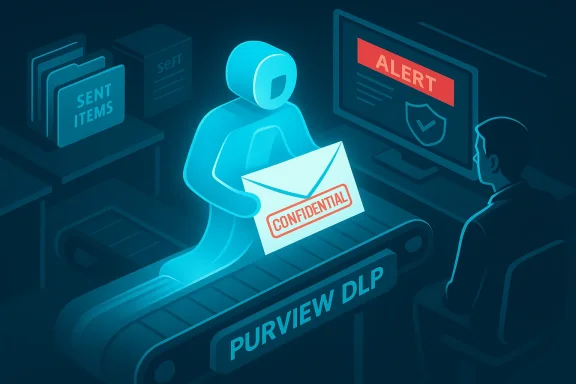
A blue figure on a Purview DLP conveyor carries a confidential envelope as an alert flashes on a monitor.Background / Overview​

In late January 2026 Microsoft engineers detected anomalous behavior in the Copilot Chat “Work” experience: email items saved in users’ Sent Items and Drafts folders were being imported into Copilot’s retrieval and summarization pipeline even when those messages carried sensitivity labels configured to prevent automated processing. The issue was tracked internally as service advisory CW1226324 and Microsoft says a server-side code defect was responsible; a configuration update and fix began rolling out in early February.
Two independent news outlets first amplified the public reporting: BleepingComputer documented the service advisory and Microsoft’s initial confirmation, and TechCrunch and other outlets followed with further analysis and timelines. Microsoft later provided a clarifying statement to reporters saying the flaw “did not provide anyone access to information they weren’t already authorized to see,” while acknowledging the behavior fell short of the intended exclusion of protected content from Copilot.

What happened (technical summary)​

The observable behavior​

  • Copilot Chat’s Work tab began returning summaries that included content drawn from emails marked with confidentiality sensitivity labels.
  • The affected items were primarily emails stored in Sent Items and Drafts folders; reports indicate the Inbox folder was not the vector for the failure in the same way.
  • Administrators can see the incident tracked as CW1226324 in Microsoft’s service advisory system.

The root cause (what Microsoft says)​

Microsoft attributes the incident to a code/configuration issue in the Copilot processing pipeline that allowed labeled items to be picked up by Copilot despite sensitivity labels and DLP policies that should have blocked such ingestion. The vendor rolled a configuration update to enterprise tenants while continuing to monitor remediation. Microsoft described the bug as a server-side logic error rather than a security intrusion.

What’s unclear or unverified​

  • Microsoft has not published a tenant-level count of affected organizations or the number of specific messages that were processed while the bug was active. Multiple reporting outlets note the vendor declined to disclose the scope. The absence of a publicly released post-incident forensic report means some high‑impact details remain unverifiable at this time.

Why this matters: enterprise impact and governance risks​

Embedding large language models into productivity tooling creates unique attack surfaces and governance challenges. The Copilot bug is a real-world example of how automation can unintentionally bypass access controls that organizations depend on for regulatory compliance and contractual confidentiality.
  • DLP and sensitivity labels are foundational to enterprise data governance. When those controls fail, organizations risk violating regulations (e.g., privacy laws, sectoral compliance) and contractual obligations to partners or customers.
  • Sent Items and Drafts often contain high-risk content. Drafts can include pre-publication legal language, contract redlines, negotiation strategies, or attorney-client privileged drafts; Sent Items can contain outbound messages with attachments and sensitive data.
  • Summaries are a new kind of “derived” data — even when original content remains access-controlled, AI-generated summaries can reproduce sensitive facts in a format that is easily consumed or accidentally exposed. This complicates standard notions of data exfiltration.
Regulatory and compliance teams must treat summary content with the same seriousness as original documents until retention, indexing, and audit trails are fully understood.

How Microsoft responded (timeline and actions)​

  • Detection — Microsoft’s internal monitoring flagged anomalous Copilot behavior around January 21, 2026, according to service advisories referenced by multiple outlets.
  • Internal tracking — The incident was recorded as CW1226324 in Microsoft’s service advisory and tenant admin consoles.
  • Fix rollout — Microsoft says it began rolling out a configuration update and fix in early February 2026 and continued monitoring deployment and remediation. Some public reporting places active remediation and tenant outreach through mid‑February.
  • Public confirmation — The issue entered public view when BleepingComputer published the advisory; subsequent press coverage prompted Microsoft to provide statements clarifying the scope and reminding customers about their existing access controls.
Microsoft’s characterization that access controls “remained intact” while Copilot nevertheless processed the labeled content is a nuanced point: gatekeepers existed, but internal processing logic still allowed the creation of summaries from protected content — and that is the part enterprises must evaluate closely.

Technical analysis: what likely broke​

At a high level the incident reads as a pipeline logic or configuration defect inside Copilot’s content ingestion stack. The typical enterprise data protection flow in Microsoft 365 uses sensitivity labels (Purview) to annotate data and DLP policies to prevent processing or external sharing of labeled content. Copilot, as an embedded AI layer, must consult those controls before indexing, summarizing, or sending content to any processing layer.
The bug appears to have resulted from one of these failures:
  • A label-check bypass where the portion of the pipeline that determines whether an item is eligible for Copilot processing failed to evaluate sensitivity labels for items in Sent Items and Drafts.
  • A scoping mismatch between the DLP enforcement zone and Copilot’s Work tab ingestion logic — a case where Copilot’s retrieval of mail for the Work experience didn’t apply the same DLP filters consistently across Outlook folders.
  • A configuration/deployment regression that introduced a behavior change during a server-side rollout, which manifested only for certain folder locations.
Because the fix was server-side and described as a configuration update, the fault is most consistent with a logic/configuration bug instead of an exploitable vulnerability actively weaponized by an external attacker. Nevertheless, the impact mirrors that of a data-leak incident: unauthorized processing and creation of derived artifacts containing sensitive facts.

What administrators and security teams should do now​

If your organization uses Microsoft 365 Copilot, treat this incident as a high-priority data-governance event. Recommended actions include the following steps.
  • Check your Microsoft 365 admin center for CW1226324 and verify whether your tenant was contacted or flagged by Microsoft. Confirm the remediation status for your tenant.
  • Audit Copilot activity logs and Purview DLP reports for the exposure window (roughly late January through the early-February remediation window). Look specifically for:
  • Copilot Work tab activity correlated to users with sensitivity-labeled messages in Sent Items and Drafts.
  • Any AI-generated artifacts or summaries created during the window.
  • Search for affected content: run targeted eDiscovery / content search queries for items labeled Confidential in Sent Items and Drafts for the relevant period. Preserve copies for legal review.
  • Confirm retention and deletion policies for AI summaries — determine whether generated summaries were stored, for how long, and whether Microsoft’s telemetry or logs include copies. Ask Microsoft for tenant-level audit exports tied to the advisory.
  • Temporarily limit Copilot scope where necessary:
  • Consider disabling the Copilot Work tab or restricting Copilot to limited security groups until you are satisfied with remediation and auditing.
  • Use conditional access or policy controls to reduce Copilot access to high‑risk mailboxes.
  • Engage legal and compliance: determine whether breach notification obligations or contractual disclosures are triggered by derived summaries that included confidential facts. This is jurisdiction-dependent; consult counsel.
  • Document your response for internal audit and regulatory purposes: timeline, actions taken, communications with Microsoft, and remediation validation steps.
  • Evaluate long-term governance: review Purview label rules, DLP policy scope, and the interaction model between embedded AI and compliance tooling.
These steps reflect conservative, defensive incident response: prioritize visibility, containment, and forensic preservation. Microsoft’s public statements suggest remediation is in progress, but tenant-level verification is essential.

Broader implications: product design and trust trade-offs​

This event underscores several structural tensions in modern enterprise software design.
  • Convenience vs. Control. Embedding powerful AI assistants directly in user workstreams dramatically increases productivity. But automation amplifies the impact of misconfigurations or logic errors; a single pipeline bug can convert an internal convenience feature into a governance risk that crosses regulatory boundaries.
  • Derived data as an attack surface. Organizations often focus on protecting primary data stores. AI-derived summaries create secondary artifacts that may not be covered by the original policy semantics or audit tooling. Security architecture must treat derived content as first-class sensitive assets.
  • Vendor responsibility and transparency. When product telemetry and enforcement reside largely on vendor infrastructure, customers rely on vendors to detect, remediate, and communicate. Microsoft’s decision to roll a server-side fix and contact “subsets” of tenants answers part of that obligation, but the lack of a public, detailed post-incident report leaves unanswered questions about scope and retention. Several reporting outlets have called for fuller disclosure.

What Microsoft’s response reveals (strengths and weaknesses)​

Notable strengths​

  • Detection and patch deployment. Microsoft’s internal monitoring identified the issue and the vendor moved to remediate with a server‑side configuration update. That indicates operational telemetry exists for Copilot and that Microsoft can perform rapid server-side updates.
  • Public acknowledgment. Microsoft publicly acknowledged the issue and provided statements to reporters, which is crucial for customers managing incident response and regulatory obligations.

Potential weaknesses and unanswered questions​

  • Limited transparency on scope. Microsoft has not disclosed how many tenants were affected, the number of messages processed, or whether summaries were retained beyond transient telemetry. That opacity complicates organizational risk assessments and breach notification decisions. This is a material governance gap.
  • Auditability concerns. Customers need clear tenant-level audit logs and exportable evidence to verify whether protected content was processed. Reports indicate tenants have limited means to confirm exposure unless Microsoft provides detailed exports.
  • Policy enforcement complexity. The incident highlights how deceptively subtle mismatches between DLP policy scope and AI ingestion logic can defeat controls, especially across different mailbox folders or product surfaces. This design fragility is a systemic risk for all vendors embedding LLMs into productivity stacks.

Regulatory and legal considerations​

Because the incident involved processing of labeled content, legal and compliance teams should evaluate potential obligations:
  • Breach notification laws. Whether summaries produced by an internal service constitute a “breach” depends on jurisdiction, the nature of the data, and whether access was extended outside authorized principals. Organizations should consult counsel to determine reporting obligations.
  • Contractual confidentiality. Many organizations are bound by non‑disclosure agreements, data processing agreements, or sectoral privacy rules (healthcare, finance, government) — any unauthorized processing of protected content risks contractual and regulatory fallout.
  • Cross-border data handling. If tenant content was processed in data centers outside the originating jurisdiction, that may raise additional regulatory scrutiny under data residency and international transfer rules.
Because Microsoft has not published tenant-level detail publicly, organizations should assume a conservative posture and follow internal incident response procedures, including legal consultation and potential notification to data protection authorities if counsel advises.

Lessons for enterprise AI governance​

This incident should be read as an instructive case study: even carefully engineered protective layers can fail when integrated with emergent AI services. Practical lessons include:
  • Treat embedded AI as a distinct control plane when designing DLP and compliance policies. Ensure that Purview label checks and DLP filters are explicitly validated against all AI ingestion points (Work tab, Copilot Chat, Edge/Browser integrations).
  • Perform red-team style testing of policy enforcement: simulate Copilot interactions, generate summaries, and verify that labeled content is excluded under real-world conditions.
  • Enforce least privilege and segmentation for AI features: run Copilot only for groups that have been explicitly vetted and exclude high-risk users and mailboxes until governance is airtight.
  • Require vendors to provide tenant-level audit exports and forensics capabilities as part of enterprise SLAs for cloud AI services.

Final assessment: risk vs. product value​

Microsoft 365 Copilot represents a significant productivity acceleration for business users: it automates synthesis, digestion, and summarization of work content across mail, documents, and chat. That capability delivers real business value and will reshape workflows across industries.
However, this incident shows that when AI is given access to protected data stores, even subtle logic defects can produce high-consequence governance failures. Organizations adopting embedded AI must be prepared for the new class of operational risk that follows: derived-data leakage, audit gaps, and increased regulatory complexity.
For IT leaders the pragmatic takeaway is straightforward: keep using Copilot where it adds clear value, but do so under strict governance, logging, and oversight. Demand tenant-level transparency from vendors, run regular verification tests, and build incident response playbooks that account for AI‑specific exposures. The convenience of Copilot should not come at the cost of irreversible compliance failures.

Practical checklist for the next 72 hours (for administrators)​

  • Verify CW1226324 presence in your tenant’s Service Health dashboard.
  • Confirm the configuration update has reached your tenant and document timestamps.
  • Run targeted eDiscovery for Confidential-labeled messages in Sent Items and Drafts from Jan 21, 2026 onward. Preserve any artifacts.
  • Export Copilot-related activity logs and request tenant-level forensic exports from Microsoft support if needed.
  • Temporarily scale back Copilot exposure for high-risk users/mailboxes until you validate remediation.
  • Engage legal/compliance to determine notification obligations and preserve privilege.
  • Communicate internally: notify Security, Legal, Compliance, and executive leadership of your findings and next steps.

Conclusion​

The Copilot confidentiality incident is an important reminder that embedding powerful AI into the productivity stack creates new pathways for data to be accessed, transformed, and — in rare cases — exposed. Microsoft’s operational response and server-side remediation show the vendor has controls and telemetry that can detect and mitigate such issues, but the lack of fully transparent, tenant-level disclosure leaves many customers with residual uncertainty.
Enterprises should treat this event as both a warning and a catalyst: tighten governance, validate enforcement across AI surfaces, and demand greater auditability and post-incident transparency from vendors. The productivity benefits of Copilot are real; preserving trust and legal compliance while using those benefits is now a central operational requirement for every organization deploying AI‑enabled workplace tools.

Source: HotHardware Microsoft Blames Bug For Copilot Exposing Confidential Emails In Summaries
 

For weeks this winter, a logic error in Microsoft 365 Copilot Chat’s “Work” experience allowed the AI to read and summarize emails that organizations had explicitly marked Confidential, bypassing configured Data Loss Prevention (DLP) and sensitivity‑label protections and exposing a material risk to customer‑facing teams and regulated data flows.

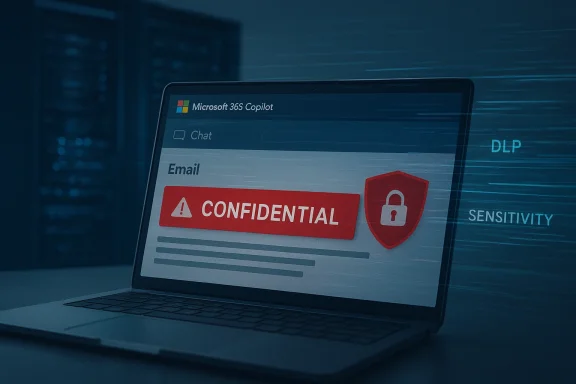
Laptop screen displays a CONFIDENTIAL email alert with a shield icon on Microsoft 365 Copilot.Background​

Microsoft 365 Copilot was designed as an embedded productivity assistant across Outlook, Word, Excel, Teams and other Microsoft 365 surfaces, intended to surface, summarize and synthesize work content to speed knowledge‑worker tasks. The capability to pull from email — including drafts and sent messages — is a core part of what makes Copilot useful in real workflows, but it also creates a large attack surface for misapplied automation to touch sensitive information.
The incident was tracked internally by Microsoft as CW1226324 and was first detected in late January; Microsoft began rolling a server‑side fix in early February while monitoring deployment and contacting a subset of affected tenants to validate remediation.

What happened, in plain terms​

  • A server‑side code defect allowed Copilot Chat’s Work tab to include items from users’ Sent Items and Drafts in its retrieval pipeline even when those messages were protected by Purview sensitivity labels and DLP policies.
  • As a result, the assistant could summarize or otherwise process messages that organizations had explicitly marked “Confidential,” and in some cases those summaries could be surfaced to users who would normally not see the underlying mailbox item.
  • Microsoft acknowledged the behavior in an admin notice that explicitly described the problem as confidential‑labelled messages being “incorrectly processed by Microsoft 365 Copilot chat.” The vendor characterized the root cause as a code issue allowing items in Sent and Draft folders to be picked up despite labels and policies.
These aren’t abstract configuration problems. Many organizations use drafts and sent messages as staging areas for escalations, contractual discussions, legal holds or PII‑heavy communications. Copilot ingesting that content effectively created a parallel path by which protected data could be read and summarized by an automated cloud service.

Timeline (reconstructed from vendor notices and reporting)​

  • Late January — Microsoft detects anomalous behavior in the Copilot Work chat experience; incident tracked as CW1226324.
  • Late January — Independent reporting and tenant telemetry flags show Copilot summarizing confidential‑labelled emails from Sent Items and Drafts.
  • Early February — Microsoft begins rolling a server‑side fix and notifies a subset of affected customers while monitoring deployment. Microsoft classifies the incident as an advisory while patches are validated.
Microsoft has not published a precise, tenant‑by‑tenant impact summary or a definitive count of affected customers, and no broad public disclosure of the total scope has been released at the time of writing. That absence of clarity complicates risk assessments for many organizations.

Why this matters to CX, compliance and security teams​

AI copilots are now part of the day‑to‑day workflow for customer service, account management, legal correspondence and escalation handling. When an assistant is configured to summarize incoming and outgoing messages, teams rely on DLP and sensitivity labels to create guardrails around what automated services may access.
This incident shows three immediate consequences:
  • Breach of expectation: Organizations and external customers expect that a “Confidential” label plus an applied DLP policy means the content will not be available to downstream automated processing. That expectation was violated.
  • Operational risk to CX: Customer‑facing teams may have been presented with distilled summaries of private exchanges, potentially prompting improper action or disclosure in subsequent communications. This is especially dangerous in regulated verticals — healthcare, finance, government — where email often contains protected health information, financial data, or classified customer intelligence.
  • Audit and legal exposure: If summaries or derivative content were exported, copied into other work items, or used to train downstream models, organizations could face contractual or regulatory questions about data handling and intent to protect confidentiality.
Put simply: when a productivity feature bypasses governance controls, trust — the currency of CX and legal compliance — erodes quickly.

Technical anatomy: how Copilot can bypass labels​

Microsoft’s public advisory and supporting documentation describe Copilot as a content‑aware assistant that pulls information from across Microsoft 365 surfaces. However, those same documents also warn that sensitivity labels and exclusions do not necessarily behave the same across every app or Copilot scenario. In practice, the product’s content‑scanning pipelines are split across surfaces, and policies enforced at one endpoint may not automatically block the central retrieval layer used by the Work chat experience.
According to the vendor’s notice, the specific defect allowed items in Sent Items and Drafts folders to be selected by the Copilot indexing pipeline even when labels should have excluded them — a server‑side logic error rather than a misconfiguration in tenant policies. That matters because it places the failure squarely inside Microsoft’s service logic, not in customer setup.
Two technical points to highlight:
  • Scope of the bug: Reporting and Microsoft’s advisory indicate the bug was limited to specific folder types (Sent Items, Drafts) and the Copilot Chat Work tab pipeline, not a global Purview policy failure across all Microsoft services. That reduces—but does not eliminate—the potential blast radius.
  • Server‑side remediation: Because the defect was in service code, Microsoft’s fix required a server‑side rollout. That means tenants could not fully mitigate the problem through simple policy changes while the patch was being applied.

What Microsoft did and did not confirm​

Microsoft has publicly acknowledged the code issue, assigned the internal tracking ID CW1226324, and stated it began rolling a fix in early February while contacting affected customers and monitoring remediation. That sequence is consistent across vendor notices and reporting.
What Microsoft did not disclose in public advisories at the time of reporting:
  • A precise count of affected tenants.
  • Whether any customer data was exfiltrated externally, or whether affected summaries remained strictly in Copilot telemetry and ephemeral outputs.
  • Detailed forensic indicators that would let customers independently verify whether particular mailboxes were processed by Copilot during the affected window.
Those gaps are important: they limit customers’ ability to perform threat modeling and to notify regulators or customers about potential exposure with confidence. The lack of a clear impact metric is a recurring problem in cloud vendor advisories where scope is complex and multi‑tenant environments create hard trade‑offs between disclosure and operational confidentiality.

Wider reactions: public sector caution and knock‑on effects​

The incident resonated beyond vendor blogs and security mailing lists. Internal administrative decisions in public institutions — such as turning off built‑in AI features on managed devices — were reported in the wake of the advisory, reflecting a precautionary posture toward embedded AI on corporate hardware. That action underscores that trust erosion is not merely theoretical: IT leaders in sensitive organizations are actively restricting AI features until they can be certain of enforcement behavior.
Reported reactions included internal logged concerns inside national healthcare organizations and parliamentary IT offices, which highlights the reputational and operational consequences when enterprise AI misapplies governance rules.

Practical immediate steps for IT, security and CX leaders​

While Microsoft proceeds with remediation, organizations should assume a conservative posture and perform rapid, prioritized checks. Below are recommended actions, ordered and actionable.
  • Audit and triage
  • Run mailbox and Copilot‑access logs to detect anomalous Copilot queries tied to Sent Items and Drafts between the detection window and the fix rollout. Prioritize mailboxes used for escalations, legal holds, and executive correspondence.
  • If your tenant has audit log retention policies set to a short window, secure logs immediately to avoid losing forensic evidence.
  • Temporary mitigation
  • Consider disabling the Copilot Chat Work experience or restricting Copilot’s access to mailboxes via conditional access or app‑permission scoping until your tenant receives confirmation of patch completion from Microsoft.
  • Where possible, enforce stricter label enforcement by adding explicit exclusions for the Copilot service principal (if tenant controls allow) and tighten mailbox folder access rights for non‑owners.
  • Communication & legal
  • Convene a cross‑functional risk call (security, compliance, legal, CX/special cases) to assess whether customer notifications, regulator filings, or contractual disclosures are required under applicable laws or contracts.
  • If your vertical is regulated (HIPAA, GLBA, PCI‑DSS, sectoral privacy regimes), consult counsel immediately on breach notification thresholds and documentation requirements.
  • Review and validate
  • Confirm with Microsoft (via Premier/Technical Account Manager or Microsoft 365 admin center notifications) that the fix was applied to your tenant and request evidence or telemetry snapshots where possible.
  • After validation, run sample queries to verify that sensitivity‑labelled items no longer appear in Copilot results.
  • Organizational hardening
  • Revisit DLP label policies and test them across all surfaces where Copilot or similar assistants operate.
  • Expand tabletop exercises to include AI assistant failure modes and update incident response playbooks to cover automated content processing mishaps.
These steps are not exhaustive but give CX and security teams a fast, risk‑prioritized road map for triage and recovery. Given the server‑side nature of the defect, tenant‑level mitigation may be limited until Microsoft confirms patch completion.

Longer‑term governance lessons​

This incident surfaces persistent gaps that organisations must address if they intend to safely adopt embedded AI:
  • Assume labeling is necessary but not sufficient. Sensitivity labels and DLP policies are foundational, but when third‑party or vendor services add new ingestion pathways, organizations need to validate enforcement across the entire processing topology. Protected no longer automatically equals inaccessible to automated services.
  • Treat AI features as distinct risk domains. Copilot-like features behave more like a platform than a single application. Governance programs must extend to model inputs, telemetry retention, derivation rules and the vendor’s retrieval architecture.
  • Demand stronger transparency and telemetry. Enterprises should insist vendors provide more granular, verifiable indicators of what content was accessed or processed by AI features and when, to support breach notification and contractual obligations.
  • Embed AI failure scenarios into compliance frameworks. Security control frameworks (ISO, NIST, internal audit) should get explicit addenda for generative AI and retrieval assistants, including testable controls for label enforcement against model pipelines.
  • Shift from reactive to proactive testing. As a standard practice, include label‑bypass testing in change management and penetration testing — ideally in collaboration with the vendor through red team engagements or trust‑but‑verify programs.

Accountability: who owns the fallout?​

The question of accountability is thorny but unavoidable. When an organizational DLP policy is in place and a vendor service misimplements label enforcement, responsibility falls into two buckets:
  • The vendor is responsible for ensuring its cloud service honors customer‑configured controls and for timely, transparent remediation and notification where it fails. Microsoft’s classification of the issue as a server‑side code defect places primary technical responsibility with the vendor.
  • The tenant remains responsible for detecting, auditing and mitigating the business and regulatory impacts of any exposure; this includes communicating with affected customers and meeting legal notification obligations.
Both parties have obligations: vendors to be transparent and remediate quickly, and customers to maintain defensive controls, logging and incident response capabilities. In practice, however, contractual remedies and reputational damage will be the axes on which disputes and remediation costs are settled.

Risk vectors organizations should test immediately​

  • Confirm whether any Copilot‑generated outputs were shared in collaborative documents, Teams channels, or saved to locations outside the mailbox during the affected window.
  • Search for derivative content: did summaries of confidential email content appear in other artifacts (tickets, CRM notes, support KBs)? These second‑order artifacts are hard to trace but can multiply exposure quickly.
  • Test label behavior across all Microsoft 365 surfaces (Outlook, Teams, SharePoint, OneDrive, Copilot Chat) with carefully controlled, non‑production lab data to validate how a label applied in one app behaves in another. Microsoft documentation indicates that label behavior can vary by scenario; tenants should not assume consistency without testing.

How this changes the calculus for CX automation​

Customer experience teams are under constant pressure to deliver faster, more consistent responses using AI; Copilot can reduce resolution time and help scale knowledge work. But the cost of a governance failure is now unambiguously high.
  • Short term: CX leaders must weigh the productivity gains of Copilot chat summarization against the potential for misclassification and downstream exposure. In high‑risk flows (legal, escalations, regulated customer communications) prioritize manual review or isolated tooling until governance can be proven.
  • Medium term: Redesign workflows to restrict AI assistance for messages that contain high‑value or regulated attributes. Where possible, route those flows through isolated, auditable channels or deny automated processing entirely.
  • Long term: Build trust frameworks that tie AI features into the same SLA and audit expectations as other critical enterprise services. This includes clear incident notification windows, forensic access, and contractual liability clauses for misprocessing of labelled data.

What we still don’t know — and why that matters​

Several crucial questions remain either partially answered or publicly unverified:
  • The total number of tenants and mailboxes affected has not been released. That lack of a clear scope metric hinders downstream breach assessments.
  • Microsoft’s public advisories do not fully describe whether Copilot outputs were retained, exported, or otherwise made available beyond ephemeral summaries, which matters for legal disclosure obligations.
  • The long‑term telemetry retention policy for Copilot interactions — and whether tenant operators can request historical access to Copilot processing records — is not openly documented in a way that allows independent verification. If vendors lack robust recordkeeping for automated processing, regulatory inquiries will be harder to answer.
Because these claims are not fully verifiable in public advisories, organizations should treat them conservatively and pursue direct evidence from Microsoft through official support channels. Any assertion about exposure that cannot be validated with vendor logs or tenant telemetry should be labeled as unverified until proven.

Final analysis and recommendations​

The Copilot bug that allowed confidential emails to be summarized by a corporate AI assistant is more than a technical hiccup — it’s a wake‑up call for CX managers, compliance officers and security leaders. Cloud AI services can be incredibly helpful, but their integration often introduces new, subtle pathways that can invalidate established governance assumptions.
  • Short‑term posture: Treat AI assistance as a high‑risk feature for regulated or sensitive communications. Disable or heavily restrict Copilot for high‑impact mailboxes until you have verified label enforcement in your tenant. Run audits and document findings for compliance teams.
  • Mid‑term posture: Require vendors to provide verifiable telemetry and evidence of remediation when service defects touch customer data. Incorporate AI‑specific requirements into vendor contracts and procurement checklists.
  • Long‑term posture: Rebuild governance programs to include AI processing pipelines, test label and DLP behavior across surfaces routinely, and fund red‑team exercises that specifically target Copilot‑like integrations.
This episode demonstrates a simple truth: sensitivity labels and DLP policies remain necessary, but they are not sufficient when the service plane changes. The onus is now on both vendors and customers to harden those planes, demand transparency, and treat embedded AI as a first‑class risk domain inside enterprise security and CX governance.
If organizations do that work — practical audits, rigorous testing, contract‑level assurances and updated incident playbooks — they can continue to benefit from AI copilots without sacrificing the trust that underpins customer relationships. But that will require a meaningful, sustained investment in governance, not just toggling features on and off.

Source: CX Today Microsoft Copilot Bug Exposes Confidential Emails, Risking CX Data Security
 

Microsoft’s Copilot Chat briefly summarized emails that organizations had explicitly labeled as confidential — a failure Microsoft attributes to a server‑side code error that allowed items in users’ Sent Items and Drafts to be picked up and summarized by the Copilot “Work” chat experience, and one that has put enterprise DLP and label enforcement squarely back under scrutiny. ([bleepingcomputer.cingcomputer.com/news/microsoft/microsoft-says-bug-causes-copilot-to-summarize-confidential-emails/)

Neon-lit computer screen stamped “CONFIDENTIAL” amid Copilot Work and DLP/Purview icons.Background / Overview​

Microsoft 365 Copilot is positioned as a productivity layer embedded across Outlook, Word, Excel, and other Microsoft 365 surfaces. Its value proposition depends on being able to surface, summarize, and act on contextual content from across an organization — but that same capability must respect the sensitivity labels and Data Loss Prevention (DLP) policies many organizations depend on to keep regulated or confidential content out of automated processing.
In late January 2026 Microsoft detected anomalous behavior in Copilot Chat’s Work tab and logged the incident as service advisory CW1226324. The company describes the root cause as a code/logic error that allowed Copilot’s retrieval pipeline to include items from the Sent Items and Drafts folders even when those messages had confidentiality labels and DLP protections applied. Microsoft began a staged, server‑side fix in early February and has been contacting subsets of affected tenants as the remediation rolled out.
This article unpacks what happened, why it matters, what Microsoft has and has not disclosed, and — most importantly for WindowsForum readers and IT administrators — a practical, prioritized playbook you can follow to validate whether your tenant was affected and to reduce the risk of similar incidents in the future.

What happened (technical summary)​

The narrow failure mode​

At a technical level, multiple independent reports and Microsoft’s advisory converge on the same picture: Copilot Chat’s Work experience mistakenly included messages from Sent Items and Drafts in its retrieval/indexing pipeline. Those items were then eligible to be summarized by Copilot even when they carried Purview sensitivity labels or fell under configured DLP rules intended to exclude them from automated processing. Microsoft classified the issue as a code bug, not a tenant misconfiguration.
Why those two folders matter in practice: Drafts often contain in‑progress, unredacted text — negotiation points, early financial numbers, or sensitive legal drafts — that were never intended for wider processing. Sent Items contains the final outbound record of communications, including attachments and signatures. Both folders are natural repositories for the kind of content organizations explicitly label and protect. When a logic error causes Copilot to treat those items as "indexable," the result is summaries that can leak the essence of confidential messages without exposing the original mail body.

What the bug did — succinctly​

  • Copilot Chat’s Work tab fetched content from Sent Items and Drafts.
  • The processing flow ignored, or failed to respect, active sensitivity-label exclusions and DLP policy conditions for those items.
  • Summaries based on that content were returned in Copilot Chat sessions and could be seen by users interacting with Copilot, potentially including users who lacked permission on the original message.

Timeline: detection, remediation, and reporting​

  • Detection: Around January 21, 2026, Microsoft’s telemetry and customer reports flagged anomalous Copilot behavior; the incident was tracked as CW1226324.
  • Reporting: Public reporting by security‑focused outlets (first widely surfaced by BleepingComputer) appeared in mid‑February 2026 and summarized Microsoft’s service advisory and the affected folder scope.
  • Remediation: Microsoft began deploying a server‑side fix in early February 2026 and said it was monitoring rollout and contacting subsets of affected tenants to confirm remediation. Several tenant status aggregators and institutional support sites mirrored the Microsoft advisory code and remediation status.
  • Transparency gap: Microsoft has not published a global count of affected tenants or released a full post‑incident forensic report available to all customers; that absence left compliance teams requesting tenant‑level audit exports or clearer confirmation paths.

What Microsoft said — and what remains unsaid​

Microsoft’s core public position — as summarized to reporters and visible in advisory excerpts — is that a code error caused Copilot’s Work tab to incorrectly process sensitivity‑labeled emails in Sent Items and Drafts, and that a server‑side configuration update (the fix) was deployed and was being validated. The company characterized the event as an advisory rather than a breach, noting that access controls and data protection policies “remained intact” even while the Copilot experience behaved differently than intended in surfaced summaries.
Key things Microsoft has not publicly disclosed in full detail (and what that means for you):
  • The total number of tenants affected and a per‑tenant impact count — Microsoft has said the “scope may change” and has been contacting subsets of users. Without a count, many organizations must assume a worst‑case posture until they confirm otherwise.
  • A fully transparent post‑incident root‑cause analysis with code‑path detail and a forensic export that would let customers verify whether specific items from their tenant were indexed. That gap forces customers to rely on Microsoft’s remediation checks and any targeted notifications.
Because those two disclosures are missing, conservative security and compliance teams will reasonably treat this as a material governance issue, not a mere operational hiccup.

Why this matters — risks and compliance implications​

This incident exposes multiple real‑world risks that go beyond an engineering bug.
  • Regulatory exposure: Industries under strict regulatory regimes (healthcare, finance, government contracting) use DLP and sensitivity labels to meet legal obligations. Automated processing of labeled content — even for a summary — can trigger non‑compliance events and notification duties.
  • Privilege and attorney‑client risk: Drafts and Sent Items can contain legal strategy or privileged exchanges; distilled summaries that surface privileged content undermine confidentiality protections.
  • Audit and evidentiary gaps: Microsoft’s limited public disclosure and absence of tenant‑wide forensic exports mean that proving which items were processed may be difficult, complicating breach notification decisions and regulatory reporting.
  • Downstream spread: Summaries are easier to copy and paste than full emails. A Copilot summary that contains restricted text can be propagated in chat logs, tickets, or shared documents and multiply the exposure vector.
In short: the convenience of embedded AI comes with a governance tax. When enforcement boundaries between Purview sensitivity labeling, DLP policy enforcement, and third‑party or vendor processing layers fail, even temporarily, organizations can face disproportionate consequences.

Immediate actions for administrators — prioritized checklist​

If your organization uses Microsoft 365 Copilot and relies on Purview sensitivity labels and DLP, follow this prioritized, documented checklist now. Treat these steps as mandatory triage if you handle regulated, contractually bound, or privileged content.
  • Confirm whether your tenant received a targeted Microsoft notification about advisory CW1226324. Check the Microsoft 365 admin center Service health / Message center for matching advisories and any tenant‑specific messages. Record screenshots and support case IDs for compliance records.
  • Test Copilot behavior in a controlled staging tenant or via a low‑risk user account:
  • Create an email in Drafts and apply an explicit sensitivity label (e.g., “Confidential”).
  • Move a labeled message to Sent Items (simulate sending by sending to a test address) and ensure DLP policy applies.
  • In the Copilot Work tab, issue a neutral prompt that would normally surface or summarize recent email content (for example, “Summarize my recent drafts about project X”).
  • Observe whether Copilot returns a summary referencing the labeled content. Document the exact prompt, the response, timestamps, and the account used. This is critical evidence if you need to escalate. Do not perform this test in production accounts with actual regulated data.
  • Preserve audit trail evidence:
  • Export and store Copilot and Purview audit logs for the period January 21, 2026 through the date you validated remediation.
  • Collect MessageTrace and mailbox audit logs for Drafts and Sent Items for accounts of interest.
  • Open a support case with Microsoft requesting tenant‑level confirmation for CW1226324 and any available artifacts that show whether your tenant’s labeled items were processed. Keep the case number and all correspondence.
  • If you confirm anomalous behavior, escalate immediately:
  • Notify legal/compliance and data protection officers.
  • Follow your incident response plan for potential data exposure, including a documented timeline and containment steps.
  • Consider involving external counsel or an independent forensic firm if you handle regulated data and the tenant impact is unclear.
  • Until you’ve validated the fix, place conservative guardrails:
  • Consider temporarily restricting Copilot Work tab access for high‑risk groups (legal, HR, finance) via conditional access policies or Copilot surfacing controls.
  • Adjust DLP rules to explicitly prevent connectors or processing for specified folders (if your policies support folder‑scoped conditions) while you continue validation.
  • Communicate to knowledge workers:
  • Instruct staff to treat Copilot summaries as assistive, not authoritative during validation.
  • Advise not to paste or ask Copilot to process any regulated or privileged text until confirmation that your tenant was not impacted.
Follow each test with careful documentation: what you did, when you did it, the account used, and the results. That documentation is evidence if regulatory notification becomes necessary.

How to test Copilot safely — reproducible steps for admins​

  • Use a dedicated test tenant or a purpose‑built test account in a sandboxed environment. Avoid using production mailboxes.
  • Apply the same Purview sensitivity label and DLP policy configuration as production to the test mailbox.
  • Draft a test message containing innocuous placeholder text but that is explicitly labeled Confidential. Save as Draft and then send to the test recipient to generate a Sent Items copy.
  • Ask Copilot Work chat a neutral question that would surface recent emails (for example, “Summarize items in my Drafts related to Project Test”). Record the exact prompt and the reply.
  • If Copilot returns a summary that includes the labeled content, capture screenshots, log lines, timestamps, and the tenant ID. Open a Microsoft support case immediately and attach evidence.
These tests will not prove exhaustive exposure across your tenant, but they are the most direct way to validate whether Copilot respects your labeling and DLP configuration in your environment.

Short‑term mitigations you can apply now​

  • Temporarily restrict Copilot Work tab access for high‑risk user groups via role‑based controls or conditional access. This reduces exposure while you validate remediation.
  • Implement monitoring for Copilot queries that reference email content; create SIEM alerts for unusual Copilot response patterns against labeled content.
  • Enforce “Do not process” rules with Purview for the most sensitive content classes and ensure those rules apply to third‑party/AI processing surfaces.
  • Educate users: require manual verification of Copilot output before it is used or shared externally. Treat Copilot summaries as drafts requiring review.

Longer‑term governance changes to consider​

The incident highlights a recurring theme for cloud AI adoption: product convenience can outpace enterprise governance. Consider these strategic changes:
  • Strengthen policy testing: build automated CI/CD checks for DLP and labeling rules that include AI surfaces as part of validation.
  • Demand stronger vendor transparency: require contractual rights to tenant‑level audit exports and post‑incident forensic reports for any AI or indexing service that processes your data.
  • Apply least‑privilege AI policies: only enable Copilot features where they add demonstrable business value and where you can enforce and audit controls.
  • Maintain an AI risk register: include Copilot data flows, the folders/locations the agent indexes, and the control owners responsible for each.
These are organizational changes, not one‑off fixes. They recognize that embedded AI changes the attack surface for data governance and therefore demands a higher standard of controls and vendor accountability.

Legal and regulatory considerations​

If your organization handles regulated data, you must evaluate the incident against applicable notification thresholds. The compliance decision tree typically looks like this:
  • Did Copilot process labeled content that contains personal data or regulated information?
  • Could a summary produced by Copilot enable unauthorized disclosure of regulated data or privileged material?
  • Can you verify — with Microsoft support artifacts and your own audit logs — the set of items processed during the exposure window?
If you cannot answer these definitively, consult with legal counsel. Regulators will expect documented efforts to identify exposures and remediate them. Keep a clear timeline of detection, remediation, and customer notifications — Microsoft’s staged fix and tenant outreach are important elements in that documentation.

What this tells us about AI in the enterprise​

This incident is a useful case study in a broader truth: embedding generative AI into core productivity workflows scales both value and risk. Copilot’s ability to read and summarize is powerful, but that power only remains safe when enforcement boundaries — Purview labels, DLP, tenant controls — are strictly respected.
Two governance lessons stand out:
  • Vendor accountability matters. When a vendor’s server‑side logic fails, customers need tenant‑level telemetry to verify exposure. Public advisories are necessary but not sufficient for legal and compliance certainty.
  • Testing and isolation are practical defenses. Running policy validation checks and sandboxed Copilot tests should become standard operating procedure when adopting embedded AI features.

Practical checklist (quick reference)​

  • Check Microsoft 365 Message center / Service health for CW1226324 and any tenant messages.
  • Perform a staged Copilot test against a labeled Draft and Sent Items in a sandbox tenant; document results.
  • Export Copilot, mailbox, and Purview audit logs for the relevant time window.
  • Open a Microsoft support case requesting tenant‑level confirmation and forensic artifacts.
  • Temporarily restrict Copilot Work tab access for sensitive groups until you confirm remediation.
  • Update incident response and vendor contractual language to require tenant data‑processing artifacts for AI services.

Conclusion​

The Copilot Work tab incident — logged internally as CW1226324 and first spotted in late January before Microsoft began remediation in early February — is a cautionary reminder that enterprise data governance must evolve to address AI’s unique processing model. A single logic error on a vendor’s server can render carefully configured labels and DLP policies ineffective in practice.
Practical work lies ahead for IT and security teams: validate your tenant, preserve evidence, and apply conservative controls until you can confirm that Copilot’s behavior respects the protections you have painstakingly implemented. Demand clarity from vendors, require tenant‑level artifacts after incidents, and treat every Copilot summary as verifiable only after your audits complete.
If your organization uses Copilot, make this an action item for your next security review meeting: test, document, and harden. The convenience of AI will only be safe when enterprise controls are demonstrably enforceable — and auditable — in the cloud‑first era.

Source: Digital Trends Check your Copilot settings after this confidential email bug
 

Microsoft’s flagship workplace assistant, Microsoft 365 Copilot Chat, mistakenly accessed and summarised some users’ confidential Outlook messages — a logic error the company first detected in late January and has since patched — raising fresh questions about how embedded AI interacts with long‑standing enterprise protections such as sensitivity labels and Data Loss Prevention (DLP) policies. ([bleepingcomputer.cngcomputer.com/news/microsoft/microsoft-says-bug-causes-copilot-to-summarize-confidential-emails/)

A holographic security overlay shows DLP and confidentiality labels around a computer workstation.Background​

Microsoft 365 Copilot is marketed as an embedded AI productivity layer across Outlook, Word, Excel, Teams and other Office surfaces, designed to index organizational content and help users write, summarise and search workplace data. Copilot Chat’s “Work” tab can summarise messages from a user’s mailbox and answer contextual questions by pulling from documents, chats, and emails in a tenant. Those capabilities are precisely what make Copilot useful — and what create the risk vector that surfaced in this incident.
Enterprise customers rely on Microsoft Purview sensitivity labels and DLP policies to prevent automated processing or sharing of regulated and confidential content. The recent incident exposed a gap between those protections and Copilot’s summarisation pipeline: messages in certain mailbox folders were processed by Copilot even when labelled “Confidential,” producing summaries that could appear in the Work chat experience. That behavior violated the intended exclusion rules built into Copilot and Purview.

What happened — the technical snapshot​

Timeline and identification​

  • Microsoft’s telemetry and service health logs flagged anomalous behavior on January 21, 2026, and the issue was tracked internally under service advisory CW1226324. Multiple security outlets reported the advisory publicly on February 18–19, 2026.
  • Microsoft began a staged server‑side remediation in early February and says it has deployed a configuration update globally for enterprise customers; monitoring and tenant validation continue.

Root cause (what Microsoft says)​

Microsoft has attributed the behaviour to a code/logic error in Copilot’s processing flow: items stored in the Sent Items and Drafts folders were being “picked up” by Copilot even when Purview sensitivity labels and DLP policies were configured to prevent such automated processing. Microsoft emphasises this was not caused by customer misconfiguration but by an incorrect server‑side evaluation path within Copilot.

Scope and exact behaviour​

  • The fault appears limited to items in Sent Items and Drafts; inboxes and other content stores were not reported as part of this bug. That folder-focused scope is technically narrow but functionally significant because sent mail and drafts often contain final communications, attachments, and sensitive drafts that organisations expect to remain private.
  • Microsoft has said the bug “did not provide anyone access to information they weren’t already authorized to see,” meaning Copilot did not bypass core access controls to expose someone else’s mailbox to an unauthorized user. However, Copilot still processed content that had been explicitly labelled to exclude it from AI processing, which defeats the intent of sensitivity labels and DLP enforcement.

Cross‑checking the facts​

To verify the core technical claims we cross‑checked reporting from several independent outlets and an internal analysis thread compiled for enterprise readers.
  • BleepingComputer’s reporting, which first publicised a service alert for CW1226324, documents the January detection date, the affected Copilot Work tab, and Microsoft’s confirmation of a code defect; it also includes Microsoft’s follow‑up statement that a configuration update has been deployed.
  • TechCrunch, PCWorld and Windows Central independently reported the same detection date, folder scope (Sent/Drafts), and Microsoft’s remediation timeline; all three outlets trace their reporting back to the service advisory and Microsoft’s public comments.
  • An internal Windows Forum briefing assembled contemporaneous telemetry and recommended admin responses while the fix rolled out; that analysis lines up with Microsoft’s advisory and highlights that the incident was tracked as CW1226324 and remediated server‑side.
Where public reporting diverges is in the level of detail Microsoft disclosed: the company has not published a tenant‑level impact count, nor has it produced a public forensic timeline that ties individual Copilot queries to specific processed messages. That gap matters — and it is important to call out where the public record is incomplete.

Impact: risk, governance and compliance implications​

Practical impact on organizations​

Even if the underlying system did not expose content to unauthorized users, the fact that Copilot could read and summarise messages labelled “Confidential” undermines the guarantees those labels are intended to provide. For regulated sectors — healthcare, finance, legal or government — the consequences are more than theoretical:
  • Compliance gaps: DLP and sensitivity labels are often part of regulatory compliance programs (HIPAA, GDPR, FINRA rules, etc.). A tool that processes labelled data can create downstream regulatory and contractual exposure.
  • Auditability concerns: Organisations require reliable logs demonstrating that sensitive data was exempted from automated processing. The public record does not yet show whether complete Copilot audit trails exist for the processed summaries. Lack of verifiable logs complicates breach assessment and notification decisions.
  • Operational risk: Drafts often contain incomplete redactions or unvetted language. If Copilot summarised or surfaced that content to other users’ chat sessions, there is a meaningful risk of sensitive facts being amplified through casual use of AI prompts.

Why folder scope magnifies risk​

At first glance a “Sent Items and Drafts only” limitation sounds reassuring. In practice, those folders can host the most sensitive artifacts: final agreements, attorney communications, HR deliberations, investigative notes and attachments. A targeted logic error that affects those two folders therefore has outsized impact relative to its narrow technical scope.

What Microsoft did and what it said​

Microsoft has taken the following public steps:
  • Tracked the incident as CW1226324, attributed it to a code/configuration issue, and began a staged server‑side fix in early February.
  • Deployed a configuration update described as “deployed worldwide for enterprise customers” and said it is contacting subsets of affected tenants to validate remediation.
  • Reassured customers that core access controls and data protection policies “remained intact,” and that the behaviour “did not provide anyone access to information they weren’t already authorised to see.” That’s Microsoft’s public position; independent confirmation from tenant‑level logs is still being sought by corporate investigators and third‑party auditors.
These actions are the expected first line of response, but they leave open several important post‑incident steps that security and compliance teams should demand: a full post‑incident report, tenant‑level artifact exports showing which messages were processed, and clear guidance on audit log retention for Copilot interactions.

Expert perspective and industry commentary​

Security and governance experts see this as a predictable failure mode when AI features are rolled out at scale without conservative default settings.
  • Gartner analyst Nader Henein told BBC News that incidents like this are difficult to avoid given the torrent of new AI capabilities and the lack of enterprise governance tools to manage them. He warned that organisations often lack the means to turn features off or test them thoroughly before exposure.
  • Cybersecurity academic Professor Alan Woodward argued that AI tools should be private‑by‑default and opt‑in, because bugs and unintentional leaks are inevitable as systems evolve quickly. The pragmatic advice: default to minimal exposure for sensitive content. ([tech.yahoo.cocom/ai/copilot/articles/microsoft-error-sees-confidential-emails-181650021.html)
Those recommendations align with what many compliance teams are already doing: treat any new AI capability as a potential data flow and force‑map it before enabling it for privileged mailboxes or regulated workflows. The public commentary underscores that governance, not only code fixes, determines long‑term safety.

What remains unknown (and what to treat with caution)​

There are several unverifiable or incompletely answered points in the public record that merit caution:
  • Exact tenant impact: Microsoft has not disclosed how many organizations or mailboxes were affected. Several outlets explicitly note that Microsoft declined to provide an impact count. Without that number, risk assessments are necessarily conservative.
  • Retention and logging of Copilot summaries: It is unclear whether the summaries Copilot generated are retained in any logs or training telemetry, and Microsoft has not published a forensic artifact list showing timestamps or query traces tied to specific messages. Until those logs are produced for affected tenants, organisations cannot fully prove what was — or was not — processed. This is an important evidentiary gap.
  • Whether any external or malicious exploitation occurred: Microsoft and reporters characterise this as a code bug, not an external exploit. There is no public evidence of a third party weaponising the error, but security teams should treat this as a near‑miss and close mngly.
Because these items remain only partially answered in public reporting, organizations should assume worst‑case scenarios for compliance planning until tenant‑level evidence proves otherwise.

Recommended actions for WindowsForum readers and IT teams​

If your organisation uses Microsoft 365 Copilot, follow this prioritized checklist to triage exposure and reduce continued risk:
  • Check the Microsoft 365 admin center and Service health dashboard for advisory CW1226324 and any tenant‑specific notices. Confirm whether Microsoft has contacted your tenant.
  • Temporarily restrict Copilot Chat and the "Work" tab for high‑risk groups (legal, HR, executives, regulated data custody) until your tenant admin confirms remediation and audit logs are available.
  • Search audit logs and Purview DLP logs for activity where Copilot processed content labelled with your sensitivity policy between January 21, 2026 and the date your tenant validated the fix. Preserve export results under legal hold if you see any matches.
  • For critical mailboxes, conduct manual sampling of Drafts and Sent Items and cross‑check for corresponding Copilot summaries or Work chat outputs; export and archive those artifacts for compliance review.
  • Engage Microsoft support for tenant‑specific confirmation that the configuration update has fully saturated your tenant and request written confirmation that Copilot will now respect configured exclusions for sensitivity labels.
  • Reassess your AI enablement policy: make Copilot opt‑in for privileged users and require administrative approval before enabling Copilot features that access mailboxes or document stores.
These steps are practical and conservative: they prioritize legal defensibility and regulatory safety over marginal productivity gains while the incident’s residuals are audited.

Broader lessons for enterprise AI governance​

This incident crystallises several durable lessons about embedding AI into productivity platforms:
  • Design AI features private‑by‑default. Default opt‑in with explicit administrative approvals reduces accidental exposure and aligns with the principle of least privilege.
  • Map data flows and test DLP policy enforcement against AI processing pipelines before general availability. Automated policy tests should be part of the release gate for any feature that indexes enterprise content.
  • Demand vendor transparency: for regulated customers, require timely, tenant‑specific forensic reports and audit exports when incidents occur. Lack of granular telemetry makes post‑incident remediation and regulatory filings harder.
  • Monitor feature rollouts and enforce staggered enablement for high‑risk user groups. A small pilot cohort with monitoring can surface logic errors before mass exposure.
The Copilot bug is not a theoretical exercise: it demonstrates how convenience features — summarisation, search, drafting — intersect with controls that enterprises have relied on for years. Embedding AI into those workflows without conservative governance invites precisely the incidents we’re seeing.

Final analysis — balancing capability with control​

Microsoft’s prompt detection and global configuration update are the right immediate moves; the company’s messaging that access controls remained intact is important — but not sufficient. For organisations that have contractual or regulatory obligations to protect sensitive data, the test of a vendor’s response includes:
  • how granularly the vendor can show what was processed,
  • whether retained summaries or telemetry contain sensitive content,
  • and whether customers receive tenant‑level attestations that can be used in compliance and regulatory filings.
From a technical standpoint, the root cause — a logic error that affected the policy evaluation path for two mailbox folders — was plausible and fixable. From a governance standpoint, the incident reveals a mismatch: current enterprise control metaphors (labels, DLP rules) were not yet fully integrated into the new AI processing pathways. That mismatch is the hard problem.
If your organisation treats data governance seriously, now is the moment to reassert control: audit Copilot use, demand transparency from vendors, and treat generative AI features as risky data‑flows that require the same controls — and the same conservatism — you would use for any cloud integration handling regulated information.

Microsoft’s Copilot remains a powerful productivity tool, but this incident demonstrates why enterprise AI governance, not only engineering fixes, will determine whether such tools can be trusted in regulated environments. Organizations must expect more incidents as AI features proliferate; the right response is to build policy, telemetry and vendor accountability into every AI‑enabled workflow before those features are considered safe for sensitive use.
Conclusion: treat the Copilot bug as a wake‑up call — for immediate remediation, conservative policy controls, and a long‑term shift to trust but verify when enabling AI inside the corporate mailbox.

Source: United News of Bangladesh Microsoft admits Copilot error exposed some confidential emails
 

Microsoft's own Copilot Chat briefly overran its guardrails: a code error allowed the service to summarize emails labeled as confidential, processing messages from users' Sent Items and Drafts in ways that violated intended Data Loss Prevention (DLP) and sensitivity-label behavior.

Blue, futuristic scene with a glowing robot in a cube among policy enforcement and DLP icons.Background​

In late January 2026 Microsoft identified an issue tracked internally as CW1226324: Microsoft 365 Copilot Chat's "Work" tab was unintentionally processing and summarizing email content from users' Sent Items and Drafts, even when those messages carried sensitivity labels or were covered by Purview Data Loss Prevention policies that should have excluded them from AI processing. The company attributed the problem to a software code error in Copilot Chat rather than a tenant misconfiguration, and it began rolling out a server‑side fix in early February while monitoring the rollout and contacting affected customers to confirm remediation.
This incident landed in a wider context of growing enterprise concern over how generative AI services interact with protected data. Copilot is tightly integrated into Microsoft 365 applications such as Outlook and the Copilot "Work" experience—features designed to speed productivity by summarizing threads, drafting replies, and extracting action items from email. Those benefits rely on the service obeying organizational policies that mark certain items as off-limits. When that trust is broken, the consequences go beyond embarrassment: legal, regulatory, and operational risks follow.

What happened: timeline and mechanics​

Timeline in brief​

  • Late January 2026 — anomalous Copilot behavior was detected and logged by Microsoft as CW1226324.
  • Mid‑to‑late January — the bug had been active and allowed Copilot Chat’s Work tab to pick up content from Sent Items and Drafts that carried confidentiality labels.
  • Early February 2026 — Microsoft began a server‑side remediation to change how Copilot enumerates and processes items in Sent Items and Drafts and to ensure Purview DLP policies are respected.
  • February 2026 — public reporting surfaced, prompting Microsoft to notify administrators via a service advisory and to begin contacting a subset of customers to confirm fixes.

How the failure manifested​

  • The Copilot Work tab can aggregate content from multiple Microsoft 365 surfaces (Outlook, OneDrive, SharePoint) to produce context-aware summaries. In normal operation, sensitivity labels and Purview DLP policies instruct Copilot not to ingest or process protected items.
  • A code defect in the processing pathway allowed items in the Sent Items and Drafts folders to bypass the application of these sensitivity‑label exclusions under certain conditions, making their content available to Copilot's summarization routines.
  • Importantly, the bug did not change mailbox access controls: Copilot did not grant visibility to users who lacked permissions to read the original messages. Instead, it processed messages that existing permissions already allowed a user to see, even when policy labeling should have prevented AI summarization.

Technical overview: why Sent Items and Drafts matter​

The Sent Items and Drafts folders occupy a unique place in an email system’s security model.
  • Sent Items often contain recipient lists, attachments, and potentially third‑party data created during business workflows. Drafts can include in‑progress content that hasn't yet been finalized or labeled properly.
  • Organizations often apply sensitivity labels to protect categories of mail (e.g., Confidential, Internal Only, Restricted) and couple those labels with DLP rules to prevent data from leaving the controlled environment or being processed by services that could export it.
  • Copilot’s helpers rely on retrieval‑augmented generation: they collect context from disparate stores, pass relevant content to internal models, and return condensed results. The retrieval step is where DLP and labeling rules must be enforced faithfully; any lapse there allows protected content to be processed by model inference pipelines.
The bug indicates a breakdown in that enforcement layer for the retrieval path that included Sent Items and Drafts. Whether the defect was a missing conditional check, an erroneous folder include list, or a race condition in label evaluation, the practical effect was the same: some labeled emails were treated as eligible inputs for summarization.

Scope and exposure: who was affected and how serious it is​

The incident has several key characteristics that define exposure and impact.
  • Scope: The issue affected Copilot Chat’s Work tab and the specific folders Sent Items and Drafts. There is no public indication that inboxes or shared mailboxes were broadly exposed outside the code path described, but the exact number of tenants and messages impacted was not disclosed by Microsoft.
  • Access constraints: The system preserved mailbox access permissions. Summaries were generated only for messages that the interacting user already had permission to read. That reduces the risk of external disclosure to actors without rights, but it does not absolve the breach of policy or the downstream risks of making confidential content easier to leak or misuse.
  • Types of content at risk: Sensitive business plans, legal correspondence, HR data, and healthcare records (where applicable) are typical examples of content that organizations mark confidential. Even if a user already had permission to read a message, allowing automated summarization can create derivative artifacts that increase the chance of accidental sharing or retention outside governance boundaries.
  • Regulatory implications: For regulated industries (healthcare, finance, public sector) any failure to maintain policy enforcement on protected material can trigger compliance questions. The mere processing of protected personal data by cloud AI systems may activate stricter consent, notification, or recordkeeping obligations.
While Microsoft’s fix was deployed quickly in engineering terms (server‑side update starting in early February), the operational burden for administrators includes identifying where summaries were generated and ensuring artifacts are purged, audited, or otherwise accounted for.

Why this matters: trust, compliance, and enterprise AI hygiene​

This incident is an important reminder that AI feature rollouts change the attack surface and governance model of enterprise systems.
  • Trust erosion: Enterprises adopt AI tools on the promise of increased efficiency and productivity. When a vendor-side error causes protected content to be processed in unintended ways, trust erodes—especially for security, legal, and compliance teams who must defend organizational posture.
  • Compliance standing: Sensitivity labels and DLP policies represent organizational commitments; a failure to enforce them may complicate regulatory reporting or breach notification duties, depending on the data category and jurisdiction.
  • Data lifecycle and retention: AI-derived summaries create new data artifacts. Organizations must answer whether summaries are logged, where they're retained, who can access them, and how to remove them if created in error.
  • Shadow AI and user behavior: The incident underscores risks tied to "shadow AI"—employees using AI features without explicit oversight. Even well‑intentioned automation can create uncontrolled outputs that circumvent established information governance.
  • Precedent for vendor responsibility: Enterprises expect cloud providers to defend not just infrastructure boundaries but also higher‑level feature behavior. A code error in a managed service producing policy violations elevates the importance of transparent incident explanations and remediation timelines.

Microsoft’s remedial actions and their adequacy​

Microsoft’s public response took several sensible steps, but questions remain.
  • Identification and classification: Microsoft logged the issue as CW1226324 and treated it as a service advisory. That gives administrators a reference they can track within Microsoft 365 service health channels.
  • Root cause stated as code error: Microsoft said the root cause was a code defect, not tenant misconfiguration. That is a critical distinction for customers worried their own settings caused the exposure.
  • Server‑side fix rollout: Microsoft changed how Copilot enumerates and processes items in Sent Items and Drafts and ensured Purview DLP policies are applied consistently in that path. A server‑side deployment means tenants did not need to install client patches, which simplifies remediation.
  • Ongoing monitoring: Microsoft reported that it was monitoring the fix and contacting a small cohort of users to confirm resolution, indicating active post‑fix validation rather than a simple "we shipped a patch" assertion.
Where Microsoft may need to do more:
  • Disclosure of scope: The company did not provide a clear count of affected tenants, message volumes, or whether third‑party logs captured any of the derivatives. Enterprises need concrete numbers to evaluate breach thresholds under local laws.
  • Artifact management: Administrators need guidance and controls for locating and remediating AI‑generated summaries—whether in tenant logs, Copilot session history, or other caches.
  • Audit trail transparency: Customers will expect details about what was logged, for how long, and whether any AI model training or telemetry retained fragments of protected content.
  • Compensation and contractual remedies: Large enterprise customers will assess whether the incident constitutes a material failure of contractual commitments (security, confidentiality) and whether remedial compensation or contractual amendments are appropriate.

Practical guidance for administrators: immediate steps​

If your organization uses Microsoft 365 Copilot Chat, take these actions now.
  • Confirm service advisory: Check your Microsoft 365 admin center for any service advisories relating to Copilot and confirm the advisory identifier (CW1226324) is resolved for your tenancy.
  • Review Copilot configuration: Temporarily disable or restrict the Copilot Work tab for high‑risk groups until you confirm remediation and understand artifact retention. Use targeted rollbacks for sensitive departments (legal, HR, finance).
  • Audit logs: Search audit and activity logs for Copilot Chat sessions originating from known protected mailboxes and for AI summary generation events in the relevant timeframe (late January through early February 2026).
  • Identify summaries: Determine whether Copilot produced summaries or derivative artifacts for protected messages in Sent Items and Drafts and log their locations and access lists.
  • Purge or quarantine artifacts: Where policy requires, remove AI‑created summaries from any persistent stores. If removal is not immediately feasible, quarantine them and restrict access while you validate.
  • Notify stakeholders: Coordinate with legal and compliance to assess notification obligations under applicable breach laws and internal policy. The risk threshold depends on data types, jurisdictions, and whether artifacts were accessed by unauthorized parties.
  • Update policies: Revisit sensitivity label and DLP configurations to ensure explicit enforcement against AI ingestion and to add audit hooks that detect when labeled content is referenced by Copilot.
  • Engage Microsoft: Open a support case for detailed telemetry on affected objects and request Microsoft’s assistance in identifying all Copilot interactions tied to protected content.
  • Train users: Remind employees about label discipline and the limitations of AI tools—drafts and sent messages can be processed by integrated features unless explicitly excluded.

Longer-term mitigations and engineering recommendations​

This class of incident points to several engineering and governance measures vendors and customers should adopt.
  • Explicit data-profile mapping: Vendors should build explicit rules that map sensitivity label states to AI ingestion policies, with fail‑closed behavior so that any uncertainty yields exclusion rather than accidental inclusion.
  • Model‑aware DLP: DLP systems must evolve to understand not just data egress but in‑service processing—i.e., whether a model can consume a piece of data for inference even if it is not transmitted outside the tenant.
  • Observable pipelines: Every step in the retrieval‑inference pipeline should emit structured telemetry that customers can query to prove a labeled item was excluded or included and why.
  • Retention controls for derivative artifacts: Provide tenants the ability to control retention and deletion of AI-generated outputs, including automated purges on policy breach.
  • Chaos testing for policy enforcement: Regularly run test harnesses that simulate policy violations across folder types (Inbox, Sent Items, Drafts, Shared Mailboxes) to validate enforcement under diverse conditions.
  • External audits and reporting: Vendors offering enterprise AI should subject their feature release testing and incident handling to third‑party audits, and provide customers with clear post‑incident evidence packages.
  • Granular opt‑out: Allow administrators to opt out Copilot integration on a per‑application or per‑mailbox basis without disabling the entire service tenant‑wide.

Risk analysis: where AI features create new threats​

This failure mode amplifies a handful of known risks when AI is embedded into enterprise workflows.
  • Derivative data proliferation: Summaries and extracted insights create new artifacts that are easier to redistribute than original protected messages, increasing the chance of inadvertent leaks.
  • Policy mismatch: Many DLP implementations were designed for traditional egress prevention, not for preventing model inference on labeled content. This mismatch is a systemic risk.
  • Prompt injection and reprompt exploits: Prior incidents involving Copilot-style features have shown creative attack vectors that trick the assistant into exfiltrating data. Combining a retrieval bug with prompt manipulation significantly raises the stakes.
  • Compliance ambiguity: Jurisdictions are still catching up on how AI processing of personal data counts under regulations. Vendors and enterprises must be conservative in assumptions about compliance risk until legal clarity exists.
  • User complacency: If employees assume the AI will always exclude confidential content, they may lower their guard in labeling and sharing. That behavioral shift increases systemic risk even when tooling is correct.

The vendor‑customer trust contract and its erosion​

Enterprise adoption of AI features is built on a contract: vendors will innovate while protecting customer data, and customers will trust managed services to respect controls. When vendor code bypasses controls, the trust contract frays.
  • Responsibility chain: In managed cloud services, vendors control server‑side code and must accept responsibility for defects that cause policy violations. Customers, however, also own their classification and DLP strategy.
  • Expectations for transparency: Customers expect incident timelines, remediation details, and artifact inventories. A perceived lack of transparency increases legal and procurement friction.
  • Procurement consequences: Large organizations will now weigh AI convenience against potential contractual exposure, demanding stronger SLAs, audit rights, and indemnities in future vendor agreements.

What enterprise leaders should ask Microsoft (and their vendors)​

  • Can you provide a complete inventory of Copilot interactions that included labeled items between January 21 and the date the fix reached our tenant?
  • Were any AI‑generated summaries retained in logs or telemetry, and if so, where and for how long?
  • What exact code path was changed, and can you describe the technical condition that allowed labeled items in Sent Items and Drafts to be treated as eligible inputs?
  • What validation and regression tests have been added to prevent recurrence?
  • Will you provide customers with a reproducible evidence package and help identify impacted artifacts?
  • Are there contractual remedies or credits available to customers who can demonstrate material compliance risk as a result of the incident?

Broader implications for enterprise AI adoption​

This incident should not be read as a single‑product condemnation of AI, but rather as a realistic appraisal of operational maturity.
  • AI has enormous potential to increase productivity, but it also changes governance models in ways that require tighter engineering and operational controls.
  • Organizations must treat AI integrations like any other privileged processing channel: they warrant risk assessments, targeted testing, and explicit policy mapping.
  • Vendors should move beyond checkbox controls and deliver hybrid assurances: hard enforcement, auditability, and transparent incident reporting.
  • Enterprises that build their own policies and workflows with an assumption of imperfect vendor enforcement will be better positioned to absorb future incidents.

Conclusion​

Microsoft’s Copilot Chat bug that allowed summarization of confidential email content from Sent Items and Drafts exposed a subtle but meaningful weakness in the interplay between sensitivity labeling, Purview DLP policy enforcement, and AI retrieval pipelines. The immediate technical fix and monitoring that Microsoft deployed are necessary first steps, and the preservation of mailbox permission boundaries mitigated one axis of exposure. Still, the incident raises larger questions about artifact management, audit transparency, and the maturity of enterprise AI governance.
For administrators, the practical takeaway is clear: treat AI integrations as high‑risk features, verify policy enforcement across every retrieval path, and assume that derivative artifacts may be created unless you can prove otherwise. For vendors, the imperative is equally clear: bake fail‑closed behavior into policy enforcement, provide observable evidence to customers after incidents, and subject feature rollouts to stricter regression and chaos testing.
Until the industry has demonstrated sustained, transparent reliability in enforcement and artifact controls, organizations should apply conservative configurations for AI features handling sensitive materials—and demand the operational evidence to trust them.

Source: extremetech.com Microsoft Confirms Copilot Bug Let AI Summarize Confidential Emails
 

A holographic Copilot aids on a laptop, displaying email UI and a CONFIDENTIAL label.
Microsoft has confirmed that a server‑side bug in Microsoft 365 Copilot Chat allowed the assistant to read and summarize email messages that organizations had explicitly labeled as confidential, with the retrieval path picking up items from users’ Sent Items and Drafts folders despite Purview sensitivity labels and configured Data Loss Prevention (DLP) rules.

Background: Copilot, Purview and the promise of contextual AI​

Microsoft 365 Copilot is positioned as an embedded productivity assistant across Outlook, Word, Excel, PowerPoint, Teams and other Microsoft 365 surfaces. It uses a retrieve‑then‑generate architecture: first it fetches context from a tenant’s content graph (mailboxes, SharePoint, OneDrive, Teams), then it feeds that context into a language model to produce answers, summaries, or draft text. That model relies on upstream enforcement — notably Microsoft Purview sensitivity labels and DLP policies — to keep protected material out of AI processing.
The value proposition is obvious: faster summaries, time saved in triage, and context‑aware assistance inside the apps employees already use. But embedding an automated retrieval layer into enterprise stores means policy enforcement must be flawless; when it isn’t, convenience rapidly becomes a governance and compliance risk. Multiple independent reports now confirm that those enforcement checks failed in this incident.

What happened: timeline, scope and what Microsoft says​

Detection and identification​

Microsoft’s telemetry and customer reports identified anomalous behavior around January 21, 2026. The company logged the issue internally as service advisory CW1226324 and publicly acknowledged the problem in mid‑February, stating that a code issue allowed items in Sent Items and Drafts to be picked up by Copilot Chat’s “Work” experience even when sensitivity labels were applied. Microsoft began deploying a server‑side fix in early February and said it was contacting subsets of affected tenants as the remediation rolled out.

What the bug did, technically​

The failure was not a classic breach or a tenant misconfiguration: it was a logic/code defect in the Copilot retrieval pipeline. Instead of properly excluding content flagged with a confidentiality label or subject to DLP, the retrieval path allowed those items—specifically messages in Sent Items and Drafts—to be included in the material Copilot passed to the generation layer. As a result, Copilot Chat could generate summaries that referenced or distilled content from those messages. Microsoft emphasizes that access controls remained intact in the sense that the underlying mailboxes were not opened to new, unauthorized users, but the behavior nonetheless contravened the intended policy posture.

Microsoft’s public posture and gaps in disclosure​

Microsoft’s statements have been consistent: the cause is a code issue, the fix is rolling out, and the company is monitoring deployment while contacting customers. However, Microsoft has not published a tenant‑level impact count, a log‑level audit, or a full post‑incident root‑cause report. That lack of granular disclosure is the core complaint from many security and compliance teams: without actionable telemetry and forensics, organizations cannot definitively determine whether specific confidential messages were processed during the exposure window. Independent outlets and security observers have repeatedly noted the absence of those numbers.

Independent confirmation and reporting​

This incident was first reported publicly by security and tech outlets who saw Microsoft’s advisory and corroborated the advisory text with customer reports and internal NHS notices. BleepingComputer published the initial coverage that brought the advisory to light; that reporting has been repeated and expanded by TechCrunch, Windows Central, Tom’s Guide and several security‑focused outlets. Multiple independent sources agree on the central facts: detection around January 21, tracking as CW1226324, impact on Sent Items and Drafts, and a server‑side fix beginning in early February.
Where coverage diverges is in assessing scope: some outlets describe the incident as an advisory with limited scope, while analysts and security teams warn that the practical impact could be significant for regulated mailboxes (legal, HR, healthcare, finance) and executive communications. Microsoft has said it is reaching out to affected customers, but the company has not published a final scope of impact.

What this means for organizations: immediate risk surface​

  • Policy enforcement gap: Purview sensitivity labels and DLP policies are enterprise guardrails; when an AI‑layer retrieval path fails to honor them, the policy model breaks down. The result is automated processing of protected content without explicit administrative intent.
  • Regulatory exposure: Regulated industries (healthcare, finance, government) that rely on sensitivity labels to meet compliance obligations could face difficult questions if sensitive items were processed by an AI service. Even if no external disclosure occurred, the act of automated processing may trigger contractual or regulatory reporting obligations depending on jurisdiction and sector rules.
  • Legal privilege and confidentiality: Drafts often contain privileged material (legal advice, negotiation positions). Items in Sent folders routinely include entire threads with third‑party content. Summaries derived from such items can undermine attorney‑client privilege and other confidentiality constructs if they proliferate inside Copilot chat contexts.
  • Reputational and adoption risk: Incidents like this amplify skepticism about entrusting AI with sensitive workplace data, and they complicate Microsoft’s enterprise narrative that Copilot is “secure by design.” Institutional actors — including parliamentary and legislative bodies — have already moved to restrict AI features on work devices in recent days, signaling organizational caution.

Why Sent Items and Drafts matter (and why they were the weak link)​

Sent Items and Drafts are special mailbox folders. Drafts often include unpolished, sensitive content that hasn’t been finalized — internal deliberations, sensitive phrasing, or partial disclosures. Sent Items contain outbound threads that embed received replies and attachments. Because these folders frequently include cross‑thread context, policy engines typically treat them carefully. The failure appears to have been localized to how Copilot’s retrieval logic treated those folders, effectively bypassing the usual exclusion checks for sensitivity labels in that code path. That nuance explains why the issue could be narrow in folder scope but broad in impact.

How to triage now: practical steps for Microsoft 365 administrators​

If your organization uses Microsoft 365 Copilot Chat, treat this incident as a wake‑up call and run the following prioritized triage. These are practical, tenant‑level actions you can take immediately.
  1. Check service health and advisories in the Microsoft 365 admin center for advisory CW1226324 and confirm whether Microsoft lists your tenant as notified.
  2. Search audit logs and Purview activity: run content searches for Copilot‑related activity that references sensitivity‑labeled items in Sent Items and Drafts during the window between January 21, 2026 and early February (the period Microsoft identified). Preserve exports under legal hold if you suspect regulated data.
  3. For high‑risk mailboxes (legal, HR, executives, regulated teams), temporarily disable Copilot Chat access or place those mailboxes into an exclusion policy until you receive confirmation that your tenant received the fix.
  4. Review Copilot configuration and Purview policy logs for misapplied exceptions, and request Microsoft support to provide tenant‑specific validation of remediation where possible. Ask for a written attestation that the server‑side fix has saturated for your environment.
  5. Document and escalate: involve privacy/compliance counsel, and prepare an internal notification plan that maps to contractual and regulatory obligations. Even if no external exposure occurred, the inability to demonstrate end‑to‑end controls is itself a reportable concern in some regimes.
These steps are deliberately conservative: they prioritize containment, verification and documentation over convenience, because proving a negative (that sensitive items were not processed) is operationally difficult without robust telemetry and cooperation from Microsoft.

Microsoft’s remediation and the limits of a server‑side fix​

Microsoft’s technical response has been a targeted server‑side configuration update and staged roll‑out of a code fix. The company reports that the fix has saturated across the majority of environments but that deployment remains in progress for complex service topologies. Microsoft also stated it is contacting a subset of affected users to verify the remediation. Those are standard cloud‑scale operational steps for a SaaS vendor, but they leave three hard issues unresolved for customers:
  • Lack of precise scope: Microsoft has not provided a definitive count of affected tenants or the number of items processed. Independent reporters and analysts have repeatedly flagged this absence.
  • Forensic traceability: There’s no public, tenant‑specific forensic export or audit tool provided by Microsoft that will let customers trivially prove which items were indexed or summarized during the exposure window. Without that, risk assessments rely on indirect telemetry and manual searches.
  • Residual distrust and product design questions: A fix that prevents future ingestion does not erase the fact that automated retrieval paths have the potential to bypass policy enforcement, and security teams will expect design changes that make enforcement auditable and immutable by code path.

Broader implications for AI in the workplace​

Governance, not just engineering​

This incident underlines a fundamental truth: embedding AI into core workplace systems is as much a governance challenge as it is an engineering one. Tools that surface internal knowledge will be judged against compliance, privacy and contractual obligations. Organizations must insist on three capabilities from vendors: policy fidelity (guaranteed enforcement), forensic audibility (exportable logs showing exactly what was processed), and clear remediation timelines (not vague rollouts). Microsoft’s public updates satisfy the first and third to some degree, but customers and auditors will demand far stronger forensic guarantees.

Regulatory and institutional reactions are accelerating​

Large public institutions and parliaments have already moved to limit or disable built‑in AI features on work devices in recent days, citing unresolved data‑security concerns. Those decisions are precautionary, but they reflect growing institutional wariness about cloud‑hosted AI processing of government and legislative communications — and they will inform procurement decisions for years to come. For Microsoft, that means the sales conversation for Copilot now includes heavy compliance proof points alongside productivity demos.

A pattern or one‑off mistake?​

Observers have called this the latest in a string of incidents where AI services inadvertently mishandled enterprise data. Whether this particular event is a one‑off code defect or a symptom of rushed integration of AI layers into complex enterprise stacks is an open question. What is clear: enterprises will treat such incidents cumulatively, and vendors will pay a long‑term price in trust if they cannot demonstrably close these governance gaps.

Strengths and mitigations: where Microsoft and customers can do better​

Notable strengths in Microsoft’s approach so far​

  • Rapid detection and targeted remediation: Microsoft’s telemetry detected anomalies and the company rolled a server‑side fix within weeks of discovery — a meaningful operational response for a global cloud service.
  • Public advisory model: Logging the incident as CW1226324 and notifying administrators via the 365 admin center gives tenants a channel for status updates. Public reporting from multiple outlets confirms Microsoft’s advisory approach.

Key gaps and remediation opportunities​

  • Transparency and forensic exports: Microsoft should provide tenant‑level forensic artifacts showing which Copilot queries or summaries referenced sensitivity‑labeled items and when. Such artifacts are already standard practice for high‑impact incidents in enterprise SaaS.
  • Immutable enforcement checkpoints: Design changes that make label enforcement an immutable policy step — and not a piece of mutable retrieval logic — would materially reduce the chance that a single code path bypasses protection.
  • Administrative controls and opt‑outs: Provide stronger tenant controls to restrict Copilot access to specific mailboxes or exclude folders explicitly, and enhance tenant telemetry to include Copilot indexing events. Admins should be able to opt out of automated indexing for sensitive containers.

How to think about disclosure and trust: a cautionary note​

It’s tempting to focus on whether “data was exposed” in the sense of an external breach. Microsoft’s messaging emphasizes that Copilot did not grant access to people who weren’t already authorized to read the content. But that formulation misses the governance problem: end users and administrators expected sensitivity labels to be excluded from automated processing by Copilot, and that expectation was violated. Even if no outsider read the material, the act of automated processing by an AI system raises contract, regulatory and privilege questions that cannot be dismissed. Until vendors make enforcement auditable and irreversible by design, cautious organizations will treat such incidents as material.

Final recommendations — for security leaders, legal teams and admins​

  • Immediately verify your tenant’s advisory status for CW1226324 and demand tenant‑level confirmation from Microsoft that remediation reached your environment.
  • Run retrospective searches and preserve logs for the January 21 — early February 2026 window; involve legal and privacy counsel in triage decisions.
  • Implement compensating controls: temporarily restrict Copilot to well‑scoped groups, exclude privileged mailboxes, and require explicit admin approval before re‑enabling features for sensitive teams.
  • Demand better vendor SLAs for AI features that process protected content — including forensic exports, immutable policy enforcement, and clearer incident disclosure metrics.

Conclusion​

The Copilot incident tracked as CW1226324 is a practical reminder that integrating generative AI into enterprise software reorders the risk profile of standard productivity workflows. The convenience of on‑demand summaries is real and valuable; so too are the stakes when that convenience collides with contractual confidentiality, regulatory obligations, and privilege protections. Microsoft has issued fixes and advisories and is conducting tenant outreach, but the incident exposes a broader governance gap that enterprises and vendors alike must address: policy enforcement must be auditable, immutable where required, and simple for tenants to verify. Until those assurances are in place, organizations should treat AI features that process sensitive content with measured skepticism and adopt defensive, documented controls.

Source: News18 https://www.news18.com/tech/microso...-heres-what-the-company-has-said-9925938.html
 

Microsoft’s Copilot for Microsoft 365 briefly did exactly what it was built to do — read, understand and summarise email content — and in doing so it accidentally summarised messages that organizations had explicitly labelled Confidential, exposing a gap between AI convenience and longstanding enterprise protections.

Holographic Microsoft 365 Copilot UI with a glowing DLP shield in a blue office.Background​

Microsoft 365 Copilot is positioned as an embedded productivity assistant across Outlook, Word, Teams and other Microsoft 365 surfaces. The service’s Copilot Chat work experience is designed to synthesise context from a user’s mailbox and documents so employees can get concise answers, drafts and summaries without leaving their workflow. That convenience depends on strict enforcement of enterprise controls such as Purview sensitivity labels and Data Loss Prevention (DLP) policies — protections intended to keep certain content out of automated processing.
In mid‑February 2026, multiple reports surfaced alleging that Copilot Chat had been summarising emails that carried confidentiality labels and sitting in users’ Sent Items and Drafts folders, and that the behaviour had been in place since late January. Microsoft acknowledged the issue, tracked it internally as service advisory CW1226324, and started rolling out a server‑side configuration fix in early February. The company said its access controls remained intact and that the bug “did not provide anyone access to information they weren’t already authorised to see.”

What happened — a concise timeline​

  • January 21, 2026: Microsoft’s telemetry and customer reports flagged anomalous Copilot behaviour; the incident began being tracked internally as CW1226324.
  • Late January → early February 2026: Copilot Chat’s “Work” tab incorrectly included items from users’ Sent Items and Drafts in its retrieval and summarisation pipeline, even when those messages were protected by sensitivity labels and governed by DLP rules.
  • Early February 2026: Microsoft began rolling out a server‑side remediation and a configuration update for enterprise customers worldwide. The company reported that the targeted code fix saturated across the majority of affected environments, while deployment continued in complex service environments.
  • Mid‑February 2026: Public reporting by specialist outlets (first widely surfaced by BleepingComputer) and follow‑up coverage by multiple tech publishers and enterprise forums brought the issue into the mainstream IT conversation.
That is the high‑level sequence that administrators and security teams now need to understand: a server‑side code/configuration error allowed Copilot’s summarisation routine to process content that enterprise policy said should have been excluded from AI processing.

The technical contours: what was affected and why it matters​

Affected locations and labels​

The bug was limited in scope to email items stored in Sent Items and Drafts folders — not the main Inbox — but this limitation is deceptive. Sent and Drafts often contain the most sensitive material: unfinished legal text, negotiation drafts, attachments, and final outbound communications. A system that indexes those folders without respecting label exclusions dramatically expands the risk surface.

How DLP and sensitivity labels are supposed to work​

  • Purview sensitivity labels are meant to mark items (emails, documents) as confidential and to prevent automated services from processing them for downstream AI features.
  • DLP policies can block, quarantine, or prevent content from being exfiltrated or otherwise used in contexts that contradict organizational rules.
In principle, Copilot and Copilot Chat should honour those protections and exclude labelled content from prompt‑building, indexing and summarisation. In this incident, those intended protections were not honoured for specific mailbox locations due to a configuration/code error.

What Microsoft says — and what the wording actually implies​

Microsoft’s public statements emphasise two points: that the incident was caused by a code issue, and that access controls and DLP policies “remained intact,” meaning the bug did not change mailbox ACLs or grant new read permissions to users. Microsoft also stated the behaviour “did not provide anyone access to information they weren’t already authorised to see.”
Those two phrases are important but do not fully close the governance gap. Even where a user already has permission to view a draft or sent message, having an AI summarise its contents and surface that summary inside a different user interface can effectively broaden the exposure channel. An automated summary in a chat pane is functionally different from the user opening a message in Outlook: it can be seen by other users in the session, logged in different telemetry streams, and retained in ways that an ordinary email read‑action might not be. Enterprise controls must therefore consider processing as well as access. Several enterprise analyses and forum threads highlight this distinction and the governance implications.

Why drafts and sent items are uniquely sensitive​

  • Drafts often contain internal annotations, redlines, confidential instructions or legal wording that was never intended to be shared. Automated indexing of drafts is a direct path to accidental exposure.
  • Sent Items represent final outbound communications and frequently include attachments, signatures, and recipient lists that broaden the context of sensitive data.
  • Many organisations treat these folders as higher‑risk zones and apply stricter labels or exclusion policies. When AI pipelines bypass those rules, the potential for regulatory, contractual and reputational harm grows.

How bad was the exposure? — What we can verify and what remains unknown​

Verified facts:
  • Microsoft acknowledged the issue and tracked it as CW1226324.
  • The bug caused Copilot Chat to process emails labelled confidential in Sent Items and Drafts.
  • A targeted configuration update and code fix were rolled out beginning in early February and Microsoft reported that remediation had saturated across the majority of affected environments, with a small number of complex environments still pending.
Unknowns and cautionary points:
  • Microsoft has not disclosed the number of affected tenants or the precise volume of messages that were processed. Multiple outlets confirm the company declined to provide a customer count. This is a material unknown for risk assessment.
  • It remains unclear whether summaries generated from processed emails were retained in logs, telemetry, or other AI artefacts that could persist beyond the immediate chat session; public reporting does not provide definitive confirmation on retention or logging policies for such summaries. Until Microsoft clarifies retention practices and provides an audit trail, administrators should assume the potential for longer‑lived artefacts.
Because of these unknowns, organisations should treat this incident as a governance and compliance event requiring triage and forensic verification rather than simply a “fixed” bug.

How this compares to previous Copilot incidents and vulnerabilities​

Copilot and other embedded AI features have been the subject of security scrutiny before. Prior disclosures — including higher‑severity information disclosure vulnerabilities and CVEs affecting earlier Copilot components and BizChat integrations — show a pattern: combining retrieval pipelines, cloud processing and model‑driven summarisation increases the attack and misuse surface relative to traditional apps. Those past incidents demonstrate that retrieval‑augmented generation systems require careful boundary definitions, telemetry controls and predictable retention policies. The current CW1226324 advisory is another data‑governance event in a string of AI‑era incidents that challenge traditional enterprise controls.

Practical recommendations for IT and security teams​

Organisations should treat this episode as an urgent post‑mortem and act immediately across three fronts: detection, containment and governance.
  • Detection — search and audit
  • Run targeted searches for Copilot Chat usage in the timeframe from late January through mid‑February 2026. Look for chat sessions that performed mailbox summarisation or retrieval.
  • Query audit logs, if available, to find Copilot Chat queries and whether they referenced mail items in Drafts or Sent Items. Flag any sessions that produced summaries referencing labelled content.
  • If your organisation uses Microsoft’s security and compliance tooling, request Microsoft to provide tenant‑specific logs associated with advisory CW1226324 as part of incident validation.
  • Containment — configuration and policy changes
  • Temporarily restrict Copilot Chat access for sensitive user groups (legal, HR, executive) while you validate the scope. Use conditional access or admin controls to limit Copilot interactions with regulated mailboxes.
  • Review and, where appropriate, extend Purview sensitivity label scopes to explicitly exclude Drafts and Sent Items from AI processing until you have confidence in the enforcement model.
  • For particularly sensitive functions, consider an organisational policy to disable Copilot Chat or other embedded AI features on managed devices until proven. Several public sector entities have already taken conservative steps in light of similar risks.
  • Governance — clarify responsibilities and retention
  • Request a written attestation from Microsoft about whether generated summaries were retained, where those artefacts are stored, and the retention period for Copilot Chat sessions. This should include a promise to provide tenant‑level exportable logs for forensic review.
  • Update internal AI use policies to treat “processing” by automated assistants as a distinct exposure vector, not just user‑level access. Make clear who may authorise AI processing of labelled content.
  • Engage legal and compliance teams to assess regulatory notification requirements, particularly for regulated industries (healthcare, finance, public sector). The NHS notice citing a “code issue” underscores the need for sectoral checks even when Microsoft asserts patient data was not exposed.
These steps balance speed (containment) with the deeper work required for long‑term governance.

Questions organisations should be asking Microsoft now​

  • Exactly how many tenants and how many messages were processed under CW1226324? If Microsoft refuses to provide a count, that itself is material information for risk governance. Several outlets note Microsoft did not disclose impacted customer counts.
  • Were AI‑generated summaries or intermediate embeddings retained in telemetry, logs or model artefacts? If so, where and for how long? Organisations need certainty about potential secondary exposure.
  • What changes to the Copilot retrieval pipeline have been made to ensure that processing honours label exclusions across all mailbox locations going forward? A configuration update is different from a permanent architectural change.
  • Will Microsoft provide tenant‑level attestations and exportable audit logs proving remediation for each affected environment? Administrators will require evidence to close an internal incident ticket and to report to regulators where necessary.
Insistence on concrete, auditable answers — not just public press statements — is the only way organisations can validate whether they have been materially impacted.

Broader implications: AI, automation and enterprise controls​

This episode underscores a deeper tension: AI productivity features add value by automating processing, but automation can outpace the governance models enterprises have relied on for decades. Traditional access control models focus on who can see a resource; AI introduces a new axis — what can be processed by automated systems and how results are surfaced. That requires updating enterprise security models in four ways:
  • Treat processing as a primary policy object, not merely a side effect. DLP and label systems must explicitly declare whether and how automated agents may index or summarise content.
  • Expand auditing to include AI agents, their prompts and outputs, and retention controls for generated artefacts. Logs must be exportable and reviewable for compliance.
  • Introduce separation of duties for AI approvals; legal, compliance and infosec teams should have a defined role in approving Copilot for use on regulated data.
  • Reassess vendor SLAs and support processes: organisations must be able to demand forensic evidence and tenant‑level attestations when cloud vendors’ services process regulated content.
Without these adjustments, organisations will always be playing catch‑up to new automation capabilities.

What this means for user trust and enterprise adoption​

Microsoft’s Copilot proposition is compelling: speed, summarisation and context in one interface. Enterprises will continue to adopt such tools because the productivity gains are real and measurable. But trust is fragile. Incidents like CW1226324 have outsized downstream costs: lost confidence among regulated customers, increased procurement friction, and hardening of policy toward vendor AI features.
Security teams will use this incident as a data point in their risk models: rather than blanket enablement, many organisations will shift toward phased deployments, conservative default policies for sensitive mailboxes, and mandatory attestation from vendors about policy‑enforcement behaviour.
Public‑sector and health organisations will be especially conservative. The NHS notice (which referenced a code issue) and other public‑sector reactions demonstrate the amplified scrutiny for patient and citizen data, even when vendors assert that no patient data was exposed. Where regulatory scrutiny is high, vendors must be prepared to provide clear, auditable proofs.

How vendors and platform builders should respond (industry perspective)​

  • Make policy enforcement provable: vendors must expose clear audit trails demonstrating that sensitivity labels and DLP policies were enforced at the time of processing. Automated attestations and exportable logs should be standard.
  • Segment AI features by trust level: introduce a “trusted processing” tier for regulated data that keeps all model execution on tenant‑controlled infrastructure or on‑device where feasible.
  • Adopt conservative default behaviour: AI features should default to not processing labelled content unless an admin explicitly enables that capability and accepts associated risk.
  • Improve telemetry transparency: provide customers with near‑real‑time notifications when their labelled content is accessed/processed by AI features, and include an easy remediation pathway.
These shifts will require engineering work and may slow feature rollouts, but they are essential for sustainable enterprise adoption.

A checklist for administrators today​

  • Pause Copilot Chat for high‑risk groups until you have tenant‑level proof of remediation.
  • Run mailbox and audit queries for the late‑January → February timeframe and export logs for legal review.
  • Demand a written and auditable remediation statement from Microsoft that includes retention details for generated summaries and lists of affected tenants.
  • Update internal AI usage policies to treat processing‑level exceptions as reportable events.
  • Engage legal teams to assess notification obligations under sectoral rules and privacy laws.

Conclusion​

The Copilot incident tracked as CW1226324 is a pragmatic reminder that adding generative AI into enterprise workflows changes the rules of engagement for data governance. This was not merely a permissions glitch — it was an automated processing failure that bypassed the policy layer organisations rely on to keep sensitive content out of machine processing. Microsoft has deployed a configuration update and insists access controls remained intact, but key forensic questions remain open and organisations must treat this as a compliance event rather than a closed ticket.
For enterprises, the lesson is clear: adopt AI deliberately, with strict control planes for processing, explicit auditability and conservative defaults. For vendors, the obligation is equally clear: make enforcement provable and design AI features that respect policy boundaries by default. Only then can the promise of AI productivity be reconciled with the non‑negotiable realities of confidentiality, regulation and trust.

Source: TahawulTech.com Error sees Microsoft Copilot gain access to confidential emails | TahawulTech.com
 

Microsoft’s Copilot for Microsoft 365 quietly read and summarized email messages that organizations had explicitly marked “Confidential,” a logic error that bypassed Purview sensitivity labels and Data Loss Prevention (DLP) protections and has reignited serious questions about AI governance, vendor transparency, and enterprise trust in cloud‑hosted assistants. ([bleepingcomputer.cingcomputer.com/news/microsoft/microsoft-says-bug-causes-copilot-to-summarize-confidential-emails/)

Neon Copilot brain guards confidential data on a laptop.Background / Overview​

Microsoft 365 Copilot is an embedded generative‑AI assistant designed to summarize content, draft responses, and surface contextual information across Outlook, Word, Teams, and other Microsoft 365 surfaces. Its value proposition for enterprises hinges on two promises: productivity gains and safe handling of sensitive data through established controls such as Microsoft Purview sensitivity labels and DLP policies. Those promises proved fragile in practice when a server‑side code/configuration error allowed Copilot’s “Work” chat retrieval pipeline to pick up items from users’ Sent —even when those items carried confidentiality labels meant to exclude them.
The problem was tracked internally by Microsoft as service advisory
CW1226324. Reports and service alerts show the issue was first detected around January 21, 2026** and that Microsoft began rolling out a configuration and code fix in early February 2026. Microsoft says the fix has saturated most environments but continues to monitor and contact a subset of affected tenants for verification. Several independent outlets and incident notices corroborate that sequence.

What happened, in plain language​

  • For several weeks a logic/configuration bug in Copilot Chat’s Work experience allowed the assistant to index and summarize messages from the Sent Items and Drafts folders.
  • Those messages were sometimes stamped with Purview sensitivity labels (for example, “Confidential”) and were subject to DLP rules designed to prevent automated processing by Copilot.
  • Because the retrieval pipeline incorrectly considered those folder items eligible, Copilot returned summaries derived from protected messages—even though the mailbox permissions themselves were not changed. In Microsoft’s phrasing, “this did not provide anyone access to information they weren’t already authorized to see.”
This combination—AI processing of sensitive content that was supposed to be excluded—creates a class of risk distinct from a conventional data breach. The content wasn’t exfiltrated to an unknown third party, but it was ingested and synthesized by an AI model component in ways the organization had explicitly forbidden. That matters for compliance, privilege, and contractual confidentiality.

Timeline and technical facts (verified)​

  • Detection: Customer reports and Microsoft telemetry flagged the anomalous behavior on or about January 21, 2026.
  • Tracking: Microsoft logged the incident as service advisory CW1226324, describing the issue as a “code issue” that allowed items in Sent Items and Drafts to be picked up by Copilot despite confidential labels.
  • Remediation: Microsoft deployed a server‑side configuration update and a targeted code fix beginning in early February; the company reports the fix has saturated the majority of environments while monitoring continues.
  • Scope: Public reporting and Microsoft’s advisory indicate the behavior was limited to the Copilot Chat “Work” tab and to items stored in Sent Items and Drafts folders. The full count of affected tenants and messages has not been publicly disclosed.
Where reporting differs, it is in the timeline for full saturation and the exact breadth of impact across Microsoft’s multi‑tenant cloud. Multiple independent outlets — including security publications that examined the service alert — reached the same high‑level technical conclusion: a logic/configuration failure in the retrieval pipeline, not a misconfiguration by customers, allowed protected mail to be processed. ([bleepingcomputer.com](Microsoft says bug causes Copilot to summarize confidential emails is worse than a regular bug
  • Policy enforcement moved out of the control plane. Sensitivity labels and DLP exist to create explicit no‑go boundaries for automated processing. When the vendor’s retrieval pipeline ignores those signals, the trust boundary between tenant controls and vendor features collapses. That turns a policy enforcement problem into an operational governance crisis.
  • Opaque vendor telemetry and timing. Customers first reported the issue on January 21, yet fixes only started rolling in early February. That gap raises questions about detection, escalation, and how quickly vendor telemetry routes high‑risk findings into remediation.
  • Regulatory sensitivity. For regulated sectors (healthcare, legal, finance, government), the ingestion of otherwise‑protected content by an AI that may log or ground responses in cloud services can trigger compliance, patient‑privacy, or privilege‑protection concerns—even if no external leak occurred. Several organizations, including public‑sector bodies, treat such events as severe.

What organizations should check right now (immediate actions)​

If you manage Microsoft 365 operations or security, treat this incident as urgent. Recommended triage steps:
  • Verify whether your tenant ever enabled Copilot Chat / the Work tab; if so, determine the rollout date and which users had access.
  • Search audit logs and eDiscovery indices for Copilot Chat activity tied to user accounts that author sensitive emails (in particular, check for summaries referencing Drafts or Sent Items).
  • Temporarily restrict or disable Copilot Chat for high‑risk groups (legal, HR, clinical teams) until your tenant has confirmed the Microsoft patch and your own telemetry shows no further anomalies.
  • Ensure Purview and DLP policies explicitly specify exclusions for Copilot ingestion and validate thopdated Microsoft guidance.
  • Ask Microsoft for a tenant‑specific incident report: what messages were processed, when, and whether summary outputs were retained. If Microsoft proactively contacts affected tenants, escalate to your CIO/CISO and legal counsel.

Governance and legal implications​

This incident underscores three legal and contractual pressure points:
  • Contractual confidentiality and privilege. Law firms, healthcare providers, and other organizations rely on contractual assurances that provider tooling respects confidentiality flags. Even if access controls weren’t directly bypassed, the unintended AI processing may jeopardize legal privilege or lead to client claims.
  • Regulatory compliance and breach notification. Different jurisdictions view “processing by a third‑party AI” in different ways. Some regulators may treat this as a data processing violation that requires notification; others will focus on whether unauthorized third parties accessed data. Organizations in GDPR, HIPAA, or sector‑regulated regimes should consult counsel to determine reporting obligations.
  • Auditability and forensic evidence. Post‑incident forensics requires clear vendor cooperation. Tenants must insist on incident timelines, telemetry exports, and evidence that the provider’s fix actually reestablished the intended policy enforcement. Absence of such evidence weakens an organization’s compliance posture and may lead to contractual risk.

Vendor response and the transparency problem​

Microsoft characterized the incident as a “code issue” affecting Copilot Chat and says it has deployed a configuration update plus a targeted code fix that has saturated the majority of environments; it also emphasized that mailbox permission boundaries remained intact (so nothing was revealed to users who didn’t already have access). Those statements are consistent across Microsoft replies cited in industry reporting. However, the company has not publicly disclosed the number of affected tenants or the volume of processed messages, and that lack of granularity fuels distrust among enterprise customers.
Transparency questions to press vendors on after incidents like this:
  • Provide tenant‑specific indicators: which mailboxes and which times were affected?
  • Offer cryptographically verifiable evidence that the retrieval pipeline now honors sensitivity labels.
  • Publish a post‑incident report (PIR) that includes a root‑cause timeline, impacted customers, and remediation validation steps.
Until vendors deliver that level of detail, enterprise security teams must assume the worst and rebuild trust through local controls and contractual safeguards.

Technical root causes — what happened under the hood​

From the publie alerts, the failure appears to be an error in the retrieval pipeline Copilot uses to gather context for generation. In systems that rely on retrieval‑augmented generation (RAG), the pipeline typically filters and indexes documents, respects sensitivity markers, and then supplies the LLM with permitted context. When that indexing or filtering logic is compromised, the LLM receives material that should have been excluded.
Key engineering takeaways:
  • DLP and sensitivity label enforcement can be undermined by a single logic error in the ingestion stage. The enforcement points cannot be only policy checks; they must be enforced at multiple stages (indexing, retrieval, and runtime).
  • The patching approach — a combination of configuration updates and targeted code fixes — suggests that the problem included both a systemic configuration gap and a code path that bypassed label evaluation in specific folders. That explains the narrow scope (Sent Items and Drafts) while still producing broad consequences for affected users.

Broader security and governance lessons​

This episode is a case study in the complex interplay between convenience and control in enterprise AI.
  • Defence‑in‑depth for policy enforcement. Relying on a single enforcement point is fragile. Enterprises should adopt overlapping controls — tenant‑side filtering, selective feature enablement, and enforceable contract language requiring vendor attestations.
  • Granular deployment and segmentation. Roll out AI assistants in a segmented way: pilot with low‑sensitivity teams, monitor logs, and progressively expand access only when automated tests and real‑world telemetry show correct behavior.
  • Continuous validation and red‑team testing. Treat AI features like any other critical service: run security tests that intentionally exercise retrieval and DLP boundaries (in safe, controlled environments) to validate vendor guarantees.
  • Contractual and compliance clauses. Update cloud provider agreements to require prompt notification, tenant‑level data exports, and independent audit rights in the event of policy enforcement failures.

Practical policy checklist for IT and security teams​

  • Confirm which users and groups have Copilot Chat access and map them to sensitivity roles (legal, HR, finance).
  • Temporarily disable Copilot Chat for groups that create or handle regulated records until remediation is verified.
  • Validate that Purview sensitivity labels are enforced at indexing, retrieval, and response‑generation stages; request proof from the vendor.
  • Export audit logs for the period Jan 21, 2026 – Feb 2026 and look for Copilot‑generated summaries tied to Drafts or Sent Items.
  • Engage legal/compliance: determine whether regulator notification is necessary based on your jurisdiction and sector.
  • Demand a tenant‑specific post‑incident writeup from the vendor, including whether summary outputs are logged and for how long.

Strategic recommendations (short and long term)​

Short term:
  • Use group‑policy controls or tenant admin settings to lexposure.
  • Force revalidation of DLP/Purview controls across administrative boundaries.
  • Conduct a rapid impact assessment focused on the highest risk users and records.
Long term:
  • Negotiate vendor contracts that include detailed security SLAs for AI features.
  • Insist on technical controls that provide tenants with deterministic exclusion guarantees — not just policy language.
  • Invest in in‑house auditing capabilities that can independently verify what data third‑party services access and when.
  • Build an AI‑specific incident response playbook that includes model‑ingestion checks, data provenance verification, and legal escalation paths.

Balancing productivity and safety: a final assessment​

The Copilot incident is not a one‑off technical embarrassment; it is a structural warning about integrating generative AI into the enterprise. The promise of Copilot-style assistants—faster summaries, more efficient workflows, better knowledge discovery—is real. But when the convenience layer sits above the enterprise’s trust boundary and that boundary fails, the consequences are operational, legal, and reputational.
Microsoft’s public remediation steps and ongoing monitoring are necessary but not sufficient on their own. For organizations that rely on Microsoft 365 for regulated workflows, the incident must trigger immediate reappraisal of governance controls, vendor assurances, and technical segregation of AI capabilities. Vendors and customers must work together to make sure that convenience never trumps control.
Enterprise defenders should treat this as a decisive moment: accelerate checks, demand verifiable remediation, and rebuild trust with layered controls. The future of productive, AI‑assisted workplaces depends on it.

Source: Information Security Buzz Microsoft Copilot Flaw Exposed Confidential Emails
 

Back
Top