

Microsoft is expanding the reach of its Copilot AI across Microsoft 365 by bringing a no‑additional‑cost Copilot Chat experience directly into Office apps and by launching a lower‑priced Copilot Business tier aimed at small and mid‑sized companies — moves that shift more generative AI capability from optional add‑ons into the everyday workspace and change how organizations should plan for security, governance, and cost.
Microsoft first introduced Microsoft 365 Copilot as a premium add‑on for commercial customers at roughly $30 per user per month. That paid tier has provided tenant‑grounded, Graph‑aware access that lets the assistant reason over mailbox, calendar, SharePoint, and other internal data sources. Over 2024 and 2025 Microsoft split the Copilot experience into multiple delivery layers: a broadly available, web‑grounded Copilot Chat (free for many Microsoft 365 subscribers) and tenant‑aware, paid Copilot seats that expose deeper actions, higher‑capacity models, and governance controls. This architecture keeps lightweight, web‑informed help widely available while preserving richer, enterprise integrations for paid seats. The company’s product roadmap has steadily added features — Copilot Pages, export-to‑document flows, agents (automation components), and tighter in‑app sidebars — that make the assistant more capable inside Word, Excel, PowerPoint and Outlook. Many of those capabilities first appeared in preview and then broadened to more users through staged rollouts and the message center updates Microsoft publishes to administrators.
Key capabilities include:
Why Pages matter:
Key takeaways:
Microsoft’s latest moves make AI more immediately useful inside the apps people use every day — but they also raise practical questions about who owns generated content, how retention and discovery operate for Copilot Pages, and how governance scales as assistants become a native part of document workflows. The coming months of previews and the December SMB rollout will clarify many operational details; in the meantime, a pragmatic pilot‑first approach with conservative defaults offers the safest route to capture the benefits while keeping risk under control.
Source: Neowin Microsoft 365 users get free Copilot Chat integration in Word, Excel, and PowerPoint
 Background
Microsoft first introduced Microsoft 365 Copilot as a premium add‑on for commercial customers at roughly $30 per user per month. That paid tier has provided tenant‑grounded, Graph‑aware access that lets the assistant reason over mailbox, calendar, SharePoint, and other internal data sources. Over 2024 and 2025 Microsoft split the Copilot experience into multiple delivery layers: a broadly available, web‑grounded Copilot Chat (free for many Microsoft 365 subscribers) and tenant‑aware, paid Copilot seats that expose deeper actions, higher‑capacity models, and governance controls. This architecture keeps lightweight, web‑informed help widely available while preserving richer, enterprise integrations for paid seats. The company’s product roadmap has steadily added features — Copilot Pages, export-to‑document flows, agents (automation components), and tighter in‑app sidebars — that make the assistant more capable inside Word, Excel, PowerPoint and Outlook. Many of those capabilities first appeared in preview and then broadened to more users through staged rollouts and the message center updates Microsoft publishes to administrators. What Microsoft announced at Ignite (the essentials)
- Copilot Chat inside Office apps: Copilot Chat will appear inside Outlook, Word, Excel, and PowerPoint as an in‑app, right‑hand pane. That pane will be content aware — able to work with the open document or sheet — and will be made available to Microsoft 365 subscribers without the full paid Copilot seat. Microsoft aims to preview this expanded in‑app experience by March 2026.
- Agent Mode and richer in‑app generation: Agent Mode — the workflow/automation capability that can generate documents, spreadsheets and slides from prompts — is being extended to all Microsoft 365 subscribers as part of Copilot Chat in Office. Users will have model selection choices in some product areas (e.g., OpenAI vs Anthropic) and will get automated, large‑task workflows formerly reserved for paid seats.
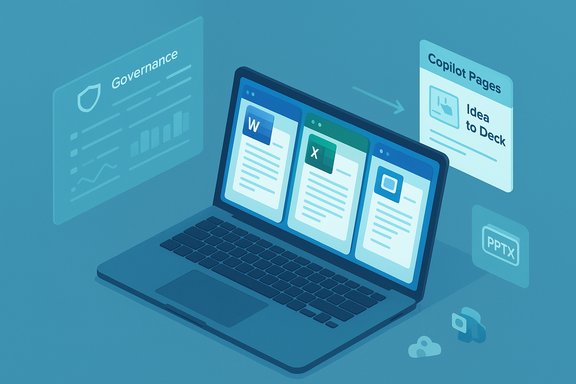
- Copilot Pages improvements and conversion to slides: Copilot Pages — the persistent, editable canvas for drafting, planning and ideation — gained new content types and export capabilities. Pages can be converted into PowerPoint presentations so chat ideas become editable deck artifacts. This improves the “from idea-to‑deck” flow and keeps generated output inside Office formats.
- SharePoint pages and lists for advanced programs: Some preview and enterprise programs (reported in coverage and early previews) allow Copilot Chat users to generate SharePoint pages and lists — for example, prompting Copilot to “create a list of my top‑selling products by geography.” This capability appears to be rolling out in controlled programs rather than universally at GA; the public roadmap shows ongoing Copilot‑in‑SharePoint work. Treat this as an enabling direction rather than a blanket entitlement for every tenant today.
- A new SMB plan — Microsoft 365 Copilot Business: Microsoft introduced a Microsoft 365 Copilot Business plan targeted at businesses with fewer than 300 seats. The new plan is priced lower than the enterprise Copilot seat, reported at $21 per user per month, and will be generally available in December (Microsoft called out timing details during the announcement window). The aim: make tenant‑grounded AI, agents, and premium models more affordable for small and midsize businesses.
Why this matters: strategic context
Microsoft’s moves respond to a changed competitive landscape and an evolving user expectation: major cloud vendors are bundling advanced AI into productivity suites, and customers now expect in‑place intelligence rather than separate, paid add‑ons.- Google’s earlier decision to include Gemini capabilities for Workspace customers without a separate AI license reset expectations for what a baseline productivity subscription should contain. Microsoft’s expansion of Copilot Chat inside Office apps is a direct reaction to that market pressure — keeping the Microsoft 365 experience sticky and competitive.
- Broadening Copilot Chat’s reach increases adoption and lowers the friction for AI habits inside organizations. When team members draft, summarize, or analyze with an assistant directly inside Word, Excel, or Outlook, productivity gains scale quickly. That’s the business case Microsoft is selling.
- The new lower‑cost Copilot Business tier tackles an important gap: many SMBs needed tenant‑aware AI but lacked budget or seat minimums. Removing those barriers accelerates enterprise‑class AI adoption at smaller scales.
What Copilot Chat in Word, Excel, PowerPoint and Outlook will actually do
The in‑app Copilot Chat experience is designed to reduce context switching and give users actionable outcomes while they are editing.Key capabilities include:
- Context‑aware drafting and editing — rewrite, shorten or expand sections in Word using the open document as context. The assistant can apply tone controls and create outlines from a brief prompt.
- Spreadsheet analysis and automation — ask Copilot to explain tables, generate formulas, create pivot tables, or suggest charts based on the active workbook. In some previews Copilot can also insert Python code for richer data manipulation.
- Presentation generation and updates — build starter decks from Copilot Pages or update an existing deck to match an organization’s template and imagery. Export flows let chat results become editable PPTX output.
- Inbox and calendar reasoning in Outlook — Copilot Chat in Outlook will be able to triage or summarize an entire inbox, reference calendar items, and help draft agendas or schedule meetings without users leaving the app. That capability — pulling tenant contexts into Copilot Chat — historically required a paid Copilot seat; Microsoft is moving parts of that feature into the free Chat layer for subscribers.
- Agents (automation workflows) — Copilot agents automate multi‑step tasks, pulling in web and tenant data, and can be created or invoked from the chat interface. Agent Mode will be available to more users under the Copilot Chat umbrella.
Copilot Pages and the “idea to deck” workflow
Copilot Pages are a persistent canvas that captures Copilot chat outputs, research and artifacts in a structured page that can be shared and edited.Why Pages matter:
- They act as a bridge between brainstorming and finished artifacts. Drafts, code snippets, charts and text can live in a Page and then be exported to Word or converted into a PowerPoint deck with layout and image suggestions.
- Pages are stored in SharePoint Embedded/Loop‑like storage; their lifecycle and ownership models differ from standard SharePoint pages and OneDrive items. Administrators should review retention and ownership behavior to avoid surprises if users leave the organization. Early guidance notes that Copilot Pages create dedicated embedded containers and that content ownership and lifecycle can be tricky.
- The practical benefit is tangible: creative meetings, product PR drafts, campaign planning and first‑draft slides become collaborative artifacts that persist beyond ephemeral chat sessions.
The new Microsoft 365 Copilot Business plan — what to expect
Microsoft’s SMB‑focused Copilot Business offers a narrower but more affordable set of tenant‑aware features:- Price point and seats: Reported at $21 per user per month for organizations under 300 seats; availability slated in December. This pricing sits below the $30 enterprise Copilot seat and is explicitly aimed at small and mid‑market customers.
- Included capabilities: Tenant grounding (Graph access to mail, calendar, SharePoint), ability to create and deploy agents, access to premium models and Copilot Pages, and data processing over internal content. Exact model access tiers and throughput SLAs may still differ from enterprise Copilot.
- Why this matters to SMBs: Lower sticker price and no 300‑seat minimum mean faster experimentation with tenant‑aware AI and shorter procurement cycles for small companies that previously could not justify the enterprise seat.
Security, privacy and governance: the practical constraints
Deploying Copilot Chat more widely is powerful — but it increases the demands on IT and compliance teams. Key points for administrators:- Different grounding models: The free Copilot Chat layer is typically web‑grounded, while paid Copilot seats offer work‑grounded access to tenant data via Microsoft Graph. Organizations must understand what each user’s license allows before enabling graph access in chat.
- Data residency and storage nuances: Copilot Pages and Loop‑style artifacts live in SharePoint Embedded containers. Their storage model and lifecycle differ from OneDrive and standard SharePoint sites; owners and admins need a retention strategy and owner reassignment plan to avoid orphaned content when employees depart.
- Admin controls and the Copilot Control System: Microsoft provides governance levers — data protection policies, agent lifecycle controls, memory management and usage reporting — but these controls must be configured proactively. A default‑open rollout risks leaking sensitive content into generated outputs if connectors are enabled without clear consent flows.
- Model provenance and compliance: Organizations operating in regulated industries will need to verify which model variant processed a prompt and whether prompts or responses are logged. Microsoft’s enterprise documentation details privacy commitments, but compliance teams must map those to local regulatory requirements.
- Human review remains essential: Generated outputs can hallucinate or misinterpret enterprise data. Standard operating procedures for human verification should be mandatory in decision‑critical workflows (legal language, financial reporting, clinical content, etc..
Risks and limitations (what to watch)
- Over‑reliance on generated outputs. Copilot speeds work, but errors propagate quickly if teams accept AI drafts without verification. Implement checklists and peer review for high‑impact content.
- Unclear feature entitlements across license types. Microsoft’s product lines evolve rapidly; an organization must inventory who gets tenant access versus web‑grounded Chat to avoid surprises and compliance gaps.
- Data governance blind spots. Copilot Pages and Loop artifacts are stored differently. Admins should re‑examine retention, eDiscovery, and backup strategies to ensure content remains discoverable and auditable.
- Privacy and third‑party models. Some Copilot workflows let users choose between model vendors (OpenAI, Anthropic). That choice has legal and data‑privacy implications that must be managed through policy.
- Feature availability and preview caveats. Many features are initially previewed or limited to programs and will change. The “Frontier enterprise program” references in coverage appear to describe early preview groups; that specific phrasing is not yet widely documented in official Microsoft posts and should be treated as provisional. Where coverage cannot be independently corroborated, flag and verify before operationalizing.
Practical steps for IT leaders and power users
- Audit licenses and map entitlements. Identify who in the tenant has Copilot seats, who has standard Microsoft 365 subscriptions, and which users will get Copilot Chat in‑app features. This clarifies what data the assistant can access.
- Set conservative defaults. Keep connectors (Gmail, Google Drive, external connectors) and tenant grounding off until pilot groups have validated governance and training. Configure EDP and retention settings before wide rollout.
- Create targeted pilot groups. Start with a small cross‑functional cohort (legal, compliance, marketing, finance) to stress‑test Copilot Pages, agents and export flows. Use these pilots to draft SOPs, review cycles and data handling rules.
- Train users and reviewers. Provide brief, role‑specific guidance: what to ask Copilot, when to escalate to a human reviewer, and how to spot common hallucination patterns.
- Instrument usage. Enable Copilot analytics and agent usage reporting. Track ROI signals (time saved, drafts produced) and governance telemetry (connector use, data access events).
- Plan for storage and lifecycle. Review how Copilot Pages and Loop artifacts are stored and ensure owner reassignment workflows are established for offboarding events.
Competitive comparison — where Microsoft stands
- Versus Google Workspace (Gemini): Google put Gemini capabilities into Workspace tiers as part of a pricing and bundling move; Microsoft is countering by offering richer in‑app Copilot Chat and an SMB Copilot Business tier to preserve parity and reduce switching friction. The net effect is more AI capability in base subscriptions across major vendors.
- Versus standalone AI assistants: Microsoft’s advantage remains deep product integration — the assistant can act on Word, Excel and Outlook artifacts directly — and its enterprise governance tooling. Vendors with stronger single‑app capabilities still lag on seamless tenant grounding across a full productivity stack.
Bottom line and recommendations
Microsoft’s expansion of Copilot Chat into Word, Excel, PowerPoint and Outlook and the introduction of a lower‑priced Copilot Business tier signal a decisive shift: AI is becoming the expected baseline in productivity apps. Organizations that prepare — by auditing licenses, tightening default connector settings, piloting with safeguards, and setting human‑in‑the‑loop policies — will capture productivity gains while limiting compliance and security risk.Key takeaways:
- Adopt a cautious, measured rollout. The productivity upside is real, but unvetted adoption invites data leakage and governance headaches.
- Use pilots to codify policy. Pilots reveal practical governance and storage issues (Copilot Pages storage model, ownership, retention) that must be addressed before mass adoption.
- SMBs have a path forward. The new Copilot Business pricing materially lowers the financial barrier for tenant‑aware Copilot capabilities; small organizations should evaluate pilots now and budget for December availability.
- Flag unverified claims. Some program‑specific announcements in coverage (for example, references to a “Frontier enterprise program”) describe early preview groups. Those items should be validated against Microsoft’s official roadmaps and message center notices before being treated as broadly available.
Microsoft’s latest moves make AI more immediately useful inside the apps people use every day — but they also raise practical questions about who owns generated content, how retention and discovery operate for Copilot Pages, and how governance scales as assistants become a native part of document workflows. The coming months of previews and the December SMB rollout will clarify many operational details; in the meantime, a pragmatic pilot‑first approach with conservative defaults offers the safest route to capture the benefits while keeping risk under control.
Source: Neowin Microsoft 365 users get free Copilot Chat integration in Word, Excel, and PowerPoint
