

Microsoft’s latest back‑to‑school move hands eligible college students a full year of Microsoft 365 Personal — including the integrated Copilot AI layer — at no cost for a limited time, a promotion that opens the Copilot experience to millions of students but brings important caveats around eligibility, regional availability, renewal mechanics, and academic integrity.
Microsoft has been rapidly folding its Copilot AI functionality into consumer and education tiers of Microsoft 365 throughout 2025. The vendor now offers a multi‑tier Copilot strategy that ranges from a free, web‑grounded Copilot Chat to paid tenant‑grounded seats and consumer Premium bundles with higher usage and agent features. That strategic shift is intended to normalize AI inside everyday productivity apps while monetizing high‑value, tenant‑aware capabilities for enterprise and power users. The student promotion — publicized across Microsoft channels and picked up by industry outlets — gives eligible students a 12‑month subscription to Microsoft 365 Personal that includes Copilot features, desktop apps, and 1 TB of OneDrive storage. The offer is time‑limited and restricted by geographic availability and academic verification. Microsoft has framed the move as part of a broader education initiative to expand AI skilling, accessible learning, and educator grants.
Key takeaways:
Microsoft’s student giveaway is a defining example of how AI is being normalized inside mainstream productivity tools: accessible, powerful and time‑limited. Students stand to benefit materially from the functionality, but they should claim the offer only after understanding the renewal mechanics, feature limits, and the academic and privacy landscape that surrounds generative AI in education. Conclusion
A free year of Microsoft 365 Personal with Copilot is a valuable promo for students who want to speed their work and learn modern AI‑augmented workflows. The promotion’s real value depends on careful sign‑up — verify the deadline, check which Copilot features are available in your country and on your device, and plan for the post‑promo renewal or cancellation. Use the year to learn how to leverage Copilot ethically and productively, and to make an informed decision about whether to continue with paid AI productivity services once the free period ends.
Source: ProPakistani Microsoft 365 + ChatGPT 5 Copilot Yearly Subscription is Available for Free [Limited Time]
 Background
Microsoft has been rapidly folding its Copilot AI functionality into consumer and education tiers of Microsoft 365 throughout 2025. The vendor now offers a multi‑tier Copilot strategy that ranges from a free, web‑grounded Copilot Chat to paid tenant‑grounded seats and consumer Premium bundles with higher usage and agent features. That strategic shift is intended to normalize AI inside everyday productivity apps while monetizing high‑value, tenant‑aware capabilities for enterprise and power users. The student promotion — publicized across Microsoft channels and picked up by industry outlets — gives eligible students a 12‑month subscription to Microsoft 365 Personal that includes Copilot features, desktop apps, and 1 TB of OneDrive storage. The offer is time‑limited and restricted by geographic availability and academic verification. Microsoft has framed the move as part of a broader education initiative to expand AI skilling, accessible learning, and educator grants. What the free student plan includes
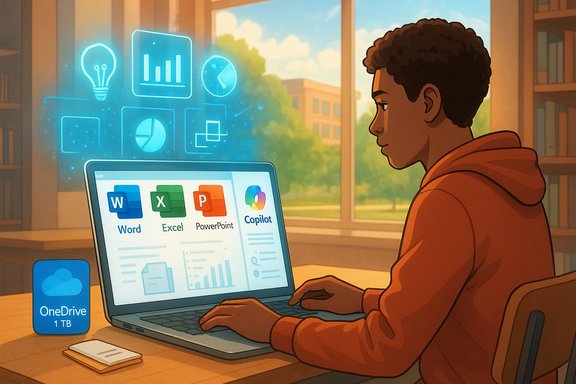
Microsoft says the promotional subscription mirrors the regular Microsoft 365 Personal consumer bundle but with Copilot integrated where supported. Key inclusions are:- Full desktop and web apps: Word, Excel, PowerPoint, Outlook, OneNote, and access to web‑based editors.
- Copilot integration inside supported editors — the persistent right‑hand Copilot sidebar for drafting, summarization, slide generation and conversational assistance.
- 1 TB of OneDrive cloud storage per student account.
- Access to premium creative tools surfaced in Copilot: Designer, Clipchamp enhancements and generative image tools.
- Expanded Copilot capabilities described in Microsoft’s consumer Premium positioning — higher usage limits and added agents such as Researcher and Analyst for heavier research and data work in some editions.
Eligibility and sign‑up mechanics
Who qualifies
Microsoft’s eligibility rules for the student giveaway are narrow and typical of education promotions: you must be a current college student enrolled in an accredited undergraduate or postgraduate degree program and be able to verify your status using institution credentials (for example, an official school email, student ID or enrollment documentation). Microsoft’s public guidance treats this as a personal subscription applied to the student’s individual Microsoft account rather than a campus‑managed Microsoft 365 Education tenant. Microsoft explicitly excludes people who are no longer enrolled or who are not part of a recognized degree program; in practice, the verification flow will indicate accepted documents. Students in community colleges and many vocational programs have been included in past education offers, but exact acceptance is determined by the verification provider and Microsoft’s sign‑up UI.Geographic and device caveats
The promotion is not universal. Microsoft’s Copilot features and specific Premium tools roll out by market and device, and some capabilities — most notably Copilot Vision on Windows — have historically launched in limited regions first. Students must check the sign‑up page and their local Microsoft storefront for eligibility and supported features. Which Copilot features are enabled for a given account can also depend on whether you use a personal Outlook.com account or an institution‑managed address.Deadline and timing — read the fine print
Multiple outlets and Microsoft documentation have reported different claim windows for education giveaways in 2025. Industry reporting tied to earlier Microsoft education pushes referenced an October 31, 2025 claim date for earlier student promotions, while more recent announcements and sign‑up flows in some regions show later or differing deadlines. The sign‑up page that opens during a promotion will display the authoritative claim deadline for your market — treat the live sign‑up flow as the source of truth because promotional end dates may vary by region or be extended in special cases. Do not rely on secondary summaries when timing matters.What Microsoft actually means by “Copilot” in this plan
Copilot is not a single monolith; Microsoft bundles a range of AI experiences under that brand:- Free or web‑grounded Copilot Chat (a conversational layer with web grounding) that appears in many apps at no extra cost for qualifying tenants.
- Paid, tenant‑grounded Microsoft 365 Copilot seats that can access Microsoft Graph (mail, calendar, OneDrive/SharePoint) and run higher‑assurance tasks and agents.
- Consumer Copilot Pro/Premium tiers offering higher usage caps, priority model access, and advanced agents for research and automation.
How this compares with similar offers from other AI vendors
Microsoft’s move mirrors competitive promotions from Google, OpenAI and others that have offered students extended or free access to AI tools and education programs. The goal is threefold:- Accelerate user familiarity with each vendor’s AI ecosystem.
- Build long‑term product lock‑in by turning students into habitual users.
- Add a credentialed channel for up‑selling premium or enterprise features later.
Strengths of the offer — why students should pay attention
- Immediate productivity boost: Having Copilot inside Word, Excel and PowerPoint lowers friction for writing, researching and data work, which is useful for coursework and projects. Copilot’s Excel assistance — natural‑language queries, formula generation and charting — is a major time‑saver.
- Generative media tools: Students working on design, video or multimedia projects gain access to Designer and Clipchamp enhancements exposed via Copilot, which can accelerate portfolio work and presentations.
- Substantial cloud storage: 1 TB OneDrive makes it easy to back up large datasets, media assignments and multi‑file projects without juggling separate consumer cloud services.
- Cost avoidance and trial of premium features: A 12‑month, no‑cost run lets students evaluate whether to adopt Microsoft’s paid consumer offerings post‑promo without committing their tuition or personal budgets.
Risks, caveats and practical concerns
1. Renewal and billing surprises
Promotional sign‑ups commonly require a payment method to be attached for verification and automatic renewal. Unless explicitly cancelled, the subscription will typically convert to a paid plan after the promo ends. Students should verify renewal pricing, how to cancel before the renewal date, and whether an additional student discount is available after the trial year. Historical Microsoft student discounts after promos have sometimes required re‑verification. Treat auto‑renew as the default unless you take action.2. Academic integrity and misuse
Generative AI can write essays, create slides and draft lab reports. While these capabilities are valuable for drafting and iteration, they raise academic integrity concerns. Universities increasingly have policies about AI‑assisted work; students should understand their institution’s rules on AI usage and how to disclose assistance. The presence of Copilot in the workflow makes accidental misuse — such as submitting AI‑generated content without attribution — a real risk.3. Privacy and data governance
A personal Microsoft 365 Personal seat is controlled by the student’s Microsoft account. This differs from an institution‑managed tenant that can apply admin policies, data loss prevention and enterprise protections. Students using Copilot with class assignments should be mindful of what they upload to OneDrive or send to Copilot prompts, and should not provide sensitive or personally identifiable information to generative prompts. Microsoft documents the differences between web‑grounded chat and tenant‑grounded Copilot for good reason: not all Copilot responses are created equal from a data‑protection standpoint.4. Feature variability by region and device
Some advanced Copilot features (for example, Copilot Vision on Windows or specific premium agents) have phased rollouts and regional restrictions. Students in some countries or on certain devices may not see the full slate of Copilot capabilities even after activation. Always check the live account UI and Microsoft’s Copilot availability pages to see what’s enabled for your account.5. Model naming and expectations
Press and social coverage sometimes conflate model names (for example, “GPT‑5” or “ChatGPT 5”) with the branded Copilot experience. Microsoft has indicated it routes requests across model families — including newer GPT‑5 family variants for priority seats — but Copilot’s responsiveness and the specific model in use vary by tier and capacity. Do not assume Copilot’s behavior equals a particular OpenAI product naming convention; treat model mapping as fluid until vendors publish definitive technical documentation.How to redeem (practical steps)
- Visit the Microsoft student or Copilot sign‑up page shown in Microsoft’s education offers and follow the student verification flow.
- Prepare proof of enrollment: valid school email address, current student ID, schedule or an official enrollment document. The verification UI will list acceptable documents.
- Attach a payment method if required by the sign‑up flow; note that this is often necessary for identity and renewal checks but does not imply immediate billing if you cancel before the trial ends.
- Confirm what features are enabled in your local storefront and check the exact promotional end date shown in the sign‑up flow — do this immediately to avoid surprises.
Recommendations for students and campus IT
- Students: Treat the free year as an evaluation period. Use Copilot to speed drafting, research and presentation production, but document when AI helped shape your work and follow your institution’s AI policies. Back up original work and avoid pasting sensitive data into prompts. Confirm the renewal date and unsubscribe before it if you do not want to pay.
- Campus IT: Recognize this is consumer licensing. Students’ personal Microsoft 365 Personal seats are outside campus tenancy and therefore outside campus governance. If campuses want to provide tenant‑integrated Copilot experiences (with Graph access, institutional data integration, or admin controls), they must pursue Microsoft 365 Education licensing and tenant‑grade Copilot licensing. Communicate clearly to students the difference between personal accounts and campus tenant accounts.
- Faculty: Update assignment guidance and academic honesty policies to clarify acceptable AI usage; consider technical checks and educational modules that teach students how to use Copilot responsibly rather than banning it outright.
The bigger picture: why Microsoft is doing this
Embedding AI into the consumer productivity stack is a strategic priority for Microsoft. By lowering the barrier for students to experience Copilot across their workflow — email, document writing, spreadsheets and presentations — Microsoft aims to make Copilot the default productivity layer for the next generation of knowledge workers. That improves long‑term retention and opens routes to upsell premium consumer tiers and enterprise migration when those students enter the workforce. This promotional tactic is identical to how vendors historically seeded student adoption for other productivity tools: free access now, paid conversion later.Final assessment — who should sign up, and when to be cautious
The offer is compelling for students who frequently draft essays, analyze data in Excel, or prepare media‑rich presentations. The 12‑month free period plus 1 TB of storage is a pragmatic, immediate value proposition. That said, students must be careful with renewal mechanics, institutional rules on AI use, and the privacy posture of a personal subscription.Key takeaways:
- Sign up if you want hands‑on experience with integrated AI in everyday productivity apps and are comfortable managing your own renewal or cancellation.
- Be cautious if you cannot or will not monitor renewal, if your institution prohibits AI assistance for certain assignments, or if you must keep certain data off consumer clouds for privacy/regulatory reasons.
- Verify live the deadline and feature availability in your region—promotional end dates and regional rollouts vary, and the live sign‑up page is authoritative.
Microsoft’s student giveaway is a defining example of how AI is being normalized inside mainstream productivity tools: accessible, powerful and time‑limited. Students stand to benefit materially from the functionality, but they should claim the offer only after understanding the renewal mechanics, feature limits, and the academic and privacy landscape that surrounds generative AI in education. Conclusion
A free year of Microsoft 365 Personal with Copilot is a valuable promo for students who want to speed their work and learn modern AI‑augmented workflows. The promotion’s real value depends on careful sign‑up — verify the deadline, check which Copilot features are available in your country and on your device, and plan for the post‑promo renewal or cancellation. Use the year to learn how to leverage Copilot ethically and productively, and to make an informed decision about whether to continue with paid AI productivity services once the free period ends.
Source: ProPakistani Microsoft 365 + ChatGPT 5 Copilot Yearly Subscription is Available for Free [Limited Time]
