

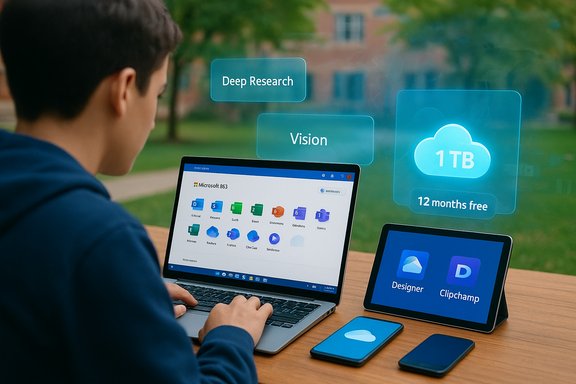
Microsoft's move to give eligible college students a free 12‑month Microsoft 365 Personal subscription that includes Copilot represents one of the company's largest consumer-focused pushes to seed AI into everyday student workflows — but the headline "free for students" hides important limits, regional differences, and renewal mechanics students need to understand before they sign up.
Background / Overview
Microsoft now advertises a one‑year free Microsoft 365 Personal subscription for eligible college and university students that unlocks expanded Copilot features alongside the familiar Office apps and 1 TB of OneDrive storage. The company positions this as a student‑first experience: Copilot's Deep Research, Podcasts, Vision, and other multimodal capabilities are surfaced with higher usage allowances than the free Copilot tier, and Microsoft says the free offer is aimed at personal Microsoft accounts used by students rather than institution‑managed accounts.The free access lasts 12 months. After that period, a paid renewal will begin unless a student cancels the subscription. Microsoft’s consumer product pages and recent technology reporting make clear that the package adds AI features to Word, Excel, PowerPoint, Outlook and other apps, and also includes Designer (AI image tools), Clipchamp video editing, and Microsoft Defender protections — effectively bundling productivity, creativity, and security tools under one subscription for students during that 12‑month window.
What exactly is included in the student offer?
Students who qualify can expect the full Microsoft 365 Personal feature set plus enhanced Copilot access for a year. Key inclusions are:- Office desktop apps: Word, Excel, PowerPoint, Outlook (desktop versions) usable on up to five devices simultaneously.
- Copilot integration inside apps: a Copilot sidebar and in‑app prompts to draft text, summarise emails, analyse data, build slide decks, and generate ideas with higher usage limits than the free Copilot experience.
- Expanded Copilot tools: Deep Research for multi‑source research, Podcasts (audio summaries and study podcasts; limited daily uses may apply), Vision for image and screen analysis, and other multimodal features including image generation and image‑to‑video capabilities as those features roll out.
- 1 TB OneDrive cloud storage per user.
- Microsoft Designer for AI‑assisted image creation and editing.
- Clipchamp video editor with premium filters and effects.
- Microsoft Defender advanced protections for personal data and devices.
- Access on multiple platforms: PC, Mac, iPhone/iPad, and Android devices.
Who is eligible — the reality behind “student” status
Microsoft’s eligibility rules are straightforward in wording but strict in practice:- You must be enrolled in a recognised college or university degree programme (undergraduate or postgraduate).
- A valid student or university email address is usually required for verification. In many cases institutional email is preferred and may be necessary to pass verification checks.
- The offer targets higher‑education students — secondary school students are typically excluded.
- The free year is targeted at college student users who are not already subscribers to a Microsoft 365 Personal student offer.
How to claim the free 12‑month Microsoft 365 Personal with Copilot — step‑by‑step
- Visit the Microsoft Copilot "AI for Students" or the Microsoft Copilot student redemption page via Microsoft’s site.
- Click the button labelled to redeem or sign up for the free 12‑month offer.
- Enter your valid college or university email address when prompted; some students may need to use an institutional account.
- Microsoft will verify your student status; verification can be automatic or handled by a third‑party verification service.
- If approved, expect a confirmation/activation email (often within 24 hours).
- Follow the activation link in the email, sign in with your Microsoft account, and activate the subscription.
- Once active, download the Microsoft 365 apps (or use online) and start using Copilot and Microsoft 365 features across supported devices (up to five simultaneously).
- Keep screenshots or receipts of the activation email and the subscription page showing the free year, so you have proof if a billing problem appears at renewal.
- Check your Microsoft Account > Services & subscriptions after activation to confirm the subscription expiry date and whether automatic renewal is enabled.
- If you don’t want automatic renewal after the free year, turn off recurring billing in your Microsoft account settings immediately after activation.
Pricing and the money picture — what students actually save
Microsoft 365 Personal retail pricing depends on the local market and can change. In India, for example, Microsoft’s store lists Microsoft 365 Personal at a consumer price that may appear in monthly and annual forms; the monthly listing and the annual listing are priced differently in practice (the site often offers a lower annual price). That means any simple multiplication of the monthly figure can misstate the effective annual cost.Practical conclusions for students:
- A free 12‑month subscription replaces a year of paid Microsoft 365 Personal and the bundled value of the apps, 1 TB OneDrive, and the Copilot feature increments.
- Always check your local Microsoft Store for the official monthly and annual retail prices — the annual plan is frequently discounted versus 12 separate monthly payments.
- After the free year, expect automatic renewal at the going local price unless you cancel. Microsoft has in some markets offered student continuation discounts — but those continuation terms differ by market and over time, so do not assume a discount will be automatic.
What Copilot adds — practical student use cases
Copilot is more than a glorified autocomplete; within Microsoft 365 Personal it acts as an assistant integrated across the productivity stack. For students this translates into time savings and workflow acceleration in areas such as:- Drafting and revising essays and lab reports: Copilot can propose outlines, write drafts, explain complex concepts in simpler language, and suggest citations and structure improvements.
- Research assistance: Deep Research mode consolidates multiple sources, surfaces citations, and helps build annotated bibliographies or literature reviews faster than manual searching.
- Data analysis and visualization: In Excel, Copilot can identify trends, suggest charts, and translate business questions into formulas and pivot analyses.
- Study tools: Interactive quizzes, summarised lecture notes, and podcast‑style audio summaries to reinforce learning.
- Presentation creation: Copilot generates slide decks from outlines, suggests speaker notes, and can convert notes into presentation-ready content.
- Image and video assets: Designer and Clipchamp make it easier to create visual content for class projects and student clubs.
Strengths and clear advantages
- Integrated experience: Copilot is built into the same apps students already use, which reduces context switching and makes adoption friction low.
- Broad toolset: The package brings productivity, storage, security, and creative tools together, so students don’t need separate subscriptions for design and basic video editing.
- Time savings: For iterative tasks — drafting, summarising, and data analysis — Copilot can accelerate routine work and free time for deeper study.
- Device flexibility: Support for PC, Mac, iPhone/iPad, and Android ensures students can pick the devices they already have.
- Higher usage caps (versus free Copilot): The paid Personal plan increases usage limits for certain Copilot features, meaning fewer interruptions due to quotas when you’re working on large or complex tasks.
Risks, caveats, and important gotchas
- Regional availability varies: The 12‑month student offer and specific Copilot features are not globally uniform. Some features and the free student redemption are initially available only in selected markets; students outside those markets may not be eligible or may see a different feature set.
- Automatic renewal traps: The free year converts to a paid subscription unless students explicitly cancel recurring billing. Students must check their account settings and calendar the expiry date.
- Institutional vs personal accounts: Many universities offer enterprise or education licenses that operate under different privacy and content policies. Microsoft recommends using school accounts for school work and a personal account for personal use; the free student offer is for personal Microsoft accounts and may not apply to institutionally managed accounts.
- Privacy and data handling nuances: Microsoft states that, in many consumer contexts, user prompts and content are used in grounded responses and that enterprise protections exist for commercial or education accounts. However, complexity remains: whether and how data is retained, used for service improvement, or accessible to support staff varies by product edition and settings. Students should avoid inputting highly sensitive personal or proprietary data into Copilot unless they understand the privacy controls and retention rules of the account they’re using.
- Academic integrity and misuse: AI assistance can produce plausible‑sounding content that may contain hallucinations or inaccuracies. Overreliance on AI for essays or assignments risks plagiarism or misuse according to institutional honor codes; educators and institutions are still developing best practices for AI in coursework.
- Feature flip and limits: Copilot features, usage allowances, and even which models power the assistant are subject to change. Some advanced modes (like Deep Research) may be rate‑limited or gated to certain users. Students should expect occasional changes and rollouts.
- Forced software changes for consumers: Microsoft has been moving to integrate Copilot more deeply into consumer apps and platforms; in some markets and for consumer installs there is limited control over whether Copilot components are added to your desktop apps. Keep an eye on update policies and local opt‑out options if that matters.
How to minimize the risks — recommended student safeguards
- Use a dedicated personal Microsoft account for the free year if you prefer continuity after graduation or want to separate personal AI usage from institutional accounts.
- Immediately check and, if desired, turn off recurring billing in Microsoft Account > Services & subscriptions to avoid an unexpected charge after 12 months.
- Keep copies of redemption emails, on‑screen confirmations, and the subscription page showing the 12‑month free promotion (screenshots are fine).
- For sensitive academic work (e.g., exam answers, confidential projects), follow university guidance and avoid pasting restricted material into Copilot or any cloud AI tool.
- When using Copilot outputs in assignments, treat them as drafts or research aids: verify facts, inspect citations, and rewrite in your own voice to satisfy academic integrity rules.
- Regularly review Microsoft privacy settings and account activity, and check whether your institution provides a “protected”/enterprise Copilot variant with stronger data controls if you need those protections.
The regional availability wrinkle — check before you assume
Public Microsoft pages announcing the student offer highlight the free year, but those pages also explicitly note that some features and the offer are only available in select markets. Independent technology reporting and Microsoft’s own consumer pages show the U.S., U.K., and Canada among the earliest availability regions. In other countries — including India — Microsoft lists the Microsoft 365 Personal product and Copilot integration on local stores, but the student redemption offer and specific Copilot modes may not be available or may come later.Action for students outside the U.S./U.K./Canada:
- Confirm eligibility on the Microsoft page tailored to your country or region before relying on the free offer.
- If you see a free redemption option but your institution is not recognized automatically, be prepared for manual verification steps and for possible delays in approval.
Academic and ethical implications
AI assistants like Copilot change the mechanics of research, writing, and problem solving. For students, that raises practical questions:- Proper attribution: AI output is not a substitute for original thought. Universities are still defining how to attribute AI‑assisted work. When in doubt, follow institutional policies and disclose AI use when required.
- Critical reading: Students must critically evaluate Copilot outputs; the assistant may present inaccurate or outdated claims as facts. Double‑check facts and citations.
- Skill development: Overuse of drafting tools can limit practice with core academic skills (argumentation, data interpretation, problem solving). Students should balance convenience with learning objectives.
Final assessment — who should claim the offer, and why
The free 12‑month Microsoft 365 Personal with Copilot is a valuable, practical offer for students who:- Want an integrated set of productivity and creative tools without upfront cost.
- Would benefit from Copilot features (research acceleration, automated drafting, data analysis help).
- Already use Microsoft’s ecosystem and prefer desktop Office apps with AI enhancements.
- Rely on institutional accounts with different data protections and conflict potential.
- Are in regions where the redemption or certain Copilot features are not yet available.
- Need to protect highly sensitive data or are unable to clearly separate AI‑assisted work from independent work under their institution’s codes.
Quick checklist before you redeem
- Confirm your university email or identity is accepted.
- Verify the free year has been applied in your Microsoft Account after activation.
- Turn off auto‑renew if you don’t want the subscription to continue after 12 months.
- Read any local disclaimers about feature availability — some Copilot tools are region‑gated.
- Avoid entering private, restricted, or sensitive information into Copilot during the initial free year unless you have clarified the privacy and retention settings for your account type.
Microsoft’s student promotion makes AI‑enhanced productivity widely available to a key demographic at no cost for a year. The value proposition is clear: access to Copilot’s expanded toolset and 1 TB of storage can materially reduce friction for study, research, and project work. The cautionary story is equally clear: regional availability, privacy nuances, renewal mechanics, and academic integrity obligations mean the offer isn’t an unconditional giveaway — it’s a powerful tool that requires informed and careful use. Students who claim the offer should do so with their eyes open: read the activation confirmation, calendar the expiry date, and treat Copilot as an assistant — not an oracle.
Source: Free Press Journal Microsoft 365 Personal With Copilot AI Now Free For Students: How To Avail
