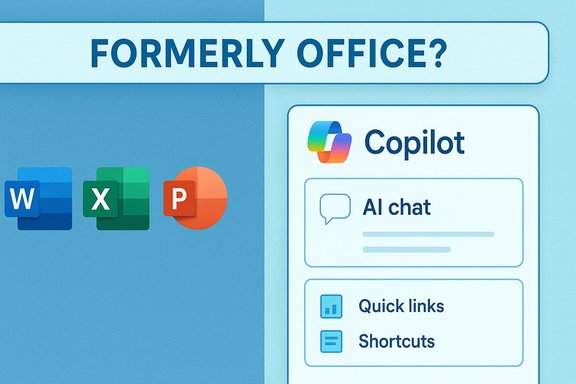
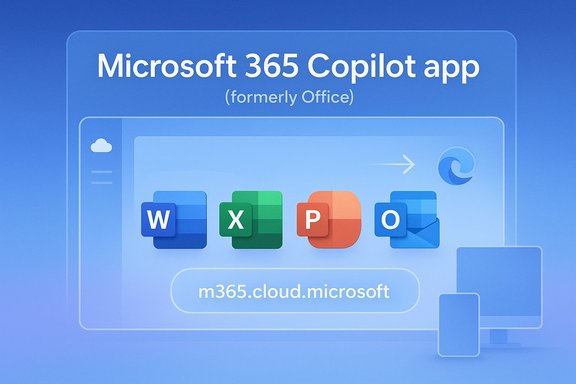
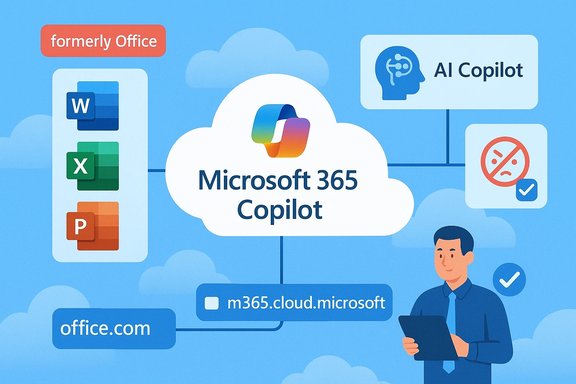
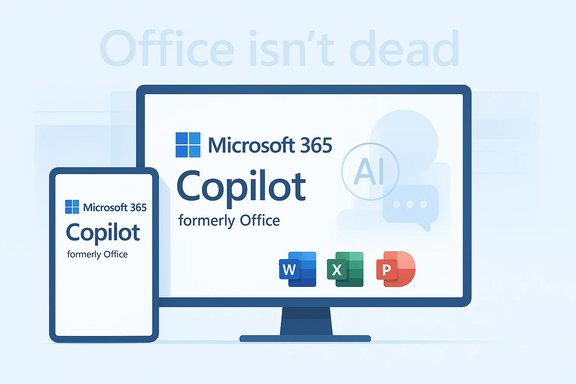
The story you’ve seen on social feeds this week — that “Microsoft Office was renamed to Microsoft 365 Copilot” — is true in headline form but misleading in context: Microsoft did rename the Microsoft 365 app to the Microsoft 365 Copilot app, and that change began rolling out on January 15, 2025, but it was a targeted app rebrand that happened nearly a year ago and not a wholesale erasure of the Office brand across every product.
Microsoft’s long-running productivity suite has already been through multiple naming cycles over the past decade: from “Office” to “Office 365” and then to Microsoft 365. In mid-January 2025 Microsoft updated the name and icon of the central Microsoft 365 app — the web, mobile, and Windows gateway many people use to access Word, Excel, PowerPoint, and other services — to Microsoft 365 Copilot. Microsoft framed the change as reflecting the integration of its Copilot AI experiences directly into the app, and it updated the app’s web entry points to align with a new cloud domain. This is where confusion starts: the renamed app presents Copilot prominently, and the iconography and copy can make it look as if “Office” itself has been replaced. That perception gained traction on social platforms in early January 2026 — a meme- and screenshot-driven moment that amplified an almost‑year‑old change into “breaking news” for many people who hadn’t followed the 2025 rollout. The Verge and other outlets were explicit about the nuance: the rebrand affected the Microsoft 365 app container, not every product that carries the Office name.
But there’s a counterpoint: as software becomes more about capabilities than packaged tools, aligning the user entry point with the capability set (AI assistant + productivity apps) can simplify discovery for new users and accelerate feature adoption. Microsoft’s engineering and product teams likely view this move as a necessary realignment in an AI‑first world.
The core failing, from a communications perspective, is that Microsoft left a naming gap: multiple Copilot marks across different products create ambiguous mental models. A more coherent taxonomy — one that differentiates product families and feature sets without reusing the same word for distinct experiences — would reduce friction.
For readers who use Microsoft 365 professionally: update your internal help pages, check licensing entitlements for Copilot features, and prepare short, plain‑language notices for colleagues so the next screenshot circulating online tells a clear and accurate story rather than fueling another round of rebrand panic.
Source: Windows Central https://www.windowscentral.com/micr...ilot-a-year-ago-why-is-the-news-trending-now/
 Background
Microsoft’s long-running productivity suite has already been through multiple naming cycles over the past decade: from “Office” to “Office 365” and then to Microsoft 365. In mid-January 2025 Microsoft updated the name and icon of the central Microsoft 365 app — the web, mobile, and Windows gateway many people use to access Word, Excel, PowerPoint, and other services — to Microsoft 365 Copilot. Microsoft framed the change as reflecting the integration of its Copilot AI experiences directly into the app, and it updated the app’s web entry points to align with a new cloud domain. This is where confusion starts: the renamed app presents Copilot prominently, and the iconography and copy can make it look as if “Office” itself has been replaced. That perception gained traction on social platforms in early January 2026 — a meme- and screenshot-driven moment that amplified an almost‑year‑old change into “breaking news” for many people who hadn’t followed the 2025 rollout. The Verge and other outlets were explicit about the nuance: the rebrand affected the Microsoft 365 app container, not every product that carries the Office name. Overview: What changed, exactly?
The facts (short and verifiable)
- The Microsoft 365 app was renamed Microsoft 365 Copilot, and the rollout began on January 15, 2025.
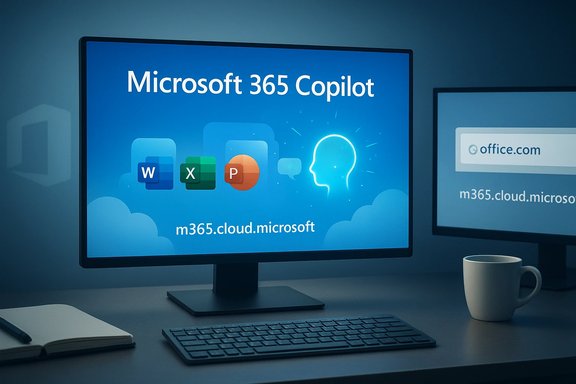
- The new app icon and name appear across web (office.com, microsoft365.com → redirect), mobile (iOS/Android), and Windows endpoints. Microsoft updated the web endpoint to m365.cloud.microsoft and configured redirects from office.com and microsoft365.com.
- Microsoft distinguishes between the Microsoft 365 Copilot app (the productivity app that surfaces Word/Excel/PowerPoint and Copilot features for work and school accounts) and a separate Microsoft Copilot app, which is a conversational AI companion for personal accounts. The overlap in naming is the core source of the public confusion.
What did not happen
- Microsoft did not remove Word, Excel, or PowerPoint or retire the underlying Office applications. Perpetual-license products such as Office 2024 remain available as standalone releases and continue to use the Office name in certain product lines. That means the Office brand still exists alongside Microsoft 365 and Copilot branding in product portfolios and licensing conversations.
Why the rebrand? Strategy, metrics, and messaging
Microsoft’s strategic aim is visible: put AI at the center of the productivity narrative. The Copilot name signals that Copilot features are no longer a bolt‑on but part of the primary entry point for Microsoft’s productivity ecosystem. Microsoft’s corporate messaging and admin notifications framed the change as an “AI-first” evolution of the app to better surface Copilot Chat, Copilot Pages, and other AI experiences. There are practical business incentives behind that shift:- Adoption metrics: By rebranding the app to foreground Copilot, Microsoft increases the visibility of AI features and can drive usage numbers — a tangible KPI in executive reports and product performance reviews. Industry commentators widely observed that attaching Copilot to a core app will nudge engagement metrics upward.
- Monetization and tiers: Copilot functionality exists in multiple licensing buckets (enterprise Copilot, Copilot Chat availability for certain subscribers), so elevating the brand helps Microsoft communicate AI offerings across commercial, education, and consumer lines. Admin notices and partner center messages reflected these commercial distinctions.
- Design unification: Microsoft appears to be aligning visual language across Copilot‑enabled products (Edge, Windows Copilot, Copilot+ PCs), which creates a single look-and-feel but also increases the chance of icon confusion.
The fallout: usability, perception, and the viral moment
Brand fatigue and cognitive overhead
Longtime Office users carry associations — and muscle memory — tied to the Office brand and its icons. Swapping icons and names for the app that serves as a one‑stop hub introduces friction: users open the app expecting the familiar “Office” entry point and instead see Copilot‑branded UI that emphasizes AI features. That friction is amplified when several distinct Copilot‑related names coexist (Microsoft 365 Copilot app, Microsoft Copilot app, Copilot Chat). The result is naming entropy, where consistent terminology no longer maps to consistent user experiences.The viral distortion
The January 2026 social wave was a classic example of context collapse: screenshots and terse social posts repeated the bare fact — that the Microsoft 365 app now shows “Microsoft 365 Copilot” — without the rollout timeline or the detail that the change occurred in January 2025. Once the story spread, corrective posts and clarifying articles followed, but not before the meme‑phase had already cemented the impression that Microsoft had just erased “Office.” The precise origin of the viral post(s) remains unverified; platform traces point to a mix of Twitter/X and Reddit activity amplifying the same screenshots. Flag: that origin story is not demonstrably attributable to a single account or outlet.The technical and administrative implications
Admin communications and rollout timing
Microsoft’s Message Center and Tech Community updates documented staged rollouts and platform‑specific timings (for example, the Copilot name/icon updates for Outlook mobile account lists were scheduled for March 2025 in some regions). Administrators were instructed that no action was required, but recommended to communicate the change to end users. The staged nature of the rollout — separate web, desktop, and mobile rollouts — is part of why some users only noticed the change months later.Domain and redirects
Microsoft moved the effective app endpoint toward m365.cloud.microsoft and set up redirects from office.com and microsoft365.com. That backend change affects link behavior, sign-in flows, and how organizations document URLs in internal help pages. It’s an important detail for admins updating internal documentation or SSO routings.Licensing nuance
Copilot-related features are packaged differently across commercial and consumer tiers. Some Copilot experiences are included for enterprise tenants under specified licensing, while others require add-on licenses or are gated by region. Not all Copilot capabilities are universally available. For admins, the key operational point is to verify which Copilot features are included under the organization’s licenses and to manage expectations for availability and privacy settings.Risks and trade-offs: a sober appraisal
- Brand dilution and confusion: Repeated renaming risks diluting the historic value of the Office name. That may not hurt enterprise renewals in the short term, but it raises cognitive friction for millions of end users and could erode goodwill. The backlash visible in social media jesting (“Microslop”) shows reputational risk.
- Product‑level ambiguity: Using the same “Copilot” label for multiple things — a suite entry app, a standalone conversational app, Copilot Chat features inside apps — invites user error and helpdesk tickets. The Copilot key on keyboards and the “Copilot+ PC” hardware brand further layer on the ambiguity.
- Privacy and compliance exposure: Integrating generative AI into productivity flows amplifies data‑handling questions. Enterprises must evaluate whether Copilot prompts send sensitive content to cloud models, whether on‑premise or tenant‑controlled protections are available, and how data residency and compliance frameworks are respected. These are not hypothetical: enterprise admins and privacy teams must audit Copilot workflows in regulated industries. Microsoft’s documentation and admin controls aim to address these needs, but complexity remains.
- Regulatory and antitrust scrutiny: Tying a core cash‑generating franchise (productivity software) to a rapidly evolving AI stack increases regulatory visibility. If Copilot becomes a gateway for new monetization (higher subscription tiers, exclusive AI features), regulators and customers will demand transparency about pricing, data use, and interoperability. This is especially relevant as competitors push alternative AI integrations in productivity suites.
- User expectation mismatch: Copilot marketing suggests an intelligent assistant that “just gets it.” Reality is mixed: for many tasks Copilot helps, but for others it can hallucinate, produce inaccurate summaries, or require careful human verification. If Copilot is prominent in the UI, users may over‑trust its output; organizations must educate users that Copilot is a productivity assistant, not an oracle.
Competitor context: where Microsoft stands
Google, Apple, and other vendors are also integrating AI into productivity stacks. Microsoft’s advantage is the sheer breadth of enterprise penetration and its partnership with leading large language model providers. But competitors push back with their own workspace AI features and an easier brand story in some cases. The key difference is this: Microsoft is tying its AI identity to an existing and highly monetized productivity franchise rather than building AI as a separate bolt-on. That makes the bet higher‑risk and higher‑reward. Analysts have observed that Microsoft’s Copilot push is both a defensive and offensive strategy to preserve platform stickiness as AI becomes the differentiator.Practical advice for users and IT teams
- For everyday users:
- If you see “Microsoft 365 Copilot” when you open your productivity hub, it is the renamed app shell — Word, Excel, and PowerPoint are still the same apps you know.
- Treat Copilot suggestions as draft output: verify facts, check numbers in spreadsheets, and confirm legal or regulatory language with human review.
- For IT administrators:
- Audit your tenant’s Copilot licensing and feature flags in the Microsoft 365 admin center. ■
- Update internal documentation and training materials to reflect the new app name and domain (m365.cloud.microsoft). ■
- Communicate proactively to reduce helpdesk volume: explain the naming change, where to find legacy Office apps, and how Copilot features fit into existing workflows. ■
- Conduct a data‑flow review for Copilot features and ensure compliance with local data residency and regulatory requirements. ■
- Monitor Microsoft’s Message Center and the partner announcements for region‑specific rollout details and admin controls.
Is the rebrand “dumb”? A balanced critique
There are valid criticisms: rebranding an app that millions implicitly call “Office” and placing a marketing‑heavy AI label on it invites ridicule and confusion. Longstanding product names accumulate trust; removing them can alienate users without a clear functional upside.But there’s a counterpoint: as software becomes more about capabilities than packaged tools, aligning the user entry point with the capability set (AI assistant + productivity apps) can simplify discovery for new users and accelerate feature adoption. Microsoft’s engineering and product teams likely view this move as a necessary realignment in an AI‑first world.
The core failing, from a communications perspective, is that Microsoft left a naming gap: multiple Copilot marks across different products create ambiguous mental models. A more coherent taxonomy — one that differentiates product families and feature sets without reusing the same word for distinct experiences — would reduce friction.
The long view: what to watch next
- Adoption signals: watch how organizations measure Copilot usage and whether Copilot‑led workflows reduce time on routine tasks in measurable ways. Microsoft’s public earnings and product metrics will reveal whether the branding move translated into sustained adoption.
- Regulatory action: AI in productivity will attract greater scrutiny. Observe whether regulators probe data use, model transparency, or anti‑competitive bundling claims.
- User education: the volume and quality of Microsoft’s training materials and admin controls will determine whether the rebrand’s convenience outweighs the short‑term confusion.
- Competing UX moves: Microsoft’s Copilot design language is showing up in Edge and Windows UI experiments; see whether the Copilot visual identity becomes standard or fragments into X product lines.
Conclusion
The social‑media frenzy over “Microsoft renamed Office to Microsoft 365 Copilot” is a case study in how partial facts and thin context can produce a week of strong impressions — even when the underlying change is almost a year old and was limited to a specific app container. Microsoft did rename the Microsoft 365 app to Microsoft 365 Copilot and reposition the app as an AI‑forward productivity hub beginning on January 15, 2025; that technical fact is plainly documented by Microsoft’s support and admin communications. The broader debate — whether this branding improves user productivity or simply replaces an enduring name with marketing shorthand — is still open. The move accelerates Copilot exposure and adoption, but it also amplifies naming confusion, raises privacy and compliance questions for enterprise customers, and hands rivals a clearer line of critique. Organizations and users should treat Copilot as a powerful new assistant that requires policy, training, and verification practices to be safe and useful.For readers who use Microsoft 365 professionally: update your internal help pages, check licensing entitlements for Copilot features, and prepare short, plain‑language notices for colleagues so the next screenshot circulating online tells a clear and accurate story rather than fueling another round of rebrand panic.
Source: Windows Central https://www.windowscentral.com/micr...ilot-a-year-ago-why-is-the-news-trending-now/