

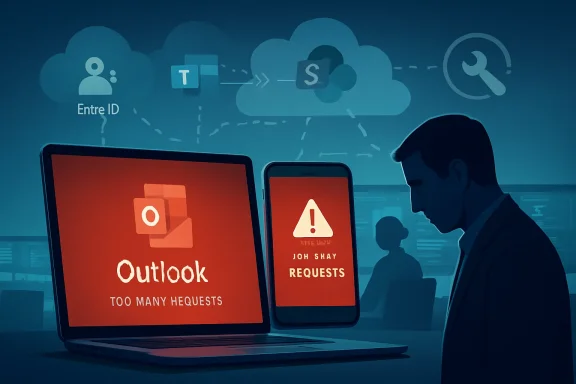
Microsoft’s latest Outlook disruption is another reminder that email is no longer just a messaging tool; it is the front door to the modern workplace. On Monday, April 27, 2026, users attempting to reach Outlook and related Microsoft 365 services reported intermittent sign-in failures, unexpected logouts, and “too many requests” errors, with complaints rising sharply as the business day began across multiple regions. Microsoft said it was investigating service degradation and testing a rollback of a recently introduced change, a phrase that will sound familiar to administrators who have watched cloud productivity platforms become both indispensable and fragile. For businesses, the incident was less about a single inbox outage than about the concentration of identity, communication, and workflow inside one cloud ecosystem.
Outlook’s role has changed dramatically over the past decade. What began as a desktop mail client and consumer webmail brand is now deeply integrated with Microsoft 365, Exchange Online, Microsoft Entra ID, Teams, SharePoint, OneDrive, Copilot, and mobile device management policies. A sign-in failure in Outlook can therefore ripple into calendars, meeting invites, document approvals, helpdesk queues, finance workflows, and automated business processes.
The April 27 incident appeared to center on authentication and session reliability rather than a simple mail transport failure. Users were not only reporting slow loading or delayed messages; many were being blocked at the sign-in stage, thrown out of active sessions, or served rate-limit-style errors. That distinction matters because modern Microsoft 365 access depends on a chain of tokens, conditional access rules, mobile app credentials, browser sessions, and back-end throttling protections.
Microsoft’s public messaging indicated that engineers had detected higher error rates in at least two scenarios and were analyzing telemetry to determine mitigation steps. The company also said it was reverting a recent change to see whether the rollback reduced customer impact. In enterprise operations, that is often a sign that a configuration, routing, authentication, or service-side deployment behaved differently at scale than expected.
The timing amplified the impact. Reports began early Monday morning in the United States, after European users had already entered the working day and as North American businesses were ramping up. For IT teams, a Monday morning identity or email incident is among the worst possible failure windows because it collides with password resets, weekly meetings, ticket backlogs, payroll approvals, and executive communication.
This is especially challenging in hybrid environments. A user might try Outlook on the web, then the desktop client, then the iOS Mail app, then a browser private window, then a password reset. Each attempt can generate additional authentication traffic, creating a feedback loop where frustrated users unintentionally add pressure to the very systems trying to recover.
The visible symptoms were varied, but the common thread was access failure:
That ambiguity burns time. Helpdesk teams must triage whether the problem is a wrong password, a conditional access policy, a mobile profile, an expired token, an account lockout, a browser cache issue, or a Microsoft-side incident. During large service degradations, the right answer is often “wait for mitigation,” but that is rarely satisfying to executives, frontline staff, or customers.
A rollback is a standard mitigation step when telemetry points toward a recent deployment or configuration as a likely contributor. It does not always prove causation, but it is a practical way to reduce uncertainty. If error rates decline after rollback, engineers can narrow the investigation; if not, they must examine related services and external dependencies.
The likely incident response pattern follows a familiar sequence:
Still, enterprise customers increasingly expect clearer service communications. When a platform supports regulated industries, healthcare, education, government, and global finance, incident updates are not merely public relations. They shape business continuity decisions, helpdesk scripts, executive messaging, and compliance reporting.
That distinction matters for support teams. Telling users to change passwords during an active service incident can sometimes make matters worse, especially if password resets trigger additional verification steps or lockouts. Re-entering an existing password in device settings is different from resetting it, but users may not always understand the difference.
For iPhone users, the practical recovery path often involves checking account settings, updating credentials, and reopening Mail to verify sync. But organizations should avoid mass password reset advice unless Microsoft or their identity team confirms that credentials are actually at fault.
Useful mobile troubleshooting guidance should be cautious:
That naming complexity can slow public understanding. A consumer locked out of an Outlook.com inbox and an employee blocked from Exchange Online may both say “Outlook is down,” even if Microsoft’s engineering teams are tracking separate but related incident scopes. For users, the distinction is academic; for administrators, it is everything.
Helpdesk teams need a disciplined response. The first priority is to confirm the service health state, identify affected cohorts, and stop unnecessary local troubleshooting. Otherwise, technicians can waste hours clearing caches, rebuilding Outlook profiles, resetting passwords, and removing mobile accounts when the root cause is upstream.
A strong enterprise response playbook should include:
The trust issue is more subtle. Microsoft 365 has become a default assumption in many boardrooms because it is professionally managed, globally distributed, and deeply integrated. But each high-profile outage reminds customers that cloud resilience is a shared responsibility, not an outsourced guarantee.
Consumers may then try to fix the issue by changing passwords, switching devices, using recovery codes, or repeatedly attempting to sign in. Those actions can increase friction, trigger additional security checks, or complicate recovery once the service stabilizes. The instinct to fix the account can become part of the problem.
Microsoft and other cloud providers should improve user-facing outage language. A message that distinguishes “service is temporarily degraded” from “your credentials are invalid” would reduce panic and support demand. Users need clarity when the fault is systemic rather than personal.
Practical consumer advice during a confirmed outage is straightforward:
That risk is not hypothetical. The best time to steal credentials is when users expect credential prompts. Any widespread login problem should trigger internal reminders about phishing, especially in organizations that rely heavily on Microsoft identity.
This convergence creates efficiency in normal operations. Single sign-on reduces friction, conditional access improves security, and centralized identity gives administrators policy control. But the same architecture can magnify outages because one identity-layer problem can affect many products.
Recent Microsoft reliability concerns fall into several broad categories:
For customers, the lesson is not to abandon Microsoft 365. The lesson is to design operations around the assumption that even world-scale cloud platforms have bad days. Resilience is not distrust; it is professional planning.
Authentication services are especially sensitive to scale effects. A minor increase in retry behavior, token validation latency, or routing imbalance can become significant when millions of clients respond simultaneously. A change that looks safe in one ring may behave differently when Monday morning traffic arrives across major business regions.
Strong cloud change management depends on several principles:
A rollback may also restore the previous service state without immediately fixing every client. Mobile apps and browsers may still hold stale tokens, failed sessions, or cached prompts. That is why some users continue experiencing issues after a back-end mitigation appears successful.
Still, reliability incidents become ammunition in procurement conversations. A CIO renegotiating a Microsoft Enterprise Agreement may use outage history to demand stronger support commitments, clearer reporting, or architecture guidance. A smaller business may reconsider whether all critical communication should depend on a single vendor.
Rivals can exploit three themes:
This does not mean Copilot caused the outage. There is no public evidence of that. But the broader implication is clear: as Microsoft adds more intelligence on top of Microsoft 365, the platform’s reliability becomes even more central to the value proposition.
A good playbook should answer four questions: how do we confirm the incident, how do we tell users, what should users avoid doing, and what alternatives do critical teams use? These decisions are easy in a calm planning session and chaotic during a live outage.
Administrators should prepare:
There is room for improvement. Microsoft could present more user-friendly outage notices in Outlook sign-in flows when a known service incident affects authentication. It could also differentiate between wrong credentials, temporary throttling, and platform degradation more clearly.
Better incident communication should include:
Microsoft is not alone in this challenge. Every major cloud provider struggles to balance legal caution, engineering uncertainty, and customer demand for transparency. But Microsoft’s role in enterprise productivity makes the bar especially high.
The key challenge is maintaining security without punishing legitimate users. If throttling is too aggressive, customers lose access. If it is too permissive, attackers gain room to brute-force, spray credentials, or abuse automated flows. Outages expose how delicate that balance can be.
Security teams should watch for:
The right message is simple: if you initiated the sign-in, proceed carefully; if you did not, deny the prompt and report it. During a known Microsoft service issue, that reminder should be repeated through trusted channels.
Administrators should also monitor whether any residual mobile access problems continue after the main service restoration. In many incidents, the headline outage ends before every cached client session recovers. That can leave a long tail of iPhone, Outlook mobile, and desktop client tickets.
Key signals to watch include:
Source: Computing UK Outlook outage disrupts logins for users
 Background
Outlook’s role has changed dramatically over the past decade. What began as a desktop mail client and consumer webmail brand is now deeply integrated with Microsoft 365, Exchange Online, Microsoft Entra ID, Teams, SharePoint, OneDrive, Copilot, and mobile device management policies. A sign-in failure in Outlook can therefore ripple into calendars, meeting invites, document approvals, helpdesk queues, finance workflows, and automated business processes.The April 27 incident appeared to center on authentication and session reliability rather than a simple mail transport failure. Users were not only reporting slow loading or delayed messages; many were being blocked at the sign-in stage, thrown out of active sessions, or served rate-limit-style errors. That distinction matters because modern Microsoft 365 access depends on a chain of tokens, conditional access rules, mobile app credentials, browser sessions, and back-end throttling protections.
Microsoft’s public messaging indicated that engineers had detected higher error rates in at least two scenarios and were analyzing telemetry to determine mitigation steps. The company also said it was reverting a recent change to see whether the rollback reduced customer impact. In enterprise operations, that is often a sign that a configuration, routing, authentication, or service-side deployment behaved differently at scale than expected.
The timing amplified the impact. Reports began early Monday morning in the United States, after European users had already entered the working day and as North American businesses were ramping up. For IT teams, a Monday morning identity or email incident is among the worst possible failure windows because it collides with password resets, weekly meetings, ticket backlogs, payroll approvals, and executive communication.
Why This Outage Hit So Hard
The disruption was painful because Outlook is not isolated infrastructure. For many organizations, Outlook is the default interface for approvals, scheduling, customer contact, internal alerts, compliance notifications, and third-party workflow triggers. When users cannot authenticate, the practical effect is not “email is down” but “work cannot start.”Authentication as the Chokepoint
A “too many requests” error suggests that systems designed to protect Microsoft’s services from overload, abuse, or repeated authentication attempts may have become part of the user-facing problem. Rate limiting is essential in large cloud environments, but when legitimate users are repeatedly forced to reauthenticate, protective systems can deepen the disruption.This is especially challenging in hybrid environments. A user might try Outlook on the web, then the desktop client, then the iOS Mail app, then a browser private window, then a password reset. Each attempt can generate additional authentication traffic, creating a feedback loop where frustrated users unintentionally add pressure to the very systems trying to recover.
The visible symptoms were varied, but the common thread was access failure:
- Unexpected sign-outs from existing sessions
- Intermittent login failures even with valid credentials
- “Too many requests” errors during authentication
- Mobile mail clients asking users to re-enter passwords
- Business users unable to reach inboxes at the start of work
- Admins receiving broad complaints without immediate tenant-level clarity
A Productivity Problem, Not Just an Email Problem
The biggest operational issue was uncertainty. If messages are merely delayed, users can often work around the problem by switching channels. If sign-in itself is unreliable, every workaround becomes suspect because the user cannot tell whether the issue is local, account-specific, tenant-wide, regional, or global.That ambiguity burns time. Helpdesk teams must triage whether the problem is a wrong password, a conditional access policy, a mobile profile, an expired token, an account lockout, a browser cache issue, or a Microsoft-side incident. During large service degradations, the right answer is often “wait for mitigation,” but that is rarely satisfying to executives, frontline staff, or customers.
What Microsoft Said Happened
Microsoft acknowledged that some users were experiencing intermittent sign-in failures, including “too many requests” errors and unexpected sign-outs. The company described the situation as service degradation, meaning the platform was not necessarily offline but was operating unreliably for affected customers. That wording is important because degraded service can be harder for users to understand than a clean outage.The “Recently Introduced Change” Question
The most significant phrase in Microsoft’s status update was “recently introduced change.” In cloud operations, that can refer to many things: a configuration update, deployment ring change, identity routing adjustment, traffic management rule, authentication service update, policy modification, or back-end optimization. Microsoft did not publicly disclose enough detail to identify the exact mechanism.A rollback is a standard mitigation step when telemetry points toward a recent deployment or configuration as a likely contributor. It does not always prove causation, but it is a practical way to reduce uncertainty. If error rates decline after rollback, engineers can narrow the investigation; if not, they must examine related services and external dependencies.
The likely incident response pattern follows a familiar sequence:
- Detect abnormal authentication or service error rates.
- Correlate telemetry with user reports and affected scenarios.
- Identify recent changes that overlap with the impact window.
- Roll back or disable the suspected change.
- Rebalance traffic or reduce load on affected infrastructure.
- Monitor customer impact until error rates normalize.
- Publish root-cause detail later through admin-facing channels.
Why Details Are Often Sparse
During active incidents, Microsoft tends to keep public updates brief. That can frustrate administrators, but it reflects a practical reality: early root-cause theories can change. Publishing premature technical detail may mislead customers, especially when multiple symptoms appear at once.Still, enterprise customers increasingly expect clearer service communications. When a platform supports regulated industries, healthcare, education, government, and global finance, incident updates are not merely public relations. They shape business continuity decisions, helpdesk scripts, executive messaging, and compliance reporting.
The iPhone and Mobile Mail Angle
One notable part of the incident involved users accessing Outlook accounts through iPhones and Apple’s Mail app. Some affected users were advised to re-enter their account passwords manually in iOS settings. That guidance points to a common challenge with mobile clients: authentication tokens, cached credentials, and account profiles may not always recover cleanly after a cloud-side incident.Why Mobile Clients Behave Differently
Mobile email access is deceptively complex. A phone may rely on OAuth tokens, background refresh rules, push notification services, app-specific account containers, device compliance signals, and mobile operating system credential storage. When authentication fails, the user may see a generic password prompt even if the real problem is not the password.That distinction matters for support teams. Telling users to change passwords during an active service incident can sometimes make matters worse, especially if password resets trigger additional verification steps or lockouts. Re-entering an existing password in device settings is different from resetting it, but users may not always understand the difference.
For iPhone users, the practical recovery path often involves checking account settings, updating credentials, and reopening Mail to verify sync. But organizations should avoid mass password reset advice unless Microsoft or their identity team confirms that credentials are actually at fault.
Useful mobile troubleshooting guidance should be cautious:
- Do not assume the password is wrong during a confirmed outage.
- Avoid repeated login attempts if “too many requests” errors appear.
- Check Microsoft 365 admin health alerts before changing policies.
- Ask users to re-enter credentials only when advised by IT or Microsoft.
- Document affected platforms, including iOS Mail, Outlook mobile, browsers, and desktop clients.
The Consumer-Enterprise Overlap
The incident also highlights a blurred line between consumer Outlook accounts and business Microsoft 365 identities. Users often describe both as “Outlook,” but the back-end paths may differ. Outlook.com, Exchange Online, Microsoft 365 apps, and mobile clients can present similar symptoms while relying on different account types and service layers.That naming complexity can slow public understanding. A consumer locked out of an Outlook.com inbox and an employee blocked from Exchange Online may both say “Outlook is down,” even if Microsoft’s engineering teams are tracking separate but related incident scopes. For users, the distinction is academic; for administrators, it is everything.
Enterprise Impact: Helpdesks, Compliance, and Trust
For enterprise IT departments, the outage created a familiar pattern: first confusion, then ticket spikes, then leadership escalation. Email remains the canonical recovery channel for many business processes. When users cannot access email, even communicating the workaround becomes more difficult.Helpdesk Pressure
A sign-in outage produces high-volume, low-resolution tickets. Users report password failures, account lockouts, blank pages, repeated prompts, mobile sync errors, and missing mail. Many of those symptoms require different troubleshooting under normal conditions, but during a platform incident they may all map to the same Microsoft-side degradation.Helpdesk teams need a disciplined response. The first priority is to confirm the service health state, identify affected cohorts, and stop unnecessary local troubleshooting. Otherwise, technicians can waste hours clearing caches, rebuilding Outlook profiles, resetting passwords, and removing mobile accounts when the root cause is upstream.
A strong enterprise response playbook should include:
- A rapid incident banner on the company intranet or status page
- A helpdesk script distinguishing outage symptoms from account compromise
- A freeze on unnecessary password resets during active degradation
- Clear executive updates with estimated business impact
- Alternative communication channels for critical teams
- A post-incident ticket review to identify avoidable support noise
Compliance and Business Continuity
For regulated organizations, email access failures can raise compliance concerns. Legal holds, approval workflows, audit trails, secure messaging, and incident response notifications may depend on Exchange Online and Outlook availability. Even if no data is lost, delayed access can still affect deadlines and obligations.The trust issue is more subtle. Microsoft 365 has become a default assumption in many boardrooms because it is professionally managed, globally distributed, and deeply integrated. But each high-profile outage reminds customers that cloud resilience is a shared responsibility, not an outsourced guarantee.
Consumer Impact: Confusion, Lockouts, and Password Anxiety
Consumers experienced the outage differently. A business user may have an IT department and an admin portal; a personal Outlook.com user usually has only a login screen, a recovery form, and online reports from other users. That creates anxiety, especially when messages such as “too many requests” resemble account security warnings.Why “Too Many Requests” Feels Personal
The phrase “too many requests” is technically plausible but emotionally unhelpful. To a user, it may suggest that they did something wrong, that someone is attacking their account, or that Microsoft has blocked them. During a broad service issue, the message may simply reflect throttling or failed repeated authentication attempts, but the interface rarely explains that context.Consumers may then try to fix the issue by changing passwords, switching devices, using recovery codes, or repeatedly attempting to sign in. Those actions can increase friction, trigger additional security checks, or complicate recovery once the service stabilizes. The instinct to fix the account can become part of the problem.
Microsoft and other cloud providers should improve user-facing outage language. A message that distinguishes “service is temporarily degraded” from “your credentials are invalid” would reduce panic and support demand. Users need clarity when the fault is systemic rather than personal.
Practical consumer advice during a confirmed outage is straightforward:
- Check a trusted service status channel before repeated sign-in attempts.
- Do not reset your password repeatedly unless account compromise is suspected.
- Wait before retrying if rate-limit errors appear.
- Use an already signed-in device if one remains available.
- Be alert for phishing emails claiming to “fix” Outlook access.
- Avoid giving recovery codes or passwords to anyone contacting you unsolicited.
The Phishing Risk
Major outages often create an opening for attackers. If millions of users are worried about account access, phishing messages promising urgent restoration become more believable. Attackers can impersonate Microsoft, corporate IT, or mailbox administrators with alarming efficiency.That risk is not hypothetical. The best time to steal credentials is when users expect credential prompts. Any widespread login problem should trigger internal reminders about phishing, especially in organizations that rely heavily on Microsoft identity.
A Pattern of Recent Microsoft Reliability Incidents
The Outlook disruption did not happen in isolation. Earlier in 2026, Microsoft 365 and Outlook-related services experienced other incidents, including January service disruption reports and March authentication problems linked to Windows 11 updates. Microsoft has also had to address Windows Server update issues that affected some environments after monthly patches.Patch Tuesday Meets Cloud Identity
The March Windows 11 authentication issue is particularly relevant because it involved sign-in failures across Microsoft-connected experiences such as Teams, OneDrive, and Copilot. Although that issue was separate from the April 27 Outlook incident, the pattern is instructive. Microsoft’s ecosystem increasingly depends on shared identity plumbing, and when that plumbing misbehaves, multiple apps appear broken at once.This convergence creates efficiency in normal operations. Single sign-on reduces friction, conditional access improves security, and centralized identity gives administrators policy control. But the same architecture can magnify outages because one identity-layer problem can affect many products.
Recent Microsoft reliability concerns fall into several broad categories:
- Cloud service degradation affecting Microsoft 365 apps
- Authentication failures tied to identity or token handling
- Client-side issues caused by Windows updates
- Server-side patch regressions requiring emergency fixes
- Mobile access disruptions involving cached credentials and mail sync
- Communication gaps between technical status and user experience
The Cost of Integration
Microsoft’s competitive advantage is integration. Outlook, Teams, OneDrive, SharePoint, Windows, Entra ID, Defender, and Copilot are stronger together than as isolated tools. But integration also means that each reliability problem feels larger because users experience the suite as one workspace.For customers, the lesson is not to abandon Microsoft 365. The lesson is to design operations around the assumption that even world-scale cloud platforms have bad days. Resilience is not distrust; it is professional planning.
What This Says About Cloud Change Management
Cloud platforms move quickly because they must. Security fixes, performance updates, feature rollouts, compliance changes, and back-end optimizations happen continuously. The promise of software-as-a-service is that customers receive improvement without traditional upgrade projects, but the trade-off is less control over when change arrives.Deployment Rings and Blast Radius
Large providers typically use staged rollouts, deployment rings, canary testing, telemetry gates, and automated rollback systems. Those controls are designed to catch defects before they reach broad production impact. The Outlook incident raises the obvious question: did the problematic change evade those guardrails, or did it interact with production load in a way that testing could not fully reproduce?Authentication services are especially sensitive to scale effects. A minor increase in retry behavior, token validation latency, or routing imbalance can become significant when millions of clients respond simultaneously. A change that looks safe in one ring may behave differently when Monday morning traffic arrives across major business regions.
Strong cloud change management depends on several principles:
- Smaller blast radius for identity-related deployments
- Faster automated rollback when authentication error rates rise
- Clearer customer-facing incident classification
- Better mobile client recovery behavior
- More specific admin telemetry at the tenant level
- Post-incident transparency about root cause and mitigation
Why Rollback Is Not Always Instant
Users often ask why a cloud provider cannot simply undo a bad change immediately. In practice, rollback can be complicated. Configuration changes may have propagated unevenly, caches may need to expire, clients may continue retrying, and traffic may need to be rebalanced to avoid causing new failures.A rollback may also restore the previous service state without immediately fixing every client. Mobile apps and browsers may still hold stale tokens, failed sessions, or cached prompts. That is why some users continue experiencing issues after a back-end mitigation appears successful.
Competitive Implications for Google, Apple, and Cloud Rivals
Microsoft remains dominant in enterprise productivity, but outages create openings for competitors. Google Workspace, Apple iCloud Mail, specialized secure email providers, and collaboration platforms such as Slack all benefit when customers question Microsoft 365 reliability. The competitive story, however, is more complicated than a simple “switch providers” argument.Microsoft’s Stickiness Remains Powerful
Enterprise customers do not move email platforms casually. Migration involves identity, compliance, archives, discovery, retention policies, mobile management, training, third-party integrations, and executive disruption. Microsoft’s suite remains deeply embedded in Windows-centric and regulated environments.Still, reliability incidents become ammunition in procurement conversations. A CIO renegotiating a Microsoft Enterprise Agreement may use outage history to demand stronger support commitments, clearer reporting, or architecture guidance. A smaller business may reconsider whether all critical communication should depend on a single vendor.
Rivals can exploit three themes:
- Reliability messaging aimed at Microsoft-fatigued IT leaders
- Simpler admin experiences for smaller organizations
- Independent collaboration channels outside Microsoft 365
- Cross-platform identity resilience for hybrid environments
- Lower perceived complexity compared with Microsoft’s integrated stack
The Copilot Complication
Microsoft’s push to embed Copilot across Microsoft 365 raises the stakes. AI assistants depend on access to mail, files, chats, calendars, and identity permissions. If authentication or service availability falters, AI-enhanced productivity also falters.This does not mean Copilot caused the outage. There is no public evidence of that. But the broader implication is clear: as Microsoft adds more intelligence on top of Microsoft 365, the platform’s reliability becomes even more central to the value proposition.
Lessons for IT Administrators
Administrators cannot control Microsoft’s back-end services, but they can control preparation, communication, and local resilience. The April 27 outage is a useful case study because it exposed common failure modes: authentication ambiguity, mobile confusion, repeated login attempts, and support escalation.Build an Outage Playbook Before You Need It
Every Microsoft 365 tenant should have a documented response plan for sign-in and email degradation. The plan should be short, practical, and accessible outside email. If the instructions are stored only in Outlook or SharePoint, they may be unavailable during the exact incident they are meant to address.A good playbook should answer four questions: how do we confirm the incident, how do we tell users, what should users avoid doing, and what alternatives do critical teams use? These decisions are easy in a calm planning session and chaotic during a live outage.
Administrators should prepare:
- A non-email emergency notification channel
- A Microsoft 365 service health monitoring routine
- Prewritten user advisories for sign-in failures
- A policy for password reset freezes during cloud incidents
- A list of critical business processes dependent on Outlook
- A postmortem template for management reporting
Practical Steps During a Similar Incident
A sequential response can reduce wasted effort and user frustration.- Confirm the Microsoft service health status and compare it with internal reports.
- Identify whether failures affect web, desktop, mobile, or all clients.
- Notify users through an alternate channel with clear do-and-don’t guidance.
- Pause broad password reset recommendations unless compromise is suspected.
- Ask helpdesk staff to tag related tickets under one incident category.
- Monitor Microsoft updates and local telemetry until recovery stabilizes.
- Publish a short post-incident summary explaining impact and lessons learned.
Communication Failures Can Magnify Technical Failures
During cloud incidents, communication is part of the product. Users judge the provider not only by uptime but by clarity, speed, and honesty. Microsoft’s status updates did acknowledge the problem, but many affected users still depended on social media, outage trackers, and news reports to understand what was happening.The Admin-User Gap
Microsoft often communicates most clearly to tenant administrators through service health channels. That makes sense for enterprise support, but it leaves many end users in the dark. If the user sees only a login error and no contextual message, the administrator becomes the translator.There is room for improvement. Microsoft could present more user-friendly outage notices in Outlook sign-in flows when a known service incident affects authentication. It could also differentiate between wrong credentials, temporary throttling, and platform degradation more clearly.
Better incident communication should include:
- Plain-language user messages inside affected sign-in experiences
- Tenant-specific impact indicators for administrators
- Estimated next update times that are consistently honored
- Clear separation of consumer and enterprise impact
- Guidance on what users should not do
- Post-incident explanations that are technical enough for IT teams
Trust Through Specificity
Specificity builds confidence. Vague statements such as “some users may be affected” are understandable early in an incident, but prolonged outages require sharper detail. Administrators need to know whether impact is regional, platform-specific, identity-related, or client-specific.Microsoft is not alone in this challenge. Every major cloud provider struggles to balance legal caution, engineering uncertainty, and customer demand for transparency. But Microsoft’s role in enterprise productivity makes the bar especially high.
Security and Identity Implications
Any large sign-in disruption must be viewed through a security lens. Authentication errors can be caused by benign service issues, malicious traffic, configuration mistakes, token problems, or protective throttling. Even when an outage is not a cyberattack, it changes user behavior in ways attackers can exploit.When Security Controls Become User Pain
Modern identity platforms use risk scoring, rate limits, conditional access, multifactor authentication, and automated protections to defend accounts. Those controls are necessary. But during a service degradation, they can create confusing symptoms if users are repeatedly challenged, rejected, or redirected.The key challenge is maintaining security without punishing legitimate users. If throttling is too aggressive, customers lose access. If it is too permissive, attackers gain room to brute-force, spray credentials, or abuse automated flows. Outages expose how delicate that balance can be.
Security teams should watch for:
- Credential phishing campaigns referencing the outage
- Unusual password reset spikes
- Repeated MFA prompts that train users to approve blindly
- Helpdesk social engineering attempts
- Account recovery abuse during user confusion
- Conditional access policy changes made under pressure
MFA Fatigue and User Training
Repeated sign-in prompts can contribute to MFA fatigue. If users are conditioned to approve prompts just to get back to work, attackers benefit. Organizations should remind employees that outage-related prompts do not justify approving unexpected MFA requests.The right message is simple: if you initiated the sign-in, proceed carefully; if you did not, deny the prompt and report it. During a known Microsoft service issue, that reminder should be repeated through trusted channels.
Strengths and Opportunities
Despite the disruption, Microsoft still has major advantages: global infrastructure, mature enterprise administration, deep telemetry, and the ability to roll back changes at cloud scale. The opportunity now is to turn another reliability incident into visible improvement, especially around authentication transparency, mobile recovery, and administrator tooling.- Microsoft can improve outage messaging directly inside Outlook and Microsoft 365 sign-in flows.
- Administrators can strengthen business continuity plans by documenting non-email communication paths.
- Mobile client recovery can become more graceful after back-end authentication failures.
- Service health dashboards can provide clearer tenant-specific impact instead of broad generic advisories.
- Security teams can use the incident as a training moment for phishing and MFA fatigue awareness.
- Enterprises can map critical workflows that depend too heavily on Outlook access.
- Microsoft can reinforce trust by publishing a detailed, timely post-incident explanation.
Risks and Concerns
The larger concern is not that Outlook suffered a single bad day. The concern is that Microsoft’s integrated ecosystem can concentrate operational risk in the same identity and productivity layers that make the platform so valuable. If outages become frequent or poorly explained, customers may begin treating Microsoft 365 as a convenience rather than a dependable operational backbone.- Repeated authentication incidents can erode confidence in Microsoft’s cloud reliability.
- Users may worsen recovery through repeated password resets and login attempts.
- Helpdesks can become overwhelmed by symptoms that look account-specific but are service-wide.
- Phishing campaigns may exploit confusion during login disruptions.
- Mobile users may remain affected longer because cached credentials and tokens recover unevenly.
- Regulated organizations may face workflow and compliance pressure when email access is disrupted.
- Competitors may use reliability concerns to challenge Microsoft in renewal and procurement cycles.
What to Watch Next
The most important next step is Microsoft’s eventual root-cause explanation. Customers should look for whether the company identifies a specific deployment, configuration, authentication component, traffic management issue, or client interaction. A useful post-incident report should explain not only what failed, but why existing safeguards did not prevent broader impact.Administrators should also monitor whether any residual mobile access problems continue after the main service restoration. In many incidents, the headline outage ends before every cached client session recovers. That can leave a long tail of iPhone, Outlook mobile, and desktop client tickets.
Key signals to watch include:
- Whether Microsoft confirms the exact failed change
- Whether rollback fully resolved the incident or only reduced impact
- Whether iOS and Apple Mail users need additional remediation
- Whether Microsoft updates guidance for “too many requests” errors
- Whether enterprise tenants receive detailed incident reports
Source: Computing UK Outlook outage disrupts logins for users
