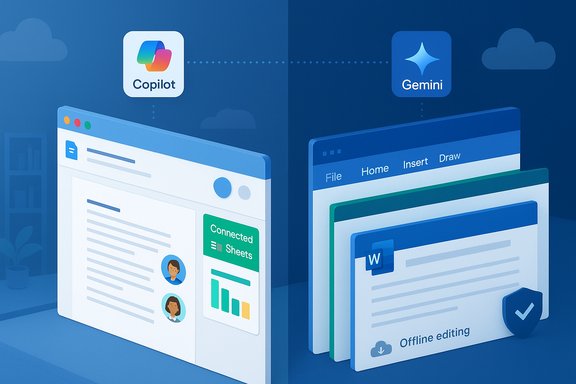
Microsoft 365 and Google Docs are no longer just “word processors plus spreadsheets” — they’re full productivity ecosystems that now hinge as much on AI, security, and platform integration as on the basics of typing and formulas. The debate that once split users into neat camps — cloud-first simplicity vs. desktop power — has matured: Google still delivers the fastest, lowest-friction path to real-time collaboration, while Microsoft continues to win on depth, fidelity, enterprise controls, and offline power. That practical verdict echoes a recent comparative write-up and remains the sensible starting point for any team choosing a primary productivity stack.
Both suites trace distinct design philosophies. Google Docs (and the broader Google Workspace) started life as a browser-native, cloud-first stack optimized for instantaneous sharing, link-based access, and minimal UI friction. Microsoft 365 evolved from decades of desktop-first development: its apps—Word, Excel, PowerPoint, Outlook—were designed for heavy-duty document creation, precise formatting, and advanced analytics, then layered with cloud and AI features.
That history matters because it shapes strengths and trade-offs. Google prioritizes speed, discoverability, and zero-friction collaboration; Microsoft prioritizes depth, file fidelity, and enterprise controls. For many organizations, the real question is not which is “better” universally but which is better for their set of workflows, compliance needs, and user skillsets.
Microsoft has narrowed the gap. When files live in OneDrive or SharePoint, real-time co-authoring in Word, Excel, and PowerPoint is largely seamless, and Loop components and Teams integrations surface living elements across chats and documents. The large difference is that Microsoft’s collaborative model extends naturally into mature desktop apps — meaning edits and co-authorship survive robust offline work without special pre-planning. For teams that mix remote collaboration with serious offline editing, that combination is decisive.
Google Docs is efficient for collaborative drafting and web-native briefs. It’s simpler — which is an asset for many teams — but it lacks the fine-grained layout, multi-document cross-referencing, and indexing features that production publishing often requires.
Microsoft’s recent push to bring richer analytics into Excel — notably the official rollout of Python in Excel — expands Excel’s reach beyond traditional formulas by enabling Python formulas, plots, and library-based analytics directly in the grid. Microsoft documents precise availability and licensing: Python in Excel is available for Enterprise and Business customers on supported channels and in preview for Personal and Family users on current channels; a premium add-on unlocks higher-priority compute and calculation modes. That phased rollout means organizations should check tenant, channel, and licensing before planning production uses. Google Sheets has made big strides — Connected Sheets for BigQuery and improved functions have boosted cloud-scale workflows — but for very large, formula-heavy, macro-rich models, Excel still delivers better performance and reliability.
Vendor lock-in risk exists primarily because advanced features — macros, VBA, Power Query steps, or custom Word fields — are practical migration blockers even when file exports are technically possible. Organizations that expect to migrate or maintain mixed environments should inventory their complex files and validate conversions in pilots.
That said, the most pragmatic organizations will deploy both suites where they make sense, govern canonical storage, and pilot AI and conversion workflows before committing. The binary “pick one” era is fading; the smart approach is to match tools to tasks while keeping governance and migration options realistic and tested.
Conclusion: pick the suite that maps to your work. If your organization needs advanced analytics, precise document control, and unified enterprise governance, Microsoft 365 remains the productive heavyweight. If your team values immediate, browser-first collaboration and low-friction sharing, Google Docs and Workspace continue to be the nimble champion. Either way, pilot the AI capabilities, verify conversions on representative files, and budget for the new realities of AI-enabled productivity.
Source: findarticles.com Office suite face-off: Microsoft 365 vs. Google Docs, compared
 Background / Overview
Both suites trace distinct design philosophies. Google Docs (and the broader Google Workspace) started life as a browser-native, cloud-first stack optimized for instantaneous sharing, link-based access, and minimal UI friction. Microsoft 365 evolved from decades of desktop-first development: its apps—Word, Excel, PowerPoint, Outlook—were designed for heavy-duty document creation, precise formatting, and advanced analytics, then layered with cloud and AI features.That history matters because it shapes strengths and trade-offs. Google prioritizes speed, discoverability, and zero-friction collaboration; Microsoft prioritizes depth, file fidelity, and enterprise controls. For many organizations, the real question is not which is “better” universally but which is better for their set of workflows, compliance needs, and user skillsets.
Collaboration: real-time editing vs. collaboration with offline power
Seamless co-authoring and the browser on-ramp
Google Docs still offers the lowest-resistance path to multi-user editing: open a link, and collaborators can type together with near-zero setup. Features like comments, @mentions, pageless formatting, and integrated version history make Docs ideal for brainstorming, notes, and lightweight briefs that are meant to live in the cloud.Microsoft has narrowed the gap. When files live in OneDrive or SharePoint, real-time co-authoring in Word, Excel, and PowerPoint is largely seamless, and Loop components and Teams integrations surface living elements across chats and documents. The large difference is that Microsoft’s collaborative model extends naturally into mature desktop apps — meaning edits and co-authorship survive robust offline work without special pre-planning. For teams that mix remote collaboration with serious offline editing, that combination is decisive.
Practical trade-offs
- Google Docs: near-instant collaboration for teams that live in the browser; easier guest access and link sharing.
- Microsoft 365: collaboration that scales to heavy offline usage and retains complex formatting and macros better.
Document and data firepower: Word & Excel versus Docs & Sheets
Writing and long-form documents
For structured, long-form, print-oriented work, Microsoft Word remains the power tool of choice. Its outline/navigation panes, advanced cross-references, automated indexes, footnote/endnote management, and mature Track Changes / compare tooling make it the natural platform for technical manuals, legal documents, and manuscripts.Google Docs is efficient for collaborative drafting and web-native briefs. It’s simpler — which is an asset for many teams — but it lacks the fine-grained layout, multi-document cross-referencing, and indexing features that production publishing often requires.
Spreadsheets: scale, advanced analytics, and automation
Excel continues to be the spreadsheet of record for heavy data modeling, financial analysis, and enterprise reporting. Features such as Power Query, Power Pivot, dynamic arrays, XLOOKUP, advanced charting, and robust macro ecosystems give Excel extraordinary power for large or messy datasets.Microsoft’s recent push to bring richer analytics into Excel — notably the official rollout of Python in Excel — expands Excel’s reach beyond traditional formulas by enabling Python formulas, plots, and library-based analytics directly in the grid. Microsoft documents precise availability and licensing: Python in Excel is available for Enterprise and Business customers on supported channels and in preview for Personal and Family users on current channels; a premium add-on unlocks higher-priority compute and calculation modes. That phased rollout means organizations should check tenant, channel, and licensing before planning production uses. Google Sheets has made big strides — Connected Sheets for BigQuery and improved functions have boosted cloud-scale workflows — but for very large, formula-heavy, macro-rich models, Excel still delivers better performance and reliability.
Presentations and visual polish
PowerPoint remains the most feature-rich presentation tool in mainstream productivity suites: design suggestions, Morph transitions, Cameo-style integrated camera overlays, and AI-assisted Designer features give PowerPoint an edge where prestige and polish matter. Google Slides is simpler and excellent for collaborative deck creation, but it lacks some of PowerPoint’s advanced animation, transition, and presenter tooling.AI: Copilot vs Gemini — integration, governance, and practical reliability
How each AI assistant ties into your work
AI is now a primary differentiator. Microsoft’s Copilot ties directly into the Microsoft Graph — your emails, calendar, chats, files, and organizational context — allowing it to produce summaries, draft messages, generate PowerPoint decks from documents, and suggest Excel transformations that are aware of organizational data and security controls. Microsoft has also made Copilot available to consumer subscribers (with price adjustments reflecting the bundled AI features); the company announced inclusion of Copilot in Microsoft 365 consumer plans in January 2025 and has provided options for plans without Copilot. Google’s Gemini (and the Gemini-based “Gems” — custom workspace chatbots) is embedded in Workspace workflows with an eye toward fast idea generation, rephrasing, and creative tasks — and Google has been integrating customizable Gemini agents into Docs, Sheets, Slides, Gmail and Drive through side panels to enable contextual assistance directly inside Workspace. That rollout emphasizes accessibility and experimentation for teams.Governance and enterprise controls
The difference that matters for enterprises is not just AI quality but governability. Microsoft has made Copilot manageable through its admin centers and integrated governance workflows, and Copilot experiences for admin centers reached general availability in Microsoft's admin surfaces in early 2025 — enabling admins to manage Copilot access and policies alongside existing DLP, retention, and compliance rules. Google offers admin controls for Gemini and related Workspace features, but Microsoft’s end-to-end stack (Entra ID, Purview, Defender, DLP) typically offers deeper, more unified enterprise controls.Practical note on AI availability and cost
- Microsoft: Copilot is often bundled behind subscription tiers or add-ons; consumer pricing was adjusted to reflect Copilot inclusion, and premium Copilot SKUs exist for heavy enterprise usage. Monthly credit limits and add-on licenses can shape real-world costs.
- Google: Gemini capabilities are built into Google One and Workspace subscription tiers; premium AI tiers (AI Pro/AI Ultra) bundle storage and model access.
Compatibility, file fidelity, and vendor lock-in
Round-tripping Office formats
Microsoft’s native formats (.docx, .xlsx, .pptx) retain advanced layouts, macros (VBA), custom fields, and complex Power Query transformations much more reliably when edited within Office apps. Google can open and export Office formats, but heavily formatted documents, macro-laden spreadsheets, and advanced PowerPoint animations are more likely to shift layout or lose functionality in conversion.Vendor lock-in risk exists primarily because advanced features — macros, VBA, Power Query steps, or custom Word fields — are practical migration blockers even when file exports are technically possible. Organizations that expect to migrate or maintain mixed environments should inventory their complex files and validate conversions in pilots.
Practical guidance on file strategies
- Keep canonical copies of mission-critical, macro-heavy files in Microsoft formats if you rely on Excel macros, Power Query, or advanced Word fields.
- For documents intended to be collaborative living artifacts, Google’s formats reduce friction for browser-first teams.
- Implement migration trials: convert representative documents and validate formatting, macros, and formulas before committing to a single vendor.
Pricing, storage, and value: free tiers vs paid features
Free storage baselines
Google still offers 15 GB of free storage shared across Google Drive, Gmail, and Photos for personal accounts. Microsoft provides 5 GB of free OneDrive storage for Microsoft accounts; Microsoft’s consumer subscription tiers (Microsoft 365 Personal/Family) include 1 TB per user and the full desktop apps. These baseline differences affect casual users and small teams choosing between “free first” workflows.Paid plans and what they buy you
- Google One / Workspace: Generally simpler, with storage-first pricing for personal users and straightforward Workspace tiers for small teams that prioritize browser-based collaboration.
- Microsoft 365: Desktop apps, 1 TB per user, advanced security and admin controls in business tiers, and a much broader catalog of add-ons and platform integrations (Teams, SharePoint, Power Platform). Recent price adjustments reflect added AI features in consumer plans; enterprises must plan for add-on licenses (e.g., Copilot, Python premium compute) in their budgeting.
Value assessment
For anyone who needs desktop-level performance, heavy Excel analytics, advanced formatting, or strict governance, Microsoft’s bundles tend to offer better return per dollar at scale. For lean teams that value simplicity and low friction, Google remains the budget-conscious winner.Security, governance, and enterprise ecosystem
Compliance and admin tooling
Both Google Workspace and Microsoft 365 maintain industry certifications (ISO, SOC, HIPAA capabilities), but Microsoft’s Purview suite, Entra ID (Azure AD), Defender, and integrated DLP/retention surfaces create a more unified platform for enterprises with complex compliance needs. Okta’s Businesses at Work reports consistently rank Microsoft 365 as the most widely deployed application across its customer base, and the platform’s ecosystem — add-ins, Teams, SharePoint, and Power Platform — amplifies the value of choosing a single integrated stack. That adoption trend reinforces Microsoft’s strength in enterprise deployments.Practical enterprise trade-offs
- Microsoft: richer endpoint control, granular DLP, records management, and native integrations for Windows-based fleets.
- Google: strong encryption and admin tools suitable for many regulated environments, but a slightly less unified control plane than Microsoft’s end-to-end story.
Adoption signals and third-party coverage
Analyst and industry signals back up the technical verdicts. Okta’s long-running Businesses at Work data places Microsoft 365 consistently at the top of deployed apps, and independent reporting about the inclusion of Copilot in consumer plans and Google’s ongoing Gemini integration show both vendors continuing to extend their platforms aggressively into AI and admin tooling. These signals matter because broad adoption translates into larger ecosystems of add-ins, templates, and third‑party integrations — a practical multiplier for organizations choosing a primary suite.Migration and coexistence: a pragmatic playbook
Many organizations will end up with both ecosystems in play. A pragmatic coexistence plan avoids painful all-or-nothing migrations.- Inventory: identify mission-critical documents, macros, and automation workflows.
- Categorize: tag files as “browser-first,” “desktop-first,” or “regulatory-critical.”
- Pilot conversions: run real-world conversion tests for a sample of files and automations; validate macros and Power Query steps.
- Train: provide role-specific training—lightweight Docs workflows for general staff; Excel/Power BI deep dives for analysts.
- Govern: choose canonical storage (OneDrive/SharePoint vs Drive) per document category and enforce DLP/retention accordingly.
- Monitor & iterate: collect usage metrics and feedback to re-balance licensing and support.
Strengths, risks, and critical caveats
Strengths
- Microsoft 365: unmatched depth across Word, Excel, and PowerPoint; superior offline and desktop app support; mature enterprise security and governance; growing, native AI integration that leverages Microsoft Graph.
- Google Docs / Workspace: lowest-friction collaboration, better free storage baseline for casual users, and fast, creative AI tooling that is accessible across Workspace apps.
Risks and potential blindspots
- AI feature availability and region rollout: many AI features (Gemini Gems, Copilot admin surfaces) roll out progressively across tenants and regions; availability can differ by channel and tenant settings, so pilot tests are essential.
- Pricing volatility: vendors are actively re-bundling AI features into subscription plans; recent Microsoft consumer price changes related to Copilot highlight how subscription economics can shift quickly. Budgeting for AI add-ons or credit consumption is now part of procurement.
- Migration friction: macros, advanced Excel models, and complex Word documents remain practical lock-in vectors. Don’t assume perfect fidelity when moving files between ecosystems.
- Enterprise governance complexity: enabling AI in workplace environments requires careful policy coordination (DLP, retention, access controls) to avoid leaking regulated data into model contexts.
Flagged, unverifiable, or rapidly changing claims
- Relative “quality” of AI reasoning is experiential: while vendors make claims about model superiority, real-world results vary with prompts, context, and model updates; these are user-dependent and should be judged by piloting AI in representative tasks. Statements asserting that one AI is categorically “better” at reasoning than another should be treated as experiential rather than objective.
Recommendations: choose by depth, scale, and needs
- Choose Google Workspace if:
- Your team lives in the browser and values frictionless, link-based collaboration.
- You need fast guest access, easy sharing, and a simple admin setup for small teams.
- Budget and ease-of-use outweigh the need for advanced desktop features.
- Choose Microsoft 365 if:
- Your workflows rely on advanced Excel models, Word production documents, or high-end PowerPoint presentations.
- You need enterprise-grade governance, device posture control, and integrated security tools.
- Offline desktop performance and file fidelity matter.
- Plan hybrid when:
- Different departments have different needs (e.g., marketing uses Google Docs, finance uses Microsoft Excel).
- Your organization wants the best of both without forcing a single platform migration.
Final verdict: collaboration without compromise — sort of
The modern productivity contest is no longer a pure feature list fight; it’s about how well a suite supports the full lifecycle of work — ideation, iteration, production, and governance. Google Docs wins for the fastest, simplest online collaboration and creative idea work. Microsoft 365 wins for the broadest range of real-world tasks: heavy analysis, regulated workflows, polished presentations, and enterprise-scale governance. Microsoft’s richer desktop apps, unified AI governance via Copilot and admin centers, stronger file fidelity for complex Office formats, and broad enterprise adoption make it the all-around choice for most organizations — especially those that must balance collaboration with heavy offline work and strict compliance.That said, the most pragmatic organizations will deploy both suites where they make sense, govern canonical storage, and pilot AI and conversion workflows before committing. The binary “pick one” era is fading; the smart approach is to match tools to tasks while keeping governance and migration options realistic and tested.
Conclusion: pick the suite that maps to your work. If your organization needs advanced analytics, precise document control, and unified enterprise governance, Microsoft 365 remains the productive heavyweight. If your team values immediate, browser-first collaboration and low-friction sharing, Google Docs and Workspace continue to be the nimble champion. Either way, pilot the AI capabilities, verify conversions on representative files, and budget for the new realities of AI-enabled productivity.
Source: findarticles.com Office suite face-off: Microsoft 365 vs. Google Docs, compared