

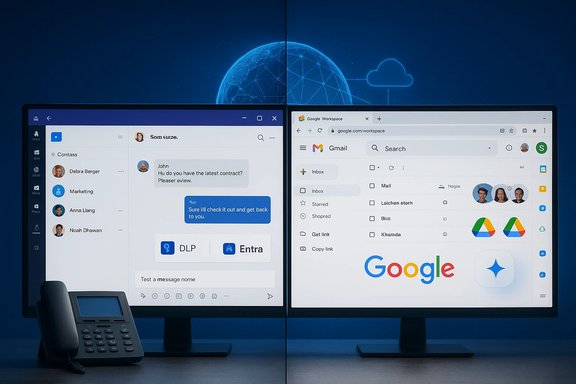
Microsoft’s and Google’s collaboration stacks have crossed swords again, but the fight is less about which vendor is “better” and more about which trade‑offs match your organization’s workflows, governance needs, and budget. In practical terms, Microsoft Teams (as part of Microsoft 365) trades deeper desktop application fidelity, broad enterprise governance, and an extensive partner ecosystem for a slightly higher cost and more complex licensing; Google Workspace rewards organizations that prize fast, browser‑first collaboration, simpler sharing, and broadly available AI features, with a lower onboarding friction for guests and external partners.
Both suites have evolved from different origins and now aim at the same destination: a single platform where messaging, meetings, file creation, and AI‑assisted productivity live together. Google started with lightweight, cloud‑native apps and built Workspace around browser‑first collaboration. Microsoft built its dominance on desktop apps (Word, Excel, PowerPoint) and layered cloud, identity, and security on top. That history still determines the most consequential trade‑offs between the two platforms.
Key adoption points:
Google Workspace distributes collaboration across Gmail, Chat, Spaces, and Meet — with deep, native linking into Docs, Sheets, Slides, and Drive. Workspace’s model is more inbox/label‑centric and browser‑first, where link sharing and instant guest edits are low friction. For quick external collaboration and link‑driven co‑editing, Workspace often wins on pure simplicity.
Practical differences:
Key calling trade‑offs:
Google Workspace provides strong encryption, Vault for retention and eDiscovery, DLP, and context‑aware access controls. Workspace is suitable for many regulated use cases, but enterprises with sprawling endpoint fleets and granular device posture requirements often find Microsoft’s tooling more fully integrated.
Security trade‑offs:
Source: TechTarget Compare Teams vs. Workspace for collaboration needs | TechTarget
 Background
Both suites have evolved from different origins and now aim at the same destination: a single platform where messaging, meetings, file creation, and AI‑assisted productivity live together. Google started with lightweight, cloud‑native apps and built Workspace around browser‑first collaboration. Microsoft built its dominance on desktop apps (Word, Excel, PowerPoint) and layered cloud, identity, and security on top. That history still determines the most consequential trade‑offs between the two platforms.Why the comparison matters today
- Adoption choices shape endpoint management, vendor lock‑in, and integration complexity for years.
- AI and assistant packaging (Copilot vs. Gemini) now materially affect licensing and budgeting.
- Calling and PSTN options are no longer optional for many organizations moving unified communications into collaboration apps.
Collaboration platform adoption and market context
Microsoft still dominates enterprise deployments, which creates practical network effects: tooling, third‑party integrations, vendor certifications, and administrative flows are often built with Microsoft priorities in mind. Analyst and industry data repeatedly place Microsoft 365/Teams among the most widely deployed productivity apps in enterprises, while Google Workspace is frequently the easier on‑ramp for startups and browser‑centric teams. These adoption patterns matter because they increase the pool of certified hardware, phone integrations, and ready‑made automation templates around one platform.Key adoption points:
- Large enterprises and regulated industries tend to favor Microsoft for governance and endpoint control.
- Browser‑first teams, startups, and groups with heavy external collaboration often choose Google Workspace for frictionless sharing and guest access.
Core capability comparison
Chat, channels, and persistent collaboration
Microsoft Teams offers a unified environment where chat, channels, meetings, calling, and third‑party apps live inside a single desktop and web client. This reduces context switching and enables persistent team workflows inside a single application shell. Teams emphasizes threaded channel conversations and integrates Loop components for living, reusable content blocks.Google Workspace distributes collaboration across Gmail, Chat, Spaces, and Meet — with deep, native linking into Docs, Sheets, Slides, and Drive. Workspace’s model is more inbox/label‑centric and browser‑first, where link sharing and instant guest edits are low friction. For quick external collaboration and link‑driven co‑editing, Workspace often wins on pure simplicity.
Practical differences:
- Teams: better for integrated persistent team spaces with threaded discussions and consolidated apps.
- Workspace: better for rapid guest collaboration and simple link‑based workflows.
Meetings and video
Both platforms provide enterprise video meetings, breakout rooms, captions, and recording, plus add‑on support for room systems. Teams is often chosen when an organization wants a single UI for calling, meetings, and messaging; it also benefits from a wider ecosystem of certified room hardware and third‑party UCaaS connectors. Google Meet integrates cleanly with Workspace’s calendar and Drive workflows and emphasizes simplicity in scheduling and sharing.Calling and PSTN integration
Both Teams and Workspace support PSTN calling through add‑on services: Teams Phone (Microsoft) and Google Voice (Google). Microsoft offers more flexibility for enterprises via Direct Routing (connect existing carrier contracts and session border controllers) and broad certified partner ecosystems (8x8, RingCentral, Cisco, Zoom, etc. that can plug calling directly into the Teams UI. Google Voice is attractive for simplicity and includes unlimited U.S. domestic calling in some plans, but Teams gives larger organizations more options for leveraging existing PSTN contracts and certified hardware.Key calling trade‑offs:
- Teams supports Direct Routing and a wide partner ecosystem for large‑scale PSTN integration.
- Google Voice can be simpler for small to mid‑size deployments and includes attractive pricing for domestic calling in certain bundles.
Productivity apps: depth vs. speed
Documents, spreadsheets, presentations
- Microsoft Office (Word, Excel, PowerPoint): unmatched depth for long‑form documents, complex formatting, macros, heavy Excel models, and presentation polish. Excel’s advanced analytics, Power Query, Power Pivot, and macro ecosystems remain the industry standard for heavy data work. Recent Microsoft moves (e.g., Python in Excel) further extend Excel’s analytical reach.
- Google Docs/Sheets/Slides: optimized for real‑time co‑authoring, simple sharing, and iterative drafts. Connected Sheets (BigQuery integration) and Sheets’ collaboration features are compelling for cloud‑native analytics but can struggle with extremely large, macro‑heavy models. Slides is excellent for collaborative deck creation but lacks some of PowerPoint’s advanced animation/polish features.
- Choose Microsoft when fidelity, offline desktop performance, macros, or heavy analytics are mission‑critical.
- Choose Google when speed, link‑based sharing, and low onboarding friction for external collaborators are priorities.
AI and assistants: Copilot vs. Gemini
AI is now a central differentiator between the platforms, but vendors package, price, and govern their assistants differently.- Microsoft Copilot is available across Microsoft 365 apps but commonly requires additional licensing (e.g., Microsoft 365 Copilot, Teams Premium). Copilot is deeply integrated with the Microsoft Graph, allowing it to leverage tenant data (email, calendar, files) to produce contextually aware summaries, drafts, and recommendations under enterprise governance controls. Many premium Copilot features are sold as add‑ons.
- Google Gemini is embedded across Workspace and is available at different access levels depending on plan (Gemini app access vs. integrated capabilities in Gmail, Docs, Slides). Google’s model tends to make AI tools more broadly available across plans, though the most advanced Gemini features are tiered. Google also offers NotebookLM‑style features for compiling and querying document sets.
- Microsoft often requires extra licensing for full Copilot functionality; enterprises get stronger contractual controls (non‑training commitments, data residency options) that can matter in regulated industries.
- Google’s AI features are often easier to access across plans, making experimentation and quick adoption simpler for teams.
Integration, extensibility, and automation
Third‑party ecosystem
- Teams boasts hundreds of prebuilt third‑party integrations and certified hardware for meetings and phones. Developers can build deep connections via Azure and Microsoft Graph APIs, and the ecosystem includes many UCaaS providers who can embed calling into Teams. This breadth accelerates enterprise integration and third‑party partnership.
- Workspace has a strong marketplace and developer platform, but the prebuilt, certified integration library historically hasn’t matched Teams’ sheer breadth for unified communications and enterprise hardware. Workspace integrations tend to be more focused around Gmail/Drive flows.
Automation and low‑code
- Microsoft’s automation stack (VBA, Office Scripts, Power Automate) is purpose‑built for enterprise workflows and integrates tightly with Windows and Azure services. For low‑code orchestration across enterprise systems, Microsoft currently offers more turnkey capability.
- Google Apps Script (JavaScript) is powerful but typically requires developer expertise and is less positioned as an enterprise low‑code orchestration plane when compared with Power Automate.
Security, compliance, and device management
Microsoft’s Purview, Entra ID, Defender, and endpoint management tooling present a unified control plane for data‑loss prevention (DLP), records management, and conditional access across mail, files, Teams, and endpoints. This comprehensive integration is why many regulated organizations choose Microsoft.Google Workspace provides strong encryption, Vault for retention and eDiscovery, DLP, and context‑aware access controls. Workspace is suitable for many regulated use cases, but enterprises with sprawling endpoint fleets and granular device posture requirements often find Microsoft’s tooling more fully integrated.
Security trade‑offs:
- Microsoft: better integrated endpoint tooling and unified compliance surfaces.
- Google: strong cloud encryption and admin controls; simpler for cloud‑first governance but less granular for endpoint posture.
Deployment models and offline access
Microsoft supports both desktop and web experiences across its apps; the full fidelity of Word, Excel, and PowerPoint still lives in the desktop clients. That makes Microsoft the safer choice for workflows that must work offline or require advanced local functionality. Google Workspace is fundamentally cloud‑native with optional offline editing, which works well for teams that rarely leave the browser.Licensing, pricing, and budgeting for AI
Licensing has become a primary decision variable:- Microsoft frequently bundles base collaboration features in Microsoft 365 subscriptions but sells premium AI and calling features as add‑ons (Copilot, Teams Premium, Teams Phone plans). Enterprises should budget for add‑ons if AI or advanced calling is required.
- Google tends to fold more Gemini‑adjacent capabilities into Workspace tiers or Google One plans, but premium Gemini access and advanced AI plans are tiered. Organizations must audit plan entitlements and regional availability before committing.
- Inventory real AI use cases and estimate monthly consumption and agent runs.
- Pilot Copilot and Gemini on representative tasks to measure value and compliance impact.
- Include PSTN minutes, certified hardware, and Direct Routing needs in telecom budgeting.
Migration, coexistence, and vendor lock‑in
Vendor lock‑in is real and often driven by:- Complex Excel macros, Power Query pipelines, and bespoke Word fields.
- Records and retention policies built around one vendor’s Purview/Vault constructs.
- Automation and integration investments on Power Platform or Apps Script.
- Inventory mission‑critical files and automation.
- Pilot convert representative workloads and validate macros and Power Query steps.
- Define canonical storage (OneDrive/SharePoint vs. Drive) and map DLP/retention policies.
- Decide if hybrid coexistence (different suites per department) is acceptable and enforce canonical storage where required.
Strengths, risks, and final tradeoffs
Strengths at a glance:- Microsoft Teams / Microsoft 365: desktop fidelity, enterprise governance, integrated security, broad third‑party ecosystems, and strong PSTN/calling options for large organizations.
- Google Workspace: fastest on‑ramp for browser‑first collaboration, simpler guest access and link sharing, more immediately accessible AI for many users.
- AI availability and regional rollouts: Many AI features roll out progressively; admin availability can lag marketing claims. Pilot before committing.
- Pricing volatility: Vendors continue re‑bundling AI features; budgeting should assume changes to subscription economics.
- Migration friction: Conversion fidelity for complex Excel or Word files is imperfect; don’t underestimate validation effort.
Decision framework: which to pick
Use this concise checklist to match platform to needs.- If your organization needs enterprise governance, heavy Excel analytics, and desktop fidelity → choose Microsoft 365 + Teams.
- If your teams live in the browser, prioritize low‑friction guest collaboration, or need quick AI access across users → choose Google Workspace.
- If your company requires advanced PSTN integration, certified meeting hardware, and carrier continuity → favor Teams for its Direct Routing and partner ecosystem.
- If you must balance both worlds, plan a coexistence strategy: canonical storage + role‑based tool allowances (e.g., finance on Excel/365; marketing on Workspace).
Practical rollout checklist for IT
- Inventory: identify mission‑critical documents, macros, and automations.
- Pilot: convert representative documents and test Copilot/Gemini tasks under realistic data and governance settings.
- Govern: implement DLP, retention, and conditional access policies before broad AI enablement.
- Train: provide role‑specific training for power users (Excel/Power BI) and light training for browser‑first collaborators.
- Measure: instrument productivity and AI usage metrics to inform licensing adjustments.
Conclusion
The modern collaboration decision is less a binary choice and more a strategic alignment of trade‑offs. Microsoft Teams is the platform of choice when enterprise governance, offline fidelity, and deep automation matter. Google Workspace is the smarter selection when rapid, low‑friction collaboration and broadly accessible AI are the primary goals. Both platforms are converging on similar capabilities while diverging on packaging, governance, and ecosystem depth—so the right answer for any organization is the one that aligns the platform’s strengths with the organization’s most mission‑critical workflows. Pilot, validate, and budget for AI and calling add‑ons before you standardize across your enterprise.Source: TechTarget Compare Teams vs. Workspace for collaboration needs | TechTarget
