

Background
Microsoft’s Copilot strategy has evolved quickly, and not always gracefully. What began as a branded AI assistant for Windows and Microsoft 365 has become a sprawling set of experiences, endpoints, licensing tiers, and background integrations that are easy for Microsoft to describe and much harder for customers to absorb. The latest change—halting automatic installs of the Microsoft 365 Copilot app—lands in the middle of that larger transition. Microsoft’s own deployment guidance still says Windows devices with Microsoft 365 desktop apps automatically install the Copilot app in the background, though admins can disable that behavior in the Microsoft 365 Apps admin center and customers in the European Economic Area are excluded from the automatic-install path entirely.
That combination of automation, admin controls, and regional carve-outs is a clue to the bigger picture. Microsoft has not been treating Copilot as a simple app that users choose to add later. It has been positioning it as a default layer for modern Windows and Microsoft 365 environments, much like updates, companion apps, or security protections that come along with core productivity tooling. From Microsoft’s point of view, that makes operational sense. From many users’ point of view, it looks like another example of software vendors deciding that default-on is the same thing as welcome.
The backlash has also been shaped by a deeper trust problem around AI. Microsoft has spent the past two years telling customers that Copilot is secure, integrated, and enterprise-ready, but the broader public has seen repeated examples of AI features appearing where they were not requested. That friction got worse when a Copilot-related bug was reported to have bypassed privacy protections and exposed confidential Outlook email content, a reminder that even well-intentioned AI features can create new attack surfaces and compliance anxieties.
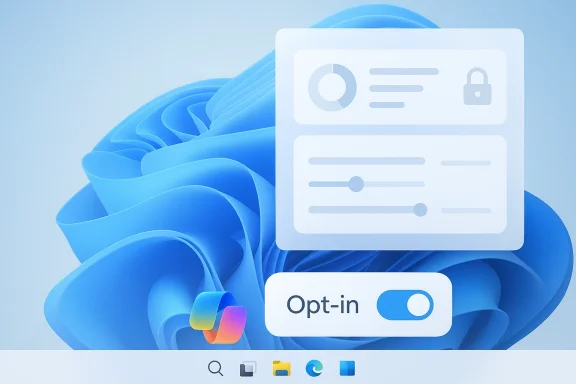
The immediate practical effect is straightforward: Microsoft is no longer automatically forcing the app onto every eligible Windows 11 machine in the way it had been. Existing installs are not affected, and administrators can still deploy the app by policy or other managed methods. The strategic implication is more interesting. Microsoft is not abandoning Copilot; it is testing how much pushback it can absorb before “helpful” turns into “coercive.”
How Microsoft Got Here
Microsoft’s current Copilot posture is the result of several overlapping product decisions, not a single announcement. The company first expanded Copilot from a standalone AI helper into a broader consumer and enterprise ecosystem, then folded the branding into Microsoft 365, Windows, Outlook, and taskbar experiences. Over time, the distinction between a feature and an app became blurred, which is exactly where user confusion tends to turn into resentment.
From optional add-on to ambient layer
The Microsoft 365 Copilot app is not just a chat window. It is the front door to Microsoft’s paid AI tier, including access to enterprise-oriented functions and related agents. Microsoft’s deployment documentation explicitly frames it as something that can be installed automatically alongside Microsoft 365 desktop apps, with updates handled through the Microsoft Store and an internal updater. That makes it feel less like a discrete utility and more like a persistent platform component.
That approach fits Microsoft’s broader enterprise strategy. If Copilot is embedded in productivity workflows, adoption becomes easier to measure, license, and manage. But the same strategy increases the risk that users interpret the rollout as surveillance-adjacent or monetization-driven. In the modern Windows ecosystem, where even routine changes can trigger backlash, perceived intent matters almost as much as technical behavior.
Why backlash hit harder this time
The irritation around Copilot is not just about software clutter. Many Windows users already feel that Microsoft frequently experiments on them: pinned taskbar items, new inbox apps, UI changes, and feature rollouts can all arrive with limited warning. Add AI to that equation, and people become even more sensitive about consent, privacy, and the sense that every desktop is turning into a sales channel.
The privacy angle made the problem worse. A bug that could expose confidential Outlook content is exactly the kind of issue that erodes confidence in an AI assistant’s judgment. Even if the bug is patched, the reputational damage lingers because it confirms a user fear that AI can overreach in ways ordinary app installs do not. That is not a minor bug category; it is a trust incident.
The enterprise vs. consumer split
Microsoft has been careful to present Copilot differently depending on audience. In enterprise contexts, it is sold as a productivity and governance layer. In consumer contexts, it is more of a general-purpose AI assistant bundled into Windows and Microsoft 365 experiences. That split matters because enterprises want control and auditability, while consumers mostly want simplicity and the ability to opt in on their own terms.
- Enterprises want deployment controls, update rings, and policy-based enforcement.
- Consumers want fewer surprises and less background behavior.
- Both groups want clearer boundaries between basic software and AI add-ons.
- Both groups are increasingly wary of features that feel preinstalled by philosophy rather than by choice.
What Microsoft Actually Changed
The key nuance in this story is that Microsoft is not removing Copilot from Windows 11 or Microsoft 365. It is stopping the particular behavior that automatically installs the Microsoft 365 Copilot app on eligible systems. That distinction is important because it shows Microsoft is adjusting the distribution method, not the overall product direction.
Automatic install versus manual deployment
Microsoft’s official documentation still describes a supported automatic-install path for Windows devices with Microsoft 365 desktop apps. It also says administrators can prevent that automatic installation through the Microsoft 365 Apps admin center by clearing the appropriate setting, and they can still deploy the app manually through software management tools such as Intune or Configuration Manager.
In practice, that means the company is preserving enterprise flexibility while reducing the ambient annoyance factor for end users. It is a classic Microsoft compromise: keep the knobs for IT, reduce the surprise for everybody else. The open question is whether users will see that as responsiveness or simply as a delayed retreat.
What remains in place
Existing installations remain unaffected, according to the reporting that prompted this discussion and Microsoft’s existing deployment guidance. Admins can still choose to deploy the app, and Microsoft still supports pinning Copilot and companion apps to the Windows taskbar in managed environments. So the change is limited, but strategically meaningful.
That limitation also tells us something about Microsoft’s calculus. It likely wants to preserve the ability to accelerate rollout if conditions improve. In other words, this is not a permanent policy change so much as a pressure release valve.
Why the timing matters
The timing is especially notable because Microsoft has spent much of 2025 and early 2026 pushing more AI into the Windows and Microsoft 365 experience, even as criticism mounted. Recent Microsoft guidance still frames Copilot as a default part of the broader app ecosystem, with automatic behavior tied to newer Microsoft 365 Apps versions. Backing off now suggests the company thinks the cost of forcing adoption has started to exceed the benefits.
- The company still wants Copilot adoption.
- It no longer wants the install mechanism to dominate the narrative.
- It is trying to avoid making every rollout a trust debate.
- It is learning that AI distribution is now a branding issue, not just an engineering one.
Privacy, Trust, and the Outlook Problem
The privacy concerns around Copilot are not theoretical. Microsoft’s own ecosystem increasingly depends on AI features that touch documents, email, calendars, and collaboration data, which means any mistake can feel invasive rather than merely inconvenient. When users hear that an AI assistant may have accessed information it should not have seen, the issue becomes larger than software quality—it becomes a question of governance.
Why email makes everything more sensitive
Email is the most politically charged data type in enterprise software. It contains drafts, legal discussions, HR complaints, strategic plans, and casual remarks that were never meant to become machine-readable training fuel or assistant context. Outlook is therefore where Copilot skepticism becomes most acute, because users instinctively understand that the wrong privilege boundary can expose more than just messages.
That is why a reported bug involving confidential Outlook access resonated so strongly. Even if the exact impact was narrow, the symbolism was enormous. AI that promises productivity but seems to ignore privacy walls can quickly become a poster child for overreach.
Trust is now a deployment issue
For years, software vendors assumed adoption followed capability. Microsoft is learning that AI has broken that assumption. Users may be willing to try an assistant, but they are far less willing to accept it as a silent background companion that appears through default installs and system updates. Consent has become part of the product.
That has implications beyond Copilot. Every background feature now has to clear a higher bar: Is it useful enough to justify its footprint? Is it transparent enough to be trusted? Is it removable enough to avoid backlash? In a post-privacy-breach, post-bloatware, post-“AI everywhere” environment, those questions are front and center.
Enterprise security teams will notice
Security and compliance teams care less about branding and more about exposure. If Copilot can be installed automatically, pinned automatically, and integrated automatically, then IT admins need to know exactly which policies control it, which identities it respects, and how data flows through Microsoft’s cloud services. Microsoft’s documentation shows the company is aware of this and offers controls, but the burden on administrators remains significant.
- More AI features means more policy reviews.
- More policy reviews means slower adoption.
- Slower adoption means Microsoft has to rely more on persuasion than momentum.
- Persuasion is harder when users feel burned by a previous bug.
The Windows 11 Experience Problem
Windows 11 has become a battleground for Microsoft’s product philosophy. The operating system now often feels like a delivery mechanism for services, subscriptions, and AI features as much as a platform for locally installed software. That shift is visible not only in Copilot, but in companion apps, taskbar integrations, and recurring prompts that blur the line between system and service.
When convenience starts to look like clutter
Microsoft likes to frame these changes as convenience. Automatic install means fewer setup steps; taskbar pinning means users can find the tools faster; cloud-backed AI means smarter workflows. But convenience is only convenience if users agree that the tool belongs there. Otherwise it becomes clutter dressed up as efficiency.
This is especially true on Windows 11, where users already debate the value of the UI, the system’s appetite for Microsoft services, and the number of persistent prompts around account sign-in and cloud features. Copilot sits inside that debate as both symbol and flashpoint.
A recurring pattern of pushback
Microsoft has been here before with apps and features that arrived more aggressively than users liked. Outlook, Edge prompts, and other bundled experiences have all faced the same basic critique: if the software is good, why does it need to be shoved into place? The answer from Microsoft is usually that the ecosystem works best when the parts are aligned. The answer from users is that alignment can look a lot like coercion.
The current Copilot pullback suggests Microsoft has finally hit a point where the optics matter as much as the feature set. In other words, it is not enough to build AI into Windows 11; users also need to feel that they are still in control of Windows 11.
Consumer and IT admin reactions diverge
Consumers mostly notice irritation. IT admins notice governance overhead. For consumer systems, the complaint is usually “why is this here?” For managed environments, the question becomes “how do we stop this from being here unless we want it?” Microsoft’s current documentation answers the second question better than the first.
- Consumers see a surprise app.
- IT sees a policy decision.
- Microsoft sees an ecosystem rollout.
- The gap between those perspectives is where the controversy lives.
Competitive and Market Implications
Microsoft’s retreat from forced installs may look small, but it has broader market implications because Copilot is one of the clearest examples of mainstream AI distribution at scale. If even Microsoft needs to soften its rollout strategy, that suggests the era of aggressive AI bundling is running into user fatigue. Competitors will be watching closely because the lesson applies far beyond Windows.
What rivals can learn
Apple, Google, and smaller productivity vendors all have AI features they want users to adopt, but they often have more room to let the user discover them naturally. Microsoft, by contrast, has chosen visible integration and enterprise ubiquity. That gives it scale, but it also makes it more vulnerable to backlash when people feel the AI layer is arriving without invitation.
A softer rollout does not mean a weaker product strategy. It means Microsoft may need to win on utility rather than placement. That is a healthier competitive model anyway, because it forces AI assistants to prove they save time rather than simply occupy space.
The licensing dimension
Microsoft 365 Copilot is also a licensing story. The company needs users and organizations to justify the premium by showing real value, not just by creating habitual exposure. Forced install can improve awareness, but awareness is not the same as willingness to pay. If anything, an unwanted default install can make the paid tier feel like a tax rather than a benefit.
That is a dangerous place for Microsoft to be, especially in large enterprises where procurement teams scrutinize ROI and employees already resist change. If users dislike the free or default layer, convincing them to buy the premium layer becomes much harder.
Broader AI adoption lessons
The industry has spent the last two years assuming AI adoption is mostly a distribution problem. Microsoft’s current experience suggests it is also a permission problem. People do not merely need to know that AI exists; they need to believe it respects boundaries, adds value, and stays out of the way when asked. That is a much higher bar.
- First, users must trust the assistant.
- Then they must find it useful.
- Only after that do they tolerate deeper integration.
- Finally, they may accept automation.
Enterprise Rollout and Admin Controls
For IT departments, the story is less emotional and more procedural. Microsoft still provides explicit controls for admins who want to deploy, pin, or suppress the Copilot app. That means the backlash is not about losing enterprise manageability; it is about the default assumption that automation should happen unless someone opts out.
How admins can manage the app
Microsoft’s documentation says admins can deploy the app through the Microsoft 365 Apps admin center or via software tools like Intune and Configuration Manager. It also says the automatic installation can be disabled through the Modern App Settings interface. In addition, Microsoft supports pinning Copilot to the taskbar on managed Windows 11 devices.
That is a decent control surface, but it still forces IT to make a deliberate choice. The important thing here is that Microsoft is not removing the knobs; it is changing the default position of the knob. Defaults matter because most organizations inherit them, especially in smaller IT shops.
Why managed environments care
Managed environments care because unexpected app installs trigger helpdesk tickets, training questions, and compliance reviews. Even when an app is benign, the appearance of a new UI element can disrupt endpoint standards, change workflows, or confuse employees who assume something important has been installed. Copilot is especially sensitive because it is both a productivity tool and an AI feature with data access implications.
That means the automatic-install debate is really about administrative dignity. Enterprises want to decide when and how AI enters the environment, not have it arrive as a silent side effect of an Office update. Microsoft seems to understand that now.
The EEA exception is instructive
Microsoft’s documentation notes that automatic installation is not enabled for customers in the European Economic Area. That carve-out is a reminder that privacy, competition, and platform policy differ by region, and that Microsoft already knows how to dial down default behavior when the regulatory or reputational environment requires it.
- Regional policy can override product ambition.
- Default behavior can be adjusted when pressure builds.
- User trust is now a global deployment variable.
- Microsoft is being forced to adapt in public, not just in admin panels.
Strengths and Opportunities
Microsoft still has a strong hand here, even if the forced-install strategy has been scaled back. Copilot remains deeply integrated, well-funded, and strategically central to the company’s Windows and Microsoft 365 roadmap. The opportunity now is to rebuild adoption around trust and usefulness rather than surprise distribution.
- Better trust posture if Microsoft continues to reduce surprise installs.
- Cleaner enterprise adoption by emphasizing opt-in deployment and admin control.
- Stronger product credibility if Copilot proves it can win users voluntarily.
- Lower backlash risk from users who dislike AI creeping into core apps.
- More sustainable licensing conversion when people choose the paid tier because it helps them.
- Improved brand perception if Microsoft treats privacy concerns as first-class design issues.
- Room for clearer messaging about what Copilot is, what it can access, and why it belongs.
Risks and Concerns
The biggest risk is that Microsoft has already damaged trust enough that a policy reversal will not fully repair the perception problem. Users often remember the feeling of being pushed more vividly than the technical details of how a feature was deployed. If Copilot is seen as the symbol of a broader “AI everywhere” strategy, then every future enhancement may face skepticism by default.
- Residual distrust after months of AI pushback.
- Perception of coercion even if the install is no longer automatic.
- Privacy anxiety tied to email and document access.
- Enterprise complexity from mixed deployment states across organizations.
- Support burden when users ask why the app appeared, disappeared, or changed.
- Licensing friction if paid Copilot still feels too close to a bundled default.
- Strategic inconsistency if Microsoft alternates between aggressive rollout and quiet retreat.
What to Watch Next
The most important question now is whether this is a one-off concession or the start of a broader softening around Microsoft’s AI rollout. If Microsoft continues to dial back default installations, pinning behavior, or invasive prompts, that would suggest it has learned that adoption must be earned. If not, this may just be a temporary pause before the next push.
A second thing to watch is whether Microsoft changes its messaging around privacy and data access. The company can say Copilot is secure, but users will judge that claim based on whether future bugs and permission boundaries hold up under pressure. In AI, the trust narrative is only as strong as the least comfortable data flow.
Finally, watch the enterprise response. If admins quickly re-enable or manually deploy the app because it genuinely helps workflows, Microsoft may conclude that user backlash is manageable. If organizations treat the rollback as a relief and keep Copilot at arm’s length, then the company will need to rethink not just the install process, but the entire emotional framing of AI inside Windows.
- Microsoft’s next documentation updates on automatic installation.
- Changes in admin-center default settings for Copilot and companion apps.
- Any new privacy or security guidance tied to Microsoft 365 Copilot.
- Whether Microsoft extends similar restraint to other AI-backed Windows features.
- How enterprise IT teams adjust their rollout policies over the next several months.
The larger takeaway is that Microsoft is learning, somewhat reluctantly, that AI distribution is not the same as AI acceptance. Users will tolerate a lot when they believe they are in control, but they resist quickly when software feels imposed. If Microsoft can turn Copilot from a forced presence into a genuinely wanted assistant, it will have solved more than a packaging problem; it will have answered the central question of the Windows AI era.