

Microsoft is folding premium Microsoft Intune Suite capabilities into Microsoft 365 E3 and E5 subscriptions and bundling new Windows resiliency features into Windows Enterprise E3, delivering an expanded set of AI-driven management, Zero Trust controls, and recovery tools to many enterprise customers at no extra seat cost — changes Microsoft says will roll out in 2026 and accompany a planned set of commercial list-price updates effective July 1, 2026.
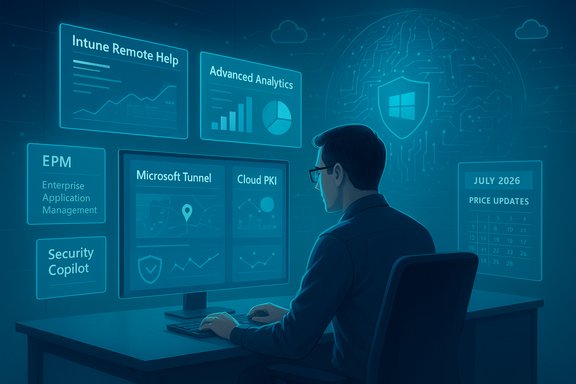
Microsoft introduced the Microsoft Intune Suite as a premium bundle to extend the baseline Intune platform with advanced endpoint management and security capabilities. The suite adds tools such as Remote Help, Endpoint Privilege Management (EPM), Advanced Analytics, Enterprise Application Management, Microsoft Tunnel for mobile app VPN, Cloud PKI, firmware-over-the-air updates, and specialty device support. These add-ons were designed for organizations facing the operational complexity of hybrid work, diverse endpoint fleets, and rising security expectations. The December 2025 Microsoft product announcement frames the change as part of a broader investment in AI, security, and management for Microsoft 365 customers. Microsoft positions these feature inclusions as value delivered in advance of a global pricing update scheduled for July 1, 2026. The company’s official blog notes that the new capabilities will begin rolling out in 2026, and customers will receive a 30-day admin center notice before the changes take effect.
This move will reshape endpoint program roadmaps during 2026: organizations that proactively pilot the AI and recovery features, align governance for agentic automation and privilege elevation, and negotiate license outcomes grounded in measured usage will likely extract the most value. For teams that delay, the bundle still increases built‑in capability on paper — but converting that capability into reduced risk and lower operational cost will require the same careful implementation discipline that modern Zero Trust programs demand.
Source: Petri IT Knowledgebase Microsoft Adds Intune Suite Features to Microsoft 365 E3/E5 Plans
 Background
Microsoft introduced the Microsoft Intune Suite as a premium bundle to extend the baseline Intune platform with advanced endpoint management and security capabilities. The suite adds tools such as Remote Help, Endpoint Privilege Management (EPM), Advanced Analytics, Enterprise Application Management, Microsoft Tunnel for mobile app VPN, Cloud PKI, firmware-over-the-air updates, and specialty device support. These add-ons were designed for organizations facing the operational complexity of hybrid work, diverse endpoint fleets, and rising security expectations. The December 2025 Microsoft product announcement frames the change as part of a broader investment in AI, security, and management for Microsoft 365 customers. Microsoft positions these feature inclusions as value delivered in advance of a global pricing update scheduled for July 1, 2026. The company’s official blog notes that the new capabilities will begin rolling out in 2026, and customers will receive a 30-day admin center notice before the changes take effect. What Microsoft is adding to Microsoft 365 E3 and E5
The headline changes — who gets what
Microsoft has split the Intune Suite capabilities it’s bundling across the E3 and E5 tiers to align with typical operational and security needs:- Microsoft 365 E3 will receive operational and troubleshooting capabilities aimed at day‑to‑day endpoint management and remote support:
- Intune Remote Help for help‑desk‑assisted sessions.
- Intune Advanced Analytics for device health, rollout telemetry, and proactive insights.
- Microsoft Tunnel for mobile application management (MAM) VPN scenarios.
- Specialty device management and firmware-over-the-air update support for non‑standard endpoints and IoT-like hardware.
- Microsoft 365 E5 will gain the deeper Zero Trust and automation stack suited to security-first teams:
- Intune Endpoint Privilege Management (EPM) for least‑privilege elevation and just‑in‑time admin workflows.
- Intune Enterprise Application Management to control app lifecycles and app‑level trust boundaries.
- Microsoft Cloud PKI for cloud‑native certificate issuance and lifecycle management (Wi‑Fi, VPN, app auth).
- Integration points with Security Copilot inside Intune that enable natural‑language/AI‑assisted tasks and threat analysis.
Windows Enterprise E3 additions: resilience and recovery
Separately, Microsoft is adding new Windows recovery and resilience capabilities to Windows Enterprise E3 subscriptions. The key items announced include:- Quick Machine Recovery (QMR) — a WinRE flow to establish network connectivity from pre‑boot and apply targeted remediation when a device cannot boot.
- Point‑in‑Time Restore (PITR) — short‑term restore points capturing OS, apps, settings (and optionally local files) to roll a device back to a known good state without full reimaging.
- Cloud Rebuild — an Intune-integrated zero‑touch rebuild flow that downloads OS media from Microsoft, reprovisions Autopilot, re‑enrolls in Intune, and restores user data.
- Autopatch update readiness (preview) surfaced in Intune dashboards to show device compliance and risk for update‑automation programs.
Why Microsoft is packaging these features now
Microsoft’s public rationale is threefold:- Deliver advanced endpoint security and AI capabilities broadly so customers benefit without the friction of separate add‑ons.
- Position the product suite as delivering materially greater value in an AI‑first workplace, which Microsoft cites as part of the explanation for commercial list‑price adjustments (effective July 1, 2026).
- Reduce tool sprawl by consolidating management and security workflows into Microsoft 365, with the aim of simplifying operations for IT teams.
Technical and operational implications
Strengthening Zero Trust and least‑privilege
Endpoint Privilege Management (EPM) brings native, policy‑driven least‑privilege controls to Windows devices managed by Intune. EPM enables just‑in‑time elevation for signed and approved installers or tasks, reduces persistent admin tokens, and enforces elevation rules that can be scoped by device groups or administrative boundaries. When combined with Cloud PKI (certificate issuance for Wi‑Fi, VPN and app auth) and Enterprise Application Management, organizations gain a stronger, automated path to enforce Zero Trust principles across the endpoint estate.AI‑driven insights and agentic workflows
Integration with Security Copilot in Intune introduces agentic, AI‑assisted workflows: natural language prompts can be translated into policy or remediation actions, and Defender threat intelligence can be combined with device telemetry to surface prioritized actions. These capabilities promise faster triage and remediation but also create new operational touches — admin playbooks will need to include agent governance, audit trails, and rollbacks for AI‑originated actions.Recovery and lower MTTR at scale
The new Windows recovery flows — QMR, PITR and Cloud Rebuild — materially change how administrators approach unbootable or compromised devices. Instead of shipping images or conducting on‑site refurbishing, administrators can trigger cloud‑backed rebuilds and restorations that preserve Autopilot flows and restore user data from OneDrive/Windows backup. This capability promises operational savings for remote workforces and frontline fleets, provided the organization builds the necessary governance and network allowances for pre‑boot connectivity and cloud downloads.Risks, unknowns and verification cautions
Microsoft’s move delivers clear operational value, but several caveats and risks should shape planning:- Metered AI economics: Some Copilot and agent capabilities use metered compute (e.g., Security Compute Units). Aggregated usage can generate overage charges, so pilots must measure real consumption and model costs beyond seat licensing. Microsoft’s published SCU allocations and pricing references are planning guides and require tenant‑level validation before procurement decisions.
- Forced monetization and perceived fairness: Bundling previously optional add‑ons into base suites effectively moves cost onto customers who may not consume the features. Organizations must decide whether the bundled value offsets the price change for their environment. Procurement teams should map usage to entitlement and negotiate where possible.
- Staged rollouts and heterogeneity: Microsoft gates many features by device, region, and server‑side flags. Staged exposure can create heterogenous behavior across identical devices, complicating support and documentation. Admins must plan robust pilot rings and monitor Intune Advanced Analytics for rollout health.
- Governance for agentic actions: AI‑driven remediation requires new controls: agent identities, audit logs, revocation paths, and change approval processes. Treat agents as first‑class identities in governance models to avoid untracked automation changes.
- Licensing and contract nuance: Published list prices are a baseline; negotiated enterprise agreements, partner discounts, and contract clauses can materially alter actual costs. Additionally, government and nonprofit pricing can follow separate rules. Organizations must engage their Microsoft account and licensing specialists to understand how the changes affect their renewals and entitlements.
- Unverifiable or compound claims: Microsoft’s statements — such as the tally of “more than 1,100” new features across Microsoft 365 — reflect marketing summaries. These aggregate counts can be useful but should be validated at the feature‑level for critical compliance, privacy, or regulatory decisions. Where precise product behavior matters (e.g., retention periods for Point‑in‑Time Restore), confirm specifics in product release notes or official docs.
Practical checklist for IT, security and procurement teams
- Inventory and usage audit:
- Map current Intune, Defender, and Windows feature usage across tenants and device groups.
- Identify which seats actively consume premium Intune Suite capabilities today (Remote Help, EPM, Cloud PKI, etc..
- Align renewals and negotiating windows:
- Flag contracts and renewals that fall on or after July 1, 2026.
- Engage account teams early to understand negotiated pricing, potential credits, or transition programs.
- Pilot AI/agent features before broad enablement:
- Run time‑boxed pilots for Security Copilot integration in Intune to measure SCU consumption, response behavior, and false‑positive rates.
- Validate governance: Entra Agent IDs, audit trails, and revocation processes.
- Test recovery flows on representative hardware:
- Pilot Quick Machine Recovery (QMR), Point‑in‑Time Restore and Cloud Rebuild in non‑production rings. Validate network egress, Autopilot reprovisioning behavior, and data restoration fidelity.
- Update change control and runbooks:
- Add AI‑originated actions, automated privilege elevation events, and Cloud PKI issuance flows to incident playbooks and audit procedures.
- Define approval gates for cloud‑triggered rebuilds to prevent unauthorized mass reprovisioning.
- Model total cost of ownership:
- Build TCO models that include potential SCU overages, Autopatch enablement scenarios, and reduced third‑party tooling costs to objectively assess the price adjustments.
- Vendor and partner coordination:
- If third‑party VPNs, certificate authorities, or device management tools are in use, validate interoperability and migration paths with vendors before turning off legacy toolsets.
What this means for security posture and operations
- Fewer manual steps, tighter control: Integrating EPM, Cloud PKI and enterprise app controls reduces the number of manual, brittle processes for managing privileged access, certificates and app trust. When implemented correctly, this decreases attack surface and enforcement gaps.
- Greater operational automation, new oversight needs: AI and agent-based automation will speed response times and policy generation, but organizations need to invest equally in oversight capabilities — audit controls, entitlements, and metrics to ensure automation makes safe, traceable changes.
- Recovery-first planning becomes practical: QMR, PITR and Cloud Rebuild shift the economics of device recovery. Organizations should revise incident response SLAs, remote support playbooks, and device‑lifecycle policies to capitalize on faster rebuilds while protecting against inadvertent mass‑reprovisioning.
Quick reference — feature mapping at a glance
- Microsoft 365 E3 (selected additions):
- Intune Remote Help
- Intune Advanced Analytics
- Microsoft Tunnel (MAM VPN)
- Specialty device management, firmware OTA.
- Microsoft 365 E5 (selected additions):
- Intune Endpoint Privilege Management
- Intune Enterprise Application Management
- Microsoft Cloud PKI
- Security Copilot integration in Intune.
- Windows Enterprise E3:
- Quick Machine Recovery (QMR)
- Point‑in‑Time Restore (PITR)
- Cloud Rebuild
- Autopatch update readiness (preview).
Final analysis: pragmatic reaction and long‑term view
This bundling marks an operational pivot: Microsoft is moving more of the endpoint security and recovery stack into core productivity and platform subscriptions, reflecting the company’s bet that bundling AI, management, and defensive capabilities into a unified ecosystem improves security outcomes and customer value. For many organizations, gaining Intune Suite capabilities in E3/E5 can reduce tool sprawl, lower integration costs, and simplify lifecycle management — particularly for large, distributed, or frontline device fleets. However, the strategic tradeoffs are real. Metered AI economics, increased dependency on a single vendor’s telemetry and control plane, and potential procurement surprises mean that IT, security, and procurement teams must act deliberately: quantify current consumption, pilot the new features under governance, and treat the July 1, 2026 price change as a trigger for license and security posture reviews rather than a passive renewal event. In short, the package increases baseline capability — but realizing the security and operational benefits requires planning, measurement, and updated governance.This move will reshape endpoint program roadmaps during 2026: organizations that proactively pilot the AI and recovery features, align governance for agentic automation and privilege elevation, and negotiate license outcomes grounded in measured usage will likely extract the most value. For teams that delay, the bundle still increases built‑in capability on paper — but converting that capability into reduced risk and lower operational cost will require the same careful implementation discipline that modern Zero Trust programs demand.
Source: Petri IT Knowledgebase Microsoft Adds Intune Suite Features to Microsoft 365 E3/E5 Plans
