

Microsoft will host Windows Office Hours on May 21, 2026, as a one-hour, chat-based Microsoft Tech Community event where IT professionals can ask product experts about Windows 11 adoption, device management, Zero Trust, servicing, Intune, Configuration Manager, Windows 365, Autopilot, and hybrid operations. The format sounds modest, almost deliberately so: no webcast, no keynote, no cinematic demo reel. But the timing makes it more consequential than a routine support clinic. Microsoft is effectively inviting administrators into the comment thread because the Windows estate has become too complicated to manage by broadcast alone.
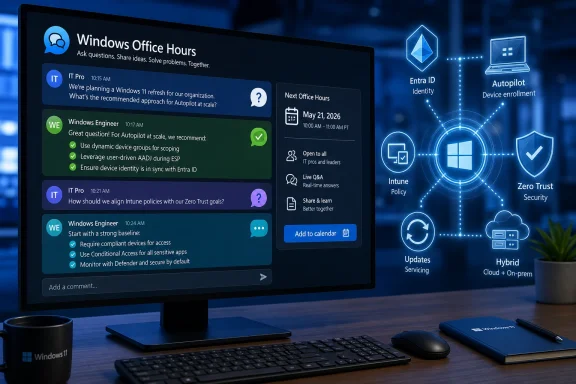
The most revealing detail about this Office Hours event is not the product list. It is the venue. Microsoft is not asking IT pros to sit through another polished presentation about modern management; it is asking them to post questions before and during a live chat, then watch answers unfold in the comments.
That matters because the post-Windows 10 enterprise landscape is no longer a single migration story. Windows 11 adoption, security baselines, cloud-native management, device refresh cycles, virtual desktops, and identity-driven access decisions now collide in the same planning meeting. A sysadmin asking about Windows 11 readiness may really be asking about unsupported hardware, app compatibility, BitLocker recovery workflows, Intune policy conflicts, or whether Configuration Manager still has a role.
Microsoft’s answer, increasingly, is that the endpoint is not a standalone machine anymore. It is an identity-bound, policy-governed, telemetry-producing object inside a broader management fabric. That is the intellectual center of this Office Hours session, even if the event description uses the friendlier language of tips, guidance, and Q&A.
The company’s challenge is that many organizations did not arrive at this model by choice. They arrived because Windows 10 exited mainstream support on October 14, 2025, because security teams hardened requirements, because remote work changed device logistics, and because Microsoft itself has spent years nudging customers toward Intune, Entra ID, Windows Autopilot, Windows 365, and Zero Trust language. Office Hours is the soft edge of a harder platform transition.
Windows 10’s end of support changed the psychology of the upgrade. Before October 2025, organizations could treat Windows 11 as a modernization project with a generous runway. After that date, remaining Windows 10 devices became exceptions that need justification, compensating controls, or paid security coverage. The calendar turned a platform preference into a risk register item.
That does not mean the upgrade is trivial. Windows 11’s hardware requirements, especially TPM 2.0, Secure Boot, and supported processor families, forced many organizations to classify devices not merely by age but by trust posture. Machines that still ran line-of-business applications perfectly well could nevertheless fail the platform bar. For enterprise IT, that created a familiar but painful split between “functionally useful” and “strategically acceptable.”
The Office Hours format is useful precisely because the last 20 percent of any Windows migration is where tidy guidance goes to die. Pilot rings are manageable. Standard laptop fleets are manageable. The real questions come from shared workstations, lab machines, field devices, kiosks, executive exceptions, regulated workloads, and business units that bought hardware without telling central IT.
Microsoft’s experts can answer individual questions, but the larger message is already visible: Windows 11 is being treated as the baseline for a managed, measured, security-first endpoint estate. The operating system is the entry ticket. The actual event is about what comes after.
That clause is doing a lot of work. It acknowledges the reality that Configuration Manager, Active Directory, Group Policy, imaging processes, VPN assumptions, and on-premises dependencies are not disappearing simply because a vendor diagram says they should. Hybrid is not a transitional state for many organizations. It is the operating model.
Microsoft’s cloud-native endpoint definition is relatively clear: Windows devices deployed with Autopilot, joined to Microsoft Entra, enrolled into Intune, and managed through modern policy rather than traditional domain-first tooling. The business case is also clear. A device can ship directly to a user, enroll itself, receive policy, install applications, enforce compliance, and participate in conditional access without ever touching the corporate LAN.
The friction comes from the word all. Not all applications are ready. Not all network assumptions are gone. Not all help desks are trained. Not all administrators trust the latency, reporting, or conflict resolution behavior of cloud policy. And not all organizations can move identity, certificate, print, file, or privileged management workflows at the same speed.
That is why the presence of both Intune and Configuration Manager experts in the same Office Hours lineup is important. Microsoft is not pretending the old world vanished. It is trying to draw a path where ConfigMgr remains useful for certain workloads while Intune becomes the strategic control plane for increasingly mobile, internet-first Windows endpoints.
The delicate part is that hybrid management can become a comfort blanket. Co-management is valuable when it is a bridge; it is dangerous when it becomes a permanent excuse for duplicated policy, unclear ownership, and contradictory reporting. IT pros should go into Office Hours asking not only how to make hybrid work, but how to know when hybrid has outlived its usefulness.
On Windows endpoints, that chain usually starts with identity and device state. Is the user who they claim to be? Is the device known? Is it encrypted? Is it patched? Is Defender healthy? Is the sign-in risky? Is the application sensitive? Is the session happening from a location, network, or device posture that should change the access decision?
That is where Intune, Entra ID, Defender, compliance policy, and conditional access become inseparable. A Windows 11 laptop is not simply allowed onto the network because it has a domain trust relationship or because a VPN connected successfully. It earns access continuously, or at least more continuously than the old perimeter model allowed.
The practical difficulty is that Zero Trust introduces failure modes that look very different from traditional endpoint problems. A user may not be “down” in the classic sense; they may be blocked because a compliance signal is stale, a device record is duplicated, a security baseline changed, or a conditional access policy caught an edge case. The help desk then has to debug identity, policy, device health, and cloud service state in one incident.
This is where monitoring becomes more important than the Zero Trust rhetoric. If organizations cannot see why a device is noncompliant, how quickly policies apply, whether update rings are succeeding, or which configuration profile won a conflict, then Zero Trust becomes an elegant way to lock out legitimate users. Security posture without operational visibility is just another outage generator.
Microsoft’s Office Hours could be especially useful for administrators who ask concrete questions about measurement rather than philosophy. The best Zero Trust question is rarely “how do we implement Zero Trust?” It is “which signals should we trust enough to block access, and how do we prove they are fresh, accurate, and supportable at scale?”
For years, administrators learned to treat updates as controlled risk. Patch too slowly and security exposure grows. Patch too quickly and a bad driver, app regression, or authentication issue can become a business incident. The move toward cloud-managed update rings, deployment services, expedited quality updates, Autopatch-style automation, and richer reporting is Microsoft’s attempt to make that risk more measurable.
The problem is that enterprises do not patch generic devices. They patch fleets with different firmware, drivers, peripherals, language packs, VPN clients, security agents, accessibility tools, and departmental applications. A policy that works beautifully on standard office laptops may misbehave on ruggedized field hardware or shared clinical workstations.
The Office Hours audience should therefore treat servicing as an architecture discussion, not a checkbox. Update rings need ownership. Deferrals need rationale. Expedited updates need a security escalation path. Feature updates need compatibility testing. Driver and firmware policies need coordination with hardware vendors. Reporting needs to identify not only failed devices, but devices that have quietly stopped checking in.
Microsoft’s strongest argument for modern servicing is that unmanaged drift is worse. A fleet that updates inconsistently becomes harder to secure, harder to support, and harder to reason about. But the counterargument from cautious administrators is also legitimate: automation without clear blast-radius controls can turn a vendor-side mistake into a fleet-wide problem.
The likely answer is not a return to the old patching world. It is disciplined rings, better telemetry, known rollback procedures, and a willingness to let different classes of devices move at different speeds. If Microsoft wants administrators to trust its update machinery, the company needs to keep showing not only how to deploy updates, but how to investigate the uncomfortable cases when the dashboard says green and users say otherwise.
Autopilot attacks the provisioning problem. Instead of building, capturing, maintaining, and redeploying thick images, IT defines the desired enrollment and configuration experience. The device becomes useful because it joins the right tenant, receives the right policies, installs the right apps, and lands in the hands of the right user with less hands-on staging.
Windows 365 attacks the device dependency problem from the other direction. If the workload lives in a Cloud PC, the physical endpoint becomes more replaceable. That can help contractors, temporary staff, bring-your-own-device scenarios, disaster recovery, high-security access, and users whose local hardware cannot or should not carry the full corporate environment.
Neither model eliminates management complexity. Autopilot depends on clean identity, licensing, hardware registration, application packaging, network readiness, and enrollment policy design. Windows 365 depends on profile strategy, network performance, access controls, cost management, peripheral needs, and user expectations. The complexity moves; it does not vanish.
Still, both services represent a break with the old image-centric mindset. The traditional Windows deployment model assumed the organization’s task was to produce a known-good machine. The newer model assumes the task is to produce a known-good state, with the machine or Cloud PC continuously evaluated against that state.
That distinction is subtle but important. It changes how administrators think about recovery. A broken device can be reset, replaced, reprovisioned, or bypassed with a Cloud PC if the organization has invested in policy, identity, and app delivery. The goal is not to make every endpoint precious. The goal is to make endpoints reproducible.
The useful way to frame this is not as a deathwatch. ConfigMgr is not dead simply because Intune is ascendant. But its role is changing from the default center of Windows management to one component in a broader estate. That can be a healthy evolution if organizations are honest about what each tool does best.
Configuration Manager still shines in environments with heavy on-premises dependencies, complex package logic, distribution point architecture, and mature operational processes. Intune shines when devices are internet-connected, identity-driven, mobile, and expected to enroll and recover without a corporate network. Co-management gives organizations a way to move workloads gradually instead of forcing a flag-day migration.
The danger is administrative ambiguity. If one team owns ConfigMgr, another owns Intune, a third owns Entra conditional access, and a fourth owns Defender policy, the endpoint becomes a treaty zone. Every incident becomes a jurisdictional dispute. The user does not care which console caused the problem; they care that the device works.
That is why Office Hours can be valuable if administrators bring organizational questions, not just technical ones. Which workloads should move first? How should policy conflicts be detected? What reporting source should leadership trust? When should a device be considered cloud-native? When should a legacy deployment process be retired rather than wrapped in another exception?
Microsoft cannot answer every internal governance problem in a comment thread. But it can clarify product direction, supported patterns, and the traps it sees customers fall into repeatedly. For many organizations, that may be more useful than another migration diagram.
Public-sector Windows environments are often messy for understandable reasons. Hardware refresh cycles can be long. Applications may be old, bespoke, or vendor-bound. Security requirements can be strict while funding remains inconsistent. Procurement rules can make rapid standardization difficult. The result is an estate where “move faster” is not a strategy.
FastTrack’s presence points to the other side of the issue: Microsoft knows many customers need guided adoption, not just documentation. The technical pieces are interconnected enough that a Windows 11 conversation can quickly become an Intune licensing conversation, then an identity conversation, then an application remediation conversation, then a security baseline conversation.
That is not necessarily bad. Microsoft’s ecosystem can be powerful when the parts are aligned. A Windows 11 device enrolled through Autopilot, managed by Intune, protected by Defender, governed by conditional access, and supported through cloud-based remediation is a very different beast from a lightly managed Windows 10 laptop that only checks in over VPN.
But integration has a cost. The more Microsoft’s answer depends on multiple Microsoft cloud services, the more customers need to understand licensing, data residency, administrative delegation, auditability, and outage behavior. A “best practice” that assumes a fully licensed Microsoft 365 stack may not map cleanly to organizations with partial adoption or competing security tools.
For IT pros, the right posture is neither cynicism nor blind adoption. It is interrogation. Ask which capabilities require which licenses. Ask what works offline. Ask where logs live. Ask how long signals take to update. Ask whether a recommendation is technically required or merely Microsoft’s preferred architecture.
The best questions will be specific enough to force useful answers. “How do we move to Intune?” is too broad. “Which co-management workloads should remain in Configuration Manager while we pilot Entra-joined Windows 11 devices for remote users?” is much better. So is “How should we monitor devices that report compliant in Intune but still fail conditional access?” or “What is Microsoft’s recommended path for shared Windows 11 devices that cannot be assigned to a primary user?”
This format also creates a quiet accountability mechanism. Microsoft’s experts will not be speaking only to one customer behind a support contract. They will be answering in public, in front of administrators who can compare those answers with lived experience. That tends to sharpen advice.
There is also a practical benefit for smaller IT teams. Not every organization has a direct Microsoft account team, a Premier-style support path, or the budget for consultants. A public Office Hours thread can surface the kinds of gotchas that normally circulate in private calls, conference hallway conversations, or sysadmin Slack groups.
Still, administrators should not confuse Office Hours with support. It is guidance, not a binding escalation path. If a production deployment is blocked, the answer may still be a support ticket, a FastTrack engagement, a partner project, or a design review. The event’s real value is helping teams ask better questions before they are in crisis.
This shift has obvious security advantages. A stolen password is less useful if device compliance, sign-in risk, multifactor authentication, and application sensitivity all influence access. A lost laptop is less catastrophic if encryption, remote wipe, and conditional access are enforced. A vulnerable machine is easier to isolate if management telemetry is current and actionable.
But it also increases dependency on Microsoft’s interpretation of state. If compliance evaluation is delayed, if policy reporting is confusing, if device records become stale, or if administrators cannot easily explain why access was denied, the trust graph becomes opaque. Security systems that cannot be explained become politically fragile inside organizations.
That is why the most mature Windows shops will treat Microsoft’s guidance as input, not scripture. They will map Microsoft’s recommended patterns onto their own risk models. They will decide which device states are advisory and which are enforcement-grade. They will test policy changes against real user populations. They will build exception processes that do not quietly become permanent bypasses.
In that sense, Office Hours is less about a single event and more about the new cadence of Windows administration. The platform is changing continuously. The management plane is cloud-connected. The security model is conditional. The update model is ongoing. The administrator’s job is no longer to complete a migration and declare victory; it is to keep the estate within an acceptable operating envelope.
Source: Microsoft - Message Center Windows Office Hours: May 2026 - Microsoft Tech Community
 Microsoft Moves the Windows Conversation Into the Comments
The most revealing detail about this Office Hours event is not the product list. It is the venue. Microsoft is not asking IT pros to sit through another polished presentation about modern management; it is asking them to post questions before and during a live chat, then watch answers unfold in the comments.That matters because the post-Windows 10 enterprise landscape is no longer a single migration story. Windows 11 adoption, security baselines, cloud-native management, device refresh cycles, virtual desktops, and identity-driven access decisions now collide in the same planning meeting. A sysadmin asking about Windows 11 readiness may really be asking about unsupported hardware, app compatibility, BitLocker recovery workflows, Intune policy conflicts, or whether Configuration Manager still has a role.
Microsoft’s answer, increasingly, is that the endpoint is not a standalone machine anymore. It is an identity-bound, policy-governed, telemetry-producing object inside a broader management fabric. That is the intellectual center of this Office Hours session, even if the event description uses the friendlier language of tips, guidance, and Q&A.
The company’s challenge is that many organizations did not arrive at this model by choice. They arrived because Windows 10 exited mainstream support on October 14, 2025, because security teams hardened requirements, because remote work changed device logistics, and because Microsoft itself has spent years nudging customers toward Intune, Entra ID, Windows Autopilot, Windows 365, and Zero Trust language. Office Hours is the soft edge of a harder platform transition.
Windows 11 Adoption Is Now an Operations Problem, Not a Migration Slogan
The Windows 11 question in 2026 is no longer “should we upgrade?” For most managed environments, the question is what it costs to finish the job without breaking the rest of the estate. That is why Microsoft’s event description puts Windows 11 adoption alongside device management, cloud-native workloads, servicing, and Zero Trust rather than treating it as a simple operating-system rollout.Windows 10’s end of support changed the psychology of the upgrade. Before October 2025, organizations could treat Windows 11 as a modernization project with a generous runway. After that date, remaining Windows 10 devices became exceptions that need justification, compensating controls, or paid security coverage. The calendar turned a platform preference into a risk register item.
That does not mean the upgrade is trivial. Windows 11’s hardware requirements, especially TPM 2.0, Secure Boot, and supported processor families, forced many organizations to classify devices not merely by age but by trust posture. Machines that still ran line-of-business applications perfectly well could nevertheless fail the platform bar. For enterprise IT, that created a familiar but painful split between “functionally useful” and “strategically acceptable.”
The Office Hours format is useful precisely because the last 20 percent of any Windows migration is where tidy guidance goes to die. Pilot rings are manageable. Standard laptop fleets are manageable. The real questions come from shared workstations, lab machines, field devices, kiosks, executive exceptions, regulated workloads, and business units that bought hardware without telling central IT.
Microsoft’s experts can answer individual questions, but the larger message is already visible: Windows 11 is being treated as the baseline for a managed, measured, security-first endpoint estate. The operating system is the entry ticket. The actual event is about what comes after.
The Cloud-Native Pitch Has Learned to Speak Hybrid
For years, “cloud-native” sounded to many Windows administrators like a euphemism for “throw away your existing estate and do what Microsoft says.” The May 21 event description is more careful. It promises guidance on moving forward with cloud-native workloads “even if you have on-premises or hybrid needs.”That clause is doing a lot of work. It acknowledges the reality that Configuration Manager, Active Directory, Group Policy, imaging processes, VPN assumptions, and on-premises dependencies are not disappearing simply because a vendor diagram says they should. Hybrid is not a transitional state for many organizations. It is the operating model.
Microsoft’s cloud-native endpoint definition is relatively clear: Windows devices deployed with Autopilot, joined to Microsoft Entra, enrolled into Intune, and managed through modern policy rather than traditional domain-first tooling. The business case is also clear. A device can ship directly to a user, enroll itself, receive policy, install applications, enforce compliance, and participate in conditional access without ever touching the corporate LAN.
The friction comes from the word all. Not all applications are ready. Not all network assumptions are gone. Not all help desks are trained. Not all administrators trust the latency, reporting, or conflict resolution behavior of cloud policy. And not all organizations can move identity, certificate, print, file, or privileged management workflows at the same speed.
That is why the presence of both Intune and Configuration Manager experts in the same Office Hours lineup is important. Microsoft is not pretending the old world vanished. It is trying to draw a path where ConfigMgr remains useful for certain workloads while Intune becomes the strategic control plane for increasingly mobile, internet-first Windows endpoints.
The delicate part is that hybrid management can become a comfort blanket. Co-management is valuable when it is a bridge; it is dangerous when it becomes a permanent excuse for duplicated policy, unclear ownership, and contradictory reporting. IT pros should go into Office Hours asking not only how to make hybrid work, but how to know when hybrid has outlived its usefulness.
Zero Trust Becomes Real Only When It Hits the Endpoint
Zero Trust is one of those industry phrases that became so widely used it nearly lost meaning. Microsoft’s inclusion of “proactively implement and monitor Zero Trust practices” is therefore worth reading skeptically and practically. The useful version of Zero Trust is not a slogan; it is a chain of enforcement decisions.On Windows endpoints, that chain usually starts with identity and device state. Is the user who they claim to be? Is the device known? Is it encrypted? Is it patched? Is Defender healthy? Is the sign-in risky? Is the application sensitive? Is the session happening from a location, network, or device posture that should change the access decision?
That is where Intune, Entra ID, Defender, compliance policy, and conditional access become inseparable. A Windows 11 laptop is not simply allowed onto the network because it has a domain trust relationship or because a VPN connected successfully. It earns access continuously, or at least more continuously than the old perimeter model allowed.
The practical difficulty is that Zero Trust introduces failure modes that look very different from traditional endpoint problems. A user may not be “down” in the classic sense; they may be blocked because a compliance signal is stale, a device record is duplicated, a security baseline changed, or a conditional access policy caught an edge case. The help desk then has to debug identity, policy, device health, and cloud service state in one incident.
This is where monitoring becomes more important than the Zero Trust rhetoric. If organizations cannot see why a device is noncompliant, how quickly policies apply, whether update rings are succeeding, or which configuration profile won a conflict, then Zero Trust becomes an elegant way to lock out legitimate users. Security posture without operational visibility is just another outage generator.
Microsoft’s Office Hours could be especially useful for administrators who ask concrete questions about measurement rather than philosophy. The best Zero Trust question is rarely “how do we implement Zero Trust?” It is “which signals should we trust enough to block access, and how do we prove they are fresh, accurate, and supportable at scale?”
Servicing Is Where Microsoft’s Modern Management Story Is Tested
“Keeping devices up to date” sounds like the blandest item in the event description. It may be the most important. Windows servicing is where Microsoft’s model either earns trust or burns it.For years, administrators learned to treat updates as controlled risk. Patch too slowly and security exposure grows. Patch too quickly and a bad driver, app regression, or authentication issue can become a business incident. The move toward cloud-managed update rings, deployment services, expedited quality updates, Autopatch-style automation, and richer reporting is Microsoft’s attempt to make that risk more measurable.
The problem is that enterprises do not patch generic devices. They patch fleets with different firmware, drivers, peripherals, language packs, VPN clients, security agents, accessibility tools, and departmental applications. A policy that works beautifully on standard office laptops may misbehave on ruggedized field hardware or shared clinical workstations.
The Office Hours audience should therefore treat servicing as an architecture discussion, not a checkbox. Update rings need ownership. Deferrals need rationale. Expedited updates need a security escalation path. Feature updates need compatibility testing. Driver and firmware policies need coordination with hardware vendors. Reporting needs to identify not only failed devices, but devices that have quietly stopped checking in.
Microsoft’s strongest argument for modern servicing is that unmanaged drift is worse. A fleet that updates inconsistently becomes harder to secure, harder to support, and harder to reason about. But the counterargument from cautious administrators is also legitimate: automation without clear blast-radius controls can turn a vendor-side mistake into a fleet-wide problem.
The likely answer is not a return to the old patching world. It is disciplined rings, better telemetry, known rollback procedures, and a willingness to let different classes of devices move at different speeds. If Microsoft wants administrators to trust its update machinery, the company needs to keep showing not only how to deploy updates, but how to investigate the uncomfortable cases when the dashboard says green and users say otherwise.
Autopilot and Windows 365 Are Really About Escaping the Image
Windows Autopilot and Windows 365 often get discussed as separate products. In the context of this Office Hours event, they are better understood as two versions of the same ambition: Microsoft wants organizations to stop treating the local Windows image as the center of endpoint management.Autopilot attacks the provisioning problem. Instead of building, capturing, maintaining, and redeploying thick images, IT defines the desired enrollment and configuration experience. The device becomes useful because it joins the right tenant, receives the right policies, installs the right apps, and lands in the hands of the right user with less hands-on staging.
Windows 365 attacks the device dependency problem from the other direction. If the workload lives in a Cloud PC, the physical endpoint becomes more replaceable. That can help contractors, temporary staff, bring-your-own-device scenarios, disaster recovery, high-security access, and users whose local hardware cannot or should not carry the full corporate environment.
Neither model eliminates management complexity. Autopilot depends on clean identity, licensing, hardware registration, application packaging, network readiness, and enrollment policy design. Windows 365 depends on profile strategy, network performance, access controls, cost management, peripheral needs, and user expectations. The complexity moves; it does not vanish.
Still, both services represent a break with the old image-centric mindset. The traditional Windows deployment model assumed the organization’s task was to produce a known-good machine. The newer model assumes the task is to produce a known-good state, with the machine or Cloud PC continuously evaluated against that state.
That distinction is subtle but important. It changes how administrators think about recovery. A broken device can be reset, replaced, reprovisioned, or bypassed with a Cloud PC if the organization has invested in policy, identity, and app delivery. The goal is not to make every endpoint precious. The goal is to make endpoints reproducible.
Configuration Manager Is Not Dead, but Its Job Description Has Changed
Any Microsoft event that lists both Intune and Configuration Manager is implicitly addressing a long-running anxiety in enterprise IT. Configuration Manager remains deeply embedded in large organizations, especially where complex application deployment, operating-system deployment, detailed collections, and on-premises infrastructure still matter. Yet Microsoft’s strategic energy is plainly centered on cloud management.The useful way to frame this is not as a deathwatch. ConfigMgr is not dead simply because Intune is ascendant. But its role is changing from the default center of Windows management to one component in a broader estate. That can be a healthy evolution if organizations are honest about what each tool does best.
Configuration Manager still shines in environments with heavy on-premises dependencies, complex package logic, distribution point architecture, and mature operational processes. Intune shines when devices are internet-connected, identity-driven, mobile, and expected to enroll and recover without a corporate network. Co-management gives organizations a way to move workloads gradually instead of forcing a flag-day migration.
The danger is administrative ambiguity. If one team owns ConfigMgr, another owns Intune, a third owns Entra conditional access, and a fourth owns Defender policy, the endpoint becomes a treaty zone. Every incident becomes a jurisdictional dispute. The user does not care which console caused the problem; they care that the device works.
That is why Office Hours can be valuable if administrators bring organizational questions, not just technical ones. Which workloads should move first? How should policy conflicts be detected? What reporting source should leadership trust? When should a device be considered cloud-native? When should a legacy deployment process be retired rather than wrapped in another exception?
Microsoft cannot answer every internal governance problem in a comment thread. But it can clarify product direction, supported patterns, and the traps it sees customers fall into repeatedly. For many organizations, that may be more useful than another migration diagram.
Public Sector and FastTrack Signal the Real Audience
The event description’s mention of public sector and FastTrack is easy to skim past. It should not be. Those two groups signal that Microsoft expects questions from organizations where migration is constrained by procurement, compliance, budgets, staffing, and institutional inertia.Public-sector Windows environments are often messy for understandable reasons. Hardware refresh cycles can be long. Applications may be old, bespoke, or vendor-bound. Security requirements can be strict while funding remains inconsistent. Procurement rules can make rapid standardization difficult. The result is an estate where “move faster” is not a strategy.
FastTrack’s presence points to the other side of the issue: Microsoft knows many customers need guided adoption, not just documentation. The technical pieces are interconnected enough that a Windows 11 conversation can quickly become an Intune licensing conversation, then an identity conversation, then an application remediation conversation, then a security baseline conversation.
That is not necessarily bad. Microsoft’s ecosystem can be powerful when the parts are aligned. A Windows 11 device enrolled through Autopilot, managed by Intune, protected by Defender, governed by conditional access, and supported through cloud-based remediation is a very different beast from a lightly managed Windows 10 laptop that only checks in over VPN.
But integration has a cost. The more Microsoft’s answer depends on multiple Microsoft cloud services, the more customers need to understand licensing, data residency, administrative delegation, auditability, and outage behavior. A “best practice” that assumes a fully licensed Microsoft 365 stack may not map cleanly to organizations with partial adoption or competing security tools.
For IT pros, the right posture is neither cynicism nor blind adoption. It is interrogation. Ask which capabilities require which licenses. Ask what works offline. Ask where logs live. Ask how long signals take to update. Ask whether a recommendation is technically required or merely Microsoft’s preferred architecture.
The Comment Thread May Be More Useful Than the Event
Because Windows Office Hours is chat-based, its value will depend heavily on the quality of the questions. That is both a limitation and an opportunity. A live video can create the illusion of momentum while leaving the hard cases untouched; a comment thread can become a searchable record of the messy edge cases administrators actually face.The best questions will be specific enough to force useful answers. “How do we move to Intune?” is too broad. “Which co-management workloads should remain in Configuration Manager while we pilot Entra-joined Windows 11 devices for remote users?” is much better. So is “How should we monitor devices that report compliant in Intune but still fail conditional access?” or “What is Microsoft’s recommended path for shared Windows 11 devices that cannot be assigned to a primary user?”
This format also creates a quiet accountability mechanism. Microsoft’s experts will not be speaking only to one customer behind a support contract. They will be answering in public, in front of administrators who can compare those answers with lived experience. That tends to sharpen advice.
There is also a practical benefit for smaller IT teams. Not every organization has a direct Microsoft account team, a Premier-style support path, or the budget for consultants. A public Office Hours thread can surface the kinds of gotchas that normally circulate in private calls, conference hallway conversations, or sysadmin Slack groups.
Still, administrators should not confuse Office Hours with support. It is guidance, not a binding escalation path. If a production deployment is blocked, the answer may still be a support ticket, a FastTrack engagement, a partner project, or a design review. The event’s real value is helping teams ask better questions before they are in crisis.
The Windows Estate Is Becoming a Managed Trust Graph
The deeper story behind the May 21 Office Hours session is that Windows management is being absorbed into a larger trust graph. Devices, users, applications, policies, updates, compliance signals, and cloud workloads are increasingly evaluated together. That is a major shift from the old model, where the endpoint management console was largely a tool for inventory, software deployment, imaging, and patching.This shift has obvious security advantages. A stolen password is less useful if device compliance, sign-in risk, multifactor authentication, and application sensitivity all influence access. A lost laptop is less catastrophic if encryption, remote wipe, and conditional access are enforced. A vulnerable machine is easier to isolate if management telemetry is current and actionable.
But it also increases dependency on Microsoft’s interpretation of state. If compliance evaluation is delayed, if policy reporting is confusing, if device records become stale, or if administrators cannot easily explain why access was denied, the trust graph becomes opaque. Security systems that cannot be explained become politically fragile inside organizations.
That is why the most mature Windows shops will treat Microsoft’s guidance as input, not scripture. They will map Microsoft’s recommended patterns onto their own risk models. They will decide which device states are advisory and which are enforcement-grade. They will test policy changes against real user populations. They will build exception processes that do not quietly become permanent bypasses.
In that sense, Office Hours is less about a single event and more about the new cadence of Windows administration. The platform is changing continuously. The management plane is cloud-connected. The security model is conditional. The update model is ongoing. The administrator’s job is no longer to complete a migration and declare victory; it is to keep the estate within an acceptable operating envelope.
The Questions Worth Bringing on May 21
The most useful way to approach this Office Hours session is to treat it as a pressure test for your Windows roadmap. Microsoft will bring experts from the major product and servicing teams. IT pros should bring the awkward details that determine whether a roadmap survives contact with production.- Ask how Microsoft recommends sequencing Windows 11 migration, Intune enrollment, security baseline adoption, and conditional access enforcement when an organization cannot do everything at once.
- Ask which Configuration Manager workloads Microsoft still sees customers keeping on-premises, and which workloads are now strong candidates for Intune-first management.
- Ask how to monitor Zero Trust controls in practice, especially when device compliance, Defender health, and conditional access outcomes do not appear to agree.
- Ask what the recommended servicing model looks like for mixed fleets that include standard laptops, shared workstations, kiosks, field devices, and exception machines.
- Ask where Windows 365 is a better bridge than a hardware refresh, and where it merely moves complexity into networking, identity, profile, and licensing decisions.
- Ask which cloud-native endpoint assumptions break most often in hybrid environments, because those answers will be more valuable than another ideal-state architecture diagram.
Source: Microsoft - Message Center Windows Office Hours: May 2026 - Microsoft Tech Community
