

Microsoft’s cashback program has quietly graduated from gimmick to genuinely useful shopping tool — but the fine print, delays, and merchant quirks mean you should treat it like found money with caveats attached.
Microsoft Cashback — sometimes shown as Bing Deals or historically known as Bing Rebates — is a merchant-funded rebate program that runs alongside Microsoft Rewards. Rather than paying you points for searches and activities, Cashback returns real dollars (or gift-card equivalents) when you buy certain products through links surfaced in Bing, Edge, or Microsoft’s shopping surfaces. The program has existed, in fits and starts, for years; recent changes to redemption options and tighter integration with Microsoft’s shopping features have made it both easier and more visible to consumers.
This resurgence is happening as Microsoft folds shopping features into Copilot and Edge, consolidating price-comparison, price-tracking, and merchant-funded cashbacing surface. That consolidation changes the user experience — and the privacy and commercial dynamics — around how those cashback offers are presented and fulfilled.
Key claims you can reasonably rely on from that report:
There are two important consequences to understand:
Microsoft Cashback is, in short, a useful tool when used prudently. It turns platform-subsidized merchant acquisition into real savings for consumers — provided you understand the validation rules, document your purchases, and avoid counting the rebate until it actually posts. For deal hunters, it’s another lever to extract value from online spending; for everyone else, it’s a pleasant bonus when it works — and a lesson in why recordkeeping matters when programs and merchants are incented to change the rules on a dime.
The margin Microsoft is offering today could vanish tomorrow — but while it exists, shoppers who are careful, patient, and methodical can turn Bing and Copilot’s shopping nudges into real savings.
Source: PCWorld Microsoft is shoveling free money at you with Cashback
 Background
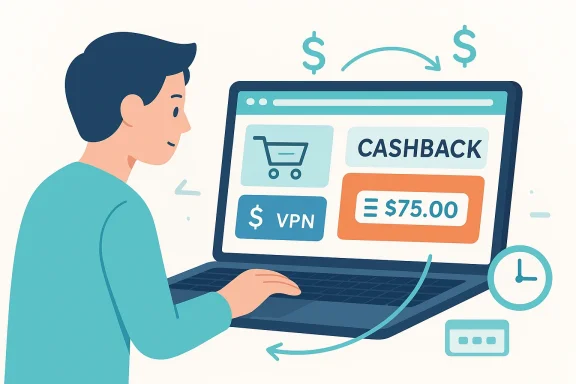
Microsoft Cashback — sometimes shown as Bing Deals or historically known as Bing Rebates — is a merchant-funded rebate program that runs alongside Microsoft Rewards. Rather than paying you points for searches and activities, Cashback returns real dollars (or gift-card equivalents) when you buy certain products through links surfaced in Bing, Edge, or Microsoft’s shopping surfaces. The program has existed, in fits and starts, for years; recent changes to redemption options and tighter integration with Microsoft’s shopping features have made it both easier and more visible to consumers.This resurgence is happening as Microsoft folds shopping features into Copilot and Edge, consolidating price-comparison, price-tracking, and merchant-funded cashbacing surface. That consolidation changes the user experience — and the privacy and commercial dynamics — around how those cashback offers are presented and fulfilled.
How Microsoft Cashback works — plain-language walkthrough
Microsoft’s Cashback mechanism is straightforward in theory and a little bureaucratic in practice. Here’s the high-level flow:- Sign into a personal Microsoft account and ensure your Microsoft Rewards membership is active (work/school accounts are generally excluded).
- Find a merchant offering Cashback via the Bing/Edge/Copilot shopping surfaces (these offers are merchant-funded and appear in merchant cards or on the Cashback page).
- Click through the Cashback link or activate the offer from the shopping pane; that click tags the purchase so Microsoft can track the merchant referral.
- Complete the purchase using whatever payment method you prefer (credit card, PayPal, etc.). Cashback is designed to stack with your credit‑card rewards or merchant discounts where permitted.
- Microsoft validates the transaction (merchant confirmation, return window, fraud checks) and then posts processed cashback to your account. Reported processing windows are typically cited at about 30–90 days, largely to allow for returns and fraud prevention.
Why Microsoft Cashback matters right now
- High-value merchant promotions: Unlike tokenized rewards, Cashback pays tangible dollars. Some merchants — especially those prioritizing customer acquisition — are offering very high percentages (examples cited by reporters included promotional rates into double digits or higher for categories like VPN subscriptions). That can tur tens of dollars back.
- Double-dip potential: Cashback can often be combined with credit-card rewards, bank offers, or merchant promo codes. If your card already gives 2–3% back and the merchant runs a 20–30% Microsoft Cashback promotion, stacking those can produce exceptional total savings.
- Integrated shopping UX: By integrating cashback signals into Copilot/Edge shopping flows, Microsoft increases the visibility of offers and reduces friction for shoppers who already use Bing or Edge. That integration both simplifies activation and amplifies the reach of merchant-funded incentives.
What PCWorld’s reporting shows (and what to trust)
PCWorld’s recent hands-on account lays out a clear example: an editor purchased a VPN subscription for about $60 and later saw approximately $28 credited back to their Microsoft Cashback balance, redeemable via PayPal or as an Amazon gift card. That’s a concrete anecdote showing both the magnitude of some offers and the practical redemption path available to users.Key claims you can reasonably rely on from that report:
- Microsoft Cashback is live, visible, and usable by consumers with personal Microsoft accounts.
- Cashback is merchant-funded and can be unusually generous on selected merchants or categories (VPNs were highlighted).
- Processing can take weeks to months (PCWorld cites a 30–90 day window). Use that timing in your planning.
- Real cash (not just points): Cashback pays real dollars or gift-card equivalents. That makes the benefit simple to understand and use.
- No special payment rails required: You can (in most situations) use your preferred credit card and still receive Microsoft Cashback — meaning you don’t have to switch to a particular card for eligibility. That’s a practical win for people who optimize with premium cards.
- Potential for large, targeted promos: Merchants aggressively trying to acquire customers (VPNs, services with high lifetime value) may temporarily offer the largest cashback rates. Savvy shoppers can capitalize on those windows.
- Low activation friction (when it works): Activation often happens automatically when you follow the Cashback link through Bing/Edge/Copilot, so there’s little to remember at checkout beyond ensuring you came through the right link.
- Integrated with Microsoft shopping stack: Copilot in‑chat shopping and Edge price tools can surface cashback offers at the moment of intent, which is a powerful convenience. It’s an example of how platform-level shopping experiences can reduce friction and increase consumer savings when offers are competitive.
Risks and real-world problems to watch for
Microsoft Cashback is useful — but it’s not flawless. Users and community reports highlight recurring issues and edge cases you should be aware of before relying on it.- Processing delays and redemption glitches: Multiple consumer reports document problems redeeming cashback to PayPal and delays in transfers. Some users see spinners or temporary errors when attempting to move cashback to PayPal, and Microsoft has posted intermittent status messages about processing delays in the past. If you need funds quickly, don’t count on immediate access.
- Return/eligibility rules eat promotions: Cashback is validated after purchase; returns, coupon stacking, or purchase bundles may render a transaction ineligible. Some merchants treat bundled purchases or upsells as multiple SKUs and only allow cashback on qualifying SKU(s), causing surprise denials. Community reports flag instances where a VPN “bundle” reduced or nullified the expected cashback because only part of the transaction qualifieilure mode in third-party cash-back ecosystems.
- Opaque tracking and lack of real-time receipts: Unlike dedicated rebate platforms that provide merchant confirmation IDs or tracking numbers, Microsoft’s Cashback ledger can be opaque during the validation window. That makes dispute resolution harder if a merchant later claims no referral payment was made. Some users describe feeling “blind” while waiting months for claims to clear. ([reddit.com]( account restrictions**: Microsoft requires a personal Microsoft account and an “active” Rewards membership; the definition of “active” can be unclear and some business or school accounts are outright excluded. If you use a Microsoft account tied to an organization, you may not be able to access Cashback. PCWorld explicitly calls this out as a common stumbling block.
- Merchant bait-and-switch and narrow eligibility: Independent reports show merchants occasionally advertise high cashback but exclude plans or bundle components in fine print. That bait‑and‑switch behavior is not unique to Microsoft’s program, but it’s important to verify what the cashback terms cover before purchasing big-ticket items.
- Privacy and commercial nudging: Microsoft’s consolidation of shopping, price-tracking, and cashback into Copilot/Edge means the company gathers more signals about your shopping intent and interactions. That data helps make the shopping experience smoother but raises questions about ad targeting and preference shaping. For privacy-minded users, that’s an important tradeoff to reckon with.
Practical checklist — how to maximize benefits while minimizing surprises
Follow this short, practical plan the next time you’re about to buy something online and you want to make Microsoft Cashback work for you.- Sign in with a personal Microsoft account and confirm Microsoft Rewards is active. If you only use a work/school account, create or switch to a personal account.
- Before checkout, click the merchant link from the Bing/Edge/Copilot shopping pane (not just a generic search result). That click activates tracking and ensures Microsoft records the referral.
- Save order confirmations and receipts. If cashback doesn’t appear after the expected validation window, you’ll need proof to dispute with both Microsoft and the merchant.
- Check merchant terms for cashback eligibility (plans excluded, refund/return windows, coupon interactions). Don’t assume every SKU or bundle qualifies. If a merchant page seems ambiguous, take screenshots of promotional language at purchase time.
- Expect and plan for a delay — 30 to 90 days is commonly cited. If you need immediate funds, don’t treat cashback as liquid.
- If you plan to stack rewards, confirm whether the merchant or your payment method imposes incompatible terms (e.g., merchant promo codes that void cashback). Some merchants explicitly exclude purchases involving coupon codes from cashback eligibility.
Step-by-step dispute path if cashback doesn’t post
- Wait until the stated validation window has elapsed (PCWorld and user reports indicate a 30–90 day range).
- Check your Microsoft Rewards/Cashback dashboard for the transaction and eligibility status. Screenshots or transaction IDs from the merchant help.
- If there’s no sign of the cashback, contact Microsoft Rewards support and supply order confirmations and the timestamped URL you used. Keep copies of the merchant receipt, payment confirmation, and the Bing/Edge activation screenshot if possible.
- If Microsoft support says the merchant did not report the sale, contact the merchant with evidence that you visited through the cashback activation link; merchants sometimes resolve missing referrals after review.
- If redemption to PayPal fails (spinner, verification code loop), try a different device or the web dashboard; users report intermittent success switching from mobile app to desktop or to another browser. Expect friction and intermittent outages.
The bigger picture: why Microsoft is doing this (strategic analysis)
Microsoft’s cashback program fits a broader commerce strategy: to make Bing, Edge, and Copilot natural starting points for product discovery and purchases. By subsidizing cashback offers, Microsoft both improves the perceived value of its shopping surfaces and helps merchants convert intent into transactions. That’s classic platform economics: invite merchants to buy customer attention, then monetize the platform through increased user engagement.There are two important consequences to understand:
- Commercial alignment: Merchants that gain substantial new customers through Microsoft are willing to pay for those customers — which funds the cash-back offers. But those offers can be fleeting and targeted; they’re acquisition spend, not permanent discounts. For consumers, that means opportunistic savings rather thhanges.
- Concentration of shopping signals: By centralizing price comparison, cashback, and checkout signals in Copilot and Edge, Microsoft gains powerful first-party data about purchase intent. That improves personalization and conversion but concentrates information about users’ shopping behavior in a single corporate ecosystem. Privacy-conscious shoppers should weigh the convenience against that concentration.
Real user experiences: what the community reports
The community’s experience with Microsoft Cashback is mixed but instructive:- Some users report fast, successful redemptions and substantial rebates (matching PCWorld’s optimistic examples).
- Other users report bumpy redemptions to PayPal, delays, or listings that later become “ineligible.” Community threads show repeated accounts of transfer spinners, day-to-day service degradation, and occasional UI messages that block transfers temporarily. Those are important red flags when you’re trying to budget around an expected rebate.
- Users also describe merchant-specific traps: bundles or premium plans that appear to qualify visually but don’t when the merchant reports the referral. Those disputes can be painful to resolve after the merchant’s validation window closes.
Bottom line — should you use Microsoft Cashback?
Yes — if you do it carefully.- Use it for discretionary purchases where the cashback is meaningful and the validation delay won’t hurt your cash flow. Big-ticket subscriptions with deep promotional cashback (e.g., some VPN deals cited by reviewers) are prime examples of where the economics can be compelling.
- Always read merchant eligibility language before buying. Take screenshots of the offer and your checkout path. Keep receipts. Expect processing delays and occasional PayPal redemption friction.
- Don’t rely on cashback as guaranteed income; treat it as an opportunistic bonus that materially lowers the effective price when everything lines up. If the merchant later denies the referral, you’ll be in a dispute process that can take time.
- Consider the privacy tradeoffs of centralized shopping surfaces (Copilot/Edge). Convenience is valuable, but the more you let a single ecosystem detect and record your shopping intent, the more that data can be used for targeted offers and ad optimizations.
Quick reference: what to do right now
- Sign into your personal Microsoft account and check the Cashback page before you buy.
- If an item shows a high cashback rate, confirm whether your exact SKU/plan is eligible and whether coupons or bundles will void the rebate.
- Save screenshots of the offer and checkout flow. Keep receipts until the cashback posts and clears your account.
- If redemption to PayPal fails, try an alternate device or the web dashboard, and be prepared for intermittent outages.
Microsoft Cashback is, in short, a useful tool when used prudently. It turns platform-subsidized merchant acquisition into real savings for consumers — provided you understand the validation rules, document your purchases, and avoid counting the rebate until it actually posts. For deal hunters, it’s another lever to extract value from online spending; for everyone else, it’s a pleasant bonus when it works — and a lesson in why recordkeeping matters when programs and merchants are incented to change the rules on a dime.
The margin Microsoft is offering today could vanish tomorrow — but while it exists, shoppers who are careful, patient, and methodical can turn Bing and Copilot’s shopping nudges into real savings.
Source: PCWorld Microsoft is shoveling free money at you with Cashback
