

Microsoft is rolling its biggest Office-era AI upgrade yet, folding agentic automation, expanded Copilot chat, inbox and calendar understanding, and new voice experiences into Word, Excel, PowerPoint and Outlook — a staged rollout that blends free-for-subscribers chat features with more advanced agent capabilities that will sit behind Copilot licensing and preview programs.
Microsoft’s Copilot strategy has evolved from a single assistant toy into a full platform: an intelligence layer that Microsoft calls Work IQ, plus in-app Agent Mode, chat-based Office Agents, and integration across Outlook, Teams and the Microsoft 365 app. The platform-level announcement at Ignite 2025 consolidates a year of incremental Copilot releases and clarifies how Microsoft expects organizations and knowledge workers to adopt agentic workflows. The company is positioning Copilot not just as an assistant but as an orchestration platform — one that can run multi-step tasks, choose reasoning models, and operate with enterprise governance (audit logs, sensitivity labels, policy enforcement). That ambition is driving both product complexity and new administrative controls.
Source: Tom's Guide https://www.tomsguide.com/ai/micros...aul-here-are-all-the-new-updates-coming-soon/
 Background
Microsoft’s Copilot strategy has evolved from a single assistant toy into a full platform: an intelligence layer that Microsoft calls Work IQ, plus in-app Agent Mode, chat-based Office Agents, and integration across Outlook, Teams and the Microsoft 365 app. The platform-level announcement at Ignite 2025 consolidates a year of incremental Copilot releases and clarifies how Microsoft expects organizations and knowledge workers to adopt agentic workflows. The company is positioning Copilot not just as an assistant but as an orchestration platform — one that can run multi-step tasks, choose reasoning models, and operate with enterprise governance (audit logs, sensitivity labels, policy enforcement). That ambition is driving both product complexity and new administrative controls. What’s coming: headline features and how they differ
Microsoft’s latest announcements can be grouped into a few practical buckets: agentic document and spreadsheet generation, deeper workspace understanding (emails, calendar, meetings), voice and mobile triage, and platform controls for enterprises.Agent Mode and Office Agents: AI that “does the work”
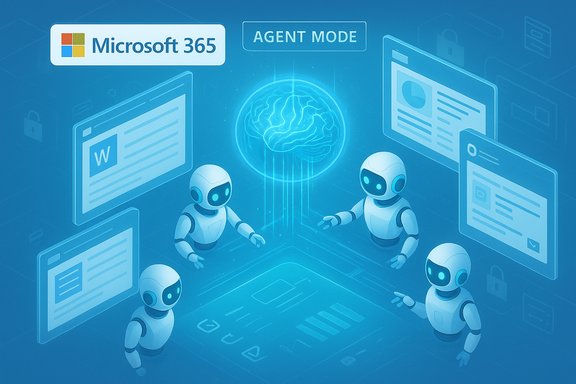
- Agent Mode in Excel, Word and PowerPoint lets the Copilot agent autonomously carry out multi-step tasks — generate complex models in Excel, iterate drafts in Word, or build and update decks in PowerPoint — driven by a user prompt and iterative steering. Microsoft emphasizes evaluation/fix cycles so agents can test results and repeat the process until outputs are verified.
- Office Agents in Copilot chat operate inside Copilot chat to create near-final artifacts that can be handed off to native apps with one click (Word, Excel, PowerPoint agents). This dual entry model (start-in-chat or start-in-app) is intended to let people work in the flow they prefer.
- Model choice is being expanded: customers can choose Anthropic models or OpenAI models for Agent Mode in some contexts, signaling Microsoft’s multi-model strategy for reliability and safety tradeoffs.
Copilot chat, Work IQ, and inbox/calendar understanding
- Work IQ is the metadata and inference layer that connects your emails, files, meetings and habits so Copilot can make more relevant suggestions and decide which agent to use. It’s effectively the personalization and context engine behind the new agents.
- Copilot chat across Outlook will be able to analyze your inbox, calendar and meeting content to find niche emails, prepare meeting briefs, and triage schedules — functionality that extends beyond simple summarization into cross-app insight. Microsoft says these capabilities will be available in preview in early 2026.
Voice, mobile and Teams workflow improvements
- Voice in the Microsoft 365 Copilot mobile app will enable natural-language queries like “what are my top priorities for the day?” or “catch me up on the meeting I missed,” with availability rolling out starting in December for some features and broader GA following. Outlook on mobile will gain voice-based triage, one-tap summarize-and-reply prompts, and quick scheduling.
- Teams Mode and facilitator agents: 1:1 Copilot chats can be turned into group contexts in Teams; facilitator agents will drive agendas, take notes, and manage actions. Agents in Teams channels can pull data from third-party apps through Model Context Protocol (MCP) servers (for example, querying Jira or Asana for blockers).
Release cadence and availability: preview programs, Copilot licensing and timelines
Microsoft is staging the rollouts:- Some chat capabilities and Copilot Chat are described as available to “every Microsoft 365 subscriber at no additional cost.” That phrasing applies to secure chat experiences in work tenants but does not mean every advanced agent capability is free to all users.
- Agent Mode and Office Agent features are being introduced via Microsoft’s Frontier preview programs and with graded availability depending on which subscription or Copilot license you have; Microsoft’s product blog indicates Agent Mode in Excel/Word is appearing in Frontier or for Copilot-licensed customers first, with desktop parity following web-first rollouts.
- Public statements from Microsoft place some broad platform features into preview in early 2026, while other pieces (voice in mobile, some facilitator agents) are being made generally available in December 2025 or are already in preview at Ignite. Use of the term “coming March 2026” in a secondary report appears to be a simplification of Microsoft’s “early 2026” preview timeline. Readers should treat specific dates as provisional and watch the Frontier/public preview windows for firm GA dates.
Pricing and the “free vs paid” nuance
A recurring and confusing headline is whether these features are “free” or gated behind Copilot subscriptions.- Microsoft explicitly says Copilot Chat is available to Microsoft 365 subscribers with no additional fee, making chat-based assistance broadly accessible inside paid Microsoft 365 tiers. That does not automatically extend to advanced agentic capabilities and multi-step automation which Microsoft ties to Copilot licensing, Frontier preview programs, or consumption billing for custom agents.
- Historically, Microsoft has offered layered Copilot plans: enterprise Copilot for Microsoft 365 (business pricing often cited at $30/user/month), Copilot Pro for individuals (an add-on historically priced separately), and integrated options in consumer-tier bundles. Pricing continues to shift as Microsoft bundles features into new plans (e.g., Microsoft 365 Premium or combined offerings). Past reports and Microsoft’s own pages show a mixture of included and premium features — expect that pattern to continue.
How Microsoft is positioning Copilot against Google Gemini and others
The new agentic posture is a direct competitive response to Google’s agent-first push and the release of its Gemini 3 family. Google has emphasized reasoning and agentic capability in Gemini 3, and Microsoft is countering with Work IQ + Agents + multi-model choice (Anthropic + OpenAI) to provide enterprise control and compliance. Expect the next 12–18 months to be about feature parity, benchmarks, and differentiated enterprise control.Security, privacy and governance — the heavy lifting enterprises asked for
Microsoft’s messaging emphasizes enterprise requirements:- Grounded agents that respect permissions, sensitivity labels, compliance controls, audit logs and policy enforcement.
- Admin control planes (Agent 365, Copilot Studio controls) to create, restrict and monitor agents at tenant level, plus logs for auditability. These are central if an agent will autonomously read mailboxes, calendar items, or third‑party integrations.
- Treat Work IQ and agent access like a new data plane: decide what mailboxes, SharePoint sites and Teams channels agents may access.
- Test governance in preview: use the Frontier/preview programs to validate access controls and audit trails before broad deployment.
- Monitor compliance with local/regulatory constraints: agentic automation that touches personal data or regulated data will likely need additional safeguards and policy gating.
Strengths: why this matters for productivity
- Higher-order automation: Agent Mode can handle multi-step tasks and verify outputs in cycles — this moves AI from suggestion to execution.
- Context-rich assistance: Work IQ’s cross-app context can make Copilot answers far more relevant by factoring in calendar, emails and historical work patterns.
- Flexibility for power users and orgs: Model choice and agent governance let organizations tune safety, latency and cost — that’s a competitive advantage against single-model strategies.
Risks, limitations and blind spots
- Ambiguous “free” messaging: Public-facing headlines have conflated Copilot Chat availability with the more advanced agent features. Organizations and individuals should not assume all agent functionality is included in every Microsoft 365 tier.
- Data exposure and privacy: Agents that read mailboxes and calendars increase the attack surface. Even with governance features, misconfiguration or excessive permission grants can expose sensitive data. Treat agent deployments like any automation that touches PII or corporate secrets.
- Model provenance and hallucination risk: When agents synthesize data from email threads, files and third-party systems, they may confidently produce inaccurate conclusions. Microsoft’s design for evaluation/fix cycles helps, but humans must retain the final sign-off for critical decisions.
- Vendor lock and interoperability: While Microsoft promotes model choice, the deeper agents are embedded in Microsoft’s platform and use corporate identity, compliance and audit systems — migrating workflows away from this stack may be costly.
Practical guidance: how to adopt safely and effectively
- Start with pilot teams: pick a small set of knowledge workers who can prototype agent workflows (meeting briefs, monthly P&L generation, standard deck creation).
- Define guardrails: least-privilege access for agent scopes; require human approval for any outbound actions (emails, calendar invites) in the pilot.
- Use audit and logging: ensure logs are forwarded to security teams and reviewed during pilot to catch anomalous behavior.
- Establish error-handling workflows: define who verifies agent outputs and how corrections are fed back into prompts or agent configuration.
- Track cost vs. benefit: agentic automation can change headcount or productivity metrics; measure saved hours and error reductions before broad rollouts.
Community reaction and user expectations
Windows and enterprise communities are bullish on the idea of true agentic help, but cautious about privacy, licensing and real-world accuracy. Community threads and forum discussions following the Copilot rollouts show excitement about Excel’s “speak Excel” model and skepticism about how quickly desktop parity and full governance will arrive for all customers. The consensus is: powerful, but proceed deliberately.Conclusion
Microsoft’s Copilot evolution is the clearest signal yet that mainstream productivity tools are shifting from suggestion engines to agentic collaborators. The combination of Work IQ, Agent Mode in core Office apps, Office Agents in chat, and mobile voice triage marks a substantial product pivot toward autonomous, multi-step work automation — with enterprise-grade governance tacked on to reassure cautious IT teams. However, the rollout is intentionally staged: some chat and voice features will reach broad Microsoft 365 subscribers, while the most powerful agentic capabilities will appear first in preview programs and behind Copilot licensing or consumption models. The headlines that say “everything is free” oversimplify a nuanced reality; organizations should evaluate capabilities, governance and cost together before scaling. For readers: treat this as the start of a multi-year transition. The immediate opportunities are real — faster meeting prep, automated spreadsheet construction, and one-click presentation generation — but the long-term value will depend on governance, user training, and real-world accuracy of these agents as they move from preview to production.Source: Tom's Guide https://www.tomsguide.com/ai/micros...aul-here-are-all-the-new-updates-coming-soon/
