

Microsoft's latest updates to Microsoft 365 Copilot push the service deeper into everyday enterprise workflows by adding natural voice interaction, a collaborative Teams Mode for group chats and meetings, and a broader commitment to in‑country (local) data processing — changes that will matter to IT teams balancing productivity gains with compliance, cost, and governance concerns.
Microsoft introduced Copilot as an integrated AI assistant across Microsoft 365 apps to speed common tasks such as drafting emails, summarizing documents, and extracting meeting insights. The recent wave of features announced in November 2025 aim to make Copilot more conversational, more collaborative, and more acceptable to regulated customers by keeping certain processing inside national or regional datacenters. These announcements are part of a larger Microsoft push that includes developer and device-level voice activations and a multi‑pronged strategy for data sovereignty.
Adoption will be neither automatic nor risk‑free; success will hinge on disciplined rollouts, cross‑functional governance, and ongoing validation that the system behaves as promised in the jurisdictions where sensitive data lives.
Source: THE Journal: Technological Horizons in Education https://thejournal.com/articles/202...ion-local-data-processing.aspx?admgarea=News1
 Background
Microsoft introduced Copilot as an integrated AI assistant across Microsoft 365 apps to speed common tasks such as drafting emails, summarizing documents, and extracting meeting insights. The recent wave of features announced in November 2025 aim to make Copilot more conversational, more collaborative, and more acceptable to regulated customers by keeping certain processing inside national or regional datacenters. These announcements are part of a larger Microsoft push that includes developer and device-level voice activations and a multi‑pronged strategy for data sovereignty. What’s new: the features explained
Voice input for Microsoft 365 Copilot (mobile-first rollout)
Microsoft has added voice input to Microsoft 365 Copilot, initially rolling out in the Copilot mobile app. Users can now speak natural language prompts to draft emails, retrieve meeting takeaways, or perform quick document searches. The voice experience supports follow‑up questions — letting users continue a spoken conversation that remains anchored to the context of their documents, calendar entries, and mail via Microsoft Graph integration. Microsoft indicated that desktop and web voice support are "in development" and will arrive in a future update.- Key capabilities:
- Natural-language voice prompts and follow-ups.
- Contextual answers grounded in Microsoft Graph (documents, calendar, email).
- Mobile‑first availability today; desktop/web coming later.
Teams Mode: Copilot for group collaboration
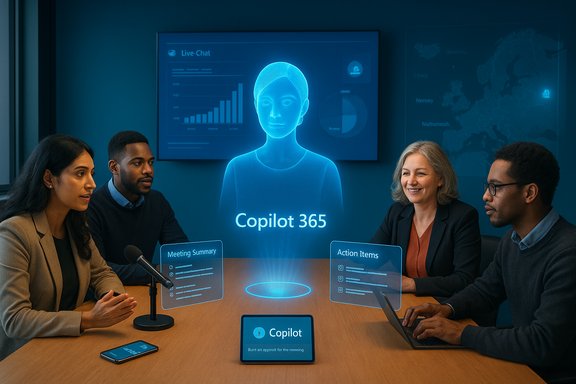
A major functional expansion is Teams Mode, now available in public preview for licensed customers. Rather than restricting Copilot to a single-user chat, Teams Mode can be added to channels, group chats, and meetings — allowing the AI to participate in the flow of a multi‑person conversation. In practice, Teams Mode can:- Summarize live meetings and create action items visible to participants.
- Pull up or reference shared files on demand.
- Retain conversational context across interactions so the AI can follow and build on prior exchanges.
- Operate automatically (follow‑along) or be prompted on demand.
In‑country processing: expanding regional data residency
To address privacy and regulatory demands, Microsoft announced an expansion of in‑country (or in‑region) processing for Copilot prompts and responses. By the end of 2025, Microsoft intends Copilot processing for qualifying customers to remain inside Germany, France, Norway and the Netherlands. Microsoft says that expansion will continue through 2026 with additional countries covered — Microsoft named a list including Canada, Germany, Italy, Malaysia, Poland, South Africa, Spain, Sweden, Switzerland, the United Arab Emirates and the U.S., among others — with a broader goal of covering 15 countries. This model aligns with Microsoft’s EU Data Boundary and related sovereignty initiatives designed to reduce cross‑border data movement for enterprise and public sector customers.- How Microsoft describes eligibility and rollout:
- Customers with an eligible Microsoft 365 license and an in‑scope Azure Active Directory tenant will be automatically included as regional processing rolls out.
- Processing will happen within regional datacenters alongside Microsoft 365 content storage to minimize transfer of Copilot prompts across borders.
Why these changes matter to enterprises
Productivity: faster, more natural interactions
Voice dramatically lowers friction for common, short tasks — composing quick emails, asking for meeting summaries while on the move, or requesting a document snippet. The addition of follow‑up support and Graph context means spoken prompts can be as productive as typed queries for many everyday tasks. For mobile-first or hybrid workforces, voice adds a natural interface that can speed routine workflows and keep teams productive between formal sessions.Collaboration: AI as a shared meeting assistant
Activating Copilot inside Teams sessions shifts the AI from a private assistant to a shared collaborator. Teams Mode can reduce post‑meeting cleanup costs by automatically producing minutes, action items, and next steps in real time. That lowers the cognitive load on participants and can make meetings measurably more effective when used responsibly.Compliance: reduced cross‑border data transfer exposure
For regulated industries and public sector organizations, data residency is a central concern. Processing prompts and responses locally — in the same jurisdiction as stored Microsoft 365 content — reduces the legal and contractual complexities that come with routing sensitive prompt data through foreign datacenters. The move to in‑country processing addresses a crucial barrier that has slowed cloud AI adoption in some regulated markets.Technical and operational implications
Architecture: on‑device wake-word vs cloud processing
Voice control implementations typically use a hybrid model: a small on‑device wake‑word detector recognizes a phrase (for example, “Hey, Copilot!”) without sending audio to the cloud, then starts a cloud processing session for the actual prompt processing. Microsoft has been publicly testing on‑device wake‑word detection in Windows, using a short audio buffer so the wake phrase recognition does not require sending raw audio to the cloud for detection. Once activated, full Copilot Voice functionality still relies on cloud processing for large‑model reasoning and context integration. This matters because on‑device wake‑word spotting minimizes persistent audio sharing while cloud inference is required for the heavy lifting.Data residency nuance: what “in‑country processing” actually covers
The phrase "processed within the country" is attractive but needs careful reading. Microsoft’s wording indicates Copilot prompts and responses will be processed in regional datacenters for qualifying customers and in‑scope tenants. That means:- Eligibility rules (license type, AAD tenant configuration) will determine whether a customer benefits from local processing.
- Not all telemetry or metadata associated with the service may stay local unless explicitly guaranteed.
- Integration points (third‑party connectors, cross‑tenant sharing, enterprise search connectors) can reintroduce cross‑border flows unless configured otherwise.
Performance and latency
Local processing can reduce latency for prompt handling and lessen the regulatory risk of cross‑border transmissions. But cloud model inference still lives on centralized or regionally partitioned GPU resources; the absolute improvement in latency will vary with local datacenter proximity, network conditions, and model placement inside Microsoft’s cloud fabric. There’s also a trade‑off: strict regional isolation may limit Microsoft’s ability to pool resources and may affect response times under heavy load or during regional outages.Risks and governance considerations
Privacy and recording consent
Teams Mode’s ability to “follow along” in meetings and produce live summaries introduces nuanced consent questions. Organizations must update policies to ensure that:- Participants are notified when Copilot is enabled for follow‑along recording or summarization.
- Audio capture complies with local wiretap and consent laws.
- Users can opt out of AI participation in group chats and meetings where sensitive content may be discussed.
Data leakage and hallucinations
AI assistants can inadvertently surface or rephrase private information in ways that misrepresent sources (hallucinations), or they may combine content across documents in unexpected ways. Enterprises should:- Use data loss prevention (DLP) rules to prevent sensitive content from being used in prompts in an ungoverned way.
- Employ human oversight on AI outputs that will be distributed widely (for example, official meeting minutes or customer-facing collateral).
- Define escalation pathways when the assistant returns questionable or conflicting outputs.
Auditability, e‑discovery, and retention
Processing prompts and responses locally helps with data residency, but governance teams must validate:- Which logs contain Copilot interactions and where those logs are stored.
- Whether Copilot output is subject to existing retention and e‑discovery policies.
- How to export or freeze Copilot interactions for legal holds.
Licensing and cost
Several aspects remain dependent on licensing: Copilot features (including Teams Mode preview access) require licensed users and eligible Microsoft 365 plans. Costs will include licensing, potential premium network bandwidth for low-latency voice, and staff time for configuration and governance. IT teams should budget not just for licenses, but also for testing, training, and policy enforcement.Recommendations for IT and security teams
1. Start with a controlled pilot
- Identify a small set of teams that will benefit most (e.g., customer success, product management, legal) and enroll them in a pilot for both mobile voice and Teams Mode.
- Test real meeting scenarios and capture performance, content accuracy, and governance issues.
- Measure productivity gains against incremental costs and extra governance overhead.
2. Update policy and consent workflows
- Add Copilot participation to meeting invites where follow‑along is enabled.
- Publish internal guidance on when to allow AI presence in group chats and meetings.
- Ensure consent strings and opt‑out options are surfaced in Teams and other UIs.
3. Configure DLP and Purview policies
- Extend DLP to cover AI interactions where feasible.
- Map Copilot logs into existing audit pipelines and ensure they’re retained according to policy.
- Use Microsoft Purview (or equivalent) to manage classification, labeling, and retention where Copilot outputs are stored.
4. Verify data residency claims and perform tests
- Confirm whether your tenant meets eligibility for regional processing and request documentation from Microsoft on the exact data flows.
- Run controlled tests to confirm that prompts, responses, and logs are handled in the promised jurisdiction.
- Document any connectors or third‑party services that could introduce cross‑border flows and adjust configuration accordingly.
5. Train users and set expectations
- Educate users on when Copilot is appropriate use and when human oversight is required.
- Provide examples of prompt phrasing that reduces hallucination risk and generates clearer outputs.
- Build simple playbooks for verifying and editing Copilot drafts before publication.
Strengths of Microsoft’s approach
- Practical productivity gains: Voice + Graph context and Teams Mode address real pain points in daily workflows, particularly for mobile and hybrid workers.
- Enterprise‑grade sovereignty focus: Expanding in‑country processing directly targets public sector and regulated industries that have so far hesitated to adopt cloud AI.
- Integrated governance surface: By tying Copilot to Azure AD and Microsoft 365 tenancy, Microsoft leverages existing enterprise control planes rather than creating separate governance silos.
Where to be cautious
- Marketing language vs. operational reality: "In‑country processing" is meaningful, but the details of eligibility, metadata flows, and connector behavior matter. Treat the announcement as a milestone, not a drop‑in compliance cure.
- Consent and privacy complexity: Automatic meeting follow‑along and shared AI summaries require robust, well‑communicated consent mechanisms. Without them, legal and trust issues will follow.
- Performance trade‑offs: Regional isolation may reduce some latency but could limit Microsoft’s ability to burst compute across regions — plan capacity and outage contingencies accordingly.
What’s unresolved and what to watch next
- Precise GA dates for desktop/web voice support and Teams Mode general availability have not been publicly committed; organizations should expect phased rollouts and continue to monitor official Microsoft updates. Microsoft described desktop and web voice as "in development" without firm timelines. This makes pilot testing and contingency planning essential.
- The scope of in‑country processing for telemetry, metadata, and derivative logs remains a key question. Enterprises must obtain explicit documentation from Microsoft about which categories of data are kept local and which are aggregated or routed for central analytics. Treat any such claims as partially verifiable until you receive tenant‑specific confirmation and test results.
- Regulatory scrutiny and local legal interpretations can change. National authorities could set additional requirements about where AI model weights, indexing metadata, or audit trails must be stored. IT leaders should track both Microsoft announcements and local regulatory guidance.
Deployment checklist (quick reference)
- Confirm licensing eligibility and preview access for Teams Mode.
- Verify your Azure Active Directory tenant is in‑scope for in‑country processing rollouts.
- Pilot mobile voice in controlled teams; measure accuracy and latency.
- Configure and test DLP, retention, and audit pipelines for Copilot interactions.
- Update meeting invites and internal policy to include AI participation notices.
- Train users on best prompt practices and human review requirements.
- Obtain written confirmation from Microsoft about the residency guarantees for your tenant and test the flows.
Conclusion
Microsoft’s November 2025 Copilot updates mark a practical evolution: voice makes Copilot easier to use between meetings and on mobile, Teams Mode converts it into a shared meeting assistant, and expanded in‑country processing attempts to reconcile innovation with sovereignty demands. For IT leaders, the immediate task is to balance the upside — improved productivity and smoother collaboration — against the governance and legal complexities that accompany AI in regulated environments. With careful pilots, clear policies, and technical validation of data residency claims, organizations can capture the benefits of Copilot while limiting surprises in compliance, performance, and trust.Adoption will be neither automatic nor risk‑free; success will hinge on disciplined rollouts, cross‑functional governance, and ongoing validation that the system behaves as promised in the jurisdictions where sensitive data lives.
Source: THE Journal: Technological Horizons in Education https://thejournal.com/articles/202...ion-local-data-processing.aspx?admgarea=News1
