

Microsoft’s Copilot has moved fast from a neat demo into a pervasive, multi‑headed AI assistant that now sits in Windows, in Microsoft 365 apps, in the Edge browser, and on phones — but it’s more than a chatbot: it’s a layered platform with distinct product tiers, on‑device acceleration, enterprise grounding, and a growing set of privacy and governance trade‑offs that every Windows user and IT professional needs to understand.
Microsoft first introduced the Copilot name to consumers and businesses as a way to fold large‑language model (LLM) capabilities directly into familiar productivity tools. Rather than a single monolithic app, Copilot is a family of experiences:
Microsoft’s design emphasizes opt‑in behavior, local encryption, Windows Hello authentication, and a secure enclave for key protection — but Recall drew immediate scrutiny from privacy advocates and browser developers because periodic screenshots can capture sensitive data. Microsoft published detailed guidance about Recall’s system requirements and privacy controls, and later blog posts and support pages clarified that:
For typical users, Copilot’s free experience is already powerful — GPT‑4 Turbo sits behind many consumer interactions and Copilot provides valuable time savings in drafting, summarization, and image tasks. For power users and businesses, the premium and tenant‑grounded experiences unlock deeper integrations and priority model access — but they should be adopted with clear policies, pilot testing, and a plan to verify outputs.
Copilot’s evolution will be shaped by three forces: model improvement, hardware acceleration, and user trust. Each brings upside and risk; practical adoption will depend on whether those risks are managed as deliberately as Microsoft engineers its features.
Source: Mashable What is Copilot?
 Background
Microsoft first introduced the Copilot name to consumers and businesses as a way to fold large‑language model (LLM) capabilities directly into familiar productivity tools. Rather than a single monolithic app, Copilot is a family of experiences:- a system‑level assistant embedded in Windows (the Copilot app and taskbar entry);
- a browser‑centric assistant in Microsoft Edge (Copilot Mode and Copilot Actions);
- a tenant‑aware, enterprise‑grounded assistant inside Microsoft 365 apps (Microsoft 365 Copilot);
- a paid consumer tier (historically Copilot Pro) and newer bundled consumer plans; and
- device‑tier features on Copilot+ PCs that run compact AI workloads locally on NPUs.
What Copilot actually does (consumer and business)
Copilot’s capabilities vary by product surface, but the common patterns are clear: natural‑language creation, context‑aware summarization, multimodal input (text, voice, images), and automations that can produce editable Office artifacts.Everyday consumer capabilities
- Drafting, editing and rewriting in Word and Outlook (tone, length, formalities).
- Natural‑language Excel queries: generate formulas, pivot tables, visualizations and narrative summaries.
- PowerPoint generation: convert a document into a slide deck with speaker notes.
- Image and visual workflows inside Windows Copilot: drag an image into Copilot to identify objects, extract backgrounds or generate recipe ideas.
- Browser‑aware assistance via Edge Copilot: synthesize content across tabs, run permissioned Copilot Actions (multi‑step flows) and resume “Journeys.”
Business and developer capabilities
- Tenant grounding in Microsoft 365 Copilot: Copilot can reason over a user’s Microsoft Graph (emails, files, calendar) under enterprise controls to produce business‑ready, editable outputs.
- Meeting recaps, action items and team summaries in Teams.
- Coders get specialized experiences via GitHub Copilot for code completion and Copilot Chat in developer contexts.
The model story: GPT‑4 family, GPT‑4 Turbo, and GPT‑4o
Microsoft’s Copilot experiences are built on the OpenAI model family and Microsoft’s Azure model routing. Over time Microsoft has shifted which underlying model is used where:- The free Copilot tier received an upgrade to GPT‑4 Turbo (a faster, larger‑context variant) for general use. Microsoft engineering leads confirmed the rollout, and multiple outlets reported the change when the upgrade occurred.
- Copilot Pro historically provided priority access to the latest models (GPT‑4 Turbo and faster access during peak times). Multiple news outlets and Microsoft communications documented Copilot Pro at the $20/month consumer price point.
- Microsoft has announced ongoing model transitions (including references to GPT‑4o) for premium and enterprise features; model routing and “priority” access decisions are an active part of Microsoft’s product updates. Where Microsoft has publicly committed to newer model rollouts, those are being scheduled as platform upgrades rather than instantaneous swaps for all users. Verify current model availability in your Copilot UI if you rely on a specific model for compliance or quality.
Licensing and pricing — how Copilot’s paywalls and bundles have shifted
Copilot has been offered across a mix of free and paid tiers, and Microsoft has adjusted consumer bundles multiple times in response to market demand.- Copilot Free (consumer): available in Windows 11, via the Copilot app or copilot.microsoft.com, and embedded in some Edge experiences; this tier has been upgraded to use GPT‑4 Turbo in many contexts.
- Copilot Pro: historically a $20 per user per month consumer add‑on that extended Copilot to Word, Excel, PowerPoint and Outlook on personal devices and provided priority access to faster models. Multiple vendor announcements from TechCrunch, CNBC and Microsoft discussed the $20/month Copilot Pro launch.
- Copilot for Microsoft 365 (commercial): an enterprise/organizational product that has been priced and marketed differently (for example, Microsoft has offered small‑business seat pricing and packages in the $30 per user per month neighborhood for certain business plans). Commercial licensing, message‑based billing for agent workloads, and consumption packs create a more granular cost picture for high‑volume automation.
Copilot+ PCs, NPUs and on‑device AI
To reduce latency and enable new features, Microsoft defined a hardware tier called Copilot+ PCs. These machines pair traditional CPU/GPU resources with an on‑device Neural Processing Unit (NPU) to run compact models locally for certain tasks.- Copilot+ device minimums have been described in Microsoft materials and partner specs. Typical baseline guidance cited 40+ TOPS (tera‑operations per second) for the NPU, plus 16 GB RAM and at least 256 GB storage for some features. OEM Surface materials and Microsoft pages have cited NPUs capable of up to 45 TOPS in specific Intel/Qualcomm designs on new Surface models.
- faster, lower‑latency image edits and vision tasks (e.g., background removal inside File Explorer);
- locally accelerated speech and transcription pipelines;
- privacy‑sensitive features that run without sending raw content to the cloud; and
- new UX patterns such as instant previews for image edits and offline transcription.
Recall: convenience at a privacy cost (and how Microsoft framed safeguards)
One of the most consequential Copilot+ features is Recall, an on‑device timeline that saves encrypted snapshots of screenshots, app state, and metadata so users can search “what did I do yesterday afternoon” across files, tabs, messages and images.Microsoft’s design emphasizes opt‑in behavior, local encryption, Windows Hello authentication, and a secure enclave for key protection — but Recall drew immediate scrutiny from privacy advocates and browser developers because periodic screenshots can capture sensitive data. Microsoft published detailed guidance about Recall’s system requirements and privacy controls, and later blog posts and support pages clarified that:
- Recall only runs when a user opts in; snapshots are encrypted and tied to Windows Hello keys and a secure VBS enclave.
- Copilot+ PC builds and certain Secured‑core requirements are necessary to enable Recall (e.g., a 40 TOPS NPU, certain disk and RAM minimums and device encryption).
- Some third‑party browsers and privacy‑focused tools blocked or disabled Recall by default; independent outlets covered the pushback and Microsoft’s responses. That opposition reflects a real tension between convenient, searchable context and the risk of latent snapshot capture.
Strengths — what Copilot brings to the Windows user
- Seamless productivity integration. Copilot’s deep embedding in Word, Excel, PowerPoint and Outlook turns vague prompts into finished artifacts and keeps work inside familiar apps.
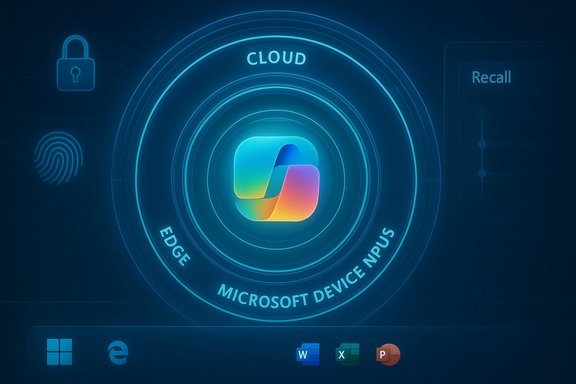
- Hybrid execution model. Combining cloud LLMs and on‑device NPUs lets Microsoft target both high‑capacity reasoning and low‑latency, private operations.
- Platform breadth. Consumers and enterprises can use the same Copilot family across devices; Microsoft’s connector ecosystem brings Gmail, Google Drive, and OneDrive into scope where users opt in.
- Rapid iteration and model upgrades. Microsoft’s model routing has allowed Copilot to adopt GPT‑4 Turbo and prioritize newer models for premium subscribers, improving capability over time.
Risks and downsides — what to watch for
- Privacy surface area. Features like Recall substantially increase the amount of user data stored locally and indexed for search; even encrypted local snapshots amplify the stakes if device keys are compromised or a user’s choices are misunderstood. Independent reporting and developer pushback highlight the sensitivity.
- Vendor lock‑in and platform fragmentation. “Copilot” is a brand across multiple surfaces, but features, licensing and data access differ by tier and by whether the user is on a consumer or tenant plan — confusing procurement for organizations.
- Model change and reproducibility. As Microsoft routes users between GPT‑4, GPT‑4 Turbo and new models like GPT‑4o, outputs for the same prompt may change across time or tiers. That complicates audit and compliance for regulated workflows.
- Hallucinations and factual drift. As with all LLM assistants, Copilot can confidently produce incorrect or fabricated details. Microsoft’s enterprise grounding reduces but does not eliminate that risk. Always verify mission‑critical outputs.
Recommendations — how to use Copilot safely and well
- Enable Copilot features deliberately. Turn on vision or Recall only when the productivity gain outweighs privacy considerations.
- For enterprise deployments, use tenant grounding and administrator controls to define what Copilot can access and to audit agentic actions.
- Train staff on verification: require a human in the loop for legal, financial, and clinical outputs; mandate document provenance checks before publication.
- Benchmark performance and latency for the workflows you care about. Do pilot tests comparing cloud‑only vs Copilot+ NPU‑accelerated paths to confirm vendor latency claims.
- Keep software and policy documentation current: Microsoft’s consumer bundles and pricing (Copilot Pro, Microsoft 365 Premium) have shifted; confirm the current billing model before purchasing.
What to expect next
Microsoft continues to iterate quickly. Expect further model updates (widening GPT‑4o availability), continued product consolidation on the consumer side (the Microsoft 365 Premium bundle), and broader enterprise tooling (Copilot Studio and agent management). At the hardware layer, OEMs will keep improving NPUs and integrating Copilot features deeper into the device experience. Those transitions will keep capabilities moving — and will keep procurement and governance teams busy.Conclusion
Copilot is no longer an experimental chatbot; it is a multi‑modal productivity platform with distinct consumer, enterprise, and hardware tiers. Its strength is convenience: it turns natural language and images into usable, editable work artifacts inside the apps people already use. Its complexity is governance: model choice, on‑device snapshotting, and a shifting licensing map create real operational and privacy decisions for individuals and IT teams alike.For typical users, Copilot’s free experience is already powerful — GPT‑4 Turbo sits behind many consumer interactions and Copilot provides valuable time savings in drafting, summarization, and image tasks. For power users and businesses, the premium and tenant‑grounded experiences unlock deeper integrations and priority model access — but they should be adopted with clear policies, pilot testing, and a plan to verify outputs.
Copilot’s evolution will be shaped by three forces: model improvement, hardware acceleration, and user trust. Each brings upside and risk; practical adoption will depend on whether those risks are managed as deliberately as Microsoft engineers its features.
Source: Mashable What is Copilot?
