

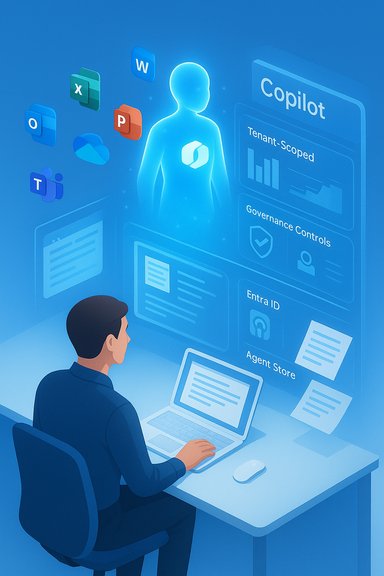
Microsoft’s Copilot has moved from a lab experiment and marketing promise into a pervasive feature set that now touches nearly every corner of the Microsoft ecosystem — from Word and Excel to Teams, OneDrive, Windows itself, the Viva suite and enterprise-grade Copilot Studio agents — and the practical question for users and IT teams is no longer “if” Copilot is available but “where, how, and under what license.”
Background / Overview
Microsoft Copilot is a family of generative-AI experiences that come in several flavors: the consumer-focused Copilot app and web experience, Microsoft 365 Copilot (tenant-aware, knowledge-grounded assistants inside Office apps), the Windows-integrated Copilot that lives as an OS-level assistant with vision and voice, and other Copilot-branded offerings such as GitHub Copilot for code. These are unified by the same design goal — make AI a contextual assistant that writes, summarizes, analyzes, and automates workflows — but they differ significantly in capabilities, data access, and licensing. Microsoft describes two critical fault lines for Copilot experiences:- Web-grounded chat / Copilot Chat — useful for general queries and open-web context, often available with a Microsoft account or included in base plans.
- Tenant-grounded Microsoft 365 Copilot — requires a paid Copilot license and can reason over an organization’s Microsoft Graph (emails, files, calendar, Teams content) under enterprise governance controls.
Where Copilot lives today — an app-by-app inventory
Below is a consolidated, practical list of the major Microsoft services and products that ship Copilot features today. Each subsection details the typical Copilot behavior in that product and the basics of availability or license requirements.Word (desktop, web, iPad)
- Copilot in Word helps draft, edit, expand, paraphrase and summarize documents — including large files up to tens of thousands of words — and it can reference selected files to ground its output when a Copilot license is present. The web and desktop experiences both expose chat and a “Draft” flow that turns prompts into formatted content. Consumer Microsoft 365 Personal and Family subscribers and commercial Copilot license holders can see Copilot in Word, though the tenant-aware file referencing is limited to licensed business accounts.
Excel
- Copilot assists with data-cleaning, natural-language formula creation, pivot tables, Python-powered analysis, and can run multi-step “Agent Mode” workflows that actually make changes inside workbooks. Advanced, tenant-grounded analytics and agentic actions require Microsoft 365 Copilot or Frontier preview access.
PowerPoint
- Copilot can generate slide decks, speaker notes and visual assets from prompts or existing documents. Export flows make it simple to convert a Copilot chat result into a .pptx file. Enterprise scenarios use Copilot to produce near-finished decks using tenant data when the proper license is in place.
Outlook
- Built-in Copilot features include email summarization, draft generation in a user’s voice/tone, and meeting follow-up suggestions. Tenant-aware Copilot can summarize threads and pull context from a user’s mailbox when policies permit.
Teams
- Copilot in Teams provides meeting recaps, action items, and chat summarization. It also powers cross‑conversation actions when used in meeting or chat contexts. Some Teams Copilot behaviors (e.g., meeting transcription summarization and multi‑person group agent behaviors) are gated by Copilot licensing.
OneDrive and SharePoint (file Q&A and summarization)
- OneDrive includes a Copilot experience for asking questions about file contents, summarizing multiple documents and extracting action items. SharePoint is being progressively integrated (SharePoint document libraries and Knowledge Agent features supply enriched content for Copilot), and tenant controls govern which libraries Copilot can access. OneDrive’s Copilot features are included for Microsoft 365 Personal and Family subscription holders, though some features are limited by account type and admin settings.
Windows (Copilot app, Copilot Vision, Copilot+ PCs)
- Windows 11 exposes Copilot as a system assistant with: voice activation (“Hey, Copilot”), Copilot Vision (screen and camera analysis), file search and local file access, and task automation. Microsoft’s Copilot+ PC initiative leverages dedicated NPUs to run some Copilot workloads locally for low-latency and privacy-preserving experiences. Windows offers both the user-facing Copilot app and an integrated Copilot for Microsoft 365 pathway that surfaces tenant-aware chat when an enterprise account is signed in.
Edge / Bing (Copilot / Copilot chat)
- The Bing/Edge chat experience evolved into Copilot-style chat assistants (web-grounded). Enterprise variants (formerly Bing Chat Enterprise) tie into Microsoft security boundaries and can be surfaced in Edge or via the Copilot hub.
Viva suite (Viva Insights, Viva Engage, Viva Pulse, Viva Goals)
- Copilot features are integrated across Microsoft Viva modules to summarize employee feedback, produce Copilot Dashboards in Viva Insights, enable Copilot-enabled learning content and internal communications via Viva Learning and Viva Amplify, and provide Copilot-enabled summaries and Q&A in Viva Engage and Pulse. These integrations expose HR, engagement and manager-level analytics to Copilot flows under administrative control.
Microsoft 365 companion apps (People, Files, Calendar)
- Lightweight taskbar “companion” apps now include Copilot suggestions and buttons that escalate selected items (a contact, a file, a meeting) into the Copilot chat surface for quick summaries or drafting. These were pushed to Windows 11 devices with Microsoft 365 installed unless admins opt out.
Copilot Studio, Agent Store, and platform services
- For IT and developers, Copilot Studio enables low-code agent creation, governance and BYOM (bring-your-own-model) scenarios. Agents can be published to an Agent Store and managed by identity and governance controls (Entra Agent ID, Purview auditing, telemetry). These platform services power the agentic workflows that create files or take multi-step actions inside Office documents. Access to these features requires Microsoft 365 Copilot and, in many cases, Frontier preview enrollment.
GitHub Copilot and Visual Studio / GitHub integrations
- Although sharing the Copilot name, GitHub Copilot (for coding) is a distinct product line with separate subscriptions and integration points (VS Code, Visual Studio, GitHub.com). It’s part of Microsoft’s broader “Copilot” brand but operates under a different licensing and security model. Treat GitHub Copilot as a sibling product, not the same tenant-grounded Copilot used inside Word or Teams.
Licensing and availability — who gets what, and at what cost
- Microsoft 365 Copilot (enterprise): the commercial add-on is listed at approximately $30 per user per month (paid annually) and requires an underlying qualifying Microsoft 365 plan. This license unlocks tenant-grounded Copilot in Word, Excel, PowerPoint, Outlook and Teams, plus Copilot Studio and agents.
- Consumer Microsoft 365 Personal/Family: Copilot capabilities have been folded into certain Personal and Family plans in many regions; some Copilot features (for example, Copilot in Word and OneDrive summarization) are included for the subscription owner. Family sharing rules vary (Copilot access is often not shareable across family accounts). Feature availability differs by region and by Microsoft’s staged rollouts.
- Copilot Chat / free tiers: Microsoft offers chat-style Copilot features in consumer and enterprise tiers with different grounding and data retention behaviors; enterprise deployments usually conserve customer data protections and do not use content to train upstream public models.
- Frontier / preview programs: advanced agentic features (Word/Excel/PowerPoint Agents, Copilot Studio frontier features) are often gated behind early-access programs such as Frontier, requiring admin opt-in and specialized licensing.
Technical specifics & limits you should verify before relying on outputs
- Document limits in Word/OneDrive: Copilot in Word can summarize very large documents (Microsoft marketing mentions up to ~80,000 words), and OneDrive currently limits multi-file operations (summaries/Q&A) to a handful of files at a time, with file size and type constraints that Microsoft continues to evolve. Check OneDrive Copilot FAQ for the latest file-size limits and format support.
- Local vs cloud processing: Copilot+ PCs with NPUs can execute some workflows locally (e.g., low-latency image editing, some Copilot Vision features). However, many heavy-duty language-model operations remain server-side and will rely on Azure or partner-hosted models depending on the feature. This split impacts latency, offline behavior and potential jurisdictional data residency concerns.
- Agent Mode and auditability: Agent Mode can "write into" files and perform stepwise transformations (plan → execute → iterate). Microsoft surfaces intermediate artifacts and verification steps for auditability, but the accuracy of agentic actions varies and administrators are advised to test with safe datasets before rolling out broadly. Published benchmarks show agent accuracy is improving but still imperfect versus human editing on some tasks.
Strengths — why Copilot is compelling
- Workflow compression: Copilot removes many copy/paste or context‑switch steps by producing exportable .docx/.pptx/.xlsx files directly from chat and by performing edits in situ inside the app. This is especially valuable for knowledge workers creating recurring reports and presentations.
- Cross‑service grounding: Tenant-grounded Copilot can reason over email, calendar and files together, producing summaries and recommendations that combine multiple data sources — a huge productivity win when properly governed.
- Developer and enterprise platform: Copilot Studio and the Agent Store let organizations build, publish, and govern specialized agents for tasks like onboarding, finance reporting, or customer support, enabling scale that manual scripting and macros can’t match.
- Multimodal inputs: Copilot Vision plus the Windows assistant’s voice and screen-analysis make it feasible to ask the assistant to “explain this slide” or “summarize the web page I’m viewing” — natural interactions that benefit many users.
Risks and trade-offs — what to watch for
- Cost and licensing complexity: The Copilot pricing model and multiple product tiers create procurement complexity. The $30-per-user figure for business Copilot can be material for mid-sized teams, and add‑ons or agent consumption-based billing further complicate total cost of ownership. Budget and pilots should be planned accordingly.
- Hallucinations and factual errors: As with any large language model, Copilot can produce plausible-sounding but incorrect answers. While tenant grounding and Work IQ aim to reduce this, outputs still require human review and verification for high-stakes content.
- Privacy and data handling: Different Copilot flavors treat data differently. Tenant-aware Copilot respects organizational controls, but admins must still assess data retention, in-region processing options, and Purview/GDPR implications. Users should not assume everything is private by default. Microsoft documents admin controls and deletion features, but governance is non-trivial.
- UI friction and user experience: Some users have found Copilot icons and persistent UI affordances intrusive (for example, the persistent Copilot margin icon in Word for the web). Microsoft has provided hide/disable options in specific apps, but complaints about UI bloat and forced visibility have been prominent in community reporting.
- Operational and governance burden: Introducing agentic capabilities at scale means tracking agents like software assets, applying identity (Entra Agent ID), auditing actions via Purview, and ensuring model and prompt safety. That increases the scope of IT and compliance work compared to previous feature rollouts.
Practical guidance — what users and admins should do now
- Inventory and evaluate:
- Identify which users and groups currently see Copilot features (Word, OneDrive, Teams, Windows) and document the license types they have.
- Pilot with clear success metrics:
- Run a small pilot focusing on specific workflows (meeting recaps, report drafting) and measure time saved, error rates, and user satisfaction.
- Configure governance from day one:
- Use Entra/Conditional Access, Purview labeling and Copilot admin controls to limit data scopes and to enforce retention/deletion policies.
- Educate users:
- Teach users Copilot best practices (prompt design, verification steps) and create a simple policy about what content should not be shared with Copilot (PHI, regulated data) until controls are validated.
- Offer opt-out paths:
- For apps where per-app disablement exists (Word desktop has toggle options in some deployments), document the opt-out process for users who prefer a traditional experience. For enterprise-wide changes, apply tenant policies rather than device-level hacks.
Critical takeaways and what to expect next
- Copilot is now more than a feature; it is a platform that spans consumer apps, the Windows OS and enterprise automation frameworks. That breadth creates significant productivity upside — particularly where organizations harness tenant-grounded Copilot to automate repetitive work — but it also brings new cost, governance and risk considerations that cannot be deferred.
- Expect continued fragmentation during rollout: Microsoft will keep exposing new Copilot experiences through preview programs (Frontier), Copilot Studio updates, Copilot+ PC hardware optimizations and companion apps. Visibility, admin controls and pricing will evolve, so periodic re-evaluation of who gets Copilot and how they use it is essential.
- If immediate control or reduced surface area is your priority, focus on admin-level gating (tenant feature toggles), smart licensing allocation (pilot seats only), and user education that emphasizes human review of AI outputs. The default posture should be augmentation, not automation, for business-critical content.
Microsoft’s Copilot rollout marks a pivot in how productivity software is delivered and consumed: it moves assistance from add-on utilities into the fabric of the apps and the OS. For individuals, Copilot in Word and the rest of Microsoft 365 can dramatically accelerate drafting, summarizing and ideation; for organizations, the platform opens new automation pathways — provided cost, compliance and accuracy are managed deliberately. The decision to adopt Copilot broadly should therefore be strategic: pick the workflows that most benefit from automation, lock down governance, pilot carefully, and require verification steps for any Copilot-produced deliverable that matters.
Source: OK! Magazine https://www.ok.co.uk/lifestyle/services-integrated-microsoft-copilot-including-36374637/
