

Microsoft’s latest Copilot update moves beyond answering questions to actually building the tools employees need: App Builder and Workflows — two new conversational agents inside Microsoft 365 Copilot that let business users create apps, dashboards, and multi-step automations in plain English, with an embedded, lightweight Copilot Studio for quick agent authoring.
Since Copilot’s introduction, Microsoft has steadily expanded its role from a drafting and summarization assistant into a full agentic platform — a system that can not only generate content but also act on it. The new App Builder and Workflows agents are the most visible step in that evolution: they fold no-code app creation and natural-language workflow automation directly into the Microsoft 365 Copilot experience, initially for tenants in Microsoft’s Frontier preview program. This move aligns Copilot with the broader industry trend often called vibe coding or prompt-first app generation — where a user’s natural-language description becomes the scaffold for UI, data schema, and logic, and then the user iterates in conversation until the result meets requirements. Microsoft’s strategic advantage here is the depth of integration with Microsoft 365 — Copilot can ground generated apps and flows in the tenant’s documents, spreadsheets, SharePoint content, Teams conversations, and calendar data while inheriting tenant permission and governance surfaces.
However, the real determinant of success will be operational discipline. Without template-driven rollouts, conservative connector policies, and ongoing audits, the same features that accelerate productivity can generate shadow automation, data exposure, and long-term operational debt. Microsoft has designed control points and an upgrade path into full Copilot Studio and the Power Platform, but those controls only work when IT and business teams collaborate on policy, training, and lifecycle management.
For enterprises and IT pros evaluating the update, the practical path forward is clear: pilot with internal, Microsoft 365–centric scenarios; lock down connectors and DLP; publish vetted templates; and insist on staged validation before any generated automation touches production systems. When paired with those guardrails, App Builder and Workflows can convert the day-to-day productivity friction into measurable impact — and that’s a rare change worth the cautious optimism.
Source: Cloud Wars Microsoft Empowers Business Users with Copilot Agents for App Creation and Workflow Automation
 Background / Overview
Since Copilot’s introduction, Microsoft has steadily expanded its role from a drafting and summarization assistant into a full agentic platform — a system that can not only generate content but also act on it. The new App Builder and Workflows agents are the most visible step in that evolution: they fold no-code app creation and natural-language workflow automation directly into the Microsoft 365 Copilot experience, initially for tenants in Microsoft’s Frontier preview program. This move aligns Copilot with the broader industry trend often called vibe coding or prompt-first app generation — where a user’s natural-language description becomes the scaffold for UI, data schema, and logic, and then the user iterates in conversation until the result meets requirements. Microsoft’s strategic advantage here is the depth of integration with Microsoft 365 — Copilot can ground generated apps and flows in the tenant’s documents, spreadsheets, SharePoint content, Teams conversations, and calendar data while inheriting tenant permission and governance surfaces. What Microsoft announced (the essentials)
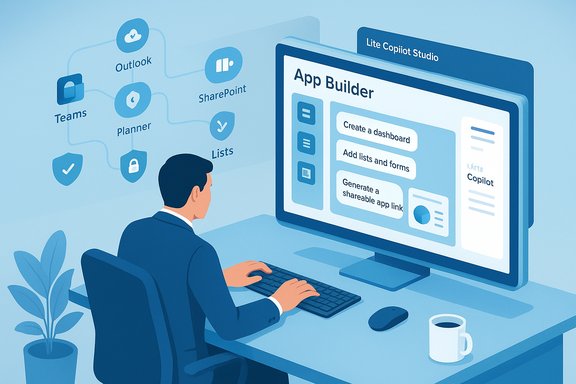
- App Builder: A conversational agent that scaffolds working apps — dashboards, lists, calculators, forms and interactive views — from multi-turn prompts and iterative edits, and can persist new data using Microsoft Lists when no existing backend is provided. The created app is previewable and publishable via a shareable link, inheriting Microsoft 365’s sharing model.
- Workflows: A natural-language workflow authoring experience that converts plain-English instructions into multi-step automations across Outlook, Teams, SharePoint, Planner, and Approvals. As the flow is assembled, Copilot displays each step in real time so users can refine triggers, conditions, and actions within the same conversation. Under the hood, Workflows leverages Power Platform automation foundations and the same agent flow infrastructure used by full Copilot Studio.
- Copilot Studio (lite): A lightweight, in-pane version of Copilot Studio embedded in Copilot that lets knowledge workers quickly create productivity agents grounded in work content. For more complex agents, the full Copilot Studio web portal remains the recommended route.
- Availability: These features began rolling out to customers in the Frontier program around October 28, 2025; initial exposure is web-first and preview-scoped. Admins must enable agent capabilities and configure tenant settings to control access.
Why this matters: a practical lens
App Builder and Workflows collapse the gap between an idea and a working tool. For teams that historically relied on shared spreadsheets, emailed status reports, or one-off Power Automate flows, the new agents promise:- Speed: prototype an app or an automation in minutes instead of days.
- Lower barriers: non-technical staff can deliver usable tools without writing SQL, JSON, or UI code.
- Contextual relevance: generated artifacts can be grounded in a tenant’s existing content (documents, spreadsheets, meeting transcripts).
- Governance-by-design: generated items inherit Microsoft 365’s permissioning and admin visibility, offering a single control plane for discovery and oversight.
Deep dive: App Builder — how it works and what it can generate
Conversational scaffolding
App Builder uses a multi-turn chat model. A user describes the app (for example, “Create a product launch tracker with milestones, owners, percent complete and a dashboard”), and Copilot proposes a UI, data schema, and interactive elements. Users refine the app with follow-ups — adding fields, changing filters, or editing UI — all within the same Copilot conversation. The iterative loop is designed for quick prototyping rather than building enterprise-grade applications from day one.Default backend: Microsoft Lists
To remove installation overhead, App Builder will create a Microsoft Lists table when a new data store is required, avoiding the need for tenants to provision databases or configure connection strings for common scenarios. Where appropriate, App Builder can also bind to existing Excel spreadsheets, SharePoint lists, or Dataverse tables already present in the tenant. Using Microsoft Lists as the default is a pragmatic choice: it keeps generated data inside the Microsoft 365 security boundary and simplifies sharing via familiar role-based permissions.Typical outputs
- Dashboards and progress charts
- Filterable lists and tables
- Simple calculators and forms
- Team trackers, approval portals, and lightweight Q&A agents tied to SharePoint knowledge bases
Limits to expect
Early previews intentionally scope features. Community testing and early docs highlight initial constraints such as web-first availability, English-only authoring for some flows, and differences in how generated apps are shared compared to standard Power Apps or Power Platform artifacts. Organizations should treat App Builder as a prototyping and team-level productivity layer rather than a replacement for full Power Platform solutions.Deep dive: Workflows — practical automation for knowledge workers
Authoring experience
Workflows converts plain-language instructions into a visualized flow that’s built step-by-step. As the agent composes the flow, users can see triggers (e.g., new file uploaded), conditions (e.g., approval pending for X days), and actions (e.g., post in Teams, create Planner task) in real time and adjust them conversationally. This approach is aimed at end users who need standard automations without engaging Power Automate directly.Supported services and connectors
At launch, Workflows supports a core set of Microsoft 365 services: Outlook, Teams, SharePoint, Planner, and Approvals. Because it’s built on the Power Platform automation stack, there’s a path to expand to broader connectors, but early previews may limit third-party or custom connector usage until the feature matures. That constraint should shape pilot selections — favor internal, Microsoft 365–centric automations for initial tests.Reliability and governance
Workflows runs on the same agent flow infrastructure powering Copilot Studio, giving admins a way to audit, inspect, and harden flows produced by the lite experience. For automations that must be production-grade, the recommended path is to iterate in the lite environment and then re-anchor or scale in the full Copilot Studio or Power Platform where enterprise controls, ALM, and telemetry are richer.Governance, security, and compliance — the essential guardrails
Microsoft has emphasized that App Builder, Workflows, and Copilot Studio lite inherit Microsoft 365’s enterprise-grade security and admin controls. That’s true at a platform level, but it’s not a substitute for deliberate configuration and operational policies. Key governance surfaces to configure include:- Agent inventory and group-level access: Restrict who can create and publish apps/agents via the Microsoft 365 admin center.
- Connector management: Limit connectors (especially external/third-party connectors) while approvals and testing proceed.
- Data Loss Prevention (DLP) and Purview policies: Extend DLP to recognize agent-generated artifacts and define allowed data flows for automated actions.
- Logging and auditability: Ensure detailed telemetry and exportable logs are captured for compliance and incident response.
Risks and failure modes (be explicit)
Making app and automation creation easy for business users multiplies certain risks. These are not theoretical — they’re operational realities every IT leader must plan for.- Shadow IT proliferation: Quick-to-create apps and flows can proliferate outside IT processes, creating unsupported tools that rely on sensitive data or bypass change control.
- Data leakage and scope creep: Agents that read mail, channels, and SharePoint can expose sensitive content if DLP or connector policies are misconfigured.
- Hallucination-as-code: Generative models can appear to generate correct logic while omitting critical approval steps or misrepresenting business rules. A generated workflow step that looks right might fail regulatory compliance or business validation if not audited.
- Operational debt: A glut of small, brittle automations can create maintenance burden — orphaned lists, unmonitored flows, or hidden integrations with external systems.
- Limits and edge cases: Initial previews may be English-only, restrict connectors, and differ in shareability semantics compared to enterprise Power Platform artifacts — factors that can affect rollout plans.
Recommendations — a practical rollout plan for IT leaders
- Establish a controlled pilot (2–4 weeks).
- Choose 2–3 low-risk teams (HR onboarding, marketing campaign tracking, internal IT triage).
- Limit creator rights to a small set of trained champions and enable agent inventory restrictions.
- Configure governance before the pilot.
- Apply DLP/Purview policies that explicitly include Copilot agent actions and newly generated artifacts.
- Restrict external connectors; require IT review for any non-Microsoft connector requests.
- Define validation and approval gates.
- Require a human review step for any workflow that sends emails, modifies records, or triggers approvals outside a sandbox.
- Use a staging tenant or the full Copilot Studio for flows slated for production.
- Publish approved templates.
- Create a catalog of pre-approved app and workflow templates for common use cases (product launch tracker, weekly Planner summary).
- Use templates to reduce the creation of ad-hoc, unvetted solutions.
- Train and certify citizen builders.
- Short, role-specific training on safe prompt design, output validation, and how to avoid embedding external content or credentials into generated artifacts.
- Monitor and prune.
- Implement 30/60/90-day reviews to deprecate unused automations, audit permissions, and remediate misconfigurations.
- Feed metrics into your security operations and governance reviews.
- Integrate with existing ALM.
- For automations that scale, migrate flows and apps into formal ALM pipelines using Power Platform and full Copilot Studio for versioning and telemetry.
Use cases that make sense for early pilots
- Weekly status digests: Post a summary of upcoming Planner tasks to a Teams channel every Monday.
- Launch trackers: A product launch tracker with milestones, owners, and a dashboard that consolidates content from SharePoint and Planner.
- Reminders and approvals: Send reminders for approvals or escalate overdue requests to a manager channel.
- Team onboarding agents: A SharePoint-grounded Q&A agent that answers new-hire questions using existing onboarding docs.
The competitive landscape and vendor positioning
Microsoft’s push to embed app and workflow generation directly into the productivity surface mirrors broader industry moves — other cloud vendors are also experimenting with vibe coding and low-code generative tooling. What differentiates Microsoft’s approach today is the platform effect: tight integration with Microsoft 365, Power Platform, and the tenant’s governance model. That integration is the primary reason enterprises with heavy Microsoft 365 investments will likely prioritize Copilot’s embedded builders over third-party alternatives.Technical verification and cross-references
Key claims in this article were verified against Microsoft’s official announcement and independent reporting:- Microsoft’s product blog confirms App Builder, Workflows, and the embedded Copilot Studio and states that these are available to Frontier program customers as of October 28, 2025.
- Independent coverage and technical write-ups (Thurrott, MSDynamicsWorld, and community documentation) corroborate the core capabilities, expected limits at preview, and the Microsoft Lists default backend decision. These independent sources align with Microsoft’s claims about governance, initial connector constraints, and the staged rollout model.
Final assessment — pragmatic optimism
App Builder and Workflows mark a significant step in the democratization of day-to-day automation and lightweight app creation. For organizations that prepare responsibly — by deploying constrained pilots, hardening governance, and baking validation into the lifecycle — these agents offer a genuine productivity uplift: faster prototypes, fewer email chains, and more structured, shareable team tools.However, the real determinant of success will be operational discipline. Without template-driven rollouts, conservative connector policies, and ongoing audits, the same features that accelerate productivity can generate shadow automation, data exposure, and long-term operational debt. Microsoft has designed control points and an upgrade path into full Copilot Studio and the Power Platform, but those controls only work when IT and business teams collaborate on policy, training, and lifecycle management.
For enterprises and IT pros evaluating the update, the practical path forward is clear: pilot with internal, Microsoft 365–centric scenarios; lock down connectors and DLP; publish vetted templates; and insist on staged validation before any generated automation touches production systems. When paired with those guardrails, App Builder and Workflows can convert the day-to-day productivity friction into measurable impact — and that’s a rare change worth the cautious optimism.
Source: Cloud Wars Microsoft Empowers Business Users with Copilot Agents for App Creation and Workflow Automation
