

Microsoft’s Copilot has quietly graduated from “help me write this” to “join my team and get things done,” and the implications for Windows users, IT leaders and enterprise architects are as profound as they are practical. What began as an in-app drafting assistant is now a platform-level orchestration play: Microsoft is packaging agentic AI—stateful, multi-step agents that plan, act and report—into a managed stack that spans Microsoft 365, Teams, Windows and Azure. The company’s roadmap combines new collaborative modes (Teams Mode / Copilot Groups), in‑app agent execution (Agent Mode for Excel, Word and PowerPoint), a governance and runtime surface (Copilot Studio, Agent Store, Agent 365, Entra Agent ID), and plumbing to connect agents to third-party systems using a Model Context Protocol. These moves signal a deliberate pivot from single‑user productivity gains to team-level automation and workflow orchestration.
Microsoft’s narrative has shifted from “Copilot helps me” to “Copilot participates with us.” That shift has two practical patterns: (1) human-agent teams, where agents are added as participants in chats and meetings to summarize, propose next steps and extract action items; and (2) human-led, agent-operated workstreams, where humans set goals and agents execute multi‑step tasks—escalating to people only when exceptions arise. This reframing has shown up across Ignite previews, product notes and enterprise briefings, and it underpins new UI patterns (shared sessions, agent role personas) and platform investments (identity, governance, runtime).
Microsoft’s ambition is straightforward: make the assistant a persistent, discoverable, auditable part of how teams operate so that shared context and automated execution reduce coordination tax and accelerate decision-to-artifact cycles. The question for CIOs and Windows admins is no longer whether AI can help with a draft—it's whether agents can be trusted to act inside enterprise workflows, and how those agents will be governed, traced and bounded.
Key capabilities in this mode include:
Notable verification notes:
Microsoft’s differentiator is distribution: billions of Windows and Microsoft 365 endpoints. Its moat is built on platform integration and enterprise governance primitives—if it can execute reliably. Execution risk, not concept risk, is the real battleground.
Two truths guide the next phase:
Source: FourWeekMBA High Value Agentic Experiences: Microsoft's Copilot Strategy - FourWeekMBA
 Background / Overview
Microsoft’s narrative has shifted from “Copilot helps me” to “Copilot participates with us.” That shift has two practical patterns: (1) human-agent teams, where agents are added as participants in chats and meetings to summarize, propose next steps and extract action items; and (2) human-led, agent-operated workstreams, where humans set goals and agents execute multi‑step tasks—escalating to people only when exceptions arise. This reframing has shown up across Ignite previews, product notes and enterprise briefings, and it underpins new UI patterns (shared sessions, agent role personas) and platform investments (identity, governance, runtime).Microsoft’s ambition is straightforward: make the assistant a persistent, discoverable, auditable part of how teams operate so that shared context and automated execution reduce coordination tax and accelerate decision-to-artifact cycles. The question for CIOs and Windows admins is no longer whether AI can help with a draft—it's whether agents can be trusted to act inside enterprise workflows, and how those agents will be governed, traced and bounded.
What Microsoft announced — the essentials
Teams Mode / Copilot Groups: AI as a chat participant
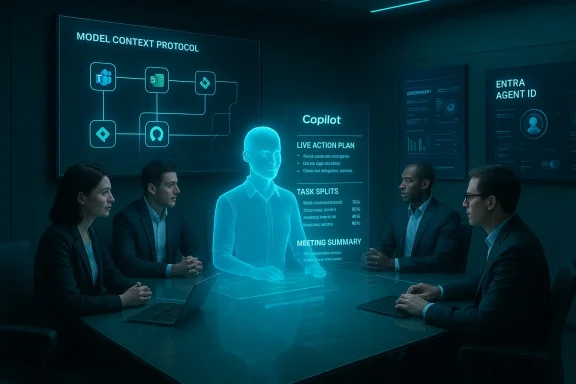
Microsoft introduced a shared-session collaboration model often called Copilot Groups or Teams Mode, where a single Copilot instance joins a group chat and behaves like a team member: summarizing discussion, proposing agendas, generating drafts, tallying votes and extracting follow-ups. Sessions can be started via @mentions or link invites and (at least in initial consumer previews) support up to 32 participants. The UX deliberately treats the agent as a room memory—a canonical context holder that all participants can see and act on together.Key capabilities in this mode include:
- Shared context and session‑bound memory so outputs belong to the group, not an individual.
- Real‑time content generation and collaborative drafting.
- Group management primitives: summarization, vote tallies, action extraction and task splitting.
- Role agents that can be dropped into meetings (e.g., Facilitator, Project Manager, Interpreter).
Agent Mode and Office Agents: in‑canvas action
In parallel, Microsoft is rolling out Agent Mode inside Office apps (Excel, Word and PowerPoint), where agents decompose a brief into discrete steps, execute edits inside documents or workbooks, and expose the execution plan and intermediate artifacts for user review. Excel is the poster child: agents can convert a plain-English brief into formulas, PivotTables, charts and written narratives, while showing an auditable sequence of actions that users can inspect, reorder or roll back. Word and PowerPoint agents focus on long‑form drafting and slide generation respectively, with iterative, multi‑turn refinement before handing results back to the native app. These features launched on the web in late 2025 and were staged for broader availability through early 2026.Platform & governance: Copilot Studio, Agent Store, Agent 365, Entra Agent ID, Azure AI Foundry
Microsoft isn’t just shipping UI features; it is building a platform stack to manufacture, distribute and control agents at enterprise scale:- Copilot Studio / Agent Builder: low‑code and developer tooling for authoring agents and defining their skills.
- Agent Store: an in‑product catalog for discovering and publishing agents.
- Agent 365: the tenant-level control plane for lifecycle management, telemetry and policy enforcement.
- Entra Agent ID: per-agent identities so agents can participate in access reviews and conditional access policies.
- Azure AI Foundry: the production runtime and model routing infrastructure.
MCP (Model Context Protocol): the integration fabric
To turn agents from passive summarizers into workflow actors, Microsoft uses the Model Context Protocol (MCP)—an integration fabric that lets agents request context and call functions on third‑party systems (Jira, Asana, GitHub, etc.) subject to tenant policies and connector approvals. MCP servers mediate secured access so agents can read or act against external tools without bypassing governance. This is a critical architectural piece: agents gain agency only to the extent the platform can provide safe, auditable connectors and entitlements.Why this matters: from convenience to orchestration
The product story here is a classic platform inflection. Previously, assistants were one‑to‑one utilities that answered queries or suggested text. Microsoft’s agent thesis makes the assistant central to team workflows by:- Making shared context the primary artifact rather than a per-user output.
- Turning the assistant into a workflow engine that can create artifacts, assign tasks and perform authorized actions.
- Creating a governance surface that treats agents as managed objects with identities, entitlements and telemetry.
Technical verification and limits — what’s confirmed and what’s aspirational
Microsoft’s public materials and independent reporting confirm several specifics: Teams Mode and Groups, role agents such as Facilitator and Interpreter, Agent Mode previews in Excel and Word, and a staged web-first rollout beginning in late 2025. Administrators are advised to expect tenant-gated deployment and staged availability through early 2026. However, a number of backend and policy questions remain partially specified publicly—particularly around model provenance, exact retention windows for memory artifacts, and the precise mapping of which model families power which experiences. Treat some vendor statements (for example, NPU TOPS claims or internal benchmark numbers) as vendor-supplied targets until independently validated.Notable verification notes:
- Agent Mode launched on the web first with Excel and Word previews; Microsoft signaled PowerPoint parity would follow. Administrators should expect a staged rollout and tenant gating.
- Excel Agent Mode emphasizes auditable sequences so users can inspect generated formulas and step-through edits—a deliberate design choice because spreadsheets are high‑risk artifacts.
- Copilot+ PC hardware claims (including an NPU baseline with 40+ TOPS) are referenced in Microsoft materials, but TOPS figures are engineering targets from vendor disclosures and should be validated in procurement.
Risks, governance and operational hygiene
Agentic AI multiplies both opportunity and risk. The most pressing concerns for Windows and enterprise IT include:- Auditability and provenance: Agents that act must leave verifiable trails—who asked, what context was provided, what actions were taken, and which model responded. Microsoft’s Agent 365 and Entra Agent ID are steps in the right direction, but enterprises should demand rich logs and reproducibility guarantees.
- Data privacy and connectors: Cross‑service connectors (OneDrive, Outlook, Gmail, Google Drive, etc.) increase the risk of accidental data exposure. Configure DLP and Purview policies to restrict what agents can access and what outputs can leave the tenant.
- Hallucination and decision risk: Generative models can confidently produce incorrect outputs. For high‑stakes tasks (financial reporting, legal wording, clinical recommendations), make human verification the default and require visible plan inspection before agentic actions change production artifacts.
- Operational cost and runaway consumption: Multi-agent orchestration and model inference cost money. Meter agent usage, instrument cost telemetry, and add cloud‑finance alerts to prevent runaway bills. Agent 365 telemetry and Azure consumption dashboards should be surfaced to finance teams.
- Vendor lock‑in and portability: Deep integrations into a single vendor’s identity and data plane increase switching costs. Negotiate portability, exit provisions and clear model/asset export terms in contracts.
- Security and abuse surface: Agents that can perform actions—schedule meetings, submit forms, create tickets—create new attack vectors if credentials or connectors are compromised. Harden access controls and require least‑privilege principles for agent identities.
Practical rollout guidance for IT and Windows admins
If you are responsible for Microsoft 365 or Windows deployments, treat Copilot adoption as a transformation program rather than a simple feature toggle. A pragmatic first-90-day path that organizations and partners recommend looks like this:- Assessment & readiness (Days 0–14)
- Inventory tenant connectors, sensitivity labels and current DLP posture.
- Identify 3–5 measurable KPIs (time saved on X, reduction in drafting time).
- Select pilot cohorts where outputs are semi‑structured and easy to verify.
- Pilot & champion build (Days 14–45)
- Run a tightly scoped, cross‑functional pilot with an executive sponsor.
- Appoint 2–4 Copilot champions to act as peer trainers.
- Build prompt libraries for common role tasks.
- Harden & secure (Days 45–75)
- Integrate Agent 365 telemetry into SIEM and finance dashboards.
- Configure conditional access for Entra Agent IDs and apply least‑privilege policies.
- Define approval gates for actions that change production assets.
- Scale with guardrails (Days 75–90+)
- Expand licenses to adjacent teams after validated wins.
- Institutionalize micro‑learning and in‑app prompt starters.
- Create an AI governance council to review high‑risk agents.
- Require sign‑off for agentic flows that change documents or financial spreadsheets.
- Enforce visibility of agent plans and intermediate artifacts in Excel Agent Mode.
- Meter and alert on agent runtime spend to prevent surprise bills.
- Stage rollout with MDM/Group Policy gating for high‑risk groups (finance, HR, legal).
Competitive landscape and strategic context
Microsoft’s agent-first strategy is both a defensive and offensive move. It leverages Microsoft’s integrated stack—Windows, Microsoft 365, Teams, Azure and GitHub—to offer an end‑to‑end proposition that many enterprises find appealing because it reduces integration work. Competitors (Google with Gemini in Workspace, Anthropic’s Claude, xAI’s Grok and specialist vertical vendors) are pursuing parallel routes: embedding models into productivity surfaces and offering agent-like automation for specific workflows. That means the market will likely be multi‑vendor, with pockets of vendor preference and interoperability decisions driven by governance, compliance and economic tradeoffs. Enterprises should evaluate the tradeoffs between best‑of‑breed models and simplified, single‑vendor operational manageability.Microsoft’s differentiator is distribution: billions of Windows and Microsoft 365 endpoints. Its moat is built on platform integration and enterprise governance primitives—if it can execute reliably. Execution risk, not concept risk, is the real battleground.
Strengths: where Microsoft’s approach is sensible
- Platform coherence: Bundling authoring tools, a marketplace, identity and a runtime reduces friction for enterprise pilots and templates. Copilot Studio + Agent Store + Agent 365 forms a credible developer-to-production pathway.
- UX-first collaboration: Shared sessions and Rooms-as-memory reduce duplication of effort (no more “can someone summarize the meeting for me?”). Copilot Groups promises faster ideation and clearer next steps across teams.
- Device and hybrid design: The Copilot+ device tier and local spotter models enable low‑latency, privacy‑sensitive experiences—important for hands‑free voice interactions and on‑device vision tasks. That hardware‑software co‑design can materially improve responsiveness and privacy tradeoffs.
- Enterprise governance primitives: Per‑agent identity, tenant control planes and telemetry dashboards are necessary building blocks for safe productionization. These tools acknowledge the operational realities of enterprise risk management.
Weaknesses and execution risks
- Model provenance and transparency remain incomplete: Microsoft has not fully published a granular mapping of which model powers which feature surface, and independent validation of vendor benchmarks remains limited. This opacity complicates compliance and vendor risk assessments.
- Complexity and fragmentation: Multiple Copilot experiences (desktop, web, Copilot app, Copilot+ devices) and licensing tiers can confuse users and admins. Without clear product consolidation, activation will stall.
- Security by default is hard: Opt‑in defaults help, but discoverability and convenience can drive users to enable features in ways that increase exposure. Enterprises must anticipate and mitigate user behavior gaps.
- Cost economics: Multi‑model routing, long retention for memory artifacts and high-frequency agent actions create unpredictable cost profiles if not governed tightly. Finance controls and tagging are mandatory.
How to validate vendor claims and measure ROI
Treat vendor ROI figures as directional until you run site-specific pilots. Practical validation steps:- Define tight KPIs before pilot (time saved on X, accuracy checks per output).
- Use A/B testing or time‑and‑motion studies for measurable tasks (meeting prep, first-draft creation, routine ticket triage).
- Insist on auditable logs for agent runs and include model routing metadata in telemetry so you can correlate cost vs. outcome.
- Validate hardware claims (NPU TOPS, latency) on representative workloads—don’t rely solely on vendor marketing.
Recommendations for WindowsForum readers and enterprise IT leaders
- Pilot narrow, high-frequency tasks first: HR self‑service, meeting facilitation, marketing first drafts and SKU lookups are low‑risk, high‑return starting points.
- Harden governance from day one: set connector whitelists, retention policies and least‑privilege agent identities before broad enablement.
- Instrument everything: route agent telemetry into SIEM and cloud‑cost dashboards; add alerts for anomalous agent actions or spend spikes.
- Train humans to be verifiers: make human sign‑off the default for financial, legal or customer‑facing outputs and make prompt libraries available for common roles.
- Negotiate commercial protections: require exportability of agent assets, exit rights, and clear model SLOs in procurement contracts.
Final analysis — measured optimism with heavy governance
Microsoft’s Copilot strategy is an audacious but coherent bet: embed agentic AI into the fabric of teamwork by marrying user experiences, identity and a production runtime. The potential to compress coordination cycles and automate recurring cross‑system tasks is real and strategically valuable for Windows-centric enterprises. However, realizing that potential requires disciplined pilots, measurable KPIs, and robust governance.Two truths guide the next phase:
- Technology truth: orchestration, identity and connectors are the engineering plumbing that make agents useful; without them models are toys, not tools. Microsoft’s investments (Copilot Studio, Agent 365, Entra Agent ID, MCP) reflect that lesson.
- Operational truth: durable value will come only where organizations pair agentic capability with disciplined verification, cost control and explicit policies. Execution, not aspiration, will separate successful deployments from PR milestones.
Source: FourWeekMBA High Value Agentic Experiences: Microsoft's Copilot Strategy - FourWeekMBA
