

Microsoft’s latest Copilot “Fall Release” stitches a dozen headline features into a single strategic pivot: transform Copilot from a reactive chat box into a persistent, context‑aware, and human‑centred companion across Windows, Edge, and Microsoft’s mobile surfaces.
Microsoft unveiled this set of consumer‑facing updates during its Copilot Sessions, positioning the bundle around a declared design principle of human‑centred AI — an ambition to augment human judgement, preserve user control, and reduce repetitive toil through smarter context and richer interaction modes. Reporting and company statements describe twelve visible features that together aim to make Copilot more personal, social, and agentic while adding controls and opt‑ins to limit surprises. The rollout is staged: many capabilities are shipping first in the United States with wider availability planned for other markets in the weeks ahead. Microsoft also ties the experience to a two‑tier runtime idea — cloud‑backed reasoning for broad compatibility and a premium “Copilot+” hardware tier with on‑device NPUs for lower latency and enhanced privacy. Key platform pieces—Voice, Vision and Actions—anchor the experience inside Windows and Edge, not just inside isolated apps.
Caveat: A visual avatar, even abstract, changes perceived agency. Microsoft stresses Mico is optional and non‑photoreal to limit emotional over‑attachment, but some users will still anthropomorphize the assistant; product teams must be vigilant about user expectations and the awareness that animation does not equal understanding.
Policy implications include:
Yet the promise depends on disciplined implementation: transparent defaults, robust consent controls, conservative grounding in sensitive domains and conservative governance for agentic automation. Consumers will appreciate less repetition and more helpfulness; organizations will measure benefits against new privacy, security and compliance obligations. The next phase for Copilot will be making these trade‑offs visible, manageable and reversible at scale — a human‑centred claim that will only hold if people retain control over what Copilot knows, does and displays.
Source: Technology Magazine How Microsoft Copilot’s 12 Updates Achieve Human-Centred AI
 Background
Microsoft unveiled this set of consumer‑facing updates during its Copilot Sessions, positioning the bundle around a declared design principle of human‑centred AI — an ambition to augment human judgement, preserve user control, and reduce repetitive toil through smarter context and richer interaction modes. Reporting and company statements describe twelve visible features that together aim to make Copilot more personal, social, and agentic while adding controls and opt‑ins to limit surprises. The rollout is staged: many capabilities are shipping first in the United States with wider availability planned for other markets in the weeks ahead. Microsoft also ties the experience to a two‑tier runtime idea — cloud‑backed reasoning for broad compatibility and a premium “Copilot+” hardware tier with on‑device NPUs for lower latency and enhanced privacy. Key platform pieces—Voice, Vision and Actions—anchor the experience inside Windows and Edge, not just inside isolated apps. What Microsoft shipped: the 12 headline features
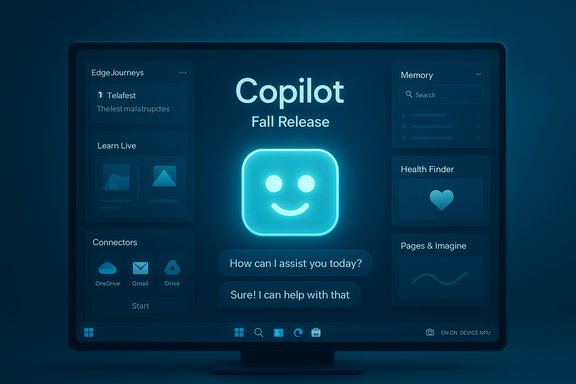
Below is a concise, verified map of the consumer‑visible items Microsoft bundled in the Fall Release. Each entry is drawn from Microsoft’s announcement coverage and independent reporting; where availability limits exist those are noted.- Mico — an optional, animated, non‑photoreal avatar for voice interactions that provides simple nonverbal cues (color, expressions, lip sync).
- Copilot Groups — shared Copilot sessions that let up to 32 participants collaborate with a single Copilot instance, with summarization, vote‑tallying and task splitting.
- Memory & Personalization — a user‑managed long‑term memory layer to store preferences, ongoing project context, and facts, accessible for later reuse.
- Connectors — opt‑in integrations to OneDrive, Outlook and consumer Google services (Gmail, Drive, Calendar, Contacts) so Copilot can search and act across multiple accounts.
- Real Talk (conversation styles) — selectable conversational modes (e.g., “Real Talk”) that let Copilot push back, explain reasoning, or adopt different tones.
- Learn Live — a voice‑first, Socratic tutoring mode with scaffolded questions, visual prompts and interactive whiteboard tools rather than simply delivering answers.
- Copilot for Health / Find Care — health queries grounded to vetted clinical publishers (e.g., Harvard Health cited by Microsoft in coverage) and a local clinician‑finder workflow. Availability at launch is U.S‑first.
- Edge: Copilot Mode / Journeys — an “AI browser” mode that summarizes and reasons across open tabs, organizes past sessions into resumable Journeys, and can execute permissioned, multi‑step Actions.
- Copilot Actions (agentic automations) — constrained, auditable automations that can take multi‑step actions such as filling forms or booking with explicit permission and visible logs.
- Copilot on Windows (Hey, Copilot) — deeper OS hooks including a wake phrase (“Hey, Copilot”), Copilot Home, Copilot Vision screen‑aware assistance, and File Explorer AI actions.
- Pages & Imagine — collaborative canvas and creative remix space (Imagine) where users can share, like, and remix AI creations; Pages offers multi‑file collaboration surfaces.
- Model routing & MAI models — Microsoft is routing tasks across different model variants and introducing in‑house model families (MAI‑Voice‑1, MAI‑Vision‑1, MAI‑1‑Preview) to optimize voice, vision and reasoning workloads.
How these updates embody "human‑centred AI"
Microsoft frames the Fall Release with three human‑centred goals: preserve agency and consent; enhance continuity of context; and reduce friction so people spend less time on rote work. The product choices reflect that framing in concrete ways.Memory — continuity without the cost of repetition
Long‑term memory is the linchpin for continuity: Copilot can persist user‑approved facts so subsequent sessions can skip repetitive context setting. This is conceptually simple but transformative in practice — if implemented with transparent controls it reduces query friction by allowing Copilot to resume conversations with awareness of prior plans, preferences and projects. Reporting shows Microsoft exposes explicit UI to view, edit or delete memory items, a required safeguard for any persistent assistant. Key verification: multiple outlets confirm the memory capability and emphasize user controls; however, the precise default state and retention policies may vary by build and region and should be confirmed in the user’s Copilot settings.Social & collaborative intelligence — Groups and Imagine
Shared Copilot sessions (Groups) turn Copilot into a social collaborator that can summarize discussion threads, propose options and split tasks — functions that augment group productivity rather than replace human decision‑making. Imagine fosters creative iteration and visible lineage for AI content, which helps in learning and collaborative ideation. By design these social features embed Copilot into human workflows rather than automate past human judgment. Practical consideration: group scenarios raise new audit, moderation and privacy needs because multiple participants may inject sensitive context; Microsoft’s approach of link‑based invites and group summarization mitigates some friction but does not eliminate governance complexity.Voice, persona and multimodal interaction — Mico, Learn Live and Copilot Vision
Voice and vision make interactions more natural; the avatar Mico supplies minimal, non‑realistic cues to reduce cognitive friction during voice sessions. Learn Live uses voice plus scaffolded visuals to adopt a Socratic tutoring posture, deliberately avoiding giving direct answers and encouraging learning through guided questioning. Copilot Vision adds screen awareness so the assistant can point at UI elements, extract tables and summarize documents — a major accessibility and productivity advance when combined with consented session boundaries.Caveat: A visual avatar, even abstract, changes perceived agency. Microsoft stresses Mico is optional and non‑photoreal to limit emotional over‑attachment, but some users will still anthropomorphize the assistant; product teams must be vigilant about user expectations and the awareness that animation does not equal understanding.
Agentic assistance — Journeys and Actions
Edge’s Journeys and Copilot Actions let Copilot string together multi‑step tasks across web and desktop contexts with user permission. This moves the assistant from adviser to executor in narrow, auditable ways. Microsoft’s transparency measures — visible Action workspaces and revocable steps — are necessary guardrails to avoid silent automation and to keep humans in control. Risk note: automating third‑party web flows is brittle by nature (UI changes, multi‑factor auth, rate limits). Administrators and power users should treat Actions as productivity accelerators rather than fully autonomous agents, at least until the feature proves stable at scale.Technical verification: what can be corroborated (and where to be cautious)
Responsible journalism requires checking the most important claims against multiple independent sources. The following items were cross‑checked and verified where possible.- Participant cap for Groups: reporting from multiple outlets and Microsoft’s materials cite up to 32 participants. This appears consistent across coverage.
- Mico avatar behavior: multiple previews and company descriptions describe a stylized animated presence with optional controls; some preview builds show a playful “tap‑to‑Clippy” easter egg, but that easter egg is a preview artifact and not a formal product promise. Treat the easter egg as provisional.
- Connectors and cross‑service search: outlets confirm opt‑in connectors for Outlook/OneDrive and consumer Google services; exact scope (personal accounts vs. enterprise accounts) and the mechanics of tokenized access should be validated when enabling connectors in production.
- Copilot+ PC hardware claims: Microsoft and partners discuss NPUs and a Copilot+ hardware tier; some vendor claims about raw NPU performance (e.g., “40+ TOPS”) are reported but can vary by OEM and device. Treat specific NPU performance figures as vendor statements that require OEM datasheets for technical confirmation.
- Grounded health answers: Microsoft says Copilot will ground certain health answers to vetted publishers and adds a clinician‑finder flow. Independent reporting confirms the intent but flags that health domain performance depends on conservative sourcing and ongoing vetting. Do not treat Copilot as a diagnostic tool; it is a referral and information aid.
Notable strengths: why this matters for Windows users and teams
- Reduced context switching: By combining memory, connectors and on‑device hooks, Copilot shortens workflows that previously required copying content across apps. This produces genuine time savings for knowledge workers and creators.
- Multimodal accessibility: Wake‑word voice, screen‑aware vision and on‑screen highlights make PC tasks more accessible to people with mobility challenges or those who prefer hands‑free interaction.
- Collaborative augmentation: Groups and Imagine support new team workflows where AI acts as a shared assistant, helping coordination, synthesis and ideation in contexts like classrooms, volunteer groups and small teams.
- Safety‑forward design signals: Opt‑in connectors, session‑bound vision, explicit Action workspaces and memory controls are all positive signals; they reflect an attempt to design for consent and visibility rather than opaque automation.
- Vertical focus: By building domain flows for learning and health (Learn Live and Copilot for Health), Microsoft is shifting from generic Q&A to more purposeful, context‑aware experiences for higher‑stakes areas.
Risks, gaps and governance challenges
Even well‑intentioned design choices create practical risks. The Fall Release raises several issues enterprises and privacy‑conscious users must treat seriously.Privacy and inference risks
Long‑term memory and cross‑service connectors are powerful but sensitive. Memory retention, default settings, and how connectors index or cache materials are all governance concerns. Users must be able to inspect and purge memories easily; organizations must decide whether to allow connectors to personal accounts on corporate devices. Microsoft exposes tools to view and delete memory items, but administrators should evaluate policy controls before broad adoption.Hallucination and grounding
Grounding answers (especially for health) to vetted publishers reduces hallucination risk but does not eliminate it. Users should treat Copilot’s outputs as assistance, not authoritative diagnoses or legally binding advice. For enterprise contexts (legal, compliance, regulated industries), organizations must define whether Copilot outputs are allowed as part of recordkeeping or decision support.Automation brittleness and security
Agentic Actions that interact with web forms and third‑party apps are inherently brittle and can be attack surfaces if not carefully sandboxed. Cross‑site interactions, credential handling and multi‑factor authentication flows raise security questions. Microsoft’s visible action logs and permission prompts are strong mitigations, but security teams should assess threat models for automated agents before enabling Actions broadly.Anthropomorphism and user expectations
An expressive avatar (Mico) and more humanlike conversation styles increase adoption friction and expectation mismatches. Users may over‑trust AI responses when the assistant shows personality. Making Mico optional and clearly labelling conversational modes helps, but product teams and communicators must avoid implying capabilities that don’t exist.Practical guidance for users and IT administrators
- Check default settings: verify whether Memory and Mico are enabled by default in your build and adjust to your preference.
- Use connectors intentionally: enable only the accounts and services you trust; review OAuth scopes and token lifetimes.
- Treat Actions as pilot projects: run automation experiments in controlled pilot groups and document failure modes.
- Apply governance for Groups: set policies for invite links and content moderation if Groups are used within enterprises or educational settings.
- Health and learning — add disclaimers: when using Copilot for Health or Learn Live, insist on human review and appropriate disclaimers for advice and assessments.
Longer view: product and policy implications
Microsoft’s Fall Release is more than a feature drop; it’s an architectural and cultural statement. Building memory, group contexts, multimodal inputs and agentic automations into the OS positions Copilot as the connective tissue across user tasks. That integration creates strong value for users but also concentrates responsibility: Microsoft, OEMs and administrators now share custody over how AI augments human work.Policy implications include:
- The need for standardized controls for memory retention and consent across platforms.
- Audit trails and tamper‑evident logs for agentic Actions if they touch regulated records.
- Clear labeling and UX signals for conversation styles and avatar presence to avoid misleading users about capabilities.
Conclusion
Microsoft’s Copilot Fall Release offers a compelling blueprint for what human‑centred AI can look like at scale: a multimodal assistant that remembers, collaborates, grounds answers to trusted information, and — with explicit permission — acts on users’ behalf. The dozen headline updates are coherent when taken together: memory enables continuity, connectors and models provide grounding, Groups and Imagine enable social workflows, and Actions and Vision turn advice into practical outcomes.Yet the promise depends on disciplined implementation: transparent defaults, robust consent controls, conservative grounding in sensitive domains and conservative governance for agentic automation. Consumers will appreciate less repetition and more helpfulness; organizations will measure benefits against new privacy, security and compliance obligations. The next phase for Copilot will be making these trade‑offs visible, manageable and reversible at scale — a human‑centred claim that will only hold if people retain control over what Copilot knows, does and displays.
Source: Technology Magazine How Microsoft Copilot’s 12 Updates Achieve Human-Centred AI
