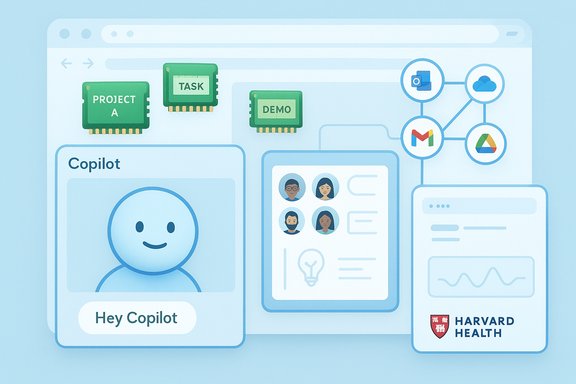
Microsoft’s latest Copilot update pushes the assistant from a reactive helper toward a persistent, personality-driven companion — introducing a voice‑first avatar called Mico (a deliberate Clippy nod), long‑term memory and privacy controls, multi‑user Copilot Groups, deeper Edge integrations that can read and act on web pages, and new connectors for Gmail, Google Drive and Google Calendar — features Microsoft is rolling out to U.S. consumers first and expanding afterward.
Microsoft has been folding Copilot into Windows, Edge and Microsoft 365 for more than a year, shifting the product from an in‑app help box to a cross‑platform assistant that can listen, see and perform tasks with user permission. The October / Fall consumer release described publicly is best read as a strategic pivot: make Copilot the central interaction layer for personal computing — voice, browser, and collaborative workflows — while layering on controls and opt‑in privacy settings.
This update is not a single feature drop but a package: the visible centerpiece is Mico, the new animated avatar; functionally the release adds session persistence (memory), shared sessions (Groups), agent‑capable browsing tools in Edge, improved grounding for sensitive domains like health, and explicit connectors to non‑Microsoft services. Many of these items were previewed earlier; Microsoft and multiple outlets confirm the staged U.S. rollout with broader regional availability planned.
Microsoft and hands‑on reports show a small Easter egg: in certain preview builds, repeatedly tapping Mico can briefly morph it into a paperclip reminiscent of Clippy. That behavior has been presented as a nostalgic wink, not a restoration of Clippy’s intrusive assistant model; treat the Clippy appearance as preview‑only and potentially temporary.
However, an animated face is only an interface cost if it truly improves comprehension and discoverability. On small‑screen devices, Mico could help; on desktops, it risks being a cosmetic add‑on unless tightly integrated with meaningful affordances (e.g., quick‑action buttons, explicit listening indicators).
Cross‑platform connectors are a usability win: fewer context switches and faster creation of artifacts (e.g., export a Google Doc into Office formats). They’re also a governance headache: every connector is an access vector, and organizations should require explicit, auditable consent workflows before users enable third‑party connectors on managed devices.
Caveat: automated health guidance remains a sensitive domain. Even when outputs are grounded to reputable sources, the assistant’s summary, paraphrase or omission errors can materially affect decisions. Microsoft’s explicit grounding is a positive step, but users should treat Copilot health outputs as informational, not diagnostic, and always verify with a qualified clinician.
Microsoft still offers tiered experiences: the free/consumer Copilot app surfaces basic features while paid Microsoft 365 subscriptions unlock more potent capabilities. Be careful interpreting marketing lines: hardware‑accelerated on‑device processing (Copilot+) has explicit device requirements and guaranteed on‑device behavior varies by OEM and SKU. Confirm hardware TOPS/NPU promises against OEM datasheets rather than press summaries.
Where documentation is incomplete, precaution is warranted: don’t assume full on‑device guarantees, and consider the Clippy behavior an easter egg seen in previews rather than a formal, widely‑supported avatar choice until Microsoft documents it in release notes.
But with that power comes responsibility. The update increases the breadth of data Copilot can access and act on; the utility trade‑off is privacy, governance complexity and a higher bar for transparent provenance and auditing. Users and IT teams should approach the new features with curiosity — and a clear testing plan. Microsoft’s emphasis on opt‑in controls and scoped experiences is the right starting point; success will depend on conservative defaults, robust auditing, and clear documentation that answers questions still outstanding in preview notes.
For Windows users and administrators, the sensible path is a staged adoption: pilot the experiences that deliver immediate productivity gains, lock down connectors where necessary, and treat Mico as an optional experiment rather than a systemwide default. If Microsoft follows through on the guardrails it has described, Copilot’s new personality may be a helpful companion. If not, it risks repeating the very lesson Clippy taught: clever interface tricks can’t substitute for control, clarity and trust.
Source: PCWorld Microsoft pushes huge Copilot update with features like Clippy 2.0
 Background
Microsoft has been folding Copilot into Windows, Edge and Microsoft 365 for more than a year, shifting the product from an in‑app help box to a cross‑platform assistant that can listen, see and perform tasks with user permission. The October / Fall consumer release described publicly is best read as a strategic pivot: make Copilot the central interaction layer for personal computing — voice, browser, and collaborative workflows — while layering on controls and opt‑in privacy settings.This update is not a single feature drop but a package: the visible centerpiece is Mico, the new animated avatar; functionally the release adds session persistence (memory), shared sessions (Groups), agent‑capable browsing tools in Edge, improved grounding for sensitive domains like health, and explicit connectors to non‑Microsoft services. Many of these items were previewed earlier; Microsoft and multiple outlets confirm the staged U.S. rollout with broader regional availability planned.
What shipped — quick feature map
- Mico (the avatar) — an optional, animated, non‑photoreal visual presence for voice interactions; includes a playful Clippy easter egg in preview builds.
- Copilot Groups — shared Copilot sessions intended for friends, study groups or small teams, reported to support up to 32 participants.
- Long‑term memory — opt‑in memory that can store preferences, projects and recurring details, with UI to view, edit or delete entries.
- Edge — Copilot Mode / Actions / Journeys — permissioned analysis of open pages and agentic, multi‑step tasks (bookings, form fills) after explicit consent.
- Connectors — explicit access to Gmail, Google Drive and Google Calendar (and Microsoft services) so Copilot can reason over your files and recent activity.
- Copilot for health / Find Care — health‑grounded answers citing vetted publishers and clinician‑finding flows that consider specialty, language and location. Microsoft cites credible publishers in its guidance.
Mico: Clippy 2.0 or careful design redux?
What Mico is and what it isn’t
Mico is an animated, abstract avatar that appears primarily in voice interactions and select learning or group scenarios. The design intentionally avoids photorealism — a lesson learned from past UI experiments — and is positioned as a visual cue rather than a separate intelligence. Microsoft says Mico is opt‑in and scoped: it surfaces in Copilot voice mode, the Copilot home surface, and Learn Live tutoring sessions.Microsoft and hands‑on reports show a small Easter egg: in certain preview builds, repeatedly tapping Mico can briefly morph it into a paperclip reminiscent of Clippy. That behavior has been presented as a nostalgic wink, not a restoration of Clippy’s intrusive assistant model; treat the Clippy appearance as preview‑only and potentially temporary.
Design choices and usability implications
The avatar’s main design goal is to reduce social friction during voice conversations: provide micro‑feedback (listening, thinking, acknowledging) so users feel heard and oriented. That’s sensible for long voice sessions such as tutoring or collaborative planning. The UI choices — opt‑in, limited scope, non‑photoreal visuals — are explicitly engineered to avoid the emotional attachment and interruption patterns that sank Clippy.However, an animated face is only an interface cost if it truly improves comprehension and discoverability. On small‑screen devices, Mico could help; on desktops, it risks being a cosmetic add‑on unless tightly integrated with meaningful affordances (e.g., quick‑action buttons, explicit listening indicators).
Copilot Mode in Edge: agentic browsing and “reading” web pages
How it works
Copilot’s Edge integration separates analysis from action: it can read your open tabs and PDFs to summarize, compare or synthesize content, and it can perform agentic, multi‑step actions (bookings, form fills) after you grant explicit permissions. Microsoft indicates visible consent dialogs and clear indicators when Copilot is actively reading or acting. These features are packaged under Copilot Mode, Actions and Journeys in Edge.Privacy and telemetry concerns
The capability to “remember” browsing context and act on your behalf is powerful — and risky. Microsoft describes permission flows, but the practical questions for users and admins are concrete:- How long does Copilot retain parsed web content?
- Are agentic actions logged and can they be audited by users or enterprise admins?
- Does Copilot upload page content to cloud models, or is parsing done locally when possible? Public previews have mentioned on‑device and cloud processing variants depending on device capability and Copilot+ hardware criteria; concrete device guarantees are still SKU‑dependent.
Copilot Groups: collaboration at scale
The feature
Copilot Groups lets multiple users interact with the same CoPilot chat instance for planning, study or casual teamwork. Invitations are link‑based and the assistant can summarize discussions, tally votes and split tasks. Reports consistently cite support for up to 32 participants in consumer Groups.Use cases and limits
- Ideal scenarios: study groups, family planning, trip coordination, collaborative brainstorming.
- Not aimed at sensitive enterprise collaboration without admin controls; Microsoft frames Groups as consumer‑focused.
Long‑term memory: convenience vs. control
What memory does
Copilot’s long‑term memory can store persistent information — preferences, ongoing project context, and recurring facts — and uses that memory to personalize future responses. Microsoft emphasizes opt‑in memory and provides interfaces to view, edit or delete stored entries.Controls and governance
Memory is presented with user controls, including a dashboard for managing what’s stored and conversational commands to forget specific items. That’s a significant improvement over black‑box persistence, but the real test is in the implementation details:- Are memory reads recorded in audit logs for enterprise tenants?
- Can admins set organization‑level memory policies (block certain memory types)?
- Does memory sync across devices and is it encrypted at rest and in transit? These technical guarantees require verification against Microsoft’s published security docs.
Google connectors and cross‑platform grounding
Copilot’s connectors now include access to Gmail, Google Drive and Google Calendar after explicit user consent. That enables “Deep Research” workflows where Copilot can synthesize across Microsoft and Google storages to offer richer answers based on recent activity. Multiple reports confirm these connectors but emphasize permissioned flows.Cross‑platform connectors are a usability win: fewer context switches and faster creation of artifacts (e.g., export a Google Doc into Office formats). They’re also a governance headache: every connector is an access vector, and organizations should require explicit, auditable consent workflows before users enable third‑party connectors on managed devices.
Copilot for health: grounded answers and clinician‑finding
Microsoft is positioning Copilot as more than a generic search box for health queries. The update includes a Find Care experience and claims to ground health answers to vetted publishers and clinical resources (Microsoft has highlighted partners such as respected health publishers in messaging). The assistant can suggest local clinicians by specialty, location and language.Caveat: automated health guidance remains a sensitive domain. Even when outputs are grounded to reputable sources, the assistant’s summary, paraphrase or omission errors can materially affect decisions. Microsoft’s explicit grounding is a positive step, but users should treat Copilot health outputs as informational, not diagnostic, and always verify with a qualified clinician.
Availability, tiers and the Copilot+ line
Multiple reports agree the consumer Fall release is rolling out in the United States first, with staged availability in the UK, Canada and additional markets to follow. Certain enhanced on‑device capabilities still depend on device hardware (the Copilot+ hardware tier), and server‑side gating means features may appear for some users before others.Microsoft still offers tiered experiences: the free/consumer Copilot app surfaces basic features while paid Microsoft 365 subscriptions unlock more potent capabilities. Be careful interpreting marketing lines: hardware‑accelerated on‑device processing (Copilot+) has explicit device requirements and guaranteed on‑device behavior varies by OEM and SKU. Confirm hardware TOPS/NPU promises against OEM datasheets rather than press summaries.
Strengths: why this matters
- Practical productivity gains. Shared sessions, resumable Journeys and agentic Actions close the loop between discovery and execution, saving time on routine tasks.
- Improved voice usability. Mico and Learn Live lower the barrier for voice‑first workflows, which can be particularly helpful for students and hands‑free use cases.
- User control on memory/connectors. Microsoft surfaces memory controls and explicit connector consent, which are necessary foundations for responsible personalization.
- Cross‑platform convenience. Google connectors unlock real workflows rather than siloed answering, so Copilot can synthesize across calendars and files.
Risks and potential downsides
- Privacy and data surface expansion. Allowing Copilot to read tabs, email and cloud files increases the attack surface and the number of places sensitive data can appear. Consent dialogs help, but they’re not a substitute for robust admin policy and auditing.
- Automation risks. Agentic Actions that fill forms or book travel are convenient but open the door to mistakes and unwanted transactions if confirmation flows are misunderstood or spoofed. Audit trails and easy rollback must be available.
- Provenance and hallucination. Even grounded responses can paraphrase or omit context; for critical domains like health, law or finance, generated suggestions must include explicit provenance and links back to original sources. Microsoft says it will surface trusted publishers for health queries, but users should verify.
- Engagement vs. safety. Animated avatars and social features can increase usage — which is good for engagement metrics — but they also risk normalizing deeper, potentially risky data sharing. The company must balance product growth against principled defaults.
Recommendations — for Windows users and IT admins
For everyday users
- Treat Mico as an optional visual layer; disable it if you find it distracting.
- Use memory sparingly and review the memory dashboard regularly; remove any entries that contain sensitive or time‑limited information.
- Before enabling connectors (Gmail, Google Drive), confirm what scopes are requested and whether local device or cloud processing will occur.
For IT admins and power users
- Pilot the new Edge Actions and Copilot Groups with a low‑risk cohort, document retention behavior, and validate audit logs.
- Apply organization‑level policies to connectors and memory where possible; require explicit approval for third‑party connectors on managed machines.
- Review device SKUs if on‑device Copilot capabilities are a procurement requirement; confirm NPU/TPU/TOPS claims with OEM data sheets.
Verification and cross‑checking
Key public claims in the rollout have been corroborated by multiple independent outlets and hands‑on previews: the existence of Mico and the Clippy easter egg; Copilot Groups with reported 32‑user limits; Edge agentic Actions and Journeys; long‑term memory with user controls; and Google connectors enabling Deep Research. These items are consistently reported in Microsoft’s messaging and by independent coverage, though many behaviors are staged and preview‑gated — details like precise tap thresholds for the Clippy easter egg, exact data retention windows for memory, and device guarantees for Copilot+ are still provisional and should be treated as such.Where documentation is incomplete, precaution is warranted: don’t assume full on‑device guarantees, and consider the Clippy behavior an easter egg seen in previews rather than a formal, widely‑supported avatar choice until Microsoft documents it in release notes.
The bottom line
This Copilot release is the clearest signal yet that Microsoft wants Copilot to be more than a helper window — it wants a persistent, personal, and collaborative layer across Windows and the web. The feature set is ambitious and, in many ways, coherent: voice ergonomics with Mico, collaboration with Groups, and frictionless follow‑through with Edge Actions and connectors. The practical value is real for users who welcome automation and cross‑service synthesis.But with that power comes responsibility. The update increases the breadth of data Copilot can access and act on; the utility trade‑off is privacy, governance complexity and a higher bar for transparent provenance and auditing. Users and IT teams should approach the new features with curiosity — and a clear testing plan. Microsoft’s emphasis on opt‑in controls and scoped experiences is the right starting point; success will depend on conservative defaults, robust auditing, and clear documentation that answers questions still outstanding in preview notes.
For Windows users and administrators, the sensible path is a staged adoption: pilot the experiences that deliver immediate productivity gains, lock down connectors where necessary, and treat Mico as an optional experiment rather than a systemwide default. If Microsoft follows through on the guardrails it has described, Copilot’s new personality may be a helpful companion. If not, it risks repeating the very lesson Clippy taught: clever interface tricks can’t substitute for control, clarity and trust.
Source: PCWorld Microsoft pushes huge Copilot update with features like Clippy 2.0