

Microsoft’s Copilot Fall Release is a decisive pivot: the assistant is no longer only a single-user Q&A tool but a persistent, multimodal companion designed to remember, collaborate, and act — complete with an optional animated persona, shared group sessions, long-term memory, cross-account connectors, proactive research tools, and new browser and OS automations that together aim to make AI more human-centred and useful.
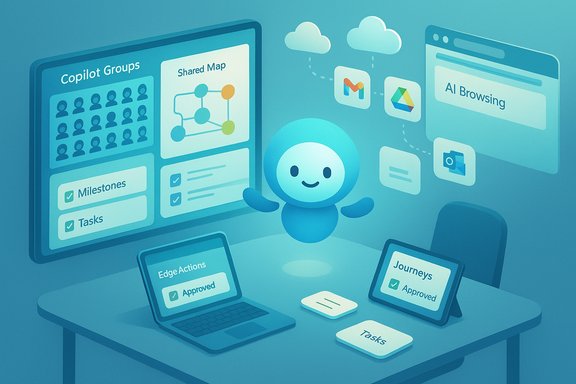
Microsoft packaged the Copilot Fall Release as a consumer-focused bundle that stitches together a dozen headline features meant to move Copilot from transient answers to ongoing assistance. The update is presented under a “human‑centered AI” narrative that promises to free time, deepen human relationships, and place consent and control at the centre of the experience.
The release is a staged, U.S.-first rollout: many features are available in preview for U.S. consumers and Insiders now, with phased expansion to other English-language markets such as the U.K. and Canada expected in the following weeks. Feature availability varies by platform, device, and subscription tier, and some capabilities are explicitly limited to the United States at launch.
That repositioning solves real friction points — like repetitive context setting, fragmented research across many tabs and accounts, and the challenge of coordinating small group work — while also increasing the stakes for privacy, consent, and governance. Microsoft emphasises opt‑in connections, visible consent flows, and user-editable memory controls in promotional materials and previews; those controls are central to whether this shift will be judged a responsible evolution or a risky expansion of data access.
MAI‑Voice‑1 is positioned as optimised for expressive speech generation and low latency, underpinning voice-first features such as Mico and Learn Live. MAI‑Vision‑1 handles vision-related tasks like on-screen analysis and Copilot Vision. The mix of on‑device and cloud-based routing aims to balance responsiveness, privacy, and capability.
That said, a feature’s privacy posture depends critically on defaults and UX clarity. Early hands-on reports and previews noted variability in default behaviours across builds (for instance, Mico’s default visibility in voice mode), and some platform behaviours observed in previews (easter eggs, default avatars) were explicitly marked as provisional. The safest posture for privacy-conscious users and admins is to verify settings immediately, toggle off unattended capture or training options, and confirm tenant policies for enterprise deployments.
The release’s success will depend less on the novelty of its features and more on Microsoft’s execution of defaults, transparency, and administrative controls. Where Microsoft delivers clear consent flows, conservative defaults, and robust tenant-level governance, Copilot can genuinely become a trusted assistant that expands human capability. Where controls are ambiguous or defaults favour convenience over discretion, the risk of data creep and misplaced trust will rise. Early adopters — both individuals and organisations — should proceed with optimism tempered by caution, verify availability and defaults on their devices, and establish governance practices that treat Copilot as a new class of productivity infrastructure rather than a simple app update.
Source: The Economic Times Microsoft’s Human-Centred Copilot Fall Release Sets a Bold New Standard for AI Companions
 Overview
Microsoft packaged the Copilot Fall Release as a consumer-focused bundle that stitches together a dozen headline features meant to move Copilot from transient answers to ongoing assistance. The update is presented under a “human‑centered AI” narrative that promises to free time, deepen human relationships, and place consent and control at the centre of the experience.The release is a staged, U.S.-first rollout: many features are available in preview for U.S. consumers and Insiders now, with phased expansion to other English-language markets such as the U.K. and Canada expected in the following weeks. Feature availability varies by platform, device, and subscription tier, and some capabilities are explicitly limited to the United States at launch.
Background: why this release matters
Microsoft has been steadily repositioning Copilot from a helper inside individual apps into a cross-surface layer spanning Edge, Windows, Microsoft 365, and mobile clients. The Fall Release formalises three strategic shifts at once: persistence (long-term memory and connectors), sociality (shared Copilot Groups and Imagine), and agency (Edge Actions and Journeys that perform multi-step workflows with user permission). Together these changes alter expectations for what an assistant can and should do in everyday work and personal life.That repositioning solves real friction points — like repetitive context setting, fragmented research across many tabs and accounts, and the challenge of coordinating small group work — while also increasing the stakes for privacy, consent, and governance. Microsoft emphasises opt‑in connections, visible consent flows, and user-editable memory controls in promotional materials and previews; those controls are central to whether this shift will be judged a responsible evolution or a risky expansion of data access.
What’s new — the headline features
Microsoft distilled the release into roughly a dozen consumer-facing capabilities. Below is a concise breakdown of the most consequential additions and how they work in practice.Mico — an optional animated companion
- What it is: Mico is a deliberately non-photoreal, animated avatar that appears primarily in voice interactions and certain learning experiences. It changes shape, color, and facial micro-expressions to signal states such as listening, thinking, acknowledging, or celebrating. The avatar is optional and configurable.
- Why it matters: voice interfaces lack nonverbal cues; Mico is Microsoft’s UX solution to reduce conversational awkwardness and provide transparent visual feedback during hands‑free sessions. The design avoids human likeness to reduce emotional over‑attachment and to make Mico an explicit UI layer rather than a surrogate human.
- Caveat: early previews included a playful easter egg that briefly morphs Mico into a Clippy-like paperclip when tapped repeatedly — a demonstration detail observed in preview builds and not a guaranteed permanent behaviour. Treat such demo flourishes as provisional.
Copilot Groups — AI goes multiplayer (up to 32 participants)
- What it does: Copilot Groups creates shared, link-based Copilot sessions where a single Copilot instance joins a group of up to 32 participants to brainstorm, co-write, plan, and study. Copilot can summarise threads, propose options, tally votes, and split tasks — effectively acting as a facilitator and shared memory for the room.
- Practical use cases: study groups, family planning, collaborative creative sessions in Imagine, and small-team coordination where a single contextual Copilot retains group context without forcing each participant to recreate it.
- Limitations: Groups functionality is link-based and preview availability is region-dependent; organisational administrators should verify policy implications before enabling for enterprise-managed devices.
Memory & Personalization — long-term, user‑managed context
- What it is: Copilot can now store user-approved long-term memory items — project details, preferences, milestones, recurring tasks — and recall them across sessions to reduce repeated context setting. Users can view, edit, and delete memory entries.
- Controls: Microsoft emphasises that memory is opt‑in and user-managed. For enterprise tenants, memory handling inherits tenant isolation and Exchange-like security controls where applicable. However, defaults and retention policies may differ by SKU and administrative policy.
- Risks: persistent memory changes the interaction model from ephemeral assistance to an ongoing relationship; conservative defaults and clear retention UI will be essential to avoid unwanted data accumulation.
Connectors — cross-account natural language search
- What it enables: Copilot can, with explicit consent, connect to accounts across services — OneDrive, Outlook (mail/contacts/calendar), Gmail, Google Drive, Google Calendar, and Google Contacts — and perform natural-language searches over those stores. This makes it possible to find documents, emails, and calendar entries without switching apps.
- Privacy-first framing: connectors are opt‑in and the product messaging highlights visible consent flows and the ability to disconnect individually. Still, linking multiple accounts raises questions about scope creep, third-party data sharing, and cross-account inference risks that users and admins must manage.
Proactive Actions & Deep Research — surfacing next steps
- Functionality: Proactive Actions (preview) proposes timely next steps based on recent activities and research sessions, reducing manual follow-ups. Deep Research workflows can surface insights, suggested actions, and previews so users can move forward without duplicative effort.
- Who gets it: certain proactive capabilities may be gated behind Microsoft 365 subscription tiers or preview enrolment. Admins should review license dependencies before rolling out broadly.
Edge: Copilot Mode, Actions, and Journeys — the AI browser
- Copilot Mode in Microsoft Edge turns the browser into an “AI browser” that can, with permission, reason across open tabs, summarise and compare content, and perform multi‑step actions like bookings or form-filling. Journeys organise browsing history into resumable storylines to help users return to ongoing tasks.
- Agency and auditability: Edge Actions are permissioned and auditable — Copilot requests confirmation before taking multi-step actions and is designed to surface its reasoning and steps to the user. This approach aims to balance convenience with oversight.
Learn Live — Socratic, voice‑enabled tutoring
- Pedagogy: Learn Live uses voice, visuals, and interactive whiteboards to provide a Socratic tutoring experience rather than direct answer dumps. The mode is designed to scaffold understanding through guided questions and practice, with Mico acting as a visual anchor in voice sessions.
- Target audiences: students studying for exams, adults learning new skills, and teachers who want a voice‑led practice environment. Availability is initially U.S.-first.
Copilot for Health — grounded answers and clinician matching
- Health features: Copilot’s health responses are now explicitly grounded to vetted publishers and partner sources; the release includes clinician‑matching flows to help users find doctors by specialty, language, and location. Microsoft frames this as privacy‑attentive and evidence‑based, but the feature is U.S.-first and subject to regional regulatory constraints.
- Caution: as with all AI health tools, Copilot’s outputs should complement but not replace professional medical advice. Users should treat clinician-matching as an orientation tool, and organisations should review compliance with local health-data regulations.
Imagine, Pages, and creative collaboration
- Imagine: a social canvas for browsing, liking, remixing, and building on AI-generated creations. The space encourages iterative, shared creativity and community remixing.
- Pages: now supports multi-file uploads (up to 20 files) and expanded co-authoring capabilities within Copilot, enabling richer multi-document workflows.
Technical underpinnings and model strategy
Microsoft continues to blend in‑house and partner models to route tasks to the best‑suited model for each job. The Fall Release leans on a combination of Microsoft’s MAI family (for example, MAI‑Voice‑1, MAI‑Vision‑1, MAI‑1‑Preview) and external models routed as appropriate for reasoning and throughput. Microsoft’s approach is real‑time model routing: fast, lightweight models for routine queries and deeper, higher‑capacity models for complex reasoning.MAI‑Voice‑1 is positioned as optimised for expressive speech generation and low latency, underpinning voice-first features such as Mico and Learn Live. MAI‑Vision‑1 handles vision-related tasks like on-screen analysis and Copilot Vision. The mix of on‑device and cloud-based routing aims to balance responsiveness, privacy, and capability.
Human-centred design, consent, and privacy controls
The Fall Release is framed as consent-first: connectors and memory are opt-in, memory edits and deletions are accessible to users, and Edge Actions require explicit confirmation before agentic steps are taken. Microsoft repeated these design commitments in previews and documentation to assuage privacy concerns that naturally accompany persistent context and cross-account integration.That said, a feature’s privacy posture depends critically on defaults and UX clarity. Early hands-on reports and previews noted variability in default behaviours across builds (for instance, Mico’s default visibility in voice mode), and some platform behaviours observed in previews (easter eggs, default avatars) were explicitly marked as provisional. The safest posture for privacy-conscious users and admins is to verify settings immediately, toggle off unattended capture or training options, and confirm tenant policies for enterprise deployments.
Strengths and notable benefits
- Tangible productivity gains: long-term memory, cross-account search, and proactive actions reduce repetitive context-switching and manual follow-ups, saving time across research and planning tasks.
- Social collaboration: Groups and Imagine make AI a shared collaborator, enabling synchronous brainstorming and co-creation without forcing platform changes for participants.
- Improved voice UX: Mico and MAI‑Voice‑1 address turn‑taking and nonverbal signalling problems in voice interactions, improving clarity and user comfort in hands‑free experiences.
- Domain-aware features: Learn Live and Copilot for Health apply focused pedagogy and domain grounding, shifting some AI interactions from naive answer delivery to guided learning and vetted health assistance.
- Permissioned agency: Edge Actions and Journeys aim to provide useful automation while retaining user oversight and audit trails for multi-step web tasks.
Risks, open questions, and governance considerations
- Defaults and consent mechanics: The true privacy outcome hinges on defaults. If memory or connectors are enabled by default on certain builds or devices, users may unknowingly expose private data. Administrators should confirm default states and policy controls before broad enablement.
- Data residency and compliance: Cross-account connectors and clinician-matching raise regulatory considerations, especially for health data and international data transfers. Organisations must map Copilot flows to existing compliance frameworks.
- Model provenance and hallucination: Even with grounding in vetted publishers, model-generated summaries and proactive suggestions can misinterpret nuance or produce inaccurate recommendations. Users should treat AI outputs as assistant recommendations, not authoritative facts.
- Security and insider risk: Shared sessions (Groups) change the threat model — a single compromised participant or link could expose group context. Session controls, link expirations, and guest policies are necessary mitigations.
- Commercialisation and attention: Some reporting flagged the potential for Copilot surfaces to become channels for commerce or advertising. Users and privacy officers should monitor how personalised suggestions are monetised and whether ad experiences are introduced in assistant workflows.
Practical checklist: what users and admins should do now
- Review and confirm default settings on devices that will receive the Fall Release — disable any memory, connector, or training options you do not want enabled by default.
- For organisations, update acceptable‑use and data governance policies to account for Copilot memory, connectors, and shared sessions. Map the features to compliance requirements (HIPAA, GDPR, etc. if your organisation handles regulated data.
- Train teams on expectation‑setting: emphasise that Copilot suggestions require human review, especially for health or legal matters, and that group sessions must be treated like shared documents.
- Use tenant controls and auditing tools to monitor Copilot activity in enterprise environments; enable logs and retention policies for actions performed by Copilot in Edge and Windows.
- Encourage power users to trial Proactive Actions and Journeys in a controlled environment to understand license requirements and the scope of automation before broad deployment.
Developer and integrator notes
- Model routing and the mix of MAI and partner models mean capability can vary by surface and platform; design integrations to handle variability and fallback paths.
- When building with Copilot Studio or embedding Copilot features, implement explicit consent screens and clear data-flow diagrams for end users so they understand what is stored, for how long, and where.
- For education and health deployments, pair automated tutoring and clinician-finding flows with domain expert review and escalation pathways. AI should augment instructors and clinicians, not replace vital human oversight.
Conclusion
Microsoft’s Copilot Fall Release is ambitious: it assembles personality, persistence, sociality, and agentic automation into a single consumer-facing package that has the potential to materially change how people research, learn, collaborate, and get things done. The addition of Mico, Groups, long‑term memory, cross‑account connectors, Learn Live, and Edge Actions reframes Copilot from an occasional helper into a continuous companion — one that must be governed carefully to realise its productivity gains without compromising privacy, compliance, or security.The release’s success will depend less on the novelty of its features and more on Microsoft’s execution of defaults, transparency, and administrative controls. Where Microsoft delivers clear consent flows, conservative defaults, and robust tenant-level governance, Copilot can genuinely become a trusted assistant that expands human capability. Where controls are ambiguous or defaults favour convenience over discretion, the risk of data creep and misplaced trust will rise. Early adopters — both individuals and organisations — should proceed with optimism tempered by caution, verify availability and defaults on their devices, and establish governance practices that treat Copilot as a new class of productivity infrastructure rather than a simple app update.
Source: The Economic Times Microsoft’s Human-Centred Copilot Fall Release Sets a Bold New Standard for AI Companions
