

Microsoft’s Copilot — the AI assistant now woven into Word, Excel, Teams and other Microsoft 365 surfaces — experienced a significant regional outage that left users unable to complete Copilot-driven tasks and raised fresh questions about resilience, routing complexity and the operational risks of embedding generative AI into everyday workstreams. Microsoft’s early status communications pointed to an unexpected increase in traffic affecting users in the United Kingdom and parts of Europe, and engineers moved quickly to investigate backend processing errors and rebalance service traffic while administrators and end users scrambled for workarounds.
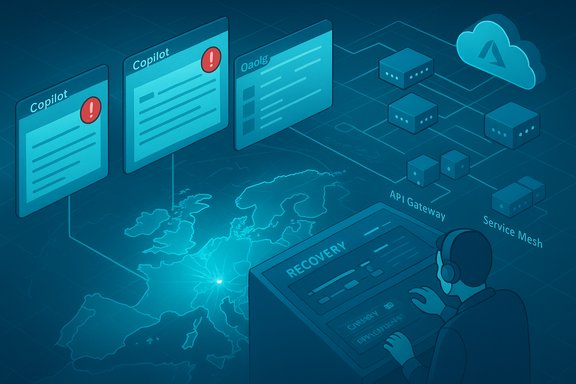
Microsoft Copilot is a family of AI assistants and agent-driven features integrated across the Microsoft ecosystem. It includes conversational helpers (Copilot Chat), productivity assistants embedded directly into Office apps (Word, Excel, Outlook, PowerPoint), Copilot Actions that can manipulate files and automate multi-step workflows, and Windows-integrated variants that bring generative models to the desktop. These capabilities rely on a chain of orchestration: client front-ends in Office apps, global edge routing and API gateways, a service mesh for session/context management, and Azure-hosted inference endpoints (including Azure OpenAI-based model endpoints) that produce the generative responses.
That architectural stack matters because Copilot doesn’t simply suggest text — in many enterprise scenarios it acts on files, triggers automations, and seeds downstream processes. When Copilot’s file‑handling features fail, it’s not just a typing assistant that stutters: workflows stall, automated audits or conversions fail, and previously delegated tasks require manual, time‑consuming intervention. Numerous incident reconstructions show that outages which affect Copilot’s file-processing or edge-routing components can produce outsized operational impacts even when underlying storage services (OneDrive, SharePoint) remain reachable through native clients.
Administrators saw a mixed picture: some tenants reported Copilot functions degraded while OneDrive and SharePoint files were still accessible directly through native Office apps. That mismatch — files reachable but Copilot unable to act upon them — points to a problem in the processing or control plane Copilot relies on rather than fundamental storage corruption or widespread data loss. Microsoft created internal tracking identifiers for similar prior incidents and advised tenants to monitor the Microsoft 365 Admin Center for authoritative updates.
For now, the most actionable steps are straightforward: monitor Microsoft’s admin center for official updates, apply short‑term fallbacks for critical workflows, and use this outage as a trigger to reassess how deeply—and how resiliently—AI assistants are integrated into essential business operations.
Source: NationalWorld Microsoft AI tool goes down in major outage - what has firm said?
 Background: what Microsoft Copilot is and why an outage matters
Microsoft Copilot is a family of AI assistants and agent-driven features integrated across the Microsoft ecosystem. It includes conversational helpers (Copilot Chat), productivity assistants embedded directly into Office apps (Word, Excel, Outlook, PowerPoint), Copilot Actions that can manipulate files and automate multi-step workflows, and Windows-integrated variants that bring generative models to the desktop. These capabilities rely on a chain of orchestration: client front-ends in Office apps, global edge routing and API gateways, a service mesh for session/context management, and Azure-hosted inference endpoints (including Azure OpenAI-based model endpoints) that produce the generative responses.That architectural stack matters because Copilot doesn’t simply suggest text — in many enterprise scenarios it acts on files, triggers automations, and seeds downstream processes. When Copilot’s file‑handling features fail, it’s not just a typing assistant that stutters: workflows stall, automated audits or conversions fail, and previously delegated tasks require manual, time‑consuming intervention. Numerous incident reconstructions show that outages which affect Copilot’s file-processing or edge-routing components can produce outsized operational impacts even when underlying storage services (OneDrive, SharePoint) remain reachable through native clients.
The outage: what happened, what users saw
Microsoft flagged the outage on its Microsoft 365 status channels and on X (formerly Twitter), reporting that initial telemetry suggested affected users were concentrated in the United Kingdom and Europe and that an unexpected surge in request traffic may have contributed to the impact. Users across Word, Excel, Teams, Outlook and web‑based Microsoft 365 interfaces reported failures or timeouts from Copilot features; typical symptoms included stalled Copilot Chat responses, error messages such as “Sorry, I wasn't able to respond to that, is there something else I can help with?”, and failures when asking Copilot to perform file actions (summarize, convert, or otherwise manipulate documents). Microsoft said engineers were investigating backend processing errors and taking steps to rebalance traffic.Administrators saw a mixed picture: some tenants reported Copilot functions degraded while OneDrive and SharePoint files were still accessible directly through native Office apps. That mismatch — files reachable but Copilot unable to act upon them — points to a problem in the processing or control plane Copilot relies on rather than fundamental storage corruption or widespread data loss. Microsoft created internal tracking identifiers for similar prior incidents and advised tenants to monitor the Microsoft 365 Admin Center for authoritative updates.
Technical context: why Copilot outages can be sharp and regional
Copilot’s responsiveness depends on a delicate coordination of global edge routing, authentication services, orchestration and model inference backends. Key elements include:- Client front-ends in Office apps and Teams that capture prompts and context.
- An API gateway and edge layer (Azure Front Door and related edge services) that terminate connections and route requests near users.
- A service mesh and orchestration layer that manages session state, authorization, and file-processing workflows.
- AI inference endpoints (Azure-hosted model services) that generate responses and enable Copilot Actions.
- Telemetry and control systems that detect anomalies and trigger mitigations.
Probable causes and technical analysis
Microsoft’s initial public update cited "an unexpected increase in traffic" and backend processing errors; incident reconstructions and operational patterns from similar events suggest several plausible failure modes:- Backend processing microservice regression: a recent code or configuration change in a shared processing service (indexing, conversion, or agent runtime) could cause high‑volume failures across Copilot flows. Historical incidents show Microsoft has used rollbacks to mitigate such regressions.
- Orchestration or queuing saturation: a surge in requests can overload job queues and cause timeouts when worker pools are misprovisioned or misrouted. If the control plane misroutes jobs to unhealthy nodes, processing backlogs accumulate quickly.
- Edge routing or configuration anomalies: as with prior Azure Front Door incidents, misapplied control‑plane configuration changes or regional routing failures can produce TLS, DNS or token‑issuance problems that manifest as regionally constrained outages even when back‑end compute is healthy. Where edge and identity planes are co‑dependent, authentication failures amplify client‑side symptoms.
Immediate user and business impacts
The outage’s practical effects varied by role and dependence on Copilot features:- Knowledge workers lost AI‑assisted drafting, summarization, and rapid rewrite capabilities used in emails, reports and meeting notes.
- Teams and collaboration scenarios that depend on Copilot for minutes, action-item extraction, or live summaries experienced friction or temporary feature loss.
- Automated processes that relied on Copilot Actions to touch files — converting formats, extracting tables, or batching document edits — were interrupted and often required manual fallback steps.
- IT service desks saw increased volume as users attempted manual workarounds or sought status information, and administrators found it harder to triage because some dashboards and telemetry are themselves dependent on the same control planes.
How Microsoft responded — strengths and shortcomings
What Microsoft did well- Rapid public acknowledgement: Microsoft posted initial incident notices and advised affected tenants to monitor the Microsoft 365 Admin Center, giving administrators a reference point for updates and correlation.
- Telemetry-driven triage: early diagnostic collection and reproduction were reported, suggesting engineers quickly narrowed the problem to backend processing errors.
- Standard mitigation playbook: in prior edge or routing events Microsoft has halted configuration rollouts, executed rollbacks and rebalanced traffic in a controlled manner to avoid re-triggering failures — a measured approach that reduces the chance of oscillation during recovery.
- Status dashboard lag: in several incidents administrators noted a discrepancy between real-time user impact and the public Microsoft 365 Service Health page, causing confusion during the first wave of reports. Direct admin‑center notices are authoritative but are not always the first place end‑users look.
- Visibility and scope clarity: early communications did not always specify which user populations or geographic regions were affected, producing extra triage work for global IT teams whose users appeared inconsistently impacted.
Practical guidance for administrators and users
For IT administrators- Monitor the Microsoft 365 Admin Center and Azure Service Health for the incident entry and authoritative guidance.
- Confirm whether your tenant uses in‑country or regional Copilot routing options and whether failover mechanisms are enabled for those endpoints.
- Validate fallbacks for critical workflows: cached outputs, local templates, or queued processing that can tolerate temporary Copilot unavailability.
- Communicate clearly with business stakeholders, set realistic ETAs, and prepare runbooks for manual processing for high‑value, compliance‑sensitive workloads.
- Review resilience controls in your automation: implement circuit breakers, backoff strategies, and alternative paths that avoid single‑points-of-failure.
- If Copilot fails: try signing out/in, clear the browser cache, or use a different network to rule out client-side issues (corporate proxies sometimes compound problems).
- Use native app features or local templates for critical documents until Copilot returns.
- Report incidents through official Microsoft feedback channels so telemetry captures the distribution of affected clients.
Broader implications: architecture, concentration risk and policy
- Regionalization increases complexity. Offering in‑country processing solves important data‑sovereignty and latency problems, but each additional region adds routing, orchestration and configuration domains that must be validated during deployments and rollbacks. That multiplies the testing surface and increases the chance of localized instability if automated canarying and validation aren’t exhaustive.
- Cloud concentration remains a systemic risk. When a single vendor provides both the edge (AFD), identity (Entra ID) and inference hosting (Azure OpenAI) there is an architectural coupling that can magnify a local fault into a wide‑ranging outage. Organizations must weigh the convenience of integrated stacks against the systemic fragility that emerges when multiple control planes are tightly co‑located.
- AI assistants are now part of critical business paths. As Copilot and rival assistants move from “nice to have” to “mission‑critical”, outages shift from productivity annoyances to operational incidents with measurable SLA and compliance consequences. Enterprises must update incident playbooks and contractual SLAs to reflect AI‑driven dependencies.
- Regulatory and legal considerations. Regions that require in‑country processing may inadvertently create more brittle systems unless both vendors and customers invest in robust failover strategies that span national boundaries and support emergency cross‑region processing within legal constraints.
What to watch next
- Official Microsoft post‑mortem: Microsoft typically publishes more detailed post‑incident analysis after internal root‑cause investigations conclude. That document will be the most authoritative source for whether the outage stemmed from a code regression, queuing saturation, edge routing misconfiguration, or a combination of factors. Until that is published, public accounts and telemetry reconstructions remain provisional.
- Any legal or compliance disclosures: if automated processing failures impacted regulated workflows (finance, legal discovery, healthcare), tenants may expect guidance or remediation steps from Microsoft.
- Operational improvements from Microsoft: look for announcements about stronger canarying, regional rollback safeguards, improved status‑page transparency, and tooling that better isolates Copilot’s processing planes from core identity and routing planes.
Conclusion
The Copilot outage underscored a simple but important reality: embedding AI assistants deeply into productivity stacks creates new, visible failure modes that echo beyond the assistant UI into core business processes. Microsoft’s rapid acknowledgement and telemetry-driven triage are positive signs, but the incident highlights the technical costs of regionalized processing and tightly coupled control planes in modern cloud platforms. Organizations and users must treat Copilot—no longer a novelty—as a dependency that requires the same resilience, fallback planning and scrutiny applied to other mission‑critical infrastructure.For now, the most actionable steps are straightforward: monitor Microsoft’s admin center for official updates, apply short‑term fallbacks for critical workflows, and use this outage as a trigger to reassess how deeply—and how resiliently—AI assistants are integrated into essential business operations.
Source: NationalWorld Microsoft AI tool goes down in major outage - what has firm said?
