

Microsoft Copilot has quietly added a built‑in Reminders feature that can send push notifications to your phone, letting the AI nudge you at a specific time or after a set interval — but for now those alerts land only on mobile devices where the Copilot app is installed, the rollout is gradual, and usage limits apply depending on your account type.
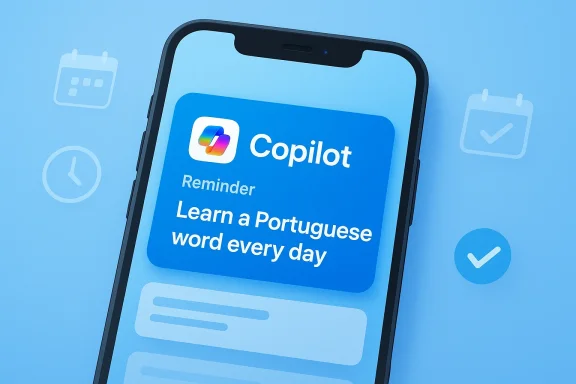
Microsoft’s Copilot has been evolving rapidly from a chat‑centric assistant into a more proactive, agent‑like tool. The new Reminders capability brings basic scheduling and notification behavior into the Copilot ecosystem: you can ask Copilot to remind you to cancel a trial, prep for a meeting, learn a new word each day, or run a recurring weekly check. The feature surfaced broadly in early February 2026 and is being rolled out to Android and iOS users first, with limited web support and the ability to create reminders from the Copilot app on Windows 11 in some environments.
This change positions Copilot closer to competing assistants that already offer scheduled tasks and notifications. It’s important to read the fine print: at launch, notifications are delivered only to mobile devices with the Copilot app and with notifications enabled. Reported limits restrict free users to a small number of active reminders while Microsoft 365 subscribers get a higher cap. Because Microsoft’s public product documentation has not yet fully reflected every detail of the rollout, some operational specifics remain provisional and should be treated as subject to change.
Key privacy/security considerations:
For Microsoft, this feature:
As of February 4, 2026, the rollout is still in progress. Users should try the feature for low‑stakes tasks first, verify that notifications arrive reliably on their devices, and exercise caution with sensitive content. Administrators should monitor official Microsoft documentation and Copilot admin settings before enabling reminders across organizations.
If Microsoft follows its typical pattern, expect iterative improvements: better desktop support, calendar hooks, and clearer enterprise controls will likely arrive in the next releases. For now, Copilot reminders are a handy new capability — a phone‑based nudge from your AI — that hints at a more proactive Copilot to come.
Source: Windows Central Microsoft Copilot can now send reminders straight to your phone
 Background
Microsoft’s Copilot has been evolving rapidly from a chat‑centric assistant into a more proactive, agent‑like tool. The new Reminders capability brings basic scheduling and notification behavior into the Copilot ecosystem: you can ask Copilot to remind you to cancel a trial, prep for a meeting, learn a new word each day, or run a recurring weekly check. The feature surfaced broadly in early February 2026 and is being rolled out to Android and iOS users first, with limited web support and the ability to create reminders from the Copilot app on Windows 11 in some environments.This change positions Copilot closer to competing assistants that already offer scheduled tasks and notifications. It’s important to read the fine print: at launch, notifications are delivered only to mobile devices with the Copilot app and with notifications enabled. Reported limits restrict free users to a small number of active reminders while Microsoft 365 subscribers get a higher cap. Because Microsoft’s public product documentation has not yet fully reflected every detail of the rollout, some operational specifics remain provisional and should be treated as subject to change.
How Copilot Reminders work — the user experience
Creating reminders
You can create reminders using natural language in any Copilot surface where the feature is available: web, Windows 11 Copilot, or the Copilot mobile app. Example prompts include:- “Remind me in 10 minutes to call Sarah.”
- “Remind me tomorrow at 3 p.m. to cancel the trial subscription.”
- “Every Monday remind me to review the weekly deck.”
Scheduling types and dynamic content
Copilot supports:- One‑time reminders (specific date and time)
- Relative reminders (in X minutes/hours)
- Recurring reminders (daily, weekly, custom cadence)
Delivery and device behavior
- Notifications are delivered as push notifications to Android and iOS devices with the Copilot app installed and notifications enabled.
- If notification permissions are disabled on a device, the alert will not appear there.
- At launch, desktop notifications through Windows 11 or web browser system notifications are not widely available — your phone is the primary delivery channel for these reminders.
Limits, tiers, and rollout status
Account limits
Early reports indicate a tiered quota model:- Free Copilot accounts: limited to a small number of active reminders (commonly reported as about five).
- Microsoft 365 subscribers: larger quota (commonly reported as up to 20 active reminders).
Gradual rollout
Microsoft is rolling the feature out gradually across accounts and regions. If you do not see Reminders yet, the feature may reach your account in the coming days or weeks as Microsoft monitors performance and adjusts the service. This conservative cadence is typical for features that rely on push infrastructure and cross‑device synchronization.How this stacks up against ChatGPT and Google Gemini
Microsoft is not the first to ship scheduled AI reminders or tasks. Two major competitors have already embedded similar functionality into their assistants:- OpenAI’s ChatGPT introduced a Tasks feature that allows users to schedule one‑time and recurring tasks, with push notifications and a tasks manager for viewing and editing scheduled items. ChatGPT Tasks supports multiple platforms and provides a central Tasks page for managing active tasks.
- Google’s Gemini (in the Gemini app) offers Scheduled Actions, letting users automate recurring prompts and receive proactive updates integrated with Google services like Calendar and Gmail for users of paid tiers.
- Mobile‑first delivery: Copilot’s reminders are delivered to mobile devices only at launch, whereas competitors have broader cross‑platform notification handling.
- Calendar integration: Gemini’s scheduled actions tie more deeply into Google’s ecosystem; ChatGPT provides a Tasks manager and platform notifications. Copilot’s initial release appears less tightly integrated with system calendars and desktop notification systems, which affects interoperability with existing workflows.
- Quota policy: Copilot’s launch caps are lower for free users compared with some competitors, signaling an approach that nudges paid subscriptions without blocking basic utility.
Privacy, data handling, and security implications
Any feature that schedules future actions and sends push notifications raises legitimate privacy and security questions. Copilot already includes personalization and “memory” constructs across Microsoft’s consumer documentation; reminders intersect with that capability.Key privacy/security considerations:
- Notification permissions: Reminders rely on the OS push notification channel. If your phone denies Copilot permission, reminders will not be delivered. This is a straightforward permission model, but users should audit app permissions to confirm behavior.
- Data stored server‑side: Scheduled reminders must persist across sessions, which implies storage in Microsoft’s cloud service. That storage raises the usual concerns about data residency, retention, and who can access the content of scheduled reminders.
- Personalization and memory: If a reminder uses dynamic content that references stored preferences or memory, the reminder content may be composed using personalized data. Users should review Copilot personalization settings and memory controls to understand what Copilot can recall and use.
- Enterprise exposure: Organizations that allow Copilot access to corporate identities and accounts should consider administrative controls. IT administrators will want clarity on whether reminders created under a corporate identity are managed by the organization, whether logs are generated, and how data protection policies apply.
- Notifications vs. secure channels: Push notifications are convenient but not always secure. Sensitive reminders — e.g., ones containing credentials, one‑time codes, medical details, or proprietary information — should be avoided or restricted because notification previews can appear on locked screens where others might see them.
- Enable only necessary permissions and disable lock‑screen previews if you handle sensitive tasks.
- Audit Copilot’s memory/personalization dashboard and remove any items you do not want used in future reminder content.
- For organizations, review Copilot administrative controls and policy settings before enabling reminders broadly.
Integration gaps and technical limits
Even as Copilot adds reminders, there are practical limits that will matter to users and enterprises:- Desktop notification parity: At the moment, alerts are not reliably surfaced as Windows 11 Copilot popups or native calendar reminders on desktops. This weakens cross‑device continuity.
- Calendar and app hooks: Competitors often weave scheduled actions into calendar APIs and email systems. Copilot’s early implementation focuses on push alerts rather than deep synchronization with Outlook Calendar or third‑party calendars.
- Offline behavior: Reminders scheduled for a phone that is offline at delivery time may be delayed or missed, depending on how Copilot’s push system queues and retries notifications.
- APIs and automation: There is limited public detail about programmatic access to scheduled reminders (APIs or automation hooks). Power users and IT teams that want to integrate Copilot reminders into workflows will likely need official SDKs or API endpoints, which Microsoft has not yet broadly published.
Use cases: where Copilot reminders make sense now
Short‑term practical uses that map well to the feature as currently implemented:- Mobile reminders for consumer tasks: cancel subscriptions, pick up groceries, stretch breaks during a workday.
- Language practice or micro‑learning: daily vocabulary prompts or short practice tasks created as recurring reminders.
- Personal productivity nudges: routine checks (e.g., “every Monday, remind me to prepare the meeting deck”).
- Family coordination: lightweight alerts for shared chores or family tasks delivered to each person’s phone (assuming they have Copilot installed).
- Desktop‑centric workflows that require system calendar integration and desktop notifications.
- Sensitive operational alerts that require guaranteed delivery and audit trails unless you validate enterprise controls.
- Complex automation that needs two‑way integrations with other apps (for now).
Enterprise and admin considerations
Organizations should treat this feature like any new client‑facing service:- Review whether Copilot reminders are enabled for organizational accounts and how admin controls manage Copilot features.
- Confirm whether reminders created with corporate identities are logged, auditable, and subject to corporate data retention rules.
- Assess the risk of notifications exposing corporate information on personal devices, and set device management policies that restrict notification content or app behavior as needed.
- Educate employees to avoid scheduling reminders containing sensitive details.
Reliability, testing and rollout risks
Microsoft’s gradual rollout suggests caution: the company is validating notification scaling, localization (time zone handling), and cross‑device behavior. Risks to watch:- Time zone and local time handling: Copilot uses a device’s local time and date to interpret reminders, but edge cases can arise when you create a reminder on one device and travel across time zones. Users should double‑check scheduled time zones for critical reminders.
- Duplicate or missed notifications: Early rollouts of push features sometimes surface bugs that cause duplicates or missed notifications; monitor behavior after setting important reminders.
- Quota surprises: If you hit the active reminder limit, Copilot may refuse to create additional reminders or will require pausing/deleting existing items. Plan accordingly.
- Preview vs. public behavior: Features seen in early builds or for limited testers can change significantly before general availability.
Practical tips for users
- If you rely on reminders across devices, install the Copilot mobile app and enable notifications to avoid missed alerts.
- For critical events, use calendar invites or native alarms in addition to Copilot reminders until you’ve confirmed delivery reliability.
- Keep a small number of active reminders to avoid hitting quota limits, or upgrade to a Microsoft 365 subscription if you plan many recurring reminders.
- Use dynamic reminders judiciously — they’re powerful for learning or routine content, but review the reminder text if it will appear on shared devices.
- Regularly check Copilot personalization/memory settings and the Reminders management section in the app to delete or edit scheduled items.
The strategic angle: why this matters
Reminders are a deceptively strategic capability. They change an assistant from a passive responder into a time‑aware agent that can arrive at the right moment with tailored content. That transition is critical for mainstream adoption: users are more likely to keep and pay for an assistant that reliably surfaces timely, useful nudges.For Microsoft, this feature:
- Narrows a functional gap with ChatGPT Tasks and Gemini Scheduled Actions, placing Copilot on par for basic proactive behaviors.
- Strengthens Copilot’s role across personal and productivity scenarios — particularly if Microsoft expands calendar integration and desktop parity.
- Provides a new vector for Microsoft to drive Microsoft 365 subscriptions, given the reported quota incentives for paid tiers.
Verdict
Copilot’s Reminders feature is a sensible, practical extension of the assistant’s capabilities. For mobile‑centric users who already use Copilot on their phones, it’s an immediate convenience: quick to create, simple to use, and capable of recurring and dynamic content. For power users and enterprise customers, the feature is promising but incomplete until Microsoft closes integration gaps with desktop notifications, calendars, and administrative controls.As of February 4, 2026, the rollout is still in progress. Users should try the feature for low‑stakes tasks first, verify that notifications arrive reliably on their devices, and exercise caution with sensitive content. Administrators should monitor official Microsoft documentation and Copilot admin settings before enabling reminders across organizations.
If Microsoft follows its typical pattern, expect iterative improvements: better desktop support, calendar hooks, and clearer enterprise controls will likely arrive in the next releases. For now, Copilot reminders are a handy new capability — a phone‑based nudge from your AI — that hints at a more proactive Copilot to come.
Source: Windows Central Microsoft Copilot can now send reminders straight to your phone
