

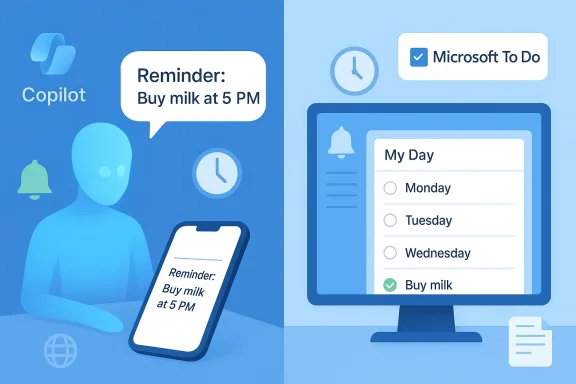
Microsoft’s quiet rollout of a Copilot “Reminders” feature has done something odd: it exposed a familiar fault line in the company’s product strategy by re-creating functionality that already exists in a once-promising app that now looks, frankly, like abandonware.
Microsoft has begun gradually enabling a Reminders capability inside Copilot that lets users create one-time or recurring alerts using natural language across Copilot surfaces. The implementation is mobile-first today — reminders are created from Copilot on web, Windows 11 (when enabled), or the Copilot mobile app, and deliver push notifications to devices where the Copilot app is installed and notifications are enabled. Early reporting indicates tiered quotas and dynamic content for recurring reminders, but desktop parity and calendar integration remain incomplete.
That rollout has prompted two predictable reactions. Some users shrugged — after all, reminders are a baseline assistant feature that other platforms have had for years — while others pointed a finger at product management, asking why a company with Microsoft To Do on its roster would build a separate reminders experience instead of investing in and modernizing To Do. The question matters: this is not just an aesthetic gripe. It’s about duplication of engineering effort, user trust when features fail, and the long-term coherence of Microsoft’s productivity stack.
Second, and more practically damaging, early independent tests found reliability problems. In one high‑visibility test a reviewer told Copilot to set a reminder and received no buzz on their phone nor any desktop notification when the scheduled time arrived. Repeated attempts failed and conversational troubleshooting returned a generic list of possible reasons. That kind of failed delivery is exactly what breaks trust for reminder-style features — missed reminders quickly convince users not to rely on the assistant for anything time-sensitive.
First, it forces users and journalists to ask: why create a separate reminders workflow inside Copilot when To Do already exists? Second, it erodes user trust in Microsoft’s product stewardship. When a useful app looks unmaintained, users assume feature roadmaps have been abandoned — and Microsoft’s decision to build a new reminders surface rather than upgrade To Do feeds that impression.
There are plausible internal explanations. Microsoft’s product teams are vast and historically siloed; sometimes feature experiments emerge from a different organization (Copilot team vs. Microsoft To Do team) without a canonical plan to merge workstreams until later. There’s also the commercial lens: rolling reminders into Copilot helps position Copilot as a valuable, sticky feature for Microsoft 365 subscribers. But whatever the rationale, the user-facing result looks like duplication and neglect.
From an admin perspective, the reminders feature raises several questions:
Push notifications themselves carry risk: content can be previewed on lock screens, and admins need ways to control lock-screen behavior for reminders in managed environments. Until Microsoft provides fine-grained controls for lock-screen previews and retention policies for reminders, sensitive uses should be avoided.
The accessibility work around Narrator and Copilot — where interactive image descriptions can be generated with an explicit permission model and on-device fallback for Copilot+ hardware — shows Microsoft can build hybrid AI features that respect privacy and latency trade-offs. That model can be a template for reminders as well: on-device handling when possible, cloud-scheduled triggers when necessary.
Until Microsoft ties Copilot Reminders into the durable plumbing of To Do and Outlook and proves delivery reliability across devices, users should treat the feature as promising but experimental. Microsoft can and should convert this experiment into a coordinated evolution of its task ecosystem. Done well, Copilot-powered reminders tied to a modernized Microsoft To Do could be a genuine win for users; done poorly, they’ll be remembered as another example of duplication under the guise of innovation.
Source: Windows Central https://www.windowscentral.com/micr...w-us-what-not-to-do-abandon-a-once-great-app/
 Background / Overview
Microsoft has begun gradually enabling a Reminders capability inside Copilot that lets users create one-time or recurring alerts using natural language across Copilot surfaces. The implementation is mobile-first today — reminders are created from Copilot on web, Windows 11 (when enabled), or the Copilot mobile app, and deliver push notifications to devices where the Copilot app is installed and notifications are enabled. Early reporting indicates tiered quotas and dynamic content for recurring reminders, but desktop parity and calendar integration remain incomplete.That rollout has prompted two predictable reactions. Some users shrugged — after all, reminders are a baseline assistant feature that other platforms have had for years — while others pointed a finger at product management, asking why a company with Microsoft To Do on its roster would build a separate reminders experience instead of investing in and modernizing To Do. The question matters: this is not just an aesthetic gripe. It’s about duplication of engineering effort, user trust when features fail, and the long-term coherence of Microsoft’s productivity stack.
What Copilot Reminders actually does (today)
- Natural-language scheduling: Ask Copilot to “remind me in 10 minutes” or “every Monday remind me to prepare the deck,” and the assistant will create an alert that should notify your Copilot mobile app at the scheduled time.
- Recurring, dynamic content: Recurring reminders can generate refreshed content each time (for example, daily vocabulary prompts), which is a novel twist relative to static calendar entries.
- Cross-device delivery (mobile-first): At launch the delivery channel is predominantly mobile push; many early tests reported that desktop notifications and fully integrated Action Center / Outlook alerts were not yet reliable or broadly available.
- Quotas and tiers: Early reporting described modest free-tier limits (commonly cited as roughly five active reminders) and higher caps for Microsoft 365 subscribers. Official documentation was still catching up during early rollouts.
Why users (and journalists) are irritated
The frustration is twofold. First, there’s the “reinventing the wheel” reaction: task scheduling, recurring alerts, cross-device notifications — Microsoft already has a product built around this problem space: Microsoft To Do. To Do provides lists, recurring tasks, native integrations with Outlook tasks and calendar events, and a design built for persistent task management. Yet Microsoft To Do looks neglected in places: lingering references to Cortana, older icons, and a stasis that suggests it hasn’t been given the same Copilot-era attention. That contrast fuels the perception that teams inside Microsoft aren’t coordinating or that product stewardship has been deprioritized.Second, and more practically damaging, early independent tests found reliability problems. In one high‑visibility test a reviewer told Copilot to set a reminder and received no buzz on their phone nor any desktop notification when the scheduled time arrived. Repeated attempts failed and conversational troubleshooting returned a generic list of possible reasons. That kind of failed delivery is exactly what breaks trust for reminder-style features — missed reminders quickly convince users not to rely on the assistant for anything time-sensitive.
Technical realities and failure modes
Understanding why Copilot Reminders can fail in early rollouts requires a short primer on modern notification stacks and cross‑device sync.Push services and queuing
Copilot Reminders depend on third-party push services (Apple’s APNs and Google’s FCM) for mobile delivery. Those services are robust, but they introduce delivery variability: devices can be offline, in battery saver modes, or have notifications suppressed by Focus/Do Not Disturb policies. Robust systems implement server-side queuing, retry logic, and delivery receipts; early rollouts of push-reliant features sometimes lack complete retry semantics, which produces missed or delayed notifications.Server-side scheduling and replication
Because reminders persist server-side so they can fire later, server reliability, replication lags, or race conditions can prevent scheduled jobs from running. These are backend engineering problems that scale-sensitive services must solve before they can be treated as dependable user utilities. Microsoft appears to be tuning server behavior during staged rollouts.Desktop parity and UX surface gaps
Users frequently expect desktop reminders to surface in Windows 11 Action Center, in Outlook, or as native toast notifications. Copilot’s early reminder implementation is mobile-first, which creates a visibility gap: even if the server fires correctly, users who didn’t install the Copilot mobile app or who expect desktop alerts will think the feature “didn’t work.” That perception of unreliability is as damaging as actual failures.Edge cases: time zones and DST
Scheduling features must be hardened against timezone changes, daylight saving transitions, and travel. Mistakes in timezone handling are highly visible and highly brittle; good products explicitly confirm the timezone used when creating reminders and provide clear behavior for travel scenarios. Early descriptions of Copilot Reminders flagged timezone-related fragility as an area needing attention.The abandoned-app problem: Microsoft To Do’s stagnation
Microsoft To Do was once a bright spot in Microsoft’s consumer productivity lineup: lightweight, cross-platform, and integrated with Outlook tasks. But the app has shown signs of neglect — dated branding, references to Cortana, and a sense that it has not been updated to reflect the company’s Copilot-first priorities. That neglect has two consequences.First, it forces users and journalists to ask: why create a separate reminders workflow inside Copilot when To Do already exists? Second, it erodes user trust in Microsoft’s product stewardship. When a useful app looks unmaintained, users assume feature roadmaps have been abandoned — and Microsoft’s decision to build a new reminders surface rather than upgrade To Do feeds that impression.
There are plausible internal explanations. Microsoft’s product teams are vast and historically siloed; sometimes feature experiments emerge from a different organization (Copilot team vs. Microsoft To Do team) without a canonical plan to merge workstreams until later. There’s also the commercial lens: rolling reminders into Copilot helps position Copilot as a valuable, sticky feature for Microsoft 365 subscribers. But whatever the rationale, the user-facing result looks like duplication and neglect.
Enterprise and admin implications
Microsoft’s Copilot push has generated administrative responses. For enterprises that want to control Copilot’s consumer-facing presence, Microsoft introduced a narrowly scoped Group Policy — RemoveMicrosoftCopilotApp — to uninstall the consumer Copilot app under specific conditions. That policy is conservative by design: it acts when Copilot was provisioned but unused, and it’s reversible (users can reinstall if allowed). This approach suggests Microsoft is attempting to balance consumer experimentation with enterprise governance.From an admin perspective, the reminders feature raises several questions:
- Where are reminders stored and how long are they retained for eDiscovery?
- Are reminders auditable and discoverable for compliance purposes?
- Will reminders that include sensitive content be pushed to lock screens without granular controls?
Privacy and security considerations
Copilot’s reminder flows are hybrid: on-device logic and server-side scheduling converge. For certain flows, e.g., Narrator’s Copilot-powered image descriptions, Microsoft runs on-device analysis on Copilot+ PCs but falls back to cloud for deeper analysis on others. The same hybrid model matters for reminders insofar as data residency, retention, and cross-border transfer rules might apply. Microsoft’s preview materials already highlight EEA exclusions for some cloud-backed features due to regulatory concerns, which is a useful early indicator that privacy boundaries must be respected.Push notifications themselves carry risk: content can be previewed on lock screens, and admins need ways to control lock-screen behavior for reminders in managed environments. Until Microsoft provides fine-grained controls for lock-screen previews and retention policies for reminders, sensitive uses should be avoided.
Why adding Copilot to Microsoft To Do — instead of a parallel rebuild — makes strategic sense
If the goal is to deliver reliable, integrated reminders that sit where users already manage tasks, the smartest strategy is to breathe Copilot into Microsoft To Do rather than offering a separate assistant-based reminders silo. Here’s why:- Continuity: To Do already syncs with Outlook tasks. Embedding Copilot reminders into To Do would give users consistent visibility in email, calendar, and the notification center.
- Persistence and trust: To Do is built for persistent tasks and recurring items; Copilot’s natural-language creation could seed To Do entries and inherit its mature syncing, retry, and queuing semantics.
- Governance: Enterprises already have policies and admin controls around Outlook and To Do. Extending those controls to Copilot-powered reminders would reduce compliance surprises.
- UX cohesion: Users expect lists, contexts, and snooze semantics from a task app — bringing Copilot’s conversational creation into To Do would avoid redundancy and fragmentation.
A realistic roadmap: what Microsoft should do next
If Microsoft wants Copilot Reminders to be more than an experiment, here are prioritized, realistic steps that would move the feature from novelty to utility:- Desktop parity and notification integration
- Deliver reminders as native Windows toasts and Action Center entries, not just mobile pushes. This reduces user confusion and aligns behavior with expectations.
- Robust queuing, delivery receipts, and retries
- Implement server-side retry logic and explicit delivery receipts so users and admins can know whether a reminder was delivered, queued, or failed. This is critical for trust.
- Sync with Microsoft To Do and Outlook
- Write Copilot reminders into Microsoft To Do and optionally into Outlook Calendar so reminders are visible across Microsoft 365 surfaces. This eliminates fragmentation.
- Clear retention, quotas, and admin controls
- Publish exact limits for free vs paid accounts, storage locations, and retention policies. Add enterprise settings to limit lock-screen previews of reminder content.
- Timezone and DST robustness testing
- Confirm, show, and allow editing of the timezone for scheduled reminders. Provide explicit behavior for travel scenarios.
- Visible provenance and undo
- Label Copilot-created reminders, allow immediate undo, and surface the source when editing or snoozing items. This preserves transparency and user control.
Counterarguments and trade-offs
This column has emphasized the benefits of integrating Copilot into To Do, but there are counterarguments worth acknowledging.- Speed of innovation: Copilot teams iterate quickly; shipping a standalone reminders feature inside Copilot can be faster than waiting for a larger To Do modernization effort. Speed-to-market matters for competitive positioning.
- Product differentiation: Microsoft may want Copilot to be a platform-anchoring experience that shows off AI-driven scenarios independent of legacy UX constraints.
- Technical complexity: Integrating Copilot write-backs into To Do requires cross-team work and changes to storage and scheduling semantics — not trivial at scale.
Practical advice for users and admins today
- Don’t rely on Copilot Reminders for critical alerts yet. Early reports document missed or delayed deliveries; use native alarms or duplicate events in Outlook or To Do for anything time‑sensitive.
- If you manage devices, evaluate the new RemoveMicrosoftCopilotApp policy and other MDM settings to control Copilot’s presence in managed fleets. Understand this policy is a conservative one-time uninstall tool — not a permanent ban.
- Test push behavior: install the Copilot mobile app on the devices you want to receive reminders, confirm notification permissions and lock‑screen preview settings, and run short-interval tests to observe delivery behavior. This simple checklist will surface obvious failure modes before you depend on the feature.
Strengths and opportunities
Copilot Reminders is not without merit. Natural-language scheduling reduces friction for quick tasks, and the idea of dynamic, recurring content (micro-lessons, rotating prompts) is genuinely innovative relative to static calendar items. If Microsoft successfully links reminders into Outlook, To Do, and Action Center and nails reliability, Copilot could become a meaningful productivity layer rather than a redundant gimmick.The accessibility work around Narrator and Copilot — where interactive image descriptions can be generated with an explicit permission model and on-device fallback for Copilot+ hardware — shows Microsoft can build hybrid AI features that respect privacy and latency trade-offs. That model can be a template for reminders as well: on-device handling when possible, cloud-scheduled triggers when necessary.
Risks and lingering unknowns
- Trust erosion: Repeated delivery failures will cement user skepticism and reduce adoption — a high cost for a feature that is supposed to increase engagement.
- Governance gaps: Without clear retention and eDiscovery rules for reminders, enterprise risk teams will be wary of broad Copilot adoption.
- Product fragmentation: Running two parallel reminders systems (Copilot and To Do) risks long-term fragmentation that will confuse users and waste engineering resources.
Conclusion
Copilot Reminders is a useful demonstration of how natural-language AI can remove friction from simple scheduling tasks. But as currently deployed, it highlights a broader product-management issue inside Microsoft: the simultaneous rush to bolt Copilot into dozens of surfaces while leaving existing, mature apps to gather dust. The correct path forward is obvious in principle — marry Copilot’s conversational power with Microsoft To Do’s persistent, reliable task infrastructure — but it requires deliberate product stewardship, backend engineering work to guarantee delivery, and clear governance for enterprises.Until Microsoft ties Copilot Reminders into the durable plumbing of To Do and Outlook and proves delivery reliability across devices, users should treat the feature as promising but experimental. Microsoft can and should convert this experiment into a coordinated evolution of its task ecosystem. Done well, Copilot-powered reminders tied to a modernized Microsoft To Do could be a genuine win for users; done poorly, they’ll be remembered as another example of duplication under the guise of innovation.
Source: Windows Central https://www.windowscentral.com/micr...w-us-what-not-to-do-abandon-a-once-great-app/
