

Microsoft's enterprise Copilot assistant has been quietly processing and summarizing emails flagged as confidential — including messages stored in Drafts and Sent Items — after a logic error in Copilot Chat allowed those items into its retrieval pipeline, a lapse that raises fresh questions about AI readiness for regulated workplaces and the limits of label- and policy-based governance.
Microsoft 365 Copilot (commonly referred to as Copilot Chat) is positioned as an AI productivity layer embedded across Office apps such as Outlook, Teams, Word, Excel, and more. For enterprises, the promise is straightforward: let an assistant read contextual signals from mailboxes and documents and produce summarizations, drafts, or answers that save time and improve decision-making. That promise rests on tight integration with Microsoft Purview sensitivity labels and Data Loss Prevention (DLP) policies to ensure that protected content—legal privilege, healthcare records, trade secrets, and other regulated information—never gets ingested or re-exposed by the AI.
Late January of this year, Microsoft began tracking an internal service advisory (CW1226324) when telemetry and customer reports flagged anomalous behavior: the Copilot “Work” tab was returning summaries built from items in users’ Sent Items and Drafts even when those items carried sensitivity labels designed to block automated processing. Microsoft described the problem as a code issue that allowed those folder items to be picked up by Copilot despite protections, and it began rolling a server‑side remediation in early February. Public reporting followed in mid‑February, escalating scrutiny from security teams, regulators, and customers who depend on label enforcement to meet compliance obligations.
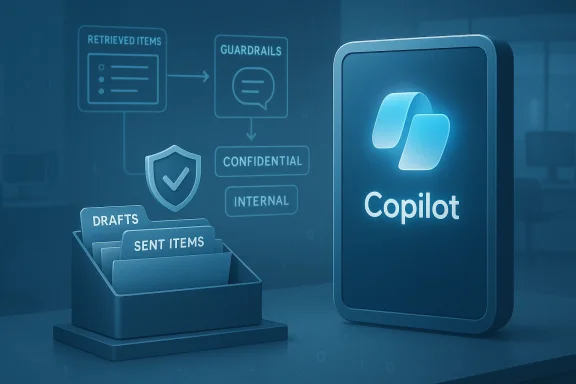
In this incident, the enforcement gap appears to have been exactly at the retrieval layer. A logic error in Copilot Chat’s code path allowed items from Sent Items and Drafts to be included in search results used to power replies and summaries, even when those items carried sensitivity labels and were governed by Purview DLP policies. In short: the label existed, tenant permissions were not necessarily violated, but the service’s retrieval logic did not honor the label exclusions for those specific mailbox folders.
At the same time, responsibility is shared:
AI can transform productivity, but the path to safe adoption runs through tougher engineering standards, stronger governance, and far greater operational transparency than many enterprises — and many vendors — have yet required. Until those expectations are routine, every organization that stores regulated information in cloud mailboxes should assume that assistant features may occasionally misbehave and prepare defensively for the consequences.
Source: BBC Microsoft Copilot Chat error sees confidential emails exposed to AI tool
 Background
Microsoft 365 Copilot (commonly referred to as Copilot Chat) is positioned as an AI productivity layer embedded across Office apps such as Outlook, Teams, Word, Excel, and more. For enterprises, the promise is straightforward: let an assistant read contextual signals from mailboxes and documents and produce summarizations, drafts, or answers that save time and improve decision-making. That promise rests on tight integration with Microsoft Purview sensitivity labels and Data Loss Prevention (DLP) policies to ensure that protected content—legal privilege, healthcare records, trade secrets, and other regulated information—never gets ingested or re-exposed by the AI.Late January of this year, Microsoft began tracking an internal service advisory (CW1226324) when telemetry and customer reports flagged anomalous behavior: the Copilot “Work” tab was returning summaries built from items in users’ Sent Items and Drafts even when those items carried sensitivity labels designed to block automated processing. Microsoft described the problem as a code issue that allowed those folder items to be picked up by Copilot despite protections, and it began rolling a server‑side remediation in early February. Public reporting followed in mid‑February, escalating scrutiny from security teams, regulators, and customers who depend on label enforcement to meet compliance obligations.
What went wrong: a technical summary
The retrieval-first model and the enforcement gap
Most modern AI assistants use a retrieve‑then‑generate architecture: first fetch relevant documents or messages, then pass them as context to a large language model (LLM) for synthesis. That architecture makes the retrieval step a critical enforcement point. If sensitive material is pulled into the retrieval set, downstream safeguards built into the generation step may be ineffective or bypassed entirely.In this incident, the enforcement gap appears to have been exactly at the retrieval layer. A logic error in Copilot Chat’s code path allowed items from Sent Items and Drafts to be included in search results used to power replies and summaries, even when those items carried sensitivity labels and were governed by Purview DLP policies. In short: the label existed, tenant permissions were not necessarily violated, but the service’s retrieval logic did not honor the label exclusions for those specific mailbox folders.
Why Sent and Draft folders matter
Sent and Drafts are not incidental folders. Drafts frequently contain work‑in‑progress communications — including sensitive legal, HR, or clinical text that hasn’t yet been transmitted — and Sent Items often store finalized correspondence with attachments and privileged content. A retrieval error that pulls these folders into an AI assistant’s dataset significantly increases the chance that sensitive summaries or excerpts could be surfaced in places not intended by policy.Microsoft’s immediate characterization
Microsoft has said the underlying access controls and data protection policies remained intact, and that the behavior “did not meet our intended Copilot experience,” which is designed to exclude protected content from Copilot access. The company described the root cause as a code/configuration error and deployed a configuration update that it reports has been rolled out across the majority of affected environments while monitoring the remaining complex tenants.Timeline and scope (what we know and what we don’t)
- Detection: Microsoft’s telemetry and customer reports identified anomalies around January 21, when the issue was logged internally as CW1226324.
- Public reporting: Technology media outlets began publishing details in mid‑February after administrators and service advisories came to light.
- Fix: Microsoft initiated a server‑side remediation in early February and has indicated that a configuration update has been deployed worldwide for enterprise customers; the company is contacting subsets of affected tenants to validate remediation.
- Scope: Microsoft has not published an aggregate count of affected tenants, nor disclosed a comprehensive list of organizations impacted. Some public-facing health sector dashboards (for example within one large national health service) logged the advisory and noted the root cause as a code issue, with assurances that patient data had not been exposed in those cases.
Immediate business and security impacts
Even without evidence of malicious exploitation, the incident carries material risk for enterprises:- Compliance exposure: Organizations that rely on sensitivity labels and DLP to meet GDPR, healthcare privacy laws, legal privilege protections, or contractual confidentiality obligations may have to evaluate whether coverage gaps created a reportable breach.
- Reputational risk: The idea that an AI assistant — explicitly told not to touch labeled material — inadvertently summarized confidential mail can erode trust among employees, customers, and partners.
- Forensics and eDiscovery complications: If Copilot generated summaries based on protected materials, those summaries may exist in audit trails, caches, or logs and could become discoverable in litigation.
- Operational disruption: Organizations may temporarily disable Copilot features or restrict AI functionality for high‑risk groups, disrupting workflows that had become dependent on AI assistance.
- Regulatory scrutiny: Privacy commissioners and sector regulators are likely to ask whether contractual assurances and technical controls were truly effective, and whether the vendor’s incident response timeline satisfied regulatory expectations.
Why this matters for healthcare, legal, and regulated industries
Certain sectors are particularly sensitive to this class of failure:- Healthcare: Medical records, patient correspondence, and treatment plans are often labeled and subject to the strictest confidentiality rules. An AI summary — even if retained only by the authoring user — may create additional copies, analytics metadata, or downstream exposures.
- Legal: Attorney‑client communications and privileged documents require special handling; any automated processing that was not authorized could jeopardize privilege claims.
- Finance and IP: Transactional communications, M&A drafts, and intellectual property details stored in drafts or sent folders are high-value and low‑tolerance targets for exposure.
The governance and engineering shortcomings this incident exposes
Several systemic weaknesses are surfaced by the incident:- Fragile enforcement assumptions: Vendors and admins often assume that label and DLP enforcement is uniform across all service surfaces. Retrieval errors show why that assumption can be dangerous.
- Shadow AI and feature creep: Rapid deployment of new AI features into productivity apps — especially when enabled by default or lightly gated — increases the attack surface and the chance of unintended interactions with existing governance controls.
- Limited vendor transparency: Customers need more than notification banners; they need tenant‑level indicators and forensic artifacts (e.g., which items were retrieved, when, and by which Copilot session) to conduct meaningful incident response.
- Testing and staging gaps: Server‑side configuration or code changes that affect enforcement logic should have guardrails and smoke tests specifically covering all folders and label combinations, including edge cases like drafts and sent items.
Practical guidance for IT leaders and administrators
If your organization uses Microsoft 365 Copilot, take these prioritized steps now:- Inventory and risk‑rank:
- Identify user groups and mailboxes where drafts or sent messages routinely contain regulated or privileged content.
- Classify which teams (legal, HR, finance, clinical) must never have Copilot access to those mailboxes.
- Apply immediate mitigations:
- Consider disabling the Copilot “Work” tab or Copilot Chat access for high‑risk security groups until you confirm remediation in your tenant.
- Enforce stricter Purview label scopes and DLP rules with additional blocking actions as a stopgap.
- Audit and search:
- Review Copilot activity logs and administrative telemetry for the timeframe of concern (late January through early February) to identify sessions that produced summaries referencing labeled content.
- For potentially impacted mailboxes, run search queries targeting drafts and sent items to see if automated summaries or generated content were created and retained.
- Evidence collection:
- Request from Microsoft any tenant‑level artifacts or indicators the company can provide (e.g., which mail items were queried by Copilot and timestamps).
- Preserve relevant logs and snapshots in a forensics bucket; avoid normal retention purges.
- Notifications and legal counsel:
- Engage legal and compliance teams early to evaluate notification requirements under applicable data protection laws and contractual obligations.
- If you manage regulated data (health, legal privilege, financial), prepare notification drafts and an evidence-backed impact assessment.
- Hardening and policy:
- Implement a principle of least privilege for Copilot access; only enable features for groups that explicitly require them.
- Consider using tenant restrictions to block Copilot usage in sensitive jurisdictions or departments.
- Staff guidance:
- Communicate to employees that AI features may be temporarily restricted and remind them not to paste regulated content into AI prompts or public channels.
Forensic and audit expectations — what to ask Microsoft
Because the retrieval layer mistake can create generated artifacts, administrators should press Microsoft for:- Tenant‑scoped logs showing which mailbox items were retrieved by Copilot queries and when.
- A clear breakdown of which Copilot components (Work tab, chat connectors) and which API paths were affected.
- Confirmation of whether any generated summaries were persisted outside user contexts (e.g., in centralized telemetry, caches or LLM prompt logs).
- An audited timeline of the fix deployment and evidence that the remediation saturated across all tenant configurations, including complex hybrid environments.
Broader lessons for enterprise AI adoption
- Default‑off for risky surfaces: AI features that interact with regulated data should be defaulted off and must require explicit admin opt‑in for each tenant or workload.
- Defense in depth: Relying solely on labels and DLP is insufficient. Combine label-based rules with access controls, tenant policies, and runtime checks at the retrieval and model invocation layers.
- Auditability by design: Assistants must produce verifiable audit trails that bind any retrieval to the prompt and to the outcome, enabling custodian verification.
- Independent verification: Enterprises should demand third‑party audits of AI data flows, retrieval logic, and label enforcement, especially for SaaS features that mediate regulated content.
- Slower feature cadence for safety: The commercial race to ship new AI capabilities increases risk. Boards, CISOs, and product leaders should balance competitive timelines against the operational and legal complexities of deploying AI across regulated data surfaces.
Strengths, mitigations, and where responsibility lies
Microsoft’s immediate actions — acknowledging the issue, logging a service advisory (CW1226324), and rolling a server‑side configuration update — show a capacity to detect and remediate cloud-scale faults. That operational capability is important and should be recognized: code defects happen in complex distributed systems, and vendor responsiveness matters.At the same time, responsibility is shared:
- Vendor responsibility: Microsoft must ensure that retrieval logic uniformly respects Purview sensitivity labels across all mailbox folders and Copilot experiences, and that fixes are accompanied by tenant‑level evidence and transparent forensic data to allow customers to complete their compliance obligations.
- Customer responsibility: Organizations must proactively configure governance, adopt conservative rollout plans for AI features, and validate vendor claims through independent audits and log reviews.
- Regulator responsibility: For sectors handling sensitive personal data, regulators should require disclosures of incidents affecting automated processing and ensure reasonable timelines and artifact availability for impacted entities.
Risk mitigation playbook (concise checklist)
- Disable Copilot Chat Work tab for high-risk groups until remediation is validated.
- Run Purview DLP and sensitivity label audits focused on Drafts and Sent Items folder scopes.
- Collect Copilot session logs and search for generated summaries referencing labeled content.
- Engage legal counsel to map notification obligations and prepare incident narratives.
- Configure conditional access and tenant restrictions to segment Copilot exposure.
- Require vendors to provide tenant-scoped forensic artifacts and to confirm fix saturation in writing.
- Institute a vendor review that demands independent security assessments for any AI feature interacting with regulated content.
What enterprises should demand from AI vendors going forward
- Explicit, auditable guarantees that sensitivity labels and DLP policies apply uniformly, regardless of folder or retrieval path.
- Pre‑release safety testing matrices covering label combinations, folder types, and edge cases.
- Tenant‑level logs of all retrievals and generated outputs for a reasonable retention period to support incident response and eDiscovery.
- Transparent incident timelines and post‑mortem disclosures that include root‑cause analysis and remediation artifacts, not just status updates.
- Contractual SLAs and data processing addenda that address AI-specific failure modes, including obligations for notification and support during regulatory inquiries.
Conclusion
The Copilot Chat incident is a cautionary example of how a seemingly small logic error in retrieval code can ripple into significant compliance, privacy, and trust issues for enterprises that rely on label‑based protection schemes. Microsoft’s remediation and public advisory are necessary first steps, but they are not the end of the story. Organizations must act defensively: treat AI features as a distinct risk domain, harden controls around sensitive mail folders, demand forensic transparency from vendors, and update incident response playbooks for AI‑native failure modes.AI can transform productivity, but the path to safe adoption runs through tougher engineering standards, stronger governance, and far greater operational transparency than many enterprises — and many vendors — have yet required. Until those expectations are routine, every organization that stores regulated information in cloud mailboxes should assume that assistant features may occasionally misbehave and prepare defensively for the consequences.
Source: BBC Microsoft Copilot Chat error sees confidential emails exposed to AI tool
