• Thread Author
Microsoft’s marketing teams have quietly elevated Copilot from a helpful assistant to the face of Windows 11 productivity — placing Copilot at the top of a promotional list of built‑in Windows tools and claiming it as the go‑to app for thinking, planning and getting stuff done on the desktop. The move is notable not because Copilot isn’t useful, but because the claim reframes what “productivity” means on Windows 11: from file management and quick utilities to an AI‑first conversational layer that promises to summarize, plan, draft and automate across apps. That shift is exactly what Microsoft wants you to believe — and exactly what many users and admins are now debating.

Blue, futuristic Copilot UI showing To Do, Calendar, OneNote, Snipping Tool, and File Explorer.Background​

Microsoft has been recasting Windows 11 as an “AI‑native” platform for more than a year. The company introduced the concept of Copilot+ PCs and rolled a steady stream of Copilot upgrades into Windows, Office and Edge. In marketing material published across Microsoft’s learning-center properties and echoed by third‑party sites, Copilot is presented as the connective tissue of modern Windows productivity: a single conversational entry point that can summarize long emails, convert notes into checklists, draft responses across apps and obey voice prompts like “Hey Copilot.”
At the same time, Microsoft’s push has included hardware marketing for Copilot+ PCs — machines advertised as having higher on‑device AI performance, longer battery life and special features like Windows Recall. Those claims have been amplified in blog posts and vendor pages that frame Copilot as central to the Windows 11 value proposition.
But marketing and real‑world productivity are not the same thing. The recent promotional asset spotted by WindowsLatest — which lists Copilot ahead of staples such as File Explorer, Snipping Tool, Microsoft To Do and OneNote — crystallizes the tension between product messaging and daily user experience.

What Microsoft’s marketing actually says​

Microsoft’s promotional materials vary by region and by outlet, but the core messages are consistent:
  • Copilot is described as an “AI assistant” available on Windows that helps you handle tasks more efficiently — from summarizing long emails to turning rough notes into checklists and helping plan events using natural language.
  • The company lists a short roster of built‑in Windows apps it calls the “best productivity apps,” where Copilot is named first, followed by Microsoft To Do, Windows Calendar, OneNote, Snipping Tool, the Clock app (Focus sessions), Sticky Notes, File Explorer and Microsoft Edge.
  • Copilot+ PC marketing ties hardware claims (faster performance, better battery, more NPU capability) to the promise of richer on‑device AI experiences available in Windows 11. These hardware claims are presented as measurable advantages for productivity.
Those bullet points are the backbone of the campaign: Copilot as the smart workplace interface, and Copilot+ hardware as the enabling platform.

Why the ranking matters (and why it’s controversial)​

A marketing taxonomy replaces functional hierarchy​

Traditional lists of Windows productivity tools emphasize concrete capabilities: file organization (File Explorer), quick capture (Snipping Tool), calendar and task apps (Calendar, To Do), and note capture (OneNote). These tools are judged by how directly they reduce friction in everyday workflows.
By putting Copilot first, Microsoft reframes productivity around an interaction model — conversational AI — not a specific task domain. That shift benefits Microsoft strategically: Copilot can be presented as the hub that orchestrates other tools, which implicitly boosts the perceived value of Windows itself and of Copilot‑centric hardware. But for many users the day‑to‑day value of a robust File Explorer or an accurate Snipping Tool is more immediate and measurable than a generalized assistant. This is the core of the pushback many power users feel.

Real users care about friction, not slogans​

A screenshot workflow, a quick screenshot annotation, or a reliable file search often saves minutes every day. These are low‑level frictions that scale across tasks. Copilot’s strengths — summarization, drafting, conversational planning — are powerful in certain scenarios (long email triage, first‑draft writing, brainstorming), but they don’t replace the need for rock‑solid fundamentals like dependable file operations, accurate clipping tools, or simple offline-first utilities.
That gap between message and lived experience is precisely why a marketing list that ranks Copilot above File Explorer looks tone‑deaf to many real users.

How Copilot is changing Windows: features and verified claims​

Microsoft has steadily moved Copilot from a browser or sidebar experience into deeper parts of Windows and Microsoft 365. Several product shifts are verifiable and important to understand:
  • Copilot as a native Windows app: Microsoft rebuilt Copilot as a native app with better memory usage and tighter OS integration, rather than relying on web wrappers. That makes Copilot feel more responsive and integrated on Windows 11.
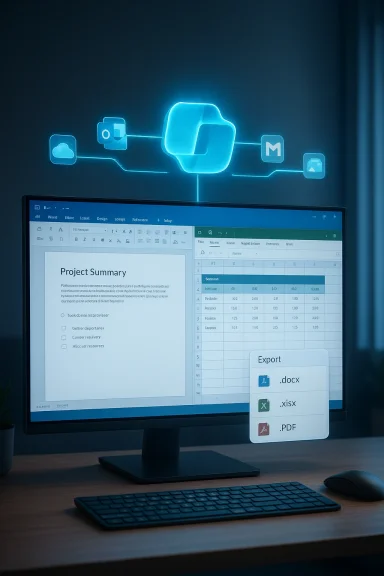
  • Copilot linking to personal accounts and document export: A staged Insider release added Connectors for OneDrive, Outlook and consumer Google services, allowing Copilot to surface inbox and drive data and export chat outputs to editable Office files (Word, Excel, PowerPoint) and PDFs. This converts conversational responses into shareable artifacts.
  • File Explorer and Copilot integration: Microsoft has tested and begun rolling out Copilot features directly inside File Explorer and OneDrive, enabling summarization, quick Q&A about documents and other file‑centric actions without opening Office apps. That integration is an example of Copilot being embedded into the places users already work.
  • Taskbar and long‑running agents: Microsoft has demonstrated Copilot agents surfaced from the taskbar that can run and report progress in the background, changing Copilot from a single‑query assistant to something more agentic in the shell.
Each of these advances is more than marketing spin: they are product changes shipped to Insiders and rolled out more broadly, and they materially adjust how Copilot can participate in workflows. But they also introduce new surface area for errors, privacy questions and permissioning complexities.

Benefits Microsoft highlights — and where they hold up​

Microsoft’s advertising emphasizes a handful of concrete benefits. Below I break them down and evaluate them against available evidence.
  • Summarize long emails quickly: Copilot can extract key points from long messages. This feature is already present in Copilot’s Outlook integrations and in Edge summarization features. For users buried in long email threads, this can save time, but it depends on accuracy and context preservation. Independent reports and product notes confirm the capability, but not perfect accuracy.
  • Turn notes into checklists and plan trips: Converting unstructured notes to structured tasks is a clear productivity win. Copilot can draft checklists and suggest itinerary items. This works well for outline generation and first drafts; users still need to validate the details. The utility is real for brainstorming and schematic planning.
  • Cross‑app drafting and export: The ability to create a Word or PowerPoint from a chat is an important step toward reducing task switching. Microsoft’s Insider updates added document export to Copilot, and Microsoft documented the Connectors and export workflows. This is a measurable productivity gain for certain document‑centric tasks.
  • On‑device speed and Copilot+ hardware advantages: Microsoft has published performance claims for Copilot+ PCs (faster application performance, longer battery life, and higher NPU throughput). Those claims come from Microsoft’s testing and vendor materials; they are plausible given specialized silicon, but they should be treated as vendor benchmarks until independent lab tests validate them.
Bottom line: Copilot introduces several useful shortcuts and new workflows that can increase productivity for specific, repeatable tasks — particularly drafting, summarization, and document generation. But its value is conditional on accuracy, privacy settings and the nature of the user’s work.

Risks, limits and unanswered questions​

The benefits above are real, yet there are legitimate concerns everyone should weigh before accepting Copilot as the definitive productivity center.

1. Accuracy and hallucination risk​

Generative AI assistants can and do hallucinate. When Copilot summarizes an email, rephrases a legal clause, or drafts a travel plan, small errors can have outsized consequences. Users may over‑trust concise summaries and miss important caveats. The more Copilot is framed as a productivity shortcut, the higher the temptation to accept outputs uncritically.

2. Data provenance and privacy​

Copilot’s strength is accessing content across accounts and drives. That capability raises governance questions in corporate settings: which prompts are logged, who can access connector data, and whether personal interactions are used to improve models. Microsoft advertises enterprise protections and opt‑in connectors, but the details matter for compliance, especially for regulated industries.

3. Subscription & adoption gaps​

Heavy marketing does not equal mass paid adoption. Recent reporting shows paid Copilot adoption among Microsoft 365 users is limited relative to the overall user base. That gap suggests enterprises and individuals are cautious about paying for AI features at scale. Low commercial uptake complicates the narrative that Copilot is already a universal productivity multiplier.

4. Hardware claims need independent validation​

Microsoft’s Copilot+ performance claims are credible given new NPUs and optimizations, but independent benchmarkers should verify the marketing numbers. Vendor numbers are often measured under ideal conditions that favor the claimed product. Treat the “up to 5x faster” or “13% faster than MacBook Air M4” metrics as marketing‑grade until third‑party labs confirm them.

5. Feature brittleness and regressions​

Windows shell and app features historically benefit from iterative polish. New AI features have been known to ship with bugs or regressions — and even long‑standing features can break under new dependencies (for example, the Clock app’s Spotify integration had known issues). Framing these apps as top productivity tools while they have intermittent problems undermines credibility.

How different audiences should think about Copilot and Microsoft’s list​

For everyday users and students​

Consider Copilot as a powerful assistant for drafting and ideation. Use it to get quick summaries, to draft a first pass at a message or itinerary, and to convert disorganized notes into a checklist. But validate outputs, especially for anything that matters (travel bookings, legal language, financial figures). Keep core file workflows and backups separate from AI automation until you trust the system.

For power users and IT professionals​

File Explorer, scripted automation tools, and reliable system utilities remain essential. Copilot is an addition — not a replacement — for carefully engineered workflows. Evaluate Copilot integrations in File Explorer and OneDrive for enterprise governance; test connectors and the export pipeline under your compliance rules. Use policies and admin controls to limit connectors where needed.

For enterprise buyers and procurement teams​

Don’t let marketing lists substitute for pilots. Run pragmatic, measurable pilots that compare time saved, error rates, and compliance impacts. Quantify whether Copilot increases throughput for specific job roles and whether that increased throughput justifies licensing costs. Crosscheck vendor performance claims against independent benchmarks and require clear contractual terms on data handling and model training.

Practical recommendations: how to adopt Copilot responsibly​

  • Start small with targeted pilots (legal summaries, customer support triage, meeting note summarization). Measure time saved and error rates.
  • Require explicit opt‑in for connectors that surface inbox, calendar or drive data in corporate contexts. Log and audit Copilot access.
  • Train users to treat Copilot outputs as drafts, not authoritative documents — add lightweight review steps for critical tasks.
  • Validate Microsoft’s hardware claims with independent tests before committing to fleet refreshes driven primarily by Copilot marketing.
  • Maintain and improve traditional productivity tooling and core OS reliability; Copilot augments workflows but does not replace good file hygiene and automation.

The marketing calculus: why Microsoft put Copilot first​

There is a commercial logic to the ranking: Copilot is the feature most directly tied to Microsoft’s larger AI strategy. Unlike File Explorer or Snipping Tool — mature utilities with limited monetization paths — Copilot is both a product differentiator and a gateway to paid services, higher‑end hardware (Copilot+), and Microsoft 365 value. By elevating Copilot in marketing, Microsoft aligns perception with that strategic priority.
But consumer perception is not automatic. For many users, Copilot’s placement above classic utilities will read as aspirational marketing rather than functional truth. Companies can reframe what productivity means — but they can’t make everyday tasks vanish. Effective marketing needs to match product readiness; otherwise, it risks skepticism and backlash.

Final analysis: valuable but over‑promised if taken literally​

Microsoft’s decision to list Copilot as Windows 11’s top productivity app is readable as both a product milestone and a marketing pivot. Copilot has matured rapidly: it’s native, it can link to accounts, it exports to Office files, and it’s embedded into the Windows shell in meaningful ways. Those are substantive product moves that do change workflows for many users.
That said, presenting Copilot as the single most important productivity app flattens important distinctions. Productivity is plural: sometimes it’s speed and battery (hardware), sometimes it’s accuracy and governance (enterprise workflows), sometimes it’s quick tools and predictable behavior (File Explorer, Snipping Tool). Microsoft’s messaging is intentionally broad because Copilot is an intentionally broad tool. Users and IT buyers would be wise to match Microsoft’s enthusiasm with measured pilots, governance controls and realistic expectations about accuracy and adoption.

Conclusion​

Microsoft’s marketing move to name Copilot the top Windows 11 productivity app is a strategic statement about the company’s AI‑first vision for the platform. It reflects how Microsoft wants consumers and enterprises to think about productivity: as a conversational, multimodal interface that orchestrates tasks across apps and hardware.
In practice, Copilot is a powerful new capability that can speed drafting, summarization and certain document workflows. But the claim that it is the single best productivity app for everyone is a marketing position, not a universal truth. Practical adoption will hinge on accuracy, privacy controls, real‑world reliability and whether the promised Copilot+ hardware advantages hold up under independent testing.
If you’re evaluating Windows 11 for productivity, consider Copilot as an enabling layer — valuable for certain jobs and workflows — but don’t let promotional rankings replace evidence. Run pilots, verify vendor claims, and keep the fundamentals (file management, automation, and simple, reliable tools) in place as you add AI to your day‑to‑day work.

Source: Windows Latest Microsoft ranks Copilot as Windows 11’s top productivity app, above File Explorer and Snipping Tool
 

Microsoft quietly put its own AI assistant at the very top of a new “best productivity apps in Windows” list — and the move is as much marketing as it is guidance for users who want to get more done on their PCs.

Neon blue display shows the best Windows productivity apps, including Copilot, To Do, Calendar, and OneNote.Overview​

Microsoft published a promoted Windows article titled “Best productivity apps in Windows for getting more done,” and placed Microsoft Copilot in the number one spot. The list highlights nine built‑in Windows apps and services — Copilot, To Do, Calendar, OneNote, Snipping Tool, Clock (Focus sessions), Sticky Notes, File Explorer, and Microsoft Edge — with no third‑party applications included. That omission quickly drew criticism from independent tech outlets and community writers, who pointed out the obvious conflict between a platform owner recommending only its own products and an independent user’s need for an objective “best of” list.
This article unpacks what Microsoft said, verifies the technical claims it made about Copilot and Copilot+ hardware, evaluates the strength of the argument that Copilot is “the best” productivity app on Windows, and proposes a practical, mixed list of nine productivity tools Windows users should consider — combining Microsoft strengths with best‑in‑class third‑party choices.

Background: Why Microsoft is doubling down on Copilot​

Microsoft’s Copilot is the company’s branded, cross‑product AI assistant that has been folded into Windows, Microsoft 365 apps, Edge, and even released as a native app on other platforms. Microsoft describes Copilot as “your AI assistant” for Windows: it can summarize long emails, transform scattered notes into checklists, draft messages, and help organize projects from a single desktop surface. Those are the exact capabilities Microsoft highlights in its Windows learning center “best productivity apps” article.
The company isn’t just talking about Copilot as software. Microsoft also launched the Copilot+ PC initiative — a hardware-plus-software message that ties advanced, on‑device AI features to specific new PC designs (Surface and partner devices) equipped with Neural Processing Units (NPUs), new silicon, and extra firmware/software to accelerate AI tasks locally on the device. Microsoft formally announced Copilot+ PCs with Qualcomm Snapdragon X Series devices initially, and later opened the feature set to Intel and AMD platforms as Microsoft extended the technology footprint across the PC ecosystem. Those device claims and product plans are detailed in Microsoft’s blog posts and have been covered widely by technology outlets.
Why the push? Microsoft’s strategy is clear: position Copilot as a central productivity hub, then use the Windows channel to promote deeper engagement, subscriptions (Microsoft 365/Copilot tiers), and premium Copilot+ hardware that can unlock additional, latency‑sensitive features. The “best apps” list is another step in that narrative: show users that the best apps for getting things done on Windows are Microsoft’s own apps — and Copilot sits at the pinnacle of that stack.

What Microsoft actually claimed in the “best productivity apps” piece​

Microsoft’s learning center post is straightforward and promotional in tone. Highlights include:
  • A numbered list of nine productivity tools that come with Windows and Microsoft services, with Microsoft Copilot leading the list and described as “ready to help you think, plan, and get things done right from your desktop.”
  • Examples of Copilot’s suggested uses: summarizing emails, turning notes into checklists, drafting messages across apps, and helping plan events or projects.
  • Short blurbs on each of the other built‑in apps (To Do, Calendar, OneNote, Snipping Tool, Clock/Focus sessions, Sticky Notes, File Explorer, Edge) explaining how they integrate with Windows and one another.
Microsoft does include a short disclaimer noting that “features and functionality subject to change” and that some AI features require a Microsoft 365 subscription, but it does not include any non‑Microsoft recommendations or comparisons in the published list.

Independent reaction and the “self‑awarded medal” problem​

Third‑party commentators and community outlets reacted quickly. Coverage from Windows‑focused news sites flagged the list as predictable and self‑serving: Microsoft’s own assistant being declared the “best” productivity app by Microsoft feels circular when the list excludes competing third‑party tools entirely. Critics also noted the instructive nature of the piece — it’s marketing with the trappings of editorial advice.
That reaction is useful because it identifies the key weakness of Microsoft’s approach: readers expect either an editorially independent ranking or a clearly labeled marketing piece. Microsoft’s post sits in a grey area: it reads like practical guidance but is authored and hosted by the vendor that benefits most from the recommendation. The result is predictable blowback and a perception problem that Microsoft now must manage.

Verifying the technical claims about Copilot​

When a platform vendor makes a product claim, journalists and administrators e technical points. Microsoft’s claims about Copilot in Windows — summarization, checklist generation, drafting messages, and project planning assistance — are consistent with how Copilot has been rolled out and described in multiple Microsoft posts and product pages. Those capabilities are implemented as a mix of cloud model invocations and locally accelerated features when Copilot+ hardware is present.
Beyond the basic features, there are verifiable technical details that matter:
  • Copilot Connectors and document export: Microsoft has been rolling updates to Copilot on Windows that add opt‑in connectors for personal accounts (Outlook, OneDrive) and external services (Gmail, Google Drive when explicitly enabled in Insider builds), plus workflows that turn chat output into editable Office files and PDFs. These staged features were documented in Microsoft and community reporting and tested in Windows Insider preview channels. Those changes move Copilot from a passive a document‑creation tool.
  • Copilot+ hardware and NPUs: Microsoft’s Copilot+ PC announcement specifies partner devices and highlights Qualcomm Snapdragon X Series chips with NPU capabilities (for example, the Snapdragon X Elite and Snapdragon X Plus and associated TOPS claims), while later updates explain the plan to bring Copilot+ experiences to Intel and AMD platforms. Those hardware claims and partner rollouts are in Microsoft’s device blogs and major coverage. The performance, battery life, and on‑device acceleration numbers are vendor‑provided and should be treated as manufacturer claims unless independently benchmarked.
  • Enterprise controls and distribution: Microsoft has documented tenant controls for Copilot distribution (admins can manage Copilot and related installs via Microsoft 365 Apps admin center and Intune), and the community has tracked Enterprise‑facing policy updates and controls in Windows Insider builds that allow managed devices to limit or remove consumer Copilot installs under certain conditions. Administrators should test those controls before broad deployment.
Where claims extend beyond published product documentation — f statements that Copilot+ devices are “the most performant Windows 11 devices” or that Copilot will replace other core workflows — treat those as aspirational or promotional language rather than measurable facts until independent benchmarks appear. Microsoft’s device blogs and announcements are the canonical source for their stated hardware goals.

Strengths: Where Microsoft’s argument for Copilot holds up​

  • Integrated assistant across the OS: Copilot is now embedded in several Windows surfaces — the Copilot app, Edge, File Explorer context menus, and Microsoft 365 applications. Integration reduces friction for common tasks like summarizing emaeting agenda. That integrated experience is a real productivity advantage when the assistant works as advertised.
  • Document creation workflows: The ability to convert a chat output into an editable Word, Excel, or PowerPoint file streamlines workflows that used to require copy‑pasting or manual formatting. Microsoft’s staged rollouts of these features in Insider builds confirm the company is pursuing real, workflow‑changing functionality.
  • On‑device acceleration potential: Copilot+ PCs with NPUs and optimized silicon can offload latency‑sensitive tasks from the cloud and enable faster, local inferencing. For users with sensitive data, on‑device processing can also reduce cloud exposure for certain operations — a tangible technical benefit when delivered correctly.
  • Ecosystem advantages: Copilot’s deep links into Outlook, OneDrive, Microsoft 365, and Windows shell tools means it can access contextual signals and file relationships other assistants cannot — when it has the proper permissions and tenant controls in place. Those context signals are valuable for productivity tasks like summarizing a project folder or extracting action items from an email thread.

Risks and caveats: What Microsoft’s post glosses over​

  • Bias in curation: The list contains only Microsoft apps. That’s a fundamental conflict for an ostensibly objective “best apps” recommendation. Readers should understand this is vendor messaging and not an independent review.
  • Subscription and feature gating: Many advanced Copilot features (particularly across Microsoft 365) require a paid subscription or a paid Copilot tier. Microsoft’s learning center note acknowledges that some AI features need Microsoft 365, but readers who assume these features are free may be surprised at the paywalls. Always verify licensing before relying on Copilot for business workflows.
  • Privacy tradeoffs: Copilot’s power depends on access to data. The Consumer Copilot app and Microsoft 365 Copilot have different privacy, telemetry, and data retention rules, and some features require explicit opt‑in connectors to personal Google accounts. Enterprises and privacy‑conscious users should audit these differences and configure governance and data protection controls accordingly. Microsoft has published guidance for tenant controls, but some consumer installs have surfaced on unmanaged devices via background installs in the past — fueling user and admin frustration.
  • Marketing vs. reality: Marketing language — “best productivity app” — is just that unless validated by independent usage studies. The utility of Copilot depends heavily on how people work: for writers and knowledge workers Copilot can bor power users who rely on specialized third‑party tooling (e.g., advanced screenshot capture and annotation tools, project management platforms, or developer IDEs), Copilot may supplement rather than supplant existing workflows. Independent evaluation matters.
  • Hardware gating and inconsistent experience: Copilot+ features may be gated behind premium devices and NPUs, creating a fragmented user experience across the Windows ecosystem. A Copilot+ lly different from a standard Windows laptop when using advanced features like semantic file search that require local acceleration. That inconsistency complicates IT planning and consumer expectations.

What this means for consumers and IT administrators​

For individual users​

  • Try Copilot for the tasks Microsoft advertises (summaries, checklist generation, drafting). The assistant can save time on routine writeups and research synthesis — if you accept the privacy model and any subscription requirements. Start small and confirm that Copilot’s outputs match your quality expectations before embedding it into crucial workflows.

For IT administrators​

  • Test tenant controls: Use the Microsoft 365 Apps admin center and Intune to control Copilot distribution and features in your organization. Microsoft has introduced targeted Group Policy options and other admin controls in Insider builds that allow a more surgical approach to removing consumer Copilot installs on managed devices, but administrators should validate those in their environments before broad rollouts.
  • Plan for mixed hardware: If you plan to adopt Copilot+ experiences enterprise‑wide, validate the device portfolio (Snapdragon X Series, Intel Core Ultra, or other partner hardware) and confirm that the feature sets you want are supported on the selected platforms. Expect a mixed experience across older hardware.
  • Update privacy and acceptable use policies: Because Copilot may touch personal and organizational data, update policies and user education around what Copilot can access, how to enable connectors, and what data stays on‑device versus what is sent to cloud services for processing.

A practical alternative: a mixed 9‑tool productivity list for Windows users​

If you want a pragmatic, user‑centric “best apps” list for productivity on Windows that blends Microsoft strengths with third‑party excellence, consider the following nine tools. This list balances built‑in integration with specialized capabilities many power users and professionals rely on daily.
  • Microsoft Copilot (AI assistance and integrated Windows workflows) — Great for summaries, draft generation, and cross‑app document creation when combined with Copilot Connectors.
  • Microsoft OneNote (deep note organization, stylus support) — Excellent for mixed media notes and academic workflows.
  • Notion (project databases, templates, collaboration) — Best for flexible project and knowledge bases; excels where structured documents and databases are needed. Evidence: long‑standing third‑party recommendations in productivity roundups.
  • Todoist (task management with cross‑platform clients) — Lightweight, syncs across devices, and integrates with many services; an alternative to Microsoft To Do for power task workflows.
  • Snagit or ShareX (advanced screenshot and screen recording) — Powerful capture options, annotations, and productivity‑oriented automations; more capable than the built‑in Snipping Tool for advanced users. (XDA and other outlets recommend Snagit and similar third‑party tools for power capture needs.)
  • Microsoft Edge (productivity features + Copilot in browser) — If you prefer a browser with integrated Microsoft features and vertical tabs for better tab management.
  • Grammarly (writing polish and tone checking) — AI writing assistance focused on grammar, tone, and clarity; a strong complement to Copilot for final copy quality.
  • Obsidian (local files, Markdown‑based knowledge graph) — Ideal for privacy‑minded users who want local control of notes and knowledge mapping.
  • Slack or Microsoft Teams (real‑time collaboration and persistent chat) — Choose based on organizational standards; both support integrations that power team productivity.
This mixed list is intentionally platform‑agnostic and emphasizes tools with proven value in real workflows, combining Copilot’s integration benefits with third‑party strengths where Microsoft’s built‑ins don’t fully match power‑user expectations. Independent coverage and community guides endorse many of these choices; they are widely adopted in professional workflows.

How to evaluate whether Copilot should be your #1 tool​

When a vendor says “we are number one,” verify the claim against your needs. Use the following checklist:
  • Define the tasks you want to speed up (email triage, note synthesis, meeting summarization, document drafting).
  • Pilot Copilot on representative workloads and measure time saved and output quality against your baseline tools.
  • Confirm licensing: check whether the specific Copilot features you rely on require Microsoft 365 subscriptions or Copilot tiers.
  • Review governance and data flows: what data is shared with Microsoft’s cloud, which features are device‑local, and how connectors behave with personal and corporate accounts.
  • Check hardware requirements: determine whether you’ll get materially better latency or features on Copilot+ hardware, and whether that justifies device refreshes.
If Copilot significantly reduces time on the right tasks and your organization can meet the privacy and licensing constraints, it may legitimately earn a top spot in your personal or corporate productivity stack. If not, expect it to be one of several complementary tools.

Final analysis: marketing move or a genuinely useful recommendation?​

Microsoft’s decision to place Copilot at the top of a Windows “best productivity apps” list is unsurprising and aligns with the company’s strategic messaging: position Copilot as the central productivity layer and push the Copilot+ hardware narrative. From a marketing perspective, it’s effective — it communicates a single, simple message to consumers: Microsoft believes Copilot is central to productivity on Windows. From an editorial perspective, it’s problematic: lists framed as “best” that only include vendor products should be clearly labeled as promotional, or better yet, supplemented with independent comparisons.
The technical claims Microsoft makes about Copilot are largely accurate and verifiable: Copilot can summarize text, create checklists, draft messages, and convert chats into Office documents in staged rollouts, and Copilot+ devices bring on‑device acceleration potential via NPUs and new silicon. Those claims are supported by Microsoft product pages and independent reporting, but they remain subject to real‑world validation and independent benchmarking before being accepted as universal truths.
Ultimately, readers and IT professionals should treat Microsoft’s list as what it is: a vendor’s view of the Windows productivity ecosystem. Use the functionality that sounds useful, but corroborate the benefit with your own testing and pair Copilot with best‑in‑class third‑party tools where appropriate. A pragmatic mixed toolset often beats a single “best” answer imposed by a platform vendor.

Conclusion​

Microsoft’s proclamation that Copilot is the best productivity app on Windows is consistent with the company’s push to make AI the central lens for Windows productivity. The technical foundation for Copilot’s usefulness is real — integrated summarization, document export, and on‑device acceleration on Copilot+ hardware are meaningful features — but the promotional nature of the “best apps” list undercuts its claim to objectivity. Users and organizations should evaluate Copilot against their real workflows, licensing constraints, and privacy needs, and supplement Microsoft’s ecosystem with third‑party tools where those tools demonstrably serve specific tasks better. Treat marketing as a starting point, not the final word, and let measurable productivity gains determine what truly earns the top spot in your workflow.

Source: XDA Microsoft Copilot is the best productivity app on Windows, says Microsoft
 

Microsoft’s Copilot has quietly moved from a promising assistant into the most prominent productivity name Microsoft is pushing — and a recent headline claiming Copilot is now the top productivity app on Windows 11 has lit a fuse across user communities, IT teams, and privacy advocates alike.

Background​

Microsoft’s Copilot initiative started as a branded set of AI features across Microsoft 365, Edge, and Bing. Over the last two years it has been repositioned by the company from a siloed “assistant” into a system-level productivity surface built into Windows 11: a native Copilot app, taskbar integrations, File Explorer affordances, and connectors into cloud storage and email. These shifts have turned Copilot from a lightweight chat helper into a workflow engine capable of summarizing files, creating editable Office documents, searching linked accounts, and running background “agents” that report progress to the desktop.
What changed recently is not a single feature but a signal: Microsoft’s marketing and product placement increasingly present Copilot as the go‑to productivity center for Windows 11. That positioning is what the Windows Report headline captured, sparking debate about whether Copilot’s ascent is organic (real user adoption and utility) or engineered (prominent placement, default pins, and store ranking emphasis).

What the Windows Report claimed — and what that means​

The Windows Report article made two central assertions:
  • That Copilot has become the top productivity app on Windows 11.
  • That this position reflects a new reality: Copilot is now the primary productivity surface on modern Windows devices.
Those two claims are related but distinct. Being the “top productivity app” can mean several things: most downloads in the Microsoft Store, most active users, the highest marketing prominence among built‑in apps, or simply being named first on a Microsoft promotional list. The distinction matters for interpreting the news: a marketing placement or store ranking is not the same as long‑term user adoption or enterprise uptake.
Microsoft has undeniably pushed Copilot deeper into Windows — making it available as a native app, expanding connectors to OneDrive and third‑party consumer cloud services, and adding document export and agent workflows. That evolution gives Microsoft both the capability and the incentive to present Copilot as a flagship productivity experience. Whether it truly is the top productivity app for most users depends on metrics that are rarely published in full: daily active users, session length, task completion rates, and retention across diverse user segments (consumers, SMB, and enterprise).

Why Copilot’s rise is plausible​

Several concrete changes explain why Copilot could legitimately climb to a dominant place in Windows productivity stacks.

1. System-level placement and discoverability​

Microsoft has moved Copilot into extremely visible surfaces:
  • Taskbar shortcuts and a dedicated “Ask Copilot” entry make the assistant accessible with a single click or keystroke.
  • File Explorer integration and contextual affordances surface Copilot’s suggestions where users already work.
These placement decisions increase discoverability and lower the friction to try Copilot — the same levers that helped earlier built‑in features gain traction.

2. Native app performance and broader capabilities​

Copilot has been transitioned from a web-wrapped sidebar to a purpose-built native application with features that go beyond chat:
  • Document creation and export (generate Word, Excel, PowerPoint, PDF from a chat).
  • Connectors that let users opt in to search content across OneDrive, Outlook, Gmail, and Google Drive.
  • Multimodal capabilities (vision + text) and “Actions” that can initiate multi-step tasks.
A native app that can both see and act on files and connected accounts becomes more useful for day‑to‑day productivity than a simple Q&A assistant.

3. Scale and corporate momentum​

Microsoft has repeatedly stated that Copilot technology is being deployed broadly across its product ecosystem and enterprise customers, with Copilot experiences included in Microsoft 365, Dynamics, and Windows itself. These enterprise and platform-level deployments provide scale that can push Copilot into many workflows, especially in organizations standardizing on Microsoft services.

4. Rapid feature cadence​

Microsoft’s approach to Copilot has been iterative and frequent, adding capabilities such as improved connectors, export to Office formats, long-running agents, and voice interactions. That rapid cadence helps maintain media attention and user experimentation — both drivers of adoption.

Critical analysis: strengths, real user value, and the marketing question​

Microsoft can legitimately claim Copilot is a major productivity play — but separating marketing positioning from real-world value requires scrutiny.

Strengths and genuine value​

  • Integrated workflows: Copilot’s ability to search across linked email and cloud accounts and create real Office artifacts from a chat is a genuine productivity multiplier for users who juggle research, summaries, and deliverables.
  • Contextual aid: File Explorer and taskbar integration reduce context switching. For knowledge workers that’s a measurable time-saver.
  • Enterprise features: When Copilot integrates with Microsoft 365 data and Dynamics, it can inject role-specific intelligence into sales, service, and finance workflows — a clear enterprise benefit.
  • Onboarding & discoverability: Native placement and aggressive promotion reduce the adoption friction that plagues many new productivity tools.

Where the claim is weaker or at risk​

  • Ambiguity of “top” — Store rank, promotional listing, and active user numbers are not the same; headlines that conflate them risk overstating the position.
  • Surface versus substance: High visibility and default pins can create the appearance of popularity even if sustained engagement lags. Users may try Copilot because it is prominent, not because it becomes central to their workflows.
  • Feature maturity: Features that seem transformational in demos (e.g., multi-step “Actions”) often require tuning and guardrails before they are reliable for production tasks.
  • Cross-platform inconsistencies: Copilot experiences differ across Windows, web, and macOS. Fragmentation can reduce usefulness for people who work across devices and ecosystems.

Risks and concerns IT teams must weigh​

Copilot’s prominence introduces practical and policy-level risks that demand proactive management.

Privacy and data governance​

  • Copilot’s value often depends on access to email, OneDrive, and other personal or corporate data. That connectivity raises questions about what data is sent to cloud services, how long it’s stored, and who can audit or revoke access.
  • Enterprises must examine whether Copilot’s connectors respect existing compliance controls, eDiscovery policies, and data residency requirements.

Security and attack surface​

  • Integrations that can access mailboxes or files increase the potential impact of compromised accounts. If an attacker gains access to an account with Copilot connectors authorized, they may extract or manipulate sensitive content quickly.
  • Automated actions and agents that can trigger multi-step tasks must be hardened to prevent misuse or exfiltration.

Performance and resource consumption​

  • Native AI features may increase memory and CPU demands. On lower-end devices this can erode the user experience and generate support tickets.

User expectations and hallucinations​

  • Generative assistants can “hallucinate” — produce confident but incorrect content. Users relying on Copilot-generated documents without verification risk introducing errors into official deliverables.
  • Organizations must educate staff on Copilot’s strengths and limits and create review workflows for critical outputs.

Vendor lock-in and competition​

  • As Copilot integrates more deeply with Microsoft services, switching costs for organizations and users may rise. That raises strategic concerns for enterprises committed to multi-vendor stacks.

Practical guidance: what users and IT admins should do now​

If Copilot is appearing as your organization’s top productivity surface, treat it like any other major platform change: plan, test, and govern.

For IT administrators​

  1. Review and document data flows and connector permissions. Ensure Copilot connectors are configured to meet your organization’s compliance posture.
  2. Use management controls (MDM, Group Policy, and Microsoft 365 admin settings) to set default behaviors: opt-in vs. opt-out, telemetry levels, and connector availability.
  3. Pilot Copilot with a representative group before broad rollouts. Track actual productivity signals — not just installs or clicks.
  4. Train helpdesk staff on expected support impacts (performance complaints, connector errors, privacy questions) and provide clear troubleshooting paths.
  5. Implement logging and monitoring to detect anomalous data access patterns that may signal misuse.

For end users​

  • Treat Copilot outputs as drafts, not finished work. Verify facts, cross-check numbers, and proofread auto-generated text.
  • Limit connector access to accounts you trust; do not grant broad permissions if you don’t need them.
  • Learn keyboard shortcuts and quick ways to remove Copilot’s pins or stop services if performance becomes an issue.

The enterprise tradeoffs: productivity vs. governance​

Enterprises gain real efficiency potential when Copilot is carefully integrated: faster summaries of meeting notes, automatic generation of first drafts, and role-specific assistants that surface context-sensitive suggestions. But the tradeoff is governance complexity.
  • Enterprises with stringent compliance needs will need to negotiate service terms, ensure auditability, and possibly delay adoption until contractual protections and technical controls are in place.
  • Small and medium businesses that already rely on Microsoft 365 can gain quickly but should adopt conservative rollout policies that emphasize human review and controlled connector enablement.

The user experience debate: helpful assistant or intrusive presence?​

There is a cultural dimension to Copilot’s promotion. Some users appreciate an ever-present assistant that proactively suggests actions; others see it as intrusively reshaping the desktop experience.
  • Advocates point to time saved: rapid summarization, instant file conversions, and contextual answers that remove tedious manual steps.
  • Critics worry about persistent prompts, default pins that clutter the taskbar, and Microsoft’s aggressive UX nudges that push Copilot into workflows where users may not want it.
From a UX perspective, the ideal approach is user choice: discoverability without forced default behavior, clear opt-in for data connectors, and lightweight controls for users to disable or unpin Copilot easily.

How credible is the “top productivity app” claim?​

That depends on the metric:
  • If the claim refers to store ranking or Apple/Android-style app charting, store placement can be manipulated by visibility and promotional placement. A top spot in a curated Microsoft Store productivity list is meaningful but not synonymous with sustained engagement.
  • If the claim refers to active usage or task completion, such data is proprietary and seldom publicly disclosed in full. Microsoft has reported large-scale availability and enterprise adoption signals, which support the broader narrative of Copilot’s rapid spread — but an independent, granular ranking of productivity app usage on Windows 11 is harder to verify.
In short: the claim is plausible on the basis of Microsoft’s strategic placement and platform investments, but headlines that treat promotional placement as objective dominance should be read with healthy skepticism.

What to watch next​

To assess whether Copilot’s rise is durable and genuinely productivity-enhancing, watch for these signals in the coming quarters:
  • Published metrics on daily active users, retention rates, and task completion where Microsoft or independent researchers provide transparent figures.
  • Enterprise case studies with measurable before-and-after productivity metrics (e.g., time saved per report, reduction in email triage time).
  • Independent security and privacy audits of Copilot connectors and data handling.
  • Platform performance metrics showing how Copilot affects device battery life and responsiveness across hardware tiers.
  • Regulatory inquiries or industry pushback related to competitive positioning or data governance.

Bottom line and recommendations​

Microsoft’s move to place Copilot at the center of Windows 11 productivity is strategic, deliberate, and backed by significant engineering effort. The tool’s evolving capabilities — from document export to cross-account connectors and agentic workflows — give it the technical foundation to become a genuine productivity hub for many users.
However, the headline “Copilot is the top productivity app on Windows 11” needs context. Promotional ranking and native placement are powerful levers that can create momentum; they are not by themselves definitive proof of long-term, universal user adoption or superiority. Organizations and users should treat Copilot like any major platform addition: evaluate through measured pilots, set governance guardrails, educate users about limitations, and monitor security and privacy impacts.
For IT leaders, the pragmatic steps are clear:
  • Pilot with measurable goals.
  • Lock down connector permissions and audit logs.
  • Train users to verify AI outputs.
  • Maintain easy rollback and uninstallation paths.
For individual users, be curious but cautious: test Copilot’s workflows where they save the most time, limit data connectors to necessary accounts, and always treat AI-generated documents as a starting point rather than the final deliverable.
Copilot’s prominence is real — Microsoft has placed it where millions will see and try it — but whether that visibility converts to genuine productivity gains across the board will depend on the careful balancing of convenience, reliability, security, and trust.

Source: Windows Report https://windowsreport.com/microsoft...comes-the-top-productivity-app-on-windows-11/
 

Microsoft’s own list of “best productivity apps in Windows” places Copilot at the top — and that choice tells us as much about Microsoft’s product positioning as it does about real‑world productivity gains for users.

Desk setup with a monitor showing a project summary and spreadsheet, while neon blue holographic icons hover above.Background / Overview​

Microsoft published a promoted Windows page titled “Best productivity apps in Windows for getting more done,” and it lists nine built‑in Windows tools with Microsoft Copilot sitting in the number‑one slot ahead of long‑established utilities like To Do, Calendar, OneNote, and Snipping Tool. The Microsoft page frames Copilot as a desktop‑ready assistant that can “summarize emails, turn scattered notes into checklists, draft messages, or help organize a project,” positioning the assistant as the primary productivity multiplier on Windows.
That internal ranking came to public attention and immediate criticism because many independent reviewers and user communities see Copilot differently — as an increasingly prominent marketing focal point rather than a consistently reliable, broadly adopted tool. Community conversation archived in our files shows the same reaction: the Copilot placement is being r IT pros as a statement of strategic intent rather than evidence of everyday utility.
This article digs into the facts, testing claims and telemetry where possible, and separates what Microsoft is shipping from what typical users are actually getting done.

What Microsoft actually said — and what it added to Copilot recently​

Microsoft’s announcement is explicit: Copilot is a first‑class Windows tool and the company now ships preview features that treat Copilot as a cross‑account productivity surface. In October 2025 Microsoft rolled a staged update for Windows Insiders that introduced Connectors (opt‑in links to OneDrive, Outlook, Gmail, Google Drive, Google Calendar and Google Contacts) and a Document Creation & Export workflow that converts chat output into editable Office files (.docx, .xlsx, .pptx) or PDF in one click. The Windows Insider Blog and Microsoft’s Windows learning center both describe these features and promote Copilot as a time‑saving companion.
Why that matters: those two additions move Copilot from a conversational sidebar to a practical “idea → deliverable” toolchain. If Copilot can reliably find your invoices across Google Drive and OneDrive, summarize them, and export a starter spreadsheet or doc in seconds, that’s a legitimate productivity feature — but the real question is whether it does that reliably, at scale, and in a way users trust. Early previews show promise; production behavior and telemetry will decide usefulness at scale.

The controversy: marketing placement versus real usage​

Microsoft putting Copilot first reads like a deliberate repositioning: the company is trying to make Copilot the entry point to productivity on Windows. That marketing decision is grounded in a strategic bet — owning the first prompt on your desktop is a durable advantage — but it has also triggered skepticism.
  • Many reviewers argue Copilot’s prominence is disproportionate to how people actually use Windows tools. PCWorld’s coverage characterized the move as more marketing than helpful guidance and reported widespread user dissatisfaction with Copilot experiences. PCWorld’s testers found Copilot inconsistent and sometimes unhelpful for basic reminders, and the tone was that Copilot iproductivity leader in practical everyday use.
  • Independent community discussion and internal commentary mirror that skepticism: users and admins have been vocal about Copilot’s ubiquity and occasional unreliability, and some community archives in our collection show concern that Microsoft’s ranking elevates Copilot for strategic reasons rather than because it demonstrably helps most users every day.
So: the company is explicitly promoting Copilot as the productivity hub; many users and independent reviewers see that as premature.

Adoption and market share: the web picture (and its limits)​

There’s concrete data that complicates Microsoft’s marketing message. SimilarWeb’s January 2026 Global AI Tracker (as quoted by multiple outlets) shows Copilot with roughly 1.1% of web visits to major AI chat platforms, far behind ChatGPT (64.5%) and Google Gemini (21.5%). Several independent news outlets used those SimilarWeb figures to argue that on the open web, Copilot is not widely used.
Two important caveats about that number:
  • SimilarWeb tracks web traffic to public domains (e.g., copilot.microsoft.com). It does not — and cannot — measure native, in‑app usage or server‑side enterprise deployments. Copilot interactions performed inside Office apps, a tenant’s managed Microsoft 365 Copilot deployment, workflows will not show up in that web snapshot. That means the 1.1% figure is a meaningful signal for consumer web discovery, but it is a partial picture of Copilot’s true footprint.
  • Microsoft has been prioritizing integration into Office apps, Windows, Teams, and enterprise tooling — precisely the places where web trackers don’t see activity. Large organizations can and do use Microsoft 365 Copilot capabilities behind their tenant boundaries; that enterprise usage is likely undercounted by consumer web traffic trackers. Independent analysis in our internal threads stresses this distinction repeatedly.
In plain terms: web market share metrics back the claim that Copilot’s consumer web footprint is small. But they don’t disprove enterprise penetration or the possibility that Copilot is useful inside managed Microsoft workflows.

Real‑world reliability and productivity: what reviewers found​

Practical productivity isn’t about logos and marketing copy — it’s about whether a tool reduces friction, saves time, and behaves reliably. Independent hands‑on reviews and community testing reveal mixed results.
  • Strengths observed in testing:
  • Copilot’s deep integration with Office apps can be useful for generating first drafts, reformatting content, and turning notes into checklists when used in Word or Excel. That can cut routine steps out of editing workflows.
  • The new Export affordance (for longer replies, Copilot surfaces a button to export to Word/Excel/PPT/PDF) reduces clipboard friction for simple outputs — a genuine time saver for short meeting summaries or quiblogs.windows.com]
  • Reported weaknesses:
  • Several reviewers, including PCWorld columnists, report that Copilot’s conversational style can sometimes prioritize follow‑up engagement over producing the direct, complete answer users expect, and that Copilot’s integrations (especially early Gmail/Google connectors) were inconsistent in previews. That undermines trust: when an assistant occasionally fails to produce the promised result (for example, missed reminders or wrong context retrieval), users stop relying on it.
  • The Copilot UI choices — automation triggers, auto‑start behavior, and the heavy branding push — have produced user fatigue. Many users prefer a targeted tool like To Do or OneNote for deterministic tasks and perceive Copilot as less reliable for repeatable, high‑stake workflows. Community threads reflect real frustration when Copilot behaves unpredictably in day‑to‑day tasks.
The net of reviewer evidence: Copilot can be productive for certain tasks, especially when combined with Office, but it is not a universal productivity force that reliably replaces specialized apps or disciplined workflows.

Enterprise reality: admin controls, governance, and removal​

For IT administrators the picture is less rhetorical and more operational. Microsoft recognizes that Copilot’s consumer footprint and its enterprise footprint are distinct, and it has begun adding controls to mailot app on managed devices — but those controls are conservative.
  • Microsoft introduced a one‑time Group Policy called RemoveMicrosoftCopilotApp in Windows 11 Insider Preview Build 26220.7535 (KB5072046). This policy will uninstall the consumer Copilot app for a targeted user only when several conditions are met: (1) Microsoft 365 Copilot (tenant managed) and the consumer Copilot app are both present, (2) the consumer app was provisioned (not user‑installed), and (3) the app hasn’t been launched in the last 28 days. The policy is intentionally narrow and performs a one‑time uninstall rather than a persistent block.
  • Why that matters: the one‑time uninstall is useful for tidy fleets (kiosk images, lab machines, or accidentally provisioned devices) but it is not a permanent “kill switch.” For durable removal, admins still need layered controls like AppLocker, Intune app management, or image‑level safeguards. Operational detail posts in community forums emphasize that the 28‑day inactivity gate and the exclusion of user‑installed apps make the Group Policy conservative by design.
So, for enterprises the story is: Microsoft is responding to admin feedback with tools, but the removal controls reflect a careful choice to avoid breaking tenant deployments or surprising users.

Privacy, branding confusion, and user perception​

There are two related reputational issues at play: branding overload and privacy anxiety.
  • Branding overload: Microsoft’s broad Copilot branding — Copilot keys on keyboards, “Copilot+ PCs,” the Microsoft 365 Copilot label on Office hubs, and Copilot icons across apps — has created user confusion. Observers inside and outside Microsoft have openly questioned whether everything needs a Copilot label; that internal unease was reported in mainstream technology coverage. The result is branding fatigue, which dilutes the individual value of established apps (To Do, OneNote) and fuels skepticism about whether Copilot truly supersedes them.
  • Privacy and data surface: Connectors and cross‑account search are opt‑in, but they also expand the surface area Copilot can access. Microsoft’s promotional copy emphasizes consent and OAuth flows, but security‑minded administrators and privacy‑conscious consumers are right to ask for clear documentation about caching, telemetry, and where transformed artifacts are stored. Windows Insider materials show the intent; independent forum threads and enterprise guidance highlight the practical questions IT teams will demand answered before broad deployment.
In short: the technology can be consented into a useful place, but trust — in both branding clarity and privacy handling — is not something that can be manufactured with placement on a “best apps” list.

Where Copilot actually helps — and where classic apps still win​

If your goal is demonstrable, repeatable productivity gains, here’s how to think about Copilot versus other Windows apps:
  • Copilot excels at:
  • Rapid first drafts and idea expansion (turning terse notes into paragraphs or lists).
  • Cross‑account retrieval when the user has both Microsoft and Google accounts and opts in to Connectors.
  • Short exports and starter documents (meeting summaries → Word; quick lists → Excel).
  • Traditional apps still excel at:
  • Deterministic task management and recurring reminders — Microsoft To Do is straightforward and has predictable behavior.
  • Deep, structured note‑taking and longform project capture — OneNote (and the full OneNote desktop apps) remain better suited to persistent notebooks and archival workflows.
  • Screen cl tasks — Snipping Tool and built‑in screenshot/recording utilities are simple, reliable, and fast.
That distinction matters because productivity is often about boring-but‑reliable repeatability. For many users, that consistency outweighs a flashy AI assistant that sometimes produces useful magic.

Recommendations for users and administrators​

Based on the facts, testing reports, and community findings, here’s pragmatic guidance.
For end users:
  • Try Copilot for low‑risk tasks first: use it to generate drafts, extract high‑level summaries, and create starter documents you’ll edit and verify. Don’t use Copilot as the final authority for tasks that require absolute correctness (financial calculations, compliance text) without verification. ([blogs.windows.com](Copilot on Windows: Connectors, and Document Creation begin rolling out to Windows Insiders specialized workflows in specialized apps: if you depend on recurring reminders and task lists, keep using Microsoft To Do or Calendar for deterministic behavior rather than relying solely on Copilot.
  • If privacy is a concern, do not enable Connectors until you’ve read the consent scope and understood where exported files will be stored. When in doubt, keep connectors off for sensitive accounts.
For IT administrators:
  • Treat RemoveMicrosoftCopilotApp as a cleanup tool, not a permanent policy. Use AppLocker, Intune enforcement, and image‑level controls if you need durable prevention. Test the policy in a pilot first because it’s gated by activity and installation conditions.
  • Communicate clearly to users: if your organization prohibits the consumer Copilot app, document the expected behavior and remediation steps; otherwise users will be surprised when a one‑time uninstall reintroduces the app after a future update.
  • Monitor telemetry and user feedback: Copilot’s behavior and integrations w; ongoing telemetry, helpdesk tickets, and user sentiment should guide your governance posture.

Critical analysis — strengths, real risks, and the likely path forward​

Strengths:
  • Microsoft has valid technical reasons to push Copilot: deep integration with Office and Windows can remove friction and automate mundane content transforms. The Connectors + Export pattern is a logical evolution of an assistant that can both retrieve and produce artifacts — a true productivity shortcut when it works.
  • Enterprise customers that adopt Microsoft 365 Copilot (the tenant offering) may see significant value precisely because Copilot can surface organizational context that consumer web trackers never capture. That’s where Copilot’s strategic advantage is most credible.
Risks and weaknesses:
  • Perception and trust: aggressive Copilot branding and default placement risk alienating users who already distrust feature bundling. If users feel the assistant is pushed at them, they’re less likely to adopt it and more likely to seek alternatives.
  • Reliability at scale: reviewers have documented inconsistent behavior on routine tasks. Productivity gains depend on repeatability; intermittent failures — missed reminders, inconsistent connector searches, context‑loss — erode trust quickly. PCWorld’s hands‑on reporting captures the real frustration of users who expect dependable outcomes.
  • Narrow admin removal controls: Microsoft’s conservative Group Policy removal is a necessary but incomplete response. The one‑time uninstall approach and the 28‑day inactivity gate make large‑scale, permanent removal operationally nontrivial for many admins. That gap will keep governance teams busy.
Likely trajectory:
  • Expect Copilot to remain centrally branded and tightly integrated. Microsoft will continue iterating features that reduce friction (better exports, stronger connectors, richer Office agent integrations).
  • Simultaneously, Microsoft will expand admin controls and governance tooling in response to enterprise feedback — but those tools will likely be incremental and conservative to protect tenant provisioning and paid Copilot offerings.
  • Adoption outside managed environments will likely stay mixed: some consumers and power users will prefer specialized AI apps (ChatGPT, Gemini, Claude) that feel more flexible. Web traffic trackers will continue showing Copilot’s limited consumer web footprint even as enterprise usage grows behind tenant firewalls.

Bottom line​

Microsoft’s decision to label Copilot the “best productivity app in Windows” is a strategic signal: the company wants Copilot to be the primary productivity surface on its platform. That position is defensible on technical grounds — Copilot’s Connectors and Document Export features solve real friction points. But the claim is premature as a blanket endorsement for all users today.
Objective metrics show Copilot’s consumer web footprint is small, and independent testing reports highlight reliability and trust issues that matter more than marketing placement when productivity is calculated in hours saved. For enterprises, Copilot’s real value will depend on tenant deployments, governance clarity, and the degree to which Microsoft can make the assistant consistent, auditable, and trustworthy.
If you’re an individual or IT manager evaluating Copilot, treat the tool as a useful, evolving productivity accelerator for some tasks — not a universal replacement for established productivity patterns. Use Copilot where the outputs are low‑risk and verifiable, keep deterministic workflows in dedicated apps, and plan governance around the realistic limits of Microsoft’s administrative controls. The technology is promising; the rollout and trust curve are the critical work that remains.

Source: PCWorld Microsoft names Copilot as 'best' Windows productivity app. Really?
 

Microsoft has quietly moved Copilot from a helpful sidebar curiosity to the lead face of Windows 11’s built‑in productivity story — placing the AI assistant at the top of a freshly published list of “best productivity apps in Windows,” ahead of long‑standing staples such as File Explorer and Snipping Tool.

Blue infographic listing the best Windows productivity apps, led by Copilot.Background​

Microsoft’s messaging around Windows and productivity has shifted decisively toward AI over the last 24 months. Where previous Windows guidance highlighted utilities and system features (File Explorer, Task Manager, Snipping Tool) as everyday workhorses, the company’s new learning‑center piece frames productivity today as a set of AI‑enabled workflows anchored by Copilot. That guidance explicitly lists Copilot first, then everyday apps such as Microsoft To Do, Calendar, OneNote, Snipping Tool, Clock (Focus Sessions), Sticky Notes, File Explorer, and Edge.
This is not a random blog‑post listing; it’s part of a broader communications strategy that positions Copilot as the interface layer that unifies search, summarization, content generation, and automation across Windows and Microsoft 365. Microsoft’s Windows learning center and “Be Productive” content hubs have been steadily promoting Copilot‑centric features — the Copilot key, Copilot Vision, agentic Actions, and Copilot integration in Edge and Office — as central hooks for that narrative.

What Microsoft actually published​

On the official Windows learning page headlined “Best productivity apps in Windows for getting more done,” Microsoft presents a short-ranked list of built‑in tools and explains how each supports planning, organization, focus, and automation. The list, in Microsoft’s order, begins with:
  • Microsoft Copilot — described as “your AI assistant” that helps draft messages, summarize emails, turn notes into checklists and automate repetitive tasks.
  • Microsoft To Do — for task lists and My Day planning.
  • Calendar — quick meeting and appointment management.
  • OneNote — the digital notebook with AI‑assisted drafting and organization.
  • Snipping Tool (and screen recorder) — capture and annotation.
  • Clock (Focus Sessions) — time blocking and integration with Spotify/To Do.
  • Sticky Notes — quick, visible reminders.
  • File Explorer — file management and new gallery/preview features.
  • Microsoft Edge — productivity features such as Collections and browser‑integrated Copilot.
That ordering — putting Copilot at the very top — prompted immediate attention in the tech press and community circles because it explicitly elevates an AI assistant above the classic utilities many users consider foundational to daily Windows work. The list is framed as “apps you already have access to in Windows,” but the decision to label Copilot as the preeminent entry is a clear editorial choice by Microsoft to steer user perception.

Why Microsoft put Copilot first (their case)​

Microsoft’s explanation for placing Copilot first is straightforward: Copilot is presented not as a single feature but as a productivity layer that can speed up common tasks by turning conversation into action.
  • Copilot can summarize long emails, extract key points, and suggest action items, the company says.
  • It can turn scattered notes from OneNote or Word into a step‑by‑step checklist.
  • Integrated with Edge and Office, Copilot can generate draft text, assemble meeting prep, and help automate repetitive workflows.
Microsoft’s messaging frames these capabilities as multipliers: rather than replacing File Explorer or Snipping Tool, Copilot is sold as the assistant that makes those tools more useful — finding the right file faster, producing the right snippet for a screenshot annotation, or summarizing files you find with File Explorer. From the company’s perspective, the ranking is strategic: a user encountering a productivity quick‑start guide should first learn about the AI that makes many downstream tasks easier.

Reality check: adoption, utility and the numbers​

Putting Copilot first makes strategic sense for Microsoft, but the real world is more complicated. Two interlinked facts matter:
  • Microsoft has disclosed growth metrics for Copilot, including the commercial figure of 15 million paid Microsoft 365 Copilot seats, which the company highlighted in recent earnings materials. That number represents strong year‑over‑year growth, but it remains a small slice of the overall Microsoft 365 installed base.
  • Independent reporting and critics point out that paid uptake is modest relative to the broader Microsoft user base — analysts have calculated that the 15 million paid se.3%** of an estimated ~450 million commercial Microsoft 365 seats. That math raises questions about how representative Copilot is of everyday Windows productivity for the majority of users.
Put plainly: Copilot is both strategically important and still a boutique purchase for many organizations. Microsoft’s corporate narrative emphasizes daily active growth and doubling of conversations per user in some channels, but independent outlets and analysts caution that converting free or pilot users into paid seats — and turning paid seats into sustained behavior change — remains the critical commercialization challenge.

Community and press response: marketing vs. measurement​

The reaction among journalists, independent reviewers, and community veterans has been mixed, and in many cases skeptical.
  • Coverage in outlets like PCWorld and WindowsLatest framed the ranking as a marketing play: ranking Copilot above tried‑and‑true tools felt to many like a promotional message more than a neutral evaluation of practical day‑to‑day utility.
  • Windows Central observed the contradiction between Microsoft’s enthusiasm and real‑world usage patterns — noting that sentiment and adoption don’t always align with a top ranking.
Many community threads and forums echoed that skepticism in different terms: users pointed out real functional pain points (e.g., Copilot UI friction, latency, privacy concerns around connectors, or the preference for power workflows built on keyboard shortcuts and classic utilities). The uploaded community discussion that circulated internally captured these reactions and framed the Microsoft list as noteworthy precisely because it reframes productivity for mainstream users.

The benefits Microsoft highlights — and where they hold up​

Microsoft’s promotional case for Copilot lists tangible advantages that, in many contexts, are real and measurable:
  • Time saved on repetitive tasks. Summarizing long email threads, extracting action items from meetings, or generating first drafts can measurably reduce hours spent on rote work for knowledge workers. Microsoft points to case studies and customer anecdotes where Copilot reduces time for common work patterns.
  • Cross‑app context and synthesis. Copilot’s integration with OneNote, Outlook, Word and Edge allows it to surface information that would otherwise require hunting across applications, which is a classic productivity win when context switching is minimized.
  • Lower barrier for non‑technical users. For people who don’t know advanced search syntax or who prefer conversational interfaces, Copilot provides an accessible entry point to automation and content creation. This is especially valuable in educational and small‑business contexts where tooling budgets and training capacity are constrained.
These benefits are real when two conditions are met: the organization enables Copilot with appropriate governance, and the user installs and experiments with the feature long enough for it to become part of a habitual workflow. When either of those conditions is absent — sparse deployment, poor onboarding, or a mismatch between Copilot’s behavior and the user’s workflow — the benefits diminish quickly. Independent reporting repeatedly highlights this nuance.

The risks and downsides Microsoft’s list glosses over​

Elevating Copilot to the top of a productivity list is bold, and the decision also brings into focus several non‑trivial risks that matter to enterprises and privacy‑conscious users.
  • Adoption mismatch and cost. Copilot’s paid licensing is material at scale. Where Microsoft touts 15 million paid seats, corporate buyers and analysts note that adoption and meaningful usage are the thin edge — and many customers are cautious about buying more seats than they can operationalize. The economics of paying $X per user per month can be justified only if measurable, repeatable productivity gains follow.
  • Privacy and data governance. Copilot’s value depends on permissioned connectors and access to documents, mailboxes, and cloud storage. Enterprises must reconcile the convenience of synthesis with governance needs: who can allow Copilot to read mailboxes, how long are prompts stored, and how are generated outputs audited? Microsoft has guidance, but governance complexity remains a genuine barrier to adoption in sensitive industries.
  • Performance and UX expectations. Many users compare Copilot’s generative outputs against human standards; when the results are imperfect, the perceived productivity hit can outweigh the time saved. The press has highlighted examples where Copilot’s drafting or summarization is either too generic or introduces factual errors that require human correction — an anti‑productivity outcome if unchecked.
  • Platform lock and discoverability. By centering Copilot, Microsoft risks nudging users toward an ecosystem where the most convenient workflows are Microsoft‑centric. That’s great for integrated experiences but raises questions for organizations that prefer heterogenous toolchains or want to avoid vendor lock‑in. Independent critics argue the ranking underscores persuasion more than objective utility.

How Copilot compares to classic tools in everyday tasks​

The comparison that sparked the most debate is simple: for many users, File Explorer and Snipping Tool are the actual foundations of daily productivity. The practical differences look like this:
  • File Explorer: fast, predictable, offline, and essential for file organization, transfer and direct access. These traits matter enormously for power users, IT admins, and any job that depends on local file hierarchies. Copilot can augment search and summarization, but it doesn’t replace the core file‑management capabilities people rely on.
  • Snipping Tool: an immediate, low‑friction capture and annotation utility. For documentation, bug reports, or step‑by‑step guides, the simple UX and keyboard shortcuts produce real efficiency gains that don’t require AI. Copilot’s value here is complementary — for example, suggesting alt text for an image — but not substitutive.
  • Copilot: best positioned to reduce cognitive load when users need synthesis, drafting, or cross‑document context. Its biggest wins come in “knowledge work” contexts where content is fragmented and the cost of context switching is high. But that scenario is not universal across all Windows users.
This is why many reviewers treat Microsoft’s ranking as a statement of strategic intent rather than an empirical ranking of what most humans practically do on Windows every day. In other words, Copilot as “best productivity app” is accurate for a growing segment of knowledge workers but not a neutral truth for every Windows user.

What this means for IT and power users​

If you manage devices, software procurement, or developer platforms, Microsoft’s prioritization of Copilot affects three operational areas:
  • Deployment and licensing planning. Copilot’s additional cost and connection to Microsoft 365 procurement means IT should model scenarios for seat allocation, pilot programs, and ROI measurement before broad procurement. Expect vendor conversations to shift from feature lists to adoption plans.
  • Governance and compliance. Organizations must set explicit policies for connectors, data retention, and logging of AI‑generated outputs. Copilot’s convenience can create shadow use unless properly governed, so proactive controls and clear user training are essential.
  • User education and success metrics. To turn Copilot from a novelty into a productivity multiplier, companies need onboarding playbooks, examples of day‑to‑day tasks Copilot should handle, and measaved, tasks automated, user satisfaction). Without those, adoption stalls and the tool becomes shelfware.

Practical guidance for users who want to test Copilot effectively​

If you’re curious whether Copilot really merits the #1 spot for your workflow, try a small, disciplined experiment:
  • Define a small set of repeatable tasks Copilot might speed up (email triage, meeting note summarization, draft creation).
  • Run a two‑week pilot with a controlled group and baseline time‑to‑task measurements.
  • Collect qualitative feedback about accuracy, hallucination risk, and trust.
  • Adjust governance (connectors, permissions) based on privacy requirements.
  • Decide whether to scale seats based on measured time savings and adoption curves.
This is the playbook many IT teams use to move from proof‑of‑concept to production, and it matches the way enterprise buyers evaluate expensive, human‑impacting tools.

Where the conversation goes next​

Microsoft’s ranking is more than a marketing headline; it signals a platform transition. By placing Copilot at the top of the productivity stack, Microsoft is reshaping expectations: productivity is increasingly about orchestration (how tools combine) and synthesis (how AI condenses information across sources).
That transition will play out in three arenas:
  • Product: Microsoft will continue to fuse Copilot capabilities deeper into Windows, Edge, and Office, especially around agentic Actions and Copilot Vision. Expect more system‑level affordances that make Copilot the default entry point for certain tasks.
  • Market: vendors, competitors and customers will respond. The press and analysts will continue to fixate on adoption metrics (paid seats, daily active users), which will shape how industry observers judge the strategy’s success. Already, the 15 million paid seats figure is a central focal point in that evaluation.
  • Governance and trust: regulators, enterprises and privacy advocates will press for transparency in data handling, connector behavior, and explainability of outputs. For Copilot to move from “interesting” to “essential,” these trust questions must be convincingly addressed.

Conclusion​

Microsoft placing Copilot at the apex of its Windows‑centric productivity list is a clear and deliberate signal: the company intends for AI to be the organizing principle of modern Windows work. That strategy has real upside — Copilot can automate repetitive tasks, reduce context switching, and surface insights from scattered content — and Microsoft’s official guidance explains those scenarios in plain terms.
At the same time, the empirical picture is mixed. Paid adoption, while growing, represents a modest fraction of Microsoft’s installed base; independent analysis and community reaction point to skepticism about whether Copilot belongs above perennial tools like File Explorer for all users. The decision to list Copilot first feels as much like a product positioning moment as it does a neutral usability ranking.
For readers and IT teams, the practical takeaway is to treat Copilot as an important new capability worth evaluating — not as an automatic replacement for the tools and habits that already work. Use focused pilots, protect data with clear governance, and measure outcomes. Microsoft’s placement of Copilot at the top of the productivity list is a provocation and an invitation: see if the AI assistant actually improves the way you work. Community discussions and internal writeups captured in our forum archive reflect that same mix of curiosity and caution.


Source: thewincentral.com Microsoft Ranks Copilot as Windows 11’s Top Productivity App
 

Back
Top