

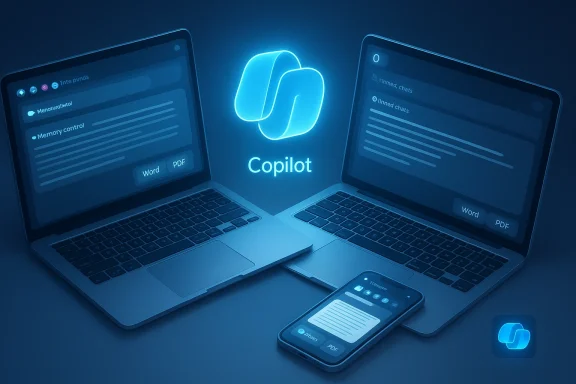
Microsoft’s Copilot just picked up a set of practical, low-friction upgrades — better memory controls, pinned chats, higher paste limits and Apple-specific improvements — that shift the assistant from a disposable chat widget toward a more persistent, cross‑platform productivity companion. Digital Trends flagged the user-facing pieces (advanced memory, pinned conversations, longer inputs, Mac parity and a new iPhone widget), while tests and reporting from Windows‑focused outlets confirm the functional details and the staged, U.S.-first rollout model.
Copilot has been evolving fast: what started as a contextual search-and-answer overlay has become a multi‑surface assistant tying into Windows, Edge and Microsoft 365. The latest batch of updates continues that trend by reducing repeated work (remembering preferences and ongoing projects), improving chat ergonomics (pconversations), and closing feature gaps on macOS and iOS. Microsoft’s broader roadmap has emphasized human‑centered AI that’s opt‑in and auditable, but that very shift toward persistence and cross‑service access increases both usefulness and the need for clearer controls.
These are not purely cosmetic changes. Memory, export, and longer‑input handling are exactly the sorts of capabilities that determine whether users will try Copilot for ad hoc tasks or come to rely on it for repeated workflows — drafting, meeting notes, and multi‑stage projects.
On top of pinning, Copilot’s new export improvements — especially on macOS — matter for real workflows. Exporting a long answer directly to Word, PDF, or a file reduces copy‑paste tax and makes it trivial to move outputs to email drafts, shared documents, or project repositories. For creators and knowledge workers, that lowers the cost of adopting Copilot as part of a predictable content pipeline.
Key benefits:
Why the number is relevant:
On iPhone, the new widget (two sizes) is a small but practical addition: quick access to common actions without launching the app reduces interaction cost for everyday tasks. For mobile-first users who rely on rapid lookups or quick message summaries, those seconds add up.
Why this matters:
Independent outlets — Windows Latest, Digital Trends, Windows Central and MacRumors — have validated the user‑facing behaviors (advanced memory, pinned chats, the long‑paste handling and macOS improvements) through testing and hands‑on coverage. That multi‑source corroboration gives reasonable confidence the changes are real and rolling out, albeit unevenly across regions and account types.
A note of caution: some color — for example, attributions about internal inspiration or executive quotes — may appear in press writeups wtation from Microsoft spokespeople. Mark such claims as reported rather than indisputable fact until Microsoft republishes them in official posts or transcripts. Windows Latest’s piece included an anecdotal attribution to senior leadership that we could not independently verify from Microsoft’s public release notes; treat these as claimed by press, not official corporate quotes.
That said, the advances come with responsibilities: users and IT teams must treat memory as a feature that needs governance, not a convenience that’s always safe to enable. If you’re curious, check your Copilot app and account settings over the next few days; availability is rolling out in stages and may land in your region or account tier at different times.
In short — Copilot’s new features make it noticeably more useful for sustained tasks. They improve immediate workflows while pushing important debates about privacy, governance and workplace design further into the center of everyday AI use.
Source: Digital Trends Microsoft just upgraded Copilot AI and you might like these new features
 Background and why this matters
Copilot has been evolving fast: what started as a contextual search-and-answer overlay has become a multi‑surface assistant tying into Windows, Edge and Microsoft 365. The latest batch of updates continues that trend by reducing repeated work (remembering preferences and ongoing projects), improving chat ergonomics (pconversations), and closing feature gaps on macOS and iOS. Microsoft’s broader roadmap has emphasized human‑centered AI that’s opt‑in and auditable, but that very shift toward persistence and cross‑service access increases both usefulness and the need for clearer controls.These are not purely cosmetic changes. Memory, export, and longer‑input handling are exactly the sorts of capabilities that determine whether users will try Copilot for ad hoc tasks or come to rely on it for repeated workflows — drafting, meeting notes, and multi‑stage projects.
What’s new, at a glance
- Advanced memory mode — Copilot can now retain recurring preferences and project details, with clearer controls for reviewing, editing, and deleting what’s stored. Microsoft positions this as an opt‑in personalization layer.
- Pinned chats — keep important threads at the top of your conversation list so you don’t hunt for the chat containing a plan, draft, or checklist. Rollout is staged.
- Longer input support (≈10,240 characters)eeting transcripts, long emails, or rough drafts are accepted; oversized pastes can be converted into a downloadable file to keep the chat tidy. This behavior was observed in testing and reported by Windows Latest.
- Mac app parity and export improvements — a significantly refreshed Copilot for macOS closes gaps with Windows: better export options, composer/search parity, and improved multimodal inputs. Mac users also get new keyboard shortcuts and “press to talk.”
- iPhone widget — two wid access to common Copilot actions without opening the full app.
Deep dive: Memory and personalization
What changed
Previously, Copilot’s personalization was shallow and often felt ephemeral: you told it something in a session and the next session started from a blank slate. The new offering is an advanced memory mode that stores recurring preferences and contextual facts so Copilot can resume where you left off. Microsoft emphasizes transparency — you can view saved items, ask Copilot what it remembers, am Settings. That framing is important because persistent personalization without controls is one of the fastest routes to user distrust.Why this matters for users
- Reduced friction: fewer repeated prompts for the same details (e.g., preferred tone for emails, recurring project goals).
- Continuity across sessions: Copilot can pick up ongoing tasks and offer proactive suggestions.
- Better multi‑step workflows: when Copilot “knows” your project context, it can generate more useful and accurate outputs without re‑priming.
Risks and caveats
- Privacy and data residency: persistent memory increases the surface area for sensitive data to be retained. Enterprises will want assurances about where memory artifacts are stored, how they inherit tenant security, and what auditing is available. Microsoft’s enterprise messaging has signaled tenant‑aware implementation for Microsoft 365 contexts, but users should verify exact storage and compliance behavior for their environment.
- Over‑trust: personalization makes Copilot sound more confident; users may attribute greater accuracy to outputs simply because the assistant “reasons” with known context. That can hide hallucinations or stale facts.
- Rollout variability: Microsoft has flagged that some mem tested in the U.S. first, so availability will vary. Don’t assume your tenant or personal account has immediate access.
Chat organization: pinned conversations and export workflows
Pinned conversations are a UX upgrade with a concrete productivity payoff. Stashing a running itinerary, project plan, or draft at the top of your list means fewer context switches and less cognitive friction. Windows Latest confirmed the feature and the staged rollout.On top of pinning, Copilot’s new export improvements — especially on macOS — matter for real workflows. Exporting a long answer directly to Word, PDF, or a file reduces copy‑paste tax and makes it trivial to move outputs to email drafts, shared documents, or project repositories. For creators and knowledge workers, that lowers the cost of adopting Copilot as part of a predictable content pipeline.
Key benefits:
- Keep essential threads accessible (pinning).
- Convert long, messy pastes into managed artifacts (auto file conversion).
- One‑tap export into common formats for downstream editing and sharing.
Handling big inputs: why the ~10,240‑character ceiling matters
Digital Trends and Windows Latest report Copilot now handles pastes up to about 10,240 characters and automatically creates a file when content is too large to manage inline. That’s a practical threshold: it’s long enough for detailed meeting notes, multi‑paragraph emails, and draft documents that previously needed splitting.Why the number is relevant:
- Many enterprise and platform limits use similar magnitudes (10,240 appears across technical specs and export/truncation behaviors), so this is a recognizable, sensible ceiling for interactive assistants.
- It simplifies workflows — you can paste a transcript, ask Copilot to summarize or extract action items, and keep the transcript as a downloadable source file.
Apple devices: the “sleeper hit”
A less flashy but important part of the update is Apple device support. Microsoft is pushing parity for the macOS Copilot app — enhanced composer behavior, export improvements, a “press to talk” shortcut and overall feature alignment with Windows. MacRumors and multiple hands‑on reports note that the macOS app no longer feels like a stripped‑down cousin of the Windows experience. That parity reduces friction for cross‑platform professionals.On iPhone, the new widget (two sizes) is a small but practical addition: quick access to common actions without launching the app reduces interaction cost for everyday tasks. For mobile-first users who rely on rapid lookups or quick message summaries, those seconds add up.
Why this matters:
- Cross‑platform consistency prevents users from having to change workflows when switching machines.
- Native Apple optimizations (keyboard shortcuts, UI tweaks) make Copilot feel less tacked‑on and more integrated.
What Microsoft says and what third‑party reporting confirms
Microsoft’s Copilot release notes and product team posts emphasize incremental rollout and ocularly for memory and connectors. The company frames the changes as user‑centered, with explicit controls for memory and connectors to address privacy concerns.Independent outlets — Windows Latest, Digital Trends, Windows Central and MacRumors — have validated the user‑facing behaviors (advanced memory, pinned chats, the long‑paste handling and macOS improvements) through testing and hands‑on coverage. That multi‑source corroboration gives reasonable confidence the changes are real and rolling out, albeit unevenly across regions and account types.
A note of caution: some color — for example, attributions about internal inspiration or executive quotes — may appear in press writeups wtation from Microsoft spokespeople. Mark such claims as reported rather than indisputable fact until Microsoft republishes them in official posts or transcripts. Windows Latest’s piece included an anecdotal attribution to senior leadership that we could not independently verify from Microsoft’s public release notes; treat these as claimed by press, not official corporate quotes.
Practical recommendations for users and IT admins
For everyday users:- Check your Copilot settings: toggle memory on only if you understand what will be stored and where. Use conversational commands to ask Copilot what it remembers.
- Try pinning a high‑value chat and use the export command after a long answer to see how it integrates with your document workflows.
- If you paste very large texts, expect Copilot to convert them into files — that preserves context and keeps the chat clean.
- Review tenant and compliance settings for Copilot and Microsoft 365 to confirm where memory artifacts live, what audit logs are available, and how connectors are governed.
- Consider communication plans: inform users about memory behavior, retention and the steps to remove or request deletion of stored memories.
- Pilot the feature with a small user group first to evaluate accuracy, leak risks (sensitive data), and any unexpected behavior in auto‑exports or connector access.
Strengths: what Microsoft got right
- Usability-first upgrades: piand export tools are low‑risk, high‑value features that address immediate user pain points.
- Cross‑platform parity: bringing macOS and iOS closer to the Windows experience reduces fragmentation for users who work across devices.
- Transparency framing: emphasizing opt‑in memory and in‑app controls is the correct posture for persistent assistants — if the UI and admin tooling actually deliver on that promise.
- Practical rollout plan: staged deployment (U.S. first, then broader markets) lets Microsoft test behavior and scale safeguards, which is prudent for features that touch personal data.
Risks and unanswered questions
- Memory governance and storage details: while Microsoft signals tenant-aware storage in Microsoft 365 contexts, independent administrators should confirm exact storage locations, retention periods, and exportability for compliance.
- Over-personalization: assistants that remember can also preserve incorrect assumptions. Users should be taught to verify outputs and to clear or correct memory items conversationally.
- Feature sprawl and UX complexity: as Copilot gains features (groups, memory, connectors, export, avatars), users may face decision fatigue or confusing defaults. Clear defaults and sensible presets will be essential.
- Regional and subscription differences: staged rollouts and feature gating by region or subscription tier may create inconsistent experiences across teams and regions.
Bottom line
These Copilot upgrades are a practical, user‑centric set of improvements that reduce day‑to‑day friction and push Copilot toward being a persistent productivity assistant rather than a disposable chat tool. The big wins are the combination of advanced memory controls, pinned conversations, larger paste handling with automatic file creation, and the macOS/iPhone parity work — all of which make Copilot more useful in real workflows. Independent testing and reporting back the observations (including the ≈10,240‑character behavior) give confidence these are not just conceptual changes but functioning features being rolled out now.That said, the advances come with responsibilities: users and IT teams must treat memory as a feature that needs governance, not a convenience that’s always safe to enable. If you’re curious, check your Copilot app and account settings over the next few days; availability is rolling out in stages and may land in your region or account tier at different times.
In short — Copilot’s new features make it noticeably more useful for sustained tasks. They improve immediate workflows while pushing important debates about privacy, governance and workplace design further into the center of everyday AI use.
Source: Digital Trends Microsoft just upgraded Copilot AI and you might like these new features
