

Microsoft’s Copilot has just taken a decisive step away from single‑turn suggestions and toward doing the work for you — Wave 3 of Microsoft 365 Copilot introduces in‑canvas Agent Mode for Word and Excel, a chat‑initiated Office Agent that can draft full documents and slide decks, and a new enterprise play that brings Anthropic’s agent technology into Microsoft’s stack via Copilot Cowork, Agent 365, and a freshly announced Microsoft 365 E7 Frontier Suite. This collection of features — packaged by Microsoft under the product narrative “vibe working” — moves Copilot from assistant to autonomous teammate, promising multi‑step, steerable automation, model choice for enterprises, and a new control plane for governance and security.
For the past two years Microsoft has evolved Copilot from a sidebar chat helper into a layered platform: Copilot Chat gave users conversational help; tenant‑aware Copilot added enterprise context and data governance; Copilot Studio enabled organizations to craft custom agents. Wave 3 stitches those pieces together and adds agentic automation directly into Office canvases and the Copilot chat surface. The company calls the resulting workflow vibe working — a patan outcome to an agent that plans, executes, validates, and returns auditable artifacts such as spreadsheets, reports, and slide decks.
This shift is not merely cosmetic. It represents a product strategy pivot: instead of treating generative AI as an optional feature, Microsoft is positioning agentic AI as an operational layer that can take multi‑step action inside the very files knowledge workers use every day. Early availability is being staged through Microsoft’s Frontier opt‑in program and Windows Insider channels while enterprise commercialization is being supported by new licensing and governance tooling.
Competitors will continue to iterate — Anthropic’s own Cowork product, Google’s model offerings, and specialist agent startups are all advancing — but Microsoft’s unique advantage is the direct embedding inside Office canvases and broad enterprise reach. For many organizations, the question is whether to adopt Microsoft’s integrated agent approach or to compose best‑of‑breed agent tooling with stricter model vendor separations. Both approaches have trade‑offs in cost, latency, and governance complexity.
Microsoft’s approach blends pragmatic product engineering (Agent Mode and Office Agent) with enterprise risk controls (Agent 365, Entra binding, E7 packaging). That mix is sensible and likely to accelerate adoption — provided organizations plan for the governance work that must accompany handing work to autonomous agents. The technology is powerful, but it is not a panacea: accuracy gaps, model updates, and integration limits demand cautious, staged rollouts and sustained human oversight.
If you’re responsible for Copilot adoption, treat Wave 3 as a new class of enterprise software: agentic features are featureful and fast, but they require product‑grade governance, monitoring, and user training. The productivity upside is real — but it will come only to organizations that invest in the operational discipline to use agents safely and effectively.
Source: Windows Report https://windowsreport.com/microsoft...with-agentic-ai-in-word-excel-and-powerpoint/
 Background
For the past two years Microsoft has evolved Copilot from a sidebar chat helper into a layered platform: Copilot Chat gave users conversational help; tenant‑aware Copilot added enterprise context and data governance; Copilot Studio enabled organizations to craft custom agents. Wave 3 stitches those pieces together and adds agentic automation directly into Office canvases and the Copilot chat surface. The company calls the resulting workflow vibe working — a patan outcome to an agent that plans, executes, validates, and returns auditable artifacts such as spreadsheets, reports, and slide decks.This shift is not merely cosmetic. It represents a product strategy pivot: instead of treating generative AI as an optional feature, Microsoft is positioning agentic AI as an operational layer that can take multi‑step action inside the very files knowledge workers use every day. Early availability is being staged through Microsoft’s Frontier opt‑in program and Windows Insider channels while enterprise commercialization is being supported by new licensing and governance tooling.
What Wave 3 Delivers — A feature breakdown
Agent Mode: multi‑step agents inside Word and Excel
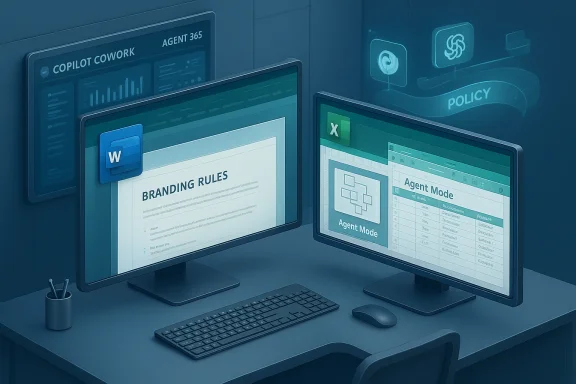
Agent Mode appears directly in the Office canvas (initially on the web) and is designed to convert plain‑English briefs into stepwise plans that execute inside the document or workbook. In Excel, Agent Mode can:- Decompose a high‑level request into sub‑tasks (create sheets, derive formulas, proalculations and build multi‑sheet models.
- Surface intermediate artifacts for human review and allow iterative refinement.
Office Agent (chat‑first): make documents and decks from conversation
Office Agent lives in Microsoft 365 Copilot chat. Users can brief the agent in natural language and let it research, assemble, and return a finished Word document or a PowerPoint deck. Office Agent is meant for higher‑level, research‑heavy generation — for example, compiling briefing packs from email and web research and then producing cited slide decks and accompanying notes. Availability is initially limited (U.S., English, web) via the Frontier program.Copilot Cowork, Agent 365, and Microsoft 365 E7
Beyond the app features, Microsoft announced an enterprise product set built to manage agentic AI at scale:- Copilot Cowork — an Anthropic‑powered agentic capability that executes long‑running, multi‑step tasks across M365 apps. Microsoft says Copilot Cowork shares the same “agentic harness” used in Anthropic’s Cowork product and was developed in close collaboration with Anthropic.
- Agent 365 — a control plane for discovering, monitoring, and governing agents across an organization. It provides agent registries, tenant policy templates, identity controls for agents, and telemetry for performance and usage. Agent 365 is planned to be generally available May 1 and is priced as a standalone offering per user.
- Microsoft 365 E7: The Frontier Suite — a new top‑tier bundle that combines Microsoft 365 E5 with Microsoft 365 Copilot and Agent 365 (and Entra identity capabilities), aimed at organizations adopting agentic AI at scale. Microsoft has stated the E7 suite will be generally available on May 1 and listed at $99 per user per month; Agent 365 is described as available at roughly $15 per user per month as a standalone or part of the E7 bundle. Multiple independent outlets corroborate these price points.
Technical foundations and model routing
A major takeaway from Wave 3 is that Copilot is now explicitly multi‑model. Microsoft is routing workloads to the model best suited for the task:- In‑canvas Agent Mode has leaned on OpenAI lineage models (reported as GPT‑5 family in several Microsoft demos and coverage), optimized for step‑by‑step reasoning inside Office apps.
- Office Agent and Copilot Cowork incorporate Anthropic’s Claude models (Sonnet and Opus lines), particularly where research, reasoning, and multi‑step orchestration are needed. Microsoft confirms Anthropic variants are selectable backends in Copilot Studio and the Researcher agent.
- Model choice and routing are surfaced in Copilot Studio and via Microsoft’s model catalog/Agent 365 rules so administrators can enforce policy, route certain data types to models with higher safety guarantees, and manage provider residency for compliance reasons. This mis explicitly intended to reduce single‑provider dependence and increase enterprise choice.
What this means for everyday users
Agent Mode and Office Agent are designed to make advanced features previously reserved for power users available to broader audiences. Expect:- Faster first drafts for reports, proposals, and slide decks.
- Easier spreadsheet construction for non‑experts: formulas, pivoting, and visualization built from natural language.
- Reduced manual copy‑paste and context switching because agents act inside the document canvas.
- Iterative review workflows where the agent surfaces intermediate steps for human sign‑off, enabling auditable outputs.
Enterprise implications: governance, risk, and cost
Agentic capabilities change the security, compliance, and cost calculus for IT leaders.Governance and visibility
Agent 365 aims to give IT teams a single pane for agent lifecycle management — discovery, provisioning, identity binding, policy enforcement, and telemetry. Agent identities tied to Entra mean agents can inherit conditional access rules and encryption policies, which is an important step forward for enterprise control of autonomous software actors.Data residency and model residency
Microsoft’s multi‑model approach raises residency questions. Anthropic‑hosted models may run outside Microsoft’s managed enclaves depending on contract and region, which has implications for regulated industries. Microsoft’s messaging indicates admins must opt in to enable Anthropic models and that model routing can be constrained by tenant policies. Organizations with strict data residency requirements should validate how model calls and transient data are handled, and whether documents processed by agents are logged or stored outside their tenant boundary.Accuracy, auditability, and the spreadsheet problem
Spreadsheet automation is a potent use case but also a high‑risk one. Microsoft published internal benchmark guidance (SpreadsheetBench) showing Agent Mode improved task performance relative to prior Copilot features but still trails top human accuracy in some complex scenarios — one cited figure shows Agent Mode achieving ~57.2% where humans scored ~71.3% on a set of spreadsheet challenges. That gap illustrates why human oversight and built‑in audit trails matter when agents modify critical financial models or regulatory filings.Cost and licensing
The new E7 Frontier Suite is a clear signal Microsoft intends to monetize enterprise agent governance and advanced Copilot capabilities. The announced pricing ($99/user/month for E7 and $15/user/month for Agent 365 standalone) positions agentic AI as a premium, enterprise‑controlled capability rather than a free add‑on. Budget holders must account for per‑user costs, potential increases in data egress and model usage, and implementation costs for governance processes. Independent reporting corroborates Microsoft’s public pricing statements.Strengths: why this is a big step
- Practical agentic workflows: Agent Mode’s in‑canvas actions (modify cells, add sheets, create charts) and Office Agent’s chat‑driven deck/document creation are the kinds of practical automation that can remove mechanical work from knowledge roles. This is a distinct step beyond pure text generation.
- Multi‑model strategy: By orchestrating OpenAI lineage models, Anthropic’s Claude variants, and Azure model catalog options, Microsoft reduces vendor lock‑in and can route critical or sensitive tasks to models with stronger safety or reasoning profiles. Enterprises will value model choice and policy controls.
- Governance tooling: Agent 365 represents an acknowledgement that agents must be managed like any enterprise software component. Registry, policy templates, identity binding, and telemetry are essential to operationalize agentic AI safely.
- Commercial clarity: The E7 packaging and explicit pricing give IT and procurement teams a clear path to enable and budget for agentic capabilities, avoiding the ambiguity that often surrounds early AI rollouts.
Risks and open questions
- Accuracy and hallucination risk: Agents that modify spreadsheets or produce legal/financial content can make plausible but incorrect changes. SpreadsheetBench results and user testing indicate measurable error rates; robust review and reconciliation processes will be necessary. Do not treat agent outputs as final without validation.
- Operational complexity: Agent governance adds another layer IT must operate: agent registries, model routing rules, identity lifecycle, and incident response for runaway agents or data leaks. For organizations without mature AI governance, the operational burden could be high.
- Data residency and third‑party hosting: Anthropic model hosting and third‑party model routing could complicate compliance. Organizations in regulated industries must confirm where model inference occurs and how transient data is handled. Microsoft’s opt‑in model and control options are helpful, but contractual diligence is required.
- Cost management: Per‑user pricing plus variable model‑usage costs and potential integration/validation expenses make accurate cost forecasting difficult. Proof‑of‑concepts should budget for monitoring and remediation overhead in addition to license fees.
- Reliance on black‑box models: Even with governance tooling, organizations will be dependent on the third‑party models’ internal safety testing and patching cadence. When models are updated, agent behavior can change — that fragility demands continuous validation.
Practical guidance for IT and product leaders
- Pilot in low‑risk domains first. Start with internal templates, routine reporting, and non‑regulatory spreadsheets to build confidence and processes.
- Require human review gates. Configure Agent Mode to surface intermediate artifacts and require explicit sign‑off before autopopulating critical documents.
- Enforce model routing policy. Use Agent 365 and Copilot Studio settings to ensure sensitive data is only processed by approved models and in approved regions.
- Monitor adoption and accuracy. Instrument agent outputs with usage telemetry and error rates; allocate human reviewer time to audit samples regularly.
- Budget for the full stack. Account for license fees (E7/Agent 365), additional cloud inference costs, and the staff time required for governance and retraining prompts.
A closer look at user experience: live demos and limitations
In Microsoft’s demos and third‑party writeups, Agent Mode can turn a request such as “prepare a monthly close report for our bike shop chain, segmented by product line” into a multi‑sheet Excel workbook with calculated ratios and visuals, while Office Agent can produce a slide deck with speaker notes and source citations. The convenience is obvious — but practical usage shows friction points:- Agents sometimes make structural choices that are syntactically correct but semantically inappropriate for the business context.
- Formatting and style control are improved by explicit prompts (brand rules, tone). Ambiguous prompts lead to inconsistent outputs.
- Integrations with third‑party data sources and plug‑ins (S&P, PitchBook, LSEG) vary by provider and may require separate entitlements.
Where this fits into the broader AI productivity market
Microsoft’s Wave 3 moves the company into direct competition with specialist agent products and consolidates its Copilot roadmap around enterprise control. By combining in‑canvas agents with a control plane and a multi‑model backend, Microsoft is staking a claim to being the platform where organizations both build and manage agents. That integrated strategy — productized by E7 and Agent 365 — may be decisive for enterprises that prefer a single vendor for productivity, identity, and security stack integration.Competitors will continue to iterate — Anthropic’s own Cowork product, Google’s model offerings, and specialist agent startups are all advancing — but Microsoft’s unique advantage is the direct embedding inside Office canvases and broad enterprise reach. For many organizations, the question is whether to adopt Microsoft’s integrated agent approach or to compose best‑of‑breed agent tooling with stricter model vendor separations. Both approaches have trade‑offs in cost, latency, and governance complexity.
Final assessment
Wave 3 of Microsoft 365 Copilot is a material inflection point: it operationalizes agentic AI inside the apps people already use and backs that with governance and commercial constructs that enterprises can buy and manage. For knowledge‑workers, the promise is fewer repetitive tasks and faster first drafts. For IT and compliance teams, the promise is balanced by new responsibilities: validating outputs, enforcing safe model routing, and managing agent identities.Microsoft’s approach blends pragmatic product engineering (Agent Mode and Office Agent) with enterprise risk controls (Agent 365, Entra binding, E7 packaging). That mix is sensible and likely to accelerate adoption — provided organizations plan for the governance work that must accompany handing work to autonomous agents. The technology is powerful, but it is not a panacea: accuracy gaps, model updates, and integration limits demand cautious, staged rollouts and sustained human oversight.
If you’re responsible for Copilot adoption, treat Wave 3 as a new class of enterprise software: agentic features are featureful and fast, but they require product‑grade governance, monitoring, and user training. The productivity upside is real — but it will come only to organizations that invest in the operational discipline to use agents safely and effectively.
Source: Windows Report https://windowsreport.com/microsoft...with-agentic-ai-in-word-excel-and-powerpoint/
