

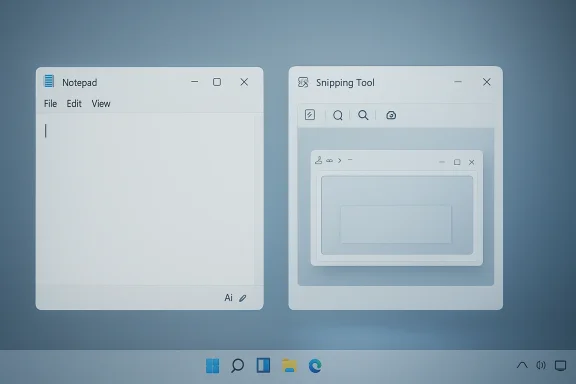
After months of Microsoft pushing Copilot into nearly every corner of Windows 11, the company is now doing something that would have sounded unlikely a year ago: it’s backing off. The shift is subtle in the UI, but it is strategically significant, because Microsoft is not abandoning AI features so much as de-emphasizing the Copilot brand inside everyday apps like Notepad and Snipping Tool. That matters for both Windows loyalists and enterprise admins, because it suggests Microsoft has decided that more AI visibility is not always the same thing as better product design.
Microsoft’s Windows strategy over the last two years has been defined by a very visible bet: make Copilot feel native, omnipresent, and indispensable. That meant putting AI entry points into inbox apps, surfacing Copilot buttons in places that had previously been plain utility surfaces, and using branding as a way to signal that Windows was entering a new phase. In practice, that approach produced a lot of noise.
The problem with turning an operating system into a billboard is that users eventually notice the billboard more than the product. Windows 11 is a broad, heterogeneous platform used by consumers, schools, developers, and enterprises, and not all of them want the same amount of AI in the same places. Microsoft appears to have learned that lesson the hard way, and the current cleanup looks like an attempt to restore a little restraint.
This is not the same thing as a retreat from AI capabilities. The underlying features in Notepad and Snipping Tool are still present in preview and release channels, and Microsoft has continued adding text formatting, summarization, rewrite, visual search, OCR, and capture improvements across Windows experiences. What is changing is the presentation layer: fewer Copilot logos, fewer loud prompts, and less of the feeling that every basic utility is auditioning to become an AI assistant.
That distinction matters. Branding can be removed quickly; product strategy takes longer to unwind. Microsoft’s latest move suggests that the company wants the benefits of AI without the in-your-face theatrics that accompanied the first wave of Copilot integration.
By March 2026, however, Microsoft’s own Windows Insider messaging had changed tone. The company said it was becoming “more intentional” about where Copilot integrates across Windows and explicitly said it would reduce unnecessary Copilot entry points, starting with apps like Snipping Tool, Photos, Widgets, and Notepad. That is as close as Microsoft gets to admitting that the earlier strategy overshot the mark.
That tension is the core story here. Microsoft is not removing the machinery, but it is trying to make the machine less visible.
Notepad is the clearest example of this evolution. Once a minimalist text editor, it gained AI-powered rewrite, summarize, and eventually write features in preview releases, with Microsoft explicitly tying some of those capabilities to Copilot branding and Microsoft 365 or Copilot Pro subscriptions. Over time, the app shifted from a pure utility to a hybrid workspace that could draft text, refine prose, and generate variations.
Snipping Tool followed a similar path. A tool originally designed for simple screenshots gradually became a richer capture and markup utility, with features such as text extraction, visual search, and AI-assisted actions layered into the workflow. Microsoft also experimented with “perfect screenshot,” image improvements, and quick markup, all part of a broader effort to turn capture into an intelligent action rather than a static image dump.
What Microsoft seems to have realized is that there is a difference between making apps smarter and making them feel crowded. The company’s own documentation and Insider posts show a progression from “here are helpful AI features” to “here are a lot of Copilot surfaces” to, now, “we should reduce unnecessary entry points.” That is not necessarily a reversal, but it is absolutely a correction.
That branding strategy likely had internal logic. Microsoft wanted users to associate AI actions with a single trusted label, and it wanted Copilot to stand apart from generic “smart” features. But in the real world, that can produce branding fatigue. Once a label appears everywhere, it stops feeling special and starts feeling like product noise.
The current cleanup is therefore not happening in a vacuum. It is the result of sustained experimentation, feedback, and likely a fair amount of internal debate about how much AI is too much AI in an OS that millions of people still rely on for plain old work.
That matters because Notepad is not Word, and it is definitely not a full AI writing environment. It is a fast, lightweight text editor. A subtle writing assistant can make sense there; a heavyweight Copilot identity can feel intrusive. Microsoft appears to be acknowledging that some users want quiet assistance, not a branded AI assistant imposing itself on every blank page.
The settings experience has also changed. What once looked like a clearly AI-centered configuration area has been shifted under a more neutral Advanced Features section, which is a small but telling signal. It suggests Microsoft wants the app’s intelligence to feel like part of the core experience rather than a special AI mode users must opt into.
That is likely intentional. Microsoft has learned that if every feature is dressed up as an AI event, the brand loses credibility. A calmer UI can make the same feature set feel more trustworthy.
The current approach is a compromise. Microsoft can still say Notepad is evolving, but it is no longer forcing users to experience that evolution as a neon Copilot takeover.
But according to the current cleanup description, the Copilot button is simply gone from the capture flow in the newest Insider experience. There is no obvious toggle. No friendly setting to switch it off. It has been removed from the interface in a way that suggests Microsoft decided the button itself was the problem, not just its default state.
That kind of removal can be more revealing than a redesign. It suggests Microsoft is not merely simplifying a cluttered panel; it is making a judgment about which prompts deserve to exist at all. In this case, the company appears to have concluded that the Snipping Tool workflow should be more direct and less promotional.
That is especially true in enterprise environments, where users may need to take screenshots repeatedly throughout the day and do not want to navigate around AI invitations. Simplicity is not a design luxury in that context; it is a productivity feature.
The company likely understands that most people are willing to use AI when it helps them finish a task, but they are far less enthusiastic about being told that every task is now an AI moment.
For a company that has spent years positioning Copilot as the future of the PC, that language matters a lot. It suggests Microsoft now views overexposure as a liability. The brand may still be central, but it is no longer being treated as something that must be physically visible in every touchpoint.
That does not mean the company is retreating from AI. The bigger Windows narrative still includes Copilot+ PCs, on-device inference, cloud-assisted services, semantic search, intelligent text actions, and cross-app workflows. What is changing is the assumption that those capabilities must be constantly signposted with a giant Copilot label.
Microsoft is now trying to balance those instincts. The company wants AI to feel embedded, but not obnoxious. It wants Copilot to be recognizable, but not invasive. That is a harder design problem than simply adding more buttons.
In short, the company is learning that the best way to sell AI is not always to shout the word AI at every opportunity.
Consumers also benefit from a more coherent promise. If Microsoft wants people to trust AI features, it helps when those features are presented as part of a normal workflow rather than as constant promotional interruptions. A simpler UI can reduce the feeling that the operating system is trying too hard.
Still, there is a tradeoff. Some users will discover AI features less easily if Microsoft removes large buttons and obvious branding. That could slow adoption among casual users who rely on visible prompts to try something new. The company is clearly betting that the improvement in usability outweighs the loss in discoverability.
This is also a better fit for the large portion of Windows users who do not care about AI as a category and just want their machines to be less annoying.
That means consumer acceptance may hinge on whether the resulting experiences feel useful enough to justify their existence without the branding crutch.
It also helps with governance. The less an app looks like a consumer AI showcase, the easier it is to position it as a standard part of the Windows stack. That matters in environments where administrators care about training, policy compliance, and minimizing distractions on managed endpoints.
Enterprise buyers are also likely to appreciate Microsoft’s move toward more intentional AI placement. It suggests the company is learning that productivity features should be deployable with nuance, not forced into every workflow equally. That is a good sign for customers who want AI available but not dominant.
This also aligns with Microsoft’s broader enterprise messaging around reliability and secure-by-default design. A cleaner Windows experience can support the idea that AI is present, but not disruptive.
The company seems to be moving from “look at our AI” to “just use the feature if it helps.” For enterprise computing, that is a much better fit.
Competitors should not interpret this as weakness. It is more like a recognition that user trust is a scarce resource. In the AI era, platforms that overmarket their intelligence can look less intelligent, not more. That is a lesson many companies are likely learning at the same time.
The broader market implication is that AI UX is entering a maturity phase. The winning products may be the ones that make AI feel present but unobtrusive, powerful but not pushy. Microsoft’s change could become a template if users respond positively.
If Microsoft succeeds, rivals may need to think harder about how much brand visibility their own AI features should have. The lesson may be that usefulness travels farther than logos.
In a market where “AI-powered” is becoming table stakes, restraint can itself be a differentiator.
What will matter most is whether users still find the features when they need them. Microsoft has to prove that invisible branding can coexist with strong discovery, especially in apps like Notepad and Snipping Tool where utility is the whole point. If the features feel natural enough, the branding may become less important than the workflow itself.
Source: Digital Trends Microsoft begins pulling Copilot out of Windows 11 apps in a major cleanup push
 Overview
Microsoft’s Windows strategy over the last two years has been defined by a very visible bet: make Copilot feel native, omnipresent, and indispensable. That meant putting AI entry points into inbox apps, surfacing Copilot buttons in places that had previously been plain utility surfaces, and using branding as a way to signal that Windows was entering a new phase. In practice, that approach produced a lot of noise.The problem with turning an operating system into a billboard is that users eventually notice the billboard more than the product. Windows 11 is a broad, heterogeneous platform used by consumers, schools, developers, and enterprises, and not all of them want the same amount of AI in the same places. Microsoft appears to have learned that lesson the hard way, and the current cleanup looks like an attempt to restore a little restraint.
This is not the same thing as a retreat from AI capabilities. The underlying features in Notepad and Snipping Tool are still present in preview and release channels, and Microsoft has continued adding text formatting, summarization, rewrite, visual search, OCR, and capture improvements across Windows experiences. What is changing is the presentation layer: fewer Copilot logos, fewer loud prompts, and less of the feeling that every basic utility is auditioning to become an AI assistant.
That distinction matters. Branding can be removed quickly; product strategy takes longer to unwind. Microsoft’s latest move suggests that the company wants the benefits of AI without the in-your-face theatrics that accompanied the first wave of Copilot integration.
Why this shift matters now
The timing is important because Microsoft has spent much of the last year expanding Copilot-related functionality across Windows Insider builds. In March and May 2025, the company was still introducing features like AI-assisted write and summarize in Notepad, Copilot-related capture workflows in Snipping Tool, and broader Windows AI experiences that tied together apps, taskbar surfaces, and browser handoffs. The march toward saturation was very real.By March 2026, however, Microsoft’s own Windows Insider messaging had changed tone. The company said it was becoming “more intentional” about where Copilot integrates across Windows and explicitly said it would reduce unnecessary Copilot entry points, starting with apps like Snipping Tool, Photos, Widgets, and Notepad. That is as close as Microsoft gets to admitting that the earlier strategy overshot the mark.
The user experience lesson
From a design perspective, the change is straightforward: utility apps should feel like tools first. If a person opens Notepad to jot down a list, they may appreciate a small AI helper; they do not necessarily want a splashy Copilot badge taking over the interface. If they use Snipping Tool to capture a document or a bug report, they may want OCR or visual search, but not a persistent AI invitation hovering over every screenshot workflow.That tension is the core story here. Microsoft is not removing the machinery, but it is trying to make the machine less visible.
Background
The Copilot push in Windows started with a simple premise: if AI is going to matter in daily computing, it should be woven into the operating system itself rather than confined to a web app. That idea was defensible, even attractive. The execution, though, became increasingly ambitious. Microsoft began introducing Copilot-related actions into basic apps and system surfaces, from taskbar placement to app-level buttons to context-aware suggestions.Notepad is the clearest example of this evolution. Once a minimalist text editor, it gained AI-powered rewrite, summarize, and eventually write features in preview releases, with Microsoft explicitly tying some of those capabilities to Copilot branding and Microsoft 365 or Copilot Pro subscriptions. Over time, the app shifted from a pure utility to a hybrid workspace that could draft text, refine prose, and generate variations.
Snipping Tool followed a similar path. A tool originally designed for simple screenshots gradually became a richer capture and markup utility, with features such as text extraction, visual search, and AI-assisted actions layered into the workflow. Microsoft also experimented with “perfect screenshot,” image improvements, and quick markup, all part of a broader effort to turn capture into an intelligent action rather than a static image dump.
What Microsoft seems to have realized is that there is a difference between making apps smarter and making them feel crowded. The company’s own documentation and Insider posts show a progression from “here are helpful AI features” to “here are a lot of Copilot surfaces” to, now, “we should reduce unnecessary entry points.” That is not necessarily a reversal, but it is absolutely a correction.
How Copilot became so visible
Part of the issue was that Microsoft treated Copilot as a platform identity, not just a feature name. Copilot appeared in Windows UI, within inbox apps, in Microsoft Store-delivered updates, and in adjacent experiences like Photos and Widgets. In some builds, Microsoft even used Copilot as an explanatory wrapper for actions that many users would have understood perfectly well without AI branding.That branding strategy likely had internal logic. Microsoft wanted users to associate AI actions with a single trusted label, and it wanted Copilot to stand apart from generic “smart” features. But in the real world, that can produce branding fatigue. Once a label appears everywhere, it stops feeling special and starts feeling like product noise.
The Insider channel as a testing ground
Windows Insider builds have been the proving ground for nearly all of this. Microsoft has used Canary, Dev, Beta, and Release Preview channels to test Copilot-related features, refine UI treatment, and gauge what feels useful versus excessive. That matters because the company often learns as much from user reaction to placement and naming as it does from feature functionality itself.The current cleanup is therefore not happening in a vacuum. It is the result of sustained experimentation, feedback, and likely a fair amount of internal debate about how much AI is too much AI in an OS that millions of people still rely on for plain old work.
What Changed in Notepad
Notepad has become the clearest symbol of Microsoft’s new direction because it illustrates the difference between capability and presentation. The app still offers AI-driven writing help in preview builds, but the visual emphasis on Copilot has been toned down. Instead of a loud Copilot button sitting front and center, users now see a more restrained Writing tools label and iconography that fits the app better.That matters because Notepad is not Word, and it is definitely not a full AI writing environment. It is a fast, lightweight text editor. A subtle writing assistant can make sense there; a heavyweight Copilot identity can feel intrusive. Microsoft appears to be acknowledging that some users want quiet assistance, not a branded AI assistant imposing itself on every blank page.
The settings experience has also changed. What once looked like a clearly AI-centered configuration area has been shifted under a more neutral Advanced Features section, which is a small but telling signal. It suggests Microsoft wants the app’s intelligence to feel like part of the core experience rather than a special AI mode users must opt into.
The practical effect for users
For most people, the functional difference is minimal. Rewrite, summarize, and drafting assistance remain available, and the same underlying services still do the work. But the psychological difference is much larger: the tool feels less like an AI demo and more like a normal app feature.That is likely intentional. Microsoft has learned that if every feature is dressed up as an AI event, the brand loses credibility. A calmer UI can make the same feature set feel more trustworthy.
Notepad’s identity problem
Notepad’s transformation has always been risky because the app has deep symbolic value in Windows culture. It represents speed, simplicity, and predictability. Adding formatting, AI drafting, and cloud-connected capability already stretched the app’s identity; making those additions look too flashy would have stretched it further.The current approach is a compromise. Microsoft can still say Notepad is evolving, but it is no longer forcing users to experience that evolution as a neon Copilot takeover.
- Rewrite and summarize remain the headline AI functions.
- The interface now stresses Writing tools rather than Copilot branding.
- Settings are being reorganized under Advanced Features.
- The app feels more like a productivity tool and less like a showcase.
- The change reduces friction for users who just want a text editor.
What Changed in Snipping Tool
Snipping Tool is a different case because the change is less about relabeling and more about removal. In the earlier AI-heavy approach, Microsoft used Copilot buttons and related prompts to steer users toward visual search and enhancements after they captured a screenshot. That made sense on paper, since a screenshot can often be the raw material for OCR, annotation, or semantic search.But according to the current cleanup description, the Copilot button is simply gone from the capture flow in the newest Insider experience. There is no obvious toggle. No friendly setting to switch it off. It has been removed from the interface in a way that suggests Microsoft decided the button itself was the problem, not just its default state.
That kind of removal can be more revealing than a redesign. It suggests Microsoft is not merely simplifying a cluttered panel; it is making a judgment about which prompts deserve to exist at all. In this case, the company appears to have concluded that the Snipping Tool workflow should be more direct and less promotional.
Why this matters more than it looks
Snipping Tool is used in a lot of mundane but important contexts: support tickets, documentation, bug reports, training materials, and quick sharing. When an app like that is stuffed with branded prompts, it can feel less efficient even if the underlying features are useful. A clean capture flow is often more important than a clever one.That is especially true in enterprise environments, where users may need to take screenshots repeatedly throughout the day and do not want to navigate around AI invitations. Simplicity is not a design luxury in that context; it is a productivity feature.
Visual search without the sales pitch
Microsoft still wants users to discover visual search, image enhancement, and related capabilities. The difference is that it may now prefer these to appear as natural actions rather than as a Copilot funnel. That is a quieter and arguably smarter strategy, because it lets the feature earn its place through usefulness rather than branding pressure.The company likely understands that most people are willing to use AI when it helps them finish a task, but they are far less enthusiastic about being told that every task is now an AI moment.
- The Copilot button has been removed from the screenshot workflow.
- Visual search and enhancements remain the conceptual destination.
- The change makes the app feel less promotional.
- Enterprise users will likely welcome the cleaner interface.
- Microsoft may be testing whether discoverability survives without branding.
Microsoft’s Strategy Reset
The most important thing about this cleanup is that it is happening alongside a public admission that the company may have pushed too hard. In March 2026, Microsoft’s Windows Insider post said the team would be more intentional about where Copilot integrates across Windows and would reduce unnecessary entry points in apps like Notepad, Snipping Tool, Photos, and Widgets. That is not ordinary product language; it is a strategic recalibration.For a company that has spent years positioning Copilot as the future of the PC, that language matters a lot. It suggests Microsoft now views overexposure as a liability. The brand may still be central, but it is no longer being treated as something that must be physically visible in every touchpoint.
That does not mean the company is retreating from AI. The bigger Windows narrative still includes Copilot+ PCs, on-device inference, cloud-assisted services, semantic search, intelligent text actions, and cross-app workflows. What is changing is the assumption that those capabilities must be constantly signposted with a giant Copilot label.
Branding versus utility
This shift exposes a classic product dilemma. Branding helps users discover new capabilities, but too much branding can make a tool feel needy. Utility software works best when it disappears into the workflow. AI software, by contrast, often wants to be noticed.Microsoft is now trying to balance those instincts. The company wants AI to feel embedded, but not obnoxious. It wants Copilot to be recognizable, but not invasive. That is a harder design problem than simply adding more buttons.
What Microsoft is likely optimizing for
There are several likely goals behind the rollback. Microsoft may be responding to user feedback, reducing interface clutter, avoiding confusion between local and cloud-based AI paths, or making room for a more mature product story that emphasizes usefulness over splash. It may also be trying to reduce pushback from enterprises that do not want constant consumer-style AI surfaces in managed environments.In short, the company is learning that the best way to sell AI is not always to shout the word AI at every opportunity.
The strategic takeaway
Microsoft seems to be shifting from AI everywhere to AI where it helps. That is a healthier message, and one that is easier to defend. It also gives the company room to keep expanding capabilities without making Windows feel like a permanently re-skinned marketing campaign.- Microsoft is reducing unnecessary Copilot entry points.
- The company is keeping features, but changing how they are surfaced.
- The new strategy favors intentional integration over blanket branding.
- The rollback likely reflects both user feedback and product maturity.
- Windows still remains an AI-first platform, just with less visual noise.
Consumer Impact
For home users, the most obvious upside is a cleaner interface. Windows 11 has accumulated enough surface complexity that even small reductions in visual clutter matter. If you use Notepad to draft notes or Snipping Tool to take quick screenshots, the app feeling calmer is a genuine quality-of-life improvement.Consumers also benefit from a more coherent promise. If Microsoft wants people to trust AI features, it helps when those features are presented as part of a normal workflow rather than as constant promotional interruptions. A simpler UI can reduce the feeling that the operating system is trying too hard.
Still, there is a tradeoff. Some users will discover AI features less easily if Microsoft removes large buttons and obvious branding. That could slow adoption among casual users who rely on visible prompts to try something new. The company is clearly betting that the improvement in usability outweighs the loss in discoverability.
A more natural workflow
The consumer experience is likely to feel more organic. Instead of thinking, “Where is the Copilot thing?” users will just encounter a writing tool or a markup option when it makes sense. That is how good desktop software has traditionally worked: the feature fits the task, not the other way around.This is also a better fit for the large portion of Windows users who do not care about AI as a category and just want their machines to be less annoying.
Consumer expectations are changing
Early AI integrations were exciting because they were novel. Now novelty is less valuable than consistency, speed, and trust. Microsoft’s cleanup reflects that shift. In 2026, users are more likely to notice when AI gets in the way than when it shows up.That means consumer acceptance may hinge on whether the resulting experiences feel useful enough to justify their existence without the branding crutch.
Enterprise Impact
For enterprises, this change may be even more welcome than it is for consumers. IT departments generally prefer software that is predictable, configurable, and not overly promotional. Removing visible Copilot surfaces from core apps reduces the chance of user confusion, accidental activation, and support tickets about AI features someone did not expect.It also helps with governance. The less an app looks like a consumer AI showcase, the easier it is to position it as a standard part of the Windows stack. That matters in environments where administrators care about training, policy compliance, and minimizing distractions on managed endpoints.
Enterprise buyers are also likely to appreciate Microsoft’s move toward more intentional AI placement. It suggests the company is learning that productivity features should be deployable with nuance, not forced into every workflow equally. That is a good sign for customers who want AI available but not dominant.
Admin and policy implications
When features are prominent, users ask about them. When features are quiet, admins get fewer tickets. That sounds mundane, but it is exactly the kind of operational payoff that matters in large environments. A subtle UI usually scales better than an attention-grabbing one.This also aligns with Microsoft’s broader enterprise messaging around reliability and secure-by-default design. A cleaner Windows experience can support the idea that AI is present, but not disruptive.
Why this could help adoption
Paradoxically, Microsoft may get better enterprise adoption by making Copilot less obvious. If users encounter AI as a helpful tool embedded within familiar applications, they may be more willing to try it than if they see it framed as a mandatory brand experience. That is a classic less is more dynamic.The company seems to be moving from “look at our AI” to “just use the feature if it helps.” For enterprise computing, that is a much better fit.
- Fewer branded entry points mean fewer surprises for users.
- Cleaner apps are easier to support and document.
- Quiet AI integration may improve policy acceptance.
- Training costs could fall if the UI is less cluttered.
- Administrators may prefer utility-first design over feature evangelism.
Competitive Implications
Microsoft’s recalibration also has competitive consequences, because Windows is one of the main arenas where PC vendors, cloud providers, and platform companies are trying to define what “AI PC” actually means. If Microsoft had continued to plaster Copilot branding over every app, it risked making Windows feel like a promotional shell. By dialing that back, the company may be trying to preserve the platform’s credibility.Competitors should not interpret this as weakness. It is more like a recognition that user trust is a scarce resource. In the AI era, platforms that overmarket their intelligence can look less intelligent, not more. That is a lesson many companies are likely learning at the same time.
The broader market implication is that AI UX is entering a maturity phase. The winning products may be the ones that make AI feel present but unobtrusive, powerful but not pushy. Microsoft’s change could become a template if users respond positively.
Rival platforms and product positioning
Apple, Google, and various OEM ecosystems have their own AI narratives, but Microsoft has been especially aggressive in embedding AI into a legacy desktop OS. That gives Windows a different challenge: it has to modernize without alienating users who simply want familiar software to stay familiar.If Microsoft succeeds, rivals may need to think harder about how much brand visibility their own AI features should have. The lesson may be that usefulness travels farther than logos.
Market perception matters
Windows is still where a lot of people spend their working hours. If Microsoft can make Copilot feel like a well-integrated helper instead of an aggressive pitch, that strengthens the brand rather than weakens it. The cleanup may therefore improve, not hurt, the company’s competitive position.In a market where “AI-powered” is becoming table stakes, restraint can itself be a differentiator.
Strengths and Opportunities
Microsoft’s retreat from loud Copilot placement has real upside. It can reduce user fatigue, improve the feel of inbox apps, and make AI features more credible by presenting them as tools instead of slogans. The company may also be setting itself up for a healthier long-term Windows design language.- Cleaner Windows 11 interfaces are easier to use.
- Notepad feels more like a text editor again.
- Snipping Tool becomes more direct and task-focused.
- Microsoft can still preserve AI capability without loud branding.
- Enterprise adoption may improve if the UI is less intrusive.
- Discoverability can evolve through context rather than promotion.
- The move supports a more mature, less gimmicky AI narrative.
Risks and Concerns
The biggest risk is that Microsoft could overcorrect. If the company removes too many obvious prompts, some users may stop discovering genuinely useful features. There is also a danger that “cleaning up” Copilot turns into a branding problem if Microsoft no longer knows how to explain its AI roadmap clearly.- Users may miss features they would otherwise try.
- Reduced branding could lower AI adoption among casual users.
- Microsoft risks making the product story feel inconsistent.
- Hidden features are harder to support and document.
- The company could create confusion if AI is still present but less visible.
- Too much simplification can make a product feel unfinished rather than refined.
- Enterprise and consumer messaging may drift apart.
Looking Ahead
The next phase will be about balance, not expansion. Microsoft is unlikely to stop adding AI capability to Windows, but it may now focus on making those features feel calmer, more contextual, and more optional. If the company sustains that approach, Windows could end up with a more durable AI identity than the loud-first strategy it used earlier.What will matter most is whether users still find the features when they need them. Microsoft has to prove that invisible branding can coexist with strong discovery, especially in apps like Notepad and Snipping Tool where utility is the whole point. If the features feel natural enough, the branding may become less important than the workflow itself.
- Watch for more UI simplification in Insider builds.
- Monitor whether Photos and Widgets receive similar treatment.
- See if Microsoft adds smarter contextual prompts instead of static buttons.
- Track enterprise feedback on reduced AI visibility.
- Observe whether Copilot branding shifts toward the taskbar and dedicated app surfaces.
- Pay attention to whether Microsoft reframes AI as a background capability rather than a front-and-center identity.
Source: Digital Trends Microsoft begins pulling Copilot out of Windows 11 apps in a major cleanup push
Last edited:
