

Microsoft said in January 2026 that Microsoft Defender Antivirus, the security engine built into Windows 11, provides enough everyday protection for many users when default protections remain enabled, Windows Update is current, and downloads are handled deliberately. That is not a throwaway marketing line; it is a quiet attempt to redefine the consumer antivirus market around the operating system itself. The claim is broadly defensible, but it comes with an asterisk large enough for IT professionals to see from across the room. Defender is enough for most people precisely because “most people” are no longer fighting the same antivirus war they were fighting in 2006.
For years, Microsoft’s security pitch sounded defensive. Windows was the platform everyone targeted, and third-party antivirus vendors built a whole industry around the assumption that Microsoft could not be trusted to secure its own house. Defender began life with the faint aroma of a bundled afterthought: better than nothing, but rarely the thing a cautious user would choose first.
That history matters because Microsoft’s current message is not simply, “we have an antivirus.” It is saying the security baseline of Windows 11 is now good enough that many users should stop treating third-party antivirus as an automatic first install. In a consumer market still full of renewal prompts, bundled VPN upsells, identity-theft alerts, and “your PC is at risk” nags, that is a meaningful line in the sand.
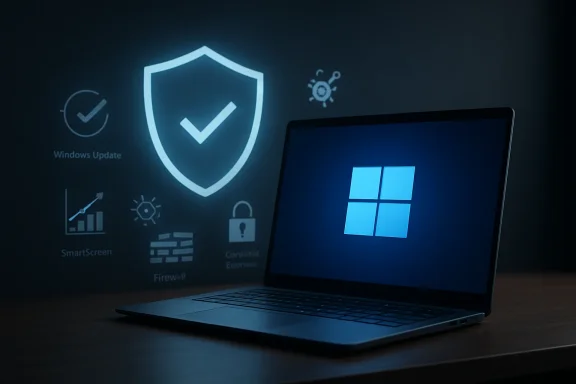
The strongest version of Microsoft’s argument is not that Defender is magical. It is that a modern Windows 11 PC, left in its default security posture, is a layered system: real-time malware scanning, cloud-delivered detection, SmartScreen reputation checks, firewall integration, controlled folder access, account protection, hardware security features, and increasingly aggressive blocking of suspicious apps. The antivirus engine is only one piece of that stack.
That is why the old question — “is Defender as good as Brand X antivirus?” — is beginning to feel stale. The better question is whether adding another consumer security suite improves the total risk picture enough to justify the added complexity. For many ordinary users, Microsoft’s answer is no.
That bargain made more sense when Windows’ built-in protection was visibly weaker and the threat landscape revolved around infected executables, worms, and obvious malware payloads. But consumer security has shifted. The most damaging attacks now often begin with identity compromise, phishing, fake support pages, malicious ads, credential theft, poisoned downloads, or social engineering that persuades the user to approve the very action the computer should have stopped.
Antivirus still matters. It is just less often the whole story. A security product that catches malware after the user has already handed over a Microsoft account password, reused a bank password, or approved a fake remote-support session has arrived late to the crime scene.
That is why Defender’s adequacy depends so heavily on the surrounding Windows defaults. Microsoft is not merely defending a scanner; it is defending an ecosystem. Windows Update closes known vulnerabilities, SmartScreen tries to block suspicious sites and files before execution, Edge and Windows reputation services attempt to interrupt scam flows, and Windows Security exposes the basics without requiring a third-party dashboard.
The result is a reversal of the old assumption. Installing more security software is not automatically more secure. Sometimes it means more services running, more kernel-level hooks, more browser add-ons, more notifications, more privacy tradeoffs, and more places for a configuration mistake to hide.
For normal users, boring is a feature. Defender does not need to sell them a tune-up tool. It does not need to scare them into renewing a license. It does not need to wedge a toolbar into a browser or route web traffic through a branded “safe shopping” extension. Its main job is to sit in Windows Security, update quietly, and intervene when something looks dangerous.
That does not make it perfect. It does mean its incentives are cleaner than many consumer security suites. Microsoft wants Windows machines to remain secure enough that users and businesses keep trusting the platform. Third-party vendors want that too, but they also need to differentiate, upsell, and justify subscription revenue in a world where the default has become competent.
The integration point is particularly important. Defender understands Windows because it is part of Windows. It works with Windows Update, Windows Security, Microsoft account protections, and enterprise management tools. When another antivirus product is installed, Defender typically steps aside as the active antivirus provider. That reduces conflicts, but it also underlines the strategic point: Microsoft now sees Defender not as a placeholder but as the default security state of the OS.
For enthusiasts, that can be unsatisfying. We like knobs, dashboards, telemetry charts, and test results. But for the family laptop, the school PC, the spare desktop, or the small-office machine with no dedicated admin, quiet competence beats noisy ambition.
But the details matter. Third-party suites can still outperform Defender in particular areas, especially around bundled extras, scam protection, parental controls, password management, identity monitoring, VPN services, exploit mitigation, or polished reporting. Some competitors also score better in certain performance or advanced-threat tests depending on the methodology and test period.
That means Microsoft’s claim should be read carefully. “Enough for most users” is not the same as “best for every user.” It is a threshold argument, not a crown. Defender has crossed the line where average users no longer need to assume they are reckless for relying on the built-in option.
There is also a difference between lab performance and lived security. A product can ace malware samples and still fail to stop a convincing phishing page. Another can bundle a dozen protections but train the user to ignore warnings through constant alerts. Security software has to detect threats, but it also has to shape behavior without exhausting the person at the keyboard.
On that front, Defender benefits from restraint. Windows Security is not beautiful, and some of its deeper settings remain awkwardly buried. But the default experience is less theatrical than many consumer suites. It does not constantly remind users that it exists, which may be one reason people increasingly trust it.
For a single home PC, Defender plus good habits may be enough. For a business, the question quickly expands into visibility, policy enforcement, incident response, compliance, device inventory, phishing defense, email security, identity protection, logging, and centralized management. Antivirus is one control among many, and the difference between “protected” and “managed” is the difference between a smoke alarm and a fire department.
Microsoft knows this better than anyone. Its real security business is not the free Defender engine sitting on consumer Windows machines; it is the broader Defender and Microsoft 365 security portfolio sold to organizations. The built-in antivirus establishes the floor. Microsoft Defender for Endpoint, Intune, Entra ID, Defender for Office 365, Sentinel, and the rest of the stack are where the enterprise money and operational depth live.
That is why IT pros should resist both extremes. It is wrong to dismiss Defender as “just the free one.” It is also wrong to pretend the default Windows Security app is a full substitute for a serious endpoint detection and response program. A home user needs protection. An organization needs protection, telemetry, control, and accountability.
Small businesses are the awkward middle. Many run like households but face risks closer to enterprises: shared devices, sensitive files, payment portals, customer data, remote access, and employees who click things because work requires them to click things. For those environments, Defender may still be the right engine, but it should be managed through proper policy rather than left as a hopeful default.
This is where third-party antivirus marketing often muddies the water. A security suite may promise protection against phishing, scams, ransomware, trackers, dark-web leaks, and unsafe Wi-Fi, but those categories blur together in ways that make consumers think buying one product closes every gap. It does not. A user who reuses passwords, skips multifactor authentication, downloads cracked software, disables warnings, and stores everything in one local folder can defeat almost any consumer setup.
Defender is honest by limitation. It is strongest when the user stays within the expected guardrails: Windows Update enabled, browser warnings respected, software downloaded from reputable sources, macros treated with suspicion, and administrator privileges used sparingly. Break those assumptions and the risk profile changes quickly.
The most important consumer security advice in 2026 is not “install antivirus.” It is “stop treating the PC as a trust machine.” Every login prompt, attachment, browser extension, remote-access request, and installer is a security decision. Defender can reduce the blast radius, but it cannot make judgment unnecessary.
That is not a knock on Microsoft. It is the reality of the modern threat model. The malware scanner is now part of the seatbelt system, not the whole car.
A family may want stronger parental controls across Windows, macOS, Android, and iOS. A frequent traveler may value a reputable VPN, though VPN marketing remains one of the industry’s more abused genres. A journalist, activist, attorney, or crypto holder may have a threat model that goes far beyond “ordinary malware.” A household that constantly installs games, mods, utilities, and obscure downloads may benefit from an additional layer of reputation and sandboxing.
There is also a support angle. Some users want a single company to call when something goes wrong. Microsoft’s consumer support experience is not always the warmest path through a crisis. A well-run third-party security vendor can provide clearer guidance, better hand-holding, or more visible recovery tools.
The catch is that security suites can create their own risks. Browser extensions can expand attack surface. VPNs can concentrate trust in a new provider. Password managers bundled into security suites may not be the best available. “PC optimizer” modules often promise more than they deliver. Identity-monitoring alerts can frighten users without giving them meaningful control.
So the buying decision should be specific. Do not buy a suite because Windows 11 supposedly has no real antivirus. That premise is outdated. Buy one because it offers a feature you actually need, from a vendor you trust, with a privacy and support model you understand.
When the operating system vendor provides the default browser, app store, cloud identity, passwordless sign-in, backup prompts, antivirus, device encryption, and AI assistant, the PC becomes less like a neutral box and more like a vertically integrated service endpoint. Defender fits that pattern. It makes Windows safer, but it also makes Microsoft harder to avoid.
Third-party security vendors have long complained, sometimes fairly, that Microsoft can privilege its own tools through integration. Microsoft can place Defender inside Windows Security, tune the OS around it, and frame third-party products as optional add-ons. Competitors have to convince users to install and trust them. Microsoft merely has to keep the default credible.
The user benefit is obvious: fewer abandoned trialware installs, fewer expired subscriptions, fewer machines running without protection because someone ignored a renewal notice. The market cost is also real: consumer antivirus becomes less of a default category and more of a niche for specialized needs. That will put pressure on vendors to move up the stack into identity protection, scam defense, family safety, cross-platform management, and enterprise-grade detection.
For WindowsForum readers, the platform angle is worth watching. Security defaults are policy decisions disguised as product design. When Microsoft says Defender is enough, it is also saying the Windows security baseline is Microsoft’s to define.
Windows 11’s baseline protections assume a certain amount of cooperation. Secure Boot and TPM-backed features help establish trust early in the boot process. Reputation-based protection helps screen apps and downloads. Controlled folder access can reduce ransomware damage, but it may need to be enabled and tuned. OneDrive backup can save a user from disaster, but only if important files are actually protected.
The same is true of account security. A Microsoft account protected by Windows Hello and multifactor authentication is a very different target from a reused password floating around breach databases. A browser with saved passwords, no second factor, and a user willing to type credentials into a convincing fake page remains vulnerable no matter which antivirus icon sits in the tray.
This is where Microsoft’s consumer messaging sometimes gets too tidy. “Built-in protection” sounds automatic, and much of it is. But the best security posture still requires a handful of deliberate choices. The user does not need to become a security engineer; the user does need to stop disabling the guardrails.
For IT pros helping relatives, the practical checklist is boring but effective: update Windows, update browsers, remove expired antivirus trials, make sure Defender is active, turn on reputation-based protection, use standard user accounts where practical, enable MFA, back up files, and teach people to distrust urgency. That will do more good than installing a bloated suite and declaring victory.
For home users, the nightmare scenario is losing photos, documents, tax records, and local project files. Defender may stop the payload, but a good backup strategy is what turns a catastrophe into an inconvenience. Cloud sync helps, but sync is not the same as a clean, versioned, recoverable backup. If encrypted files sync instantly across devices, the cloud may faithfully preserve the damage.
For businesses, ransomware is even less about the endpoint alone. Attackers look for credentials, remote access, exposed services, unpatched systems, weak segmentation, and backup infrastructure they can delete before detonating encryption. No consumer antivirus package, Microsoft’s included, solves that by itself.
This is the point that should temper Microsoft’s confidence. Defender is a strong default control. It is not a resilience strategy. Users who care about their data need backups that survive device loss, account compromise, and accidental deletion. Businesses need tested restores, least-privilege access, monitoring, and incident plans.
If Defender is enough to reduce everyday malware risk, backups are what make the remaining risk survivable.
This does not mean third-party antivirus is unsafe. Reputable vendors invest heavily in secure engineering. But it does mean “more protection” is not a free addition. Every component that touches the kernel, the browser, or encrypted traffic deserves scrutiny.
Defender’s integration reduces some of that friction. It is patched through Microsoft’s channels, tested as part of the Windows ecosystem, and expected by the operating system. Users are less likely to end up with two competing antivirus engines fighting over the same file operation, or an expired suite leaving them confused about which component is actually protecting them.
Performance is another practical concern. Modern PCs are fast enough that many users will not notice the difference among mainstream security products. But older systems, low-cost laptops, and machines already burdened by OEM utilities can feel the weight of an overstuffed suite. Defender’s “good enough” case becomes stronger when the alternative is a product that slows the PC and trains the user to hate security.
The ideal consumer security product is one the user does not disable. Defender clears that bar more often than many of its predecessors and competitors.
Developers who routinely run unsigned tools, clone unknown repositories, execute scripts, and test software from untrusted sources live closer to the blast zone. Gamers who install mods, trainers, launchers, and community patches from scattered forums face a similar problem. Small-business owners handling invoices, payroll, customer records, and remote access should treat their machines as business assets, not casual home devices.
Journalists, political workers, attorneys, researchers, and people involved in contentious public activity may face targeted phishing or spyware attempts that ordinary antivirus is not designed to fully address. Crypto users and online sellers can become targets because the endpoint is where money moves. Parents managing children’s devices may need cross-platform controls and reporting that Windows alone does not provide.
In those cases, the right answer may still be Microsoft — but through managed Defender services rather than the basic consumer interface. Or it may be a third-party endpoint product, a dedicated password manager, a hardware security key, DNS filtering, application control, or a more restrictive device model. The point is to match the control to the risk.
For everyone else, the security industry’s old default prescription has weakened. The average Windows 11 user does not need to begin PC setup by shopping for antivirus. They need to make sure the protections they already have are actually on.
Source: WKLW 94.7 FM Inside Story | WKLW 94.7 FM | K 94.7 | Paintsville-KY
 Microsoft Is No Longer Asking to Be Your Backup Plan
For years, Microsoft’s security pitch sounded defensive. Windows was the platform everyone targeted, and third-party antivirus vendors built a whole industry around the assumption that Microsoft could not be trusted to secure its own house. Defender began life with the faint aroma of a bundled afterthought: better than nothing, but rarely the thing a cautious user would choose first.That history matters because Microsoft’s current message is not simply, “we have an antivirus.” It is saying the security baseline of Windows 11 is now good enough that many users should stop treating third-party antivirus as an automatic first install. In a consumer market still full of renewal prompts, bundled VPN upsells, identity-theft alerts, and “your PC is at risk” nags, that is a meaningful line in the sand.
The strongest version of Microsoft’s argument is not that Defender is magical. It is that a modern Windows 11 PC, left in its default security posture, is a layered system: real-time malware scanning, cloud-delivered detection, SmartScreen reputation checks, firewall integration, controlled folder access, account protection, hardware security features, and increasingly aggressive blocking of suspicious apps. The antivirus engine is only one piece of that stack.
That is why the old question — “is Defender as good as Brand X antivirus?” — is beginning to feel stale. The better question is whether adding another consumer security suite improves the total risk picture enough to justify the added complexity. For many ordinary users, Microsoft’s answer is no.
The Old Antivirus Bargain Has Turned Upside Down
The classic antivirus bargain was simple. Windows was vulnerable, users were careless, and a paid security suite promised a protective layer between the two. In exchange, users tolerated slow boot times, pop-ups, browser extensions, renewal fees, and the occasional battle over who owned the firewall.That bargain made more sense when Windows’ built-in protection was visibly weaker and the threat landscape revolved around infected executables, worms, and obvious malware payloads. But consumer security has shifted. The most damaging attacks now often begin with identity compromise, phishing, fake support pages, malicious ads, credential theft, poisoned downloads, or social engineering that persuades the user to approve the very action the computer should have stopped.
Antivirus still matters. It is just less often the whole story. A security product that catches malware after the user has already handed over a Microsoft account password, reused a bank password, or approved a fake remote-support session has arrived late to the crime scene.
That is why Defender’s adequacy depends so heavily on the surrounding Windows defaults. Microsoft is not merely defending a scanner; it is defending an ecosystem. Windows Update closes known vulnerabilities, SmartScreen tries to block suspicious sites and files before execution, Edge and Windows reputation services attempt to interrupt scam flows, and Windows Security exposes the basics without requiring a third-party dashboard.
The result is a reversal of the old assumption. Installing more security software is not automatically more secure. Sometimes it means more services running, more kernel-level hooks, more browser add-ons, more notifications, more privacy tradeoffs, and more places for a configuration mistake to hide.
Defender Wins by Being Boring
The best thing about Defender is not that it has the flashiest interface. It is that it is already there, already enabled, and already integrated into the operating system. Security that users do not have to remember to install has a major advantage over security that arrives through a trialware installer, an OEM bundle, or a yearly subscription renewal.For normal users, boring is a feature. Defender does not need to sell them a tune-up tool. It does not need to scare them into renewing a license. It does not need to wedge a toolbar into a browser or route web traffic through a branded “safe shopping” extension. Its main job is to sit in Windows Security, update quietly, and intervene when something looks dangerous.
That does not make it perfect. It does mean its incentives are cleaner than many consumer security suites. Microsoft wants Windows machines to remain secure enough that users and businesses keep trusting the platform. Third-party vendors want that too, but they also need to differentiate, upsell, and justify subscription revenue in a world where the default has become competent.
The integration point is particularly important. Defender understands Windows because it is part of Windows. It works with Windows Update, Windows Security, Microsoft account protections, and enterprise management tools. When another antivirus product is installed, Defender typically steps aside as the active antivirus provider. That reduces conflicts, but it also underlines the strategic point: Microsoft now sees Defender not as a placeholder but as the default security state of the OS.
For enthusiasts, that can be unsatisfying. We like knobs, dashboards, telemetry charts, and test results. But for the family laptop, the school PC, the spare desktop, or the small-office machine with no dedicated admin, quiet competence beats noisy ambition.
The Tests Support Microsoft’s Confidence, but Not Its Victory Lap
Independent testing over the past several years has generally shown Defender performing at or near the top tier in mainstream protection categories. That is a remarkable change from the era when Microsoft’s security products were treated as baseline participants rather than serious contenders. Defender now routinely competes with well-known commercial products in malware detection, real-world protection, and usability.But the details matter. Third-party suites can still outperform Defender in particular areas, especially around bundled extras, scam protection, parental controls, password management, identity monitoring, VPN services, exploit mitigation, or polished reporting. Some competitors also score better in certain performance or advanced-threat tests depending on the methodology and test period.
That means Microsoft’s claim should be read carefully. “Enough for most users” is not the same as “best for every user.” It is a threshold argument, not a crown. Defender has crossed the line where average users no longer need to assume they are reckless for relying on the built-in option.
There is also a difference between lab performance and lived security. A product can ace malware samples and still fail to stop a convincing phishing page. Another can bundle a dozen protections but train the user to ignore warnings through constant alerts. Security software has to detect threats, but it also has to shape behavior without exhausting the person at the keyboard.
On that front, Defender benefits from restraint. Windows Security is not beautiful, and some of its deeper settings remain awkwardly buried. But the default experience is less theatrical than many consumer suites. It does not constantly remind users that it exists, which may be one reason people increasingly trust it.
The Missing Word Is “Managed”
The consumer headline is simple: most Windows 11 users probably do not need to buy a separate antivirus product. The enterprise version is more complicated: unmanaged Defender is not the same thing as a managed endpoint security program.For a single home PC, Defender plus good habits may be enough. For a business, the question quickly expands into visibility, policy enforcement, incident response, compliance, device inventory, phishing defense, email security, identity protection, logging, and centralized management. Antivirus is one control among many, and the difference between “protected” and “managed” is the difference between a smoke alarm and a fire department.
Microsoft knows this better than anyone. Its real security business is not the free Defender engine sitting on consumer Windows machines; it is the broader Defender and Microsoft 365 security portfolio sold to organizations. The built-in antivirus establishes the floor. Microsoft Defender for Endpoint, Intune, Entra ID, Defender for Office 365, Sentinel, and the rest of the stack are where the enterprise money and operational depth live.
That is why IT pros should resist both extremes. It is wrong to dismiss Defender as “just the free one.” It is also wrong to pretend the default Windows Security app is a full substitute for a serious endpoint detection and response program. A home user needs protection. An organization needs protection, telemetry, control, and accountability.
Small businesses are the awkward middle. Many run like households but face risks closer to enterprises: shared devices, sensitive files, payment portals, customer data, remote access, and employees who click things because work requires them to click things. For those environments, Defender may still be the right engine, but it should be managed through proper policy rather than left as a hopeful default.
The Real Enemy Is the User Workflow
Microsoft’s antivirus claim lands at a moment when the attacker’s best tool is often not malware engineering but workflow abuse. Users are trained to approve prompts, download meeting clients, install printer utilities, open invoices, scan QR codes, and sign into cloud services from wherever work happens. Attackers do not need to defeat every Windows protection if they can persuade the user to walk through the front door.This is where third-party antivirus marketing often muddies the water. A security suite may promise protection against phishing, scams, ransomware, trackers, dark-web leaks, and unsafe Wi-Fi, but those categories blur together in ways that make consumers think buying one product closes every gap. It does not. A user who reuses passwords, skips multifactor authentication, downloads cracked software, disables warnings, and stores everything in one local folder can defeat almost any consumer setup.
Defender is honest by limitation. It is strongest when the user stays within the expected guardrails: Windows Update enabled, browser warnings respected, software downloaded from reputable sources, macros treated with suspicion, and administrator privileges used sparingly. Break those assumptions and the risk profile changes quickly.
The most important consumer security advice in 2026 is not “install antivirus.” It is “stop treating the PC as a trust machine.” Every login prompt, attachment, browser extension, remote-access request, and installer is a security decision. Defender can reduce the blast radius, but it cannot make judgment unnecessary.
That is not a knock on Microsoft. It is the reality of the modern threat model. The malware scanner is now part of the seatbelt system, not the whole car.
Third-Party Antivirus Still Has a Job, Just Not the Old One
The decline of automatic third-party antivirus does not mean third-party security is dead. It means its job has changed. Vendors that merely duplicate Defender’s core malware scanning are harder to justify. Vendors that solve adjacent problems still have a case.A family may want stronger parental controls across Windows, macOS, Android, and iOS. A frequent traveler may value a reputable VPN, though VPN marketing remains one of the industry’s more abused genres. A journalist, activist, attorney, or crypto holder may have a threat model that goes far beyond “ordinary malware.” A household that constantly installs games, mods, utilities, and obscure downloads may benefit from an additional layer of reputation and sandboxing.
There is also a support angle. Some users want a single company to call when something goes wrong. Microsoft’s consumer support experience is not always the warmest path through a crisis. A well-run third-party security vendor can provide clearer guidance, better hand-holding, or more visible recovery tools.
The catch is that security suites can create their own risks. Browser extensions can expand attack surface. VPNs can concentrate trust in a new provider. Password managers bundled into security suites may not be the best available. “PC optimizer” modules often promise more than they deliver. Identity-monitoring alerts can frighten users without giving them meaningful control.
So the buying decision should be specific. Do not buy a suite because Windows 11 supposedly has no real antivirus. That premise is outdated. Buy one because it offers a feature you actually need, from a vendor you trust, with a privacy and support model you understand.
Microsoft’s Claim Is Also a Platform Power Move
There is a competitive story underneath the practical advice. Microsoft has spent decades being blamed for Windows security failures, and now it wants credit for making baseline protection part of the platform. That is good for users, but it also tightens Microsoft’s control over yet another layer of the PC experience.When the operating system vendor provides the default browser, app store, cloud identity, passwordless sign-in, backup prompts, antivirus, device encryption, and AI assistant, the PC becomes less like a neutral box and more like a vertically integrated service endpoint. Defender fits that pattern. It makes Windows safer, but it also makes Microsoft harder to avoid.
Third-party security vendors have long complained, sometimes fairly, that Microsoft can privilege its own tools through integration. Microsoft can place Defender inside Windows Security, tune the OS around it, and frame third-party products as optional add-ons. Competitors have to convince users to install and trust them. Microsoft merely has to keep the default credible.
The user benefit is obvious: fewer abandoned trialware installs, fewer expired subscriptions, fewer machines running without protection because someone ignored a renewal notice. The market cost is also real: consumer antivirus becomes less of a default category and more of a niche for specialized needs. That will put pressure on vendors to move up the stack into identity protection, scam defense, family safety, cross-platform management, and enterprise-grade detection.
For WindowsForum readers, the platform angle is worth watching. Security defaults are policy decisions disguised as product design. When Microsoft says Defender is enough, it is also saying the Windows security baseline is Microsoft’s to define.
The Settings Matter More Than the Brand Name
The most dangerous way to interpret Microsoft’s statement is as permission to stop thinking about security. Defender is enough for many users only if the machine remains in a healthy state. Turn off cloud protection, ignore updates, disable SmartScreen, run daily as an administrator, and install unsigned utilities from random download sites, and the equation changes.Windows 11’s baseline protections assume a certain amount of cooperation. Secure Boot and TPM-backed features help establish trust early in the boot process. Reputation-based protection helps screen apps and downloads. Controlled folder access can reduce ransomware damage, but it may need to be enabled and tuned. OneDrive backup can save a user from disaster, but only if important files are actually protected.
The same is true of account security. A Microsoft account protected by Windows Hello and multifactor authentication is a very different target from a reused password floating around breach databases. A browser with saved passwords, no second factor, and a user willing to type credentials into a convincing fake page remains vulnerable no matter which antivirus icon sits in the tray.
This is where Microsoft’s consumer messaging sometimes gets too tidy. “Built-in protection” sounds automatic, and much of it is. But the best security posture still requires a handful of deliberate choices. The user does not need to become a security engineer; the user does need to stop disabling the guardrails.
For IT pros helping relatives, the practical checklist is boring but effective: update Windows, update browsers, remove expired antivirus trials, make sure Defender is active, turn on reputation-based protection, use standard user accounts where practical, enable MFA, back up files, and teach people to distrust urgency. That will do more good than installing a bloated suite and declaring victory.
The Ransomware Caveat Refuses to Go Away
Ransomware is the category that keeps the “Defender is enough” debate from becoming too comfortable. Microsoft Defender can detect and block ransomware families, and controlled folder access can help protect important directories from unauthorized changes. But ransomware defense is not only an antivirus function. It is a backup discipline, an identity discipline, a patching discipline, and often a network architecture problem.For home users, the nightmare scenario is losing photos, documents, tax records, and local project files. Defender may stop the payload, but a good backup strategy is what turns a catastrophe into an inconvenience. Cloud sync helps, but sync is not the same as a clean, versioned, recoverable backup. If encrypted files sync instantly across devices, the cloud may faithfully preserve the damage.
For businesses, ransomware is even less about the endpoint alone. Attackers look for credentials, remote access, exposed services, unpatched systems, weak segmentation, and backup infrastructure they can delete before detonating encryption. No consumer antivirus package, Microsoft’s included, solves that by itself.
This is the point that should temper Microsoft’s confidence. Defender is a strong default control. It is not a resilience strategy. Users who care about their data need backups that survive device loss, account compromise, and accidental deletion. Businesses need tested restores, least-privilege access, monitoring, and incident plans.
If Defender is enough to reduce everyday malware risk, backups are what make the remaining risk survivable.
The Best Antivirus Is the One That Does Not Become the Problem
There is an underappreciated advantage in using the built-in Windows option: fewer moving parts. Security software runs with deep privileges. It inspects files, hooks into browsers, monitors behavior, and sometimes installs network filters. A badly designed security product can create performance problems, compatibility problems, privacy concerns, and even vulnerabilities of its own.This does not mean third-party antivirus is unsafe. Reputable vendors invest heavily in secure engineering. But it does mean “more protection” is not a free addition. Every component that touches the kernel, the browser, or encrypted traffic deserves scrutiny.
Defender’s integration reduces some of that friction. It is patched through Microsoft’s channels, tested as part of the Windows ecosystem, and expected by the operating system. Users are less likely to end up with two competing antivirus engines fighting over the same file operation, or an expired suite leaving them confused about which component is actually protecting them.
Performance is another practical concern. Modern PCs are fast enough that many users will not notice the difference among mainstream security products. But older systems, low-cost laptops, and machines already burdened by OEM utilities can feel the weight of an overstuffed suite. Defender’s “good enough” case becomes stronger when the alternative is a product that slows the PC and trains the user to hate security.
The ideal consumer security product is one the user does not disable. Defender clears that bar more often than many of its predecessors and competitors.
Where the Default Stops Being Enough
There are still users who should think beyond the built-in Windows 11 stack. The line is not based on ego — “power user” is too vague — but on exposure. If the way you use a PC creates unusual risk, the default may not be the right endpoint.Developers who routinely run unsigned tools, clone unknown repositories, execute scripts, and test software from untrusted sources live closer to the blast zone. Gamers who install mods, trainers, launchers, and community patches from scattered forums face a similar problem. Small-business owners handling invoices, payroll, customer records, and remote access should treat their machines as business assets, not casual home devices.
Journalists, political workers, attorneys, researchers, and people involved in contentious public activity may face targeted phishing or spyware attempts that ordinary antivirus is not designed to fully address. Crypto users and online sellers can become targets because the endpoint is where money moves. Parents managing children’s devices may need cross-platform controls and reporting that Windows alone does not provide.
In those cases, the right answer may still be Microsoft — but through managed Defender services rather than the basic consumer interface. Or it may be a third-party endpoint product, a dedicated password manager, a hardware security key, DNS filtering, application control, or a more restrictive device model. The point is to match the control to the risk.
For everyone else, the security industry’s old default prescription has weakened. The average Windows 11 user does not need to begin PC setup by shopping for antivirus. They need to make sure the protections they already have are actually on.
The Antivirus Debate Finally Grows Up
The most concrete reading of Microsoft’s claim is neither fanboy triumph nor vendor dismissal. It is a reset of the baseline. Windows 11 ships with a credible antivirus engine, and that changes the burden of proof for everything users install on top of it.- Microsoft Defender Antivirus is a reasonable default for many Windows 11 users who keep updates enabled and do not routinely bypass security warnings.
- Third-party security suites are still useful when they provide specific extras such as family controls, identity monitoring, cross-platform management, or specialized threat protection.
- Running more security software is not automatically safer, because additional agents, extensions, filters, and alerts can add complexity and attack surface.
- Ransomware protection still depends heavily on backups, versioning, least privilege, and recovery planning, not just malware detection.
- Small businesses should distinguish between built-in antivirus and managed endpoint security, because visibility and policy control matter as much as detection.
- The best consumer security upgrade is often not a new suite but better habits: multifactor authentication, reputable downloads, current patches, and recoverable backups.
Source: WKLW 94.7 FM Inside Story | WKLW 94.7 FM | K 94.7 | Paintsville-KY
