Microsoft is rolling its in-house security expertise into a single, subscription-based package called the Microsoft Defender Experts Suite — a bundled, expert‑led offering that combines managed extended detection and response (MXDR), on‑demand and proactive incident response, and designated engineering advisory services to speed detection, containment, and recovery across endpoints, identity, email, cloud apps, and cloud workloads.
Security teams face a widening operational gap as AI‑driven attacks accelerate in speed and complexity while organizations struggle to staff and upskill their SecOps functions. The World Economic Forum’s Global Cybersecurity Outlook reports only 14% of organizations say they possess the people and skills needed to meet their cybersecurity objectives — a figure Microsoft cites directly in the Defender Experts Suite announcement to frame the product’s business case. At the same time, analyst coverage and vendor TEI (Total Economic Impact) studies have highlighted strong benefits from consolidated, vendor‑provided XDR and managed services in lowering alert noise, shortening mean time to remediate, and delivering measurable ROI for customers that adopt such services. Microsoft points to third‑party recognition it has received for its managed XDR capabilities, and to commissioned Forrester TEI research about Defender‑related offerings when positioning the Defender Experts Suite.
Microsoft’s new suite simplifies access to expert MXDR, incident response, and designated engineering — but the true value will show only after customers validate coverage, contractual protections, and real‑world outcomes in their own environments. Confirm promotional terms, licensing prerequisites, and seat minimums with your Microsoft representative or reseller before committing, and treat the Suite as an operational program that requires governance, integration, and continuous validation to deliver the security outcomes it promises.
Source: Microsoft Introducing the Microsoft Defender Experts Suite: Elevate your security with expert-led services | Microsoft Security Blog
 Background
Security teams face a widening operational gap as AI‑driven attacks accelerate in speed and complexity while organizations struggle to staff and upskill their SecOps functions. The World Economic Forum’s Global Cybersecurity Outlook reports only 14% of organizations say they possess the people and skills needed to meet their cybersecurity objectives — a figure Microsoft cites directly in the Defender Experts Suite announcement to frame the product’s business case. At the same time, analyst coverage and vendor TEI (Total Economic Impact) studies have highlighted strong benefits from consolidated, vendor‑provided XDR and managed services in lowering alert noise, shortening mean time to remediate, and delivering measurable ROI for customers that adopt such services. Microsoft points to third‑party recognition it has received for its managed XDR capabilities, and to commissioned Forrester TEI research about Defender‑related offerings when positioning the Defender Experts Suite. Overview: what the Microsoft Defender Experts Suite includes
The Suite packages three core service pillars into a unified per‑user, per‑month SKU with the aim of simplifying procurement and operations:- Microsoft Defender Experts for XDR (MXDR) — 24/7 managed extended detection and response delivered by Microsoft analysts who triage, investigate, and respond to incidents across Microsoft Defender telemetry. The service also includes continuous, proactive threat hunting under the Defender Experts for Hunting capability.
- Microsoft Incident Response — proactive advisory and reactive incident response services that range from readiness assessments and tabletop exercises to hands‑on investigation, attacker removal, and recovery support in active compromises. Microsoft emphasizes its incident response experience dating back to 2008.
- Microsoft Enhanced Designated Engineering (security advisor access) — a named engineering or advisory relationship that helps customers architect and operationalize Microsoft security technologies, tune detections, improve processes, and act on recommendations from Defender Experts for XDR and Incident Response.
How the pieces work in practice
24/7 MXDR and threat hunting
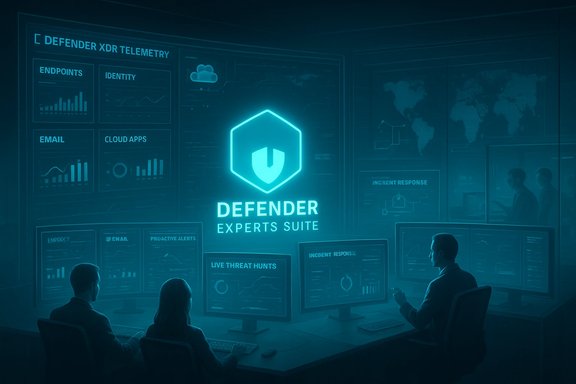
Microsoft Defender Experts for XDR offers continuous monitoring and managed response that leverages Microsoft Defender XDR telemetry, including endpoints, email, identity, and cloud signals. The service’s analysts will handle incident triage and investigation to reduce alert fatigue and enable in‑house SOC teams to focus on prioritized actions. A built‑in component, Defender Experts for Hunting, executes proactive hunts across domains to catch early stages of human‑operated attacks. Microsoft also exposes an “Ask Defender Experts” capability and notification integration into the Defender portal, enabling direct on‑demand interactions with analysts and automated incident notifications that appear within customers’ incident queues. This mix of human expertise and platform integration is a central selling point.Incident response and resilience building
Microsoft Incident Response combines proactive readiness work — planning, simulations, tabletop exercises, and advisory services — with reactive capabilities to investigate intrusions, remove attackers, and accelerate recovery when compromises occur. Microsoft notes its incident teams have operated on the frontlines of complex incidents since 2008 and couples the offering with its threat intelligence and engineering teams.Designated engineering and operational modernization
Enhanced Designated Engineering is presented as a named, consultative relationship: engineers and security advisors help customers ensure Defender workloads are correctly architected and configured. The service aims to continually improve detection effectiveness, reduce false positives, and modernize SOC processes by applying Microsoft best practices and real‑world threat intelligence. This is intended to reduce friction across procurement, deployment, and daily operations.What Microsoft claims the offering delivers
Microsoft frames the Defender Experts Suite as a solution to three immediate problems for security buyers:- Close the cyber skills gap by providing Microsoft analysts and engineering resources to augment or cover resource shortfalls. Microsoft highlights a combined team experience figure to underline scale.
- Speed outcomes by using integrated workflows so that recommendations and investigations move faster across the defender stack.
- Lower operational complexity by consolidating managed XDR, incident response, and advisory into a single SKU and service relationship instead of managing multiple vendors.
Availability, pricing, and promotional terms — read the fine print
Microsoft states the Defender Experts Suite is generally available starting January 1, 2026, and advertises a limited‑time promotional discount that can reduce costs up to 66% for eligible customers purchasing the suite during the promotion period. The blog announcement lists the promotion window as January 1, 2026 through December 1, 2026 and specifies eligibility requirements, including a minimum purchase of 1,500 seats and licensing prerequisites (Microsoft 365 E5 or Microsoft Defender plus Purview Frontline Workers / Microsoft 365 F5). Microsoft Partner Center announcements echo the GA date but show a slightly different promotion end date on partner pages — calling the promotional window January 1 through December 31, 2026 — and emphasize partner opportunities for resellers and Scale Solution Providers (SSPs). This discrepancy between the blog post and partner documentation warrants direct clarification with Microsoft sales or your reseller before relying on promotional terms. Key contractual and purchasing points for buyers:- Minimum seat counts can lock mid‑market or smaller organizations out of promotional pricing; confirm both the baseline seat requirement and whether smaller seat packs are available outside promotional terms.
- License prerequisites (E5 or Defender + Purview Frontline Workers) may require license upgrades for some customers — include these migration costs when modeling total cost of ownership.
- Partner‑facing SKUs and reseller channels will affect procurement timelines for organizations buying through the CSP or reseller channels. Partner Center guidance highlights this detail for partners.
Independent validation and analyst context
Microsoft leans on third‑party analyst recognition and commissioned TEI studies to support the Defender Experts Suite’s value proposition. Two notable references:- Frost & Sullivan placed Microsoft as a leader in its 2024 Managed Detection and Response Frost Radar and called out Microsoft Defender Experts for XDR for its innovation and growth indicators, a piece Microsoft uses to validate the managed service aspect of Defender Experts.
- Forrester Total Economic Impact (TEI) research commissioned by Microsoft and related TEI materials illustrate multi‑year return on investment and operational efficiencies tied to Microsoft security consolidations. Microsoft cites Forrester TEI findings as part of the business case for managed Defender services. Buyers should request the underlying Forrester TEI deliverables or work with their Microsoft account team to quantify expected ROI for their own environment.
Strengths and competitive advantages
- Native, cross‑signal telemetry and scale. Microsoft can correlate signals across endpoints, identity, email, cloud apps, and cloud workloads because its Defender XDR stack already collects those signals at scale. That unified telemetry reduces blind spots and shortens investigation cycles compared with stitching multiple vendors’ data together.
- Integrated threat hunting plus managed response. Combining continuous MXDR with an always‑on hunting capability reduces dwell time for hands‑on attackers and gives security teams actionable context and remediation guidance instead of raw alerts.
- Backstop of Microsoft Incident Response and engineering. The ability to escalate to Microsoft’s incident response team and to consult with product engineering during complex incidents is an advantage for organizations that may otherwise struggle to coordinate vendor engagements under pressure.
- Analyst recognition and prebuilt enforcement. Frost & Sullivan’s MDR Frost Radar and Forrester TEI references add independent weight to Microsoft’s claims about managed detection and response and economic outcomes.
- Ecosystem enrichment. Microsoft has announced that Defender Experts for XDR can now ingest third‑party network signals from vendors like Palo Alto Networks, Zscaler, and Fortinet for incident enrichment — a practical step toward broader telemetry integration for customers with heterogeneous stacks.
Risks, limitations, and buyer cautions
- Potential vendor lock‑in. Consolidating core detection and incident response with a single vendor increases dependence on that vendor’s platform and tooling. Organizations that prioritize multi‑vendor resilience or have strict vendor diversification policies should weigh this carefully.
- Minimum purchase and licensing thresholds. The advertised promotional terms require a substantial minimum seat purchase (1,500 seats) and specific license baselines. These thresholds may be prohibitive for smaller organizations or require additional license investments to qualify for discounts. Confirm minimums with Microsoft or partners.
- Conflicting documentation on promotion dates. Microsoft’s public blog and Partner Center content show different promotion end dates; this discrepancy should be clarified directly with Microsoft to avoid procurement surprises.
- Data residency and privacy concerns. Delegating telemetry and incident handling to a vendor requires careful contract language about data handling, access controls, compliance with regional data protection laws, and logging of analyst actions. Microsoft’s global footprint mitigates some concerns, but customers in regulated industries must validate contractual protections.
- Coverage nuances for cloud workloads. Historically, some Defender Experts services focused on endpoints and did not cover certain cloud workload telemetry by default. Microsoft’s documentation shows ongoing expansion (for example, add‑ons for servers and expanded cloud workload coverage), but buyers should confirm exact coverage for cloud providers and architectures in scope.
- Expectation management for “expert” services. Managed MXDR and hunting services typically provide investigation context and remediation guidance but vary on whether the vendor performs active containment actions in the customer tenant. Microsoft documentation includes options for both managed response and guided remediation; customers must negotiate the desired operational model and SLAs up front.
Operational considerations for SOCs and security leaders
When evaluating the Defender Experts Suite, security teams should treat the purchase as an operational transformation program rather than a pure license acquisition. Key considerations include:- Integrations and telemetry: Validate which data sources (endpoints, email, identity, cloud logs, third‑party network telemetry) will be ingested and how long Microsoft will retain context and investigative artifacts.
- Runbooks and incident handling: Align Microsoft’s response playbooks with internal playbooks, define escalation paths, and clarify who performs which containment steps in your environment.
- Roles and access management: Define least‑privilege access for Microsoft analysts, restrictive RBAC roles, and just‑in‑time provisioning where possible to reduce exposure.
- Compliance and evidence collection: Ensure Microsoft’s incident artifacts, chain of custody, and reporting formats meet your regulatory evidence requirements.
- Cost model and blended TCO: Model the total cost of ownership including licensing prerequisites (E5 or Defender + Purview), potential license upgrades, integration engineering hours, and the opportunity cost of any in‑house capabilities replaced by the service. Use TEI studies for directional guidance but validate with vendor quotes and pilot metrics.
Practical buying checklist
- Confirm the promotional window and eligibility for your organization (minimum seats, license prerequisites).
- Request a detailed service playbook showing analyst responsibilities, containment actions, SLAs, and escalation flows.
- Map telemetry ingestion requirements and verify any add‑ons needed for server/cloud workload coverage.
- Validate data residency, privacy, and compliance terms in contractual documents.
- Run a technical pilot: generate test Defender Experts notifications, validate alerting into your ticketing and SIEM systems, and exercise “Ask Defender Experts” communications.
Recommendations for different buyer profiles
- Large enterprises with complex estates: The Suite’s integration and access to Microsoft IR and engineering are strong reasons to evaluate for mission‑critical environments, particularly where consolidation simplifies procurement and reduces integration overhead. Negotiate detailed SLAs and data processing terms.
- Mid‑market organizations with limited SecOps staff: The managed MXDR and hunting capabilities can materially reduce alert noise and provide needed expertise, but check minimum seat requirements and licensing prerequisites to confirm economics.
- Highly regulated organizations: Prioritize contractual protections for data locality, access controls, and evidence preservation. Confirm Microsoft’s incident artifact handling meets your regulatory needs.
- Organizations with multi‑vendor security stacks: Take advantage of new enrichment capabilities (third‑party network signals) but validate how much of your non‑Microsoft telemetry can realistically be used for investigation and response.
Final assessment
The Microsoft Defender Experts Suite is a logical extension of Microsoft’s broader strategy: unify telemetry through Defender XDR, embed AI and analyst workflows, and offer managed services that reduce the operational demands on overstretched security teams. For organizations already invested in Microsoft security, the Suite offers a compelling path to faster detection, more consistent incident response, and access to named engineering support. Microsoft’s use of analyst recognition (Frost & Sullivan) and commissioned economic analyses (Forrester TEI) supports the claim that managed XDR plus integrated advisory can deliver measurable operational and financial benefits. At the same time, buyers must weigh important tradeoffs: the financial and contractual implications of minimum seat purchases and license prerequisites, the potential for vendor lock‑in, and the necessity of hardening data‑handling and compliance controls when third‑party experts interact with critical telemetry. Documentation differences between Microsoft’s public blog and partner pages on promotion end dates underscore the need for direct clarification with Microsoft or partners before finalizing procurement. For security leaders, the sensible next steps are clear: run a focused technical pilot to validate integrations and operational models, request full TEI / ROI assumptions from Microsoft (or build your own), and negotiate contractual protections that preserve control over data and response authority. If those due‑diligence steps check out, the Defender Experts Suite has the potential to materially uplift detection and response maturity while freeing internal teams to focus on higher‑value work.Microsoft’s new suite simplifies access to expert MXDR, incident response, and designated engineering — but the true value will show only after customers validate coverage, contractual protections, and real‑world outcomes in their own environments. Confirm promotional terms, licensing prerequisites, and seat minimums with your Microsoft representative or reseller before committing, and treat the Suite as an operational program that requires governance, integration, and continuous validation to deliver the security outcomes it promises.
Source: Microsoft Introducing the Microsoft Defender Experts Suite: Elevate your security with expert-led services | Microsoft Security Blog