

Microsoft’s latest consumer-security message is that Microsoft Defender Antivirus, the protection built into Windows 11, is enough for many everyday PC users in 2026 if default protections remain enabled, Windows Update runs regularly, and downloads are treated with basic caution. That is not a small marketing claim. It is Microsoft trying to close a 30-year argument about whether Windows is fundamentally unsafe unless another company’s software stands guard. The answer is no longer as simple as “install an antivirus,” because Windows itself has become the antivirus platform.
For decades, the first ritual of owning a Windows PC was not personalization, backup, or productivity setup. It was antivirus installation. The market trained users to believe that a clean Windows install was an unfinished security project, a house with locks but no doors.
Microsoft is now arguing that this old reflex is outdated. Defender is not being positioned as a placeholder until Norton, McAfee, Bitdefender, ESET, or another suite takes over. It is being presented as the default answer for ordinary users: built in, automatically updated, integrated with the operating system, and usually sufficient.
The important word is usually. Microsoft is not claiming that Defender makes Windows invulnerable, or that third-party security companies have no value. It is saying the baseline has moved. A Windows 11 PC with Defender, SmartScreen, cloud-delivered protection, Windows Update, firewall protections, and default security settings is not the same creature as the malware-prone Windows XP machine many users still picture when they hear “built-in antivirus.”
That distinction matters because antivirus software has become a strangely emotional category. Users remember expired trialware, pop-ups, slow boots, toolbar scandals, false positives, and annual renewal traps. They also remember real infections, ransomware headlines, and family members who clicked the wrong attachment. Defender sits at the intersection of those memories: trusted because it is quiet, distrusted because it is Microsoft.
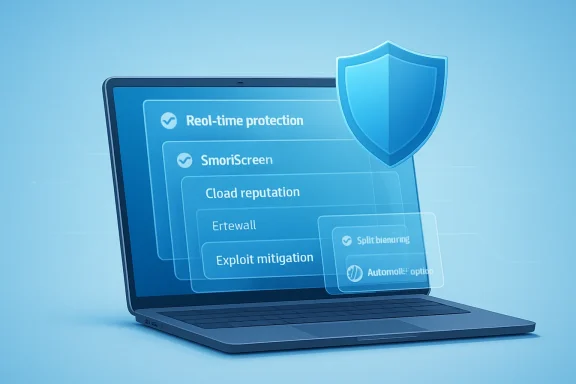
Defender still scans files, of course. But the modern Windows security story is layered: real-time monitoring, behavior analysis, heuristics, cloud reputation, exploit mitigation, phishing protection, controlled app execution, and update-driven intelligence. A malicious download is not supposed to get a single clean shot at the machine. It may be challenged by the browser, by SmartScreen, by reputation checks, by Defender’s cloud systems, by app control, and by Windows’ own hardened defaults.
This is why Microsoft’s claim is more plausible in 2026 than it would have sounded in 2006. The operating system has absorbed functions that once belonged almost entirely to third-party suites. Windows Security is no longer just a tray icon that says “you should install something.” It is the control plane for a set of defenses that begin before a suspicious file is even opened.
SmartScreen is a good example. It does not behave like traditional antivirus; it tries to interrupt dangerous browsing and download decisions before malware becomes an execution problem. Smart App Control, when available and enabled, goes further by blocking untrusted or suspicious code from running in the first place. These features shift Windows security away from the old game of “detect the bad file after it arrives” toward “make execution harder unless the software has earned trust.”
That approach is not perfect. Reputation systems can annoy developers, power users, and anyone who runs niche tools. But it reflects the current threat environment better than the old signature-only worldview. Modern attacks frequently involve unknown payloads, abused legitimate tools, phishing lures, fake installers, and scripts that change faster than traditional detection lists.
That argument is harder to make today. Recent independent testing has placed Microsoft Defender in the same competitive field as major commercial products, with strong scores in protection, performance, and usability. Testing organizations such as AV-TEST and AV-Comparatives do not prove that any product will save every user from every attack, but they do puncture the lazy assumption that Defender is automatically second-rate because it is bundled.
This is the hinge of the debate. If Defender were merely convenient but clearly weaker, Microsoft’s advice would be irresponsible. If Defender is broadly competitive, the calculation changes. The real question becomes whether the incremental value of a third-party suite justifies its cost, complexity, telemetry, browser extensions, notifications, and potential performance impact for a typical home user.
For many people, the answer is probably no. Not because third-party antivirus is useless, but because the gap between “free and built in” and “paid and separate” is no longer large enough to make the old default recommendation universal. Defender has reached the point where the average user is not obviously safer merely because another logo appears in the system tray.
There is also a usability argument hiding inside the test scores. Security that users disable, ignore, or misunderstand is weak security. Defender benefits from being native, quiet, and automatically maintained. It does not need to persuade users to renew a subscription before it updates definitions. It does not need a bundled cleanup tool to justify its existence. It does not have to insert itself awkwardly into every corner of the browser to be visible.
Consumer security suites became notorious for upsells, bundled VPNs, password managers, dark-pattern renewals, “PC optimization” features, scare language, and notifications that blurred the line between protection and advertising. Many users came to associate antivirus not with confidence but with nags. The software that was supposed to make a PC feel safe often made it feel rented.
That does not describe every product, and some paid suites remain excellent. But the category trained users to resent it. A free trial preinstalled on a new laptop could feel less like a gift than a countdown timer. An alert about “five privacy risks” might be less a warning than a sales funnel. A browser extension promising safer shopping might become another attack surface or another source of friction.
Defender’s biggest consumer advantage is that it mostly disappears. It is not invisible because it does nothing; it is invisible because Microsoft no longer has to monetize it like a separate consumer subscription. The business model is the Windows platform, the Microsoft account ecosystem, and, in enterprise, the broader Defender security portfolio. That gives Microsoft a structural advantage: the default antivirus can be boring on purpose.
There is a darker interpretation, too. Microsoft benefits when Windows’ built-in security is seen as good enough because it strengthens the platform’s default position and weakens independent security vendors’ consumer foothold. The company is not a neutral referee in this debate. It owns the operating system, the default security interface, the update channel, the telemetry pipeline, and a large enterprise security business. When Microsoft says the built-in option is enough, it is both making a technical claim and defending an ecosystem strategy.
But “most” is not “all,” and it certainly is not “everyone reading a Windows enthusiast forum.” The more unusual your behavior, the less useful the average-user recommendation becomes. A gamer downloading unsigned mods from forums, a hobbyist testing scripts from GitHub, a small business owner opening invoices all day, a developer compiling unfamiliar code, or a journalist handling leaked documents may have very different risk profiles.
The same is true for families. A single careful adult with a locked-down Windows 11 laptop is not the same as a shared household machine used by kids, guests, and relatives who treat every search result as equally trustworthy. In those cases, the best paid security suites may offer value not because their malware engine is magically superior, but because they bundle parental controls, identity monitoring, safer browsing tools, scam protection, password vaults, or easier multi-device management.
That is where the debate often goes wrong. People ask whether Defender is “enough” as if enoughness were a lab score. It is really a workflow question. What do you download? Who uses the machine? Do you need web filtering? Do you manage multiple devices? Are you prone to clicking fake shipping notices? Do you install cracked software? Do you understand Windows security prompts, or do you treat them as obstacles?
Microsoft’s answer is credible for the mainstream user, but it is not a magic permission slip to stop thinking. Defender covers a large portion of everyday malware risk. It does not fix reckless behavior, weak passwords, reused credentials, malicious browser extensions, social engineering, unpatched routers, exposed remote desktop services, or the tendency to approve prompts just to make them go away.
This is why Microsoft keeps tying Defender to SmartScreen and phishing protection. The malware file is often the second act. The first act is persuasion: click this invoice, install this codec, approve this notification, enter your Microsoft credentials here, call this fake support number, run this “security update.” Blocking the payload matters, but interrupting the con matters earlier.
Third-party security suites know this, which is why so many now sell scam protection, safe browsing, identity monitoring, and breach alerts. Traditional antivirus became too narrow a term for the problem it is supposed to solve. Microsoft’s advantage is that it can weave similar protections into Windows, Edge, Defender, and Microsoft account services without making the user assemble a stack manually.
The weakness is that Microsoft’s protection is best when the user stays close to Microsoft’s defaults. Edge integration is strongest in Edge. Windows reputation systems are strongest when users do not deliberately bypass them. Smart App Control is most useful when it is actually enabled, which is not guaranteed on every upgraded or heavily customized system. The farther a user wanders from the default path, the more the “built in is enough” message needs qualification.
This is not a reason to reject Defender. It is a reason to understand what “default protections” means. A Windows 11 installation with protections disabled, updates paused, browser warnings ignored, and random exclusions added to make a shady installer work is not the machine Microsoft is describing.
In managed environments, the real discussion is not whether the built-in antivirus is good enough for Aunt Linda’s laptop. It is whether endpoints are centrally configured, monitored, hardened, and connected to detection and response workflows. That means policy enforcement, tamper protection, attack surface reduction rules, application control, logging, incident response, identity protection, patch compliance, and visibility across devices.
Microsoft knows this. Its enterprise pitch is not “use the free consumer defaults and relax.” It is Defender for Endpoint, Microsoft 365 Defender, Intune, Entra ID, Sentinel, and the rest of the security stack. The company’s consumer message may sound like simplicity, but its enterprise business is built on the premise that serious security requires management, telemetry, correlation, and response.
Small businesses sit awkwardly in the middle. Many behave like consumers because they lack IT staff, but their risk looks more like enterprise because they handle money, customer data, payroll, and email-based fraud. A five-person accounting office running Windows 11 with Defender enabled is better off than it would have been a decade ago. But “better off” is not the same as resilient against business email compromise, ransomware, credential theft, or a compromised vendor account.
For WindowsForum readers who manage family machines, small offices, or lab environments, the lesson is practical: Defender is a strong default, but defaults should become policy when devices matter. Check that real-time protection is on. Check that cloud-delivered protection is on. Keep Windows Update healthy. Avoid unnecessary exclusions. Use standard user accounts where possible. Turn on phishing-resistant MFA for important accounts. Back up data in a way ransomware cannot easily encrypt.
Defender’s reputation systems can be especially frustrating for independent developers, modders, IT toolmakers, and anyone distributing unsigned or low-prevalence binaries. From Microsoft’s perspective, unknown software is a risk signal. From a developer’s perspective, obscurity is not guilt. From a user’s perspective, the warning often arrives with too little context to make a confident decision.
This is the price of moving from signature detection to reputation-heavy security. A file can be suspicious because few people have seen it, because it behaves like malware, because it is unsigned, because it was downloaded from a questionable source, or because attackers have abused similar tools. That is rational at internet scale, but it can feel arbitrary at human scale.
Third-party products are not immune to this problem. Some are more aggressive, some less; some generate more noise, some bury the user in alerts; some are better at explaining why a file was blocked. The best security tool is not simply the one that blocks the most. It is the one that blocks the right things while preserving enough trust that users do not learn to reflexively bypass it.
For enthusiasts, this may be the strongest reason to prefer a third-party product or a customized setup. Not because Defender is weak, but because Defender is tuned for a broad population. Power users sometimes need more control, clearer logging, easier allow-listing, or a security model that does not treat every niche binary as a suspicious stranger.
That message is not empty. Windows 11 raised hardware security expectations, leaned into virtualization-based protections, expanded phishing defenses, and improved the out-of-box security posture compared with older Windows generations. Microsoft wants users to see the upgrade not just as a Start menu redesign or hardware compatibility controversy, but as a security modernization.
The antivirus claim fits that campaign. If Windows 11 is secure enough out of the box, upgrading becomes easier to justify for nontechnical users. There is less to buy, less to configure, and fewer decisions to make after setup. The PC becomes more like a phone: protected by default, updated by the platform owner, and less dependent on aftermarket security software.
But this also raises the stakes for Microsoft. When the platform owner tells users not to worry about third-party antivirus, failures become more politically expensive. A major Defender miss, a cloud protection outage, or a widespread false-positive incident does not merely embarrass a security vendor. It undermines the security promise of Windows itself.
Microsoft has accepted that responsibility because it had little choice. In a world of ransomware, credential theft, and nation-state tooling, Windows cannot outsource baseline security to whatever trialware an OEM preinstalls. The OS has to be defensible on day one.
Security is especially vulnerable to default capture because most users do not want to shop for it. They want to be safe without becoming experts. If the built-in tool is competent, quiet, and free, the threshold for replacing it becomes high.
This does not eliminate the antivirus industry. It pushes it upmarket and sideways. Vendors must prove value through specialized protection, cross-platform management, privacy tools, identity services, parental controls, enterprise detection, managed response, and better support. “We detect malware too” is no longer enough when Windows already does that competently.
For Microsoft, this is both a product success and a regulatory risk. The more Windows absorbs security functions, the more competitors can argue that Microsoft is using platform control to crowd them out. The counterargument is obvious: users expect the operating system to protect itself. No one wants a deliberately weaker Windows just to preserve a market for add-on products.
That tension will not go away. But for users, the practical outcome is positive. The baseline is higher. A person who buys a Windows 11 laptop today and never installs a third-party antivirus is not necessarily negligent. That sentence would have sounded reckless in another era. In 2026, it is mainstream advice.
The long arc of Windows security has bent from aftermarket panic toward built-in competence, and that is a genuine achievement. Defender is not a force field, and Microsoft has not repealed phishing, ransomware, or human error. But the default Windows 11 security stack is now strong enough that the old advice—install a third-party antivirus before doing anything else—deserves retirement for many users. The next fight will not be over whether Windows includes enough protection; it will be over whether Microsoft can keep that protection trustworthy, quiet, explainable, and resilient as attackers learn to aim directly at the defaults.
Source: Mix93.3 Inside Story – Mix93.3 | Kansas City's #1 Hit Music Station | Kansas City, MO
 Microsoft Is No Longer Selling Defender as the Bare Minimum
For decades, the first ritual of owning a Windows PC was not personalization, backup, or productivity setup. It was antivirus installation. The market trained users to believe that a clean Windows install was an unfinished security project, a house with locks but no doors.Microsoft is now arguing that this old reflex is outdated. Defender is not being positioned as a placeholder until Norton, McAfee, Bitdefender, ESET, or another suite takes over. It is being presented as the default answer for ordinary users: built in, automatically updated, integrated with the operating system, and usually sufficient.
The important word is usually. Microsoft is not claiming that Defender makes Windows invulnerable, or that third-party security companies have no value. It is saying the baseline has moved. A Windows 11 PC with Defender, SmartScreen, cloud-delivered protection, Windows Update, firewall protections, and default security settings is not the same creature as the malware-prone Windows XP machine many users still picture when they hear “built-in antivirus.”
That distinction matters because antivirus software has become a strangely emotional category. Users remember expired trialware, pop-ups, slow boots, toolbar scandals, false positives, and annual renewal traps. They also remember real infections, ransomware headlines, and family members who clicked the wrong attachment. Defender sits at the intersection of those memories: trusted because it is quiet, distrusted because it is Microsoft.
The Built-In Defense Is Really a Stack, Not a Scanner
The old mental model of antivirus is a program that checks files against a list of known bad things. That model is obsolete, and it undersells what Windows 11 is doing.Defender still scans files, of course. But the modern Windows security story is layered: real-time monitoring, behavior analysis, heuristics, cloud reputation, exploit mitigation, phishing protection, controlled app execution, and update-driven intelligence. A malicious download is not supposed to get a single clean shot at the machine. It may be challenged by the browser, by SmartScreen, by reputation checks, by Defender’s cloud systems, by app control, and by Windows’ own hardened defaults.
This is why Microsoft’s claim is more plausible in 2026 than it would have sounded in 2006. The operating system has absorbed functions that once belonged almost entirely to third-party suites. Windows Security is no longer just a tray icon that says “you should install something.” It is the control plane for a set of defenses that begin before a suspicious file is even opened.
SmartScreen is a good example. It does not behave like traditional antivirus; it tries to interrupt dangerous browsing and download decisions before malware becomes an execution problem. Smart App Control, when available and enabled, goes further by blocking untrusted or suspicious code from running in the first place. These features shift Windows security away from the old game of “detect the bad file after it arrives” toward “make execution harder unless the software has earned trust.”
That approach is not perfect. Reputation systems can annoy developers, power users, and anyone who runs niche tools. But it reflects the current threat environment better than the old signature-only worldview. Modern attacks frequently involve unknown payloads, abused legitimate tools, phishing lures, fake installers, and scripts that change faster than traditional detection lists.
Independent Testing Has Changed the Burden of Proof
The most damaging argument against Defender used to be simple: it was worse. For years, that was not an unreasonable position. Microsoft’s consumer antivirus efforts went through periods when independent lab results were unimpressive, and many paid suites offered stronger detection, more features, or both.That argument is harder to make today. Recent independent testing has placed Microsoft Defender in the same competitive field as major commercial products, with strong scores in protection, performance, and usability. Testing organizations such as AV-TEST and AV-Comparatives do not prove that any product will save every user from every attack, but they do puncture the lazy assumption that Defender is automatically second-rate because it is bundled.
This is the hinge of the debate. If Defender were merely convenient but clearly weaker, Microsoft’s advice would be irresponsible. If Defender is broadly competitive, the calculation changes. The real question becomes whether the incremental value of a third-party suite justifies its cost, complexity, telemetry, browser extensions, notifications, and potential performance impact for a typical home user.
For many people, the answer is probably no. Not because third-party antivirus is useless, but because the gap between “free and built in” and “paid and separate” is no longer large enough to make the old default recommendation universal. Defender has reached the point where the average user is not obviously safer merely because another logo appears in the system tray.
There is also a usability argument hiding inside the test scores. Security that users disable, ignore, or misunderstand is weak security. Defender benefits from being native, quiet, and automatically maintained. It does not need to persuade users to renew a subscription before it updates definitions. It does not need a bundled cleanup tool to justify its existence. It does not have to insert itself awkwardly into every corner of the browser to be visible.
The Antivirus Industry Helped Microsoft Win This Argument
Microsoft’s rise as the default security provider was not just a technical story. It was also a trust story, and the third-party antivirus market did plenty to damage its own case.Consumer security suites became notorious for upsells, bundled VPNs, password managers, dark-pattern renewals, “PC optimization” features, scare language, and notifications that blurred the line between protection and advertising. Many users came to associate antivirus not with confidence but with nags. The software that was supposed to make a PC feel safe often made it feel rented.
That does not describe every product, and some paid suites remain excellent. But the category trained users to resent it. A free trial preinstalled on a new laptop could feel less like a gift than a countdown timer. An alert about “five privacy risks” might be less a warning than a sales funnel. A browser extension promising safer shopping might become another attack surface or another source of friction.
Defender’s biggest consumer advantage is that it mostly disappears. It is not invisible because it does nothing; it is invisible because Microsoft no longer has to monetize it like a separate consumer subscription. The business model is the Windows platform, the Microsoft account ecosystem, and, in enterprise, the broader Defender security portfolio. That gives Microsoft a structural advantage: the default antivirus can be boring on purpose.
There is a darker interpretation, too. Microsoft benefits when Windows’ built-in security is seen as good enough because it strengthens the platform’s default position and weakens independent security vendors’ consumer foothold. The company is not a neutral referee in this debate. It owns the operating system, the default security interface, the update channel, the telemetry pipeline, and a large enterprise security business. When Microsoft says the built-in option is enough, it is both making a technical claim and defending an ecosystem strategy.
“Enough” Depends on the User, Not the Marketing Page
The phrase “most users” does a lot of work. It usually means people who browse mainstream sites, use Microsoft Store or reputable vendor downloads, keep Windows updated, avoid pirated software, do not routinely disable protections, and do not handle unusually sensitive data. For that group, Defender is a sensible default.But “most” is not “all,” and it certainly is not “everyone reading a Windows enthusiast forum.” The more unusual your behavior, the less useful the average-user recommendation becomes. A gamer downloading unsigned mods from forums, a hobbyist testing scripts from GitHub, a small business owner opening invoices all day, a developer compiling unfamiliar code, or a journalist handling leaked documents may have very different risk profiles.
The same is true for families. A single careful adult with a locked-down Windows 11 laptop is not the same as a shared household machine used by kids, guests, and relatives who treat every search result as equally trustworthy. In those cases, the best paid security suites may offer value not because their malware engine is magically superior, but because they bundle parental controls, identity monitoring, safer browsing tools, scam protection, password vaults, or easier multi-device management.
That is where the debate often goes wrong. People ask whether Defender is “enough” as if enoughness were a lab score. It is really a workflow question. What do you download? Who uses the machine? Do you need web filtering? Do you manage multiple devices? Are you prone to clicking fake shipping notices? Do you install cracked software? Do you understand Windows security prompts, or do you treat them as obstacles?
Microsoft’s answer is credible for the mainstream user, but it is not a magic permission slip to stop thinking. Defender covers a large portion of everyday malware risk. It does not fix reckless behavior, weak passwords, reused credentials, malicious browser extensions, social engineering, unpatched routers, exposed remote desktop services, or the tendency to approve prompts just to make them go away.
The Browser Became the New Front Door
One reason built-in Windows security feels stronger today is that the attack surface shifted. The classic virus arriving on removable media or as an obvious executable is no longer the whole story. The browser, email inbox, messaging app, and fake login page are now the main battlegrounds for ordinary users.This is why Microsoft keeps tying Defender to SmartScreen and phishing protection. The malware file is often the second act. The first act is persuasion: click this invoice, install this codec, approve this notification, enter your Microsoft credentials here, call this fake support number, run this “security update.” Blocking the payload matters, but interrupting the con matters earlier.
Third-party security suites know this, which is why so many now sell scam protection, safe browsing, identity monitoring, and breach alerts. Traditional antivirus became too narrow a term for the problem it is supposed to solve. Microsoft’s advantage is that it can weave similar protections into Windows, Edge, Defender, and Microsoft account services without making the user assemble a stack manually.
The weakness is that Microsoft’s protection is best when the user stays close to Microsoft’s defaults. Edge integration is strongest in Edge. Windows reputation systems are strongest when users do not deliberately bypass them. Smart App Control is most useful when it is actually enabled, which is not guaranteed on every upgraded or heavily customized system. The farther a user wanders from the default path, the more the “built in is enough” message needs qualification.
This is not a reason to reject Defender. It is a reason to understand what “default protections” means. A Windows 11 installation with protections disabled, updates paused, browser warnings ignored, and random exclusions added to make a shady installer work is not the machine Microsoft is describing.
Enterprise IT Should Hear a Different Message
For sysadmins, Microsoft’s consumer reassurance should not be mistaken for an enterprise security architecture. Defender Antivirus is a component; it is not a security program.In managed environments, the real discussion is not whether the built-in antivirus is good enough for Aunt Linda’s laptop. It is whether endpoints are centrally configured, monitored, hardened, and connected to detection and response workflows. That means policy enforcement, tamper protection, attack surface reduction rules, application control, logging, incident response, identity protection, patch compliance, and visibility across devices.
Microsoft knows this. Its enterprise pitch is not “use the free consumer defaults and relax.” It is Defender for Endpoint, Microsoft 365 Defender, Intune, Entra ID, Sentinel, and the rest of the security stack. The company’s consumer message may sound like simplicity, but its enterprise business is built on the premise that serious security requires management, telemetry, correlation, and response.
Small businesses sit awkwardly in the middle. Many behave like consumers because they lack IT staff, but their risk looks more like enterprise because they handle money, customer data, payroll, and email-based fraud. A five-person accounting office running Windows 11 with Defender enabled is better off than it would have been a decade ago. But “better off” is not the same as resilient against business email compromise, ransomware, credential theft, or a compromised vendor account.
For WindowsForum readers who manage family machines, small offices, or lab environments, the lesson is practical: Defender is a strong default, but defaults should become policy when devices matter. Check that real-time protection is on. Check that cloud-delivered protection is on. Keep Windows Update healthy. Avoid unnecessary exclusions. Use standard user accounts where possible. Turn on phishing-resistant MFA for important accounts. Back up data in a way ransomware cannot easily encrypt.
False Positives Are the Tax on Aggressive Protection
One underappreciated reason the Defender debate gets heated is false positives. Security products do not merely stop threats; they also make judgments about legitimate software. When those judgments are wrong, users remember.Defender’s reputation systems can be especially frustrating for independent developers, modders, IT toolmakers, and anyone distributing unsigned or low-prevalence binaries. From Microsoft’s perspective, unknown software is a risk signal. From a developer’s perspective, obscurity is not guilt. From a user’s perspective, the warning often arrives with too little context to make a confident decision.
This is the price of moving from signature detection to reputation-heavy security. A file can be suspicious because few people have seen it, because it behaves like malware, because it is unsigned, because it was downloaded from a questionable source, or because attackers have abused similar tools. That is rational at internet scale, but it can feel arbitrary at human scale.
Third-party products are not immune to this problem. Some are more aggressive, some less; some generate more noise, some bury the user in alerts; some are better at explaining why a file was blocked. The best security tool is not simply the one that blocks the most. It is the one that blocks the right things while preserving enough trust that users do not learn to reflexively bypass it.
For enthusiasts, this may be the strongest reason to prefer a third-party product or a customized setup. Not because Defender is weak, but because Defender is tuned for a broad population. Power users sometimes need more control, clearer logging, easier allow-listing, or a security model that does not treat every niche binary as a suspicious stranger.
Windows 10’s Endgame Makes the Defender Message More Urgent
There is another context to Microsoft’s timing: Windows 10 is approaching the end of its mainstream support life for most users. As households and small businesses move—or are pushed—toward Windows 11, Microsoft has every incentive to present the newer OS as safer by default.That message is not empty. Windows 11 raised hardware security expectations, leaned into virtualization-based protections, expanded phishing defenses, and improved the out-of-box security posture compared with older Windows generations. Microsoft wants users to see the upgrade not just as a Start menu redesign or hardware compatibility controversy, but as a security modernization.
The antivirus claim fits that campaign. If Windows 11 is secure enough out of the box, upgrading becomes easier to justify for nontechnical users. There is less to buy, less to configure, and fewer decisions to make after setup. The PC becomes more like a phone: protected by default, updated by the platform owner, and less dependent on aftermarket security software.
But this also raises the stakes for Microsoft. When the platform owner tells users not to worry about third-party antivirus, failures become more politically expensive. A major Defender miss, a cloud protection outage, or a widespread false-positive incident does not merely embarrass a security vendor. It undermines the security promise of Windows itself.
Microsoft has accepted that responsibility because it had little choice. In a world of ransomware, credential theft, and nation-state tooling, Windows cannot outsource baseline security to whatever trialware an OEM preinstalls. The OS has to be defensible on day one.
The Real Winner Is the Default
The Defender debate is part of a larger pattern in computing: defaults are eating entire software categories. Browsers added PDF readers. Operating systems added disk encryption. Phones added password managers and passkeys. Cloud platforms added backup, identity, and monitoring features once sold separately.Security is especially vulnerable to default capture because most users do not want to shop for it. They want to be safe without becoming experts. If the built-in tool is competent, quiet, and free, the threshold for replacing it becomes high.
This does not eliminate the antivirus industry. It pushes it upmarket and sideways. Vendors must prove value through specialized protection, cross-platform management, privacy tools, identity services, parental controls, enterprise detection, managed response, and better support. “We detect malware too” is no longer enough when Windows already does that competently.
For Microsoft, this is both a product success and a regulatory risk. The more Windows absorbs security functions, the more competitors can argue that Microsoft is using platform control to crowd them out. The counterargument is obvious: users expect the operating system to protect itself. No one wants a deliberately weaker Windows just to preserve a market for add-on products.
That tension will not go away. But for users, the practical outcome is positive. The baseline is higher. A person who buys a Windows 11 laptop today and never installs a third-party antivirus is not necessarily negligent. That sentence would have sounded reckless in another era. In 2026, it is mainstream advice.
The Defender-Era Checklist Is Shorter, But It Is Not Empty
The practical lesson is not that antivirus no longer matters. It is that antivirus has become one part of a broader default-security bargain: Microsoft supplies the baseline, and the user agrees not to dismantle it.- Microsoft Defender Antivirus is a reasonable default for many Windows 11 users who keep Windows updated and leave core protections enabled.
- Third-party antivirus still makes sense for users who need family controls, identity monitoring, managed multi-device protection, specialized support, or more granular control.
- Defender’s strongest protection comes from the full Windows stack, including SmartScreen, cloud-delivered protection, firewall settings, reputation checks, and safe update behavior.
- Users who routinely install unsigned tools, cracked software, game mods, scripts, or niche utilities should not treat “most users” guidance as tailored advice.
- No antivirus product replaces good backups, strong authentication, patched software, cautious downloading, and skepticism toward email or browser-based scams.
The long arc of Windows security has bent from aftermarket panic toward built-in competence, and that is a genuine achievement. Defender is not a force field, and Microsoft has not repealed phishing, ransomware, or human error. But the default Windows 11 security stack is now strong enough that the old advice—install a third-party antivirus before doing anything else—deserves retirement for many users. The next fight will not be over whether Windows includes enough protection; it will be over whether Microsoft can keep that protection trustworthy, quiet, explainable, and resilient as attackers learn to aim directly at the defaults.
Source: Mix93.3 Inside Story – Mix93.3 | Kansas City's #1 Hit Music Station | Kansas City, MO
