Microsoft fixes Family Safety browser bypass via service-side update

  • Thread Author
Microsoft has quietly resolved a long‑running Windows 10 parental‑controls problem that could let children temporarily bypass content filters when using non‑Edge browsers — a fix delivered from Microsoft’s servers rather than as a visible Windows update, and one that should reach affected machines automatically over the coming weeks.

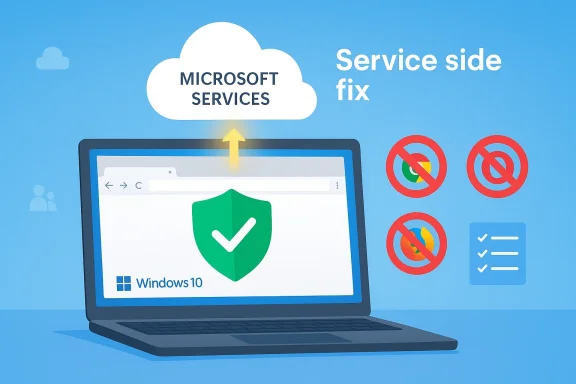
Microsoft Services cloud delivers a service-side fix for Windows 10 security.Background / Overview​

Parental controls in Windows have relied on Microsoft Family Safety’s web filtering to let parents restrict or monitor the sites their children can visit. That system has always been designed to work natively with Microsoft Edge; when web filtering is enabled, Edge enforces those rules directly. Other browsers — Chrome, Firefox, Brave, Vivaldi and the rest — are treated as unsupported for full web filtering and therefore require parental approval (an “Ask an adult” flow) before a child account can use them. Microsoft documents this Edge‑first design in its Family Safety guidance.
In June 2025 users began reporting a more serious problem: when web filtering was enabled, some third‑party browsers either would not launch at all, or they would crash/shutdown unexpectedly, or worse, a newly released browser version might slip through the block list and appear temporarily unblocked — giving a child access to an unrestricted browsing session until the block list was updated. The public reporting of the issue came from multiple outlets and community threads as families and administrators tried to understand whether the behavior was intentional or a bug.
Microsoft acknowledged the issues in its release‑health pages and in support channels: two separate but related problems were described — one where the parental consent prompt went missing, and another where updated versions of unsupported browsers were not immediately blocked and could therefore appear momentarily available after an update. Microsoft said it was working on fixes.

What went wrong: technical anatomy of the bug​

How Family Safety web filtering is intended to work​

Microsoft Family Safety web filtering enforces content controls by integrating with Microsoft Edge and by maintaining a server‑side block/allow list of known browser app versions and known websites. For unsupported browsers, Family Safety blocks the browser until an adult grants access through the Family Safety workflow. That gives parents a consistent experience: Edge is filtered directly, and other browsers require explicit permission.

Where the process failed​

Two related failures combined to create the consumer pain observed in mid‑2025:
  • Block list lag: When a third‑party browser updated to a new major version, that new version number needed to be added to Microsoft’s block list for the “unsupported browser” rule to apply. There was a window during which the updated browser version was not yet recognized by Family Safety servers as blocked, and as a result the browser could be used without being subject to the expected restrictions. Microsoft described this lifecycle explicitly in its incident note.
  • Activity‑reporting dependent approval flow: Microsoft’s documented flow expected an “Ask an adult” prompt to appear when a child attempted to open an unsupported browser; that prompt relies on family‑activity reporting being active in some scenarios. Microsoft identified and documented a related fault: in some configurations with Activity reporting turned off, children attempting to open certain browsers could see crashes or silent exits instead of the normal consent dialog. That compounded confusion and made troubleshooting harder for families.
Together, the block‑list timing vulnerability and the broken consent flow created two practical harms: (1) temporary unfiltered access after a browser update, and (2) a class of failures where the browser simply refused to run rather than showing the consent UI.

The fix: service‑side resolution and rollout details​

On February 10, 2026, Microsoft updated its release‑health notes to state that the temporary access to unsupported browsers issue “has been resolved through a service‑side fix,” and that the rollout began early February 2026 and would reach affected devices over the following weeks. The company’s guidance emphasized that no user action is required beyond letting the device connect to the internet so it can receive the resolution from Microsoft’s servers.
Why this matters:
  • A service‑side fix means the correction was made inside Microsoft’s cloud services or block‑list infrastructure rather than via a Windows cumulative update. For administrators and parents this generally requires no patching action (no KB installation), only that the client can call home and receive the updated block list/logic.
  • Because the change is server‑delivered, Microsoft can target, throttle and verify the rollout centrally and reverse or adjust behavior more quickly than with a standard Windows servicing cadence. That reduces risk of a rushed patch causing additional local regressions.
Microsoft’s change log also noted that a separate issue — the missing parental consent prompt — had been addressed earlier in a July non‑security preview update (KB5062660) and that the fix would be enabled automatically on devices with that update or later. Together, these items indicate Microsoft used a mix of client updates (for some flows) and server updates (for immediate policy and block‑list enforcement) to resolve the problem.

Independent reporting and evidence​

The sequence of events — reports of browsers being blocked or crashing in June 2025 and Microsoft’s later resolution in early February 2026 — was tracked by multiple outlets and research communities. The Verge first reported user experiences in June 2025 that noted Chrome being blocked by Family Safety. BleepingComputer documented Microsoft’s acknowledgment that Family Safety was blocking Chrome launches and described the company’s guidance and recommended workarounds while a fix was in development. Those independent reports align with Microsoft’s release‑health entries and help corroborate both the impact and the timeline.

Why a server‑side fix was the right move — and where it falls short​

Advantages of a service‑side repair​

  • Speed: Cloud fixes can be deployed and rolled back quickly. For a problem rooted in block‑list state and server logic, rewriting the server behavior avoids waiting for the next monthly cumulative update or an OOB patch process.
  • Granular control: Microsoft can phase the rollout, observe telemetry, and stop or alter the release if unintended side effects appear. This is especially important for parental‑controls logic where false positives or false negatives have immediate user impact.
  • Lower friction for users: Parents and caregivers generally do not need to install updates or run repair steps; the fix arrives simply when the device reconnects to Microsoft services.

Limitations and risks​

  • Opaque mitigation: Server‑side fixes can make it hard for power users and IT admins to validate exactly what changed without official technical notes. Microsoft’s release‑health entry provides a summary, but not a full post‑mortem describing the root cause, test coverage or telemetry signals used to confirm resolution. This reduces transparency for administrators who demand a full audit trail.
  • Dependency on connectivity: The fix requires devices to contact Microsoft’s servers. Machines operating behind strict network restrictions, air‑gapped machines, or end‑of‑life devices that rely on local enforcement tooling will not immediately benefit.
  • No local permanently hardened fix: Server fixes often mean client behavior is still dependent on correct server state; if future block‑list synchronization lags or server errors recur, the client remains vulnerable to similar timing windows unless the client‑side logic is hard‑improved as well.
In short: the service‑side approach solved the immediate user pain fast, but it also underscores a design tradeoff — centralized control buys speed but concentrates the single point of failure in Microsoft’s server infrastructure.

Broader context: Windows 10 support status and Patch Tuesday​

It’s worth situating this bug‑fix within the larger lifecycle of Windows 10. Microsoft ended mainstream support for Windows 10 in October 2025, transitioning the platform into Extended Security Updates (for eligible customers) and a more limited servicing model. Despite that, Microsoft continues to publish targeted fixes and out‑of‑band updates for critical issues that affect broad user bases or security. The parental‑controls service‑side fix is an example of a cross‑product resolution that can be delivered without the full Windows servicing pipeline.
Separately, Microsoft’s February 2026 Patch Tuesday set included numerous security fixes across Windows and related components; the same update wave also addressed an unrelated Windows 10 power‑state bug in which some systems with Virtual Secure Mode (VSM) or Secure Launch enabled failed to shut down or hibernate correctly. Microsoft’s release notes and security posts described the shutdown/hibernate problem and tracked fixes and mitigations through out‑of‑band updates and future cumulative updates. Administrators concerned about both power‑state regressions and Family Safety behavior should treat these as separate but relevant items in their update planning.

Practical guidance: what parents, IT admins and power users should do now​

If you run or support Windows 10 devices with Family Safety enabled, follow this practical checklist.
  • Confirm connectivity. Ensure child devices can reach Microsoft cloud services; the service‑side fix requires the client to synchronize with Microsoft servers. A simple internet connection is normally sufficient.
  • Verify Activity reporting and parental settings. If you experienced crashed browsers or missing consent prompts previously, check Family Safety settings:
  • Open the Family Safety app or family.microsoft.com as the organizer.
  • Confirm Activity reporting is turned on if you rely on approval workflows.
  • Confirm blocked browsers remain blocked under App & game limits if you prefer a local control point. Microsoft documented that turning on Activity reporting mitigated some of the crash behavior until the server fix rolled out.
  • If you’re an IT admin, monitor telemetry and test devices. For managed fleets, verify behavior on a sample set of endpoints before broadly communicating an “all clear” to users. Use your RMM/Intune tools to check connectivity and whether affected devices have reported the updated state.
  • For systems with strict network egress rules, whitelist the endpoints used by Family Safety services or provide a controlled proxy that allows the device to reach Microsoft’s policy servers. Without that connectivity these devices will not receive the service‑side block‑list fixes.
  • If you still see problems after a week or two, gather logs and escalate:
  • Capture Event Viewer logs around the time a browser attempt fails.
  • In Edge, use the Feedback Hub or the Microsoft Q&A channels and reference the device’s update history and Family Safety settings. Microsoft’s community pages and Q&A forum contain similar reports and suggested mitigations that administrators can use during triage.

Security, privacy and anti‑competition concerns — a balanced reading​

This episode reopened two broader debates that have surfaced before:
  • Is Microsoft’s Edge‑first enforcement a technical necessity or a competitive lever? Microsoft documents that Family Safety filters are fully functional only in Edge because the feature requires browser‑level integration. That technical explanation is plausible — enforcement of web filtering and safe‑search often relies on browser APIs and engine hooks that third‑party browsers do not expose in the same way. Still, critics have noted that an Edge‑only approach consolidates control around Microsoft’s own browser and can look unfavorable in a market that values cross‑browser parity. The technical requirement does explain some of the design decisions, but perception matters for public trust.
  • Privacy and telemetry dependence: Family Safety’s cloud‑based enforcement requires sending metadata and some activity signals to Microsoft services for policy decisions and reporting. Parents rightly expect transparency and data minimization; Microsoft’s documentation describes what is collected and provides guidance on how parental organizers can view activity — but the incident highlights that cloud dependencies add failure modes and privacy tradeoffs. Users should review Family Safety privacy settings and Microsoft’s privacy documentation if they have concerns.
  • Patch transparency: Service‑side fixes are efficient but opaque. Enterprises and privacy‑minded users often prefer full technical root‑cause reports that explain why the issue occurred, what behavioral checks were added to prevent recurrence, and how telemetry confirmed resolution. Microsoft’s public release‑health notes are helpful but not a substitute for a post‑mortem when organizations must certify compliance or audit changes.
In short: the bug itself appears to be an operational/coordination failure (block‑list timing and an approval flow bug), not a deliberate anti‑competitive act; but the design choices that made Edge the only fully supported browser and that relied on centralized cloud enforcement amplified the user impact and the public reaction. Independent reporting and community threads argued the same points while documenting tangible user harm.

The bigger lesson for Windows 10 users and families​

This episode is a reminder of three practical truths for Windows families and administrators:
  • Cloud‑backed features are double‑edged: they permit fast updates and centralized control, but they also add systemic failure modes when server state or synchronization fails.
  • Edge integration matters: when a platform vendor ties a feature to its own client, that can deliver a better user experience for the supported client but creates friction and complexity for third‑party interoperability.
  • Always have fallback mitigations: for parents who must guarantee filtering, consider:
  • Enforcing network‑level filtering at your router or ISP (DNS‑based filters, UTM appliances).
  • Using third‑party parental controls that operate independently of the OS if you want a policy that’s browser‑agnostic.
  • For managed devices, applying App & game limits to explicitly block alternative browsers until you can confirm the Family Safety flow is operating normally. Microsoft itself suggested some of these mitigations while the issue was being investigated.

Final analysis: what Microsoft did well — and what it still needs to prove​

Microsoft acted on multiple fronts: it documented the issue publicly, offered interim workarounds (Activity reporting), pushed an in‑place service‑side fix that resolves the window of temporary unblocking, and released client updates where needed for related consent‑prompt behavior. The combination of server and client activity indicates a pragmatic, risk‑aware approach — fix the server state to restore protection quickly, and roll client fixes subsequently where deeper behavioral or UI changes were required.
However, Microsoft owes users three things to restore full confidence:
  • A clear technical post‑mortem that explains root cause, test gaps, and steps taken to prevent recurrence (especially because parental controls affect vulnerable user groups — children).
  • Public clarity on what exactly the service‑side fix changed and how administrators can verify whether their devices have received the correction.
  • Improved offline or local fallback options for families who cannot guarantee continuous connectivity to Microsoft services, so parental controls do not fail silently or unpredictably when cloud services are unreachable.
Until Microsoft publishes a more complete follow‑up, organizations and informed parents should treat the February 2026 resolution as operationally sufficient — but remain vigilant, verify affected endpoints, and maintain fallback filtering controls when required.

Conclusion​

The Family Safety browser bug was a practical headache for many families: a mixture of timing issues in block‑list management and a broken approval flow left third‑party browsers either unusable or temporarily unchecked. Microsoft’s service‑side fix, rolled out in early February 2026, should remove the temporary unblocking window and restore predictable parental‑control behavior for most devices that can reach Microsoft’s servers. That solution demonstrates the advantages of cloud‑delivered governance, but it also highlights design tradeoffs around transparency, connectivity dependence, and cross‑browser interoperability. Parents and administrators should confirm device connectivity and Family Safety settings, maintain local or network‑level fallbacks where appropriate, and expect Microsoft to follow up with clearer technical details so the community — and enterprise customers — can fully assess long‑term resilience.

Source: Neowin Microsoft fixes a long-standing browser bug in Windows 10
 

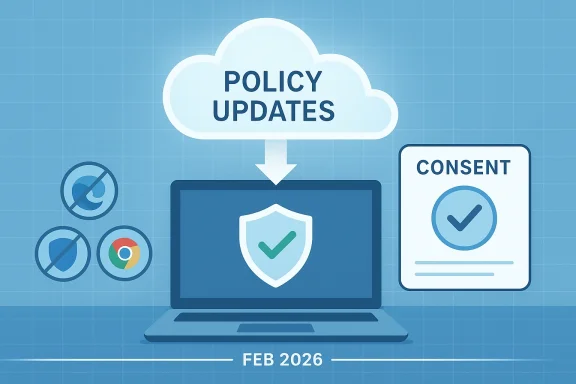
Microsoft quietly closed a nine-month gap that let some third‑party browsers either fail to launch or — worse — behave as if they were unblocked when Microsoft Family Safety’s Web Filtering was turned on, delivering the correction from the cloud rather than as a visible Windows update.

Policy updates flow from the cloud to a secure laptop, with consent and browser icons (Feb 2026).Background / Overview​

For parents and administrators who rely on Microsoft Family Safety to enforce age‑appropriate web access, the system is intentionally Edge‑first: Microsoft Edge integrates directly with Family Safety’s web filtering, while unsupported third‑party browsers (Chrome, Firefox, Vivaldi, Brave, etc.) are governed by an approval flow that requires an adult to grant permission before the browser can be used. That design has always meant one browser receives first‑class treatment; the problem that surfaced in mid‑2025 exposed how fragile that model can be when the enforcement machinery depends on timely server state and version blocklists.
In June 2025 users began reporting two related but distinct problems: some third‑party browsers would crash or refuse to open when Family Safety web filtering was enabled, and, in separate incidents, newly released versions of unsupported browsers could temporarily appear unblocked until Microsoft’s block lists caught up. Microsoft acknowledged the behavior in its release‑health notices and promised fixes — but implementation split across client updates and server‑side repairs and took months to complete.
On February 10, 2026 Microsoft updated its release‑health entries to state that the “temporary access to unsupported browsers” symptom was resolved via a service‑side fix and that the rollout began in early February 2026 and would reach affected devices over the following weeks. The company emphasized that no manual action is required other than ensuring devices can reach Microsoft services.

How Family Safety is supposed to work​

The intended model​

Family Safety’s web filtering is a hybrid model:
  • Microsoft Edge enforces filtering natively and receives direct support for policy hooks.
  • For unsupported browsers, Family Safety maintains server‑side block/allow lists keyed to app versions or identifiers, and the client enforces a block until a parent approves access via a consent/“Ask an adult” flow.
  • Activity reporting can be used to drive the consent flow and provide parents with request notifications.
This separation gives Microsoft control over a consistent parental‑control experience in Edge while attempting to contain third‑party browsers behind an explicit consent model. That architecture works in normal conditions, but it creates multiple moving parts: server block lists, client sync logic, and the activity‑reporting path that surfaces consent prompts.

Where it failed: two interlocking faults​

The incidents in 2025 revealed a pairing of operational and implementation weaknesses:
  • Block‑list timing gap. When a third‑party browser updated to a new major version, that version needed to be recognized and listed by Microsoft’s Family Safety block list. There was a window where a just‑released browser version wasn’t yet classified; during that window the browser could appear temporarily not blocked and permit unfiltered browsing.
  • Consent flow dependency and prompt failures. In some configurations — particularly where Activity reporting was turned off — the expected parental consent prompt would not appear. Instead of asking for permission, the browser might crash, exit silently, or simply fail to show the “ask an adult” dialog, compounding user confusion and effectively denying use without an actionable message.
Those two issues combined to create two concrete harms: temporary, unintended unfiltered access, and unpredictable denial of browser launches with no clear remediation for parents or children. The problem not only inconvenienced families but raised broader questions about reliability and transparency of safety tooling.

Timeline: from reports to fixes​

June–July 2025: Problem emerges and partial client fixes​

User reports first surged in early June 2025, with many families and forum threads describing Chrome and other browsers failing to open under Family Safety. Microsoft publicly acknowledged the issue and documented the block‑list behavior and the missing consent prompt. A July non‑security preview update addressed the missing parental consent prompt in many cases, but the block‑list timing gap remained an operational weakness.

January 2026: out‑of‑band mitigation for some platforms​

Microsoft issued targeted out‑of‑band updates in January 2026 to address client‑side issues affecting systems with Secure Launch or Virtual Secure Mode (VSM) enabled. These remedied specific shutdown/hibernate and related behavior on certain device configurations, signalling a mixed remediation strategy: client patches where necessary, server changes where faster.

Early February 2026: service‑side fix rollout​

On February 10, 2026 Microsoft’s release‑health notes were updated to say that the “temporary access to unsupported browsers” problem was resolved through a service‑side fix, and that rollout began in early February and would propagate to affected devices over the coming weeks. Microsoft’s guidance: let the device connect to the internet and no further user action is required.

What Microsoft actually changed — and why a server fix was used​

The fix Microsoft described is explicitly a change to the cloud‑delivered Family Safety service rather than a mass Windows cumulative update. That matters for several technical and operational reasons:
  • Speed of deployment. Cloud changes can be pushed immediately and rolled back quickly if problems crop up. For a bug tied to block‑list state and server logic, rewriting the server behavior avoids waiting for monthly cumulative update cycles.
  • Granular rollout and telemetry. Microsoft can throttle, monitor and validate the change centrally, observing whether the fix behaves as intended across device classes before wider expansion. This reduces the risk of a sweeping local regression caused by a hurried client patch.
  • Lower friction for consumers. Service‑side fixes typically require no KB installation or intervention — devices simply need to be able to reach Microsoft services. That’s convenient for parents who lack time or expertise to chase patches.
However, a server repair also leaves some client‑side fragility in place: unless the client’s enforcement logic is hardened, the system remains dependent on correct server state and synchronization semantics — meaning similar timing windows could reappear if block‑list updates or client syncs fail in the future. Microsoft’s mixed approach — server change for the immediate gap, client updates where a deeper behavioral correction was required — was pragmatic, but it is not an ironclad fix of the architectural root cause.

Independent reporting and community signals​

Multiple outlets and community threads tracked the story as it unfolded. Independent reporting emphasized the tangible user pain: parents losing visibility and children either locked out of browsers or able to access them without filtration for short windows. Forum posts, Reddit threads, and tech sites documented real‑world workarounds — renaming executables, toggling Activity reporting, or enabling network‑level filters. Those community artifacts corroborated Microsoft’s timeline and the mixed mitigation strategy used to resolve the issue.
Security and consumer tech sites also raised the political question: whether an Edge‑first design, combined with a glitch, could produce the appearance of anti‑competitive favoritism. Microsoft and independent analysts described the behavior as an operational bug, but the optics were poor, particularly because Edge remained the one browser that reliably worked with Family Safety. Reporting noted that the fix and public messaging were essential to restoring confidence.

Practical guidance: what parents and administrators should do now​

Microsoft’s fix should reach most devices automatically, but the episode underlines that cloud‑backed controls require good operational hygiene. Here’s an actionable checklist for families and IT teams:
  • Ensure devices can reach Microsoft services.
  • Family Safety’s resolution is cloud‑delivered; devices must be online to receive updated block lists and policy logic. If your household or organization uses strict outbound firewall rules, ensure Family Safety endpoints and update URLs are permitted.
  • Confirm your Windows update baseline.
  • Some related fixes (for consent prompts and other client behaviors) were delivered in July 2025 previews and in subsequent cumulative updates. Keep machines on supported update channels and apply recent client updates where feasible.
  • Use Activity reporting where acceptable.
  • Enabling Activity reporting restored the consent prompt behavior in mae the deeper fixes were developed. Weigh privacy concerns against functionality needs.
  • Consider network‑level fallback filtering.
  • For families that cannot rely entirely on cloud‑delivered controls, put DNS/Security‑appliance level filters in place (e.g., DNS‑based parental filters, router/UTM rules). These operate independently of the OS and are browser‑agnostic.
  • For managed environments, document and audit device status.
  • Administrators should inventory which devices reported the symptom, ensure they have the necessary client updates (if any), and verify that block‑list state has synchronized after the February rollout. Demand a clear post‑mortem where compliance or audit trails require it.

Critical analysis: strengths, risks, and unanswered questions​

What Microsoft did well​

  • Fast mitigation via cloud. The choice to patch block‑list logic server‑side permitted a quick operational repair that did not force families to apply complex local patches. Th for an issue rooted in server state.
  • Transparent release notes. Microsoft publicly documented the issue and tracked remediation steps in release‑health notes and resolved‑issues pages, which helped administrators and tech journalists verify timeline and scope.
  • Mixed remediation strategy. Where client behavior required deeper changes (consent prompt issues, Secure Launch/VSM interactions), Microsoft delivered targeted updates—another indicator of a balanced, triaged response.

Remaining risks and problems​

  • Opacity of service‑side fixes. Service updates are operationally opaque. Administrators and power users lack a straightforward way to validate exactly what server logic changed, which telemetry confirmed resolution, or how to reproduce the window that permitted temporary unblocking. For enterprises that need auditability, this is problematic. Microsoft should publish a more detailed technical post‑mortem.
  • Connectivity dependency. The fix’s dependency on clients being able to “call home” means devices in restricted or offline environments can remain vulnerable to the original behavior. For households with intermittent internet or for air‑gapped systems in specialized environments, Family Safety’s cloud dependence is a material weakness.
  • Design tradeoffs favoring one browser. The Edge‑first design remains an architectural reality. That delivers a richer experience for Microsoft’s own browser but creates friction for third parties. Even when the problem is a bug, the resulting user harm amplifies concerns about vendor lock‑in and platform neutrality. Independent reporting made those optics unavoidable. (republicworld.com)
  • No full public post‑mortem (yet). As of the February 2026 rollout announcement, Microsoft had not published a granular root‑cause analysis describing the synchronization failure modes, telemetry thresholds, or test gaps that allowed this to persist for months. Organizations and privacy‑minded parents deserve more technical detail to restore confidence.

A short primer on mitigations — step‑by‑step​

If you are a parent or IT admin still wary, follow these prioritized steps:
  • Check Family Safety settings on the child account.
  • Verify Activity reporting status and that web filtering is configured as intended. Turn on Activity reporting temporarily if you need consent prompts restored before you confirm the February rollout has reached your devices.
  • Ensure devices can update.
  • Confirm that Windows Update is allowed to run and that outbound connections to Microsoft services are not blocked by local firewall ruended Windows updates.
  • Install any available cumulative or preview updates that Microsoft calls out in the release notes for fixing consent‑prompt behavior or Secure Launch/VSM interactions.
  • Add a network fallback.
  • If you require deterministic control, add a DNS‑level parental filter or a router/UTM policy. This is a safe, browser‑agnostic layer that does not rely on per‑app block lists.
  • Document and monitor.
  • Keep a simple log of which devices had symptoms, when they regained correct behavior, and whether any local adjustments (e.g., Activity reporting toggles) were used. If you manage many endpoints, automate checks that confirm Family Safety policy sync and enforcement outcomes.

Bigger picture: what this episode teaches us about cloud‑first controls​

Cloud‑backed governance — whether for parental controls, endpoint protection, or enterprise policy — offers clear advantages: faster fixes, centralized policy management, and the ability to observe large‑scale telemetry. But that same centralization concentrates risk: a single server‑side miscalculation, sync lag, or manual block‑list oversight can ripple across millions of devices.
Family Safety’s Edge‑first implementation increases the stakes. When an OS vendor ties a safety feature tightly to its own product, reliability problems are not purely technical — they become matters of consumer trust and regulatory interest. Microsoft’s rapid service‑side repair was operationally sensible, but to restore full confidence the company should deliver a detailed technical after‑action that explains the root cause, the precise server‑side change, and the checks that will prevent recurrence.

Conclusion​

The February 2026 service‑side repair finally closed a long‑standing and highly visible gap in Microsoft Family Safety’s handling of third‑party browsers on Windows 10 and related platforms. The fix restored expected behavior for most connected devices and underscored the benefits of cloud‑based governance: speed, control, and low friction for end users.
At the same time, the episode highlights the costs of centralization and the fragility introduced when critical user protections depend on timely server state and manual block‑list management. Families and administrators should treat the repair as operationally sufficient but not the end of the story: verify device connectivity, apply client updates where called for, and consider independent network‑level filtering as a durable fallback. Microsoft should complete the cycle with a clear technical post‑mortem so parents, IT managers, and regulators can judge whether the problem was adequately fixed at the architectural level — not just patched at the operational level.
If your household or organization experienced this behavior, follow the checklist above: confirm connectivity, review Family Safety and Activity reporting settings, and keep Windows updated. The service‑side rollout will likely have reached most endpoints by now, but the lessons from this incident remain: in a cloud‑first world, transparency and fallback controls matter as much as the ability to push fixes quickly.

Source: Neowin Microsoft fixes a long-standing browser bug in Windows 10
 

Microsoft has quietly closed a persistent Windows 10 parental‑controls gap that, for some families, turned into a practical bypass: Family Safety’s web filtering could temporarily fail to block newly released versions of third‑party browsers or, in other cases, silently prevent those browsers from launching — a flaw Microsoft resolved with a service‑side correction in early February 2026.

Parent guides child through family safety and online consent on a laptop.Background / Overview​

Microsoft Family Safety provides parents and administrators with a suite of controls — web filtering, activity reporting, app and game limits, and time controls — intended to enforce age‑appropriate access on Windows devices. That system has always been Edge‑first: Microsoft Edge integrates directly with Family Safety to enforce content rules, while third‑party browsers (Chrome, Firefox, Brave, Vivaldi and others) are treated as unsupported for direct filtering and must pass through an Ask an adult approval flow before a child account can use them. This design is documented been the root of both the intended behavior and the later operational problems.
In June 2025 a string of reports began to surface: some families found Chrome or other browsers either would not launch at all when Family Safety web filtering was enabled, or — in other incidents — a newly released browser version would slip through and appear temporarily unblocked until the central block list was updated. The situation generated broad coverage across major technology outlets and community forums because the consequences were tangible: children either lost browsing ability (no consent prompt), or gained a short window of unfiltered access after a browser update.
Microsoft publicly acknowledged the problems in its Windows release‑health notices and began a mixed remediation strategy that combined client updates for certain configurations and a server‑side change aimed at closing the timing window that allowed temporary unblocking. On February 10, 2026 Microsoft updated release‑hehe “temporary access to unsupported browsers” symptom had been resolved via a service‑side fix and that rollout had begun in early February and would propagate to devices over the coming weeks. The company instructed that no manual action was required beyond ensuring devices could reach Microsoft services.

What went wrong: the technical anatomy of the bug​

How the Family Safety model is supposed to work​

Family Safety’s web filtering combines local client enforcement with cloud‑delivered policy state:
  • Edge: receives first‑class support and enforces filters directly within the browser process.
  • Unsupported browsers: governed by server‑side block/allow lists keyed to app identifiers and versions; tnt blocks unsupported browsers until an adult explicitly approves them via the consent Ask an adult flow.
  • Activity reporting: provides notifications and drives the consent workflow in many configurations.
This hybrid model works when the server state, block lists, client sync, and activity reporting mechanisms are in sync. But it creates multiple moving parts — each one a potential point of failure.

Two interlocking failures​

The real problem in mid‑2025 was not a single bug but a pairing of operational and implementationck‑list timing gap* — When a third‑party browser released a new major version, that version string had to be recognized and added to Microsoft’s block list. Until that happen, the updated browser could be treated as allowed*, creating a window of temporary unfiltered access. This is an operational synchronization issue between browser release cadence and Microsoft’s block‑list updates.
  • Consent‑prompt dependency / prompt failure — The consent UI that appears for unsupported browsers depends on activity reporting and particular client behaviors. In some configurations (notably when Activity reporting was turned off) users saw crashes, silent exits, or no prompt at all instead of the expected parental approval dialog. That made troubleshooting confusing: the browser either refused to run or — in the separate timing case — ran without filtering.
Together these produced two concrete harms for families:
  • Short windows of unintended, unfiltered internet access immediately after a browser update.
  • Unclear and inconsistent blocking behavior that left children and parents either locked out or exposed, with no simple way to verify why.
Independent reporting documented the user pain and workarounds: renaming executables, temporarily disabling web filtering, or manually unblocking the browser in Family Safety — but these are all brittle, undesirable remedies. ([ghacks.net] correction and client patches

What Microsoft did​

Microsoft employed a mixed remediation strategy:
  • Service‑side fix (early February 2026): Microsoft altered the Family Safety cloud logic or block‑list delivery infrastructure to remove the timing window that allowed newly released browser versions to appear unblocked. Because the change is server‑delivered, affected clients receive it automatically when they connect to Microsoft services — no KB installation required. Microsoft’s release‑health update dated February 10, 2026 explicitly notes the resolution and a phased rollout.
  • Targeted client updates (July 2025 and January 2026 workarounds): Microsoft had already issued a non‑security preview update in July 2025 (documented in Windows updates such as KB‑class entries like KB5062660 for other builds) to address missing parental consent prompts in many scenarios, and in January 2026 it issued out‑of‑band mitigation for some conunch / VSM) that experienced shutdown or related behavior. Those client‑side updates fixed specific cases where the client logic needed changes.

Why a server change?​

A server‑side repair was the fastest, least disruptive way to remove the operational window:
  • Cloud changes can be pushed and rolled back immediately.
  • Microsoft can throttle and monitor telemetry centrally.
  • No mass patching burden for households — devices simply need network access.
But the server fix also leaves long‑term fragility if client enforcement logic isn’t hardened; centralizing control buys speed at the expense of single‑point‑of‑failure risk and opacity for administrators.

Verifying the fix and practical steps for families and admins​

Microsoft’s guidance is straightforward: ensureicrosoft services and let the cloud rollout complete. In practice, conscientious families and IT admins should verify and, where needed, harden their setup. Here’s a prioritized checklist.

Immediate verification (short checklist Safety settings* — Log into the Family Safety organizer account and verify the child account’s web filtering and Activity reporting settings. Turning Activity reporting* on temporarily can restore the consent prompt if you still see prompt‑related issues.​

  • Check online connectivity — Ensure endpoints are not blocked by outbound firewall rules or strict egress policies. A device that cannot “call the service‑side correction.
  • Try the browser — On a test device, attempt to open the third‑party browser under the child account and observe whether the consent prompt appears or whether the browser is blocked/launches normally. Document the behavior. ist (troubleshooting steps)
  • Wait 24–72 hours — Cloud rollouts may be phased; allow time for propagation.
  • Toggle Activity reporting — If the consent dialog is missing, enable Activity reportce the standard approval workflow.
  • Install recommended client updates — Review Windows Update and install any Family Safety or relevant platform updates Microsoft references for the issue. KB entries and out‑of‑band fixes may be required for specific device configurations. (support.microsoft.com)
  • Add a network fallback — For deterministic filtering, deploy DNS‑level filters (OpenDNS/other DNS filtering services), router‑level parental filters, or a UTM appliance. This gives browser‑agnostic protection independent of Family Safety’s block lists.
  • Collect logs if needed — If you manage many devices and problems persist, capture Event Viewer and Family Safety diagnostic logs and eoft Q&A or enterprise support channels.

Security, privacy and competitive optics — a balanced assessment​

This incident raised three distinct concerns that deserve separate treatment.

1) Security and operational design tradeoffs​

  • Pros of cloud governance: cloud‑first controls permit rapid fixes, centralized policy management, and telemetry‑driven improvements. The February 2026 service‑side fix demonstrated the speed advantage: Microsoft closed the timing gap without waiting for a monthly cumulative patch cycle.
  • Cons: centralization concentrates risk. A misapplielag, or inconsistent client handling can ripple across many devices simultaneously. The fix removed the immediate operational hole but did not, on its own, eliminate the architectural dependency on correct server state. Organizations that require auditability or operate with strict outbound rules may regard this as a material weakness.

2) Privacy and telemetry dependence​

Family Safety’s enforcement relies on cloud telemetry and metadata for activity reporting and consent flows. Parents rightly expect transparency and data minimization; when a central system misbehaves the privacy conversation intensifies because users must rely on the vendor’s telemetry and update behavior to restore protection. Microsoft’s public release‑health notes explained symptoms and high‑level mitigations, but a full post‑mortem would be required to answer privacy‑minded auditors’ questions about what data moved and how decisions were made.

3) Anti‑competitive optics​

The incident reopened old debates about the implications of an Edge‑first approach. Technically, an integrated brors more reliably because it exposes internal hooks not available to third‑party browsers. That is a plausible engineering justification for first‑class support in Edge. Still, when a bug causes third‑pa be blocked or unfiltered, the optics look poor — especially given Microsoft’s history of promoting its browser. Multiple independent ouue and noted the potential for perceived favoritism, although reporting and Microsoft’s statements framed the behavior as operational, not intentional.

What Microsoft did well — and where more workths of Microsoft’s response​

  • Transparency about symptoms: Microsoft documented the issue in release‑health notices and described separate symptoms (missing consent prompts vs temporary unblocking). That clarity helped families and admins apply the right agmatic remediation**: a hybrid strategy of targeted client updates for specific behaviors and a service‑side fix to remove the timing window prioritized speed while limiting local disruption.
  • Low consumer friction: the service‑side fix required no manual patching for most users — convenient for non‑technical parents.

Gaps that remain​

  • Lack of a detailed technical post‑mortem: enterprises, school IT teams, and privacy‑minded parents will want a clear after‑act cause, test gaps, and telemetry used to validate the fix. As of the February 2026 rollout announcement, Microsoft had not published such a post‑mortem.
  • Connectivity dependency: devices behind strict firewall rules, proxies, or air‑gapped environments may not receive the service‑side fix promptly. Microsoft should publish whitelists or guidance for enterprise egress rules to avoid stranded endpoints.
  • Architectural fragility: unless client enforcement is hardened (to reduce dependence on fast, correct server state), the same class of timing bugs could reappear under different circumstances.

Practical policy recommendations for organizations and parents​

  • For administrators managing fleets, adopt these minimum precautions:
  • Enforce controlled egress policies that permit Family Safety endpoints and update services to ensure cloud rollouts complete reliably.
  • Use layered enforcement: combine Family Safety with network‑level filters (DNS, UTM) to get browser‑agnostic guarantees.
  • Require regular checks (weekly/biweekly) of Family Safety policy sync status on managed endpoints; automate alerts when sync fails.
  • For parents:
  • Verify the child account’s Family Safety settings and temporarily enable Activity reporting if consent prompts are missing.
  • If your household has intermittent connectivity, consider a DNS parental filter on your router as an always‑on fallback.
  • Keep a short journal of devices and symptoms: when a browser was blocked/unblocked, what settings you changed, and when behavior returned to normal.

Bigger picture: design tradeoffs in a cloud‑first ecosystem​

This episode is a cautionary case study about tradeoffs inherent in cloud‑delivered controls. Centralization accelerates fixes and measurement but places enormous operational trust in the vendor’s block lists and synchronization logic. For features that protect vulnerable users — notably children — transparency, verifiability, and robust offline fallbacks are not optional extras; they are design requirements.
Microsoft’s operational choice to patch the server quickly was defensible and effective for most households. But to restore and maintain trust the company should follow up with a full technical after‑action, publish guidance for offline and enterprise scenarios, and harden client logic to reduce reliance on timely server state.

Conclusion​

The Family Safety browser issue that surfaced in mid‑2025 exposed how an Edge‑first enforcement model, when combined with server‑side block lists and client dependencies, can create surprising and harmful edge cases: silent crashes, missing parental prompts, and short windows of unfiltered access after browser updates. Microsoft’s service‑side fix in early February 2026 removed the immediate vulnerability and demonstrated the practical advantage of cloud‑delivered governance: speed and low consumer friction.
That said, the episode underscores three durable lessons: cloud control requires transparency and verifiability; browser‑agnostic fallback protections are prudent; and vendors must publish complete post‑mortems for features that affect children and institutional compliance. Families and IT administrators should confirm connectivity, review Family Safety and Activity reporting settings, apply recommended client updates where relevant, and consider network‑level filters as a durable, independent safety layer. Until Microsoft publishes a detailed technical after‑action explaining root causes and remediation steps, caution and layered defenses remain the most reliable strategy for protecting young users on Windows devices.

Source: Windows Report https://windowsreport.com/windows-1...rols-bug-that-unblocked-third-party-browsers/
 

Back
Top