

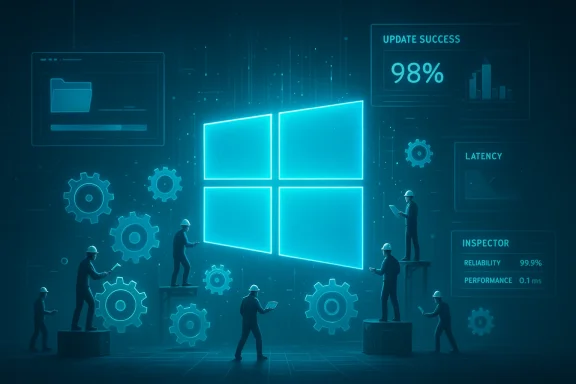
 Microsoft will focus on fixing Windows 11 in 2026 — what that means, how they'll do it, and what to watch for
Microsoft has publicly acknowledged that Windows 11 has accumulated too many “everyday” problems — broken or slow features, update regressions, and user-friction from AI/upsell behavior — and has directed engineering teams to prioritize fixes across performance, reliability and the overall user experience throughout 2026. The change in emphasis (internally described as a “swarming” approach) is intended to redirect effort away from adding new, high‑visibility features and toward rapid, measurable repairs that restore trust with Windows users. This article explains what Microsoft has promised, how engineers say they’ll tackle the work, what concrete changes you may see, the limits and risks of this strategy, and practical steps individuals and admins can take now.
Summary / TL;DR
- Microsoft says Windows engineering will spend 2026 prioritizing performance, reliability and day‑to‑day polish rather than launching big new features.
- The company will use a “swarming” model: focused cross‑functional teams rapidly triage and fix high‑impact regressions. Expect more targeted diagnostic collection from Insider builds and staged device‑gated rollouts.
- Early engineering moves already visible in Insider builds include automatic performance log collection and driver‑certification changes; Microsoft has run experiments (e.g., File Explorer preload) to address perceived slowness.
- This is not a quick flip of a switch — meaningful, measurable improvements require months of fixes, tighter release controls, and better telemetry/opt‑out controls. Success will be judged by concrete metrics (Explorer latency, update failure rates, time‑to‑fix regressions).
- Pavan Davuluri, president of Windows and devices, told reporters that user and Insider feedback made it clear Microsoft needs to “improve Windows in ways that are meaningful for people,” and that Windows teams will focus on addressing pain points — specifically system performance, reliability, and the overall experience — through 2026. Multiple outlets that reported the story attribute the reporting to sources at The Verge; Microsoft’s statement appears in coverage summarizing that reporting.
- 2025 and early 2026 brought a rash of visible regressions and emergency fixes (out‑of‑band updates to address shutdowns, cloud‑storage hangs, and other breakages). That wave of issues, combined with aggressive pushes for AI features, upselling, and occasional intrusive UX prompts, produced broad user frustration and a “trust problem.” Microsoft’s public recommitment to fixes is an acknowledgement that engineering priorities need to shift.
- The term “swarming” is taken from incident response: when a high‑frequency, high‑impact problem appears, cross‑functional engineers are pulled together to triage, reproduce, and rapidly iterate a fix. The advantage is speed and focus; the risk is that long‑term roadmap work or careful regression testing can be deprioritized unless governance is tight. Expect Microsoft to run short fix cycles, pair telemetry with reproducible traces, and move fixes through Insider channels before broader rollouts.
Based on Microsoft statements and coverage from reporting and community analysis, these are the high‑priority problem areas:
- Performance fundamentals (foreground responsiveness)
- Cold‑start and “first paint” latency for common shell apps such as File Explorer, Search, and window switching. Microsoft has already experimented with preload/caching approaches in Insiders to reduce perceived lag.
- Update reliability and rollback behavior
- Reduce the frequency and severity of update‑induced regressions (failed installs, bricked machines, broken recovery). Microsoft has faced several high‑profile update regressions; improving staging, staging checks, and rollback robustness is a key priority.
- Usability polish and predictability
- Restore small but critical UX elements (consistent dark mode, stable context menus/Explorer behaviors, predictable widgets/Agenda UX). These are often low‑risk changes but have outsized user perception impact.
- Gaming stability and subsystem resilience
- OS‑level tweaks to scheduler/power, coordination with GPU driver vendors to cut hitches and shader‑compile stalls (a frequent complaint from gamers after some updates).
- Telemetry clarity, AI opt‑outs, and privacy controls
- Clearer opt‑in/opt‑out controls for Copilot/agent features, more transparent telemetry schemas, and user‑accessible telemetry logs so people and administrators can see what’s being sent. Rebuilding trust requires visible defaults and enterprise policy controls.
- Automatic performance log collection in Insider builds: Microsoft has added targeted diagnostics to gather the traces it needs to find systemic causes of slowdowns. That approach speeds debugging but raises telemetry/consent questions, so Microsoft pairs it with Feedback Hub workflows for Insiders.
- Driver certification changes: the company is tightening requirements (for example, adding static analysis for driver certification) so buggy drivers get caught earlier. Driver quality is a frequent source of system instability; this is a practical root‑cause reduction step.
- File Explorer experiment: Microsoft tested preloading Explorer to improve “first open” responsiveness — an approach that helps latency but can increase idle memory use. These experiments are visible in Insider builds and are meant to trade memory for perceived snappiness where appropriate. Expect more such tradeoffs and the option for performance‑minded settings.
- Device‑gated/staged rollouts: Microsoft will likely continue using slower, device‑gated deployments (testing changes on narrower device cohorts and silicon classes) for risky low‑level changes, while accelerating fixes for high‑impact regressions across the fleet. That reduces blast radius but increases cross‑fleet complexity, especially for enterprise patch management.
- Telemetry‑driven validation: targeted diagnostic collection plus publishable schemas so partners and OEMs can validate that a fix really improves the measured scenario across device classes. This is an important transparency step — but only if Microsoft publishes meaningful metrics and SLOs over time.
Microsoft needs to turn promises into measurable improvements. Meaningful signals will include:
- Drop in Explorer "first paint" and file‑open latency (published targets would be ideal).
- Lower rates of update failures and fewer emergency out‑of‑band patches for regressions.
- Clearer, user‑facing telemetry controls and documented opt‑out flows for agentic/AI features.
- Faster time‑to‑fix for high‑severity regressions and a track record of reduced repeat regressions.
- Short‑term vs long‑term tradeoffs: “Swarming” fixes urgent problems, but without process changes it can lead to repeated firefighting. Microsoft must pair swarming with stronger pre‑release checks and safer rollouts to avoid a cycle of regressions.
- Ecosystem dependencies: device drivers, firmware, and third‑party shell extensions live outside Microsoft’s codebase. Fixes sometimes require coordination with OEMs, GPU vendors, and ISVs, which slows resolution.
- Enterprise lifecycle complexity: device gating and multiple update streams protect consumers but create management overhead for IT — mixed fleets can be harder to administer. Microsoft will need clearer guidance for admins on mixed‑fleet strategies.
- Perception vs reality: restoring trust is a long game. Brief periods of improvement won’t erase a year or more of visible brokenness; Microsoft will need sustained metrics and communication to rebuild confidence.
- Don’t panic, but be cautious with non‑critical updates:
- For home users: enable automatic security updates but consider delaying feature updates for a week or two after their public rollout if you rely on critical workflows. Use the “pause updates” option when appropriate. Refer to Microsoft’s release health pages for published known issues before you update.
- For enterprises: rely on Windows release health and the Windows Updates API to gate deployments; consider staged, ringed rollouts in line with your risk tolerance and hardware mix. Microsoft’s Windows release health and admin center guidance explain known‑issue workflows and advisories.
- Join the Windows Insider program (if you want to help)
- If you have spare test devices, join Beta / Canary rings to try early fixes and provide reproducible feedback; this is where Microsoft is collecting targeted diagnostics. If you’re an admin, use test rings inside your environment for validation.
- Report issues with good repro information
- Use the Feedback Hub (consumer) or escalate via support/MSFT channels (business) and include repro steps, logs, and build numbers. High‑quality reports help swarming teams find and fix issues faster.
- Back up before big updates
- Keep image‑level or file backups before major feature updates and test your recovery plan. Recent update regressions reinforce the importance of recovery readiness.
- Concrete release notes backed by measurable metrics: public numbers for Explorer latency, update failure rate, and mean time‑to‑fix for high‑severity issues. Windows community and enterprise admins will judge progress by these signals.
- Fewer emergency out‑of‑band patches and clearer advisory/mitigation timelines on Microsoft’s Windows release health pages.
- Improved telemetry governance language and opt‑out controls for Copilot/agent features (default‑off for agent privileges, granular telemetry toggles).
- OEM and vendor collaboration announcements (driver certifications, vendor patches) that indicate the ecosystem is cooperating to reduce user impact.
This is the right move and an overdue one: prioritizing fundamentals (performance, reliability, predictable updates) addresses what users measure every day. “Swarming” is a practical incident‑response tactic that can deliver visible improvements quickly — provided Microsoft pairs urgency with better pre‑release validation, transparent telemetry and staged rollouts that reduce blast radius. The big test will be whether improvements are measurable and sustained across months, not just weeks.
Further reading and references (select)
- TechRadar: coverage summarizing Microsoft’s statement and The Verge reporting on the swarming approach.
- Mezha.media (reporting on Microsoft adding automatic performance log collection to Insider builds and driver certification tightening).
- Tweaktown / TechRepublic / Tech sites: aggregated reporting and context around emergency fixes and the public reaction to Windows 11 regressions.
- Community analysis and engineering deep dives (Windows Forum threads summarizing priorities and recommended engineering remedies).
- Microsoft — Windows release health and known issues: how to check release health and the authoritative known‑issue pages administrators should use.
- Track and summarize the next three Insider / stable updates that include “swarming”‑style fixes and produce a short progress report (timeline + measured improvements).
- Produce an admin checklist (one‑page) showing which telemetry and update controls to set for mixed fleets while Microsoft runs this repair effort.
- Monitor the Windows release health pages and notify you (summary) when Microsoft posts measurable SLOs or publishes a public “progress” update.
Source: Mezha Microsoft will focus on fixing Windows 11 issues in 2026
