Microsoft’s public pivot is simple: after a year in which feature-first releases and heavy AI experimentation left many users frustrated, Windows engineering will spend 2026 fixing the fundamentals people actually use every day — performance, reliability, and the small UX details that erode trust. Pavan Davuluri, president of Windows and Devices, has acknowledged the feedback and promised a redirected effort to “address pain points we hear consistently from customers,” a move described internally as a “swarming” approach to triage and repair rather than another flashy feature push.
Windows 11 arrived as a modern re-think of the desktop: a refreshed UI, deeper cloud ties, and a roadmap that leaned heavily into Copilot and on-device AI. That ambition delivered visible innovations but also a string of regressions — slowdowns in File Explorer, inconsistent dark mode behavior, update-induced breakages, and a perception that Microsoft prioritized new surface features over the day-to-day reliability that millions of users expect. The backlash intensified in late 2025 after leadership language about Windows becoming an “agentic OS” drew sharp criticism from power users and developers; responses were revised and moderated, and senior leadership publicly emphasized the need for practical fixes.
At the same time, Microsoft’s lifecycle calendar raised the stakes. Mainstream support for Windows 10 officially ended on October 14, 2025, and a consumer Extended Security Updates (ESU) program runs through October 13, 2026 — giving users more time but intensifying urgency for Windows 11 to be stable and trustworthy as organizations migrate.
Practical engineering fixes Microsoft should pursue:
For everyday consumers:
That said, trust will be earned, not announced. Execution must be rapid and visible: small, measurable wins first; clear opt-outs and privacy controls; and neutral metrics third parties can validate. If Microsoft can deliver a year that demonstrably reduces daily friction — fewer Explorer pauses, fewer update regressions, and more consistent UX — then 2026 will be remembered as the year Windows stopped being a demo platform for unvetted AI experiments and became, once again, the reliable desktop foundation users expect.
For now, move forward with cautious engagement: test on non‑production hardware, insist on measurable milestones, and keep backups close. If Microsoft follows through, the next twelve months could meaningfully restore faith in Windows — but that promise depends on execution across code, partners, and communication.
Source: Neowin https://www.neowin.net/news/microsoft-promises-to-fix-windows-11-and-focus-on-pain-points-in-2026/
 Background / Overview
Windows 11 arrived as a modern re-think of the desktop: a refreshed UI, deeper cloud ties, and a roadmap that leaned heavily into Copilot and on-device AI. That ambition delivered visible innovations but also a string of regressions — slowdowns in File Explorer, inconsistent dark mode behavior, update-induced breakages, and a perception that Microsoft prioritized new surface features over the day-to-day reliability that millions of users expect. The backlash intensified in late 2025 after leadership language about Windows becoming an “agentic OS” drew sharp criticism from power users and developers; responses were revised and moderated, and senior leadership publicly emphasized the need for practical fixes. At the same time, Microsoft’s lifecycle calendar raised the stakes. Mainstream support for Windows 10 officially ended on October 14, 2025, and a consumer Extended Security Updates (ESU) program runs through October 13, 2026 — giving users more time but intensifying urgency for Windows 11 to be stable and trustworthy as organizations migrate.
What Microsoft said — and what it actually means
Microsoft’s public messaging has two strands that matter:- Acknowledgement: leadership admits there are visible, repeatable pain points in everyday Windows usage and promises prioritized work to fix them. This is not just lip service; internal teams have been instructed to shift focus to reliability and performance.
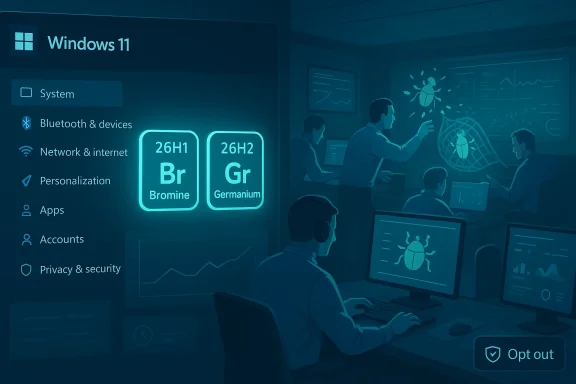
- A tactical change: the company is splitting some platform work into device-gated releases. In practice this means an early, platform-focused spring release — Windows 11 version 26H1 (codename Bromine) targeted at next‑gen Arm and Copilot+ devices — followed by a broader 26H2 release later in 2026 (codename Germanium) for the wider installed base. The intent is to enable new silicon without forcing risky changes onto millions of older devices.
The technical roadmap: Bromine vs Germanium and the two-track year
Bromine (26H1) — platform-first for new silicon
Bromine is a platform refresh focused on enabling features that depend on new Arm silicon capabilities (for example, Qualcomm’s Snapdragon X2 family). It is being tested in Insider channels and will ship only on qualifying Copilot+ devices early in 2026. For most users with Intel or AMD hardware, Bromine is irrelevant — those machines will continue on the usual servicing track until they receive the consumer-facing 26H2 update.Germanium (26H2) — the broad feature update
Germanium is the codebase expected to become Windows 11 version 26H2, the mass-market feature release arriving in the second half of 2026. This is where Microsoft plans to deliver polished Copilot integrations, UX corrections, and any features that need to reach the widest audience. The two-track approach lets hardware partners ship tuned firmware early while Microsoft keeps general upgrades conservative for existing systems.What Microsoft is promising to prioritize in 2026
- Performance fundamentals: reduce perceived slowness in common workflows (File Explorer, Search, window switching).
- Reliability: fewer update-induced failures, improved rollback behavior, and faster out-of-band patches for high-impact regressions.
- Usability polish: restore small but high-impact UX elements like consistent dark mode, Agenda view, and stable context menus.
- Gaming stability: OS-level session modes, power/scheduler tweaks, and coordinated driver work to reduce hitches and shader‑compile stalls.
- Transparent opt-outs: clearer controls for Copilot and other agentic features, with stronger telemetry governance.
Deep dive: the pain points Microsoft says it will fix
Here are the most visible, high-frequency problems that the company has been asked to address — and what realistic fixes might look like.1) File Explorer lag and context‑menu clutter
For many users, nothing is more visible than a sluggish Explorer window or a right‑click menu that’s buried under dozens of shell extensions and cloud actions. Microsoft’s early 2026 Insider experiments show pragmatic, low-risk remedies: background preloading to improve “first paint” latency, and reorganized context menus that group less-used commands to reduce vertical scrolling. These are opt-in, reversible experiments in the Insider ring designed to collect telemetry before a broader rollout. The moves are small but immediately meaningful if tuned correctly.Practical engineering fixes Microsoft should pursue:
- Reduce blocking I/O on UI threads and cache metadata more aggressively.
- Offer a visible “Performance Mode” toggle to favor snappy foreground responsiveness over visual effects.
- Expose controls for shell extensions and provider flyouts so users can prune context-menu noise.
2) Perceived sluggishness across the shell
Micro-latencies — a 40ms extra pause when opening Start, a 120ms hitch switching windows — add up. Microsoft needs measurable SLOs for responsiveness (e.g., sub‑100ms for common UI actions) and the telemetry schema to prove progress. That means collecting targeted traces only when users consent or when they file feedback, and publishing the metrics so third parties and IT can validate claims.3) Gaming regressions and driver coordination
Windows 11’s growing gaming feature set (DirectStorage, Auto HDR, new session modes) sometimes interacts poorly with drivers and anti‑cheat stacks, producing stutters or crashes. Microsoft’s plan includes:- An Xbox-style Full Screen Experience to reduce desktop wakeups during gameplay.
- Precompiled shader delivery and an OS-level neural upscaler to reduce runtime shader stalls.
- Closer coordination with GPU vendors and anti‑cheat authors to avoid regressions.
4) Update reliability and rollback
A few high‑impact updates in 2025 created painful regressions for many users. The 2026 priority must include smarter staging, more reliable SSU/LCU handling, and safer rollback mechanics so single bad updates can’t cascade into widespread failures. Microsoft has already signaled tooling and process changes internally to reduce the “update blast radius,” but visible metrics (reduced emergency patches and rollback rates) will be the true test.5) Telemetry, privacy, and AI opt‑outs
AI features tied to local indexing and recall-like snapshots raised privacy questions. Microsoft says it will provide clearer opt-ins and stronger telemetry governance, but the devil is in the defaults: opt-out defaults, transparent schemas, and user-accessible telemetry logs are essential to rebuild trust. Expect policy-driven controls for enterprises and more granular toggles for consumers.How Microsoft says it will execute: “swarming”, telemetry, and staged rollouts
Microsoft’s operational playbook for 2026 includes three broad tactics:- Swarming: divert cross‑functional teams to rapidly triage high-frequency regressions — a focused, triage-first method rather than feature-centric releases. This mirrors incident-response tactics where small teams “swarm” a critical bug to kill it fast.
- Telemetry‑driven fixes: expand targeted diagnostic collection in Insider builds and publish schemas so partners can confirm progress. The emphasis will be on collecting actionable traces tied to reproducible user scenarios, not broad telemetry that fuels privacy concerns.
- Device‑gated rollouts: use Bromine-only builds for new Arm silicon and keep broader feature updates on Germanium for the mass market — a pragmatic way to deploy unproven low-level changes while shielding the installed base. This reduces risk but increases management complexity for enterprise lifecycle teams.
Notable strengths of Microsoft’s approach
- Realignment to fundamentals: prioritizing perceived performance and reliability is exactly what most users asked for; if executed well, it restores the single biggest axis of trust.
- Engineering-first tactics: swarming and targeted telemetry are proven incident-response techniques that can reduce time-to-fix when applied discipline is maintained.
- Device gating to reduce risk: Bromine/Germanium separation is an intelligent way to support new silicon fast without exposing every Windows device to kernel or firmware instability.
- Incremental, reversible experiments: the Explorer preloading and menu changes are small, opt-outable moves that can produce quick wins without a full shell rewrite.
Risks, trade‑offs, and what could still go wrong
No plan is risk-free. Here are the most consequential concerns.- Fragmentation and complexity for IT: device‑gated releases create more SKUs in the wild. Enterprises will need to manage Bromine vs Germanium baselines, expand pilot rings, and ensure critical agents (VPN, DLP, backup) remain compatible. This complicates change management and driver certification.
- Ecosystem coordination: gaming and scheduler fixes depend on GPU vendors, anti‑cheat teams, and OEM firmware. If partners aren’t synchronized, Microsoft can ship improvements that still fail for large classes of users.
- Telemetry perception risks: heavier telemetry, even when well-intentioned, can feed privacy fears. Microsoft must be transparent about schemas, retention, and opt-in thresholds — otherwise promised fixes will be dismissed as surveillance.
- AI resource and battery costs: agentic features, Copilot integrations, and local model runtime carry CPU, NPU and battery overhead. Without strict resource governance, AI features will worsen the very performance problems Microsoft says it will fix.
- One bad regression undoes trust: rebuilding reputation is slow; a single high-impact regression or poorly communicated rollout could erase months of corrective work. The company’s communication discipline — clear timelines, reproducible metrics, and visible wins — will determine perceived success.
What users, IT admins, and OEMs should do now
Microsoft’s roadmap and public commitments are a start, but the ecosystem must act deliberately. Here’s a concise, practical checklist.For everyday consumers:
- Delay non-critical Insider builds on your main PC; use a VM or spare device to test early changes.
- Keep backups current before a major update, and use system restore / image backups for safety.
- Review privacy and Copilot settings; opt out of features you don’t use.
- Join the Insider channels selectively and instrument baseline performance metrics (boot time, Explorer latency, gaming frame‑time variance).
- File detailed Feedback Hub reports with traces and repro steps; well-scoped telemetry aids prioritization.
- Treat Bromine-capable devices as a separate SKU; create dedicated pilot rings for early Arm devices.
- Validate critical enterprise agents and security tooling against pre-release builds.
- Demand published telemetry schemas and measurable SLOs from Microsoft as acceptance criteria.
- Prioritize HAL/driver contracts and NPU runtimes early — Bromine depends on firmware and validated drivers.
- Coordinate firmware updates with Microsoft’s validation timelines to avoid shipping incompatible binaries.
- Expand per-device test matrices to include common enterprise scenarios and popular game titles.
How to judge Microsoft’s progress in 2026 — measurable markers
If Microsoft truly wants to demonstrate that 2026 is a “repair year,” watch for these objective signs:- A sustained reduction in emergency out‑of‑band updates and rollback events.
- Published performance SLOs (for Explorer, Start, Search) and a public telemetry schema that third parties can validate.
- Visible restoration of small UX items (consistent dark mode, Agenda view) in stable releases, not just Insiders.
- Clear defaults and opt-outs for Copilot and agentic features, with enterprise policy controls.
- Fewer gaming micro-stutters and improved time-to-first-frame stability on representative hardware.
Conclusion — cautious optimism, conditional on execution
Microsoft’s public promise to “fix Windows 11” in 2026 is the right message — and it resonates because it addresses concrete, everyday grievances users have logged for years. The company’s tactical choices — swarming teams, targeted telemetry, and device‑gated platform releases — are sensible and technically defensible. When paired with disciplined partner coordination and transparent metrics, they can deliver meaningful improvements.That said, trust will be earned, not announced. Execution must be rapid and visible: small, measurable wins first; clear opt-outs and privacy controls; and neutral metrics third parties can validate. If Microsoft can deliver a year that demonstrably reduces daily friction — fewer Explorer pauses, fewer update regressions, and more consistent UX — then 2026 will be remembered as the year Windows stopped being a demo platform for unvetted AI experiments and became, once again, the reliable desktop foundation users expect.
For now, move forward with cautious engagement: test on non‑production hardware, insist on measurable milestones, and keep backups close. If Microsoft follows through, the next twelve months could meaningfully restore faith in Windows — but that promise depends on execution across code, partners, and communication.
Source: Neowin https://www.neowin.net/news/microsoft-promises-to-fix-windows-11-and-focus-on-pain-points-in-2026/