• Thread Author
Microsoft’s short, playful tease — “Your hands are about to get some PTO. Time to rest those fingers…something big is coming Thursday.” — landed the same week the company officially closed the chapter on Windows 10, and the timing is as deliberate as it is provocative: Microsoft signaled a major Windows announcement that hints at hands-free computing and deeper AI-driven input models, at a moment when millions of PCs are being nudged (or forced) toward upgrades, Extended Security Updates, or replacement hardware.

A person interacts with a neon holographic dashboard showing Voice, Vision, Pen icons and a Windows screen.Background​

Microsoft ended mainstream support for Windows 10 on October 14, 2025. That end of service means no more regular security updates, bug fixes, or official technical assistance for consumer and business editions of Windows 10 unless customers enroll in Extended Security Updates (ESU). The company is offering ESU options for customers who need extra time to migrate, and it has been clear for months that Microsoft intends Windows to move forward with Windows 11 as the supported platform while it pushes AI-driven features deeper into the OS.
Against this backdrop Microsoft’s @windows social post — shared on the company’s official social channel — explicitly teased an upcoming announcement and used a line about giving users’ hands a rest. The wording and timing together created intense speculation across tech press and communities: is this an incremental feature update for Windows 11, a new voice-first layer, expanded Copilot integration, gesture or eye-tracking controls, an augmented-reality interface, or something else entirely?

Why the timing matters​

The end of Windows 10 support is not just a sentimental milestone. It is a strategic pivot point for Microsoft and the PC ecosystem:
  • It creates a surging upgrade cycle for consumers and enterprise organizations that must decide whether to move to Windows 11, enroll in ESU, or replace hardware.
  • It concentrates attention on whatever Microsoft does next. Announcing a bold, future-facing interaction model now allows Microsoft to frame the next decade of Windows while many users are already thinking about upgrade choices.
  • It gives device partners and OEMs a marketing moment to sell new hardware that supports more advanced AI features (NPUs, cameras, microphones, and sensors) if Microsoft’s announcement requires or benefits from such hardware.
Put simply: Microsoft now controls a narrative window where it can accelerate migration to Windows 11 and to a new class of AI-enhanced PC experiences — if the announcement connects to upgrades or to hardware that isn’t widely deployed today.

What Microsoft actually said (and what we can verify)​

Microsoft’s social dispatch used clear, suggestive language about a hands-free or low-touch interaction model. Public statements from Windows leadership in recent months also lay groundwork for that messaging. Executives and product leads have publicly discussed a future where Windows becomes more ambient, multi-modal, and capable of semantically understanding user intent — enabling voice, vision, pen, touch, and traditional inputs to work together.
Technical and lifecycle facts that are verifiable now:
  • Windows 10 end of mainstream support is October 14, 2025. Microsoft’s lifecycle documentation and support pages confirm that date and outline the ESU program for customers who need more time to migrate.
  • Extended Security Updates (ESU) are available for Windows 10 version 22H2 and provide a bridge to keep critical and important security patches for a limited time under a paid or structured program for consumers and organizations.
The rest — what the “hands-off” hint actually means — remains speculative until Microsoft presents the product details.

Reading the tea leaves: plausible interpretations​

Microsoft’s tease invites several realistic possibilities. Each is listed below with a short technical and strategic assessment.

1. Voice-first Windows and deeper Copilot integration (most likely)​

  • What it would be: A major expansion of Copilot and system-level voice interactions that allow you to control apps, author text, and navigate the desktop using natural speech, not just short commands. Think dictation plus context-aware commands (e.g., “Summarize this thread, save the action items, and set reminders for Tuesday”).
  • Why Microsoft might push it: Voice is a natural fit for AI agents; Microsoft has invested heavily in Copilot, and making voice a first-class input would expand accessibility and productivity for many users.
  • Technical implications: Requires robust on-device and cloud models, background audio processing, privacy controls for voice data, and possibly local inference via NPUs for latency and offline scenarios.

2. Hands-free multimodal interfaces (voice + vision + pen)​

  • What it would be: A system that combines voice commands with visual context (what’s on-screen) and ink/touch input to understand intent more deeply: “Select the paragraph I’m pointing to with my pen and replace it with a summary.”
  • Why: Multimodal models are core to modern AI UX research and would enable more fluid workflows.
  • Challenges: Contextual awareness raises privacy and consent issues; model latency and accuracy matters; developer APIs will be necessary to let apps participate.

3. Gesture and camera-based motion sensing​

  • What it would be: Native OS support for camera-based gesture controls (hand waves, pinch, air gestures) and possibly eye tracking as an accessibility/interaction input.
  • Why: Makes devices easier to use in ambient or TV-like contexts and helps accessibility.
  • Challenges: False positives, environmental conditions, and higher battery/compute demands; requires camera privacy safeguards and opt-in UX.

4. Wearables and peripherals that extend Windows input models​

  • What it would be: Microsoft might unveil peripherals — a headset, ear-worn device, or an accessory — that offloads voice/gesture capture and handles local AI.
  • Why: Selling a hardware accessory ecosystem is a natural expansion for Microsoft, especially if it locks premium features to compatible devices.
  • Risks: Fragmentation, additional cost for users, and potential pushback if features are tied to proprietary hardware.

5. Augmented Reality (AR) or spatial computing features​

  • What it would be: Deeper support for spatial or AR experiences on Windows/Surface devices, where hand and eye tracking are core inputs.
  • Why: Microsoft has long-term investments in HoloLens and spatial computing; integrating AR concepts with everyday PC workflows would be a leap.
  • Caveat: AR still faces adoption hurdles in mainstream PCs; such an announcement would likely be more aspirational than ubiquitously useful today.

Strengths of a hands-free/AI-first Windows pivot​

  • Accessibility gains: Voice, eye tracking, and gesture greatly expand access for users with motor impairments and for people who prefer low-touch interactions.
  • Productivity boosts: Natural-language actions with contextual understanding (e.g., “Find the latest invoice and prepare a summary”) can cut friction during complex tasks.
  • Competitive differentiation: If Microsoft successfully embeds agentic AI that meaningfully augments workflows, Windows could strengthen its position in enterprise productivity, especially with Microsoft 365 and Copilot synergy.
  • Ecosystem leverage: Tight integration with Microsoft services (365, Teams, OneDrive) allows Microsoft to create seamless cross-device experiences that lock in business customers.

Risks and plausible downsides​

  • Privacy and surveillance concerns: Any system that “hears” or “sees” more will trigger scrutiny. Users and regulators will demand clarity on what data is sent to the cloud, how long it’s retained, and how models are trained. Without robust controls, trust will erode.
  • Forced features and telemetry backlash: If Microsoft makes certain voice/AI features the default or hard to disable, users will resist. The Windows ecosystem has a history of user frustration when defaults feel intrusive.
  • Hardware fragmentation and lock-in: If advanced features require newer NPUs, cameras, or specific peripherals, many existing devices will be left behind. That drives sales, but it also fragments the user base and risks alienating users who cannot or will not upgrade.
  • Enterprise deployment complexity: IT teams will have to evaluate security, compliance, and data residency for voice/vision features; corporate environments often sandbox or disable microphones and cameras for good reasons.
  • Accessibility trade-offs: While voice-first designs help many, they can impede others (noisy environments, shared spaces, speech impairments). Any good design must make voice optional and complementary.

The privacy and security checklist Microsoft must address​

If the new features lean into voice, vision, or continuous ambient inputs, expect scrutiny in these areas:
  • Strong user consent flows and clear, per-feature toggles to disable audio/visual sensing.
  • Transparent data handling: what’s processed locally vs. sent to Microsoft’s cloud, retention windows, and opt-out mechanisms for training data.
  • Enterprise-grade controls for admins to manage microphone/camera policies and to audit any cloud interactions.
  • Local/offline inference options (on-device NPUs) to limit cloud exposure and reduce latency.
  • Granular permission surfaces that are consistent across apps and do not rely solely on vendor-side assurances.

How this might change upgrade and hardware strategies​

If Microsoft’s announcement requires or benefits from specific hardware (NPUs, specialized mics, IR cameras), the downstream effects will be immediate:
  • OEMs will highlight new laptops and desktops with on-device AI silicon and upgraded sensors.
  • Enterprises will face a cost/benefit decision: retrofit, enroll in ESU, or replace machines.
  • ISVs and independent software vendors will need to adapt to new APIs and potentially to privacy-preserving compute models.
From a procurement standpoint, IT teams should anticipate revised hardware minimums if Microsoft ties premium AI features to a new class of Copilot+ or secure NPU-enabled PCs.

Practical preparation guidance for users and IT admins​

Below are concrete steps to take now to be ready for an announcement that emphasizes hands-free inputs and AI-driven features:
  • For consumers:
  • Confirm whether your device is eligible for Windows 11; enable TPM 2.0 and Secure Boot in firmware if compatible.
  • Enroll in ESU if you cannot upgrade immediately and you need continued security updates.
  • Review microphone and camera permissions; test local dictation features that may already be present in Windows 11.
  • Back up important files to OneDrive or offline storage before attempting major upgrades.
  • For IT administrators:
  • Inventory devices to identify machines incompatible with Windows 11 and plan replacements or ESU enrollment.
  • Review and update microphone/camera policies and endpoint configurations for controlled rollout of any ambient or voice features.
  • Update compliance policies and staff training for new Copilot or voice-driven workflows.
  • Pilot any announced new features in an isolated environment to validate privacy, latency, and security properties.
  • Coordinate procurement cycles with OEMs if new hardware is required.
  • For developers:
  • Watch for new SDKs and APIs around multimodal inputs and Copilot extensions.
  • Evaluate whether your app can benefit from integrating with system-level voice/AI services or whether a privacy-preserving local model is preferable.
  • Test for degraded scenarios (offline, noisy environments) so your UX remains resilient for all users.

Business strategy analysis: why Microsoft would make this move now​

There are strategic incentives for Microsoft to push an AI/voice-first narrative immediately after Windows 10’s retirement:
  • The upgrade window increases leverage over users’ attention. Microsoft can pair a bold experience change with migration messaging.
  • A new modality favored by Copilot would deepen Microsoft’s value proposition for Microsoft 365 and for Copilot subscriptions, creating more recurring revenue opportunities.
  • OEMs and silicon partners (Intel, AMD, and NPU vendors) benefit from a narrative that justifies hardware refresh cycles.
  • Enterprise customers are already being nudged to modernize endpoint fleets; adding AI-first features creates a new grouping of capabilities that can be marketed as productivity enhancements — provided Microsoft can satisfactorily answer security and compliance questions.
However, the move carries reputational risk: if users perceive features as invasive, tied to expensive hardware, or hard to disable, Microsoft could face renewed backlash similar to past controversies around telemetry and bundled services.

What to expect from the Thursday announcement (realistic timeline)​

  • A staged reveal: Microsoft is likely to present the announcement as an OS-level feature rollout rather than as an immediate OS replacement. Expect language like “starting to roll out” or “available on Copilot+ devices.”
  • Gradual availability: features will initially appear as opt-in previews in Windows Insider channels, then as staged updates for general availability tied to hardware classes.
  • Developer previews and APIs: Microsoft typically releases SDKs alongside these announcements to get developers building for new inputs quickly.
  • Clarifying privacy and on-device compute: given the sensitivity, Microsoft will likely emphasize local inference, new privacy controls, and enterprise governance capabilities.
  • Hardware requirements: Microsoft may highlight Copilot+ PCs or similar certifications that guarantee local NPU support, but core voice features may be advertised as compatible with many existing Windows 11 devices as well.

Final assessment: opportunity tempered by caution​

A future where Windows senses context, understands intent, and accepts natural-language instructions could genuinely reduce friction and unlock productivity and accessibility benefits for millions. That is the upside of Microsoft’s tease about giving hands a rest.
But the path to that future is fraught with practical and political challenges. Privacy, hardware division, enterprise control, and the quality of the AI experience itself will determine whether this vision is embraced or resisted. The success of any hands-free or voice-first initiative hinges on three interlocking capabilities:
  • Outstanding privacy and governance defaults that earn user trust.
  • High-quality, low-latency local and hybrid AI inference so features are fast and useful.
  • An inclusive experience that makes voice an option rather than a mandate, and that retains keyboard/mouse workflows for those who prefer them.
Microsoft’s timing — immediately after Windows 10’s end of support — amplifies both the opportunity and the stakes. The announcement isn’t just a product reveal; it’s a directional statement about how Microsoft wants people to interact with computers over the next decade. If Microsoft delivers a thoughtful, optional, and secure hands-free paradigm, the OS could evolve in meaningful ways. If it defaults to aggressive defaults, hardware gating, or opaque data practices, widespread pushback is likely.
The next chapter for Windows will be written by the features Microsoft reveals and by how the company addresses the undeniable trade-offs: convenience versus privacy, leap-ahead capability versus hardware fragmentation, and novelty versus reliable, inclusive design. The industry — and every IT admin and PC user — will be watching closely.

Source: Digit After Windows 10 support end, Microsoft asks to prepare for a big announcement
 

Microsoft’s official Windows account dropped a short, provocative tease on October 14 promising that “your hands are about to get some PTO,” and the timing—coming the same day Microsoft ended mainstream support for Windows 10—has quickly reframed the conversation: the company appears to be signaling a push toward hands‑free, voice‑first, AI‑driven interactions for Windows, with Copilot at the center of that strategy.

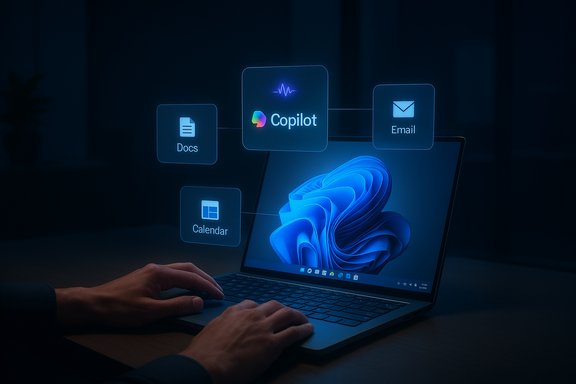
A laptop with floating holographic icons for Docs, Copilot, Email, and Calendar.Background​

Windows 10’s end of mainstream support: the context that matters​

Microsoft formally ended mainstream support for Windows 10 on October 14, 2025. That means Home and Pro editions no longer receive routine security updates, feature patches, or standard technical support unless customers enroll in a limited Extended Security Updates (ESU) program. This lifecycle milestone shifts millions of machines from a covered to an at‑risk state and creates an immediate competitive and messaging opportunity for Microsoft. The marketing window created by Windows 10’s retirement is significant: users who are already weighing upgrades, ESU enrollment, or device replacement are unusually receptive to messaging about new capabilities that are exclusive to modern Windows 11 hardware and software. Microsoft’s short, playful teaser arrived smack in that window, and the company’s phrasing—“Time to rest those fingers…something big is coming Thursday”—invited immediate interpretation and speculation.

What Microsoft actually posted — and why the wording matters​

On October 14, the official Windows social handle posted the two‑line tease: “Your hands are about to get some PTO. Time to rest those fingers…something big is coming Thursday.” The message is purposely sparse; the imagery of giving hands “paid time off” plus the invitation to “rest” fingers is a direct nudge toward reduced reliance on keyboard and mouse input. Multiple outlets reproduced the post verbatim and immediately linked it to Microsoft’s recent public rhetoric about voice, context awareness, and multimodal interaction. Marketing brevity is a tactic: the line does three things at once. It primes media coverage, spurs social shareability, and gives Microsoft the flexibility to position the follow‑up as a platform shift rather than a modest feature addition. That ambiguity is useful for shaping narrative around migration incentives—upgrade to Windows 11, buy Copilot‑capable hardware, or pay for ESU if you must stay on Windows 10.

Reading the signals: why voice and multimodal input are the leading hypothesis​

Microsoft has been telegraphing the direction that the teaser now amplifies. Over the past year, senior Windows leadership has repeatedly framed the next phase of the OS as ambient, multi‑modal, and context‑aware. Pavan Davuluri, head of Windows and Devices, has explicitly said that users will soon be able to “speak to your computer while you’re writing, inking, or interacting with another person,” and that Windows should be able to semantically understand user intent in context. Tech press coverage of his remarks and the official video interviews highlight voice and on‑screen awareness as core priorities for the team. Practical engineering moves back up that vision. Microsoft has been rolling Copilot into more places across Windows and Microsoft 365, turning it from an occasional helper into a persistent productivity surface. Copilot updates in recent months include tighter integrations with Office document creation and third‑party connectors (Gmail, Google Drive), and Insiders have seen experiments with wake‑word activation and on‑device wake‑word models. Those proofs of concept are consistent with a future where voice becomes a first‑class interaction method on desktops. Internally and in the community, the interpretation is straightforward: the tease most plausibly points to deeper, system‑level voice activation and semantic Copilot capabilities—features that let users talk to Windows and have the platform execute multi‑step tasks across apps without heavy manual input.

What Microsoft could announce (plausible scenarios, ranked)​

The tease does not guarantee a single outcome, but reading Microsoft’s public signals and recent Insiders rollouts suggests several distinct possibilities. These are ranked by likelihood, based on current telemetry, Insider features, and Microsoft statements.
  • Hands‑free wake word and “Hey Copilot” system integration
  • A system‑level wake word (e.g., “Hey Copilot”) that summons Copilot from anywhere in Windows, with an on‑device wake detector and selective cloud processing for full intent interpretation. Insiders have reported experiments with wake‑word detection and visible UI indicators.
  • Deep voice control and semantic tasking across apps
  • Copilot moves beyond chat into actionable voice flows: “Summarize this thread and email it to Sam,” or “Reduce this slide deck to 5 bullets and export to Word.” Recent Copilot updates already enable document generation and third‑party connectors; voice tasking would be the logical next step.
  • Direct settings and Click‑to‑Do voice shortcuts
  • Copilot may link queries to direct Settings pages or present one‑click fixes rather than instructions—an evolution already appearing in Insider previews. The aim: reduce the number of clicks and the cognitive load of searching through nested Settings panes.
  • On‑device multimodal agents with visual context
  • Agent features that can “look” at open windows and act on screen content—for example, converting selected text into a calendar invite or explaining an error dialog. Microsoft executives have publicly described a future where Windows can be “context aware” and visually understand desktop content.
  • Hardware gating for premium features (Copilot+ PCs)
  • Microsoft has already differentiated a Copilot+ device tier that includes NPUs for on‑device model execution. Expect some latency‑sensitive or fully local features to be limited to newer hardware while cloud‑backed fallbacks remain for older devices.

How this ties to Copilot’s evolution (and Cortana’s retirement)​

Copilot is the company’s consolidated AI assistant layer and has effectively replaced Cortana as Microsoft’s voice assistant strategy. Copilot has evolved from sidebar chat into a broader productivity hub: recent Windows updates let Copilot create Office documents from prompts and connect to external services via “Connectors,” which are required building blocks for voice‑driven tasking across calendars, email, and cloud storage. Those capabilities are the practical substrate for converting a voice prompt into a real‑world action. Cortana’s deprecation and Copilot’s rapid expansion create a clean migration path for Microsoft: ditch a legacy voice assistant that had limited reach and bring forward a modern, model‑powered experience integrated with Microsoft 365 and Windows. Expect Microsoft to foreground Copilot as the primary voice entry point in Windows 11 going forward.

Hardware, compatibility, and the Windows 10 diaspora​

A hard truth: most of the most interesting voice and on‑device AI features require modern hardware. Microsoft’s Copilot+ certification, which signals devices with capable NPUs and enough RAM and storage, will likely determine which PCs can run advanced local models with low latency and privacy advantages. That means many Windows 10 PCs—now out of mainstream support—won’t get these features through platform updates. Enterprises that remain on Windows 10 will need to weigh ESU vs. hardware refresh cycles.
Expect the rollout to be tiered:
  • Baseline: voice‑activated Copilot features that use cloud processing and work broadly on Windows 11 systems.
  • Premium: low‑latency, on‑device experiences reserved for Copilot+ hardware with NPUs and memory thresholds.
    This tiered approach preserves reach while creating an OEM upsell story that can accelerate device replacement during the Windows 10 aftermath.

Privacy, security, and enterprise controls — the hard tradeoffs​

Moving toward ambient, voice‑first, and screen‑aware computing raises immediate and non‑trivial concerns about privacy, enterprise governance, and security.
  • On‑device vs. cloud processing: On‑device models reduce cloud telemetry and latency, but require capable hardware. Cloud processing increases capabilities and model scale at the cost of data leaving the device. Microsoft has repeatedly said it plans hybrid approaches to balance utility and privacy, but details will matter.
  • Ambient listening and consent: wake‑word models must be conservative by default; enterprises will demand auditable controls, opt‑ins, and administrative disable switches. Microsoft’s enterprise tooling must include Intune policies, group‑policy templates, and clear telemetry opt‑outs.
  • Screen‑reading and data exposure: semantic interactions that depend on visual context require the ability to view screen contents. This feature must include transparency (visible UI markers), retention limits, and firm guarantees about whether screen thumbnails are uploaded to the cloud. Regulators and compliance teams will scrutinize exactly how and when the OS samples on‑screen data.
  • Attack surface and privilege escalation: voice‑activated agents will need robust authentication/authorization to avoid misuse (e.g., issuing destructive commands while the user is away). Enterprises will want granular role‑based controls or step‑up auth for sensitive actions.
Microsoft’s success here will depend on shipping sensible defaults, enterprise policy integration, and clear documentation about data flows. The company has time to get that right, but history shows privacy missteps can sour early adoption.

What IT and power users should do now (practical checklist)​

  • Inventory and prioritize: Identify machines still running Windows 10 and categorize them by criticality (business‑critical, user‑facing, replaceable).
  • Backup and test: Create full system images, and test application behavior on a Windows 11 test image. Verify drivers and specialized software compatibility.
  • Evaluate Copilot readiness: For users who will benefit from voice/multimodal features, prioritize hardware with Copilot+ class NPUs; otherwise plan for cloud‑backed fallbacks.
  • Consider ESU as a bridge: Enroll mission‑critical devices into Extended Security Updates only when migration cannot be completed within the allowed window. ESU is a temporary mitigation, not a long‑term solution.
  • Draft governance policies: Prepare Intune/Group Policy templates for any ambient voice features—define logging, access, and opt‑out procedures before enabling them at scale.
Short‑term readiness buys time; long‑term planning should include a two‑year modernization cycle that aligns hardware refresh budgets with feature roadmaps.

Risks, downsides, and realistic limits​

  • Discovery and reliability: Voice interfaces are powerful in principle but brittle in noisy environments and multi‑user settings. Expect a long period of human factor testing before voice becomes a daily workhorse in offices.
  • Fragmentation risk: Gating the best features to Copilot+ hardware could produce a fractured ecosystem where feature parity depends on costly upgrades, creating management headaches for IT.
  • Privacy backlash and regulatory scrutiny: Any perception that Windows is “watching” screens or capturing audio without clear consent could trigger consumer and regulator pushback. Transparency and controls will be decisive.
  • Incremental vs. revolutionary: Shifting primary input methods at scale takes years; the likely path is staged improvements (better dictation, wake‑words, actionable Copilot prompts), not an instant replacement of keyboard + mouse workflows. Messaging that oversells immediate transition risks user disappointment.

Why this matters beyond the hype​

Microsoft’s tease, positioned against Windows 10’s retirement, is both symbolic and practical. Symbolically, it paints the next phase of Windows as agentic and assistant‑centric rather than simply a new visual skin. Practically, it gives Microsoft a compelling sales narrative to OEMs and enterprise buyers who are already budgeting for refresh cycles. If Microsoft can deliver genuinely useful, privacy‑aware, low‑latency voice features that reduce friction in everyday tasks, it can accelerate adoption of Windows 11 and new Copilot+ hardware. But if the rollout is gated behind expensive hardware with poor discoverability and ambiguous privacy controls, the net effect could be fragmentation and frustration rather than productivity gains.

Final assessment and what to watch next​

Microsoft’s two‑line tease is credible only because it aligns with an established, public roadmap: voice and multimodal input, on‑device model acceleration where possible, and deep Copilot integration across workloads. Over the coming days the industry will watch for several load‑bearing confirmations:
  • Concrete demos that show voice issuing multi‑step actions across apps, not just single‑app dictation.
  • Clear compatibility and gating details—what requires Copilot+ hardware, and what will run broadly on Windows 11.
  • Privacy and enterprise controls, including Intune/Group Policy support and explicit UI indicators for any ambient screen or audio capture.
  • Release channels and timelines for Insiders vs. stable deployments, and whether any new features will be made available to Windows 10 ESU customers (unlikely given Windows 10’s end of mainstream support).
If Microsoft pairs a compelling demo with immediate, usable controls—plus a pragmatic rollout that doesn’t artificially lock basic voice features behind premium hardware—this may mark a major step forward for desktop productivity. If instead the announcement is mostly aspirational demo footage or a gated feature set with weak admin controls, the market will treat it as another future promise rather than a practical upgrade path. The coming announcement will therefore determine whether that short, cheeky line about letting hands take PTO becomes a genuinely useful reality or simply a clever PR pivot.
Microsoft’s teasing message has done what it was intended to do: it forced attention onto the Windows roadmap at a moment when millions of users face a practical migration decision. The true test will be whether the company can deliver voice‑forward features that are reliable, private, and administratively manageable—and whether those features meaningfully reduce friction instead of simply adding a new set of settings to manage.
Source: Daily Express Microsoft teases ‘something big’ for Windows PCs coming this week
 

Microsoft’s short, teasing post — “Your hands are about to get some PTO. Time to rest those fingers…something big is coming Thursday” — landed like a drumbeat across the tech press and set off immediate speculation that Microsoft is preparing a major, voice‑forward shift in how Windows users interact with their PCs.

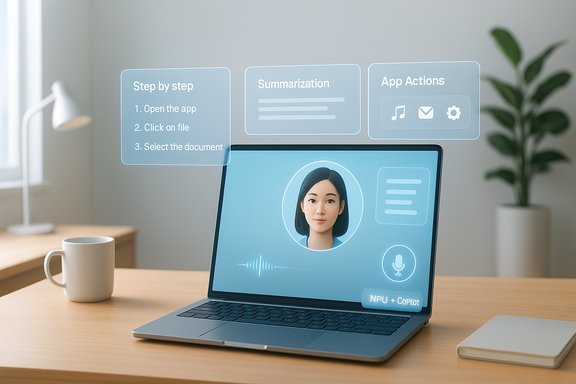
A laptop on a desk shows holographic AI assistant panels with an avatar and steps.Background / Overview​

Microsoft’s social tease arrived at a meaningful moment: mainstream support for Windows 10 concluded in mid‑October 2025, leaving millions of systems at a crossroads between upgrading, paying for extended security updates, or continuing on unsupported hardware. That lifecycle milestone creates a marketing inflection point for the Windows team to reframe the platform’s future and accelerate migration toward newer hardware and software paradigms.
Over the past year Microsoft has been explicit about an evolving vision for Windows: an OS that is more multimodal, context aware, and agentic — capable of interpreting user intent across voice, pen, touch, and visual context. The company has already shipped and signposted several pieces of this strategy: deeper Copilot integration across Windows, machines marketed as Copilot+ PCs with on‑device Neural Processing Units (NPUs) for local inference, expanded Voice Access functionality, and previews of on‑device generative features in native apps.
The tease’s phrasing — giving your hands “paid time off” — is a compact nudge toward reduced reliance on keyboard and mouse input. The most immediate and plausible interpretation is a voice‑first or hands‑free initiative that stitches conversational AI into the heart of Windows 11, potentially with system‑level affordances such as a low‑latency wake word, semantic voice actions that can operate across apps, and tighter Copilot connections to settings and workflows.

What Microsoft has already built (context that matters)​

The Copilot+ PC hardware tier​

  • Microsoft and PC partners have introduced the Copilot+ PC category: devices that include an on‑device Neural Processing Unit (NPU), Microsoft Pluton security features, and optimized experiences for local AI inference.
  • Copilot+ PCs are designed to accelerate on‑device AI tasks (transcription, image processing, local generative models) while reducing latency and potentially improving privacy by keeping inference on the machine.
  • The NPU threshold for the Copilot+ designation has been positioned as a high bar (multiple tens of TOPS), and OEMs across Qualcomm, Intel, and AMD have been engaged to meet the specification.

Copilot integration and on‑device AI​

  • Copilot has been progressively embedded into Windows as a central assistant: an inboxed app, task bar presence, and contextual actions across Settings and native apps.
  • Microsoft has been shipping previews of on‑device generative features (for example, text generation in Notepad and image editing tools in Photos) that can run without cloud round trips on appropriately equipped systems.
  • Voice Access — the accessibility feature that lets users control a PC by voice — has evolved toward more natural language semantics and broader app coverage.
These pieces form the scaffolding that would make a hands‑free Windows experience technically plausible at scale, provided Microsoft couples software advances with clear hardware guidance and ecosystem cooperation.

What to expect from the “something big” tease​

Most likely scenarios​

  • A major expansion of system‑level voice: a persistent, low‑friction voice activation model for Windows with richer semantics (not just dictation or simple commands) and tighter Copilot orchestration across apps.
  • New multimodal workflows: voice that works seamlessly while you type, ink, or view content — e.g., “Summarize this thread and email the highlights to Sarah” while you keep writing in a document.
  • Expanded on‑device Copilot capabilities: more local model inference for faster responses and offline usefulness, especially on Copilot+ PCs with NPUs.
  • A developer/API announcement: new Windows APIs for voice, context, and agent‑style automations intended for the Windows App SDK and major ISVs.
  • Less likely but possible: a showcase of enterprise features (administration, privacy controls, rollout tools) tied to voice/Copilot adoption across managed fleets.

What is unlikely right now​

  • A new major OS release (Windows 12) being announced imminently. Microsoft has repeatedly framed Windows 11 as the platform that will evolve through continuous feature updates and AI integrations rather than immediate full replacements.
  • A wholesale deprecation of keyboard/mouse paradigms on day one. Any hands‑free shift will be gradual, additive, and designed to coexist with traditional inputs.

Technical implications: what this would mean for PCs and admins​

Hardware requirements and fragmentation risk​

If Microsoft leans into voice and local AI agents, there are immediate hardware signals to watch:
  • NPU presence and performance: Many of the richer on‑device AI features are optimized for Copilot+ PCs equipped with NPUs. That hardware requirement risks fragmenting the Windows experience across devices that can and cannot run local models efficiently.
  • Battery and thermal budgets: Continuous listening and on‑device inference are energy‑sensitive. Manufacturers must balance performance with battery life and thermal design to deliver acceptable real‑world behavior.
  • Minimum specs for enterprise rollout: Organizations will need clear guidance for which machines qualify for voice‑first features and which remain on cloud‑dependent or limited feature sets.

Software architecture and privacy tradeoffs​

  • Hybrid on‑device/cloud architecture: The most usable approach is hybrid: local model inference for latency‑sensitive tasks and cloud models for heavy lifting. Microsoft has already signaled this architecture, but it raises design complexity.
  • Privacy controls and data residency: Hands‑free, context‑aware computing implies more continuous contextual signals (audio, screen content). Delivering meaningful privacy defaults, transparent telemetry controls, and per‑app permissions will be essential.
  • Security surface: A ubiquitous voice activation surface needs robust anti‑spoofing, authentication, and consent mechanisms — especially for devices used in multi‑user or enterprise contexts.

User experience: strengths and real gains​

Productivity and accessibility benefits​

  • Faster, more natural commands: Being able to speak tasks that span apps — e.g., “Pull together my meeting notes from today and draft a summary” — could reduce friction for knowledge workers and power users.
  • Accessibility improvements: For people with motor impairments or repetitive‑strain concerns, a robust voice and multimodal system is a major win that improves inclusion and usability.
  • Reduced context switching: A voice agent that understands context can execute multi‑step tasks without manual intervention, speeding workflows.

Responsiveness and offline capability​

  • On‑device models reduce latency: Local inference on NPUs should make many Copilot responses feel instantaneous, compared with cloud round trips.
  • Offline usefulness: Local models enable features in scenarios with poor connectivity or when users require guaranteed data isolation.

Risks and open questions​

Fragmentation and fairness​

  • Requiring high‑performance NPUs for the best experience risks creating a two‑tier Windows ecosystem: devices that get full voice/agent features versus those with limited capability. That split echoes past transitions (e.g., the jump from Windows 7 to Windows 10) and could accelerate hardware churn.

Privacy and unexpected data exposure​

  • A system that “sees what we see and hears what we hear” — even if stated as optional — inherently raises privacy concerns. Users and IT teams will need:
  • Granular controls over when the OS can listen or analyze screen content.
  • Strong, auditable logs for enterprise deployments.
  • Clear default behaviors that minimize telemetry until users opt in.

Accessibility paradox​

  • Voice‑first experiences promise accessibility wins, yet poorly implemented voice UIs can create new barriers — e.g., accents, ambient noise, or language coverage gaps. Microsoft will need robust multilingual support and continuous model improvements.

Security and spoofing​

  • Voice activation and semantics open new attack vectors: voice replay attacks, malicious context injection, or social engineering via co‑located audio. Any hands‑free feature must include authenticated actions for sensitive tasks (payments, system reconfiguration).

Enterprise deployment complexity​

  • IT teams will face new questions: Which users should get voice features? How to assess compliance and data residency? How to balance local versus cloud processing for compliance reasons? Microsoft will need to provide management tooling and clear deployment guidance.

What enterprises should prepare now​

  • Inventory devices: Identify which endpoints meet the Copilot+ specification (NPU, RAM, storage). Classify users who would benefit from hands‑free features.
  • Review privacy policies: Update acceptable use, data‑processing, and consent policies to reflect context‑aware agents and potential on‑device processing.
  • Pilot with a cross‑section of users: Run controlled pilots that include accessibility users, knowledge workers, and geographically diverse offices to surface language and environment coverage issues.
  • Plan for mixed fleets: Expect some users to remain on older hardware or on Windows 10 variants with ESU for a time — create fallback workflows that don’t rely solely on voice agents.
  • Train helpdesk: Prepare support staff for new failure modes (voice recognition issues, on‑device model crashes, NPU firmware updates) and establish escalation paths.

Developer and partner opportunities​

  • New APIs that expose context, voice intents, and agent triggers would let third‑party apps become voice‑aware. Independent software vendors (ISVs) should plan for:
  • Integrating natural language task hooks into apps.
  • Supporting graceful degradation when local models aren’t available.
  • Designing clear UX affordances for voice actions and confirmations.
  • OEMs and silicon partners have a clear runway to differentiate with NPU performance, battery efficiency, and thermals.
  • Security vendors and policy tooling firms will find demand for enterprise‑grade controls around agent behavior, logging, and auditing.

Plausible launch mechanics and messaging​

Microsoft has historically used staged rollouts for major Windows features: an initial reveal, preview builds via the Insider channels, followed by broader availability via Windows Update. Expect a similar cadence:
  • Announcement/Reveal: High‑level demo of voice multimodality and Copilot integrations, with explicit privacy and security promises.
  • Insider Preview: Early builds enabling power users and developers to test APIs.
  • OEM updates: Drivers and firmware updates to enable NPU features on a wider set of devices.
  • General availability: Gradual rollout, potentially tied to a cumulative Windows update or future 25H2/25H5 feature flight.
The company will also likely emphasize that this is an evolution of Windows 11, not a full OS replacement — framing the change as enabling new interaction models rather than removing legacy inputs.

Measuring success — key metrics to watch​

  • Adoption rate of voice features on Copilot+ versus non‑Copilot devices.
  • Latency and accuracy metrics for common voice tasks (command execution time and successful completion rate).
  • Privacy opt‑in rates: how many users accept local processing vs cloud assistance.
  • Enterprise uptake: percent of managed fleets enabling voice features in pilot vs production.
  • Accessibility outcomes: measurable improvements for users with motor disabilities (task completion time, satisfaction scores).

What remains speculative and what needs verification​

  • Any claim that Microsoft will remove keyboard and mouse inputs or make them obsolete is speculative at this stage. The company’s public messaging and engineering investments point toward additive multimodal capabilities, not immediate deprecation of legacy input.
  • The exact scope of the “something big” teaser — whether it is a suite of features, a developer platform, or a specific product milestone — is not confirmed until the official announcement is made.
  • Hardware qualification thresholds and which existing machines will receive full feature parity require confirmation from OEM and Microsoft rollouts; organizations should treat early reports of minimum specs as indicative but subject to formal documentation.

Practical advice for Windows users today​

  • If you rely on Windows 10: plan your upgrade strategy. With mainstream support ended, prioritize security — either by moving to supported Windows 11 hardware where feasible or by enrolling in Extended Security Updates for critical systems.
  • If you’re considering a new PC and care about AI features: evaluate Copilot+ devices and whether their NPU performance aligns with your needs (local inference, offline use, low‑latency interactions).
  • For privacy‑minded users: wait for the official settings and controls before enabling any always‑listening or context‑aware features. Expect granular toggles and per‑app consent prompts; use them.
  • For developers: start exploring voice and multimodal design patterns and plan for progressive enhancement so your apps work well regardless of the presence of local AI features.

Final assessment: why this matters for the Windows ecosystem​

Microsoft’s tease is less about a single feature and more about narrative framing. Announcing a push toward hands‑free, AI‑driven interactions would codify a direction that has been apparent for months: Windows positioning itself as an ambient, assistant‑centric platform where natural language and context amplify productivity.
That transition has real upside — faster actions, improved accessibility, and localized AI responsiveness — but it also brings hard tradeoffs: hardware fragmentation, privacy complexity, and new security vectors. How Microsoft balances capability with transparency, and how OEMs and enterprises manage the rollout, will determine whether this shift broadens Windows’ reach or deepens inequality across device classes.
The most important immediate metric will not be the cleverness of a demo; it will be the clarity of the controls, the fairness of the hardware requirements, and whether users feel genuinely empowered — not surveilled — by a hands‑free future. The announcement that follows this tease should answer four questions clearly: what it does, what hardware is required, how data is handled, and how enterprises can adopt it safely. If Microsoft can deliver on those fronts, hands‑free Windows could be more than a marketing line — it could be the next practical step in modern computing.

Source: Irish Star https://www.irishstar.com/news/us-news/windows-microsoft-windows-11-36076855/
 

Microsoft’s short, teasing post on X — “Your hands are about to get some PTO. Time to rest those fingers…something big is coming Thursday” — landed on the same week Windows 10 reached its long‑expected end of support, and it has instantly refocused attention away from the sunset of a beloved OS and toward a concrete step in Microsoft’s years‑long push to make Windows more voice‑centric, AI‑driven, and context aware.

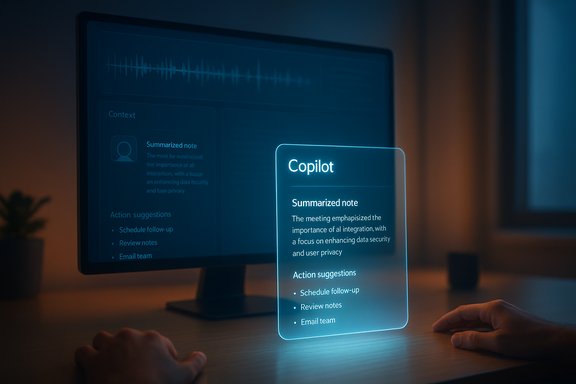
A glowing holographic Copilot note card floats above a desk beside a monitor.Background​

Microsoft officially ended mainstream updates and free support for Windows 10 on October 14, 2025, closing a ten‑year chapter for an operating system that still runs on a large share of PCs worldwide. The end‑of‑support milestone leaves many users with a hard choice: upgrade to Windows 11, enroll eligible machines in the one‑year Extended Security Updates (ESU) offering, or continue using an increasingly risky, unpatched OS. That context is important because the company’s playful social media tease arrived at a moment when many users are already forced to make upgrade decisions.
At surface level the message from the official Windows account was simple and suggestive: give your hands a break. Tech press and analysts immediately parsed that language as a nudge toward hands‑free input — voice commands, ambient assistants, contextual Copilot features, and other multimodal interfaces that let users accomplish tasks without relying on keyboard and mouse.

Why the tease matters now​

The timing matters for two reasons. First, Microsoft has spent the last two years systematically reframing Windows as an AI platform — integrating Copilot across the OS, launching Copilot+ PCs with on‑device AI acceleration, and rolling out features that blur the line between local and cloud processing. Second, Microsoft leaders have publicly described a roadmap where voice and contextual understanding become first‑class interfaces in Windows. Those two signals — product investments plus executive vision — make the social tease far more than marketing hype: it’s the logical next step in a long arc.
  • Microsoft’s public roadmap emphasizes multimodal input: voice, pen, touch, and vision working together.
  • The company has been shipping Copilot features and device‑level AI capabilities via Copilot+ PCs that include Neural Processing Units (NPUs).
  • Executives have repeatedly used language like “ambient computing,” “semantic understanding,” and “your computer can look at your screen” to describe future interaction models.
Taken together, those facts make the possibility of a system‑level, conversational, context‑aware voice interface in Windows much more credible than an ordinary marketing stunt.

What the post could mean in practical terms​

The teaser’s most obvious interpretation is expanded voice control, but there are several flavors of that idea — each with different technical demands and user implications.

Possible feature shapes​

  • Systemwide Voice Access — A single, always‑available voice layer that lets you open apps, control settings, navigate UIs, and dictate text using natural language. This goes beyond simple dictation and mirrors how smartphone assistants evolved into task agents.
  • Contextual Copilot Conversations — A Copilot that understands what’s on your screen, the app you’re in, and your recent actions, enabling commands like “Summarize the thread I was just reading and create an outline” while you keep typing or presenting.
  • Hands‑free Multitasking — The ability to speak commands while you’re “writing, inking, or interacting with another person,” letting users ask the PC to search, edit, or summarize without breaking flow.
  • Vision + Voice Fusion — An interface that combines what the PC can “see” on screen with voice instructions — for example, “Make this table into a numbered list” after pointing at a document fragment.
  • Agentic or Ambient Assistants — Persistent agents that proactively surface actions: “It looks like you’re preparing slides; would you like me to extract key bullets?” These are higher‑risk from a privacy standpoint but offer bigger productivity wins.

Likely technical constraints​

  • The most advanced features are likely to require Windows 11 and, in some cases, Copilot+ PC hardware with an NPU for on‑device inference and responsiveness.
  • Some features may fall back to cloud processing (for heavy LLM tasks), creating a hybrid local/cloud execution model that balances latency, privacy, and capability.
  • Early rollouts will almost certainly be staged via Windows 11 feature updates and may be gated behind enrollment in preview programs or hardware checks.

The technology under the hood: Copilot, NPUs, and on‑device AI​

Microsoft’s recent product work gives us clear clues about the technical scaffolding for any hands‑free leap.
  • Copilot is no longer a single app; it’s an integrated layer across Windows and Microsoft apps that can leverage local models and cloud LLMs.
  • Copilot+ PCs were introduced as a hardware category optimized for on‑device AI. These devices ship with NPUs capable of tens of trillions of operations per second and unlock low‑latency features like real‑time image generation, translation, and recall without always sending data to the cloud.
  • Microsoft has been pushing features explicitly labeled as NPU‑enabled: instant recall, local image generation, live captions with translation, and camera pipelines that power head‑tracking and subtle gesture inputs.
Those investments are significant because they allow Microsoft to promise features that are fast, work offline, and are more privacy‑friendly. But hardware availability, OEM adoption, and OEM pricing mean that the premium experience will be hardware‑dependent for the foreseeable future.

Compatibility and the Windows 10 fallout​

One unavoidable reality is that whatever Microsoft announces will matter much more to Windows 11 users than to Windows 10 holdouts.
  • Windows 10 reached end of support on October 14, 2025. After that date, Windows 10 devices no longer receive free security updates or feature additions, unless enrolled in ESU.
  • Microsoft is positioning Windows 11 as the platform for future innovation. Many advanced AI features require new OS hooks, drivers, and security primitives unavailable on legacy releases.
  • Users on older hardware face either replacing devices to access the new features or remaining on Windows 10 and missing out on Microsoft’s AI roadmap.
Microsoft still offers a one‑year ESU path to buy time, but ESU only postpones the inevitable: the deeper Copilot+ integrations and on‑device AI capabilities will remain Windows 11‑centric.

Accessibility and productivity upside​

There is a clear, positive use case for an expanded voice and AI layer.
  • Accessibility: Improved voice control and semantic understanding are big wins for people with motor disabilities, repetitive strain injuries, or visual impairments. A system that lets users operate apps, navigate the desktop, and dictate edits by voice improves digital inclusion.
  • Productivity: For knowledge workers, the ability to issue natural language edits, extract summaries, or convert spoken notes into structured documents while continuing to interact with people or pen input reduces context switching.
  • Multilingual collaboration: On‑device translation and live captions can make real‑time international collaboration smoother and more accessible.
These benefits are tangible and explain why Microsoft has been vocal about making voice and multimodal interaction a mainstream platform capability.

Privacy and security: the unavoidable trade‑offs​

Any feature that listens, watches the screen, or stores contextual timelines raises serious privacy and security questions. The balance between convenience and control will determine enterprise adoption and public acceptance.

Main concerns​

  • Screen context and “computer can look at your screen” — If a PC is allowed to inspect on‑screen content to provide context‑aware assistance, that creates a new telemetry surface. Users need meaningful, granular control over when the PC can analyze content and what data is retained.
  • Always‑on listening vs wake‑word models — Continuous microphone monitoring can be handled locally (wake‑word detection on device) or in the cloud. Local wake‑word processing is less risky, but cloud processing yields stronger models and broader understanding.
  • Data residency and governance — Enterprises will demand guarantees about where data and model inferences live, how long transcripts are kept, and how to opt out for sensitive workflows (healthcare, legal, financial).
  • On‑device model security — NPUs and local models introduce fresh attack surfaces. Hardware‑backed security (TPM/Pluton) and strict OS isolation will be essential.
  • Regulatory scrutiny — Governments and privacy authorities are already examining LLM usage; novel ambient assistants that analyze user screens will attract attention.

Mitigations Microsoft will need to show​

  • Clear toggles and visual indicators for when the assistant is “listening,” “looking,” or recording.
  • Per‑app permissions and enterprise group policy controls for Copilot and voice services.
  • Default opt‑out with explicit user opt‑in, especially for features that store or index user content.
  • Strong documentation and auditability for enterprise compliance teams.
Absent those safeguards, powerful features will face slow enterprise uptake and public skepticism.

Developer and ecosystem implications​

If Microsoft ships a rich, context‑aware voice API and platform hooks, the implications extend beyond consumers.
  • App developers will get new opportunities to integrate AI actions directly into their UI flows, enabling voice‑first workflows and richer Copilot prompts tailored to app state.
  • Enterprise software vendors must plan to update apps to be more voice‑friendly and to respect new permission boundaries.
  • Tooling and guidelines for UX designers will shift: multimodal affordances, confirmation dialogs for agentic actions, and fallback behaviors when voice mishears.
For Microsoft, success depends on a thriving ecosystem that extends Copilot capabilities into third‑party apps while preserving privacy and user control.

Risks, pitfalls, and the thorny rollout path​

Every new input paradigm encounters friction. Here are the major risks to watch.
  • Fragmentation: Splitting capabilities between generic Windows 11 features and NPU‑dependent Copilot+ experiences will create a two‑tier reality: a polished, low‑latency experience for new hardware buyers, and a limited or delayed experience for older PCs.
  • User expectations: Natural language commands work well in specific domains. Overpromising — advertising a system that “just does it” — risks user disappointment when edge cases, jargon, or ambiguities break workflows.
  • AI reliability and hallucination: When Copilot performs edits, reorganizes content, or summarizes, wrong inferences can cause real harm. Undo semantics, transparent confidence scores, and clear attribution of changes will be essential.
  • Battery and resource costs: On‑device inference can be efficient on NPUs, but heavy use of multitask agents could still drain batteries and increase thermal output on thin laptops.
  • Corporate policy resistance: Security teams reluctant to permit an assistant that analyzes confidential documents may lock down features by policy, reducing uniformity of the experience across organizations.
These are not fatal problems, but they are real and will shape how rapidly Microsoft’s vision takes hold.

How users and IT administrators should prepare​

Microsoft’s reveal — whatever the exact feature set — will not change the immediate need to plan migration and governance. Practical steps every user and IT admin can take now:
  • Check hardware compatibility for Windows 11 and identify which devices could become Copilot+ candidates.
  • Backup important data and create a tested migration plan; if you need more time, evaluate ESU options.
  • For organizations: draft acceptable use policies for AI assistants and create pilot groups to validate features before broad rollout.
  • Review privacy settings and prepare user communications explaining any change in telemetry or recording behavior.
  • If considering Copilot+ hardware, run pilot programs to measure real‑world benefits (translation, recall, transcription) and battery/thermals under heavy use.
These preparations reduce disruption and help extract real value from the new capabilities while controlling risk.

What’s still unverified and why that matters​

There are several claims and expectations that, as of the tease, remain speculative:
  • Whether the announced feature will be a broad, systemwide voice platform or a narrower Copilot enhancement is unconfirmed.
  • Which specific devices and minimum hardware tiers will be required for the full experience is not yet publicly detailed.
  • Microsoft’s social teaser did not disclose privacy models, retention policies, or enterprise controls — all of which are determinative for adoption.
These unknowns are significant. The technical feasibility of truly “semantic” understanding depends on model size, on‑device compute, and careful UX design — and Microsoft must balance capability with privacy to secure user trust.

The competitive and market angle​

Microsoft is not the only major vendor leaning into voice and multimodal AI in the OS. The reveal should be viewed in the context of broader industry moves:
  • Apple and Google are both investing heavily in local and hybrid AI for devices and assistants, and their approaches emphasize privacy and on‑device inference in different ways.
  • For PC OEMs and enterprise customers, Microsoft's Copilot strategy — particularly the Copilot+ hardware push — is a bet that premium hardware plus integrated AI experiences will generate a refresh cycle among buyers.
If Microsoft executes cleanly, the company can leverage Windows’ ubiquity and the Copilot ecosystem to keep PCs central in a post‑smartphone productivity world. If it stumbles on privacy, fragmentation, or reliability, rivals will exploit the weaknesses.

Final analysis: opportunity tempered by realism​

The October 14 tease is a deliberate pivot‑moment signal: Microsoft wants public attention on the future of Windows — a future that is voice‑first, context‑aware, and powered by hybrid AI that lives partly in the cloud and partly on the device. The technical scaffolding for that future already exists: Copilot integrations, Copilot+ hardware with NPUs, and a steady stream of feature updates.
That said, the most transformative scenarios — a true ambient assistant that reliably reads screen context and performs complex tasks by voice — will require careful execution. The stakes are high: convenience and productivity gains are real, but so are user privacy risks, enterprise hesitancy, and fragmentation across hardware generations. The rollout will likely be staged and hardware‑gated, leaving many Windows 10 holdouts and older Windows 11 devices on the outside.
When the company finally reveals the details, the reaction will hinge not just on the cleverness of demos but on the answer to two fundamental questions: how much control will users have over the assistant’s sight and sound, and how transparent will Microsoft be about data flows and retention? Without firm answers to those questions, a smooth adoption curve is unlikely.
For now, the most responsible posture for users and IT teams is pragmatic curiosity — test the features where possible, plan migrations where necessary, and demand transparent privacy and governance controls before handing ambient intelligence unfettered access to sensitive screens and conversations. The promise of resting your fingers is seductive. The price of giving your PC permission to listen and look should be clear, explicit, and controllable.

Source: NewsBreak: Local News & Alerts Microsoft alludes to 'something big' for Windows - and it's coming soon - NewsBreak
 

Microsoft’s short, cheeky tease — “Your hands are about to get some PTO. Time to rest those fingers…something big is coming Thursday” — is a clear invitation to expect a hands‑free, voice‑forward evolution of Windows rather than a routine patch or cosmetic refresh.

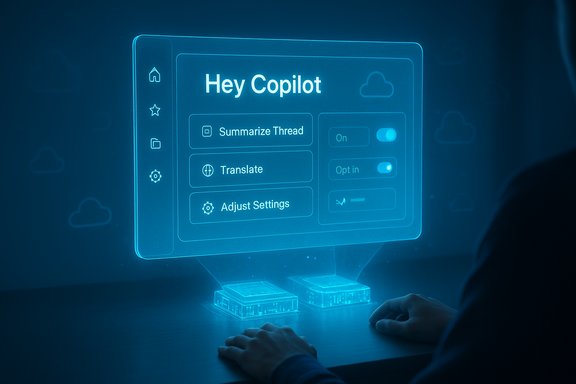
Blue holographic dashboard reading Hey Copilot with options to summarize, translate, and adjust settings.Background​

Microsoft’s tease landed at a consequential moment: mainstream support for Windows 10 ended on October 14, 2025, removing routine security updates and standard technical assistance for most consumer editions. That lifecycle milestone focused attention on Windows’ future and gave Microsoft a marketing hook to position upgrades and new hardware around a fresh set of capabilities. Microsoft’s official guidance confirms the end‑of‑support date and outlines options such as upgrading to Windows 11 or enrolling eligible machines in a short Extended Security Updates (ESU) program. At the same time, Microsoft’s public messaging and engineering activity over the past year have repeatedly foreshadowed exactly this kind of reveal: a multimodal, AI‑first direction for Windows that treats voice, pen, and vision as first‑class inputs alongside keyboard and mouse. Senior Windows executives have spoken about an OS that is ambient, context‑aware, and capable of semantically understanding user intent — language that maps tightly to the “rest those fingers” tease.

What Microsoft has been telegraphing​

The long game: multimodal, agentic Windows​

Over the last 12–18 months Microsoft has reframed Windows from a desktop OS that responds to clicks into a platform that can proactively help users by combining cloud and on‑device AI. Executives including Pavan Davuluri (head of Windows and Devices) and security leaders have described a future where Windows can “look at your screen,” hear what you say, and understand intent while you’re doing other things such as writing, inking, or talking to someone else. Those comments are foundational to interpreting the recent social tease as a push toward voice and semantic control.

The building blocks already in the wild​

Microsoft has not been waiting to test these ideas. Pieces of the architecture and UI have been appearing in Insider builds and early Copilot releases:
  • Hey, Copilot! wake‑word testing is already visible in Insider channels, providing opt‑in, on‑device wake‑word spotting that launches a floating Copilot voice UI. This tests the low‑latency activation and privacy posture needed for hands‑free interactions.
  • Voice Access improvements and a feature called Fluid Dictation are being trialed to make spoken text more natural and to allow voice to drive actions that go beyond simple dictation.
  • Copilot+ PCs and the associated hardware tier carrying Neural Processing Units (NPUs) are already a Microsoft‑branded reality. These devices are built to run local AI inference for lower latency and enhanced privacy. Industry coverage and Microsoft materials identify a 40+ TOPS NPU baseline as the practical threshold for many of the richest on‑device experiences.
Taken together, these signals show Microsoft preparing both the software experience and the hardware ecosystem necessary for a credible hands‑free Windows.

What to expect from “something big”​

The teases and prior engineering steps let us rank plausible announcements by likelihood and impact.

1. System‑level, voice‑first Copilot actions (most likely)​

Expect demonstrations that bring natural‑language, semantic commands to core workflows — not just dictation but tasking. Examples that fit existing signals include:
  • “Summarize this thread and draft action items” while the screen shows an email or meeting transcript.
  • Voice triggers that cause Copilot to navigate to the correct Settings pane, adjust system preferences, or act inside apps using on‑screen context.
  • A persistent, low‑latency assistant that can be woken by a phrase (e.g., “Hey, Copilot!”) and can operate across apps rather than being confined to a single window.
This isn’t hypothetical: Microsoft has already seeded wake‑word spotters and contextual Copilot actions to Insider users, and those features fit the “rest your fingers” framing.

2. Deeper Copilot integration across system surfaces​

Expect new Click to Do / Ask Copilot affordances in File Explorer, Photos, and native apps — actions that are both voice‑invocable and visually targeted (for example: “Replace this slide’s chart with a design optimized for sales”). Microsoft has been rolling “Ask Copilot” actions and Click to Do improvements into previews, and this is a natural next step.

3. Emphasis on Copilot+ hardware and on‑device inference​

Microsoft’s richest demos are likely to highlight Copilot+ PCs — machines that meet a high NPU performance floor (40+ TOPS) and deliver lower latency, offline inference, and improved privacy guarantees. That hardware gating is both a capability and a strategic vehicle to drive OEM refresh cycles. Expect Microsoft to show the fastest, most private experiences on Copilot+ devices while promising fallbacks for the broader Windows 11 installed base.

4. Accessibility and real‑time translation boosts​

Voice features naturally extend accessibility: real‑time transcription, live translation, and semantic navigation can help users who rely on voice or assistive tech. Microsoft has previewed similar capabilities in the context of Windows Studio Effects and Live Translate on Copilot+ PCs.

The technical plumbing — how a hands‑free Windows would actually work​

Short version: a hybrid of local and cloud compute, with on‑device NPUs to handle latency‑sensitive workloads.
  • On‑device wake‑word spotters: Small models that listen for a wake phrase and run locally without transmitting raw audio to the cloud. This reduces latency and improves privacy for activation.
  • Local small language models (SLMs) for routine tasks: Lightweight models can perform punctuation, command parsing, and immediate edits on‑device, preserving responsiveness even when connectivity is poor.
  • Cloud aggregation for heavy lifting: For complex reasoning or personalized context that requires larger models, Windows will fall back to cloud processing — ideally after explicit user consent.
  • Copilot+ NPUs (40+ TOPS): The practical threshold Microsoft and the industry have converged on for delivering advanced on‑device AI is around 40 TOPS. Devices meeting that bar — Qualcomm Snapdragon X series initially, and later qualifying Intel and AMD chips — can run richer features locally.
This hybrid model is sensible: it balances the responsiveness and privacy benefits of local inference with the scale and knowledge of cloud models for complex tasks.

Strengths: what could go right​

  • Real productivity gains. Semantic, cross‑app voice actions could turn multi‑step chores into single natural commands, collapsing friction in email triage, document editing, and meeting follow‑ups.
  • Stronger accessibility. A voice‑first, multimodal model can expand access for users with motor impairments and complement existing accessibility tools like Voice Access and Narrator.
  • Improved privacy controls if done right. On‑device inference combined with clear opt‑ins for cloud escalation can keep sensitive audio and screen captures local by default.
  • Ecosystem modernization. Copilot+ hardware could standardize on-device AI acceleration, enabling developers to innovate with lower latency AI experiences on Windows.
These are not theoretical — Microsoft has shipped early versions of many of these components and has real code in Insider builds to show for it.

Risks and caveats: what could go wrong​

1. Privacy and data handling​

An OS that “looks” at your screen or listens for commands raises obvious privacy questions. Features that capture screenshots for context (e.g., activity Recall) or that record audio for transcription have already prompted controversy. Without rigorous defaults, transparent telemetry, and easy controls, user trust will erode fast. Microsoft will need to make opt‑ins explicit and granular, and provide simple ways for administrators to audit and control what’s captured and retained.

2. Hardware fragmentation and inequality​

Gating the best experiences behind a Copilot+ hardware floor (40+ TOPS NPUs) risks creating a two‑tier Windows ecosystem. Users on older but still serviceable machines may feel forced to upgrade to get truly useful voice experiences. Microsoft must balance promotional incentives for new hardware with pragmatic fallbacks that still deliver meaningful functionality on the broader Windows 11 install base.

3. Enterprise governance and compliance​

Enterprises will demand policy controls, Intune templates, and audit logs before deploying ambient listening or screen‑capture features. Absent clear enterprise management APIs and rollout guardrails, IT teams may block or delay adoption. Microsoft will need to ship admin‑first tooling alongside consumer features.

4. UX discoverability and failure modes​

Voice as a primary input only works if the system reliably understands intent and gracefully recovers from errors. Poorly scoped demos or inconsistent results in real scenarios will leave users frustrated. Microsoft must invest in human factors, error messages, and discoverability — not just in flashy demos.

5. Security exposure​

Whenever audio or screen context is captured, even transiently, new attack surfaces appear. Local inference reduces cloud exposure, but developers and admins must still defend against local extraction, malicious apps requesting privileges, and accidental leakage through connected services. Security design has to be foundational, not an afterthought.

Practical guidance: what users and IT should do now​

  • For consumers:
  • If you rely on Windows 10, plan an upgrade path — either to Windows 11 or a supported alternative — because Windows 10 stopped receiving standard updates on October 14, 2025.
  • If you’re curious about hands‑free features, watch Insiders channels and test on a secondary machine before committing to new workflows.
  • Before enabling any ambient or screen‑capture features, review privacy controls and retention settings.
  • For IT and security teams:
  • Inventory machines that could qualify as Copilot+ and decide whether to pilot on a dedicated ring. Verify driver and firmware readiness for NPUs and DirectML.
  • Demand granular admin controls, telemetry transparency, and opt‑out mechanisms for any feature that records audio or captures screen state.
  • Validate compliance with regional data protection laws for features that send contextual data to cloud services.
  • For OEMs and developers:
  • Prioritize robust drivers and thermal profiles for NPUs; TOPS alone is not a complete performance story.
  • Design for graceful fallbacks: features should degrade to cloud or simpler modes on non‑Copilot+ hardware.
  • Invest in developer documentation and sample code for safe, privacy‑forward use of on‑device models.
These steps follow directly from Microsoft’s stated direction and the operational realities of hardware‑gated AI features.

Verifying statements and cross‑checking claims​

Several of the most important technical claims can — and should — be verified from multiple independent sources:
  • The social tease text and timing: captured and reproduced widely across tech press and community coverage; Microsoft’s official Windows social feed posted the line that sparked speculation.
  • Pavan Davuluri’s wording about speaking to your computer while writing/inking and semantic intent: reported in mainstream coverage and summarized in executive interviews about Windows’ multimodal roadmap. These remarks have been independently reported by multiple outlets and corroborated by Microsoft‑published videos and interviews.
  • Wake‑word testing for Copilot: independently reported by The Verge and visible in Insider release notes; the wake‑word model is described as an on‑device spotter with a short audio buffer before escalating to cloud processing for full Copilot Voice interactions.
  • Copilot+ hardware baseline (40+ TOPS): covered across Wired, PCWorld, and other outlets that analyzed Microsoft’s Copilot+ criteria and OEM announcements; multiple vendors (Qualcomm, Intel, AMD) have since produced NPUs in the required range.
  • Windows 10 end of mainstream support date: verified on Microsoft’s official end‑of‑support pages and repeated by widespread coverage.
If any claim lacks clear public documentation at the time of writing — for example, specific rollout dates for a new voice surface or exact enterprise API semantics — this article flags it as not yet verifiable and advises readers to treat demos as indicative rather than definitive until Microsoft publishes developer and admin documentation.

How Microsoft can avoid repeating past mistakes​

History shows interface shifts succeed when they are durable, discoverable, and respectful of user context. Microsoft should:
  • Ship conservative, privacy‑first defaults and make any ambient capture opt‑in by default.
  • Provide enterprise‑grade governance from day one (Intune templates, audit logs, and group policy controls).
  • Offer meaningful fallbacks so non‑Copilot+ devices still receive useful voice interactions via cloud augmentation.
  • Publish clear developer guidance on safe handling of contextual data so third‑party apps don’t become the weak link.
If Microsoft pairs a compelling live demo with immediate, practical controls and transparent documentation, the initiative stands a strong chance of being adopted without the trust erosion that sunk earlier attempts at ambient computing.

Bottom line​

The evidence assembled from Microsoft’s public statements, Insider builds, Copilot+ hardware work, and the company’s recent social tease points to a concrete, near‑term push to make voice and semantic intent first‑class citizens on Windows. The technical scaffolding — on‑device NPUs, wake‑word spotters, local SLMs, and hybrid cloud fallbacks — is already in place or being actively tested. That does not mean every user will get the same experience the same day. Expect staged rollouts, hardware gating for the fastest, most private variants, and an emphasis on pilot programs for enterprise customers. The success of Microsoft’s “something big” will hinge less on a single demo and more on the company’s willingness to ship features with clear privacy defaults, enterprise governance tools, and graceful fallbacks for the broader installed base.
For Windows users and IT teams, the immediate imperative is practical: treat the announcement as a roadmap moment that signals where the platform is headed, verify vendor and admin support before enabling ambient features, and plan upgrades thoughtfully now that Windows 10’s mainstream support window has closed. The remainder of the story will arrive in Microsoft’s formal reveal and the subsequent documentation. When hands get their “PTO,” the most important question won’t be whether computers can listen — it will be whether they listen in ways that users, admins, and security teams can confidently manage.

Source: Daily Express US Microsoft alludes to 'something big' for Windows - and it's coming soon
 

Microsoft’s terse tease — “Your hands are about to get some PTO. Time to rest those fingers…something big is coming Thursday” — landed on the same day Microsoft officially ended free support for Windows 10, and it immediately set off a wave of industry speculation that the company will be pushing a new, hands‑free, AI‑powered interaction model for Windows that foregrounds voice, context and on‑device intelligence.

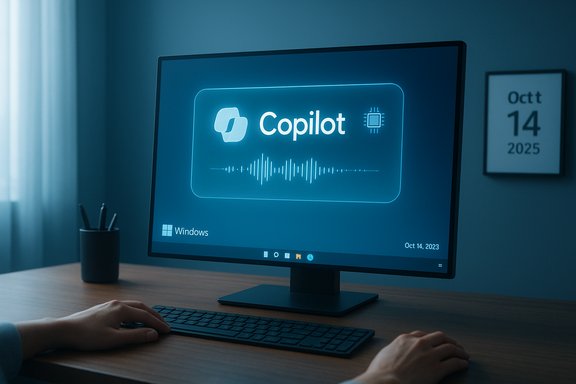
A Windows desktop displays Copilot with a waveform graphic on a modern desk.Background: end of an era, and a carefully timed tease​

The calendar-aligned reality is simple and unavoidable: Microsoft declared that Windows 10 reached end of support on October 14, 2025, meaning the OS no longer receives routine security or feature updates from Microsoft. That change affects hundreds of millions of PCs worldwide and forces a decision point for users and organizations: upgrade to Windows 11 if hardware permits, enroll in the consumer Extended Security Updates (ESU) program for a fixed window, or plan for a migration away from Windows 10. Against that backdrop, the official Windows social account posted the PTO‑for‑your‑hands teaser on October 14. The message’s playful wording — combined with recent public comments from Windows leadership about voice and multimodal input — has shaped immediate readthroughs from the press and analysts: Microsoft is telegraphing a move to elevate voice and context‑aware AI as first‑class inputs on Windows. Multiple outlets repeated the exact phrase from the Windows post and tied it to the company’s recent rhetoric about conversational AI and semantic intent.

Overview: what Microsoft has signalled elsewhere​

Microsoft’s product roadmap for Windows has been visibly shifting toward an AI‑first posture for more than a year. At Build and in subsequent briefings, Windows engineering leadership framed a future where:
  • Windows becomes more ambient and multi‑modal — blending voice, ink, touch, and vision;
  • On‑device models and a Windows Copilot runtime enable local, faster, and privacy‑minded AI features on capable hardware (so‑called Copilot+ PCs);
  • The system can semantically interpret user intent within the context of what’s on the screen, not just react to discrete commands.
Those platform investments include a Windows Copilot Runtime, a Windows Semantic Index for context capture and search, and a family of APIs (the Windows Copilot Library) aimed at letting apps use on‑device models like Phi Silica and recall/summarization features. These are not marketing claims alone — Microsoft published developer guidance and demos that show Recall, Click‑to‑Do, Live Captions and other features tied explicitly to Copilot‑centric architecture.

The big tease decoded: hands off the keyboard?​

Why press and pundits jumped to “voice”​

The tweet‑style tease uses two strong cues: “PTO” (paid time off) for hands, and “rest those fingers”. In the context of Microsoft’s public statements about voice becoming more important and the Copilot experience expanding, the most plausible interpretation is a feature set that reduces reliance on keyboard and mouse in favor of voice, natural language, and agentic AI.
Reporting from multiple outlets pointed to recent interviews with Pavan Davuluri, the head of Windows and Devices, who described scenarios where “you’ll be able to speak to your computer while you’re writing, inking or interacting with another person” and where the system “semantically understand your intent.” Those remarks have been presented as a roadmap toward more conversational, context‑aware interaction across Windows.

What the tease does not confirm​

It is important to flag that this reading remains inference, not confirmation. Microsoft’s short social post is exactly that: a marketing hook. The company has not published release notes or a product page that lists the new capabilities, the hardware or OS requirements, or a definitive ship date and availability. Any assertion that the new features are voice‑only, Copilot‑only, or Windows‑11‑exclusive should be treated as likely but not guaranteed until Microsoft publishes formal details later on the announcement day.

What the public signals say about scope and limits​

Copilot and the shift from Cortana​

Over the past two years Microsoft effectively repositioned its consumer assistant strategy: Cortana, once the voice assistant bundled into Windows, was gradually retired as a standalone consumer product, while Copilot — a generative AI assistant integrated with Windows, Microsoft 365 and Bing — became the primary “assistant” surface. Copilot has evolved from a text‑centric helper into a broader platform that can accept voice input, and Microsoft has been testing wake‑word activation such as “Hey, Copilot!” in preview channels. That evolution makes Copilot the natural candidate to become the default hands‑free interaction layer on modern Windows PCs.

Copilot+ PCs, NPUs and feature fragmentation​

Microsoft’s AI enhancements rely on two parallel vectors: cloud AI and on‑device acceleration. The company’s Copilot+ PC concept includes local NPUs and a runtime that can run smaller language models on device for speed, offline privacy and lower latency. Several of the headline features announced around Copilot — e.g., Recall (an indexed, searchable timeline of things you’ve seen on screen), enhanced Live Captions and advanced local image editing — were explicitly described as restricted to Copilot+ hardware in Microsoft developer posts. That means a two‑tier Windows experience is in play: users on recent Copilot+ hardware will get the richest, lowest‑latency AI experiences, while older PCs may receive cloud‑only or limited variants.

Strengths: where Microsoft’s approach could deliver real value​

  • Productivity gains from multimodal input. Being able to ask natural‑language questions about what’s already on screen — “Summarize this meeting transcript” or “Create a prioritized checklist from these notes” — has clear productivity upsides for knowledge workers and creators.
  • Accessibility improvements. Robust voice and vision features improve access for users with mobility or dexterity challenges and make Windows usable in more contexts.
  • On‑device privacy and responsiveness. Copilot+ PCs and local models can reduce round trips to the cloud for many tasks, speeding responses and limiting data leakage when designed correctly.
  • Developer platform and ecosystem opportunity. Exposing semantic search, vector embeddings and on‑device APIs to third‑party developers opens the door for richer, integrated app experiences across Windows.
  • Strategic repositioning. Microsoft is leveraging years of Windows reach plus deep investments in AI models and partnerships (including with OpenAI) to steer the OS toward an AI platform, differentiating Windows from competitors.

Risks and unresolved questions​

1) Privacy, telemetry and “context awareness”​

Microsoft’s vision of a PC that can “see what we see, hear what we hear” is functionally compelling and simultaneously raises obvious privacy concerns. Features like Recall, which index on‑screen content into vector stores, must balance usefulness with robust encryption, local controls, and transparent data retention policies. Past launches of Recall sparked criticism until Microsoft clarified encryption and authentication models — but distrust may linger and regulatory scrutiny is likely. Any broad rollout that can capture screen content, audio or keystroke context will need airtight privacy defaults and clear, granular user controls.

2) Security and attack surface​

On‑device indexing and model storage add new sensitive artifacts to a PC: semantic indexes, cached transcripts, and model state. Misconfiguration or flawed encryption could become a high‑value target for attackers. Microsoft has published guidance and technical safeguards for Copilot+ experiences, but enterprise and security teams will need to audit these features carefully before enabling them in regulated environments.

3) Hardware fragmentation and inequality of experience​

The Copilot+ strategy creates winners and losers: users with newer, AI‑capable hardware will get a richer, snappier experience; users with older devices — especially those that cannot meet Windows 11’s hardware requirements — may feel left behind. Windows 10’s end of support adds extra friction: millions on Windows 10 who cannot upgrade hardware will need to choose between paying for ESU, moving off the platform, or continuing unsupported operations. The timing of the tease on the same day Windows 10 reached end of support magnified that perception for many users.

4) Reliability, hallucinations and trust in AI​

Generative models and agentic features offer useful automation — but they also make mistakes, hallucinate facts, or produce unsafe instructions. When an operating system starts to “act” for the user — opening files, editing email drafts, sending replies — safeguards, clear confirmation models and human‑in‑the‑loop controls are essential. Early previews show promising features, but the bar for reliability in an OS is higher than for a single app.

5) Perception management and PR layering​

Announcing a high‑gloss, speculative “something big” on the same day as Windows 10’s support sunset looks, to some, like a strategic distraction — or at least poor timing. Even if the new feature is independently compelling, the optics are fraught: users forced (or pressured) to upgrade because of EoS may understandably react poorly if the headline offering appears gated behind newer Windows 11 hardware or a Copilot subscription tier.

What Windows 10 users should know and do now​

  • Confirm end‑of‑support status on your device. If the device is still on Windows 10, Microsoft’s own guidance confirms that routine security and feature updates stopped on October 14, 2025; ESU is available for a fixed period for eligible devices. Verify your build number and ESU eligibility before taking action.
  • Evaluate upgrade eligibility. Use Windows Update and Microsoft’s compatibility tools to check whether your PC can move to Windows 11 for free (Windows 10 version 22H2 and supported hardware is a baseline). Expect strict requirements for TPM 2.0, Secure Boot and compatible CPUs.
  • Consider ESU if upgrade is impossible immediately. The consumer ESU program provides a limited runway for security updates through October 13, 2026, but it requires enrollment details and, in many cases, linkage to a Microsoft account. ESU is a stopgap, not a long‑term answer.
  • Prepare for feature divergence. If planning to stay on older hardware, anticipate that new Copilot‑driven features may be restricted to Copilot+ devices or Windows 11, and that some modern productivity flows will be designed assuming Copilot integration. Plan software and workflow impacts accordingly.

How enterprises and IT pros should approach the change​

  • Audit critical assets for compatibility with Windows 11 and Copilot‑driven workflows. Identify applications that depend on older APIs or drivers that may not be supported on modern Windows 11 builds.
  • Test Copilot features in controlled environments before wide deployment. Agentic automation that edits documents, schedules meetings or manipulates system state needs careful policy controls, role‑based permissions, and audit logging.
  • Update privacy and data governance policies to account for on‑device semantic indexes, local models and any telemetry tied to Copilot features.
  • Budget for hardware refresh or ESU licensing where necessary, mapping refresh cycles to the organization’s risk tolerance and compliance requirements. Microsoft’s Copilot+ hardware requirements will influence procurement decisions.

Likely near‑term scenarios and what to watch for in the official announcement​

  • Microsoft will almost certainly position the reveal as part of the Copilot ecosystem, showing demos of voice activation, context‑aware commands, and multimodal examples that reduce manual typing. Expect a focus on real world productivity flows: email drafting, meeting recap generation, and screen‑context search.
  • Launch availability will probably be staggered: Insiders and Copilot+ hardware first, with broader rollouts later. Watch for specific OS build numbers, Copilot app versions, and hardware SKU requirements in the official release notes.
  • Microsoft will publish documentation about security, privacy and data retention for any Recall‑style features — read those closely. Early previews have shown adjustments to encryption and authentication, but the official policy will matter most for adoption.

Practical tips for users who want voice and AI features without buying new hardware today​

  • Try the existing Copilot app on Windows 11 to experience conversational workflows and voice inputs where available; some features are gradually rolling out to non‑Copilot+ devices even if they’re cloud‑backed.
  • Use accessibility features like Voice Access for basic voice control and dictation — they’re less flashy than agentic Copilot scenarios but proven and low risk for day‑to‑day tasks.
  • Explore web‑based AI assistants and browser extensions as an interim measure; many productivity gains can be achieved with cloud copilots that don’t require specific hardware.
  • Harden privacy: review microphone permissions, disable any screen‑capture or indexing features you don’t want indexed, and keep system backups before enabling new AI features that can manipulate files or settings.

Final analysis: strategic coherence or PR choreography?​

Microsoft’s tease and the broader Copilot narrative point to a coherent strategy: reposition Windows as an AI platform that mediates work through conversation and context rather than manual interface manipulation. The technical pieces are in place — a runtime, device‑level model support, and a Copilot surface that can accept voice — and Microsoft is already shipping many building blocks to developers and early adopters. However, the timing inevitably mixes the strategy with optics. Launching a high‑profile, hardware‑forward AI promise on the same day Windows 10 lost free support risks alienating a large cohort of users who feel pressured to upgrade. The practical result may be a two‑tier Windows user base: the Copilot‑enabled future for those on modern hardware, and an increasingly legacy environment for anyone left on older machines. That outcome raises both technical and social questions about inclusivity and equity in platform transitions.
If Microsoft can deliver clear privacy guardrails, enterprise‑grade controls, and a measured rollout that avoids hard gating for basic functionality, the shift toward multimodal, AI‑driven interaction could be transformative. If it instead becomes a wedge that enforces hardware churn while obscuring data practices, pushback and regulatory scrutiny will be inevitable.

Conclusion​

Microsoft’s “hands‑off” tease is consistent with a multi‑year strategy to make voice, context and AI central to how Windows works — a vision already visible in Copilot, Copilot+ PCs and the Windows Copilot runtime. The company’s public statements and developer materials make the technical direction clear; what remains to be proven is whether Microsoft can execute with the privacy, reliability and accessibility rigor that an operating system‑level shift requires. The immediate practical reality — Windows 10’s end of support and the fragmentation introduced by Copilot+ hardware — means that millions of users must make choices now about upgrades, ESU enrollment or platform migration. The official announcement will fill in critical details, but the strategic contours and the hard tradeoffs are already visible.
Source: Irish Star Microsoft drops major hint of 'something big' for Windows this week
 

Back
Top