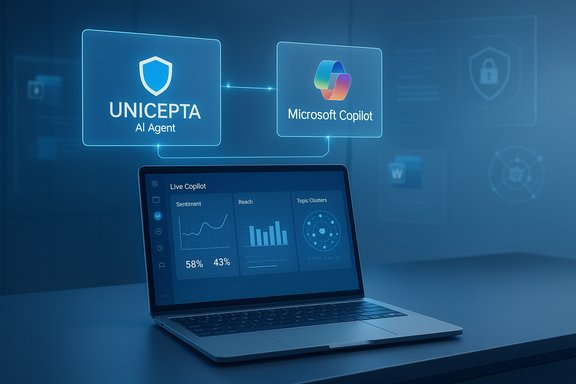
Microsoft used Ignite 2025 to push Microsoft 365 Copilot from helpful assistant to an operational fabric for the modern workplace — introducing an intelligence layer called Work IQ, a governance control plane named Agent 365, expanded in‑app Agent Mode for Word/Excel/PowerPoint, new voice and avatar experiences, and explicit multi‑model support that lets organizations pick between OpenAI and Anthropic models for certain workloads. These changes formalize a shift from conversational helpers to identity‑bound, auditable AI agents that plan, act, and are governed like other enterprise services, and they arrive alongside major commercial moves — including multibillion‑dollar compute and investment deals — that make Microsoft’s Copilot strategy both technically ambitious and commercially consequential.
Microsoft has been layering generative AI into Office for multiple years; Ignite 2025 clarified the company’s next phase: instrumenting AI as a platform rather than a feature. The pitch is straightforward — bind agents to identity and enterprise data, give them lifecycle controls and telemetry, and let those agents operate across Word, Excel, PowerPoint, Outlook, Teams and Windows while respecting permissions and compliance controls. The strategy couples three core pillars: a contextual intelligence layer (Work IQ), a semantic data/knowledge grounding fabric (Fabric IQ / Foundry IQ), and a management/control plane for agents (Agent 365). Microsoft also positioned the updates in a broader commercial moment. The company continues to report large, AI‑driven cloud revenues and exceptionally high capital expenditures to buy GPU/CPU capacity; public filings and earnings commentary show Microsoft Cloud generating tens of billions of dollars per quarter while the company spends heavily on datacenter compute for AI. Those financial realities shape why Microsoft is aggressively packaging Copilot features for broad adoption and adding licensing and governance constructs to capture and control enterprise usage.
But the move raises equally real operational and ethical responsibilities. Accuracy limits, data access risks, cost control, vendor dependencies, and regulatory constraints are not hypothetical; they are immediate considerations that must be central to any rollout plan. The technology’s power will magnify both benefits and hazards.
In short: the arrival of agentic Microsoft 365 Copilot is a watershed for enterprise productivity — but one that requires businesses to adopt disciplined governance, rigorous validation, and clear cost and privacy guardrails before unleashing fleets of AI agents into day‑to‑day operations.
Conclusion
Microsoft’s Ignite 2025 signals an ambitious, integrated push to make AI agents a core part of workplace software. The company shipped the building blocks — context, grounding, runtime, identity, governance and multi‑model choice — and tied them to strong commercial incentives driven by cloud economics and major partner deals. For IT leaders, the path forward is straightforward in concept but complex in execution: pilot with care, demand auditability and explainability from agents, and treat model and compute consumption as first‑class operational metrics. Those who pair bold pilots with disciplined governance will capture the gains of agentic productivity; those who rush without guardrails risk confusion, cost overruns, and regulatory friction.
Source: AOL.com Microsoft is bringing more AI to its all-important Microsoft 365 productivity suite
 Background
Microsoft has been layering generative AI into Office for multiple years; Ignite 2025 clarified the company’s next phase: instrumenting AI as a platform rather than a feature. The pitch is straightforward — bind agents to identity and enterprise data, give them lifecycle controls and telemetry, and let those agents operate across Word, Excel, PowerPoint, Outlook, Teams and Windows while respecting permissions and compliance controls. The strategy couples three core pillars: a contextual intelligence layer (Work IQ), a semantic data/knowledge grounding fabric (Fabric IQ / Foundry IQ), and a management/control plane for agents (Agent 365). Microsoft also positioned the updates in a broader commercial moment. The company continues to report large, AI‑driven cloud revenues and exceptionally high capital expenditures to buy GPU/CPU capacity; public filings and earnings commentary show Microsoft Cloud generating tens of billions of dollars per quarter while the company spends heavily on datacenter compute for AI. Those financial realities shape why Microsoft is aggressively packaging Copilot features for broad adoption and adding licensing and governance constructs to capture and control enterprise usage. What Microsoft announced (the practical summary)
Work IQ — the context engine behind Copilot
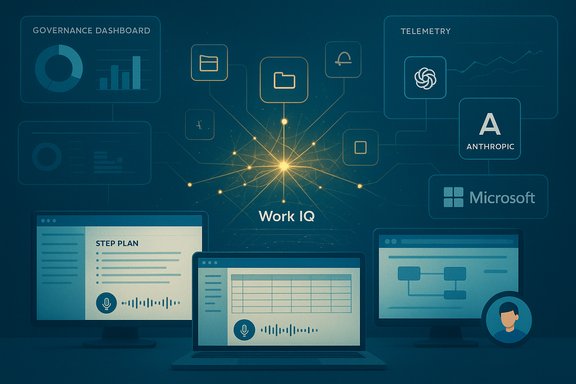
Work IQ is described as the intelligence layer that models how you work: it ingests emails, calendar and meeting content, files and collaborative content, plus memory about preferences, writing style and work habits. Its goal is to make Copilot and agents role‑aware so they can suggest the right agent, pick appropriate data, and persist relevant context across sessions. Microsoft says Work IQ can be surfaced via APIs to power custom agents and will respect tenant security, sensitivity labels and compliance controls.Agent Mode and Office Agents — agents that act inside files
Agent Mode moves the agent into the canvas of Word, Excel and PowerPoint so it can execute multi‑step tasks — decompose a brief, run data transforms, create formulas, or assemble slide decks — all while showing a plan and intermediate steps for human inspection and rollback. Complementing in‑app Agent Mode are chat‑first Word/Excel/PowerPoint agents in Copilot Chat that can produce near‑final artifacts and hand them off into native apps. Microsoft emphasizes auditable, iterative plans rather than opaque one‑shot outputs.Agent 365 — an enterprise control plane
Agent 365 is a tenant‑level registry and management surface for fleets of agents: identity (Entra Agent ID), least‑privilege access, telemetry and visualization, inventory and lifecycle controls, and interoperability with third‑party agents. The control plane is explicitly positioned to let IT discover, approve, limit and monitor agents the same way they govern human users and services. Visual dashboards will show the relationships between people, agents, and data — useful for audit and incident response.Voice, Mico avatar, and “human” interaction modes
Microsoft added voice mode to Microsoft 365 Copilot mobile apps and announced Mico — a modern, expressive avatar intended to make voice interactions feel more personal. Voice in Copilot will let you ask natural questions like “what are my top priorities for the day?” or “catch me up on the meeting I missed,” and will offer one‑tap triage and reply capabilities in Outlook mobile. Microsoft says voice features and the Mico avatar will roll out in stages and be configurable by tenant admins.Model choice and multi‑provider strategy
Microsoft is explicitly expanding model choice inside Copilot: in Agent Mode for Excel and other surfaces customers can route workloads to OpenAI or Anthropic models (and Microsoft’s own tuned models) so organizations can choose by cost, latency, or safety characteristics. This strengthens Microsoft’s multi‑model posture and reduces single‑vendor dependency concerns. Microsoft also announced a high‑profile commercial tie‑up that brings Anthropic models into Azure and Microsoft Foundry, alongside investment commitments that multiple outlets have reported.Commercial packaging and availability
Microsoft is staging these features through its Frontier preview program and mixes no‑additional‑cost Copilot Chat experiences for many subscribers with paid add‑ons and specialized Copilot seats for deeper, tenant‑grounded functionality. A consumer/small business Copilot tier (Microsoft 365 Copilot Business for SMBs) and changes to how Copilot surfaces in client apps signal that Microsoft wants both broad distribution and monetization levers.Why this matters: practical wins for productivity teams
- Faster completion of multi‑step work: Agent Mode in Excel can decompose complex analytics tasks into auditable steps and execute transformations, lowering the barrier to produce multi‑sheet models and visualizations.
- Reduced handoffs: Copilot Pages + Office Agents let an idea mature in chat and then become an editable document, deck or workbook without export-import gymnastics.
- Democratized automation: Copilot Studio, App Builder and Workflows let non‑developer makers assemble agents and apps with lower friction, accelerating internal automation without bottlenecking engineering teams.
The strategic and economic context
Microsoft’s product push is tightly coupled to its cloud economics and capital buildout. The company’s Microsoft Cloud remains a primary revenue engine (public reports show Microsoft Cloud generating roughly $49.1 billion in a recent quarter), and Microsoft has raised capital expenditures sharply to secure GPU/CPU capacity for AI workloads; one quarter’s reported capex reached roughly $34.9 billion with a material share attributed to GPUs and CPUs. That spending explains why Microsoft is packaging AI into paid tiers and governance surfaces — the company needs to monetize capacity and offer enterprises enterprise‑grade controls. The technology ecosystem is also consolidating around compute and models. Microsoft’s announced commercial relationship that makes Anthropic’s Claude family available across Azure and Foundry — supported by investment commitments reported in the press — changes the multi‑model landscape and provides customers with explicit model choice inside Microsoft’s ecosystem. Those strategic partnerships are driving both capability and complexity.Technical validation: what’s verifiable and what needs caution
- Work IQ’s scope and privacy controls — verifiable
- Microsoft’s blog describes Work IQ as ingesting email, files, chats, meetings and constructing memory (preferences and habits), and Microsoft explicitly states Work IQ respects existing permissions, sensitivity labels, and auditing controls. This is documented in Microsoft’s Ignite coverage. Enterprises should verify their tenant’s configuration and Purview labels before enabling broad Work IQ access.
- Agent Mode capabilities and audit plans — verifiable with preview caveats
- The design — decomposition into steps, visible plans, rollback — is a stated product goal and is rolling out via Frontier and preview channels. The in‑canvas execution model and Office Agents are already visible in previews and demos; still, customers must treat early accuracy benchmarks as indicative rather than final.
- Model availability (OpenAI, Anthropic, Microsoft models) — verifiable, but model names and exact routing rules vary by tenant
- Microsoft has publicly said it will make Anthropic models available on Foundry and Copilot surfaces and will provide choices for routing some workloads to Anthropic or OpenAI. Independent reporting corroborates the strategic deal that increases Anthropic availability on Azure; the exact models exposed to each tenant and the routing logic may vary by license and region. Administrators should expect per‑tenant opt‑in controls.
- Financial figures and capacity constraints — verifiable
- Quarterly cloud revenue figures and capex totals are public in Microsoft’s earnings releases and reporting. Microsoft’s CFO commentary about being capacity‑constrained and continuing to invest is also on record. These numbers justify Microsoft’s commercial strategy.
- IDC forecast of 1.3 billion agents by 2028 — flagged
- Microsoft referenced an IDC Info Snapshot in its Ignite materials. That IDC figure is an industry projection and should be treated as a widely cited forecast rather than a guaranteed outcome; readers should treat such forecasts as directional market sizing, not certainties.
Strengths: what Microsoft gained and what organizations can exploit
- Cohesive platform story: tying Work IQ, Fabric/Foundry IQ, Copilot Studio and Agent 365 together creates a clear enterprise narrative for agent deployment that reduces integration friction.
- Enterprise governance baked in: Agent 365’s identity and telemetry-first approach anticipates operational realities (audits, access reviews, conditional access) and helps CIOs treat agents as production services.
- Multi‑model flexibility: allowing Anthropic and OpenAI models (plus Microsoft’s models) reduces vendor concentration risk and gives buying organizations levers to choose models by cost, safety profile, or latency.
- Low‑code adoption path: Copilot Studio, App Builder and Agent Factory lower the barrier for internal makers to create repeatable automation without central engineering bottlenecks.
- Productivity uplift: For repeated knowledge tasks (meeting summaries, triage, templated document generation), the agentic model offers measurable time savings in pilots and early deployments.
Risks and unknowns IT leaders must plan for
- Accuracy and validation: Agents that act inside files can produce incorrect results that look authoritative. The visible plan UI reduces opacity but does not eliminate the need for domain verification. Human review is mandatory for finance, legal, and regulated outputs.
- Data residency and leakage risk: Work IQ’s power comes from access to mail, files and meetings. Organizations must verify Purview and DLP settings, connector configurations, and tenant opt‑ins before enabling broad agent access.
- Cost and runaway consumption: Agents that run autonomously or at scale can create unexpected compute and cost footprints. Agent 365 telemetry and cost controls will be essential to understand and limit meter‑based charges.
- Vendor lock‑in and circular economics: The large compute and investment ties between cloud providers, chip vendors and model companies create complex dependencies. The Anthropic/ Microsoft/Nvidia arrangements have been widely reported and raise questions about circular contracts and competitive dynamics. Enterprises should weigh model portability and exportability when designing agent strategies.
- Regulatory and regional variation: Automatic installations, default enablement, or feature availability may differ across jurisdictions (the EU has taken particular regulatory interest in AI and competition matters). Admins should expect regional opt‑outs and compliance workflows. Independent reporting has already noted EEA restrictions for some automatic installations.
- Social and psychological effects: Microsoft emphasized making Copilot more empathetic without being sycophantic; the industry has seen how model alignment failures can produce dangerously reinforcing behavior. Guardrails and safety testing remain crucial.
Practical guidance: how to pilot agentic Copilot safely
- Start with narrow, low‑risk pilots: prioritize HR self‑service, meeting facilitation, or marketing content generation where outputs are semi‑structured and human review is straightforward.
- Require plan inspection and human‑in‑the‑loop gates: configure Agent Mode to require sign‑off on multi‑step flows that change documents or spreadsheets. Use visible plan UIs as part of the approval workflow.
- Map data flows and enforce DLP: use Microsoft Purview and existing DLP controls to limit what agents can access and what outputs can leave the tenant.
- Meter and monitor consumption: activate Agent 365 telemetry and integrate cost alerts into cloud finance tooling to prevent runaway agent spend.
- Document model routing policies: establish rules for when to route workloads to Anthropic, OpenAI or Microsoft models based on sensitivity, latency and cost.
- Train staff on agent literacy: run workshops for end users and reviewers so humans understand common failure modes, hallucination risks, and when to escalate outputs for legal review.
- Maintain an escape plan: ensure the ability to disable agent features at tenant or group level quickly if misbehavior, a security incident, or regulatory notice occurs.
Governance and security: why Agent 365 matters (but isn’t a complete solution)
Agent 365’s identity‑first design, per‑agent permissions, and telemetry dashboards are the right architectural choices for productionizing agents. Enabling per‑action approval flows, least‑privilege access, and lifecycle controls will help organizations govern the new attack surface that agents create. But Agent 365 is necessary, not sufficient: organizations must still integrate agents into their incident response, risk assessments, and compliance frameworks. Logging, data retention, and auditability should be defined at deployment time — not discovered after a misstep.The marketplace and partner implications
Microsoft’s announcements also open substantial opportunities for partners and ISVs:- Build vertical agents (finance, legal, healthcare) that ship with domain‑specific grounding.
- Offer managed Copilot Studio / Agent Factory services to design, test, and operate agents for customers with security SLAs.
- Provide model‑selection advisory services and cost‑optimization layers for agent fleets.
- Create pre‑built agent templates, connectors, or verification workflows to accelerate safe adoption.
Final assessment: opportunity tempered by responsibility
Microsoft’s Ignite 2025 announcements mark a clear inflection point: Copilot is no longer a sidebar help feature but an orchestration layer for agentic productivity. The technical roadmap — Work IQ, Fabric/Foundry IQ, Agent Mode, Copilot Studio, and Agent 365 — gives enterprises the primitives they need to build, ground, and govern agents at scale. That platform coherence is a real strength: organizations with the right governance and integration capabilities can gain measurable productivity improvements.But the move raises equally real operational and ethical responsibilities. Accuracy limits, data access risks, cost control, vendor dependencies, and regulatory constraints are not hypothetical; they are immediate considerations that must be central to any rollout plan. The technology’s power will magnify both benefits and hazards.
In short: the arrival of agentic Microsoft 365 Copilot is a watershed for enterprise productivity — but one that requires businesses to adopt disciplined governance, rigorous validation, and clear cost and privacy guardrails before unleashing fleets of AI agents into day‑to‑day operations.
Conclusion
Microsoft’s Ignite 2025 signals an ambitious, integrated push to make AI agents a core part of workplace software. The company shipped the building blocks — context, grounding, runtime, identity, governance and multi‑model choice — and tied them to strong commercial incentives driven by cloud economics and major partner deals. For IT leaders, the path forward is straightforward in concept but complex in execution: pilot with care, demand auditability and explainability from agents, and treat model and compute consumption as first‑class operational metrics. Those who pair bold pilots with disciplined governance will capture the gains of agentic productivity; those who rush without guardrails risk confusion, cost overruns, and regulatory friction.
Source: AOL.com Microsoft is bringing more AI to its all-important Microsoft 365 productivity suite