

Microsoft has quietly begun the first wave of vendor-signed Windows updates for 2026 — an event that looks routine at first glance but carries outsized importance for two very different groups: Windows 10 holdouts who are running machines past the platform’s end-of-support date, and buyers (and makers) of the next generation of Copilot+ ARM laptops. What arrived in mid-January is both a security lifeline for Windows 10 users enrolled in Microsoft’s consumer Extended Security Updates (ESU) program and confirmation that Windows 11’s 26H1 branch exists — though it’s not a conventional feature update for the majority of users. The details matter: new secure-boot certificate work and platform-first OS images are already shaping upgrade, procurement and patching decisions for 2026.
Microsoft’s desktop roadmap has two overlapping rhythms right now. First, Windows 10 reached its official end-of-support milestone in October 2025, prompting the company to offer a time-limited consumer Extended Security Updates (ESU) program that delivers security-only patches through October 13, 2026. That ESU program is deliberately narrow: it does not restore feature updates, non-security fixes, or full support, but it does extend protections for eligible devices that enroll.
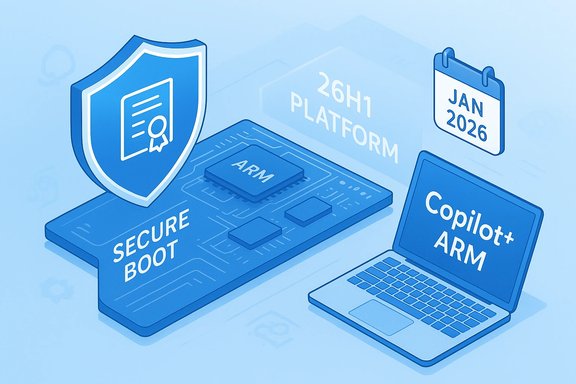
Second, Windows 11 development continues on a split path. Microsoft pushed an Insider Canary build that reports itself as Windows 11, version 26H1 (Build 28000) — a platform-focused release intended to enable next-generation silicon rather than to roll out consumer-facing features to the general install base. Practically speaking, that means some new Copilot+ ARM laptops will ship with a different, hardware-targeted OS image, while most users will continue to receive feature work through the regular Windows 11 annual H2 cadence.
Both developments landed in close succession: a January 2026 cumulative ESU update patched a raft of security issues for enrolled Windows 10 machines and included mechanisms to refresh Secure Boot certificates; and Microsoft’s Insider announcement that Build 28000 increments the version string to 26H1 clarified that the branch is a platform baseline, not the start of a mass feature rollout.
This model has practical upsides — faster time-to-market for new silicon and more assured day-one features on complex devices — but raises long-term governance questions: will device-first branches become a recurring pattern? If so, Microsoft and its partners will need clearer communication, consolidated servicing paths and stronger guarantees from OEMs to avoid fragmenting enterprise management and consumer expectations.
Source: Forbes https://www.forbes.com/sites/zakdof...6h1-and-most-people-won-t-get-it/ar-AA1PrStU]
 Background / Overview
Microsoft’s desktop roadmap has two overlapping rhythms right now. First, Windows 10 reached its official end-of-support milestone in October 2025, prompting the company to offer a time-limited consumer Extended Security Updates (ESU) program that delivers security-only patches through October 13, 2026. That ESU program is deliberately narrow: it does not restore feature updates, non-security fixes, or full support, but it does extend protections for eligible devices that enroll.Second, Windows 11 development continues on a split path. Microsoft pushed an Insider Canary build that reports itself as Windows 11, version 26H1 (Build 28000) — a platform-focused release intended to enable next-generation silicon rather than to roll out consumer-facing features to the general install base. Practically speaking, that means some new Copilot+ ARM laptops will ship with a different, hardware-targeted OS image, while most users will continue to receive feature work through the regular Windows 11 annual H2 cadence.
Both developments landed in close succession: a January 2026 cumulative ESU update patched a raft of security issues for enrolled Windows 10 machines and included mechanisms to refresh Secure Boot certificates; and Microsoft’s Insider announcement that Build 28000 increments the version string to 26H1 clarified that the branch is a platform baseline, not the start of a mass feature rollout.
What changed this January (the hard facts)
- Windows 10’s mainstream support ended in October 2025; Microsoft offered a consumer ESU program that provides security-only updates through October 13, 2026. The ESU program is time-boxed — it’s a bridge, not a permanent extension.
- Microsoft published an ESU enrollment experience that includes three consumer routes:
- Free if you sign into and remain signed in with a Microsoft account and sync your Windows settings;
- Redeem 1,000 Microsoft Rewards points; or
- A one-time paid purchase (commonly listed at roughly $30 USD, with regional variations and taxes applied).
These options link the ESU entitlement to a Microsoft Account and, in many regions, permit applying the license to multiple devices under the same account within the program’s rules. - The January 2026 ESU cumulative update for Windows 10 (publicized in mid-January) includes important Secure Boot certificate updates and several critical security fixes. The Secure Boot certificate work is not cosmetic: older signing certificates were approaching expiry windows in 2026, and the update seeds a modern certificate set to avoid boot-time trust failures later in the year.
- Microsoft released Windows 11 Insider Preview Build 28000 to the Canary Channel. With this build the reported version becomes Windows 11, version 26H1. Microsoft explicitly described 26H1 as a platform-only update intended to support specific silicon and not a general feature update for users on the 25H2 baseline.
Why the January ESU update matters
The January ESU cumulative for Windows 10 is more than routine patching; it contains two operationally critical elements:- Secure Boot certificate rotation and targeting. Several of the certificates used in the Windows secure-boot chain (legacy trust anchors) were scheduled to lapse in mid-2026. The ESU cumulative includes mechanisms and device-targeting metadata that permit Microsoft to deliver new secure-boot certificates safely and in a staged way (devices that show reliable update behavior will be prioritized). Without these replacements, some devices could fail to trust newly signed pre-boot components or face boot reliability and security issues.
- Security fixes for a retired OS. Although Windows 10 is out of mainstream support, enrolled devices that meet the ESU prerequisites will still receive Critical and Important fixes. That is essential for mitigating newly disclosed vulnerabilities aimed at high-value attack surfaces in the platform.
What 26H1 (Build 28000) actually is — and is not
26H1 explained (plain language)
- Not a mass consumer feature update. 26H1 in Canary is a platform branch meant to codify kernel, driver and attestation changes required for new silicon — primarily upcoming Snapdragon X2 family devices and similar hardware that needs deeper OS/firmware integration at the factory level.
- Device-first deployment model. Expect OEMs to image some first-wave ARM Copilot+ laptops with 26H1 preinstalled so those devices ship with validated drivers, firmware attestation and on-device AI functionality enabled from day one. This reduces launch friction for the devices but doesn’t mean every Windows 11 PC will receive the same version in Windows Update.
- 25H2 remains the primary feature baseline. Microsoft continues to deliver consumer-facing feature releases on its annual H2 cadence; broad feature parity for non-Device-first users will still come through those mainstream channels.
Why Microsoft did this
Chip and NPU (neural processing unit) vendors and OEMs increasingly ship hardware features that require coordinated kernel, driver and firmware work. A platform-first branch reduces risk for factory flashing, driver signing and attestation, while still allowing Microsoft to maintain stable servicing across the broader fleet.Practical implications: who must act and what to do now
For Windows 10 users (especially those who stayed on 22H2)
- Check ESU eligibility and enroll if you intend to keep running Windows 10 past its end-of-support date and want vendor-signed OS patches through October 13, 2026. Enrollment appears in Settings → Update & Security → Windows Update when device prerequisites are met.
- Enrollment options: Keep in mind the enrollment mechanics — the free path requires a Microsoft Account and continued sign-in to remain eligible; the paid path (~$30) lets you maintain local account usage but still binds the ESU entitlement to a Microsoft Account. Availability and the precise local price may vary by region.
- Install prerequisite updates before enrollment: devices must be on Windows 10 version 22H2 and have the necessary servicing stack updates installed to surface the ESU enrollment wizard.
- Update Secure Boot certificates. Do not ignore the guidance about Secure Boot certificate updates — these are not optional for devices that rely on the older cert set; missing the certificate rotation may cause trust or boot issues when certificates expire.
For Windows 11 users and buyers
- No action required for the majority. If you run Windows 11 on Intel or AMD hardware and are not buying one of the new Copilot+ ARM devices, you are unlikely to see 26H1 arrive via Windows Update. Microsoft intends to keep 25H2 as the normal feature baseline.
- If you’re buying early Copilot+ ARM hardware (Snapdragon X2, etc., confirm the OEM’s servicing and driver update plan. Devices may ship with different images and could have features tied to hardware attestation or NPUs.
For IT and enterprise teams
- Treat 26H1-shipped devices as vendor-supplied images. Validate management tooling, kernel-mode agents, VPN clients, and endpoint protection on pilot devices before mass deployment.
- Ask OEMs for update paths. Will vendor drivers be delivered through Windows Update, OEM update agents, or custom channels? Establish SLA expectations for driver patches and firmware updates.
- Inventory and plan for Windows 10 ESU. If you must keep Windows 10 endpoints in scope for business reasons, weigh ESU vs. accelerated refresh or platform migration — ESU is time-limited and does not replace long-term modernization.
Step-by-step checklist (practical, ordered)
- Verify your OS and build: open winver or Settings → System → About and confirm whether you’re on Windows 10 version 22H2, Windows 11 25H2, or another build.
- If you’re on Windows 10 and want ESU, ensure all required cumulative and servicing-stack updates are installed.
- Sign into a Microsoft Account (if you plan to use the free ESU route). If you prefer a local account, plan to purchase the one-time ESU license and associate it with a Microsoft Account for enrollment.
- Open Settings → Update & Security → Windows Update and look for an “Enroll now” or ESU prompt; follow the wizard to enroll.
- After enrollment, verify you receive the ESU cumulative updates (your build number will increment when updates are installed).
- For Windows 11 device buyers: confirm OEM documentation that details whether a new device is preloaded with 26H1 or the baseline 25H2 image, and query the update path for drivers and attestation data.
- For IT: pilot 26H1-shipped hardware in a controlled ring; validate MDM/Intune policies, EDR compatibility, and image recovery steps.
The benefits: what’s positive about Microsoft’s approach
- Targeted engineering solves launch-day risk. A platform-only branch allows deep kernel and attestation changes to be validated on devices that require them, which reduces the chance of regressions across the wider install base.
- A pragmatic ESU safety valve. The consumer ESU gives households and small businesses an operational breathing room to migrate, purchase new hardware, or execute a measured refresh rather than being forced into immediate upgrades.
- Secure Boot certificate management mitigates a real reliability risk. The certificate refresh included in January’s ESU cumulative is a practical fix for a looming boot/trust issue that would otherwise surface as certs expire in mid-2026.
- Clarity for OEMs and silicon partners. A device-first OS image simplifies factory workflows for vendors shipping specialized hardware with on-device AI, attestation and NPUs.
The downsides and risks — what to worry about
- User account and privacy friction. The free ESU route generally requires a Microsoft Account and continued sign-in to retain entitlement. That rubs many privacy-conscious users the wrong way and forces account choices that weren’t previously necessary for OS-level updates.
- Fragmentation risk and messaging confusion. A platform-first branch that ships only on particular devices can breed misunderstanding: consumers and media may assume a new Windows version means a broad rollout, and enterprises may misread servicing intentions, creating support overhead.
- Limited scope of ESU: time-limited and security-only. The consumer ESU is a one-year bridge. It does not supply feature fixes or full support, so relying on ESU as a long-term strategy increases technical debt and risk over time.
- Potential supply-chain and servicing complexity. If OEMs elect different channels for driver/firmware updates (Windows Update vs. OEM agents), administrators must track and validate a more heterogeneous update ecosystem.
- Price and regional disparities. The paid ESU path is commonly reported at about $30 USD, but pricing and enrollment nuances vary by region and may create perceived unfairness if consumers in some markets can enroll for free while others must pay.
Technical and security analysis (deeper dive)
Secure Boot certificates — why they demand attention
Secure Boot relies upon a chain of trust anchored in firmware-stored certificate authorities and database entries (KEK/DB/DBX). When those anchors age or expire, new boot components may lack a trusted signature path. Microsoft’s approach in the January cumulative was twofold:- Update the platform’s trust set so devices can accept modernly-signed pre-boot components.
- Add device-targeting logic to stage the certificate roll-out only to hosts that demonstrate reliable update behavior.
Platform-first OS images: kernel, drivers, and attestation
Supporting high-TOPS NPUs and new attestation flows requires kernel hooks, driver models and firmware attestation paths that may be intrusive to the kernel or platform management stack. Shipping a different factory image (26H1) for those devices lets OEMs pre-flight the entire stack under known conditions. However, it adds an ongoing burden for ISVs and IT:- Kernel-mode agents and low-level security agents must be validated against the new baseline.
- Device management and imaging tools must be able to handle multiple baseline images without introducing configuration drift.
- Attestation and NPU-backed features may require vendor-specific updates independent of mainstream Windows servicing.
Long-term view: what this signals about Microsoft’s strategy
Microsoft’s approach in early 2026 signals two converging priorities: accelerate hardware-enabled AI experiences while preserving a stable mainstream update cadence. The company appears to prefer shipping validated device-first images for radical silicon shifts (reducing launch friction) but continuing to deliver broad consumer features on the long-standing H2 cadence.This model has practical upsides — faster time-to-market for new silicon and more assured day-one features on complex devices — but raises long-term governance questions: will device-first branches become a recurring pattern? If so, Microsoft and its partners will need clearer communication, consolidated servicing paths and stronger guarantees from OEMs to avoid fragmenting enterprise management and consumer expectations.
Bottom line and recommendations
- For Windows 10 users who must remain on the platform, enroll in ESU now if you want vendor-signed security updates through October 13, 2026. Use the free Microsoft Account sync route if you accept that tradeoff; use the paid option if you must keep local accounts. Confirm prerequisites (22H2 and latest servicing stack updates) before enrolling.
- For consumers who can upgrade, move to Windows 11 on eligible hardware to avoid the short-term juggling of ESU and account linkages.
- For IT teams: pilot any 26H1-shipped devices in isolated rings and demand OEM documentation on driver, firmware and attestation update paths. Treat ESU as a controlled, short-term bridge — not a replacement for a migration plan.
- For OEMs, ISVs and developers: use 26H1 images as the testbed for new silicon-driven experiences, and provide clear fallback behavior for non-Copilot hardware.
Source: Forbes https://www.forbes.com/sites/zakdof...6h1-and-most-people-won-t-get-it/ar-AA1PrStU]
